2003 CHEVROLET CORVETTE change time
[x] Cancel search: change timePage 172 of 368

This message indicates that the pressure in one of your
tires is lower than 5 psi (34 kPa). Next to the FLAT
TIRE message, you can see either LF (left front), LR (left
rear), RF (right front) or RR (right rear) to indicate to
you which tire is ¯at. You can receive more than one tire
pressure message at a time. To read other messages
that may have been sent at the same time, press
RESET. If a tire pressure message appears on the DIC,
stop as soon as you can. Have the tire pressures
checked and set to those shown on your Tire Loading
Information Label. See
Extended Mobility Tires
(Except Z06) on page 5-54andIn¯ation -- Tire Pressure
on page 5-56.
{CAUTION:
When the LOW TIRE PRESSURE or FLAT TIRE
message is displayed on the Driver Information
Center, your vehicle's handling capabilities will
be reduced during severe maneuvers. If you
drive too fast, you could lose control of your
vehicle. You or others could be injured. Don't
drive over 55 mph (90 km/h) when the LOW
TIRE PRESSURE or FLAT TIRE message is
displayed. Drive cautiously and check your tire
pressures as soon as you can.HIGH TIRE PRESSURE ± (LF, LR, RF, RR)
(Except Z06):You will hear two chimes when this
message is displayed. To acknowledge the warning,
press RESET. After you press RESET, a message will
reappear every 10 minutes until this condition changes.
This message indicates that the pressure in one of your
tires is higher than 42 psi (290 kPa). Next to the HIGH
TIRE PRESSURE message, you can see either LF (left
front), LR (left rear), RF (right front) or RR (right rear) to
indicate to you which tire is higher than 42 psi (290 kPa).
You can receive more than one tire pressure message at
a time. To read other messages that may have been sent
at the same time, press RESET. If a tire pressure
message appears on the DIC, stop as soon as you can.
Have the tire pressures checked and set to those shown
on your Tire Loading Information Label. See
Extended
Mobility Tires (Except Z06) on page 5-54andIn¯ation --
Tire Pressure on page 5-56.
SERVICE TIRE MON SYS (Except Z06):If this
message comes on, a part on the Tire Pressure
Monitor (TPM) is not working properly. If you drive your
vehicle while any of the four sensors are missing or
inoperable, the warning will come on in approximately
10 minutes. If all four sensors are missing, the warning
will come on in approximately 15 to 20 minutes. (All the
sensors would be missing, for example, if you put
different wheels on your vehicle without transferring the
sensors.) If the warning comes on and stays on, there
may be a problem with the TPM. See your dealer.
3-60
Page 173 of 368

Other Messages
Here are more messages that you can receive on your
Driver Information Center (DIC). To acknowledge a
message and read another message that may have
come on at the same time, press the RESET button.
·BRAKE BEFORE SHIFT
(See ªAutomatic Transmissions Onlyº under
Automatic Transmission Operation on page 2-24.)
·CHANGE OIL NOW
(See ªGM Oil Life SystemŸº under
Engine Oil on
page 5-13.)
·CHANGE OIL SOON
(See ªGM Oil Life SystemŸº under
Engine Oil on
page 5-13.)
·CRUISE DISENGAGED
(See ªCruise Controlº under
Turn
Signal/Multifunction Lever on page 3-6.)
·CRUISE SET_MPH (_km/h)
(See ªCruise Controlº under
Turn
Signal/Multifunction Lever on page 3-6.)
·DOOR AJAR
·ENGINE PROTECTION REDUCE ENGINE RPM
·HATCH AJAR (Coupe)
·HIGH VOLTAGE
(See
Voltmeter Gage on page 3-34.)
·LOW BRAKE FLUID
(See ªBrake Fluidº under
Brakes on page 5-37.)
·LOW FUEL
(See
Fuel Gage on page 3-42.)
·LOW VOLTAGE
(See
Voltmeter Gage on page 3-34.)
·LOW WASHER FLUID
(See
Windshield Washer Fluid on page 5-36.)
·RESERVE FUEL
(See
Fuel Gage on page 3-42.)
·TONNEAU AJAR (Convertible)
·TRUNK AJAR (Convertible/Z06)
·UPSHIFT NOW
(See
Manual Transmission Operation on
page 2-27.)
3-61
Page 182 of 368

REV 4 (Reverse):Press and hold this pushbutton to
quickly reverse within a track. Release it to play
the passage. You can use the counter reading on the
display to locate a passage easily.
FWD 6 (Forward):Press and hold this pushbutton to
quickly advance within a track. Release it to play
the passage. You can use the counter reading on the
display to locate a passage easily.
oSEEKp:Press the left arrow to go to the start of
the current or to the previous track. Press the right
arrow to go to the start of the next track. If either arrow
is held or pressed more than once, the player will
continue moving backward or forward through the CD.
RECALL:Press this button to see which track is
playing. Press it again within ®ve seconds to see how
long it has been playing (elapsed time). The track
number will also appear when you change the volume
or when a new track starts to play.
AM FM:Press this button to listen to the radio when a
CD is playing.
CD AUX (Auxiliary):Press this button to play a CD
when listening to the radio. CD will appear on the display
when a disc is in the player, whether it is active or
not. If your system is equipped with a remote playback
device, pressing this button a second time will allow
the remote device to play.EJECT:Press this button to eject the CD. The radio
will play. EJECT may be used with the ignition or radio
off. CDs may be loaded with the radio off if this
button is pressed ®rst.
If you turn off the ignition or radio with a CD in the
player, it will stay in the player. When you turn on the
ignition or radio, the disc will start playing where it
was stopped. If you press EJECT but do not remove the
disc, the player will pull the disc back in to protect it
after about one minute. If you leave the CD in the player
while listening to the radio, it may become warm.
Compact Disc Messages
ERR (Error):If this message appears on the display,
and/or the disc comes out, it could be for one of
the following reasons:
·You're driving on a very rough road. When the road
becomes smoother, the disc should play.
·It's very hot. When the temperature returns to
normal, the disc should play.
·The disc is dirty, scratched, wet or upside down.
·It is very humid. If so, wait about an hour and
try again.
·There may have been a problem while burning
the CD.
·The label may be caught in the CD player.
3-70
Page 185 of 368

Whenever a CD magazine with discs is loaded in the
changer, the compact disc symbol will appear on
the radio display. If the CD changer is checking the
magazine for CDs, the compact disc symbol will ¯ash on
the display until the changer is ready to play. When a
CD begins playing, CD will appear in the bottom
left corner and a disc and track number will be
displayed. The disc numbers are listed on the front of
the magazine.
All of the CD functions are controlled by the radio
pushbuttons except for ejecting the magazine.
Operating the Trunk-Mounted CD
Changer with the AM-FM Radio with
Cassette
If an error appears on the display, see ªCompact Disc
Messagesº later in this section.
The following pushbuttons are used for the
trunk-mounted CD changer.
1 PREV (Previous):Press this pushbutton to go to the
previous track if the current track has been playing
for less than eight seconds. If pressed when the current
track has been playing for more than eight seconds,
it will go to the beginning of the current track. If you hold
or press this pushbutton more than once, the player
will continue moving back through the disc.2 PROG (Program):Press this pushbutton to select
the next disc in the magazine. If a CD cannot be played,
its number will be skipped when selecting discs while
using this pushbutton.
3 NEXT:Press this pushbutton to advance to the next
track. If you press and hold this pushbutton or press
it more than once, the player will continue moving
forward through the disc.
REV 4 (Reverse):Press and hold this pushbutton to
quickly reverse within a track. Release this pushbutton
to resume play.
W5 (Dolbyž):This pushbutton has no function when
playing a CD.
FWD 6 (Forward):Press and hold this pushbutton to
quickly advance within a track. Release this pushbutton
to resume play.
RECALL:Press this button to see what track is
currently playing. Press it again within ®ve seconds to
see how long the track has been playing. When a
new track starts to play, the track number will also
appear. Press it a third time and the time of day will be
displayed.
oSEEKp:The left arrow works the same as the
PREV pushbutton and the right arrow works the
same as the NEXT pushbutton.
3-73
Page 186 of 368

P.SCAN (Preset Scan):Press this button to play the
compact discs in random, rather than sequential, order.
RDM will appear on the display. Press this button
again to turn off random play.
AM/FM:Press this button to listen to the radio when
playing a cassette tape or a compact disc.
TAPE AUX (Auxiliary):Press this button to play a CD
when listening to the radio. You can also press this
button to switch between playing a tape in the cassette
tape player and playing a CD in the trunk-mounted
CD changer, if both are loaded.
Operating the Trunk-Mounted CD
Changer with the AM-FM Radio
with CD
If an error appears on the display, see ªCompact Disc
Messagesº later in this section.
The following pushbuttons are used for the
trunk-mounted CD changer.
1 PREV (Previous):Press this pushbutton to go to the
previous track if the current track has been playing
for less than eight seconds. If pressed when the current
track has been playing for more than eight seconds,
it will go to the beginning of the current track. If you hold
or press this pushbutton more than once, the player
will continue moving back through the disc.2 RDM (Random):Press this pushbutton to play the
compact discs in random, rather than sequential, order.
RDM will appear on the display. Press this pushbutton
again to turn off random play.
3 NEXT:Press this pushbutton to advance to the next
track. If you press and hold this pushbutton or press
it more than once, the player will continue moving
forward through the disc.
REV 4 (Reverse):Press and hold this pushbutton to
quickly reverse within a track. Release this pushbutton
to resume play.
5:Press this pushbutton to select the next disc in the
magazine. If a CD cannot be played, its number
will be skipped when selecting discs while using this
pushbutton.
FWD 6 (Forward):Press and hold this pushbutton to
quickly advance within a track. Release this pushbutton
to resume play.
RECALL:Press this button to see what track is
currently playing. Press it again within ®ve seconds to
see how long the track has been playing. When a
new track starts to play, the track number will also
appear. Press it a third time and the time of day will be
displayed.
3-74
Page 187 of 368

oSEEKp:The left arrow works the same as the
PREV pushbutton and the right arrow works the
same as the NEXT pushbutton.
AM/FM:Press this button to listen to the radio when
playing a compact disc.
CD AUX (Auxiliary):Press this button to play a CD
when listening to the radio. You can also press
this button to switch between playing a CD in the
compact disc player and playing a CD in the
trunk-mounted CD changer, if both are loaded.
Compact Disc Messages
If an error occurs while trying to play a CD in the
compact disc player or changer, the following conditions
may have caused the error:
·You're driving on a very rough road. When the road
becomes smoother, the disc should play.
·The disc is dirty, scratched, wet or upside down.
·The air is very humid. If so, wait about an hour and
try again.
·The CD changer door is open. Completely close the
changer door to restore normal operation.
·An empty magazine is in the CD changer. Try the
magazine again with a disc loaded on one of the
trays.If the CD is not playing correctly, for any other reason,
try a known good CD.
If any error occurs repeatedly or if an error can't be
corrected, contact your dealer. If your radio displays an
error message, write it down and provide it to your
dealer when reporting the problem.
Theft-Deterrent Feature
THEFTLOCKžis designed to discourage theft of your
radio. It works by using a secret code to disable all radio
functions whenever battery power is interrupted.
The THEFTLOCK feature for the radio may be used or
ignored. If ignored, the system plays normally and
the radio is not protected by the feature. If THEFTLOCK
is activated, your radio will not operate if stolen.
When THEFTLOCK is activated, the radio will display
LOC to indicate a locked condition anytime battery
power has been interrupted. If your battery loses power
for any reason, you must unlock the radio with the
secret code before it will operate.
3-75
Page 200 of 368
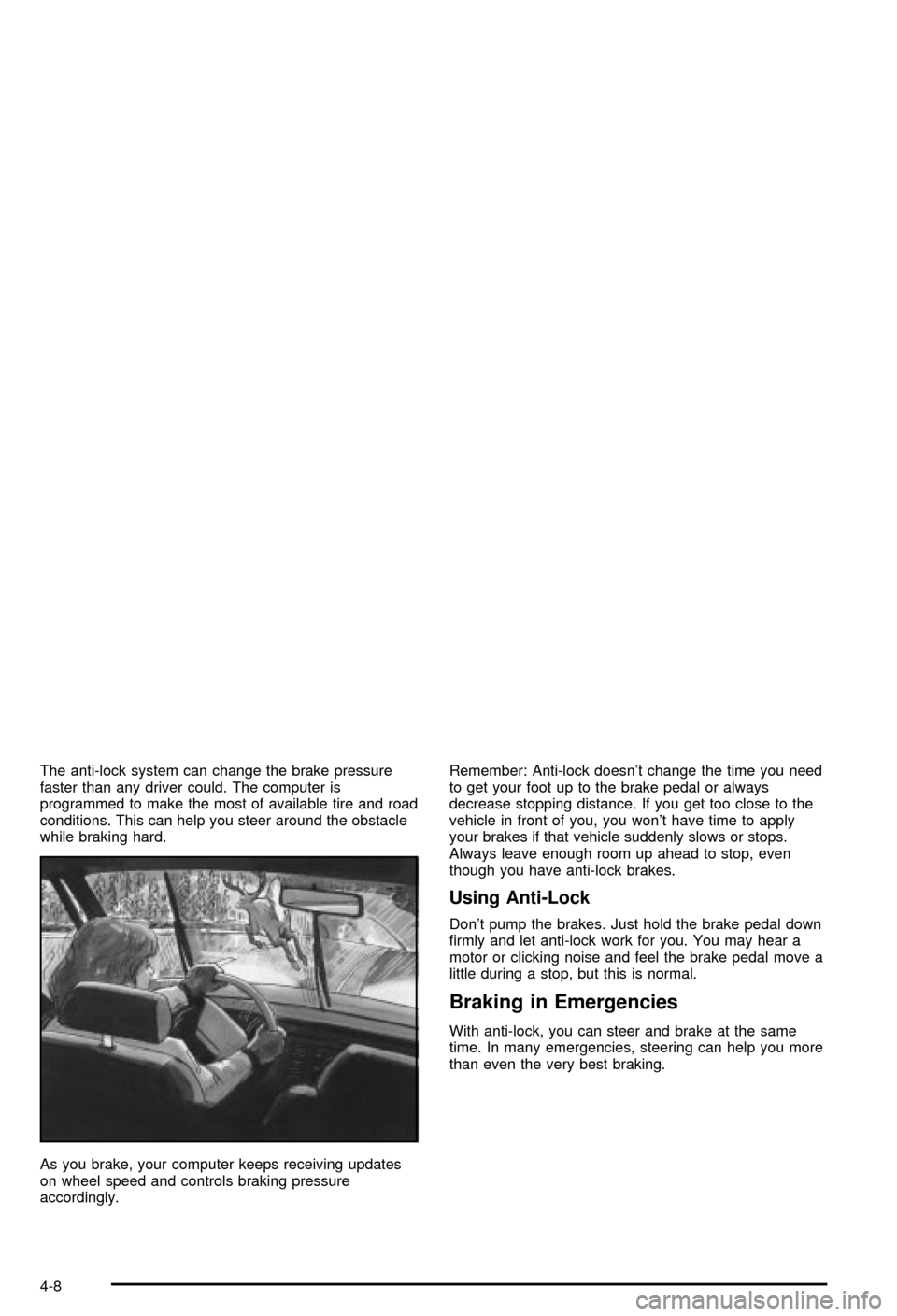
The anti-lock system can change the brake pressure
faster than any driver could. The computer is
programmed to make the most of available tire and road
conditions. This can help you steer around the obstacle
while braking hard.
As you brake, your computer keeps receiving updates
on wheel speed and controls braking pressure
accordingly.Remember: Anti-lock doesn't change the time you need
to get your foot up to the brake pedal or always
decrease stopping distance. If you get too close to the
vehicle in front of you, you won't have time to apply
your brakes if that vehicle suddenly slows or stops.
Always leave enough room up ahead to stop, even
though you have anti-lock brakes.
Using Anti-Lock
Don't pump the brakes. Just hold the brake pedal down
®rmly and let anti-lock work for you. You may hear a
motor or clicking noise and feel the brake pedal move a
little during a stop, but this is normal.
Braking in Emergencies
With anti-lock, you can steer and brake at the same
time. In many emergencies, steering can help you more
than even the very best braking.
4-8
Page 204 of 368

Selective Ride Control
You may have a ride control system on your vehicle
called Selective Ride Control. The system provides the
following performance bene®ts:
·Reduced Impact Harshness
·Improved Road Isolation
·Improved High-Speed Stability
·Improved Handling Response
·Better Control of Body Ride MotionsThis knob is located on the center console. Turn it to
select the suspension of your choice.
TOUR:Use for normal city and highway driving. This
setting provides a smooth, soft ride.
SPORT:Use where road conditions or personal
preference demand more control. This setting provides
more ªfeelº, or response to the road conditions.
You can select a setting at any time. Based on road
conditions, steering wheel angle and your vehicle speed,
the system automatically adjusts to provide the best
ride and handling. Select a new setting whenever driving
conditions change.
There are three Driver Information Center (DIC)
messages that are displayed when a malfunction occurs
with the Selective Ride Control system. Refer to DIC
Warnings and Messages on page 3-53.
4-12