2003 CHEVROLET CORVETTE keyless entry
[x] Cancel search: keyless entryPage 68 of 368
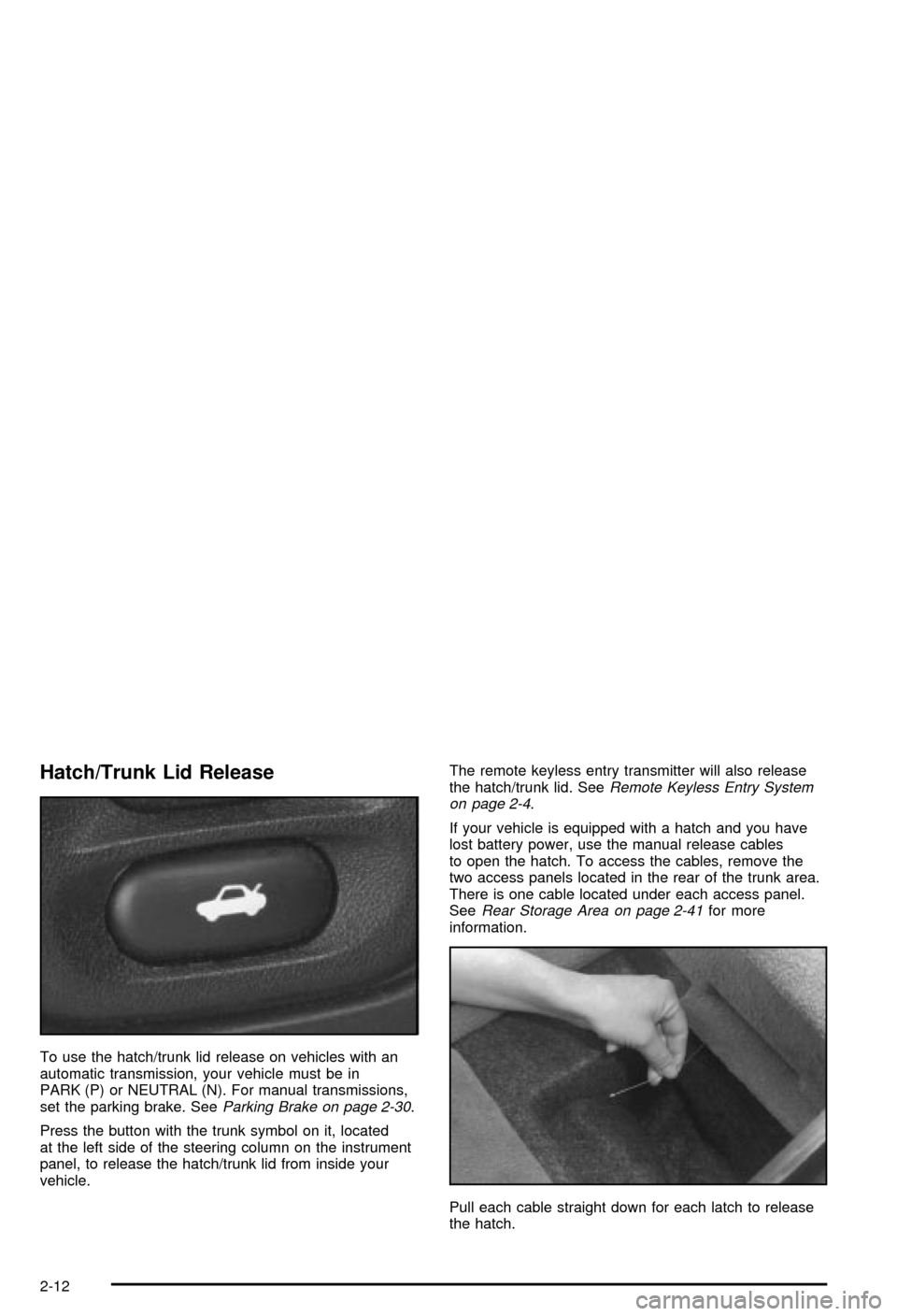
Hatch/Trunk Lid Release
To use the hatch/trunk lid release on vehicles with an
automatic transmission, your vehicle must be in
PARK (P) or NEUTRAL (N). For manual transmissions,
set the parking brake. See
Parking Brake on page 2-30.
Press the button with the trunk symbol on it, located
at the left side of the steering column on the instrument
panel, to release the hatch/trunk lid from inside your
vehicle.The remote keyless entry transmitter will also release
the hatch/trunk lid. See
Remote Keyless Entry System
on page 2-4.
If your vehicle is equipped with a hatch and you have
lost battery power, use the manual release cables
to open the hatch. To access the cables, remove the
two access panels located in the rear of the trunk area.
There is one cable located under each access panel.
See
Rear Storage Area on page 2-41for more
information.
Pull each cable straight down for each latch to release
the hatch.
2-12
Page 72 of 368

Theft-Deterrent Systems
Vehicle theft is big business, expecially in some cities.
Although your vehicle has a number of theft-deterrent
features, we know that nothing we put on it can make it
impossible to steal. However, there are ways you
can help.
Theft-Deterrent System
Your vehicle is equipped with a theft-deterrent alarm
system.
With this system, the
SECURITY light will ¯ash
as you open the door
if your ignition is off. This
light reminds you to
arm the theft-deterent
system.
Arming the System
Use one of the two following items listed here to arm
the system:
·Press the lock button on the remote keyless entry
transmitter.
·Open the door. The SECURITY light should ¯ash.
Lock the door with the power door lock switch.
The SECURITY light will stop ¯ashing and stay on.
Close the door. The security light should go off.
Now, if a door or the hatch/trunk lid is opened without
the key or the remote keyless entry transmitter, the
alarm will go off. Your horn will sound for two minutes,
then it will go off to save battery power. And, your
vehicle won't start.
The theft-deterrent system won't arm if you lock the
driver's door with a key, the manual door lock, or if you
use the power door lock after the doors are closed.
If your passenger stays in the vehicle when you leave
with the keys, have the passenger lock the vehicle after
the doors are closed. This way the alarm won't arm,
and your passenger won't set it off.
2-16
Page 73 of 368

Testing the Alarm
To test the system, do the following:
1. Make sure the hatch/trunk lid is latched.
2. Lower the window on the driver's door.
3. Manually arm the system.
4. Close the doors and wait 15 seconds.
5. Reach through the open window and manually
unlock the driver's door.
6. Open the door. The alarm should sound.
7. Turn off the alarm.
If the alarm is inoperative, check to see if the horn
works. If not, check the horn fuse. See
Fuses and Circuit
Breakers on page 5-86. If the horn works, but the
alarm doesn't go off, see your dealer.
Disarming the System
Always use your key or the remote keyless entry
transmitter to unlock a door. Unlocking a door any other
way will set off the alarm. If your alarm sounds, listed
below are the ways you can disarm it.
·Unlock the driver's door with your key.
·Put the key in the ignition.
·Press the unlock button on the remote keyless
entry transmitter.
PASS-Keyž
Your vehicle is equipped
with the
PASS-Key
ž(Personalized
Automotive Security
System) theft-deterrent
system. PASS-Key
žis a
passive theft-deterrent
system. It works when you
insert or remove the key
from the ignition.
PASS-Key
žuses a resistor pellet in the ignition key that
matches a decoder in your vehicle.
When the PASS-Key
žsystem senses that someone is
using the wrong key, it shuts down the vehicle's
starter and fuel systems. For about three minutes, the
starter won't work and fuel won't go to the engine.
If someone tries to start your vehicle again or uses
another key during this time, the shutdown period will
start over again. This discourages someone from
randomly trying different keys with different resistor
pellets in an attempt to make a match.
2-17
Page 112 of 368

Your memory settings are now programmed. Any
changes that are made to the audio system and climate
controls while driving will be automatically stored
when the ignition key is turned off.
When ®rst entering your vehicle, after pressing the
unlock button on your remote keyless entry transmitter
or a MEMORY button, a recall of your settings will
occur when the door is closed and the ignition key is in
the ignition switch. As the memory settings are
recalled, the light above the button will ¯ash until the
correct settings are achieved, then glow for ®ve seconds
when complete.A memory recall can be stopped by pressing any
memory seat, mirror or steering column position button.
Drivers 1, 2 and 3 correspond to the order in which
your remote keyless entry transmitters were
programmed. See
Remote Keyless Entry System on
page 2-4for more information.
Memory recall will not work if the vehicle is moving.
Memory recall will be temporarily interrupted during
engine crank.
If easy entry is on, you must press the MEMORY button
to reset the seat.
2-56
Page 162 of 368

4 OPTIONS
This button allows you to choose personal options that
may be available on your vehicle, depending on the
options your vehicle is equipped with. Some of these
functions work along with the remote keyless entry
transmitter.
When returning to the options menu, the ®rst item of the
options list will always be displayed, not the one you
were last in when you changed buttons.The following are the options listed under the OPTIONS
button:Twilight (Optional in United States,
Standard in Canada)
Press the OPTIONS button until TWILIGHT-OFF
appears on the display, then use the RESET button to
page through the following selections:
·TWILIGHT ± ON
·TWILIGHT ± OFF
If you choose TWILIGHT ± ON, press the OPTIONS
button again to display DELAY TIME 1 2 in the DIC. Use
the OPTIONS button to switch between delay time
1 and 2. You can increase the delay time by pressing
button 1 (1 FUEL) or decrease the time by pressing
button 2 (2 GAGES). Each bar is equal to 12 seconds.
Lock and Arm
Press the OPTIONS button until LOCK & ARM appears
on the display, then use the RESET button to page
through the following selections:
·LOCK & ARM ± OFF
·LOCK & ARM ± HORN ONLY
·LOCK & ARM ± LIGHTS ONLY
·LOCK & ARM ± HORN & LIGHTS
3-50
Page 163 of 368

If you choose LOCK & ARM ± OFF, you will receive no
security feedback when locking or unlocking your
vehicle.
If you choose LOCK & ARM ± HORN ONLY, only the
horn will chirp to let you know when your alarm system
has armed when locking your vehicle.
If you choose LOCK & ARM ± LIGHTS ONLY, only your
exterior lamps will ¯ash to let you know when your
alarm system has armed when locking your vehicle.
If you choose LOCK & ARM ± HORN & LIGHTS,
the horn will chirp and the exterior lamps will ¯ash brie¯y
to let you know the system has armed when locking
your vehicle.
Alarm
Press the OPTIONS button until ALARM appears on the
display, then use the RESET button to page through
the following selections:
·ALARM-HORN
·ALARM HORN & LIGHTS
If you choose ALARM-HORN, the horn will sound during
an alarm.
If you choose ALARM HORN & LIGHTS, the horn will
sound and the interior and exterior lamps will ¯ash
during an alarm.
Approach Lights
Press the OPTIONS button until APPROACH LIGHTS
appears on the display, then use the RESET button
to page through the following choices:
·APPROACH LIGHTS ON
·APPROACH LIGHTS OFF
If you choose APPROACH LIGHTS ON, the fog lamps,
front turn signal, rear back-up and courtesy lamps
will come on for 30 seconds when you press UNLOCK
on the remote keyless entry transmitter. This will
occur only when it is dark outside.
APPROACH LIGHTS OFF turns off this option.
See
Remote Keyless Entry System on page 2-4for
more information.
Auto Lock
Press the OPTIONS button until AUTO LOCK appears
on the display, then use the RESET button to page
through the following choices:
·AUTO LOCK ON
·AUTO LOCK OFF
If you choose AUTO LOCK ON, both doors will
automatically lock when the vehicle exceeds 10 mph
(16 km/h) in a manual transmission. In a vehicle with an
automatic transmission, both doors will automatically
lock when you move the shift lever out of PARK (P).
Choose AUTO LOCK OFF to turn this option off.
3-51
Page 164 of 368

Auto Unlock
The AUTO UNLOCK will be available only if AUTO
LOCK is set to ON as described previously.
Press the OPTIONS button until AUTO UNLOCK
appears on the display, then use the RESET button to
page through the following choices:
·AUTO UNLOCK DRIVER
·AUTO UNLOCK BOTH
·AUTO UNLOCK OFF
If you choose AUTO UNLOCK DRIVER, the driver's
door will automatically unlock when you turn the vehicle
off and pull the key out of the ignition.
Choose AUTO UNLOCK BOTH, and both doors will
automatically unlock when you turn the vehicle off and
pull the key out of the ignition.
AUTO UNLOCK OFF turns off this option.
Easy Entry
The easy entry feature will only be available if the
vehicle is equipped with the memory option.
Press the OPTIONS button until SEAT EASY ENTRY
appears on the display, then use the RESET button
to page through the following choices:
·SEAT EASY ENTRY ON
·SEAT EASY ENTRY OFFIf you choose SEAT EASY ENTRY ON, when you turn
the ignition off and remove the key, the seat will
automatically move back and the telescopic steering
wheel (if equipped) will return to its full-forward position
for an easy exit or an easy entrance when returning
to the vehicle.
The seat will only return to the forward position if you
unlock the door with the keyless entry transmitter
or press the appropriate MEMORY button.
SEAT EASY ENTRY OFF turns off this option.
Languages
You can select which language the DIC will display its
messages. Press the OPTIONS button until the
word LANGUAGES appears on the display, then use
the RESET button to page through the following choices:
·LANGUAGE ENGLISH
·LANGUAGE FRENCH
·LANGUAGE GERMAN
·LANGUAGE SPANISH
3-52
Page 165 of 368

Blank Page
There is a blank page at the end of the OPTIONS
menu. When the blank page is displayed, you
can access the following items:
FOB TRAINING:This option allows you to match the
RKE transmitter(s) to your vehicle. You can access this
option by pressing and holding RESET for three
seconds while you are on the blank page at the end of
the OPTIONS menu. The message FOB TRAINING
will be displayed. See ªMatching Transmitter(s) To Your
Vehicleº under
Remote Keyless Entry System
Operation on page 2-5
TIRE TRAINING (Except Z06):The Tire Pressure
Monitor (TPM) operates with battery-powered sensors
that are located inside the valve stems on each tire.
Each sensor has a unique ID code so the vehicle knows
the tire location of the sensor. When the vehicle
reaches a speed of greater than 15 mph (24 km/h), the
sensors begin to send the tire pressure readings to
a receiver inside the vehicle. These readings are
displayed when using the GAGES button on the DIC. If
you are unable to display your tire pressures while
the vehicle speed is greater than 15 mph (24 km/h), you
may need to have your sensor ID codes learned by
the vehicle. See your dealer.
DIC Warnings and Messages
The following messages and warnings may appear in
the DIC display. The DIC display area is located in
the instrument panel cluster below the speedometer and
tachometer, directly above the steering column. You
may receive more than one message at a time.
Messages will appear one behind the other. To
acknowledge a message and remove it from the display,
press RESET. You may scroll through the messages
that may have been sent at the same time. The
message center is continuously updated with the vehicle
performance status.
ABS ACTIVE (Anti-Lock Brake System
Active):When your anti-lock system is adjusting brake
pressure to help avoid a braking skid, the ABS
ACTIVE message will be displayed.
Slippery road conditions may exist if this message is
displayed, so adjust your driving accordingly. The
message will stay on for a few seconds after the system
stops adjusting brake pressure.
3-53