2003 CHEVROLET BLAZER turn signal
[x] Cancel search: turn signalPage 71 of 420

At times you may notice a decrease in range. This is
normal for any remote keyless entry system. If the
transmitter does not work or if you have to stand closer
to your vehicle for the transmitter to work, try this:
·Check the distance. You may be too far from your
vehicle. You may need to stand closer during
rainy or snowy weather.
·Check the location. Other vehicles or objects may
be blocking the signal. Take a few steps to the
left or right, hold the transmitter higher, and
try again.
·Check to determine if battery replacement is
necessary. See ªBattery Replacementº under
Remote Keyless Entry System Operation on
page 2-5.
·If you are still having trouble, see your dealer or a
quali®ed technician for service.
Remote Keyless Entry System
Operation
If your vehicle has this feature, you can lock and unlock
your doors from about 3 feet (1m) up to 30 feet (9 m)
away using the remote keyless entry transmitter supplied
with your vehicle.UNLOCK:Press UNLOCK to unlock the driver's door.
The parking lamps will ¯ash and the interior lamps
will go on.
If you press UNLOCK twice within three seconds, the
remaining doors will unlock.
LOCK:Press LOCK to lock all the doors. Press LOCK
again within three seconds and the horn will chirp
for con®rmation.
REAR:When you press the REAR button twice within
three seconds to release the rear liftglass, the parking
lamps will ¯ash and the interior lamps will go on. If your
vehicle has an automatic transmission, the transmission
must be in PARK (P) or NEUTRAL (N). If your vehicle
has a manual transmission, the parking brake must
be engaged.
L(Remote Alarm):Press this button on the key
transmitter to make the horn sound and the headlamps
and taillamps ¯ash for up to 30 seconds. This can
be turned off by pressing the remote alarm button again,
waiting for 30 seconds, or starting the vehicle.
2-5
Page 75 of 420

All doors lock/All doors unlock:Press the lock side
of the power door lock switch once, and then the
unlock side twice.
All doors lock/None of the doors unlock:Press the
lock side of the power door lock switch once, and
then the unlock side three times.
No doors lock/None of the doors unlock:Press the
lock side of the power door lock switch twice. This
turns off the automatic lock feature. This is the factory
setting.
For more information, see your dealer.
The following instructions detail how to program your
door locks. Choose one of the programming options
before entering the programming mode.
To enter the program mode, do the following:
1. Begin with the ignition in OFF. Then pull the turn
signal/multifunction lever all the way toward you
and hold it while you perform the next step.2. Turn your key to RUN and OFF twice. Then, with
the key in OFF, release the turn signal/multifunction
lever. Once you do this, you will hear the lock
switch lock and unlock.
3. You are now ready to program the automatic door
locks. Select one of the previous four programming
options and follow the instructions. You will have
30 seconds to begin programming. If you exceed
the 30 second limit, the locks will automatically lock
and unlock to indicate you have left the program
mode. If this occurs, repeat the procedure beginning
with Step 1. You can exit the program mode any
time by turning the ignition to RUN. The locks
will automatically lock and unlock to indicate you
are leaving the program mode. If the lock/unlock
switches are not pressed while in the programming
mode, the auto lock/unlock setting will not be
modi®ed.
2-9
Page 112 of 420

3. Simultaneously press and hold both the desired
button on HomeLinkžand the hand-held transmitter
button. Do not release the buttons until Step 4
has been completed.
Some entry gates and garage door openers may
require you to substitute Step 3 with the procedure
noted in ªGate Operator and Canadian
Programmingº later in this section.
4. The indicator light will ¯ash slowly at ®rst and then
rapidly after HomeLink
žsuccessfully receives the
frequency signal from the hand-held transmitter.
Release both buttons.
5. Press and hold the newly-trained HomeLink
žbutton
and observe the indicator light.
If the indicator light stays on constantly,
programming is complete and your device should
activate when the HomeLink
žbutton is pressed and
released.
To program the remaining two HomeLink
žbuttons,
begin with Step 2 under ªProgramming HomeLinkž.º
Do not repeat Step 1 as this will erase all of the
programmed channels.
If the indicator light blinks rapidly for two seconds
and then turns to a constant light, continue with
Steps 6 through 8 following to complete the
programming of a rolling-code equipped device
(most commonly, a garage door opener).6. Locate in the garage, the garage door opener
receiver (motor-head unit). Locate the ªLearnº
or ªSmartº button. This can usually be found where
the hanging antenna wire is attached to the
motor-head unit.
7. Firmly press and release the ªLearnº or ªSmartº
button. The name and color of the button may
vary by manufacturer.
You will have 30 seconds to start Step 8.
8. Return to the vehicle. Firmly press and hold the
programmed HomeLink
žbutton for two seconds,
then release. Repeat the press/hold/release
sequence a second time, and depending on the
brand of the garage door opener (or other rolling
code device), repeat this sequence a third time
to complete the programming.
HomeLink
žshould now activate your rolling-code
equipped device.
To program the remaining two HomeLink
žbuttons,
begin with Step 2 of ªProgramming HomeLinkž.º Do not
repeat Step 1.
2-46
Page 129 of 420

Instrument Panel Overview...............................3-2
Hazard Warning Flashers................................3-3
Other Warning Devices...................................3-4
Horn.............................................................3-4
Tilt Wheel.....................................................3-4
Turn Signal/Multifunction Lever.........................3-5
Exterior Lamps.............................................3-11
Interior Lamps..............................................3-14
Accessory Power Outlets...............................3-15
Ashtrays and Cigarette Lighter........................3-16
Climate Controls............................................3-17
Climate Control System.................................3-17
Outlet Adjustment.........................................3-20
Warning Lights, Gages and Indicators.............3-21
Instrument Panel Cluster................................3-22
Speedometer and Odometer...........................3-24
Trip Odometer..............................................3-24
Tachometer.................................................3-24
Safety Belt Reminder Light.............................3-25
Air Bag Readiness Light................................3-25
Charging System Light..................................3-26
Voltmeter Gage............................................3-27
Up-Shift Light...............................................3-27
Brake System Warning Light..........................3-28
Anti-Lock Brake System Warning Light.............3-29
Engine Coolant Temperature Gage..................3-29Malfunction Indicator Lamp.............................3-30
Oil Pressure Gage........................................3-33
Security Light...............................................3-34
Service Four-Wheel Drive Warning Light..........3-34
Tow/Haul Mode Light....................................3-35
Check Gages Warning Light...........................3-35
Gate Ajar Light.............................................3-35
Fuel Gage...................................................3-35
Low Fuel Warning Light.................................3-36
Audio System(s).............................................3-37
Setting the Time for Radios without Radio
Data Systems (RDS)..................................3-37
Setting the Time for Radios with Radio Data
Systems (RDS).........................................3-38
AM-FM Radio...............................................3-38
Radio with CD..............................................3-41
Radio with Cassette and CD..........................3-48
Radio with Six-Disc CD.................................3-58
Theft-Deterrent Feature (Non-RDS Radios).......3-68
Theft-Deterrent Feature (RDS Radios).............3-68
Understanding Radio Reception......................3-69
Care of Your Cassette Tape Player.................3-69
Care of Your CDs.........................................3-70
Care of Your CD Player................................3-70
Fixed Mast Antenna......................................3-70
Section 3 Instrument Panel
3-1
Page 131 of 420

A. Air Vents
B. Turn Signal/Multifunction Lever
C. Instrument Panel Cluster
D. Transfer Case Button (If Equipped)
E. Exterior Lamps Control
F. Fog Lamp Button (If Equipped)
G. Brake Release
H. Horn
I. Rear Window Washer/Wiper
J. Rear Tailgate Release
K. Ashtray (If Equipped)
L. Comfort Controls
M. Rear Window Defogger
N. Accessory Power Outlets
O. Audio System
P. Glove BoxHazard Warning Flashers
Your hazard warning ¯ashers let you warn others. They
also let police know you have a problem. Your front
and rear turn signal lamps will ¯ash on and off.
3-3
Page 132 of 420
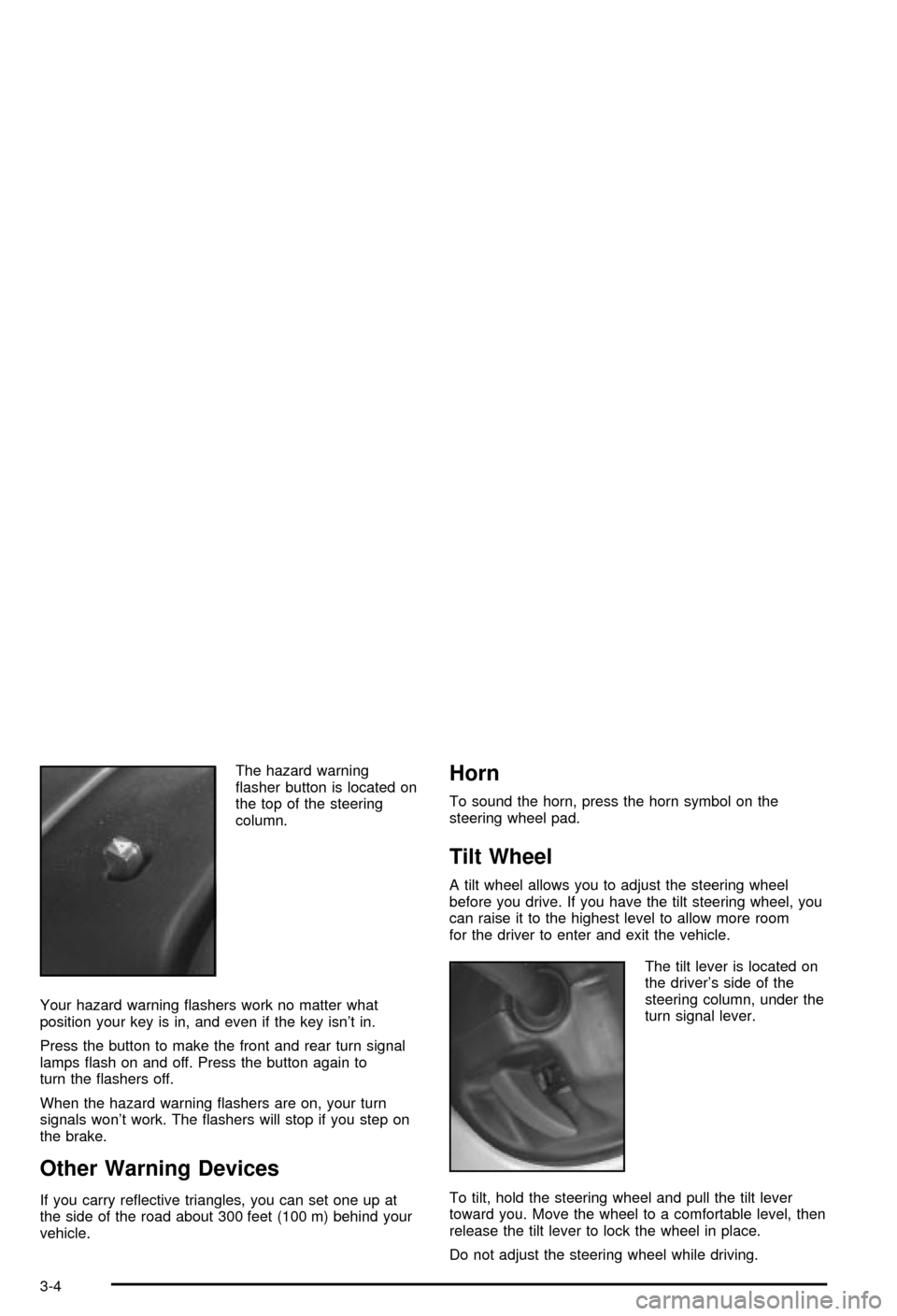
The hazard warning
¯asher button is located on
the top of the steering
column.
Your hazard warning ¯ashers work no matter what
position your key is in, and even if the key isn't in.
Press the button to make the front and rear turn signal
lamps ¯ash on and off. Press the button again to
turn the ¯ashers off.
When the hazard warning ¯ashers are on, your turn
signals won't work. The ¯ashers will stop if you step on
the brake.
Other Warning Devices
If you carry re¯ective triangles, you can set one up at
the side of the road about 300 feet (100 m) behind your
vehicle.
Horn
To sound the horn, press the horn symbol on the
steering wheel pad.
Tilt Wheel
A tilt wheel allows you to adjust the steering wheel
before you drive. If you have the tilt steering wheel, you
can raise it to the highest level to allow more room
for the driver to enter and exit the vehicle.
The tilt lever is located on
the driver's side of the
steering column, under the
turn signal lever.
To tilt, hold the steering wheel and pull the tilt lever
toward you. Move the wheel to a comfortable level, then
release the tilt lever to lock the wheel in place.
Do not adjust the steering wheel while driving.
3-4
Page 133 of 420
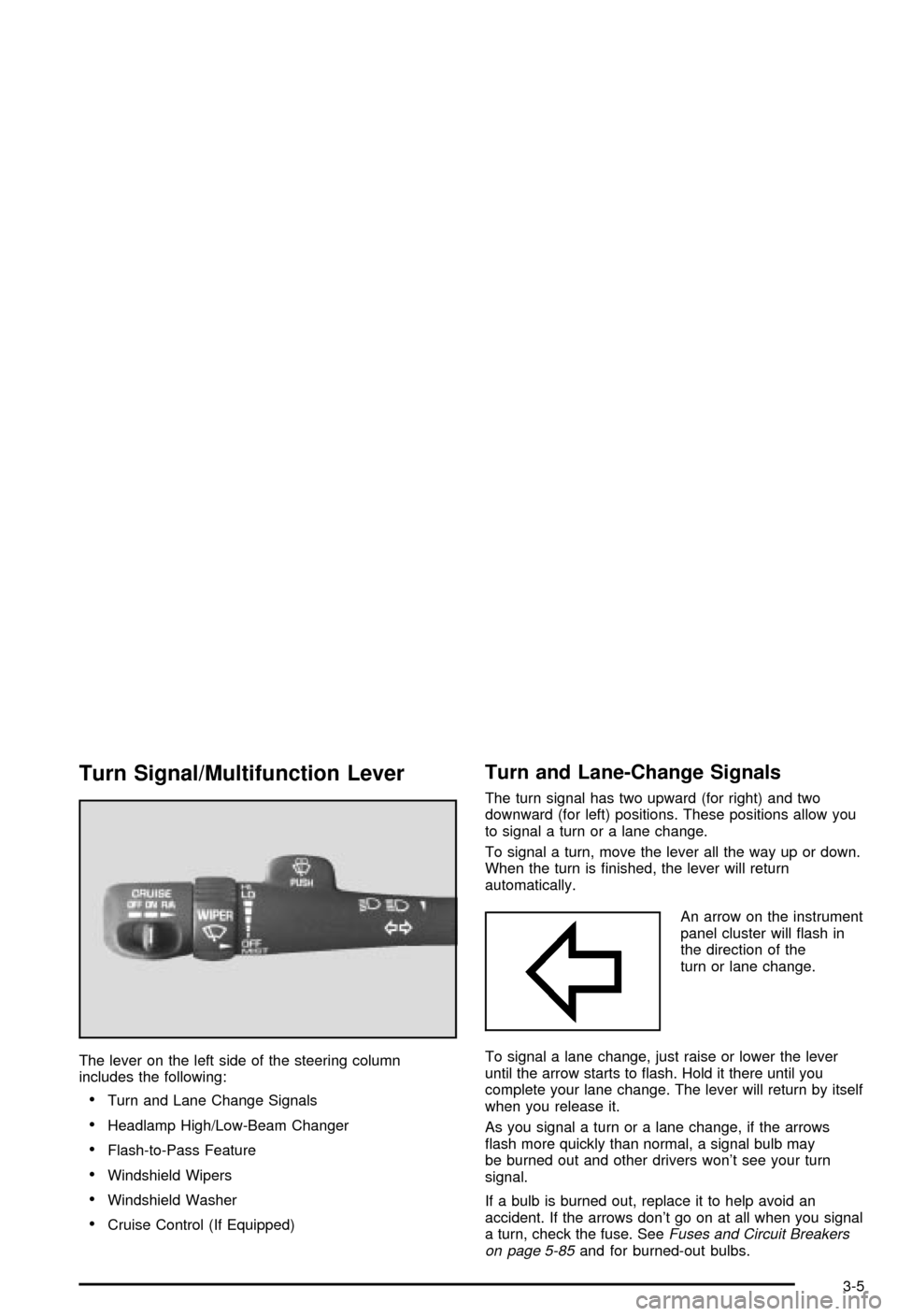
Turn Signal/Multifunction Lever
The lever on the left side of the steering column
includes the following:
·Turn and Lane Change Signals
·Headlamp High/Low-Beam Changer
·Flash-to-Pass Feature
·Windshield Wipers
·Windshield Washer
·Cruise Control (If Equipped)
Turn and Lane-Change Signals
The turn signal has two upward (for right) and two
downward (for left) positions. These positions allow you
to signal a turn or a lane change.
To signal a turn, move the lever all the way up or down.
When the turn is ®nished, the lever will return
automatically.
An arrow on the instrument
panel cluster will ¯ash in
the direction of the
turn or lane change.
To signal a lane change, just raise or lower the lever
until the arrow starts to ¯ash. Hold it there until you
complete your lane change. The lever will return by itself
when you release it.
As you signal a turn or a lane change, if the arrows
¯ash more quickly than normal, a signal bulb may
be burned out and other drivers won't see your turn
signal.
If a bulb is burned out, replace it to help avoid an
accident. If the arrows don't go on at all when you signal
a turn, check the fuse. See
Fuses and Circuit Breakers
on page 5-85and for burned-out bulbs.
3-5
Page 134 of 420

If you have a trailer towing option with added wiring for
the trailer lamps, a different turn signal ¯asher is
used. With this ¯asher installed, the signal indicator will
¯ash even if a turn signal bulb is burned out. Check
the front and rear turn signal lamps regularly to make
sure they are working.
Turn Signal On Chime
If your turn signal is left on for more than 3/4 of a mile
(1.2 km), a chime will sound at each ¯ash of the
turn signal. To turn off the chime, move the turn signal
lever to the off position.
Headlamp High/Low-Beam Changer
To change the headlamps from low beam to high or high
to low, pull the multifunction lever all the way toward
you. Then release it.
When the high beams are
on, this indicator light on
the instrument panel
cluster will also be on.
Flash-to-Pass Feature
This feature lets you use your high-beam headlamps to
signal a driver in front of you that you want to pass.
It works even if your headlamps are in the automatic
position.
To use it, pull the turn signal lever toward you, but not
so far that you hear a click.
If your headlamps are in the automatic position or on
low beam, your high-beam headlamps will turn on.
They'll stay on as long as you hold the lever toward you
and the high-beam indicator on the instrument panel
cluster will come on. Release the lever to return
to normal operation.
Windshield Wipers
To operate the windshield wipers turn the band, located
on the multifunction lever, upward or downward.
MIST:Turn the band to MIST for a single wiping cycle.
Hold it until the windshield wipers start. Then let it
go. The windshield wipers will stop after one wipe. If
you want more wipes, hold the band on MIST longer.
OFF:Turn the band to OFF to turn off the windshield
wipers.
3-6