2003 CHEVROLET BLAZER air condition
[x] Cancel search: air conditionPage 61 of 420

When Should an Air Bag In¯ate?
An air bag is designed to in¯ate in a moderate to severe
frontal, or near-frontal crash. The air bag will in¯ate
only if the impact speed is above the system's designed
©threshold level©. If your vehicle goes straight into a
wall that doesn't move or deform, the threshold level is
about 9 to 16 mph (14 to 26 km/h). The threshold
level can vary, however, with speci®c vehicle design, so
that it can be somewhat above or below this range. If
your vehicle strikes something that will move or deform,
such as a parked car, the threshold level will be
higher. The air bag is not designed to in¯ate in rollovers,
rear impacts, or in many side impacts because in¯ation
would not help the occupant.
In any particular crash, no one can say whether an air
bag should have in¯ated simply because of the damage
to a vehicle or because of what the repair costs were.
In¯ation is determined by the angle of the impact
and how quickly the vehicle slows down in frontal or
near-frontal impacts.
The air bag system is designed to work properly under
a wide range of conditions, including off-road usage.
Observe safe driving speeds, especially on rough
terrain. As always, wear your safety belt. See
Off-Road
Driving with Your Four-Wheel-Drive Vehicle on
page 4-15
for more tips on off-road driving.
What Makes an Air Bag In¯ate?
In an impact of sufficient severity, the air bag sensing
system detects that the vehicle is in a crash. The
sensing system triggers a release of gas from the
in¯ator, which in¯ates the air bag. The in¯ator, air bag,
and related hardware are all part of the air bag
modules inside the steering wheel and in the instrument
panel in front of the right front passenger.
How Does an Air Bag Restrain?
In moderate to severe frontal or near-frontal collisions,
even belted occupants can contact the steering wheel or
the instrument panel. Air bags supplement the
protection provided by safety belts. Air bags distribute
the force of the impact more evenly over the occupant's
upper body, stopping the occupant more gradually.
But air bags would not help you in many types of
collisions, including rollovers, rear impacts and many
side impacts, primarily because an occupant's motion is
not toward those air bags. Air bags should never be
regarded as anything more than a supplement to safety
belts, and then only in moderate to severe frontal or
near-frontal collisions.
1-55
Page 70 of 420

This vehicle has one
double-sided key for the
ignition, tailgate and
door locks. It will ®t with
either side up.
When a new vehicle is delivered, the dealer provides
the owner with a pair of identical keys and a key
code number.
The key code number tells your dealer or a quali®ed
locksmith how to make extra keys. Keep this number in
a safe place. If you lose your keys, you'll be able to
have new ones made easily using this number.
Your selling dealer should also have this number.
Notice:Your vehicle has a number of features that
can help prevent theft. You can have a lot of
trouble getting into your vehicle if you ever lock
your keys inside. You may even have to damage
your vehicle to get in. So be sure you have
spare keys.If you ever do get locked out of your vehicle, contact
Roadside Assistance for help. See
Roadside Assistance
Program on page 7-6for more information.
Remote Keyless Entry System
If equipped, the keyless entry system operates on a
radio frequency subject to Federal Communications
Commission (FCC) Rules and with Industry Canada.
This device complies with Part 15 of the FCC Rules.
Operation is subject to the following two conditions:
1. This device may not cause interference, and
2. This device must accept any interference received,
including interference that may cause undesired
operation of the device.
This device complies with RSS-210 of Industry Canada.
Operation is subject to the following two conditions:
1. This device may not cause interference, and
2. This device must accept any interference received,
including interference that may cause undesired
operation of the device.
Changes or modi®cations to this system by other than
an authorized service facility could void authorization to
use this equipment.
2-4
Page 117 of 420
Temperature and Compass Display
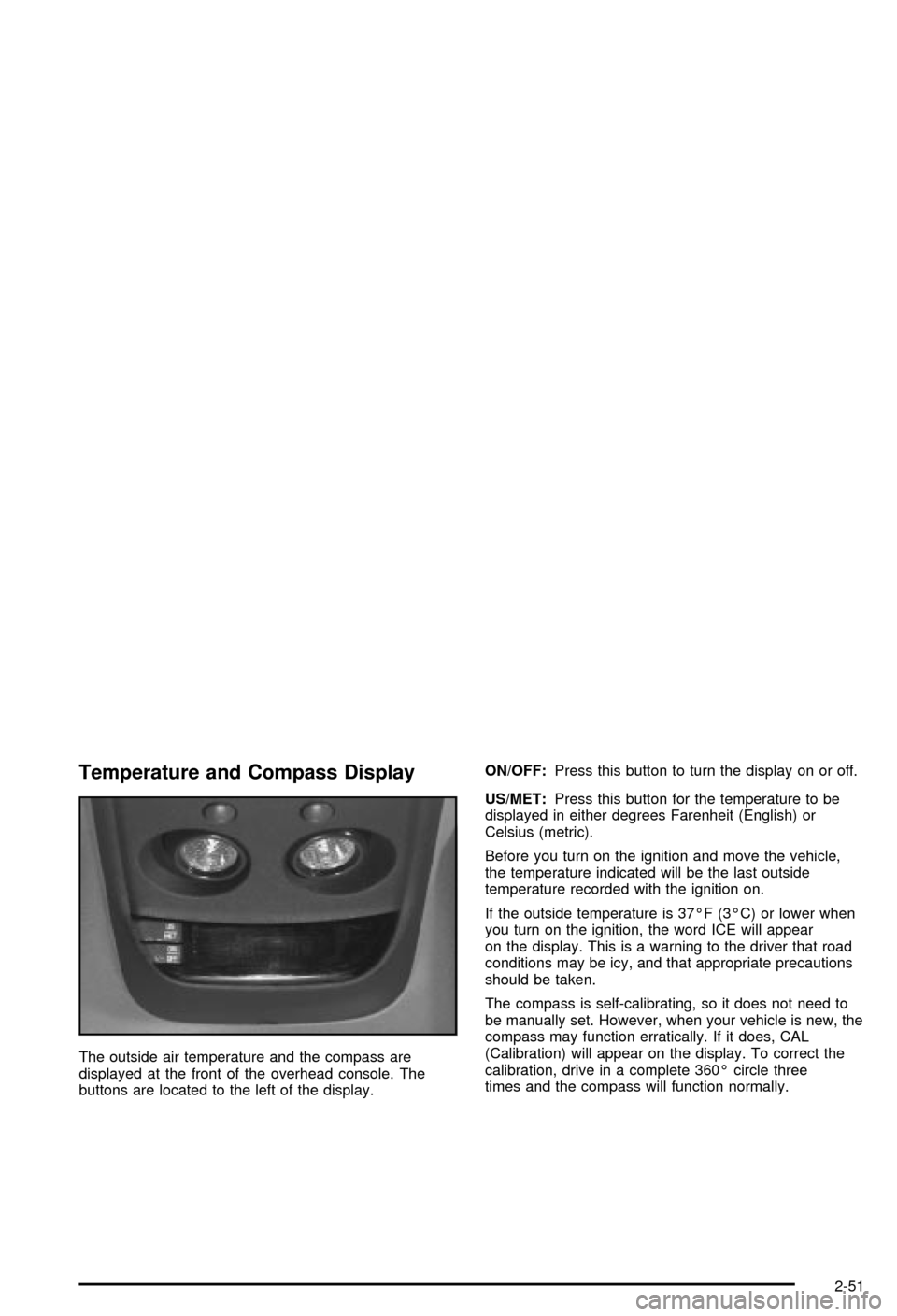
The outside air temperature and the compass are
displayed at the front of the overhead console. The
buttons are located to the left of the display.ON/OFF:Press this button to turn the display on or off.
US/MET:Press this button for the temperature to be
displayed in either degrees Farenheit (English) or
Celsius (metric).
Before you turn on the ignition and move the vehicle,
the temperature indicated will be the last outside
temperature recorded with the ignition on.
If the outside temperature is 37ÉF (3ÉC) or lower when
you turn on the ignition, the word ICE will appear
on the display. This is a warning to the driver that road
conditions may be icy, and that appropriate precautions
should be taken.
The compass is self-calibrating, so it does not need to
be manually set. However, when your vehicle is new, the
compass may function erratically. If it does, CAL
(Calibration) will appear on the display. To correct the
calibration, drive in a complete 360É circle three
times and the compass will function normally.
2-51
Page 119 of 420

Driver Information Center (DIC)
If your vehicle is equipped with a Driver Information
Center (DIC), this system displays the outside air
temperature, compass direction and trip information in
the overhead console.
US/MET (United States/Metric):The US/MET (United
States/metric) button allows you to switch the display
between the English and metric system.
MODE:The MODE button can be used to toggle
between three modes of operation: OFF, COMP/TEMP
and TRIP.
COMP/TEMP (Compass/Temperature):The display
provides the outside temperature and one of eight
compass readings to indicate the direction the vehicle
is facing.Before you turn on the ignition and move the vehicle,
the temperature indicated will be the last outside
temperature recorded with the ignition on. If the outside
temperature is 37ÉF (3ÉC) or lower, the display will
toggle between the ICE and the current temperature
every eight seconds. This is a warning to the drive that
road conditions may be icy, and that appropriate
precautions should be taken.
The compass is self-calibrating, so it does not need to
be manually set. However, if C (Calibration) is displayed,
the compass will need to be calibrated. You may also
place the compass in a noncalibrated mode by pressing
the holding the MODE and US/MET buttons at the
same time while in the COMP/TEMP mode. After about
10 seconds, the compass will display C and you can
release the buttons. Drive the vehicle in a complete
360É circle three times at a speed of less than 5 mph
(8 km/h), and the compass will function normally.
Once the calibration is complete, the display will return
to a compass reading.
2-53
Page 146 of 420

Heating
Turn the center knob clockwise or counterclockwise to
raise or lower the temperature on the inside of your
vehicle.
When it's cold outside 0ÉF (-18ÉC) or lower, use the
engine coolant heater, if equipped, to provide warmer air
faster to your vehicle. An engine coolant heater warms
the coolant that the engine uses to provide heat to
warm the inside of your vehicle. For more information,
see
Engine Coolant Heater on page 2-22.
Cooling
On hot days, open the windows to let hot inside air
escape; then close them. This helps to reduce the time
it takes for your vehicle to cool down. It also helps
the system to operate more efficiently.
A/C (Air Conditioning):Turn the knob to the A/C
position to turn the air-conditioning system on or
off. When the system is on, this setting cools and
dehumidi®es the air entering your vehicle and directs it
through the ¯oor outlets as well as the instrument
panel outlets.MAX A/C (Maximum Air Conditioning):This mode
recirculates much of the air inside your vehicle so
it cools quickly. It directs most of the air through the
instrument panel vents and a small amount through the
¯oor vents.
You may notice a slight change in engine performance
when the air-conditioning compressor shuts off and
turns on again. This is normal. The system is designed
to make adjustments to help with fuel economy while
still maintaining the selected temperature.
For quick cool down on hot days, do the following:
1. Select A/C.
2. Select the coolest temperature.
3. Select the highest fan speed.
On cool, but sunny days, the sun may warm the upper
part of your body, but the lower part may not be
warm enough. To remedy this, do the following:
1. Select the bi-level mode.
2. Select the temperature.
3. Select the fan speed.
The air-conditioning system removes moisture from the
air, so you may sometimes notice a small amount of
water dripping underneath your vehicle while idling
or after turning off the engine. This is normal.
3-18
Page 147 of 420

Defogging and Defrosting
Fog on the inside of windows is a result of high humidity
(moisture) condensing on the cool window glass. This
can be minimized if the climate control system is
used properly. There are two modes to clear fog or frost
from your windshield and side windows. Use the
defog mode to clear the windows of fog or moisture and
warm the passengers. use the defrost mode to
remove fog or frost from the windshield more quickly.
For best results, clear all snow and ice from the
windshield before defrosting.
-(Defog):Use this mode to direct half the air to the
windshield and half to the ¯oor outlet. Close the
center outlets to help defrost the side windows more
quickly. In this mode, the system will automatically force
outside air into your vehicle and it will also run the
air-conditioning compressor, unless it falls below the
temperature at which air conditioning is effective.
1(Defrost):This mode directs most of the air to the
windshield and the side window vents, with only a
little air directed to the ¯oor vents. When you select this
mode, the system runs the air-conditioning compressor
unless the outside temperature is at or below freezing.
Do not drive the vehicle until all the windows are clear.
Rear Window Defogger
The rear window defogger uses a warming grid to
remove fog from the rear window.
will come on to let your know that the rear window
defogger is activated.
If your vehicle has heated outside rearview mirrors,
when the rear defogger button is pressed the mirrors will
warm to help clear any fog or frost from the surface of
the mirrors.
Notice:Don't use a razor blade or something else
sharp on the inside of the rear window. If you
do, you could cut or damage the defogger and the
repairs would not be covered by your warranty.
Do not attach a temporary vehicle license, tape, a
decal or anything similar to the defogger grid.
3-19
Page 148 of 420
Outlet Adjustment
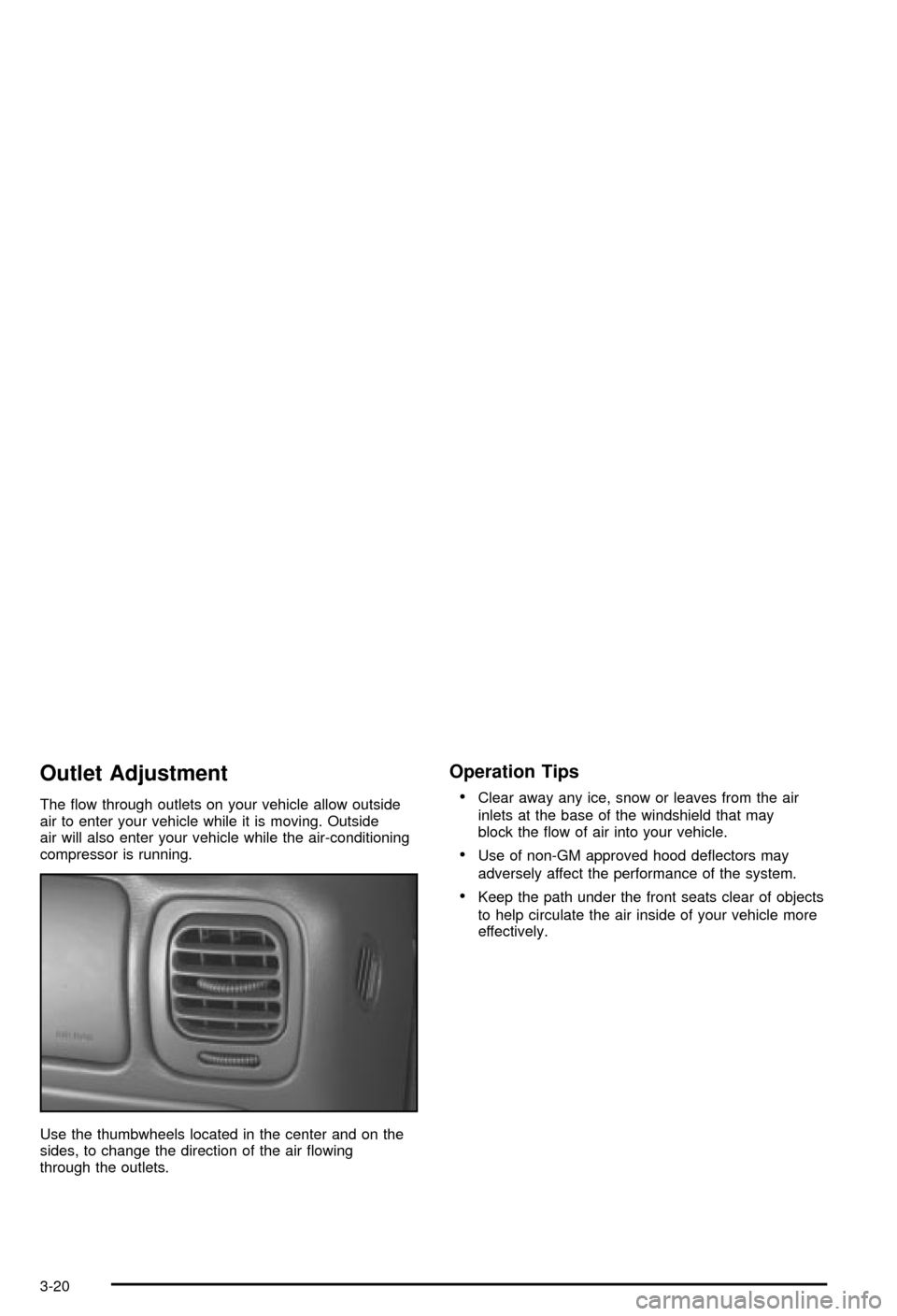
The ¯ow through outlets on your vehicle allow outside
air to enter your vehicle while it is moving. Outside
air will also enter your vehicle while the air-conditioning
compressor is running.
Use the thumbwheels located in the center and on the
sides, to change the direction of the air ¯owing
through the outlets.
Operation Tips
·
Clear away any ice, snow or leaves from the air
inlets at the base of the windshield that may
block the ¯ow of air into your vehicle.
·Use of non-GM approved hood de¯ectors may
adversely affect the performance of the system.
·Keep the path under the front seats clear of objects
to help circulate the air inside of your vehicle more
effectively.
3-20
Page 154 of 420

{CAUTION:
If the air bag readiness light stays on after you
start your vehicle, it means the air bag system
may not be working properly. The air bags in
your vehicle may not in¯ate in a crash, or they
could even in¯ate without a crash. To help
avoid injury to yourself or others, have your
vehicle serviced right away if the air bag
readiness light stays on after you start your
vehicle.
The air bag readiness light should ¯ash for a few
seconds when you turn the ignition key to RUN. If the
light doesn't come on then, have it ®xed so it will
be ready to warn you if there is a problem.
Charging System Light
The charging system light
will come on brie¯y when
you turn on the ignition,
but the engine is not
running, as a check to
show you it is working.
It should go out once the engine is running. If it stays
on, or comes on while you are driving, you may have a
problem with the charging system. It could indicate
that you have problems with a generator drive belt, or
another electrical problem. Have it checked right
away. Driving while this light is on could drain your
battery.
If you must drive a short distance with the light on, be
certain to turn off all your accessories, such as the radio
and air conditioner.
3-26