Page 110 of 492

{CAUTION:
Shifting the transfer case to NEUTRAL can
cause your vehicle to roll even if the
transmission is in PARK (P). You or someone
else could be seriously injured. Be sure to set
the parking brake before placing the transfer
case in NEUTRAL. See²Parking Brake²in the
Index.
NEUTRAL:Shift the vehicle's transfer case to
NEUTRAL only when towing your vehicle. See
Recreational Vehicle Towing on page 4-48orTowing
Your Vehicle on page 4-48for more information.
Indicator lights in the switches show which setting you
are in. The indicator lights will come on brie¯y when you
turn on the ignition and one will stay on. If the lights
do not come on, you should take your vehicle to your
dealer for service. An indicator light will ¯ash while
shifting the transfer case. It will remain illuminated when
the shift is complete. If for some reason the transfer
case cannot make a requested shift, it will return to the
last chosen setting.If the SERVICE 4WD message stays on, you should
take your vehicle to your dealer for service. See²Service
4WD message²under
Driver Information Center (DIC)
on page 3-46.
Shifting into 4HI or AUTO 4WD
Press and release the 4 hi or AUTO 4WD switch. This
can be done at any speed (except when shifting
from 4LO), and the indicator light will ¯ash while shifting.
It will remain illuminated when the shift is completed.
Shifting into 2HI
Press and release the 2 hi switch. This can be done at
any speed (except when shifting from 4LO).
Shifting into 4LO
To shift to the 4 lo position, the ignition must be in RUN
and the vehicle must be stopped or moving less than
3 mph (4.8 km/h) with the transmission in NEUTRAL (N).
The preferred method for shifting into 4LO is to have
your vehicle moving 1 to 2 mph (1.6 to 3.2 km/h). Press
and release the 4 lo switch. You must wait for the
4LO indicator light to stop ¯ashing and remain
illuminated before shifting your transmission in gear.
2-36
Page 112 of 492

Shifting into NEUTRAL
To shift the transfer case to NEUTRAL do the following:
1. Make sure the vehicle is parked so that it will not
roll.
2. Set the parking brake.
3. Start the vehicle or turn the ignition to RUN.
4. Connect the vehicle to the towing vehicle.
5. Put the transmission in NEUTRAL (N).
6. Shift the transfer case to 2HI.
7. Simultaneously press and hold the 2HI and 4LO
buttons for 10 seconds. The red NEUTRAL light
will come on when the transfer case shift to
NEUTRAL is complete.
8. Shift the transmission to REVERSE (R) for one
second, then shift the transmission to DRIVE (D)
for one second.
9. Turn the ignition to LOCK.
10. Place the transmission shift lever in PARK (P).
11. Release the parking brake prior to towing.
Shifting Out of NEUTRAL
To shift out of NEUTRAL:
1. Set the parking brake and apply the regular brake
pedal.
2. Shift the transmission to NEUTRAL (N) and turn the
ignition to RUN with the engine off.
3. Press the button for the desired transfer case shift
position (2HI, 4HI, AUTO 4WD OR 4 LO).
4. After the transfer case has shifted out of NEUTRAL
the red light will go out.
5. Release the parking brake.
6. You may start the engine and shift the transmission
to the desired position.
2-38
Page 113 of 492
Excessively shifting the transfer case into or out of the
different modes may cause the transfer case to
enter the shift protection mode. This will protect the
transfer case from possible damage and will only allow
the transfer case to respond to one shift per 10
seconds. The transfer case may stay in this mode for
up to three minutes.
Parking Brake
To set the parking brake, hold the regular brake pedal
down with your right foot. Push down the parking
brake pedal with your left foot.
A chime will activate and the warning light will ¯ash
when the parking brake is applied and the vehicle
is moving at least 3 mph (5 km/h) for at least three
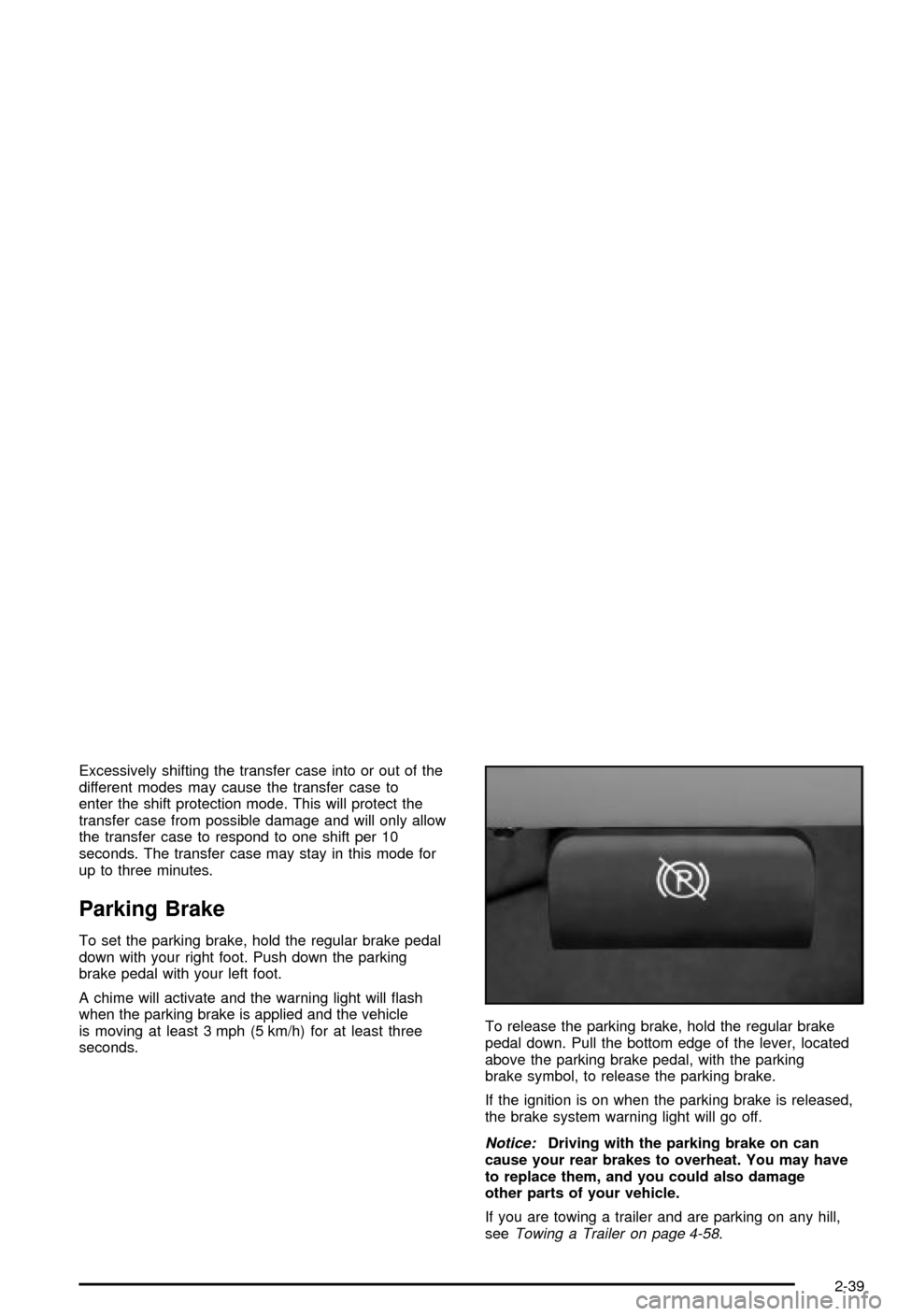
seconds.To release the parking brake, hold the regular brake
pedal down. Pull the bottom edge of the lever, located
above the parking brake pedal, with the parking
brake symbol, to release the parking brake.
If the ignition is on when the parking brake is released,
the brake system warning light will go off.
Notice:Driving with the parking brake on can
cause your rear brakes to overheat. You may have
to replace them, and you could also damage
other parts of your vehicle.
If you are towing a trailer and are parking on any hill,
see
Towing a Trailer on page 4-58.
2-39
Page 114 of 492
Shifting Into Park (P)
{CAUTION:
It can be dangerous to get out of your vehicle
if the shift lever is not fully in PARK (P) with
the parking brake ®rmly set. Your vehicle can
roll. If you have left the engine running, the
vehicle can move suddenly. You or others
could be injured. To be sure your vehicle won't
move, even when you're on fairly level ground,
use the steps that follow. With four-wheel
drive, if your transfer case is in NEUTRAL,
your vehicle will be free to roll, even if your
shift lever is in PARK (P). So, be sure the
transfer case is in a drive gear Ð not in
NEUTRAL. If you're pulling a trailer, see
ªTowing a Trailerº in the Index.
1. Hold the brake pedal down with your right foot and
set the parking brake.2. Move the shift lever into PARK (P) position like this:
·Pull the shift lever toward you.
2-40
Page 115 of 492

·Move the lever up as far as it will go.
3. Be sure the transfer case is in a drive gear ± not in
NEUTRAL.
4. Turn the ignition key to LOCK.
5. Remove the key and take it with you. If you can
leave your vehicle with the ignition key in your
hand, your vehicle is in PARK (P).
Leaving Your Vehicle With the Engine
Running
{CAUTION:
It can be dangerous to leave your vehicle with
the engine running. Your vehicle could move
suddenly if the shift lever is not fully in PARK
(P) with the parking brake ®rmly set.
If you have four-wheel drive, your vehicle will
be free to roll ± even if your lever is in PARK
(P) ± if your transfer case is in NEUTRAL. So
be sure the transfer case is in a drive gear ±
not NEUTRAL. See ªFour-Wheel Drive
(Automatic Transfer Case)º in the Index.
And, if you leave the vehicle with the engine
running, it could overheat and even catch ®re.
You or others could be injured. Don't leave
your vehicle with the engine running unless
you have to.
If you have to leave your vehicle with the engine
running, be sure your vehicle is in PARK (P) and the
parking brake is ®rmly set before you leave it.
2-41
Page 116 of 492

After you move the shift lever into PARK (P), hold the
regular brake pedal down. Then, see if you can
move the shift lever away from PARK (P) without ®rst
pulling it toward you. If you can, it means that the
shift lever wasn't fully locked into PARK (P).
Torque Lock
If you are parking on a hill and you don't shift your
transmission into PARK (P) properly, the weight of the
vehicle may put too much force on the parking pawl
in the transmission. You may ®nd it difficult to pull the
shift lever out of PARK (P). This is called ªtorque
lock.º To prevent torque lock, set the parking brake and
then shift into PARK (P) properly before you leave
the driver's seat. To ®nd out how, see
Shifting Into Park
(P) on page 2-40.
When you are ready to drive, move the shift lever out of
PARK (P)
beforeyou release the parking brake.
If torque lock does occur, you may need to have another
vehicle push yours a little uphill to take some of the
pressure from the parking pawl in the transmission, so
you can pull the shift lever out of PARK (P).
Shifting Out of Park (P)
Your vehicle has an automatic transmission shift lock
control system. You have to fully apply your regular
brakes before you can shift from PARK (P) when the
ignition is in RUN. See
Automatic Transmission
Operation on page 2-31.
If you cannot shift out of PARK (P), ease pressure on
the shift lever and push the shift lever all the way up into
PARK (P) as you maintain brake application. Then,
move the shift lever into the gear you want.
If you ever hold the brake pedal down but still can't shift
out of PARK (P), try this:
1. Turn the key to OFF/ACCESSORY. There is no
shift interlock in this key position.
2. Apply and hold the brake until the end of Step 4.
3. Shift the vehicle to NEUTRAL (N).
4. Start the vehicle and then shift to the drive gear you
want.
5. Have the system ®xed as soon as possible.
2-42
Page 119 of 492
{CAUTION:
It can be dangerous to get out of your vehicle if
the shift lever is not fully in PARK (P) with the
parking brake ®rmly set. Your vehicle can roll.
Don't leave your vehicle when the engine is
running unless you have to. If you've left the
engine running, the vehicle can move suddenly.
You or others could be injured. To be sure your
vehicle won't move, even when you're on fairly
level ground, always set your parking brake and
move the shift lever to PARK (P).
{CAUTION:
Four-wheel drive vehicles with the transfer
case in NEUTRAL will allow the vehicle to roll,
even if your shift lever is in PARK (P). So, be
sure the transfer case is in a drive gear Ð not
in NEUTRAL. Always set your parking brake.
Follow the proper steps to be sure your vehicle won't
move. See
Shifting Into Park (P) on page 2-40.
If you're pulling a trailer, see
Towing a Trailer on
page 4-58.
2-45
Page 159 of 492
Vehicle Personalization
Memory Seat
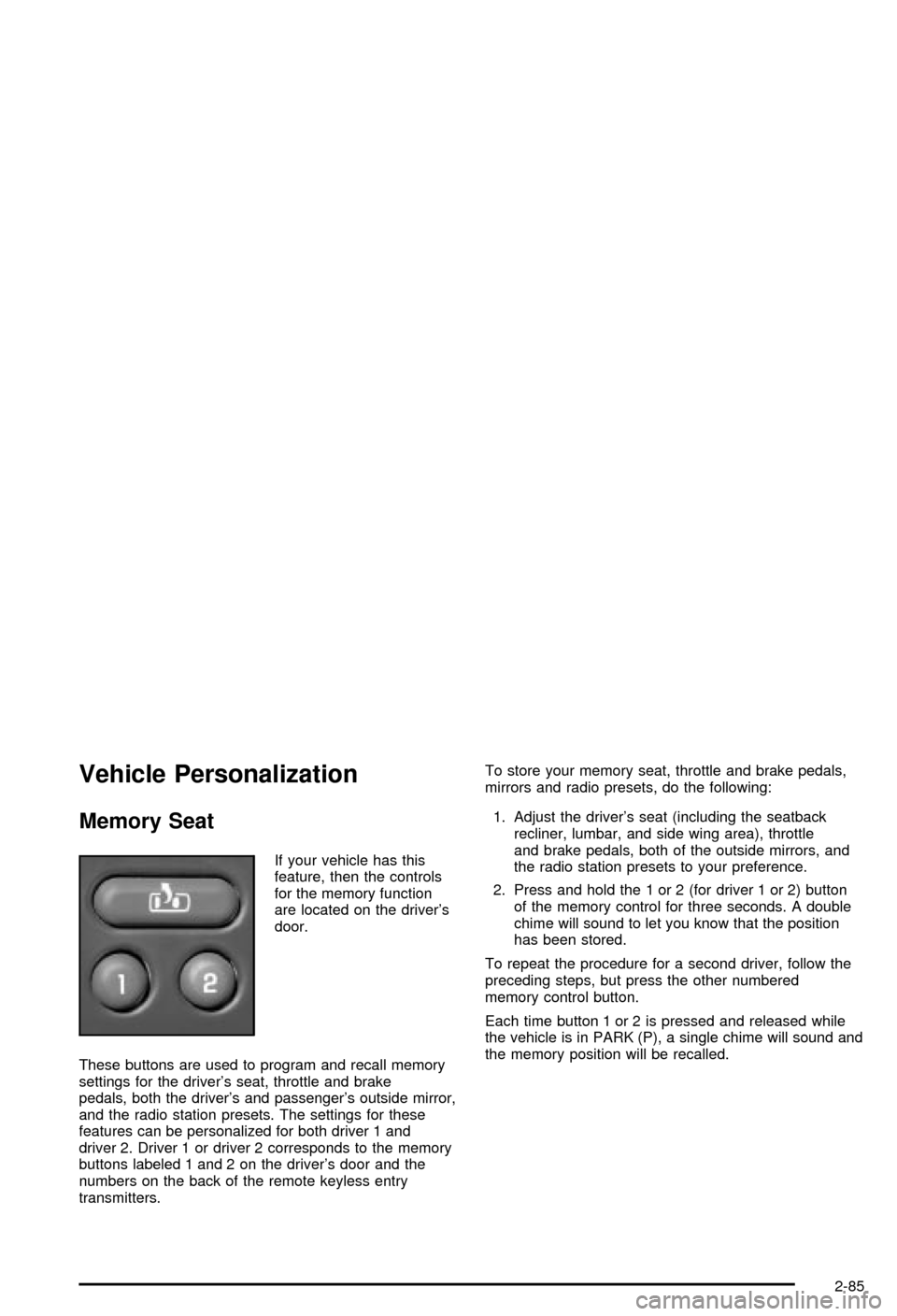
If your vehicle has this
feature, then the controls
for the memory function
are located on the driver's
door.
These buttons are used to program and recall memory
settings for the driver's seat, throttle and brake
pedals, both the driver's and passenger's outside mirror,
and the radio station presets. The settings for these
features can be personalized for both driver 1 and
driver 2. Driver 1 or driver 2 corresponds to the memory
buttons labeled 1 and 2 on the driver's door and the
numbers on the back of the remote keyless entry
transmitters.To store your memory seat, throttle and brake pedals,
mirrors and radio presets, do the following:
1. Adjust the driver's seat (including the seatback
recliner, lumbar, and side wing area), throttle
and brake pedals, both of the outside mirrors, and
the radio station presets to your preference.
2. Press and hold the 1 or 2 (for driver 1 or 2) button
of the memory control for three seconds. A double
chime will sound to let you know that the position
has been stored.
To repeat the procedure for a second driver, follow the
preceding steps, but press the other numbered
memory control button.
Each time button 1 or 2 is pressed and released while
the vehicle is in PARK (P), a single chime will sound and
the memory position will be recalled.
2-85