2003 CHEVROLET ASTRO ignition
[x] Cancel search: ignitionPage 164 of 386
AM-FM Radio
Playing the Radio
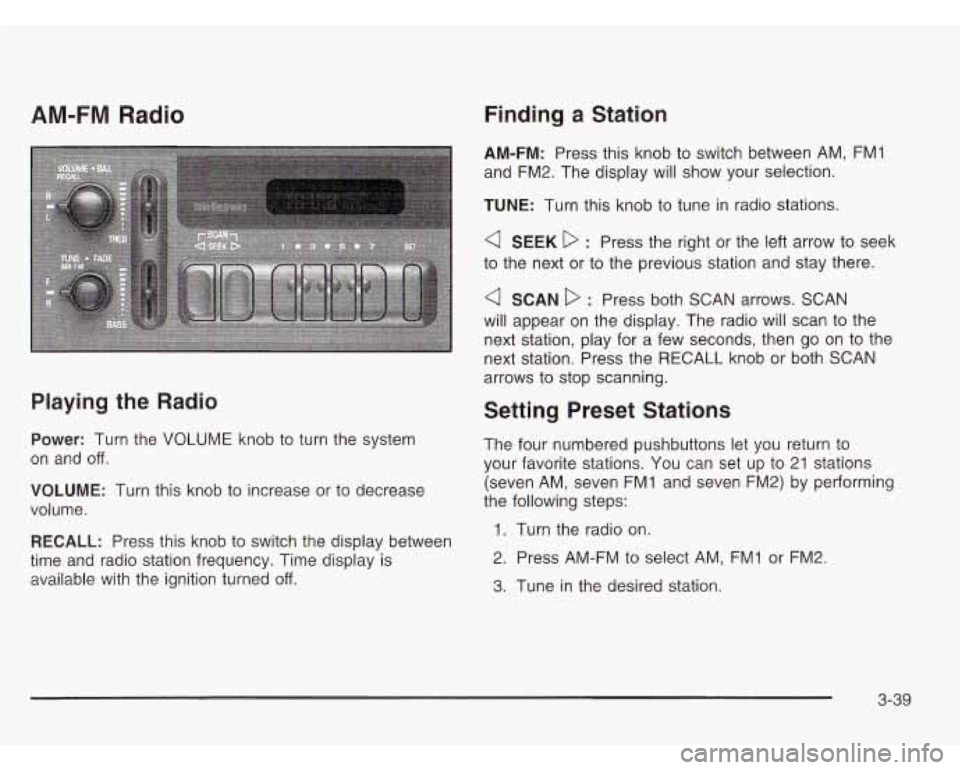
Power: Turn the VOLUME knob to turn the system
on and off.
VOLUME: Turn this knob to increase or to decrease
volume.
RECALL: Press this knob to switch the display between
time and radio station frequency. Time display is
available with the ignition turned
off.
Finding a Station
AM-FM: Press this knob to switch between AM, FMI
and FM2. The display will show your selection.
TUNE: Turn this knob to tune in radio stations.
a SEEK D : Press the right or the left arrow to seek
to the next or to the previous station and stay there.
a SCAN D : Press both SCAN arrows. SCAN
will appear on the display. The radio will scan to the
next station, play for a few seconds, then go on to the
next station. Press the RECALL knob or both SCAN
arrows to stop scanning.
Setting Preset Stations
The four numbered pushbuttons let you return to
your favorite stations. You can set up to 21 stations
(seven AM, seven FMI and seven FM2) by performing
the following steps:
1. Turn the radio on.
2. Press AM-FM to select AM, FMI or FM2.
3. Tune in the desired station.
3-39
Page 166 of 386
Radio with CD
Playing the Radio
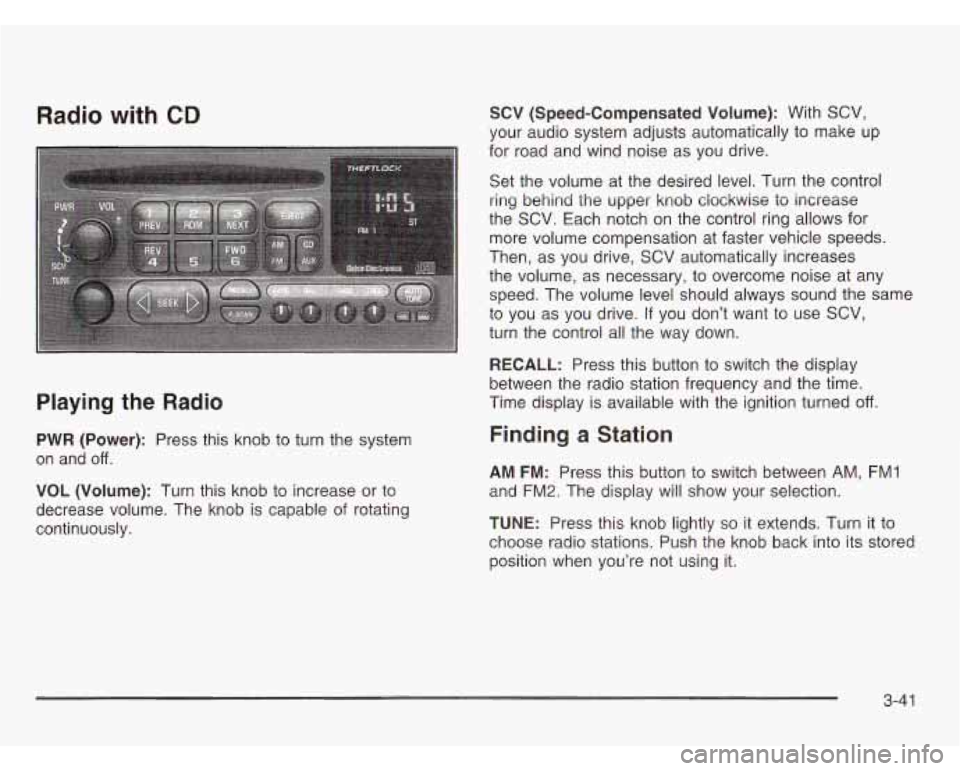
PWR (Power): Press this knob to turn the system
on and
off.
VOL (Volume): Turn this knob to increase or to
decrease volume. The knob is capable of rotating
continuously.
SCV (Speed-Compensated Volume): With SCV,
your audio system adjusts automatically to make up
for road and wind noise as you drive.
Set the volume at the desired level. Turn the control
ring behind the upper knob clockwise to increase
the SCV. Each notch on the control ring allows for
more volume compensation at faster vehicle speeds.
Then, as you drive, SCV automatically increases
the volume, as necessary, to overcome noise at any
speed. The volume level should always sound the same
to you as you drive.
If you don’t want to use SCV,
turn the control all the way down.
RECALL: Press this button to switch the display
between the radio station frequency and the time.
Time display is available with the ignition turned
off.
Finding a Station
AM FM: Press this button to switch between AM, FM1
and FM2. The display will show your selection.
TUNE: Press this knob lightly so it extends. Turn it to
choose radio stations. Push the knob back into its stored
position when you’re not using it.
3-41
Page 170 of 386
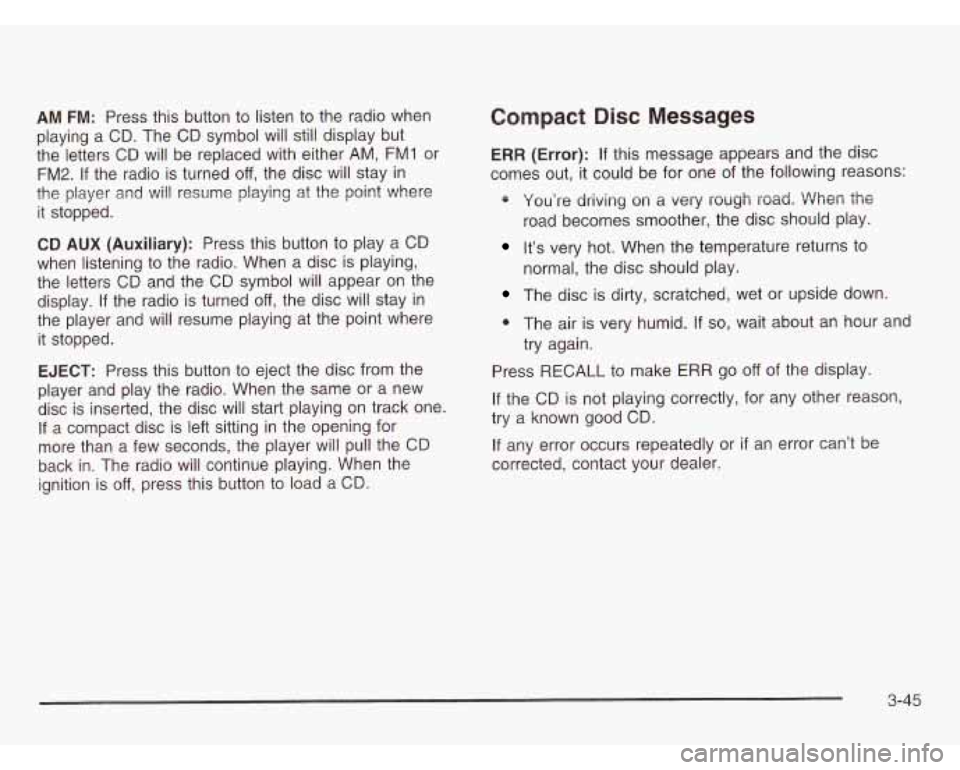
AM FM: Press this button to listen to the radio when
playing a CD. The CD symbol will still display but
the letters CD will be replaced with either
AM, FM1 or
FM2. If the radio is turned off, the disc will stay in
the player and
will resume playing at the point where
it stopped.
CD AUX (Auxiliary): Press this button to play a CD
when listening to the radio. When a disc is playing,
the letters CD and the CD symbol will appear on the
display. If the radio is turned
off, the disc will stay in
the player and will resume playing at the point where
it stopped.
EJECT: Press this button to eject the disc from the
player and play the radio. When the same or a new
disc
is inserted, the disc will start playing on track one.
If a compact disc is left sitting in the opening for
more than a few seconds, the player will pull the CD
back in. The radio will continue playing. When the
ignition is
off, press this button to load a CD.
Compact Risc Messages
ERR (Error): If this message appears and the disc
comes out,
it could be for one of the following reasons:
* You’re driving on a very rough road. When the
road becomes smoother, the disc should play.
It’s very hot. When the temperature returns to
normal, the disc should play.
The disc is dirty, scratched, wet or upside down.
0 The air is very humid. If so, wait about an hour and
try again.
Press
RECALL to make ERR go off of the display.
If the CD is not playing correctly, for any other reason,
try a known good CD.
If any error occurs repeatedly or
if an error can’t be
corrected, contact your dealer.
3-45
Page 173 of 386
Activating the Theft-Deterrent Feature
The instructions which follow explain how to enter your
secret code to activate the THEFTLOCK@ system. Read
through all nine steps before starting the procedure.
If you allow more than 15 seconds to elapse between
any steps, the radio automatically reverts to time
and you must start the procedure over at Step
4.
1. Write down any three or four-digit number from
000 to 1999 and keep it in a safe place separate
from the vehicle.
2. Turn the ignition on.
3. Turn the radio off.
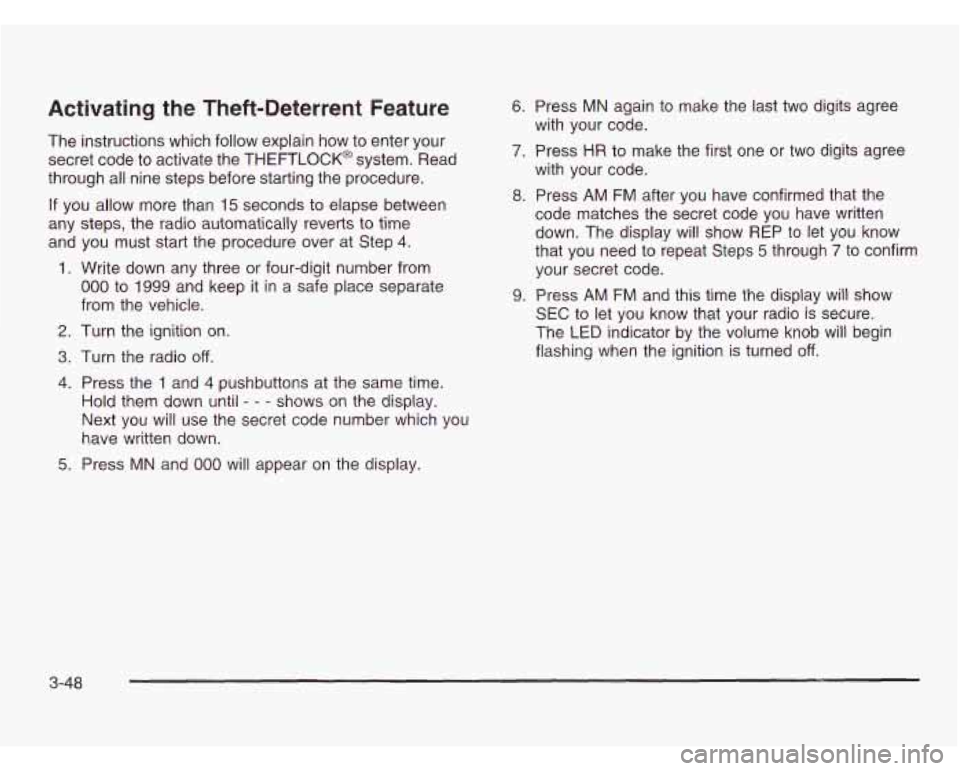
4. Press the 1 and 4 pushbuttons at the same time.
Hold them down until - - - shows on the display.
Next you will use the secret code number which you
have written down.
5. Press MN and 000 will appear on the display.
6. Press MN again to make the last two digits agree
with your code.
7. Press HR to make the first one or two digits agree
with your code.
8. Press AM FM after you have confirmed that the
code matches the secret code you have written
down. The display will show REP to let you know
that you need to repeat Steps 5 through
7 to confirm
your secret code.
9. Press AM FM and this time the display will show
SEC to let you know that your radio is secure.
The
LED indicator by the volume knob will begin
flashing when the ignition is turned
off.
3-48
Page 174 of 386
Unlocking the Theft-Deterrent Feature
After
a Power Loss
Enter your secret code as follows; pause no more than
15 seconds between steps:
1. Turn the ignition on. LOC will appear on the display.
2, Press MN and 000 will appear on the display.
3. Press MN again to make the last two digits agree
with your code.
4. Press HR to make the first one or two digits agree
with your code.
5. Press AM FM after you have confirmed that the
code matches the secret code you have written
down. The display will show SEC, indicating
the radio is now operable and secure.
If you enter the wrong code eight times, INOP will
appear on the display. You will have to wait an hour
with the ignition on before you can try again. When you
try again, you will only have three chances to enter
the correct code before INOP appears.
If you lose or forget your code, contact your dealership.
Disabling the Theft-Deterrent Feature
Enter your secret code as follows; pause no more than
15 seconds between steps:
1. Turn the ignition on.
2. Turn the radio off.
3. Press the 1 and 4 pushbuttons at the same time.
Hold them down until SEC shows on the display.
4. Press MN and
000 will appear on the display.
5. Press MN again to make the last two digits agree
with your code.
6. Press HR to make the first one or two digits agree
with your code.
7. Press AM FM after you have confirmed that the
code matches the secret code you have written
down. The display will show
- - -, indicating that the
radio is no longer secured.
If the code entered is incorrect, SEC will appear on the
display. The radio will remain secured until the correct
code is entered.
When battery power is removed and later applied to a
secured radio, the radio won’t turn on and LOC will
appear on the display.
To unlock a secured radio, see Unlocking the
Theft-Deterrent Feature After
a Power Loss earlier
in this section.
3-49
Page 198 of 386

If you drive regularly in steep country, or if you’re
planning to visit there, here are some tips that can make
your trips safer and more enjoyable.
Keep your vehicle in good shape. Check all fluid
levels and also the brakes, tires, cooling system
and transmission. These parts can work hard
on mountain roads.
0 Know how to go down hills. The most important
thing to know is this: let your engine do some of
the slowing down. Shift
to a lower gear when you go
down a steep or long
hill.
0
If you don’t shift down, y--. -.-. ces coul, Jet
so hot that they wouldn’t work well. You would
then have poor braking or even none going
down a hill. You could crash. Shift down to let
your engine assist your brakes on a steep
downhill slope. Coasting downh.-.
... .rlEUTL .. _L (N) or wit
ignition
off is dangerous. Your brakes will have
to do all the work
of slowing down. They could
get
so hot that they wouldn’t work well. You
would then have poor braking or even none
going down a hill. You could crash. Always have
your engine running and your vehicle in gear
when you go downhill.
e
e
I I
e
Know how to go uphill. You may want to shift down to
a lower gear. The lower gears help cool your engine
and transmission, and you can climb the hill better.
Stay in your own lane when driving on two-lane
roads
in hills or mountains. Don’t swing wide or cut
across the center of the road. Drive at speeds that let
you stay in your own lane.
As you go over the top of a hill, be alert. There could
be something in your lane, like a stalled car or an
accident.
You may see highway signs on mountains that warn
of special problems. Examples are long grades,
passing or no-passing zones,
a falling rocks area
or winding roads. Be alert to these and take
appropriate action.
4-23
Page 265 of 386
1. Check the other vehicle. It must have a 12-volt
battery with a negative ground system.
Notice: If the other system isn’t a 12-volt system
with a negative ground, both vehicles can be
damaged.
2. Get the vehicles close enough so the jumper cables
can reach, but be sure the vehicles aren’t touching
each other. If they are, it could cause a ground
connection you don’t want. You wouldn’t be able
to
start your vehicle, and the bad grounding could
damage the electrical systems.
To avoid the possibility
of the vehicles rolling, set
the parking brake firmly on both vehicles involved
in the jump start procedure. Put an automatic
transmission in PARK (P) and a manual
transmission in NEUTRAL.
3. Turn off the ignition on both vehicles. Unplug
unnecessary accessories plugged into the cigarette
lighter
or accessory power outlets. Turn off all lamps
that aren’t needed as well as radios. This will avoid
sparks and help save both batteries. In addition,
it could save your radio!
Nofice: If you leave your radio on, it could be badly
damaged. The repairs wouldn’t be covered by
your warranty.
4. Open the hoods and locate the batteries. Find the
positive
(+) and negative (-) terminals on each
battery.
Using a match near a battery can cause battery
gas to explode. People have been hurt doing
this, and some have been blinded. Use a
flashlight if you need more light.
Be sure the battery has enough water.
You don’t need to add water to the ACDelco@
battery installed in your new vehicle. But if
a battery has filler caps, be sure the right amount
of fluid is there. If it is low, add water
to take care
of that first. If you don’t, explosive
gas could be present.
Battery fluid contains acid that can burn you.
Don’t get
it on you. If you accidentally get it in
your eyes or on your skin, flush the place with
water and get medical help immediately.
5-48
Page 314 of 386

Usage
Rear/Heat and Air Conditioning
Relays
AIC Relay
(Rear Heat
and AIC)
Relay
Relay
A/C Enable
Relay
Upfitter-ACCY
Upfitter Accessory
Starter Enable Starter
Headlamps Relay
Fuel Pump
Relay Air
Conditioning
Headlamps
Fuel Pump
FuselCircuit
Usage
UPFITTER- Upfitter Battery Power Stud,
BATT Trailer Wiring Harness
UPFITTER- Upfitter Accessory Relay
ACCY
Spare Not used
Spare Not used
Breaker FuselCircuit
Breaker
Spare
ECM-1 B
HORN
AIC COMP
RR HTR/AC ATC
FRT HVAC
ENG-I
IGN-E
ECM-I
Blank
RH HDLMP
LH Headlamp
Blank
Blank
Usage
Not used
Fuel Pump Relay and Motor, VCM,
Oil Pressure Switch/Sender
Horn Relay and Horn
Air Conditioning Enable Relay and
Compressor
Rear Heater and Air Conditioning
Active Transfer Case-L Van
Front Heater and Air Conditioning
Oxygen Sensors, Camshaft Position
Sensor, Mass Air Flow Sensor,
Evaporative Emission Canister
Vent Solenoid
Air Conditioning Enable Relay Coil
Fuel Injectors
1-6, Crankshaft
Position Sensot, VCM, Coil Driver
Module (EST), Ignition Coil
Not Used
Right Headlamp
Left Headlamp
Not Used
Not Used
5-97