2003 CHEVROLET ASTRO ECU
[x] Cancel search: ECUPage 97 of 386

Theft-Deterrent Systems
Vehicle theft is a big business, especially in some cities.
Although your vehicle has a number of theft-deterrent
features, we know that nothing we put on it can make
it impossible to steal. However, there are ways you
can help.
Passlock@
Your vehicle is equipped with the Passlock@
theft-deterrent system.
Passlock@ is a passive theft-deterrent system. Passlock@
enables fuel
if the ignition lock cylinder is turned with
a valid key.
If a correct key is not used or the ignition
lock cylinder is tampered with, fuel is disabled. During normal operation,
the SECURITY light will
go off
approximately five seconds after the key is turned
to RUN.
If the engine stalls and the SECURITY light flashes, wait
until the light stops flashing before trying to restart the
engine. Remember to release the key from START as
soon as the engine starts.
If the engine is running and the SECURITY light comes
on, you will be able to restart the engine
if you turn
the engine
off. However, your Passlock@ system is
not working properly and must be serviced by your
dealer. Your vehicle is not protected by Passlock@ at this
time. You may also want to check the fuse.
See
Fuses and Circuit Breakers on page 5-93.
See your dealer for service.
2-1 8
Page 113 of 386
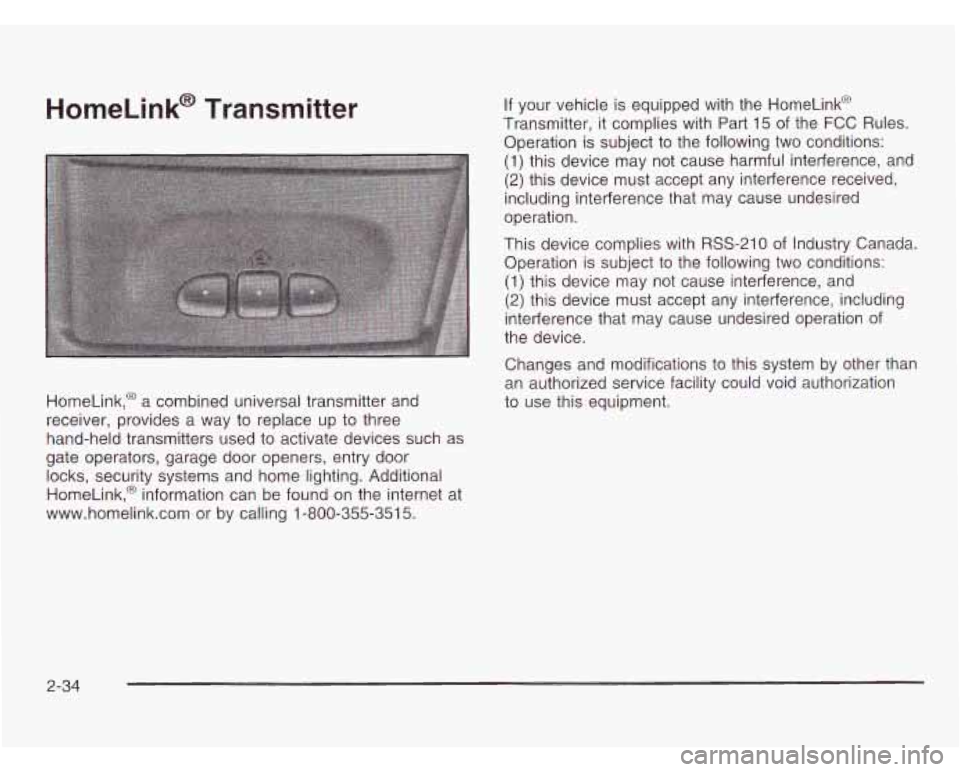
HomeLink@ Transmitter
HomeLink,@ a combined universal transmitter and
receiver, provides a way to replace up
to three
hand-held transmitters used
to activate devices such as
gate operators, garage door openers, entry door
locks, security systems and home lighting. Additional
HomeLink,@ information can be found on the internet at
www.homelink.com or by calling 1-800-355-351
5.
If your vehicle is equipped with the HomeLink@
Transmitter, it complies with Part 15 of the
FCC Rules.
Operation is subject to the following two conditions:
(1) this device may not cause harmful interference, and
(2) this device must accept any interference received,
including interference that may cause undesired
operation.
This device complies with RSS-210 of Industry Canada.
Operation is subject to the following two conditions:
(1) this device may not cause interference, and
(2) this device must accept any interference, including
interference that may cause undesired operation
of
the device.
Changes and modifications
to this system by other than
an authorized service facility could void authorization
to use this equipment.
2-34
Page 114 of 386
Programming the HomeLink
Transmitter
Do not use the HomeLink@ Transmitter with any garage
door opener that does not have the “stop and reverse”
feature. This includes any garage door opener model
manufactured before April
1, 1982.
Keep the original transmitter for use in other vehicles as
well as for future HomeLink@ programming. It is also
recommended that upon the sale of the vehicle, the
programmed HomeLink@ buttons should be erased for
security purposes. Refer to “Erasing HomeLink@ Buttons”
or, for assistance, contact HomeLinkO on the internet at:
www.home1ink.com or by calling 1-800-355-351 5.
Be sure that people and objects are clear of the
garage door or gate operator you are programming.
When programming a garage door, it is advised to park
outside of the garage.
It is recommended that a new battery be installed in
your hand-held transmitter for quicker and more
accurate transmission of the radio frequency. Your
vehicle’s engine should be turned
off while
programming the transmitter. Follow these steps
to
program up to three channels:
1. Press and hold down the two outside buttons,
releasing only when the indicator light begins
to
flash, after 20 seconds. Do not hold down the
buttons for longer than
30 seconds and do not
repeat this step
to program a second and/or third
transmitter to the remaining two HomeLink@ buttons.
2. Position the end of your hand-held transmitter about
1 to 3 inches (3 to 8 cm) away from the HomeLink@
buttons while keeping the indicator light in view.
3. Simultaneously press and hold both the desired
button on HomeLink@ and the hand-held transmitter
button.
Do not release the buttons until Step 4
has been completed.
Some entry gates and garage door openers may
require you to substitute Step 3 with the procedure
noted in “Gate Operator and Canadian
Programming’’ later in this section.
4. The indicator light will flash slowly at first and then
rapidly after HomeLink@ successfully receives the
frequency signal from the hand-held transmitter.
Release both buttons.
2-35
Page 123 of 386
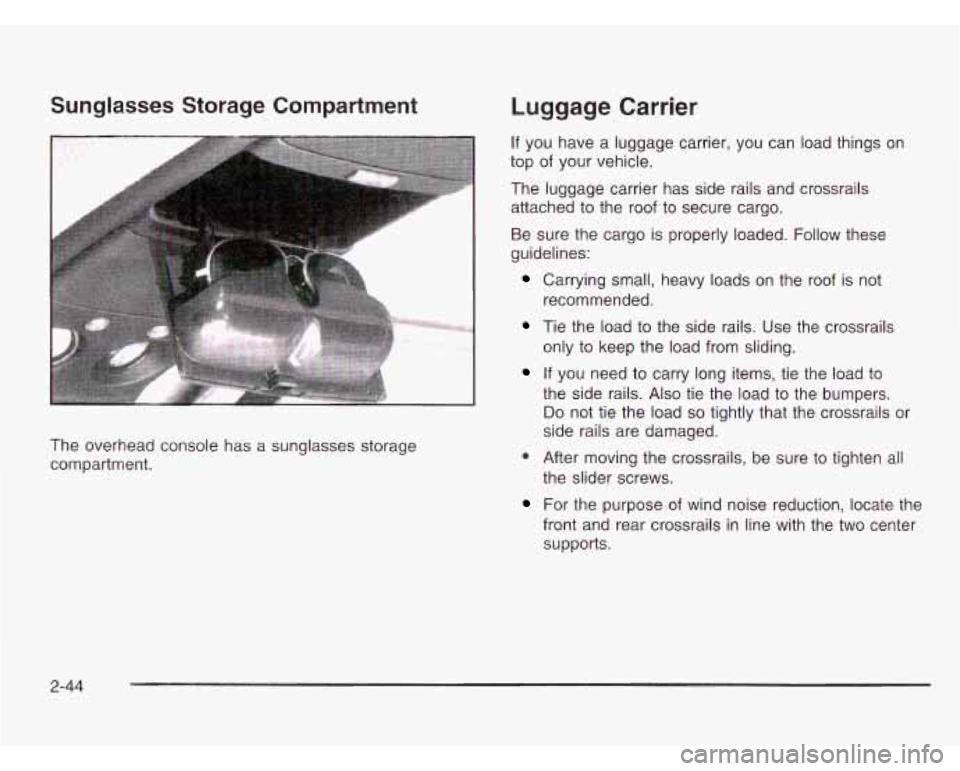
Sunglasses Storage Compartment
The overhead console has a sunglasses storage
compartment.
Luggage Carrier
If you have a luggage carrier, you can load things on
top of your vehicle.
The luggage carrier has side rails and crossrails
attached to the roof to secure cargo.
Be sure the cargo is properly loaded. Follow these
guidelines:
Carrying small, heavy loads on the roof is not
Tie the load to the side rails. Use the crossrails
recommended.
only to keep the load from sliding.
the side rails.
Also tie the load to the bumpers.
Do not tie the load so tightly that the crossrails or
side rails are damaged.
If you need to carry long items, tie the load to
* After moving the crossrails, be sure to tighten all
the slider screws.
For the purpose of wind noise reduction, locate the
front and rear crossrails in line with the two center
supports.
2-44
Page 124 of 386
Notice: Loading cargo that weighs more than
200 Ibs. (91 kg) on the luggage carrier may damage
your vehicle. When you carry large things, never
let them hang over
the rear or the sides of your
vehicle. Load your cargo
so that it rests on the
slats and does not scratch or damage the vehicle. Put the cargo against the side rails and fasten
it securely to the luggage carrier. Put the main
weight as far forward as you can.
Don’t exceed the maximum vehicle capacity when
loading your vehicle. For more information on vehicle
capacity and loading, see
Loading Your Vehicle on
page 4-29.
Convenience Net
You may have a convenience net in the rear of your
vehicle to help keep small loads, like grocery bags,
in place during sharp turns or quick stops and starts.
The net is not designed for larger, heavier items.
You can unhook the net
so that it will lie flat when
you’re not using
it.
To prevent damage or loss of cargo as you’re driving,
check now and then to make sure the luggage
carrier and cargo are still securely fastened.
2-45
Page 126 of 386

Section 3 Instrument Panel
Instrument Panel Overview ............................... 3.2
Hazard Warning Flashers
................................ 3-4
Other Warning Devices
................................... 3-5
Horn
............................................................. 3-5
Tilt Wheel
..................................................... 3-5
Turn SignaVMultifunction Lever
......................... 3.6
Exterior Lamps
.......................................... 3.12
Interior Lamps
................................ ....... 3.15
Accessory Power Outlets
............................... 3.16
Ashtrays and Cigarette Lighter
........................ 3.17
Climate Controls ............................................ 3.18
Climate Control System
................................. 3.18
Rear Heating System
................................... -3-1 9
Rear Air Conditioning System ......................... 3.20
Rear Climate Control System
......................... 3.21
Warning Lights, Gages and Indicators ............. 3.23
Instrument Panel Cluster
................................ 3.24
Speedometer and Odometer
........................... 3.25
Safety Belt Reminder Light
............................. 3.26
Air Bag Readiness Light
................................ 3-26
Charging System Light
.................................. 3.27
Voltmeter Gage
........................................... -3-28
Brake System Warning Light
.......................... 3.28 Anti-Lock
Brake System Warning Light
............. 3.29
Engine Coolant Temperature Gage
= = =. ~ = = ~ ~ ~ = i. 3-39
Malfunction Indicator Lamp
............................. 3.30
Oil Pressure Gage
........................................ 3.34
Security Light
.............................................. -3-35
Service All-Wheel Drive Light
......................... 3.35
Tow/Haul Mode Light
......... ................... 3.36
Fuel Gage
................................................... 3.36
Low Fuel Warning Light
................................. 3.37
Audio System@) ............................................. 3.38
Setting the Time for Radios with
the Set Button
.......................................... 3-38
Setting the Time for Radios with
HR and MN Buttons .................................. 3-38
AM-FM Radio
............................................... 3.39
Radio with CD
.............................................. 3-41
Theft-Deterrent Feature
........... ................ 3.47
Understanding Radio Reception
................... 3.50
Care of Your CDs
......................................... 3-50
Care of Your CD Player
................................ 3-50
Fixed Mast Antenna
...................................... 3.50
Check Gages Warning
Light
........................... 3-36
Rear Seat Audio (RSA)
. . .... ............ 3.46
3-
1
Page 160 of 386

Security Light Service All-Wheel
This light will come on
briefly when you turn the
ignition key to
START.
SERVICE
AWD
Drive Light
This light should come on
briefly when you turn on
the ignition, as a check to
show you it is working.
The light will stay on until the engine starts.
If the light The SERVICE AWD light
comes on to indicate that
flashes, the Passlock@ System has entered a tamper there
may be a problem with the drive system and
mode. If the vehicle fails to start, see
Passlock@ service is required. Malfunctions can be indicated by the
on page 2- 18. system before any problem is apparent, which may
If the light comes on continuously while driving and also designed to assist your service technician in
stays on, there may be a problem with the Passlock@ correctly diagnosing a malfunction.
System. Your vehicle will not be protected by Passlock@,
and you should see your
GM dealer. prevent serious
damage to the vehicle. This system is
3-35
Page 173 of 386
Activating the Theft-Deterrent Feature
The instructions which follow explain how to enter your
secret code to activate the THEFTLOCK@ system. Read
through all nine steps before starting the procedure.
If you allow more than 15 seconds to elapse between
any steps, the radio automatically reverts to time
and you must start the procedure over at Step
4.
1. Write down any three or four-digit number from
000 to 1999 and keep it in a safe place separate
from the vehicle.
2. Turn the ignition on.
3. Turn the radio off.
4. Press the 1 and 4 pushbuttons at the same time.
Hold them down until - - - shows on the display.
Next you will use the secret code number which you
have written down.
5. Press MN and 000 will appear on the display.
6. Press MN again to make the last two digits agree
with your code.
7. Press HR to make the first one or two digits agree
with your code.
8. Press AM FM after you have confirmed that the
code matches the secret code you have written
down. The display will show REP to let you know
that you need to repeat Steps 5 through
7 to confirm
your secret code.
9. Press AM FM and this time the display will show
SEC to let you know that your radio is secure.
The
LED indicator by the volume knob will begin
flashing when the ignition is turned
off.
3-48