2003 CADILLAC SEVILLE engine
[x] Cancel search: enginePage 85 of 408

Retained Accessory Power (RAP)
The following accessories on your vehicle may be used
for up to 10 minutes after the ignition key is turned
from ON to OFF:
·Cellular Phone (If Equipped)
·Radio
·Power Windows
·Audio Steering Wheel Controls
·Sunroof (Option)
Power to these accessories stops after 10 minutes or if
a door is opened. If you want power for another
10 minutes, close all the doors and turn the ignition key
to ON and then back to OFF. If the cellular phone is
being used while retained accessory power is active, the
timer is suspended to avoid interruption of the call.
The timer resets to 10 minutes at the end of the call.
Starting Your Engine
Move your shift lever to PARK (P) or NEUTRAL (N).
Your engine won't start in any other position ± that's a
safety feature. To restart when you're already moving,
use NEUTRAL (N) only.
Notice:Do not try to shift to PARK (P) if your
vehicle is moving. If you do, you could damage the
transaxle. Shift to PARK (P) only when your
vehicle is stopped.
1. With your foot off the accelerator pedal, turn your
ignition key to START. When the engine starts, let
go of the key. The idle speed will go down as
your engine gets warm.
Notice:Holding your key in START for longer than
15 seconds at a time will cause your battery to
be drained much sooner. And the excessive heat
can damage your starter motor. Wait about
15 seconds between each try to help avoid draining
your battery or damaging your starter.
2-25
Page 86 of 408
2. If it doesn't start within 10 seconds, hold your key in
START for about 10 seconds at a time until your
engine starts. Wait about 15 seconds between
each try.
3. If your engine still won't start (or starts but then
stops), it could be ¯ooded with too much gasoline.
Try pushing your accelerator pedal all the way to the
¯oor and holding it there as you hold the key in
START for about three seconds. If the vehicle starts
brie¯y but then stops again, do the same thing.
Notice:Your engine is designed to work with the
electronics in your vehicle. If you add electrical
parts or accessories, you could change the way the
engine operates. Before adding electrical equipment,
check with your dealer. If you do not, your engine
might not perform properly.
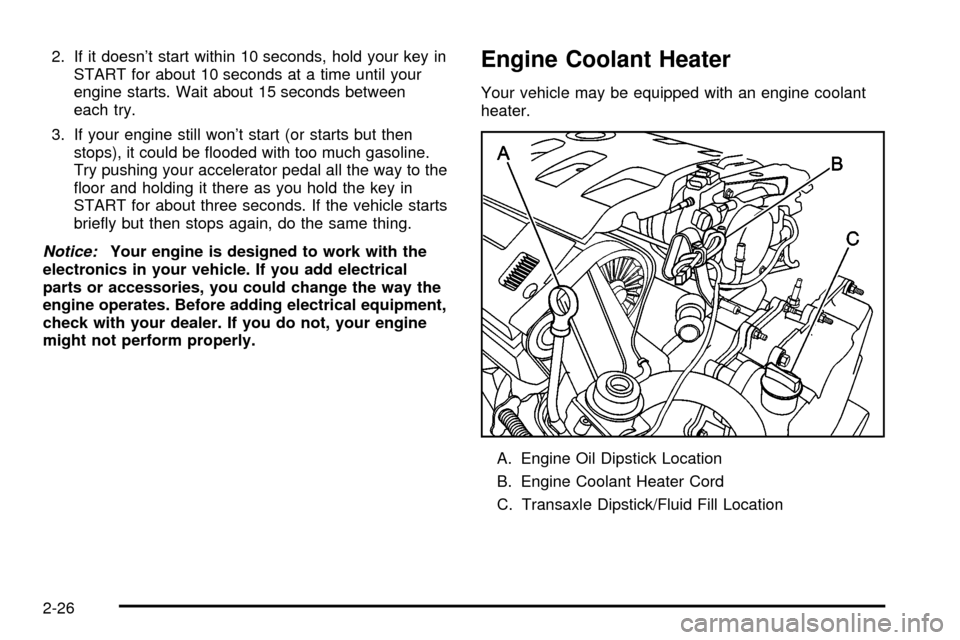
Engine Coolant Heater
Your vehicle may be equipped with an engine coolant
heater.
A. Engine Oil Dipstick Location
B. Engine Coolant Heater Cord
C. Transaxle Dipstick/Fluid Fill Location
2-26
Page 87 of 408
In very cold weather, 0ÉF (-18ÉC) or colder, the engine
coolant heater can help. You'll get easier starting
and better fuel economy during engine warm-up.
Usually, the coolant heater should be plugged in a
minimum of four hours prior to starting your vehicle. At
temperatures above 32ÉF (0ÉC), use of the coolant
heater is not required.
To Use the Engine Coolant Heater
1. Turn off the engine.
2. Open the hood and unwrap the electrical cord.
The electrical cord is located on the driver's side
of the engine, behind the transaxle dipstick/¯uid ®ll
location (C) and next to the engine.
3. Plug it into a normal, grounded 110-volt AC outlet.
{CAUTION:
Plugging the cord into an ungrounded outlet
could cause an electrical shock. Also, the
wrong kind of extension cord could overheat
and cause a ®re. You could be seriously injured.
CAUTION: (Continued)
CAUTION: (Continued)
Plug the cord into a properly grounded
three-prong 110-volt AC outlet. If the cord will
not reach, use a heavy-duty three-prong
extension cord rated for at least 15 amps.
4. Before starting the engine, be sure to unplug and
store the cord as it was before to keep it away
from moving engine parts. If you don't, it could be
damaged.
How long should you keep the coolant heater plugged
in? The answer depends on the outside temperature, the
kind of oil you have, and some other things. Instead
of trying to list everything here, we ask that you contact
your dealer in the area where you'll be parking your
vehicle. The dealer can give you the best advice for that
particular area.
2-27
Page 88 of 408
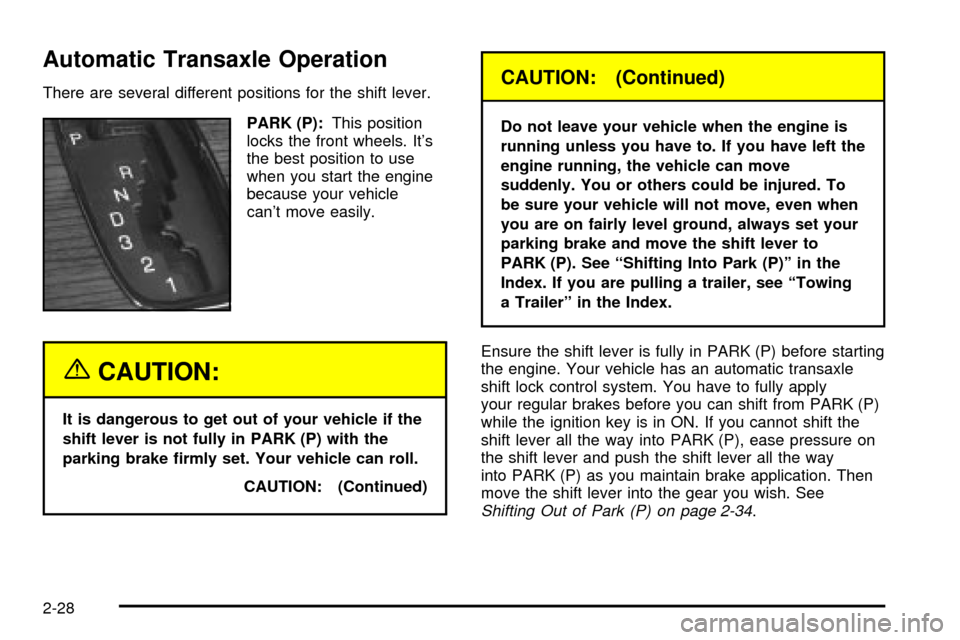
Automatic Transaxle Operation
There are several different positions for the shift lever.
PARK (P):This position
locks the front wheels. It's
the best position to use
when you start the engine
because your vehicle
can't move easily.
{CAUTION:
It is dangerous to get out of your vehicle if the
shift lever is not fully in PARK (P) with the
parking brake ®rmly set. Your vehicle can roll.
CAUTION: (Continued)
CAUTION: (Continued)
Do not leave your vehicle when the engine is
running unless you have to. If you have left the
engine running, the vehicle can move
suddenly. You or others could be injured. To
be sure your vehicle will not move, even when
you are on fairly level ground, always set your
parking brake and move the shift lever to
PARK (P). See ªShifting Into Park (P)º in the
Index. If you are pulling a trailer, see ªTowing
a Trailerº in the Index.
Ensure the shift lever is fully in PARK (P) before starting
the engine. Your vehicle has an automatic transaxle
shift lock control system. You have to fully apply
your regular brakes before you can shift from PARK (P)
while the ignition key is in ON. If you cannot shift the
shift lever all the way into PARK (P), ease pressure on
the shift lever and push the shift lever all the way
into PARK (P) as you maintain brake application. Then
move the shift lever into the gear you wish. See
Shifting Out of Park (P) on page 2-34.
2-28
Page 89 of 408

REVERSE (R):Use this gear to backup.
Notice:Shifting to REVERSE (R) while your vehicle
is moving forward could damage your transaxle.
Shift to REVERSE (R) only after your vehicle is
stopped.
Also use this gear to rock your vehicle back and forth to
get out of snow, ice or sand without damaging your
transaxle. See
If You Are Stuck: In Sand, Mud, Ice or
Snow on page 4-30for additional information.
NEUTRAL (N):In this position, the engine doesn't
connect with the wheels. To restart when you're already
moving, use NEUTRAL (N) only. Also use NEUTRAL (N)
when your vehicle is being towed.
{CAUTION:
Shifting into a drive gear while your engine is
running at high speed is dangerous. Unless
your foot is ®rmly on the brake pedal, your
vehicle could move very rapidly. You could
lose control and hit people or objects. Do not
shift into a drive gear while your engine is
running at high speed.AUTOMATIC OVERDRIVE (
X):This position is for
normal driving. If you need more power for passing,
and you're:
·Going less than 35 mph (55 km/h), push the
accelerator pedal about halfway down.
·Going about 35 mph (55 km/h) or more, push the
accelerator all the way down.
The transaxle will shift down to the next gear and
have more power.
Notice:If your vehicle seems to start up rather
slowly, or if it seems not to shift gears as you go
faster, something may be wrong with a transaxle
system sensor. If you drive very far that way, your
vehicle can be damaged. So, if this happens,
have your vehicle serviced right away. Until then,
you can use SECOND (2) when you are driving
less than 35 mph (55 km/h) and AUTOMATIC
OVERDRIVE (D) for higher speeds.
2-29
Page 90 of 408

THIRD (3):This position is also used for normal driving,
however, it offers more power and lower fuel economy
than AUTOMATIC OVERDRIVE (
X).
Here are examples for using THIRD (3) instead of
AUTOMATIC OVERDRIVE (
X):
·When driving on hilly, winding roads.
·When going down a steep hill.
SECOND (2):This position gives you more power. You
can use SECOND (2) on hills. It can help control
your speed as you go down steep mountain roads, but
then you would also want to use your brakes off
and on.
Notice:Don't shift into SECOND (2) unless you are
going slower than 65 mph (105 km/h), or you can
damage your engine.
FIRST (1):This position gives you even more power
than SECOND (2). You can use it on very steep hills, or
in deep snow or mud.
If the traction control switch is off, your vehicle will not
go into FIRST (1) gear and the vehicle will accelerate
from stop more slowly. This can help in deep snow
or mud conditions. When the traction control is turned
off, a message will light up on the Driver Information
Center (DIC).
Notice:If your front wheels won't turn, don't try to
drive. This might happen if you were stuck in
very deep sand or mud or were up against a solid
object. You could damage your transaxle. Also,
if you stop when going uphill, don't hold your
vehicle there with only the accelerator pedal. This
could overheat and damage the transaxle. Use your
brakes to hold your vehicle in position on a hill.
Performance Shift Display (STS Only)
When your vehicle detects a change in driving
conditions, it will automatically initiate the appropriate
performance shift mode. When this occurs, the
gear display on the instrument panel cluster will change
to indicate that the transaxle has shifted to a different
gear. For example, the gear display on the cluster may
indicate D, 3, 2, or 1 even though the gearshift lever
is still in AUTOMATIC OVERDRIVE (
X). Once
the performance shift mode ends, the gear display on
the instrument panel cluster will return to normal.
2-30
Page 91 of 408
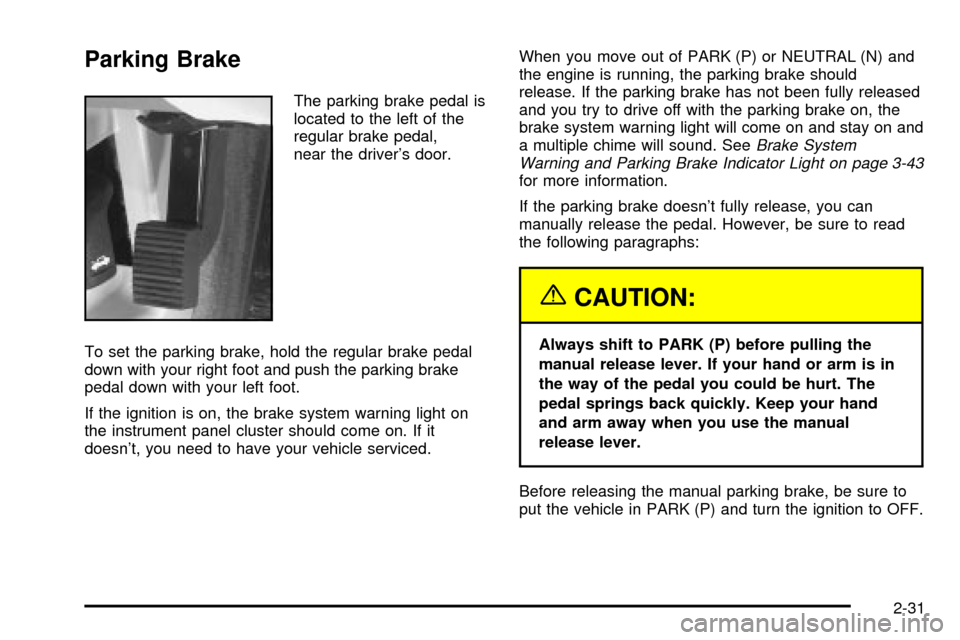
Parking Brake
The parking brake pedal is
located to the left of the
regular brake pedal,
near the driver's door.
To set the parking brake, hold the regular brake pedal
down with your right foot and push the parking brake
pedal down with your left foot.
If the ignition is on, the brake system warning light on
the instrument panel cluster should come on. If it
doesn't, you need to have your vehicle serviced.When you move out of PARK (P) or NEUTRAL (N) and
the engine is running, the parking brake should
release. If the parking brake has not been fully released
and you try to drive off with the parking brake on, the
brake system warning light will come on and stay on and
a multiple chime will sound. See
Brake System
Warning and Parking Brake Indicator Light on page 3-43
for more information.
If the parking brake doesn't fully release, you can
manually release the pedal. However, be sure to read
the following paragraphs:
{CAUTION:
Always shift to PARK (P) before pulling the
manual release lever. If your hand or arm is in
the way of the pedal you could be hurt. The
pedal springs back quickly. Keep your hand
and arm away when you use the manual
release lever.
Before releasing the manual parking brake, be sure to
put the vehicle in PARK (P) and turn the ignition to OFF.
2-31
Page 92 of 408

Reach under the driver's side of the instrument panel
and pull down on the manual release lever, which
is located behind the parking brake pedal. Pull down on
the yellow tab as shown by the arrow in the illustration.
If the parking brake does not release, you should
have your vehicle towed to your dealer for service.
Notice:Driving with the parking brake on can
cause your rear brakes to overheat. You may have
to replace them, and you could also damage
other parts of your vehicle.
If you are towing a trailer and are parking on a hill, see
Towing a Trailer on page 4-35.
Shifting Into Park (P)
{CAUTION:
It can be dangerous to get out of your vehicle
if the shift lever is not fully in PARK (P) with
the parking brake ®rmly set. Your vehicle can
roll. If you have left the engine running, the
vehicle can move suddenly. You or others
could be injured. To be sure your vehicle will
not move, even when you are on fairly level
ground, use the steps that follow. If you are
pulling a trailer, see ªTowing a Trailerº in
the Index.
2-32