2003 CADILLAC SEVILLE display
[x] Cancel search: displayPage 126 of 408
Setting Cruise Control
{CAUTION:
If you leave your cruise control on when you
are not using cruise, you might hit a button
and go into cruise when you do not want to.
You could be startled and even lose control.
Keep the cruise control switch off until you
want to use cruise control.
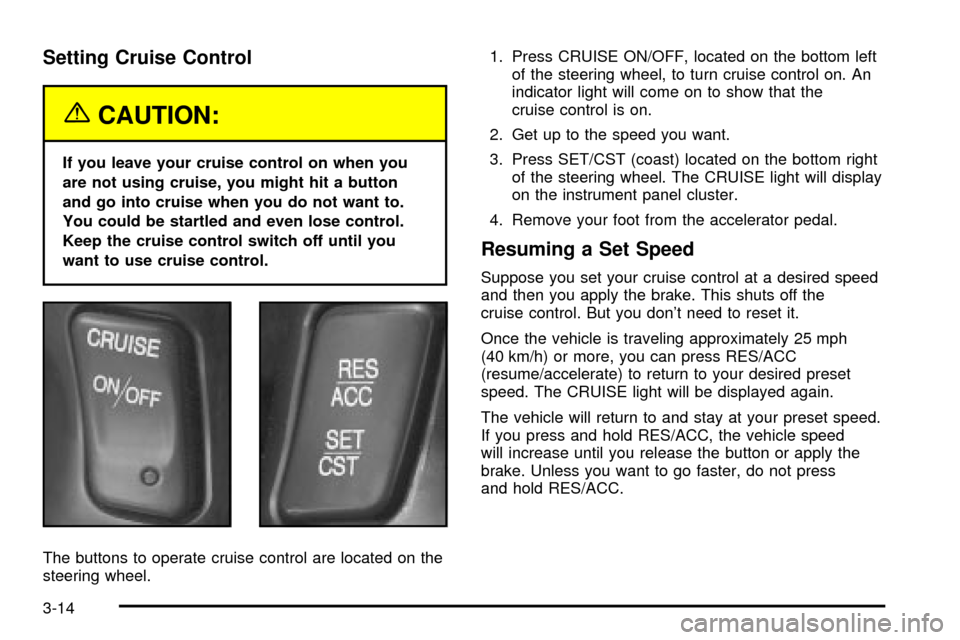
The buttons to operate cruise control are located on the
steering wheel.1. Press CRUISE ON/OFF, located on the bottom left
of the steering wheel, to turn cruise control on. An
indicator light will come on to show that the
cruise control is on.
2. Get up to the speed you want.
3. Press SET/CST (coast) located on the bottom right
of the steering wheel. The CRUISE light will display
on the instrument panel cluster.
4. Remove your foot from the accelerator pedal.
Resuming a Set Speed
Suppose you set your cruise control at a desired speed
and then you apply the brake. This shuts off the
cruise control. But you don't need to reset it.
Once the vehicle is traveling approximately 25 mph
(40 km/h) or more, you can press RES/ACC
(resume/accelerate) to return to your desired preset
speed. The CRUISE light will be displayed again.
The vehicle will return to and stay at your preset speed.
If you press and hold RES/ACC, the vehicle speed
will increase until you release the button or apply the
brake. Unless you want to go faster, do not press
and hold RES/ACC.
3-14
Page 130 of 408

When the Twilight Sentinelžlever is on and it's bright
enough outside, the regular lamps will go off, and
the high-beam headlamps at reduced brightness will
take over. If you start your vehicle in a dark garage, the
automatic headlamp system will come on immediately.
Once you leave the garage, it will take approximately
one minute for the automatic headlamp system to
change to DRL if it is light outside. During that delay,
your instrument panel cluster may not be as bright
as usual. Make sure your instrument panel brightness
knob is in the full bright position. See ªInstrument Panel
Brightnessº under
Interior Lamps on page 3-21.
If it's dark enough outside and the Twilight Sentinel
ž
lever is off, a HEADLAMPS SUGGESTED message will
display on the Driver's Information Center (DIC). This
message informs the driver that turning on the exterior
lamps is recommended even though the DRL are
still illuminated. Turning on the Twilight Sentinel
žor the
headlamps will deactivate the DRL and remove the
HEADLAMPS SUGGESTED message. If the parking
lamps or the fog lamps were turned on instead, the DRL
will still deactivate and the HEADLAMPS SUGGESTED
message will continue to be displayed.
To idle your vehicle with the DRL off at night, turn off
the Twilight Sentinel
žand shift the transaxle into
PARK (P). Placing your vehicle in PARK (P) disables
the DRL. The DRL will stay off until you shift out
of PARK (P).To drive your vehicle with the DRL off, turn off the
Twilight Sentinel
žand manually turn on the parking
lamps or fog lamps.
As with any vehicle, you should turn on the regular
headlamp system when you need it.
Fog Lamps
Use the fog lamps for better vision in foggy or misty
conditions.
-(Fog Lamps):Press the button with this symbol on
it, located next to the exterior lamp control, to turn the
fog lamps on.
When the ignition is on and you press the fog lamp
button, a small indicator light in the fog lamp button, the
LIGHTS ON and fog lamp indicator lights on the
instrument panel cluster will come on to indicate that the
fog and the parking lamps are on.
Press the fog lamp button again to turn off the
fog lamps.
If you turn on the high-beam headlamps, the fog lamps
will turn off. They'll turn back on again when you
switch to low-beam headlamps.
When the Twilight Sentinel
žis on and the fog lamps are
turned on, the fog lamps, headlamps and parking
lamps will remain on.
The ignition must be on for the fog lamps to operate.
3-18
Page 131 of 408
Cornering Lamps
The cornering lamps come on when the headlamps or
parking lamps are on and you signal a turn with the
multifunction lever. They provide more light for
cornering.
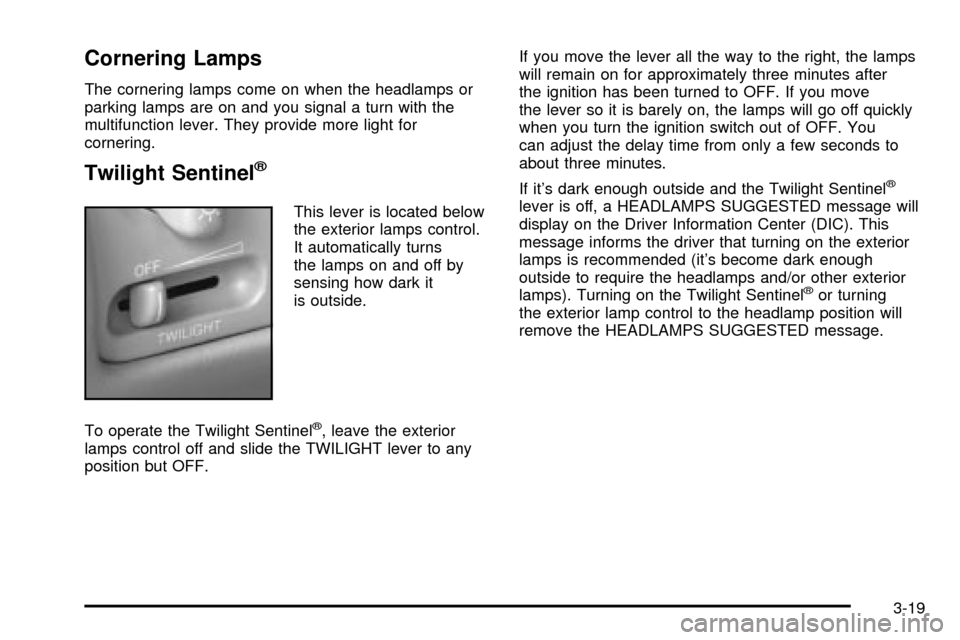
Twilight Sentinelž
This lever is located below
the exterior lamps control.
It automatically turns
the lamps on and off by
sensing how dark it
is outside.
To operate the Twilight Sentinel
ž, leave the exterior
lamps control off and slide the TWILIGHT lever to any
position but OFF.If you move the lever all the way to the right, the lamps
will remain on for approximately three minutes after
the ignition has been turned to OFF. If you move
the lever so it is barely on, the lamps will go off quickly
when you turn the ignition switch out of OFF. You
can adjust the delay time from only a few seconds to
about three minutes.
If it's dark enough outside and the Twilight Sentinel
ž
lever is off, a HEADLAMPS SUGGESTED message will
display on the Driver Information Center (DIC). This
message informs the driver that turning on the exterior
lamps is recommended (it's become dark enough
outside to require the headlamps and/or other exterior
lamps). Turning on the Twilight Sentinel
žor turning
the exterior lamp control to the headlamp position will
remove the HEADLAMPS SUGGESTED message.
3-19
Page 134 of 408

Entry Lighting
The entry lighting system automatically turns on the
courtesy lamps and the backlighting to the door switches
and to the exterior lamp control when a door is opened
or if you press the remote keyless entry transmitter
unlock button. If activated due to the transmitter,
the lighting will remain active for about 40 seconds.
Since the entry lighting system uses the light sensor, it
must be dark outside in order for the courtesy lamps
to turn on. The courtesy lamps turn off approximately
25 seconds after the last door is closed. They will dim to
off if the ignition key is placed in ON, or immediately
deactivate if the power locks are activated.
Parade Dimming
This feature prohibits dimming of the digital displays and
backlighting during daylight hours when the key is in
the ignition and the headlamps are on. This feature
operates with the light sensor for the Twilight
Sentinel
žand is fully automatic. When the light sensor
reads darkness outside and the parking lamps are
active, the digital displays can be adjusted by turning
the instrument panel brightness knob counterclockwise
to dim and clockwise to brighten lighting.
Reading Lamps
The front reading lamps are located in the overhead
console. These lamps and the interior courtesy lamps
come on when a door is opened and it is dark outside.
The rear reading lamps will not come on when a
front door is opened.
The rear courtesy lamps are located on the rear
headliner above the rear seat outboard positions. When
a rear door is opened, both the front and rear reading
lamps come on with the courtesy lamps.
Press the button near each lamp to turn it on and off.
If the reading lamps are left on, they automatically shut
off 10 minutes after the ignition has been turned off.
3-22
Page 136 of 408
Ultrasonic Rear Parking
Assist (URPA)
Ultrasonic Rear Parking Assist can help you to
determine how close an object is to your rear bumper
within a given area, making parking easier.
{CAUTION:
Even with the Ultrasonic Rear Park Assist
system, the driver must check carefully before
backing up. The system does not operate
above typical backing speeds of 3 mph
(5 km/h) while parking. And, the system
doesn't detect objects that are more than
5 feet (1.5 meters) behind the vehicle.
So, unless you check carefully behind you
before and when you back up, you could strike
children, pedestrians, bicyclists or pets behind
you, and they could be injured or killed.
CAUTION: (Continued)
CAUTION: (Continued)
Whether or not you are using Rear Park Assist,
always check carefully behind your vehicle
before you back up and then watch closely as
you do.
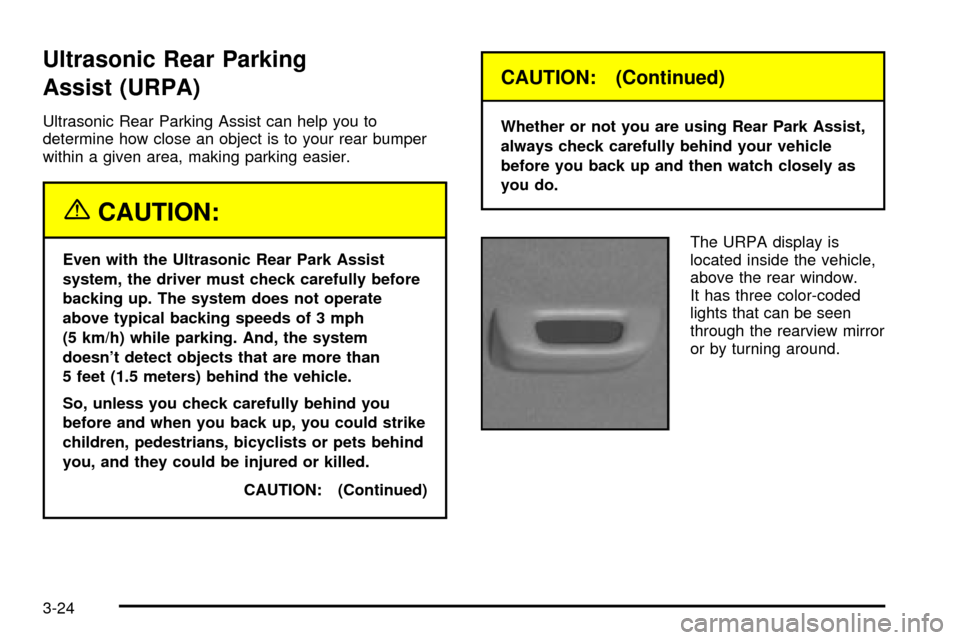
The URPA display is
located inside the vehicle,
above the rear window.
It has three color-coded
lights that can be seen
through the rearview mirror
or by turning around.
3-24
Page 137 of 408

How the System Works
URPA comes on automatically when the shift lever is
moved into REVERSE (R) and the vehicle speed is less
than 3 mph (5 km/h). When the system comes on,
the three lights on the display will illuminate to let you
know that the system is working. URPA senses
how close your vehicle is to an object. The distance is
determined by the four ultrasonic sensors located on the
rear bumper. When you shift into REVERSE (R) and
an object is detected, the following will occur in
sequence depending on the distance from the object:
·At 5 feet (1.5 m) a chime will sound and one
amber light will be lit;
·at 40 inches (1.0 m) both amber lights will be lit;
·at 20 inches (0.5 m) a continuous chime will
sound and all three lights (amber/amber/red) will
be lit; and
·at 1 foot (0.3 m) a continuous chime will sound and
all three lights (amber/amber/red) will ¯ash.
URPA can detect objects 3 inches (7.6 cm) and wider,
and at least 10 inches (25.4 cm) tall, but it cannot detect
objects that are above trunk level. In order for the
rear sensors to recognize an object, it must be within
operating range.If the URPA system is not functioning properly, the
display will ¯ash red, indicating that there is a problem.
The light will also ¯ash red while driving if a trailer is
attached to your vehicle, or a bicycle or object is on the
back of, or hanging out of your trunk. The light will
continue to ¯ash until the trailer or the object is
removed and your vehicle is driven forward at least
15 mph (25 km/h).
It may also ¯ash red if the ultrasonic sensors are not
kept clean. So be sure to keep your rear bumper free of
mud, dirt, snow, ice and slush or materials such as
paint or the system may not work properly. If after
cleaning the rear bumper and driving forward at least
15 mph (25 km/h), the display continues to ¯ash red, see
your dealer. For cleaning instructions, see
Cleaning
the Outside of Your Vehicle on page 5-86.
It may also ¯ash red if your vehicle is moving in
REVERSE (R) at a speed greater than 3 mph (5 km/h).
Other conditions that may affect system performance
include things like the vibrations from a jackhammer or
the compression of air brakes on a very large truck.
As always, drivers should use care when backing up a
vehicle. Always look behind you, being sure to check
for other vehicles, obstructions and blind spots.
3-25
Page 140 of 408
Climate Controls
Dual Climate Control System
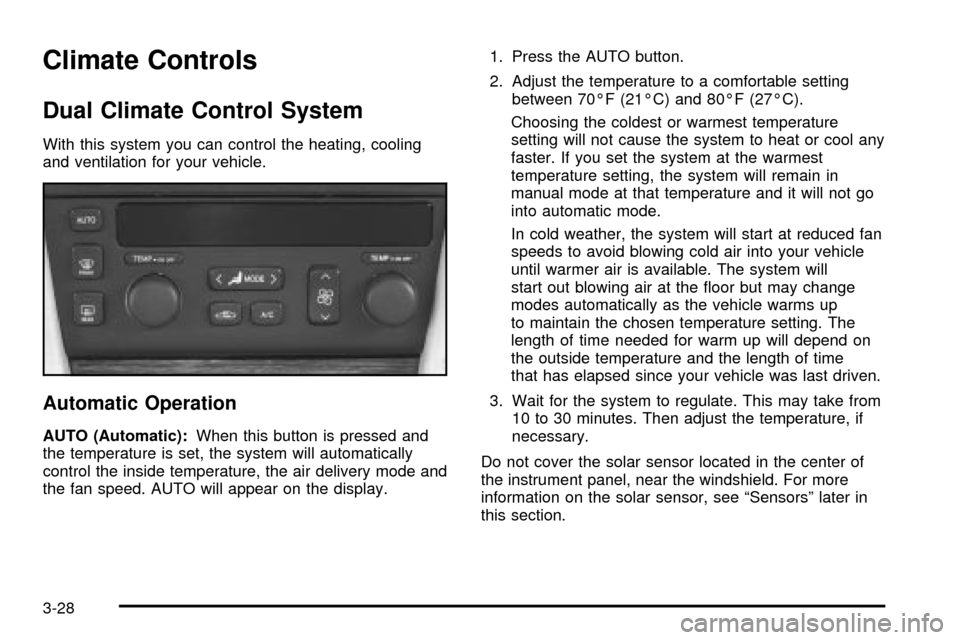
With this system you can control the heating, cooling
and ventilation for your vehicle.
Automatic Operation
AUTO (Automatic):When this button is pressed and
the temperature is set, the system will automatically
control the inside temperature, the air delivery mode and
the fan speed. AUTO will appear on the display.1. Press the AUTO button.
2. Adjust the temperature to a comfortable setting
between 70ÉF (21ÉC) and 80ÉF (27ÉC).
Choosing the coldest or warmest temperature
setting will not cause the system to heat or cool any
faster. If you set the system at the warmest
temperature setting, the system will remain in
manual mode at that temperature and it will not go
into automatic mode.
In cold weather, the system will start at reduced fan
speeds to avoid blowing cold air into your vehicle
until warmer air is available. The system will
start out blowing air at the ¯oor but may change
modes automatically as the vehicle warms up
to maintain the chosen temperature setting. The
length of time needed for warm up will depend on
the outside temperature and the length of time
that has elapsed since your vehicle was last driven.
3. Wait for the system to regulate. This may take from
10 to 30 minutes. Then adjust the temperature, if
necessary.
Do not cover the solar sensor located in the center of
the instrument panel, near the windshield. For more
information on the solar sensor, see ªSensorsº later in
this section.
3-28
Page 141 of 408

When your vehicle is ®rst started, the display will show
the driver's temperature setting, the fan speed and
the air delivery mode.
When the ENG/MET (English/metric) button on the
Driver Information Center (DIC) is pressed, the display
will show readings in Fahrenheit or Celsius. Use the
ENG/MET button to toggle between them.
Manual Operation
SMODET:Pressing the MODE switch and changing
the mode cancels automatic operation and places the
system in manual mode. Press AUTO to return to
automatic operation.
To change the current mode, select one of the following:
G(Vent):This mode directs air to the instrument
panel outlets.
+(Bi-Level):This mode directs approximately half of
the air to the instrument panel outlets, and then
directs most of the remaining air to the ¯oor outlets.
Some air may be directed toward the windshield.
In automatic operation, cooler air is directed to the upper
outlets and warmer air to the ¯oor outlets.
8(Floor):This mode directs most of the air to the
¯oor outlets with some air directed to the outboard
outlets (for the side windows) a little air directed to the
windshield.
The MODE switch can also be used to select the
¯oor/defog mode. Information on defogging and
defrosting can be found later in this section.
y9z(Fan):Press this switch to increase or
decrease the fan speed. Pressing this switch cancels
automatic operation and places the system in manual
mode. Press AUTO to return to automatic operation.
If the air¯ow seems low when the fan speed is at
the highest setting, the passenger compartment air ®lter
may need to be replaced. For more information, see
Passenger Compartment Air Filter on page 3-35andPart A: Scheduled Maintenance Services on
page 6-4.
?(Recirculation):This mode keeps outside air
from coming in the vehicle. It can be used to prevent
outside air and odors from entering your vehicle or
to help heat or cool the air inside your vehicle more
quickly. Press this button to turn the recirculation mode
on or off. When the button is pressed, an indicator
light will come on. The air-conditioning compressor also
comes on.
3-29