2003 CADILLAC ESCALADE wheel
[x] Cancel search: wheelPage 214 of 486

SERVICE BRAKE BOOSTER
If your vehicle has vacuum assist power brakes, this
message will be displayed on the DIC when there is a
problem with the Supplemental Brake Assist system.
If the message is displayed immediately after starting
the vehicle or the message appears while driving,
your Supplemental Brake Assist system needs service.
See
Brake System Warning Light on page 3-40
{CAUTION:
Your brake system may not be working
properly if the SERVICE BRAKE BOOSTER
message is displayed.
If the brake system warning light is also on, you
should have the vehicle towed for service. See
ªBrake System Warning Lightº in the Index.
If the brake system warning light isn't on, you
still have brakes, but the supplemental brake
assist system may not operate properly. In the
event of a vacuum loss, you may not have
vacuum power assist for braking.
CAUTION: (Continued)
CAUTION: (Continued)
The brake pedal will be harder to push and it
will take longer to stop.If you continue to drive
with this message displayed it can lead to a
crash. Have the brake system serviced as soon
as possible.
SERVICE 4WD
If a problem occurs with the all±wheel drive system, this
message will appear on the DIC. If this message
appears, stop as soon as possible and turn off the
vehicle. Restart the vehicle and check for the message
on the DIC display. If the message is still displayed,
or appears again when you begin driving, the four wheel
drive system needs service. Pressing the select button
will clear it from the DIC display.
SERVICE RIDE CONTROL
If a problem occurs with the suspension system, this
message will appear on the DIC. If this message
appears, stop and turn off the vehicle. Restart the
vehicle and check for the message on the DIC display.
If the message is still displayed, or appears again
when you begin driving, the suspension system needs
service. Pressing the select button will clear it from
the DIC display.
3-64
Page 218 of 486

TRACTION ACTIVE
When the traction control system has detected that any
of the vehicle's wheels are slipping, the traction
control system will activate and this message will appear
on the DIC. See
StabilitrakžSystem on page 4-10for
more information.
TRACTION SYS LIMITED
New text under development.
STABILITY SYS LIMITED
New text under development.
STABILITY SYS READY
New text under development.
STABILITY SYS ACTIVE
You may see the STABILITY SYS ACTIVE message on
the DIC. It means that an advanced computer-controlled
system has come on to help your vehicle continue to
go in the direction in which you're steering.
Stabilitrak
žactivates when the computer senses that
your vehicle is just starting to spin, as it might if you hit
a patch of ice or other slippery spot on the road.
When the system activates, you may hear a noise or
feel a vibration in the brake pedal. This is normal. When
the STABILITY SYS ACTIVE message is on, you
should continue to steer in the direction you want to go.
The system is designed to help you in bad weather
or other difficult driving situations by making the most of
whatever road conditions will permit.
SERVICE STABILITY
If you ever see the SERVICE STABILITY message, it
means there may be a problem with your
Stabilitrak
žsystem. If you see this message try to reset
the system (stop; turn off the engine; then start the
engine again). If the SERVICE STABILITY message still
comes on, it means there is a problem. You should
see your dealer for service. The vehicle is safe to drive,
however, you do not have the bene®t of Stabilitrak
ž,
so reduce your speed and drive accordingly.
3-68
Page 219 of 486

STABILITY SYS DISABLED
The STABILITY SYS DISABLED message will turn on
when you press the Stabilitrakžbutton, or when the
stability control has been automatically disabled. To limit
wheel spin and realize the full bene®ts of the stability
enhancement system, you should normally leave
Stabilitrak
žon. However, you should turn Stabilitrakžoff
if your vehicle gets stuck in sand, mud, ice or snow
and you want to ªrockº your vehicle to attempt to free it,
or if you are driving in extreme off-road conditions
and require more wheel spin. See
If You Are Stuck: In
Sand, Mud, Ice or Snow on page 4-48. To turn the
Stabilitrakžsystem back on press the Stabilitrakžbutton
again. There are four conditions that can cause this
message to appear. One condition is overheating, which
could occur if Stabilitrak
žactivates continuously for
an extended period of time. The message will also be
displayed if the brake system warning light is on.
See
Brake System Warning Light on page 3-40. The
message could be displayed if the stability system takes
longer than usual to complete its diagnostic checks
due to driving conditions. Also, if an engine or vehicle
related problem has been detected, and the vehicle
needs service, the message will appear.
The message will turn off as soon as the conditions that
caused the message to be displayed are no longer
present.
CHECK TIRE PRESSURE
If a low tire pressure is detected in any of the vehicle's
tires, this message will appear on the DIC. Press
the select button to clear it from the DIC display. It will
appear at each ignition cycle until the tires are
in¯ated to the correct in¯ation pressure.
See
Tires on page 5-66for more information on tires
and the correct in¯ation pressures.
SERVICE TIRE MONITOR
This message will be displayed if any of the tire monitor
sensors have malfunctioned, or if the tire monitor
sensors have not been programmed, or if the
recommended tire pressures are not programmed.
Press the select button to clear it from the DIC display.
3-69
Page 252 of 486

Audio Steering Wheel Controls
You can control certain radio functions using the buttons
on your steering wheel.
g(OnStar/Voice Recognition):You can press this
button to interact with the OnStaržsystem. See the
OnStaržmanual provided with your vehicle for more
information.
PROG (Program):Press this button to play a station
you have programmed on the radio preset buttons
on the selected band. If a cassette tape is playing, press
this button to play the other side of the tape. If a
compact disc is playing in the CD changer, press this
button to go to the next available CD.
QSOURCER:Press this button to select AM, FM1
or FM2, XM1 or XM2 (USA only, if equipped), or a
cassette tape or CD. The cassette or CD must be loaded
to play. Available loaded sources are shown on the
display as a tape or a CD symbol.
QSEEKR:Press the up or the down arrow to seek
to the next or to the previous radio station and stay
there.
If a cassette tape or compact disc is playing, the player
will advance with the up arrow and reverse with the
down arrow.
QVOLR:Press the up or the down arrow to increase
or to decrease volume.
DVD Distortion
You may experience audio distortion in the
IR headphones when operating cellular phones,
scanners, CB radios, Global Positioning Systems
(GPS)*, two-way radios, mobile fax, or walkie talkies.
It may be necessary to turn off the DVD player
when operating one of these devices in or near the
vehicle.
* Excludes the OnStar
žSystem.
3-102
Page 257 of 486

Your Driving, the Road, and Your Vehicle..........4-2
Defensive Driving...........................................4-2
Drunken Driving.............................................4-2
Control of a Vehicle........................................4-5
Braking.........................................................4-6
Road Sensing Suspension...............................4-9
Stabilitrak
žSystem.......................................4-10
Steering......................................................4-13
Off-Road Recovery.......................................4-15
Passing.......................................................4-16
Loss of Control.............................................4-17
Operating Your All-Wheel-Drive Vehicle Off
Paved Roads............................................4-18
Driving at Night............................................4-32Driving in Rain and on Wet Roads..................4-34
City Driving..................................................4-37
Freeway Driving...........................................4-38
Before Leaving on a Long Trip.......................4-40
Highway Hypnosis........................................4-41
Hill and Mountain Roads................................4-42
Winter Driving..............................................4-43
If You Are Stuck: In Sand, Mud, Ice or Snow........4-48
Towing..........................................................4-50
Towing Your Vehicle.....................................4-50
Recreational Vehicle Towing...........................4-50
Loading Your Vehicle....................................4-51
Trailer Recommendations...............................4-53
Towing a Trailer...........................................4-54
Section 4 Driving Your Vehicle
4-1
Page 263 of 486

Anti-lock Brake System
Your vehicle has anti-lock brakes. ABS is an advanced
electronic braking system that will help prevent a
braking skid.
When you start your engine and begin to drive away,
your anti-lock brake system will check itself. You
may hear a momentary motor or clicking noise while
this test is going on. This is normal.
If there's a problem with
the anti-lock brake system,
this warning light will
stay on. See
Anti-Lock
Brake System Warning
Light on page 3-42
.
Along with ABS, your vehicle has a Dynamic Rear
Proportioning (DRP) system. If there's a DRP problem,
both the brake and ABS warning lights will come on
accompanied by a 10-second chime. The lights
and chime will come on each time the ignition is turned
on until the problem is repaired. See your dealer for
service.Let's say the road is wet and you're driving safely.
Suddenly, an animal jumps out in front of you. You slam
on the brakes and continue braking. Here's what
happens with ABS:
A computer senses that wheels are slowing down. If
one of the wheels is about to stop rolling, the computer
will separately work the brakes at each front wheel
and at both rear wheels.
4-7
Page 264 of 486
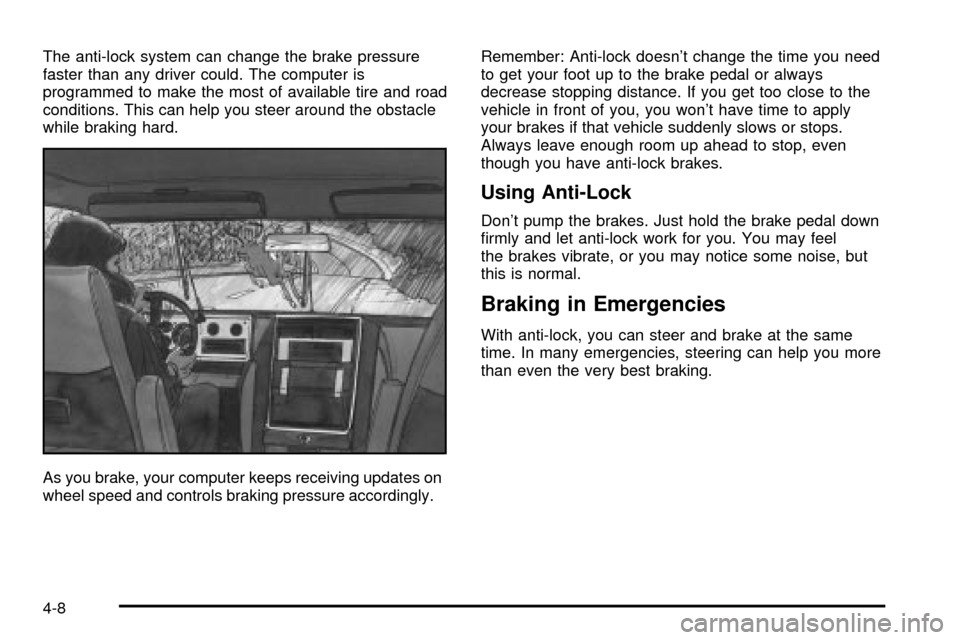
The anti-lock system can change the brake pressure
faster than any driver could. The computer is
programmed to make the most of available tire and road
conditions. This can help you steer around the obstacle
while braking hard.
As you brake, your computer keeps receiving updates on
wheel speed and controls braking pressure accordingly.Remember: Anti-lock doesn't change the time you need
to get your foot up to the brake pedal or always
decrease stopping distance. If you get too close to the
vehicle in front of you, you won't have time to apply
your brakes if that vehicle suddenly slows or stops.
Always leave enough room up ahead to stop, even
though you have anti-lock brakes.
Using Anti-Lock
Don't pump the brakes. Just hold the brake pedal down
®rmly and let anti-lock work for you. You may feel
the brakes vibrate, or you may notice some noise, but
this is normal.
Braking in Emergencies
With anti-lock, you can steer and brake at the same
time. In many emergencies, steering can help you more
than even the very best braking.
4-8
Page 265 of 486

Supplemental Brake Assist System
If your vehicle has vacuum assist power brakes, it is also
equipped with a supplemental brake assist system
that supplies additional vacuum to the vacuum brake
booster if engine vacuum is reduced. Under certain
conditions, the supplemental brake assist system may
run brie¯y after starting your vehicle or when you
apply and release the brake pedal and it may continue
to run even after you have removed your foot from
the brake pedal. When the supplemental brake assist
system is operating, you may hear a motor running
or feel a slight vibration in the steering wheel or brake
pedal. This indicates that the supplemental brake
assist system is working to supply additional vacuum for
your vacuum assist power brakes. This is a normal
operation of your brake system and does not require that
the brake system be serviced.
Each time you start your vehicle and accelerate to 10
mph, the supplemental brake assist system will perform
a self-diagnostic check of the system and you may
hear or feel the supplemental brake assist motor run
brie¯y. While you are driving your vehicle, the
supplemental brake assist system monitors itself to
ensure that it is operating properly. If there is a problem
with the supplemental brake assist system, the
SERVICE BRAKE BOOSTER message will be displayed
on the Driver Information Center. See
DIC Warnings
and Messages on page 3-62.If your supplemental brake assist system runs every
time you apply and release the brake pedal or you notice
that the brake pedal has suddenly become much
harder to push and the vehicle takes longer to stop, you
should have your vehicle serviced as soon as possible.
Road Sensing Suspension
The Road Sensing Suspension (RSS) feature provides
superior vehicle ride and handling under a variety of
passenger and loading conditions.
The system is fully automatic and uses a computer
controller to continuously monitor vehicle speed, wheel
to body position, lift/dive and steering position of the
vehicle. The controller then sends signals to each shock
absorber to independently adjust the damping level to
provide the optimum vehicle ride.
RSS also interacts with the tow/haul mode that, when
engaged, will provide additional control of the shock
absorbers. This additional control results in better ride
and handling characteristics when the vehicle is
loaded or towing a trailer. See ªTow/Haul Modeº under
Towing a Trailer on page 4-54.
4-9