2003 CADILLAC ESCALADE warning light
[x] Cancel search: warning lightPage 191 of 486
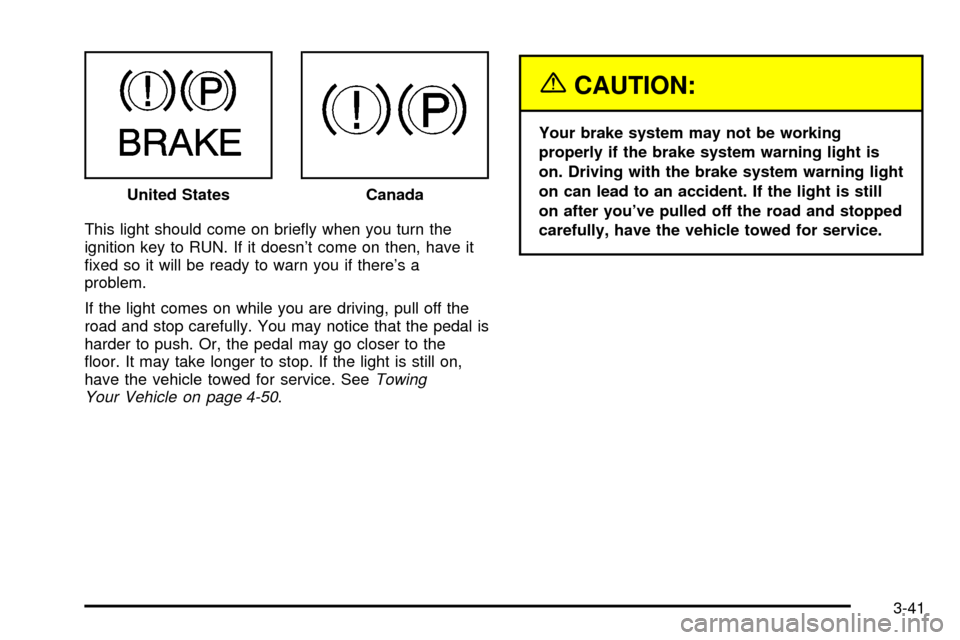
This light should come on brie¯y when you turn the
ignition key to RUN. If it doesn't come on then, have it
®xed so it will be ready to warn you if there's a
problem.
If the light comes on while you are driving, pull off the
road and stop carefully. You may notice that the pedal is
harder to push. Or, the pedal may go closer to the
¯oor. It may take longer to stop. If the light is still on,
have the vehicle towed for service. See
Towing
Your Vehicle on page 4-50.
{CAUTION:
Your brake system may not be working
properly if the brake system warning light is
on. Driving with the brake system warning light
on can lead to an accident. If the light is still
on after you've pulled off the road and stopped
carefully, have the vehicle towed for service. United States
Canada
3-41
Page 192 of 486

Anti-Lock Brake System Warning
Light
With the anti-lock brake
system, this light will come
on when you start your
engine and may stay on for
several seconds.
That's normal. If the light doesn't come on then, have it
®xed so it will be ready to warn you if there is a
problem.
If the light stays on, or comes on when you're driving,
your vehicle needs service. You will also hear a
chime sound when the light is on steady. If the regular
brake system warning light isn't on, you still have
brakes, but you don't have anti-lock brakes. If the
regular brake system warning light is also on you don't
have anti-lock brakes and there's a problem with
your regular brakes. In addition to both lights, you will
also hear a chime sound on the ®rst occurrence ofa problem and each time the vehicle is shut off and
then restarted. See
Brake System Warning Light
on page 3-40.
Traction Off Light
If you have the
Stabilitrakžsystem, this
light should come on brie¯y
when you turn the
ignition to RUN.
If the light doesn't come on then, the system may
require service; have it ®xed so it will be there to warn
you if the system is turned off.
For more information on the traction off light, see
StabilitrakžSystem on page 4-10.
3-42
Page 194 of 486

SeeDriver Information Center (DIC) on page 3-51for
further information.
If the transmission ¯uid reaches temperatures of
approximately 275ÉF (135ÉC) or greater, the DIC will
display a TRANS HOT IDLE ENGINE warning message
and a chime will sound. Pull the vehicle off the
roadway when it is safe to do so. Set the parking brake,
place the transmission in PARK (P) and allow the
engine to idle until the transmission temperature falls
below 260ÉF (127ÉC). If the transmission continues
to operate above 265ÉF (130ÉC), please contact your
nearest dealer or the Roadside Assistance Center.
Notice:If you keep driving your vehicle with the
transmission temperature gage above the normal
operating range, you can damage the transmission.
This could lead to costly repairs that may not be
covered under your warranty.
The following situations can cause the transmission to
operate at higher temperatures:
·Towing a trailer,
·hot outside air temperatures,
·hauling a large or heavy load,
·low transmission ¯uid level,
·high transmission ¯uid level,
·restricted air ¯ow to the radiator.
Malfunction Indicator Lamp
Check Engine Light
Your vehicle is equipped
with a computer which
monitors operation of the
fuel, ignition and emission
control systems.
This system is called OBD II (On-Board
Diagnostics-Second Generation) and is intended to
assure that emissions are at acceptable levels for the
life of the vehicle, helping to produce a cleaner
environment. The Check Engine light comes on to
indicate that there is a problem and service is required.
Malfunctions often will be indicated by the system
before any problem is apparent. This may prevent more
serious damage to your vehicle. This system is also
designed to assist your service technician in correctly
diagnosing any malfunction.
3-44
Page 200 of 486

Fuel Gage
When the ignition is on, the fuel gage tells you about
how much fuel you have left in your tank.
The gage will ®rst indicate empty before you are out of
fuel, and you should get more fuel as soon as possible.Here are some situations you may experience with your
fuel gage. None of these indicate a problem with the
fuel gage.
·At the gas station, the fuel pump shuts off before
the gage reads full.
·It takes a little more or less fuel to ®ll up than the
fuel gage indicated. For example, the gage may
have indicated the tank was half full, but it actually
took a little more or less than half the tank's
capacity to ®ll the tank.
·The gage goes back to empty when you turn off the
ignition.
Low Fuel Warning Light
The light next to the fuel gage will come on brie¯y when
you are starting the engine.
This light comes on when the fuel tank is low on fuel.
To turn it off, add fuel to the fuel tank. See
Fuel on
page 5-4. United States
Canada
3-50
Page 205 of 486

Personalization Button
You can program certain features to a preferred setting
for up to two people. Press the personalization button
to scroll through the following personalization features.
All of the personalization options may not be available
on your vehicle. Only the options available will be
displayed on your DIC.
·AUTOMATIC LOCKING
·AUTOMATIC UNLOCKING
·DELAYED LOCKING
·REMOTE LOCK FEEDBACK
·ALARM WARNING TYPE
·REMOTE UNLOCK FEEDBACK
·HEADLAMPS ON AT EXIT
·PERIMETER LIGHTING
·SEAT POSITION RECALL
·EASY EXIT DRIVER SEAT
·CURB VIEW ASSIST
·DISPLAY LANGUAGE
·DISPLAY UNITS (ENG/MET)The default options for the above features were set
when your vehicle left the factory. The default options
are noted in the text following, but may have been
changed from their default state since then.
The driver's preferences can be recalled by pressing the
unlock button on the remote keyless entry transmitter
labeled 1 or 2 or by pressing the appropriate memory
button 1 or 2 located on the driver's door.
Alarm Warning Type
Press the personalization button until ALARM
WARNING TYPE appears in the display. To select your
personalization for alarm warning type, press the
select button while ALARM WARNING TYPE is
displayed on the DIC. Pressing the select button will
scroll through the following choices:
ALARM WARNING: BOTH (default):The headlamps
will ¯ash and the horn will chirp when the alarm is
active.
ALARM WARNING: OFF:There will be no alarm
warning on activation.
ALARM WARNING: HORN:The horn will chirp when
the alarm is active.
ALARM WARNING: LAMPS:The headlamps will ¯ash
when the alarm is active.
3-55
Page 214 of 486

SERVICE BRAKE BOOSTER
If your vehicle has vacuum assist power brakes, this
message will be displayed on the DIC when there is a
problem with the Supplemental Brake Assist system.
If the message is displayed immediately after starting
the vehicle or the message appears while driving,
your Supplemental Brake Assist system needs service.
See
Brake System Warning Light on page 3-40
{CAUTION:
Your brake system may not be working
properly if the SERVICE BRAKE BOOSTER
message is displayed.
If the brake system warning light is also on, you
should have the vehicle towed for service. See
ªBrake System Warning Lightº in the Index.
If the brake system warning light isn't on, you
still have brakes, but the supplemental brake
assist system may not operate properly. In the
event of a vacuum loss, you may not have
vacuum power assist for braking.
CAUTION: (Continued)
CAUTION: (Continued)
The brake pedal will be harder to push and it
will take longer to stop.If you continue to drive
with this message displayed it can lead to a
crash. Have the brake system serviced as soon
as possible.
SERVICE 4WD
If a problem occurs with the all±wheel drive system, this
message will appear on the DIC. If this message
appears, stop as soon as possible and turn off the
vehicle. Restart the vehicle and check for the message
on the DIC display. If the message is still displayed,
or appears again when you begin driving, the four wheel
drive system needs service. Pressing the select button
will clear it from the DIC display.
SERVICE RIDE CONTROL
If a problem occurs with the suspension system, this
message will appear on the DIC. If this message
appears, stop and turn off the vehicle. Restart the
vehicle and check for the message on the DIC display.
If the message is still displayed, or appears again
when you begin driving, the suspension system needs
service. Pressing the select button will clear it from
the DIC display.
3-64
Page 219 of 486

STABILITY SYS DISABLED
The STABILITY SYS DISABLED message will turn on
when you press the Stabilitrakžbutton, or when the
stability control has been automatically disabled. To limit
wheel spin and realize the full bene®ts of the stability
enhancement system, you should normally leave
Stabilitrak
žon. However, you should turn Stabilitrakžoff
if your vehicle gets stuck in sand, mud, ice or snow
and you want to ªrockº your vehicle to attempt to free it,
or if you are driving in extreme off-road conditions
and require more wheel spin. See
If You Are Stuck: In
Sand, Mud, Ice or Snow on page 4-48. To turn the
Stabilitrakžsystem back on press the Stabilitrakžbutton
again. There are four conditions that can cause this
message to appear. One condition is overheating, which
could occur if Stabilitrak
žactivates continuously for
an extended period of time. The message will also be
displayed if the brake system warning light is on.
See
Brake System Warning Light on page 3-40. The
message could be displayed if the stability system takes
longer than usual to complete its diagnostic checks
due to driving conditions. Also, if an engine or vehicle
related problem has been detected, and the vehicle
needs service, the message will appear.
The message will turn off as soon as the conditions that
caused the message to be displayed are no longer
present.
CHECK TIRE PRESSURE
If a low tire pressure is detected in any of the vehicle's
tires, this message will appear on the DIC. Press
the select button to clear it from the DIC display. It will
appear at each ignition cycle until the tires are
in¯ated to the correct in¯ation pressure.
See
Tires on page 5-66for more information on tires
and the correct in¯ation pressures.
SERVICE TIRE MONITOR
This message will be displayed if any of the tire monitor
sensors have malfunctioned, or if the tire monitor
sensors have not been programmed, or if the
recommended tire pressures are not programmed.
Press the select button to clear it from the DIC display.
3-69
Page 263 of 486

Anti-lock Brake System
Your vehicle has anti-lock brakes. ABS is an advanced
electronic braking system that will help prevent a
braking skid.
When you start your engine and begin to drive away,
your anti-lock brake system will check itself. You
may hear a momentary motor or clicking noise while
this test is going on. This is normal.
If there's a problem with
the anti-lock brake system,
this warning light will
stay on. See
Anti-Lock
Brake System Warning
Light on page 3-42
.
Along with ABS, your vehicle has a Dynamic Rear
Proportioning (DRP) system. If there's a DRP problem,
both the brake and ABS warning lights will come on
accompanied by a 10-second chime. The lights
and chime will come on each time the ignition is turned
on until the problem is repaired. See your dealer for
service.Let's say the road is wet and you're driving safely.
Suddenly, an animal jumps out in front of you. You slam
on the brakes and continue braking. Here's what
happens with ABS:
A computer senses that wheels are slowing down. If
one of the wheels is about to stop rolling, the computer
will separately work the brakes at each front wheel
and at both rear wheels.
4-7