2003 CADILLAC DEVILLE service
[x] Cancel search: servicePage 302 of 423

A low coolant level should be indicated by a CHECK
COOLANT LEVEL message on the Driver Information
Center. If it is, you may have a leak at the pressure cap
or in the radiator hoses, heater hoses, radiator, water
pump or somewhere else in the cooling system.
{CAUTION:
Heater and radiator hoses, and other engine
parts, can be very hot. Don't touch them. If you
do, you can be burned.
Don't run the engine if there is a leak. If you
run the engine, it could lose all coolant. That
could cause an engine ®re, and you could be
burned. Get any leak ®xed before you drive the
vehicle.
If there seems to be no leak, with the engine on, check
to see if the electric engine cooling fans are running.
If the engine is overheating, both fans should be
running. If they aren't, your vehicle needs service.
Notice:Engine damage from running your engine
without coolant isn't covered by your warranty.
See ªOverheated Engine Protection Operating
Modeº in the Index for information on driving to a
safe place in an emergency.
Notice:When adding coolant, it is important that
you use only DEX-COOLž(silicate-free) coolant.
If coolant other than DEX-COOLžis added to
the system, premature engine, heater core or
radiator corrosion may result. In addition, the engine
coolant will require change sooner Ð at 30,000 miles
(50 000 km) or 24 months, whichever occurs ®rst.
Damage caused by the use of coolant other
than DEX-COOL
žis not covered by your new vehicle
warranty.
How to Add Coolant to the Coolant
Surge Tank
If you haven't found a problem yet, check to see if
coolant is visible in the surge tank. If coolant is visible
but the coolant level isn't at the proper level 4.5 inches
(11.4 cm) below the top of the ®ller neck), add a
50/50 of
clean, drinkable waterand DEX-COOLžcoolant
at the coolant surge tank, but be sure the cooling
system, including the coolant surge tank pressure cap,
is cool before you do it. See
Engine Coolant on
page 5-24for more information.
5-31
Page 311 of 423

Brake Wear
Your vehicle has four-wheel disc brakes.
Disc brake pads have built-in wear indicators that make
a high-pitched warning sound when the brake pads
are worn and new pads are needed. The sound
may come and go or be heard all the time your vehicle
is moving (except when you are pushing on the
brake pedal ®rmly).
{CAUTION:
The brake wear warning sound means that
soon your brakes won't work well. That could
lead to an accident. When you hear the brake
wear warning sound, have your vehicle
serviced.
Notice:Continuing to drive with worn-out brake
pads could result in costly brake repair.
Some driving conditions or climates may cause a brake
squeal when the brakes are ®rst applied or lightly
applied. This does not mean something is wrong with
your brakes.Properly torqued wheel nuts are necessary to help
prevent brake pulsation. When tires are rotated, inspect
brake pads for wear and evenly tighten wheel nuts in
the proper sequence to GM torque speci®cations.
Brake linings should always be replaced as complete
axle sets.
See
Brake System Inspection on page 6-14.
Brake Pedal Travel
See your dealer if the brake pedal does not return to
normal height, or if there is a rapid increase in
pedal travel. This could be a sign of brake trouble.
Brake Adjustment
Every time you apply the brakes, with or without the
vehicle moving, your brakes adjust for wear.
5-40
Page 318 of 423

8. Now connect the black
negative (-) cable to
the negative (-)
terminal location of the
vehicle with the
good battery. Use a
remote negative (-)
terminal if the vehicle
has one.
Don't let the other end of the cable touch anything
until the next step. The other end of the
negative (-) cable doesn't go to the dead battery. It
goes to a heavy, unpainted metal engine part or
to a remote negative (-) terminal on the vehicle with
the dead battery.9. Connect the other end
of the negative (-)
cable to the
negative (-) terminal
location on the vehicle
with the dead battery.
Your vehicle has a
remote negative (-)
terminal marked
GND (-).
10. Now start the vehicle with the good battery and run
the engine for a while.
11. Try to start the vehicle with the dead battery. If it
won't start after a few tries, it probably needs
service.
5-47
Page 320 of 423

Headlamp Aiming
Your vehicle has a visual optical headlamp aiming
system equipped with horizontal aim indicators. The aim
has been preset at the factory and should need no
further adjustment. This is true even though your
horizontal aim indicators may not fall exactly on the ª0º
(zero) marks on their scales.
If your vehicle is damaged in an accident, the headlamp
aim may be affected. Aim adjustment to the low beam
may be necessary if it is difficult to see lane markers (for
horizontal aim), or if oncoming drivers ¯ash their high
beams at you (for vertical aim). If you believe your
headlamps need to be re-aimed, we recommend that
you take your vehicle to your dealer for service.
However, it is possible for you to re-aim your headlamps
as described in the following procedure.
Notice:To make sure your headlamps are aimed
properly, read all the instructions before beginning.
Failure to follow these instructions could cause
damage to headlamp parts.
The vehicle should be properly prepared as follows:
·The vehicle should be placed so the headlamps are
25 ft. (7.6 m) from a light colored wall or other ¯at
surface.
·The vehicle must have all four tires on a perfectly
level surface which is level all the way to the wall
or other ¯at surface.
·The vehicle should be placed so it is perpendicular
to the wall or other ¯at surface.
·The vehicle should not have any snow, ice or mud
attached to it.
·The vehicle should be fully assembled and all other
work stopped while headlamp aiming is being done.
·The vehicle should be normally loaded with a
full tank of fuel and one person or 160 lbs. (75 kg)
on the driver's seat.
·Tires should be properly in¯ated.
Headlamp aiming is done with the vehicle low-beam
lamps. The high-beam lamps will be correctly aimed if
the low-beam lamps are aimed properly.
5-49
Page 331 of 423
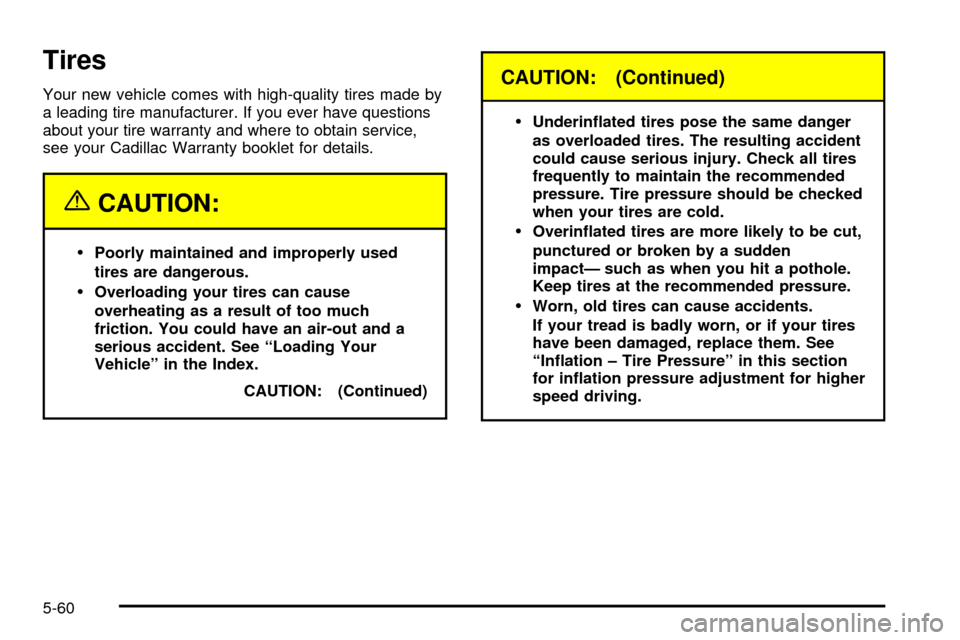
Tires
Your new vehicle comes with high-quality tires made by
a leading tire manufacturer. If you ever have questions
about your tire warranty and where to obtain service,
see your Cadillac Warranty booklet for details.
{CAUTION:
·Poorly maintained and improperly used
tires are dangerous.
·Overloading your tires can cause
overheating as a result of too much
friction. You could have an air-out and a
serious accident. See ªLoading Your
Vehicleº in the Index.
CAUTION: (Continued)
CAUTION: (Continued)
·
Underin¯ated tires pose the same danger
as overloaded tires. The resulting accident
could cause serious injury. Check all tires
frequently to maintain the recommended
pressure. Tire pressure should be checked
when your tires are cold.
·Overin¯ated tires are more likely to be cut,
punctured or broken by a sudden
impactÐ such as when you hit a pothole.
Keep tires at the recommended pressure.
·Worn, old tires can cause accidents.
If your tread is badly worn, or if your tires
have been damaged, replace them. See
ªIn¯ation ± Tire Pressureº in this section
for in¯ation pressure adjustment for higher
speed driving.
5-60
Page 333 of 423

How to Check
Use a good quality pocket-type gage to check tire
pressure. You can't tell if your tires are properly in¯ated
simply by looking at them. Radial tires may look
properly in¯ated even when they're underin¯ated.
Be sure to put the valve caps back on the valve stems.
They help prevent leaks by keeping out dirt and moisture.
Tire Pressure Monitor System
The Tire Pressure Monitor (TPM) system uses radio
and sensor technology to check tire pressure levels.
Sensors, mounted on each road wheel, transmit
tire pressure readings to a receiver located in the trunk.
Tire pressure status and tire pressure warnings are
shown on the Driver Information Center (DIC) display.
See
Driver Information Center (DIC) on page 3-57,
for details regarding DIC controls and displays.
The system operates on a radio frequency subject to
Federal Communications Commission (FCC) Rules and
with Industry and Science Canada.
This device complies with Part 15 of the FCC Rules.
Operation is subject to the following two conditions: (1)
this device may not cause harmful interference, and (2)
this device must accept any interference received,
including interference that may cause undesired
operation.This device complies with RSS-210 of Industry and
Science Canada. Operation is subject to the following
two conditions: (1) this device may not cause
interference, and (2) this device must accept any
interference received, including interference that may
cause undesired operation of the device.
Changes or modi®cations to this system by anyone
other than an authorized service facility could void
authorization to use this equipment.
If the TPM system detects low tire pressure, below
25 psi (172 kPa), or high tire pressure, above 38 psi
(262 kPa), a message, CHECK TIRE PRESSURE, will
appear on the Driver Information Center (DIC)
display. By pressing the INFO button, the DIC screen
will show which tire(s) has the low or high pressure
condition. See
In¯ation Ð Tire Pressure on page 5-61for information regarding correct tire in¯ation. If a
tire is low, you should stop as soon as possible and
check all your tires for damage. If a tire is ¯at, see
If a
Tire Goes Flat on page 5-71.
Notice:Do not use a tire sealant if your vehicle is
equipped with Tire Pressure Monitors. The liquid
sealant can damage the tire pressure monitor
sensors.
5-62
Page 334 of 423

Once a low or high tire pressure condition is detected,
the TPM system will display the CHECK TIRE
MESSAGE each time the engine is started, until the
tire(s) are set to the correct in¯ation pressure.
The Tire-Loading Information Label, which is located on
the rear edge of the driver's door, shows the correct
in¯ation pressure for the tires on your vehicle.
The TPM system also allows the driver to check the air
pressure status of each road tire using the Driver
Information Center (DIC). Each tire's air pressure will be
listed individually, in the following order: LF (left front
or driver's side front tire), RF (right front or passenger's
side front tire), RR (right rear or passenger's side
rear tire) and LR (left rear or driver's side rear tire). See
In¯ation -- Tire Pressure on page 5-61for information
regarding correct tire in¯ation. Also, seeDriver
Information Center (DIC) on page 3-57for information on
the DIC controls and displays.If the DIC display doesn't show tire pressures or the
SERVICE TPM SYSTEM message appears, see
your dealer for service. The TPM system may not work
properly while the compact spare tire is installed.
Anytime you replace one or more tires or rotate your
tires, the TPM system will need to be reset. A special
tool is needed to reset the sensor identi®cation
codes. See your dealer for service.
Your vehicle was delivered from the factory with
aluminum valve stem caps. If you ever have to replace
the valve stem caps on your vehicle, you should
replace them with aluminum or plastic caps.
The TPM system can alert you about a low or high tire
pressure condition, but it doesn't replace normal tire
maintenance. See
Tires on page 5-60.
5-63
Page 335 of 423

Tire Inspection and Rotation
Tires should be rotated every 7,500 miles (12 500 km).
Any time you notice unusual wear, rotate your tires
as soon as possible and check wheel alignment. Also
check for damaged tires or wheels. See
When It Is Time
for New Tires on page 5-65andWheel Replacement
on page 5-69for more information.
The purpose of regular rotation is to achieve more
uniform wear for all tires on the vehicle. The ®rst rotation
is the most important. See
Part A: Scheduled
Maintenance Services on page 6-4for scheduled
rotation intervals.
When rotating your tires, always use the correct rotation
pattern shown here.Don't include the compact spare tire in your tire rotation.
After the tires have been rotated, adjust the front and
rear in¯ation pressures as shown on the Tire-Loading
Information label.
Vehicles equipped with the Tire Pressure Monitor (TPM)
system will need to have the sensors reset after a tire
rotation is performed. A special tool is needed to
reset the sensor identi®cation codes. See your dealer
for service.
Make certain that all wheel nuts are properly tightened.
See ªWheel Nut Torqueº underCapacities and
Speci®cations on page 5-101.
5-64