2003 BUICK PARK AVENUE oil pressure
[x] Cancel search: oil pressurePage 113 of 372

Instrument Panel Overview...............................3-2
Hazard Warning Flashers................................3-4
Other Warning Devices...................................3-4
Horn.............................................................3-5
Tilt Wheel.....................................................3-5
Turn Signal/Multifunction Lever.........................3-5
Exterior Lamps.............................................3-12
Interior Lamps..............................................3-14
Head-Up Display (HUD).................................3-17
Ultrasonic Rear Parking Assist (URPA)............3-19
Accessory Power Outlets...............................3-21
Ashtrays and Cigarette Lighter........................3-22
Climate Controls............................................3-22
Dual Automatic Climate Control System...........3-22
Outlet Adjustment.........................................3-26
Passenger Compartment Air Filter...................3-27
Steering Wheel Climate Controls.....................3-28
Climate Controls Personalization.....................3-28
Warning Lights, Gages and Indicators.............3-29
Instrument Panel Cluster................................3-30
Speedometer and Odometer...........................3-32
Tachometer.................................................3-32
Safety Belt Reminder Light.............................3-33
Air Bag Readiness Light................................3-33
Battery Warning Light....................................3-34
Brake System Warning Light..........................3-34Anti-Lock Brake System Warning Light.............3-36
Traction Control System (TCS) Warning Light . . .3-36
Engine Coolant Temperature Gage..................3-37
Malfunction Indicator Lamp.............................3-37
Oil Pressure Light.........................................3-40
Security Light...............................................3-41
Cruise Control Light......................................3-41
Service Vehicle Soon Light............................3-41
Fuel Gage...................................................3-42
Driver Information Center (DIC).......................3-43
DIC Controls and Displays.............................3-43
DIC Warnings and Messages.........................3-45
DIC Vehicle Personalization............................3-46
Audio System(s).............................................3-51
Setting the Time...........................................3-52
Radio with Cassette......................................3-52
Radio with Cassette and CD..........................3-56
Trunk-Mounted CD Changer...........................3-62
Personal Choice Radio Controls......................3-65
Theft-Deterrent Feature..................................3-66
Audio Steering Wheel Controls.......................3-68
Understanding Radio Reception......................3-68
Care of Your Cassette Tape Player.................3-69
Care of Your CDs.........................................3-70
Care of Your CD Player................................3-70
Heated Backlite Antenna................................3-70
Section 3 Instrument Panel
3-1
Page 152 of 372
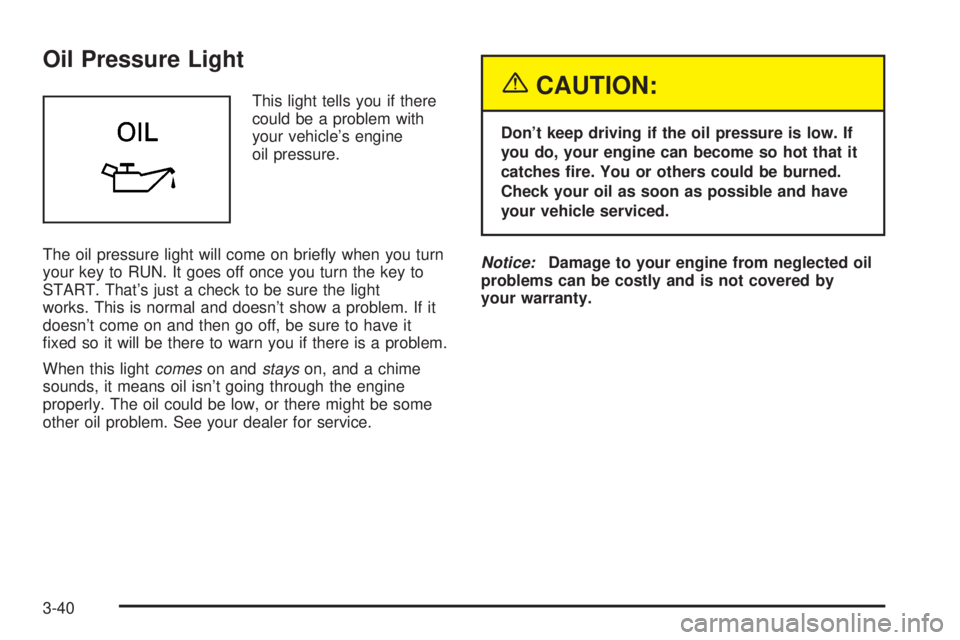
Oil Pressure Light
This light tells you if there
could be a problem with
your vehicle's engine
oil pressure.
The oil pressure light will come on brie¯y when you turn
your key to RUN. It goes off once you turn the key to
START. That's just a check to be sure the light
works. This is normal and doesn't show a problem. If it
doesn't come on and then go off, be sure to have it
®xed so it will be there to warn you if there is a problem.
When this light
comeson andstayson, and a chime
sounds, it means oil isn't going through the engine
properly. The oil could be low, or there might be some
other oil problem. See your dealer for service.
{CAUTION:
Don't keep driving if the oil pressure is low. If
you do, your engine can become so hot that it
catches ®re. You or others could be burned.
Check your oil as soon as possible and have
your vehicle serviced.
Notice:Damage to your engine from neglected oil
problems can be costly and is not covered by
your warranty.
3-40
Page 155 of 372

Driver Information Center (DIC)
Your vehicle may be equipped with a Driver Information
Center (DIC). The DIC will display information about
how your vehicle is functioning, as well as warning
messages if a system problem is detected.
The following buttons are
on the DIC control panel
located to the left of
the steering column:
ODO/TRIP (Odometer/Trip):Use this button to display
your total and trip miles.
FUEL INFO (Information):Press this button to display
fuel information such as fuel used, fuel range and
fuel economy.GAGE INFO (Information):Use this button to display
oil pressure, oil life, coolant temperature, tire pressure
and battery information.
RESET:This button, used along with other buttons, will
reset system functions.
ENG/MET (English/Metric):Use this button to change
the display between English and metric units.
DIC Controls and Displays
When you turn the ignition on, the DIC will display your
driver number. You can have your dealer program
your name to appear on this display line. See your
dealer for more information.
The system will then perform a status check and display
any messages if a problem is detected. If there are
no problems detected, the display will return to the mode
selected by that driver the last time the ignition was
turned off.
If a problem is detected, a diagnostic message will
appear in the display. The following pages will show the
messages you may see on the DIC display.
The message center is continuously updated with the
vehicle's performance status.
3-43
Page 157 of 372

Battery Volts:Press the GAGE INFO button until the
display shows BATTERY STATE. If the voltage is
normal the display will show BATTERY STATE
NORMAL. If the voltage drops below 10.5 volts, the
display will show BATTERY STATE LOW. If the voltage
is above 16 volts, the display will show BATTERY
STATE HIGH. If the display shows the high or low
message, you need to have your battery checked.
Oil Pressure:Press the GAGE INFO button until OIL
PRESSURE appears in the display. If there are no
problems detected with the oil pressure, the display will
show OIL PRESSURE NORMAL. If a low oil pressure
condition is detected, the display will show OIL
PRESSURE LOW. If you see the OIL PRESSURE LOW
message, you could be low on oil or your oil is not
going through the engine properly. See your dealer for
service.
Oil Life System:Press the GAGE INFO button until
OIL LIFE INDEX appears in the display. The OIL
LIFE INDEX NORMAL display will show an estimate of
the oil's remaining useful life. When the oil life index
is less than 10% the display will show OIL LIFE INDEX
CHANGE OIL. When you have the oil changed, you
will have to reset the GM Oil Life System. To reset the
Oil Life System, see
Engine Oil on page 5-14.
DIC Warnings and Messages
Other warning messages may appear in the DIC
display. For Canadian drivers, in addition to the DIC
message your DIC will display EXP with a number after
it which re¯ects the following messages:
EXP
(Export ID) Warning Message
23 DOOR AJAR
24 TRUNK AJAR
25 WINDSHIELD WASHER FLUID LOW
36 ENGINE OIL LOW Ð CHECK LEVEL
54 SERVICE STABILITY SYSTEM
55 STABILITY SYSTEM ACTIVE
82 CHANGE ENGINE OIL SOON
91TRACTION CONTROL SYSTEM
ACTIVE
140 TIRE PRESSURE LOW
The EXP codes are used to make translation from
English to other languages easier.
Pressing any of the DIC control buttons will remove
the messages or warnings from the DIC display.
3-45
Page 203 of 372
The exit ramp can be curved, sometimes quite sharply.
The exit speed is usually posted. Reduce your speed
according to your speedometer, not to your sense
of motion. After driving for any distance at higher
speeds, you may tend to think you are going slower
than you actually are.
Before Leaving on a Long Trip
Make sure you're ready. Try to be well rested. If you
must start when you're not fresh Ð such as after a day's
work Ð don't plan to make too many miles that ®rst
part of the journey. Wear comfortable clothing and shoes
you can easily drive in.
Is your vehicle ready for a long trip? If you keep it
serviced and maintained, it's ready to go. If it needs
service, have it done before starting out. Of course,
you'll ®nd experienced and able service experts in GM
dealerships all across North America. They'll be
ready and willing to help if you need it.Here are some things you can check before a trip:
·Windshield Washer Fluid:Is the reservoir full? Are
all windows clean inside and outside?
·Wiper Blades:Are they in good shape?
·Fuel, Engine Oil, Other Fluids:Have you checked
all levels?
·Lamps:Are they all working? Are the lenses clean?
·Tires:They are vitally important to a safe,
trouble-free trip. Is the tread good enough for
long-distance driving? Are the tires all in¯ated to the
recommended pressure?
·Weather Forecasts:What's the weather outlook
along your route? Should you delay your trip a
short time to avoid a major storm system?
·Maps:Do you have up-to-date maps?
4-21
Page 221 of 372

Service............................................................5-3
Doing Your Own Service Work.........................5-3
Adding Equipment to the Outside of
Your Vehicle..............................................5-4
Fuel................................................................5-4
Gasoline Octane............................................5-4
Gasoline Speci®cations....................................5-5
California Fuel...............................................5-5
Additives.......................................................5-6
Fuels in Foreign Countries...............................5-6
Filling Your Tank............................................5-7
Filling a Portable Fuel Container.......................5-9
Checking Things Under
the Hood....................................................5-10
Hood Release..............................................5-10
Engine Compartment Overview.......................5-12
Engine Oil...................................................5-14
Supercharger Oil..........................................5-19
Engine Air Cleaner/Filter................................5-20
Automatic Transaxle Fluid..............................5-22
Engine Coolant.............................................5-24
Radiator Pressure Cap..................................5-27
Engine Overheating.......................................5-27
Cooling System............................................5-30
Power Steering Fluid.....................................5-38Windshield Washer Fluid................................5-38
Brakes........................................................5-40
Battery........................................................5-42
Jump Starting...............................................5-43
Headlamp Aiming...........................................5-47
Bulb Replacement..........................................5-49
Halogen Bulbs..............................................5-49
Headlamps..................................................5-50
Front Turn Signal Lamps...............................5-52
Rear Turn Signal, Stoplamps and
Back-Up Lamps........................................5-52
Rear Quarter Panel Turn Signal and
Stoplamps................................................5-56
Replacement Bulbs.......................................5-57
Windshield Wiper Blade Replacement..............5-58
Tires..............................................................5-59
In¯ation Ð Tire Pressure...............................5-59
Check Tire Pressure System..........................5-60
Tire Inspection and Rotation...........................5-62
When It Is Time for New Tires.......................5-63
Buying New Tires.........................................5-64
Uniform Tire Quality Grading..........................5-65
Wheel Alignment and Tire Balance..................5-66
Wheel Replacement......................................5-66
Section 5 Service and Appearance Care
5-1
Page 233 of 372
A. Battery
B. Underhood Fuse Block
C. Radiator Pressure Cap
D. Engine Oil Dipstick
E. Engine Oil Fill CapF. Automatic Transaxle Fluid Dipstick
G. Brake Master Cylinder Reservoir
H. Windshield Washer Fluid Reservoir
I. Engine Coolant Recovery Tank
J. Engine Air Cleaner/Filter
5-13
Page 239 of 372

Supercharger Oil
Unless you are technically
quali®ed and have the
proper tools, you should let
your dealer or a quali®ed
service center perform
this maintenance.
When to Check
Check oil level every 30,000 miles (50 000 km) or every
36 months, whichever occurs ®rst.
What Kind of Oil to Use
Use only the recommended supercharger oil. SeePart D: Recommended Fluids and Lubricants on
page 6-25.
How to Check and Add Oil
Park the vehicle on a level surface. Check oil only when
the engine is cold. Allow the engine to cool two to
three hours after running.
{CAUTION:
If you remove the supercharger oil ®ll plug
while the engine is hot, pressure may cause
hot oil to blow out of the oil ®ll hole. You may
be burned. Do not remove the plug until the
engine cools.
1. Clean the area around the oil ®ll plug before
removing it.
2. Remove the oil ®ll plug.
3. The oil level is correct when it just reaches the
bottom of the threads of the inspection hole.
4. Replace the oil plug with the O-ring in place.
Tighten to 88 lb-in (10Y).
5-19