2003 BUICK LESABRE reset
[x] Cancel search: resetPage 73 of 380

Door Ajar Reminder
If your vehicle is equipped with the Driver Information
Center (DIC), and a door is not fully closed, the DIC will
display a DOOR AJAR message. See
Driver Information
Center (DIC) on page 3-45.
Delayed Locking
This feature lets the driver delay the actual locking of
the vehicle. When the driver's power door lock switch or
remote keyless entry lock button is pressed with the
key removed from the ignition, and the driver's
door open, a chime will sound three times to signal that
the delayed locking system is active. When all doors
have been closed, the doors will lock automatically after
®ve seconds. If any door is opened before this, the
®ve-second timer will reset itself once all the doors have
been closed again.
Pressing the driver's or passenger's power door lock
switch or the remote keyless entry transmitter button
again will override this feature.
Personal Choice Programming
The delayed locking feature can be turned on or off.
If your vehicle is equipped with the DIC, you must use it
to program this feature. See
Driver Information Center
(DIC) on page 3-45.To turn the feature on, do the following:
1. Close all the doors and turn the ignition on. Keep
all doors closed throughout this procedure.
2. Press and hold LOCK on the driver's power door
lock switch throughout this procedure. All the
doors will lock.
3. Press the unlock button on the transmitter. The lock
delay is still off and all doors will remain locked.
4. Press the unlock button on the transmitter again.
Lock delay is now active and all doors will unlock.
5. Release the power door lock switch.
To turn this feature off, repeat the previous procedure.
This procedure only changes the mode for the
transmitter used to change this setting.
Programmable Automatic
Door Locks
Close the doors and turn on the ignition. Every time you
move the shift lever out of PARK (P), all of the doors
will lock. And, every time you stop and move the
shift lever into PARK (P), the doors will unlock. If
someone needs to get out while you're not in PARK (P),
have that person use the manual door lock control or
power door lock switch. When the door is closed again,
it will not lock automatically. If you need to lock the
doors before shifting out of PARK (P), use the manual
door lock control or power door lock switch.
2-11
Page 104 of 380

Resetting Defaults
To reset HomeLinkžto default settings do the following:
1. Hold down the two outside buttons for about
20 seconds until the indicator light begins to ¯ash.
2. Continue to hold both buttons until the HomeLink
ž
indicator light turns off.
3. Release both buttons.
For questions or comments, contact HomeLink
žat
1-800-355-3515, or on the internet at
www.homelink.com.
Storage Areas
Glove Box
Use the door key to lock and unlock the glove box. To
open, lift the latch release on the left side of the
glove box door.
Center Console Storage Area
Your vehicle has a center console with two storage
compartments and cupholders. The cupholders have
removable liners to hold beverage containers of different
sizes. To access the cupholders and the front storage
area, push the doors covering them back into the
console. In the front storage area you will ®nd a place to
store a cellular phone, as well as a built-in writing
surface. Underneath this tray is a CD storage area and
another door which can be opened to retrieve items
which may fall into the space between the console and
the sliding door. To access the CD storage area,
place your ®nger in the oval in the top tray and lift up.
To access the rear storage area, press the lift latch
at the front edge of the armrest and pull up. Inside are
areas which can be used to store a variety of items.
The back of the console may contain either additional
cupholders or air vents for the rear seat passengers.
You will also ®nd two accessory power outlets located
inside the rear storage area. These outlets can be used
for accessories requiring power, such as a cellular
phone. See
Accessory Power Outlets on page 3-22.
2-42
Page 119 of 380
Windshield Washer
At the top of the turn signal/multifunction lever, there's a
paddle with the word PUSH on it. To spray washer
¯uid on the windshield, push the paddle. The wipers will
clear the window and either stop or return to your
preset speed. For more washer cycles, push and hold
the paddle.
{CAUTION:
In freezing weather, don't use your washer
until the windshield is warmed. Otherwise the
washer ¯uid can form ice on the windshield,
blocking your vision.
Ice build up can block washer nozzles. Remove ice for
proper operation.
See
Windshield Washer Fluid on page 5-36for more
information.
Cruise Control
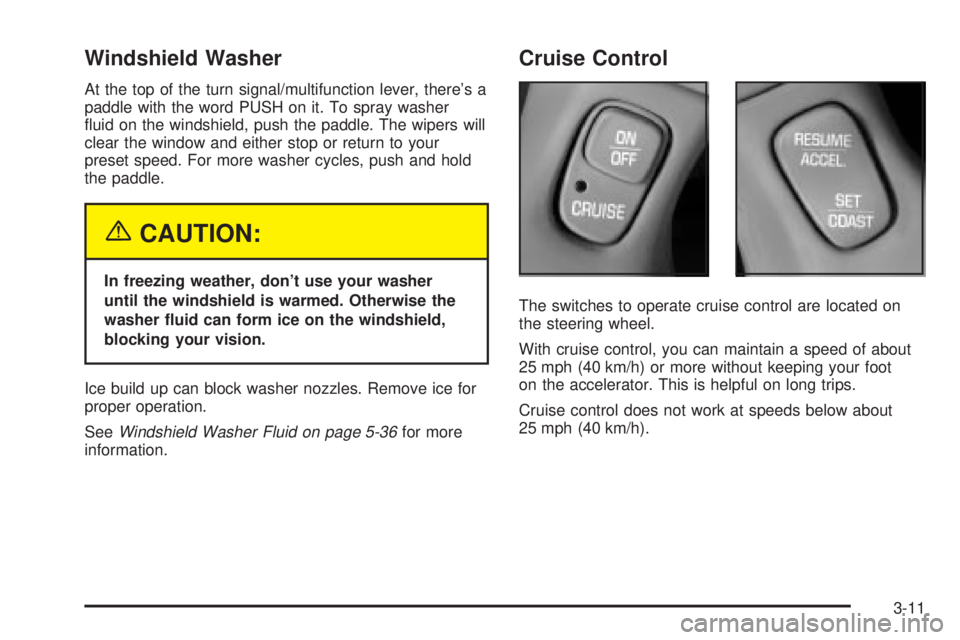
The switches to operate cruise control are located on
the steering wheel.
With cruise control, you can maintain a speed of about
25 mph (40 km/h) or more without keeping your foot
on the accelerator. This is helpful on long trips.
Cruise control does not work at speeds below about
25 mph (40 km/h).
3-11
Page 120 of 380

When you apply your brakes, the cruise control
shuts off.
{CAUTION:
·Cruise control can be dangerous where
you can't drive safely at a steady speed.
So, don't use your cruise control on
winding roads or in heavy traffic.
·Cruise control can be dangerous on
slippery roads. On such roads, fast
changes in tire traction can cause
needless wheel spinning, and you could
lose control. Don't use cruise control on
slippery roads.
If your vehicle is in cruise control when the optional
traction control system begins to limit wheel spin, the
cruise control will automatically disengage. See
Traction
Control System (TCS) on page 4-9. When road
conditions allow you to safely use it again, you may turn
the cruise control back on.
Setting Cruise Control
{CAUTION:
If you leave your cruise control on when you're
not using cruise, you might hit a button and go
into cruise when you don't want to. You could
be startled and even lose control. Keep the
cruise control switch off until you want to use
cruise control.
1. Press the ON/OFF switch to turn cruise control on.
An indicator light will come on in the switch to show
that cruise control is on.
2. Get up to the speed you want.
3. Press the SET/COAST switch and the CRUISE light
on the instrument panel cluster will illuminate.
4. Take your foot off the accelerator pedal.
Resuming a Set Speed
Suppose you set your cruise control at a desired speed
and then you apply the brake. This, of course, shuts
off the cruise control. But you don't need to reset it.
3-12
Page 121 of 380

Once you're going about 25 mph (40 km/h) or more, you
can brie¯y press the RESUME/ACCEL
(resume/accelerate) switch to return to your desired
preset speed.
You'll go right back up to your chosen speed and stay
there. If you press and hold the RESUME/ACCEL
switch, the vehicle will keep going faster until you
release the switch or apply the brake. So unless you
want to go faster, don't press and hold the
RESUME/ACCEL switch.
Increasing Speed While Using Cruise
Control
There are two ways to go to a higher speed:
·Use the accelerator pedal to get to the higher
speed. Press the SET/COAST switch, then release
it and the accelerator pedal. You'll now cruise at
the higher speed.
·Press the RESUME/ACCEL switch. Hold it there
until you get up to the speed you want, and then
release it. (To increase your speed in very
small amounts, brie¯y press the RESUME/ACCEL
switch and then release it. Each time you do
this, your vehicle will go about 1 mph (1.6 km/h)
faster.)
The accelerate feature will only work after you have set
the cruise control speed by pressing the SET/COAST
switch.
Reducing Speed While Using Cruise
Control
There are two ways to reduce your speed while using
cruise control:
·Press the SET/COAST switch until you reach the
lower speed you want, then release it.
·To slow down in very small amounts, push the
SET/COAST switch brie¯y. Each time you do
this, you'll go about 1 mph (1.6 km/h) slower.
Passing Another Vehicle While Using
Cruise Control
Use the accelerator pedal to increase your speed.
When you take your foot off the pedal, your vehicle will
slow down to the cruise control speed you set earlier.
Using Cruise Control on Hills
How well your cruise control will work on hills depends
upon your speed, load and the steepness of the
hills. When going up steep hills, you may have to step
on the accelerator pedal to maintain your speed.
When going downhill, you may have to brake or shift to
a lower gear to keep your speed down. Applying the
brake or shifting into a lower gear will take your vehicle
out of cruise control. If you need to apply the brake
or shift to a lower gear due to the grade of the downhill
slope, you may not want to attempt to use your
cruise control feature.
3-13
Page 143 of 380

Speedometer and Odometer
Your speedometer lets you see your speed in both
miles per hour (mph) and kilometers per hour (km/h).
Your odometer shows how far your vehicle has
been driven, in either miles or kilometers. Press The
ENG/MET button which is located to the left of the
speedometer to change from mph to km/h.
Your vehicle has a tamper resistant odometer.
You may wonder what happens if your vehicle needs a
new odometer installed. If the new one can be set to
the mileage total of the old odometer, then it must
be. But if it can't, then it's set at zero and a label must
be put on the driver's door to show the old mileage
reading when the new odometer was installed.
Trip Odometer
A trip odometer can tell you how far you have driven
since you last set it to zero. To reset it, push the TRIP
RESET button. If your vehicle is equipped with a
DIC, see
Driver Information Center (DIC) on page 3-45for information on resetting the trip odometer.
Tachometer
If your vehicle has this
feature, the tachometer
tells you how fast the
engine is running.
It displays engine speed in
thousands of revolutions
per minute (rpm).
Notice:Do not operate the engine with the
tachometer in the shaded warning area, or engine
damage may occur.
3-35
Page 146 of 380

When the ignition is on, the brake system warning light
will also come on when you set your parking brake.
The light will stay on if your parking brake doesn't
release fully. If you try to drive off with the parking brake
set, a chime will also come on until you release the
parking brake. If the light stays on after your parking
brake is fully released, it means you have a brake
problem.
If the light comes on while you are driving, pull off the
road and stop carefully. You may notice that the pedal is
harder to push. Or, the pedal may go closer to the
¯oor. It may take longer to stop. If the light is still on,
have the vehicle towed for service. See
Towing
Your Vehicle on page 4-31.
{CAUTION:
Your brake system may not be working
properly if the brake system warning light is
on. Driving with the brake system warning light
on can lead to an accident. If the light is still
on after you've pulled off the road and stopped
carefully, have the vehicle towed for service.
Anti-Lock Brake System
Warning Light
With the anti-lock brake
system, the light(s) will
come on when your engine
is started and may stay
on for several seconds.
That's normal.
If the light stays on, turn the ignition to OFF. Or, if the
light comes on when you're driving, stop as soon
as possible and turn the ignition off. Then start the
engine again to reset the system. If the light still stays
on, or comes on again while you're driving, your vehicle
needs service. If the regular brake system warning
light isn't on, you still have brakes, but you don't have
anti-lock brakes. If the regular brake system warning
light is also on, you don't have anti-lock brakes
and there's a problem with your regular brakes. See
Brake System Warning Light on page 3-37.
The anti-lock brake system warning light will come on
brie¯y when you turn the ignition key to RUN. This
is normal. If the light doesn't come on then, have it ®xed
so it will be ready to warn you if there is a problem.
3-38
Page 154 of 380

DIC Controls and Displays
When you turn the ignition on, the DIC will display your
DRIVER NUMBER. You can have your dealer
program your name to appear on this display line. See
your dealer for more information.
The system will then perform a status check and display
any messages if a problem is detected. If there are
no problems detected, the display will return to the mode
selected by that driver the last time the ignition was
turned off.
If a problem is detected, a diagnostic message will
appear in the display. The following pages will show the
messages you may see on the DIC display.
The message center is continuously updated with the
vehicle's performance status.The following buttons are
on the DIC control panel
which is located to
the left of the steering
column:
ODO/TRIP (Odometer/Trip):When this button is
pressed, the display will show the total mileage, and
Trip 1 or Trip 2 miles. Trip 1 and Trip 2 will display the
miles traveled since the last reset. To reset the trip
odometer, press the ODO/TRIP button until the preferred
trip number (1 or 2) is shown in the DIC display, then
press the RESET button. The trip odometer will
now accumulate miles until the next reset.
3-46