Page 218 of 344
Engine Air Cleaner/Filter
SeeEngine Compartment Overview on page 5-12for
location of engine air cleaner/®lter.
When to Inspect
Inspect the air cleaner/®lter every 15,000 miles
(25,000 km) and replace every 30,000 miles
(50,000 km). If you are driving in dusty/dirty conditions,
inspect the ®lter at each engine oil change.
How to Inspect
To inspect the air cleaner/®lter remove it from the
vehicle andlightlyshake the ®lter to release loose dust
and dirt. If the ®lter remains ªcakedº with dirt, a new
®lter is required.
To check or replace the engine air cleaner/®lter, do the
following:
1. Loosen the screw and clamp on the air duct.2. Lift up on the two clips
located on the top of
the ®lter assembly
to unlock the cover.
3. Disconnect the duct and reposition it while removing
the cover.
4. Pull out the ®lter.
5. Inspect or replace the ®lter if needed.
6. Reinstall the ®lter.
7. Push down on the two clips located on top of the
®lter assembly to lock the cover.
5-18
Page 233 of 344
How to Add Coolant to the Radiator
Notice:Your engine has a speci®c radiator
®ll procedure. Failure to follow this procedure could
cause your engine to overheat and be severely
damaged.
1. You can remove the radiator pressure cap when
the cooling system, including the radiator pressure
cap and upper radiator hose, is no longer hot.
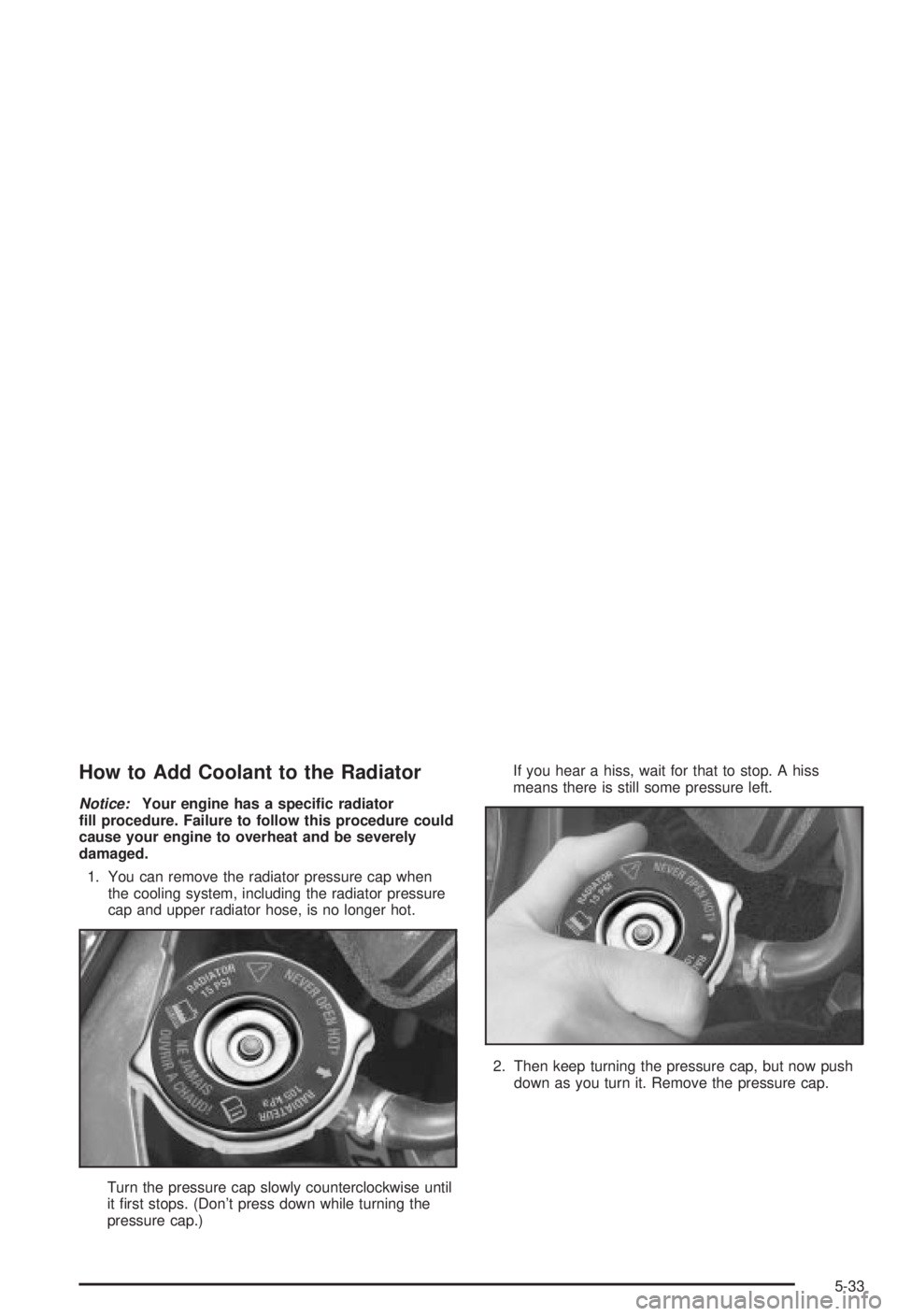
Turn the pressure cap slowly counterclockwise until
it ®rst stops. (Don't press down while turning the
pressure cap.)If you hear a hiss, wait for that to stop. A hiss
means there is still some pressure left.
2. Then keep turning the pressure cap, but now push
down as you turn it. Remove the pressure cap.
5-33
Page 250 of 344
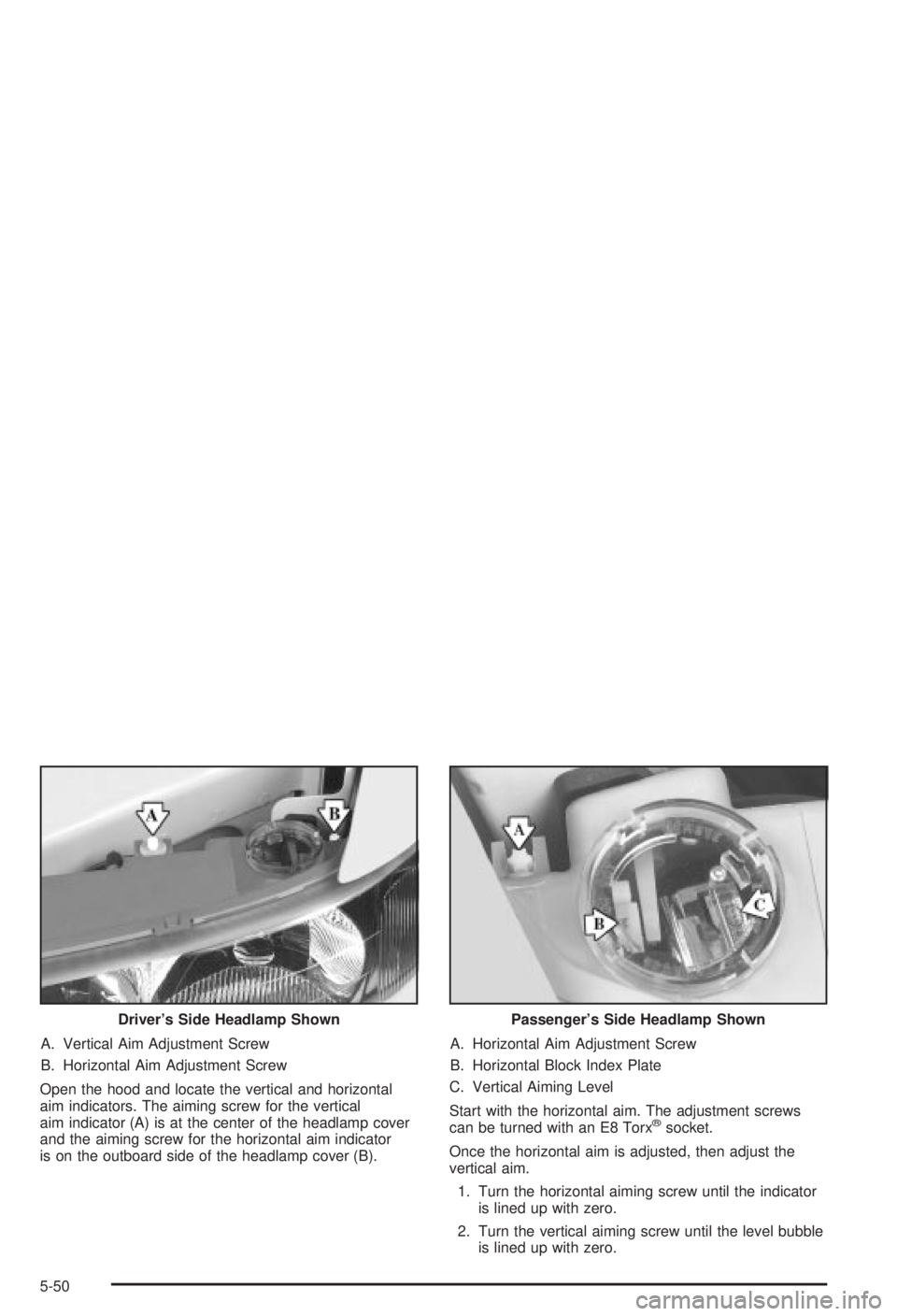
A. Vertical Aim Adjustment Screw
B. Horizontal Aim Adjustment Screw
Open the hood and locate the vertical and horizontal
aim indicators. The aiming screw for the vertical
aim indicator (A) is at the center of the headlamp cover
and the aiming screw for the horizontal aim indicator
is on the outboard side of the headlamp cover (B).A. Horizontal Aim Adjustment Screw
B. Horizontal Block Index Plate
C. Vertical Aiming Level
Start with the horizontal aim. The adjustment screws
can be turned with an E8 Torx
žsocket.
Once the horizontal aim is adjusted, then adjust the
vertical aim.
1. Turn the horizontal aiming screw until the indicator
is lined up with zero.
2. Turn the vertical aiming screw until the level bubble
is lined up with zero. Driver's Side Headlamp Shown
Passenger's Side Headlamp Shown
5-50
Page 252 of 344

5. Remove the rubber access cover from behind the
bulb you are replacing.
6. Turn the bulb socket one-quarter turn and remove it
from the headlamp assembly.
7. Lift the plastic locking tab on the electrical connector
and pull the connector from the headlamp bulb
socket.
8. Connect the new headlamp bulb to the electrical
connector, making sure the connector tab snaps
into place.9. Insert the bulb socket into the headlamp assembly.
10. Reverse all steps to reassemble the headlamp
assembly, then check the lamps.
Front Turn Signal and Parking
Lamps
1. Remove the headlamp assembly. Refer to the
removal procedure earlier in this section.
2. Remove the rubber bulb access cover.
3. Twist the sidemarker lamp socket, located on the
outboard side of the headlamp assembly,
counterclockwise and pull it from the headlamp
assembly.
4. Holding the base of the socket, pull the old bulb
from the socket.
5. Push the new bulb into the socket.
6. Reverse Steps 1 through 3 to reinstall the lamp
assembly.
5-52
Page 253 of 344
Center High-Mounted Stoplamp
(CHMSL)
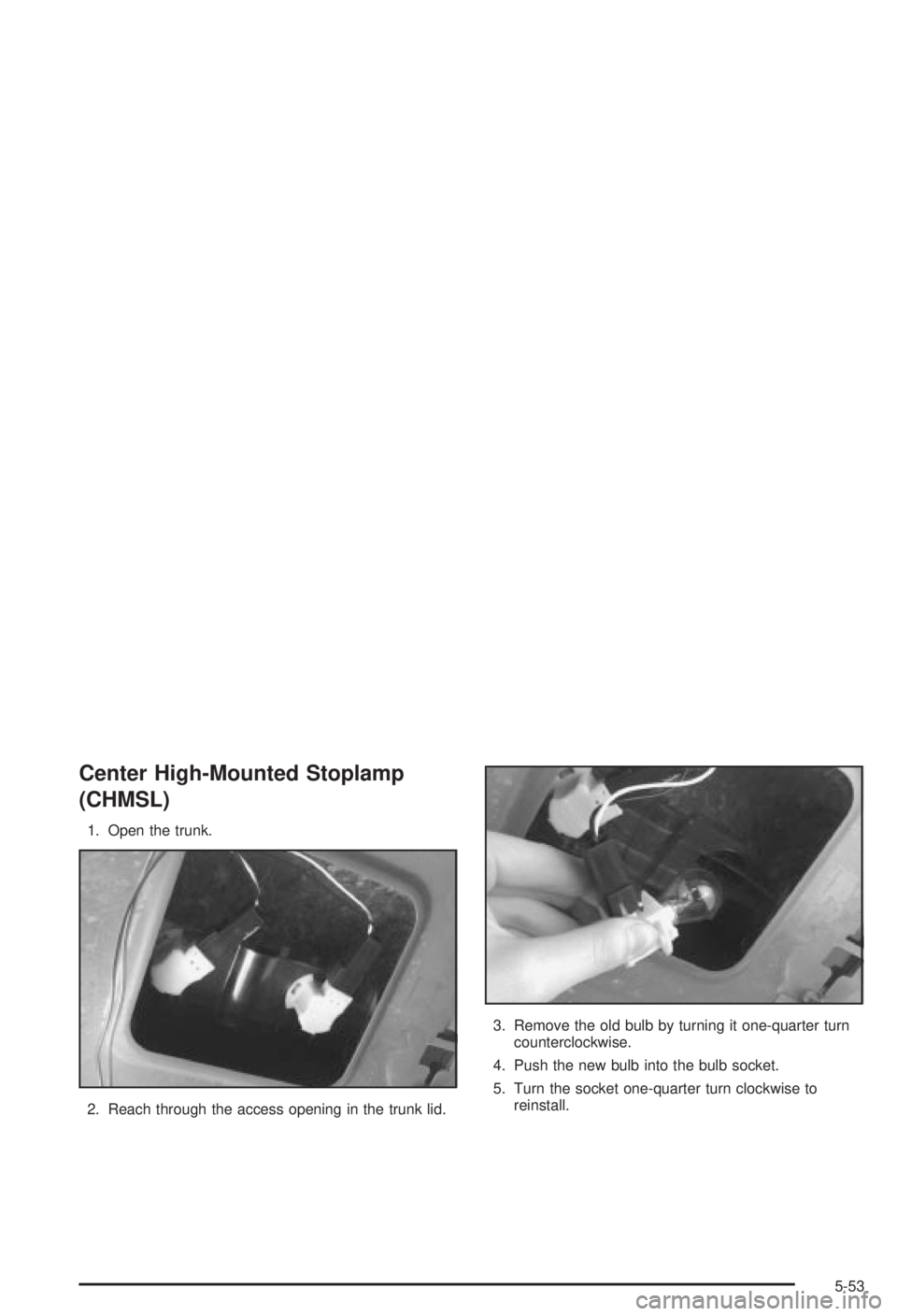
1. Open the trunk.
2. Reach through the access opening in the trunk lid.3. Remove the old bulb by turning it one-quarter turn
counterclockwise.
4. Push the new bulb into the bulb socket.
5. Turn the socket one-quarter turn clockwise to
reinstall.
5-53
Page 254 of 344
Taillamps, Turn Signal, and
Stoplamps1. Open the trunk.
2. If your vehicle is equipped with a convenience net,
remove it.
3. Remove the three plastic wing nuts (A).
There is one wing nut located on the outside of the
carpet. The other two are located underneath
the carpet.
4. Pull the taillamp housing (B) away from the body of
the vehicle.
5. Squeeze the tab on the socket and turn the socket
counterclockwise.
6. Pull out the socket.
7. Pull the old bulb out of the socket. (There are two
bulbs on each taillamp.)
8. Push in a new bulb.
9. Reverse these steps to reinstall the lamp assembly.
5-54
Page 259 of 344

The tire in¯ation monitor system detects differences in tire
rotation speeds that are caused by changes in tire
pressure. The system can alert you about a low tire ± but
it doesn't replace normal tire maintenance. See
Tires on
page 5-57.
When the LOW TIRE light comes on, you should stop
as soon as you can and check all your tires for damage.
(If a tire is ¯at, see
If a Tire Goes Flat on page 5-66.)
Also check the tire pressure in all four tires as soon as
you can. See
In¯ation -- Tire Pressure on page 5-57.
The LOW TIRE light will also be displayed (while
the ignition is on) until you reset (calibrate) the system.
Don't reset the tire in¯ation monitor system without
®rst correcting the cause of the problem and checking
and adjusting the pressure in all four tires. If you
reset the system when the tire pressures are incorrect,
the system will not work properly and may not alert
you when a tire is low.
Any time you adjust a tire's pressure, rotate your tires,
or have one or more tires repaired or replaced, you'll
need to reset (calibrate) the tire in¯ation monitor system.
You'll also need to reset the system whenever you
buy new tires and whenever the vehicle's battery has
been disconnected.To reset (calibrate) the system:
1. Turn the ignition to RUN.
2. Locate the red RESET button inside of your
instrument panel fuse block.
The fuse block is located under the cover labeled
FUSES, which is at the end of the instrument panel
on the passenger's side of the vehicle. The
RESET button is the ®rst button in the top row of
the fuse block.
3. Press and hold the RESET button for about ®ve
seconds.
The LOW TIRE light will come on and ¯ash three
times. Then it will go off. If the light doesn't go
off, see your dealer for service.
The system completes the calibration process during
driving.
The system normally takes 15 to 20 minutes of driving
in each of three speed ranges to ªlearnº tire pressures.
The speed ranges are 15 to 40 mph (25 to 65 km/h),
40 to 65 mph (65 to 105 km/h) and above 65 mph
(105 km/h). When learning is complete, the system will
alert you after two to eight minutes if a tire is 12 psi
(83 kPa) different from the other three tires. Detection
thresholds may be higher and detection times may
be longer on rough roads, curves and at high speeds.
The system is not capable of detection at speeds greater
than 70 mph (110 km/h).
5-59
Page 267 of 344
Changing a Flat Tire
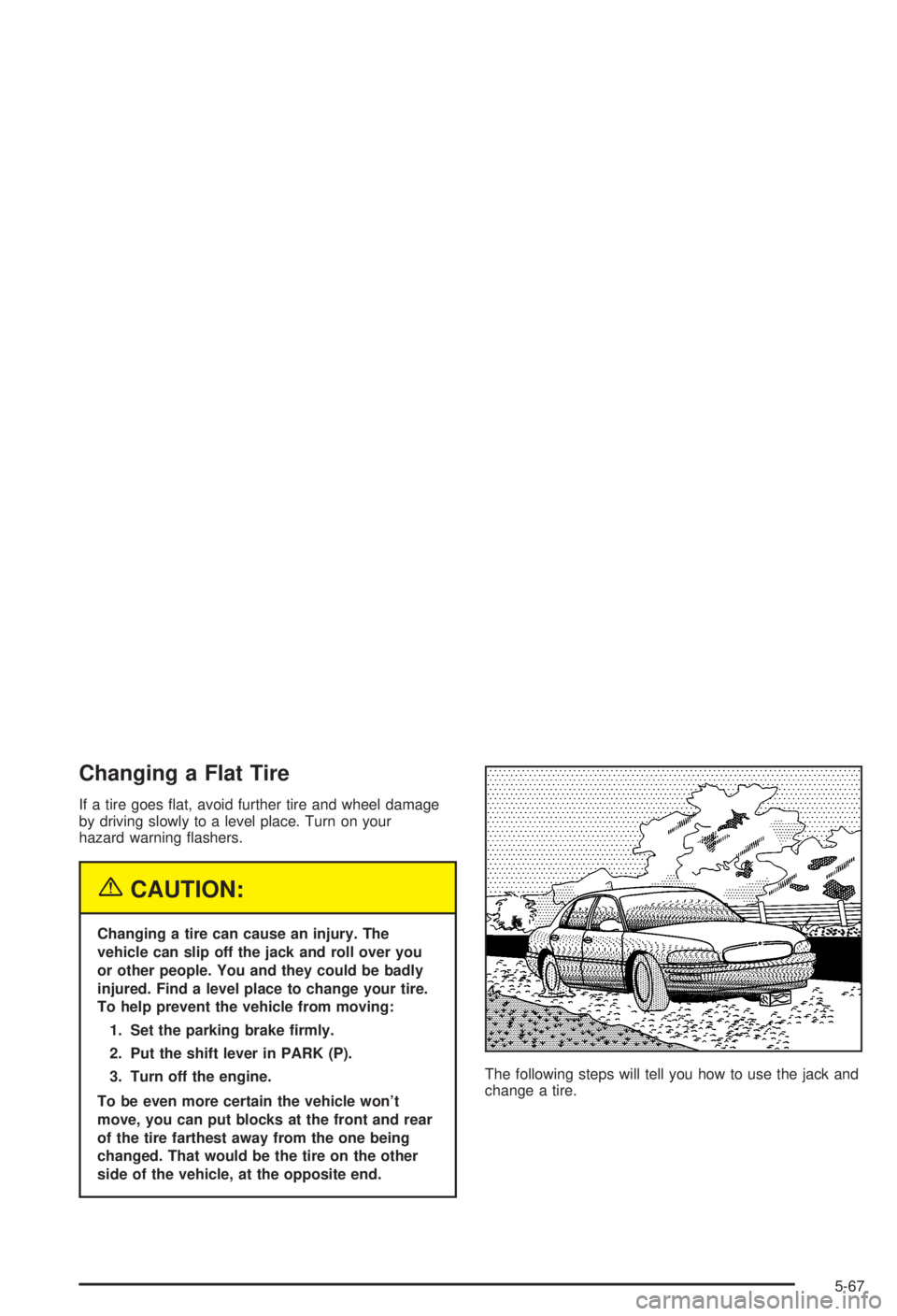
If a tire goes ¯at, avoid further tire and wheel damage
by driving slowly to a level place. Turn on your
hazard warning ¯ashers.
{CAUTION:
Changing a tire can cause an injury. The
vehicle can slip off the jack and roll over you
or other people. You and they could be badly
injured. Find a level place to change your tire.
To help prevent the vehicle from moving:
1. Set the parking brake ®rmly.
2. Put the shift lever in PARK (P).
3. Turn off the engine.
To be even more certain the vehicle won't
move, you can put blocks at the front and rear
of the tire farthest away from the one being
changed. That would be the tire on the other
side of the vehicle, at the opposite end.The following steps will tell you how to use the jack and
change a tire.
5-67