2003 BUICK CENTURY tow
[x] Cancel search: towPage 113 of 344
Flash-to-Pass
This feature lets you use your high-beam headlamps to
signal the driver in front of you that you want to pass.
It works even if your headlamps are off.
To use it, pull the turn signal lever toward you a little,
but not so far that you hear a click.
If your headlamps are off or on low beam, your
high-beam headlamps will turn on. They'll stay on as
long as you hold the lever toward you and the
high-beam indicator on the dash will come on. Release
the lever to return to normal operation.
Windshield Wipers
To operate the windshield wipers turn the band located
on the multifunction lever upward or downward.
WIPER:Turn this band to control the windshield wipers.
OFF:Turn the band to OFF to turn off the windshield
wipers.
LO (Low Speed):Turn the band away from you to LO
and past the delay settings for steady wiping at low
speed.HI (High Speed):Turn the band away from you, to HI,
and past the delay settings for wiping steady at high
speed.
(Delayed Wiping):Turn the band away from you, just
past OFF, to one of the ®ve sensitivity settings, to
choose the delayed wiping cycle. The further the band
is turned upward, toward LO, the shorter the delay
will be. Use this setting for light rain or snow.
MIST:Turn the band to MIST for a single wiping cycle.
Hold it until the windshield wipers start. Then let it
go. The windshield wipers will stop after one wipe. If
you want more wipes, hold the band on MIST longer.
Be sure to clear ice and snow from the windshield wiper
blades before using them. If they are frozen to the
windshield, carefully loosen or thaw them. If your blades
do become worn or damaged, get new blades or
blade inserts.
Heavy snow or ice can overload your wipers. A circuit
breaker will stop them until the motor cools. Clear away
snow or ice to prevent an overload.
3-7
Page 123 of 344
Climate Controls
Dual Climate Control System
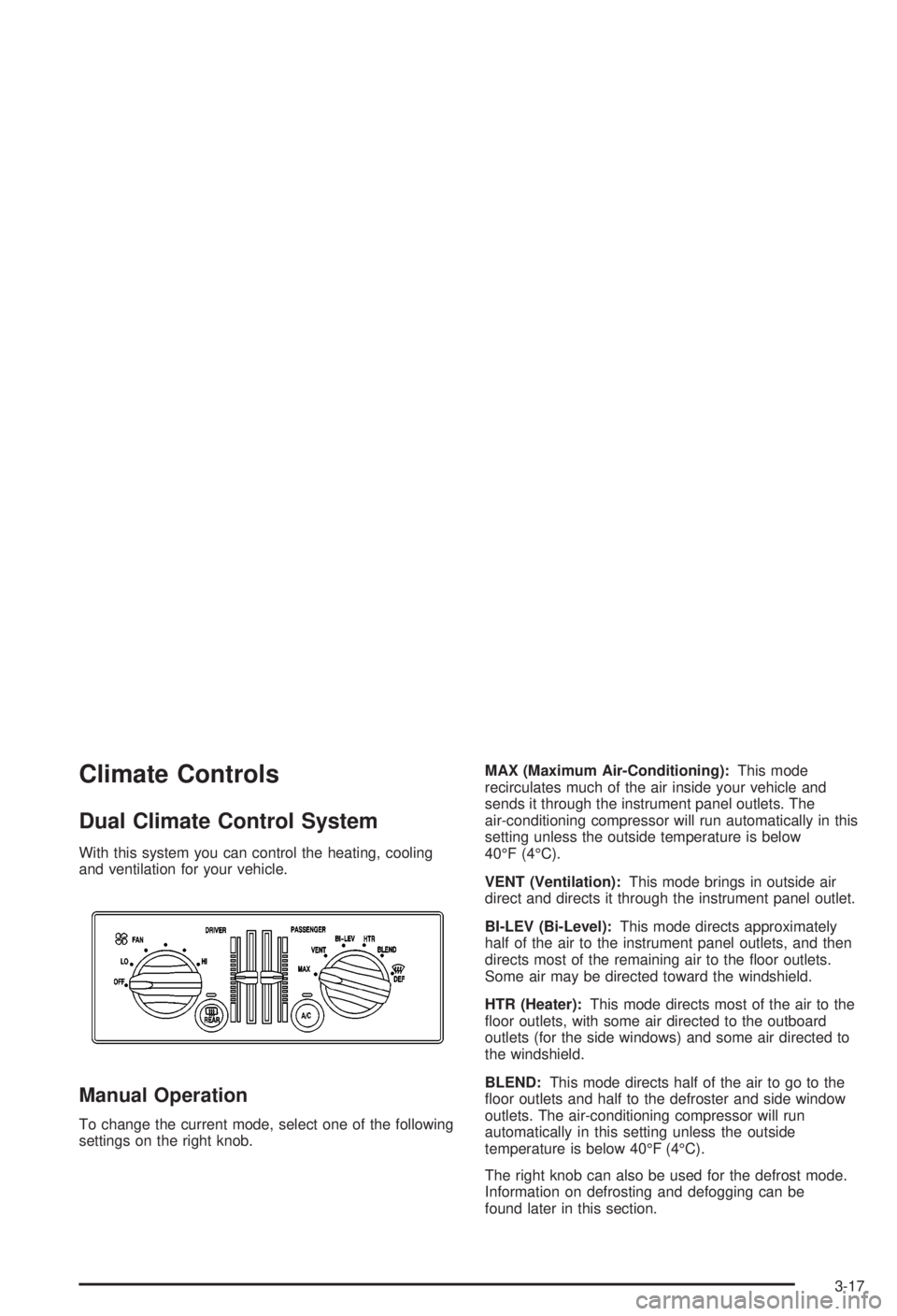
With this system you can control the heating, cooling
and ventilation for your vehicle.
Manual Operation
To change the current mode, select one of the following
settings on the right knob.MAX (Maximum Air-Conditioning):This mode
recirculates much of the air inside your vehicle and
sends it through the instrument panel outlets. The
air-conditioning compressor will run automatically in this
setting unless the outside temperature is below
40ÉF (4ÉC).
VENT (Ventilation):This mode brings in outside air
direct and directs it through the instrument panel outlet.
BI-LEV (Bi-Level):This mode directs approximately
half of the air to the instrument panel outlets, and then
directs most of the remaining air to the ¯oor outlets.
Some air may be directed toward the windshield.
HTR (Heater):This mode directs most of the air to the
¯oor outlets, with some air directed to the outboard
outlets (for the side windows) and some air directed to
the windshield.
BLEND:This mode directs half of the air to go to the
¯oor outlets and half to the defroster and side window
outlets. The air-conditioning compressor will run
automatically in this setting unless the outside
temperature is below 40ÉF (4ÉC).
The right knob can also be used for the defrost mode.
Information on defrosting and defogging can be
found later in this section.
3-17
Page 133 of 344
Brake System Warning Light
Your vehicle's hydraulic brake system is divided into two
parts. If one part isn't working, the other part can still
work and stop you. For good braking, though, you need
both parts working well.
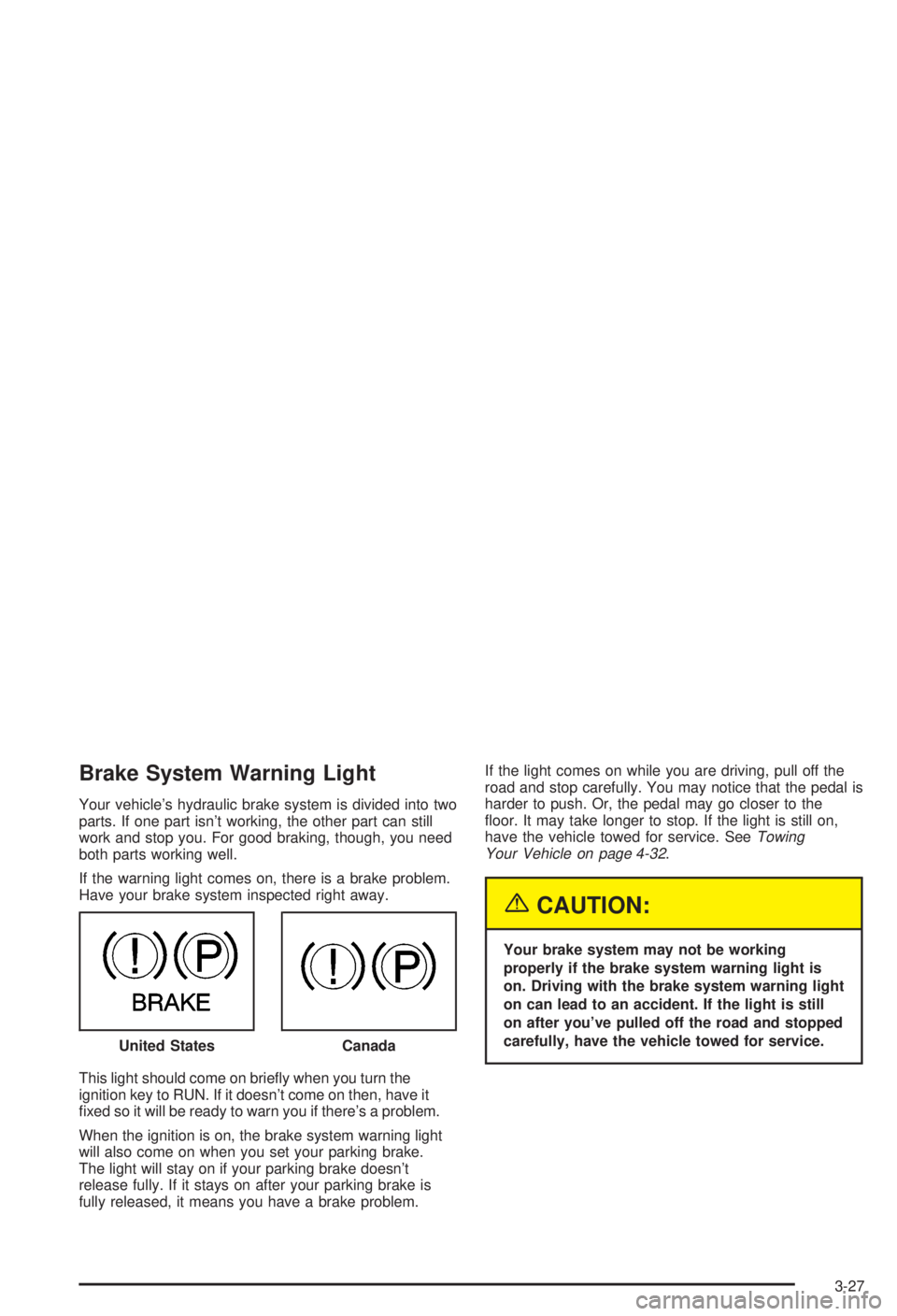
If the warning light comes on, there is a brake problem.
Have your brake system inspected right away.
This light should come on brie¯y when you turn the
ignition key to RUN. If it doesn't come on then, have it
®xed so it will be ready to warn you if there's a problem.
When the ignition is on, the brake system warning light
will also come on when you set your parking brake.
The light will stay on if your parking brake doesn't
release fully. If it stays on after your parking brake is
fully released, it means you have a brake problem.If the light comes on while you are driving, pull off the
road and stop carefully. You may notice that the pedal is
harder to push. Or, the pedal may go closer to the
¯oor. It may take longer to stop. If the light is still on,
have the vehicle towed for service. See
Towing
Your Vehicle on page 4-32.
{CAUTION:
Your brake system may not be working
properly if the brake system warning light is
on. Driving with the brake system warning light
on can lead to an accident. If the light is still
on after you've pulled off the road and stopped
carefully, have the vehicle towed for service.
United States
Canada
3-27
Page 138 of 344

If the Light Is Flashing
The following may prevent more serious damage to
your vehicle:
·Reducing vehicle speed.
·Avoiding hard accelerations.
·Avoiding steep uphill grades.
·If you are towing a trailer, reduce the amount of
cargo being hauled as soon as it is possible.
If the light stops ¯ashing and remains on steady, see ªIf
the Light Is On Steadyº following.
If the light continues to ¯ash, when it is safe to do so,
stop the vehicle.Find a safe place to park your vehicle.
Turn the key off, wait at least 10 seconds and restart
the engine. If the light remains on steady, see ªIf
the Light Is On Steadyº following. If the light is still
¯ashing, follow the previous steps, and see your dealer
for service as soon as possible.
If the Light Is On Steady
You may be able to correct the emission system
malfunction by considering the following:
Did you recently put fuel into your vehicle?
If so, reinstall the fuel cap, making sure to fully install
the cap. See
Filling Your Tank on page 5-7. The
diagnostic system can determine if the fuel cap has
been left off or improperly installed. A loose or missing
fuel cap will allow fuel to evaporate into the atmosphere.
A few driving trips with the cap properly installed
should turn the light off.
Did you just drive through a deep puddle of water?
If so, your electrical system may be wet. The condition
will usually be corrected when the electrical system
dries out. A few driving trips should turn the light off.
Have you recently changed brands of fuel?
If so, be sure to fuel your vehicle with quality fuel. See
Gasoline Octane on page 5-5. Poor fuel quality will
cause your engine not to run as efficiently as designed.
You may notice this as stalling after start-up, stalling
when you put the vehicle into gear, mis®ring, hesitation
on acceleration or stumbling on acceleration. (These
conditions may go away once the engine is warmed up.)
This will be detected by the system and cause the
light to turn on.
3-32
Page 147 of 344
P SCAN (Preset Scan):Press this button to listen to
each of your preset stations for a few seconds.
Press P SCAN again to stop scanning presets.
The radio will scan only to preset stations that are in the
selected band and only to those with a strong signal.
Setting Preset Stations
The six numbered pushbuttons let you return to your
favorite stations. You can set up to 18 stations (six AM,
six FM1 and six FM2) by performing the following steps:
1. Turn the radio on.
2. Press the AM FM button to select AM, FM1 or FM2.
3. Tune in the desired station.
4. Press and hold one of the six numbered
pushbuttons. The sound will mute. When it returns,
release the pushbutton. Whenever you press
that numbered pushbutton, the station you set will
return.
5. Repeat the steps for each pushbutton.
Setting the Tone (Bass/Treble)
BASS:Press this knob lightly so it extends. Turn the
knob to increase or to decrease bass.
TREB (Treble):Press this knob lightly so it extends.
Turn the knob to increase or to decrease treble. If
a station is weak or noisy, you may want to decrease
the treble.
Return these knobs to their stored positions when
you're not using them.
Adjusting the Speakers (Balance/Fade)
BAL (Balance):Turn the control ring behind the
upper knob to move the sound toward the left or the
right speakers.
FADE:Turn the control ring behind the lower knob to
move the sound toward the front or the rear speakers.
3-41
Page 150 of 344

Adjusting the Speakers (Balance/Fade)
BAL (Balance):Press this knob lightly so it extends.
Turn the knob to move the sound toward the left or the
right speakers.
FADE:Press this knob lightly so it extends. Turn the
knob to move the sound toward the front or the
rear speakers.
Return these knobs to their stored positions when
you're not using them.
Playing a Cassette Tape
The longer side with the tape visible should face to the
right. If the ignition and the radio are on, the tape can be
inserted and will begin playing. If you hear nothing or hear
a garbled sound, the tape may not be in squarely. Press
EJECT to remove the tape and start over.
While the tape is playing, use the VOLUME, SEEK,
FADE, BAL, BASS and TREB controls just as you do for
the radio. Other controls may have different functions
when a tape is inserted. The display will show an arrow
to show which side of the tape is playing.If you want to insert a tape while the ignition or radio is
off, ®rst press EJECT or RECALL.
Your tape bias is set automatically.
If an error appears on the display, see ªCassette Tape
Messagesº later in this section.
1 PREV (Previous):Your tape must have at least three
seconds of silence between each selection for previous
to work. Press this pushbutton to search for the
previous selection on the tape.
2 NEXT:Your tape must have at least three seconds of
silence between each selection for next to work.
Press this pushbutton to search for the next selection
on the tape.
3
r(Reverse):Press this pushbutton to reverse the
tape rapidly. The radio will play while the tape
reverses. Press it again to return to playing speed.
4
[(Forward):Press this pushbutton to advance
quickly to another part of the tape. The radio will play
while the tape advances. Press it again to return to
playing speed.
5 SIDE:Press this pushbutton to play the other side of
the tape.
3-44
Page 159 of 344
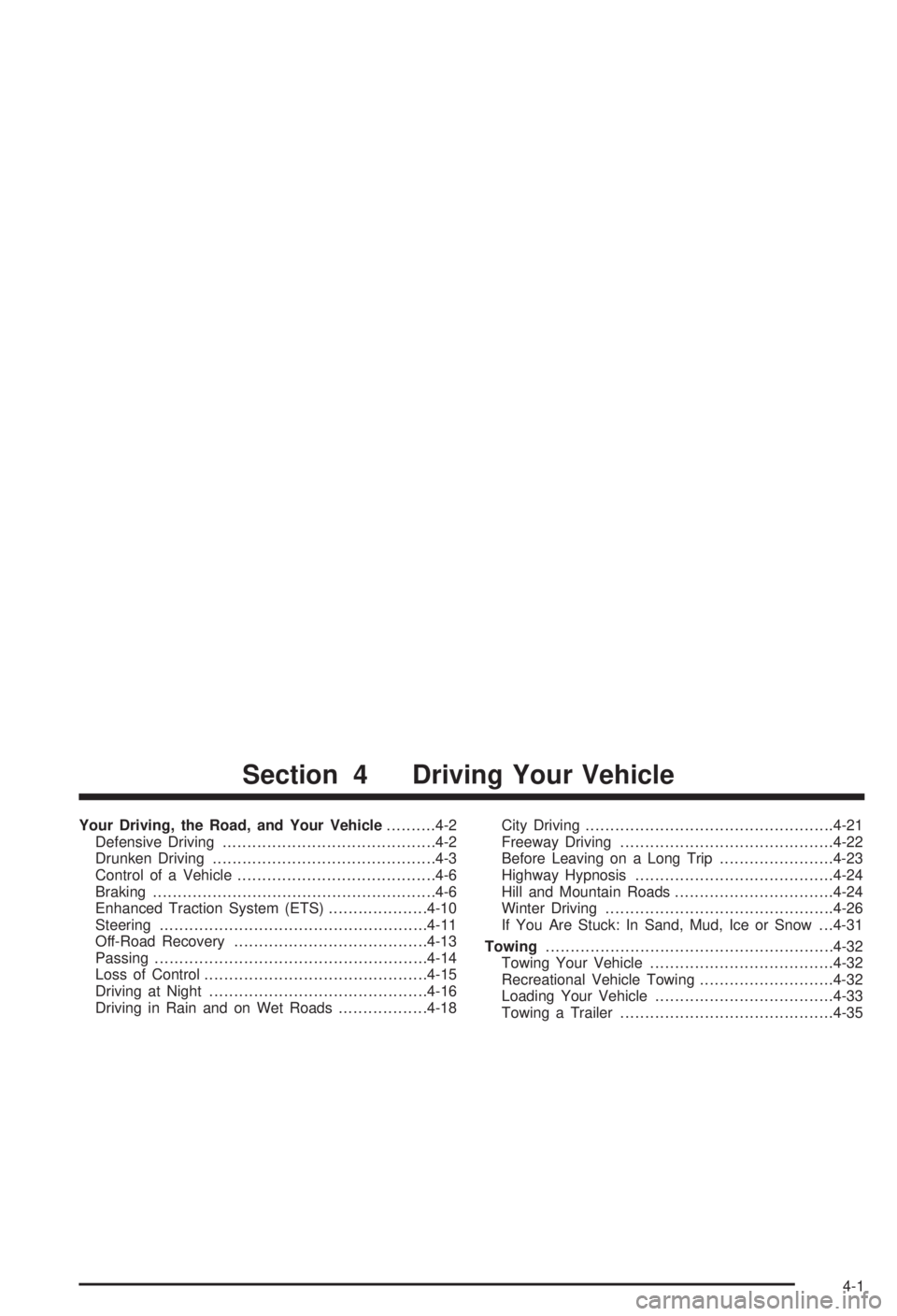
Your Driving, the Road, and Your Vehicle..........4-2
Defensive Driving...........................................4-2
Drunken Driving.............................................4-3
Control of a Vehicle........................................4-6
Braking.........................................................4-6
Enhanced Traction System (ETS)....................4-10
Steering......................................................4-11
Off-Road Recovery.......................................4-13
Passing.......................................................4-14
Loss of Control.............................................4-15
Driving at Night............................................4-16
Driving in Rain and on Wet Roads..................4-18City Driving..................................................4-21
Freeway Driving...........................................4-22
Before Leaving on a Long Trip.......................4-23
Highway Hypnosis........................................4-24
Hill and Mountain Roads................................4-24
Winter Driving..............................................4-26
If You Are Stuck: In Sand, Mud, Ice or Snow . . .4-31
Towing..........................................................4-32
Towing Your Vehicle.....................................4-32
Recreational Vehicle Towing...........................4-32
Loading Your Vehicle....................................4-33
Towing a Trailer...........................................4-35
Section 4 Driving Your Vehicle
4-1
Page 189 of 344
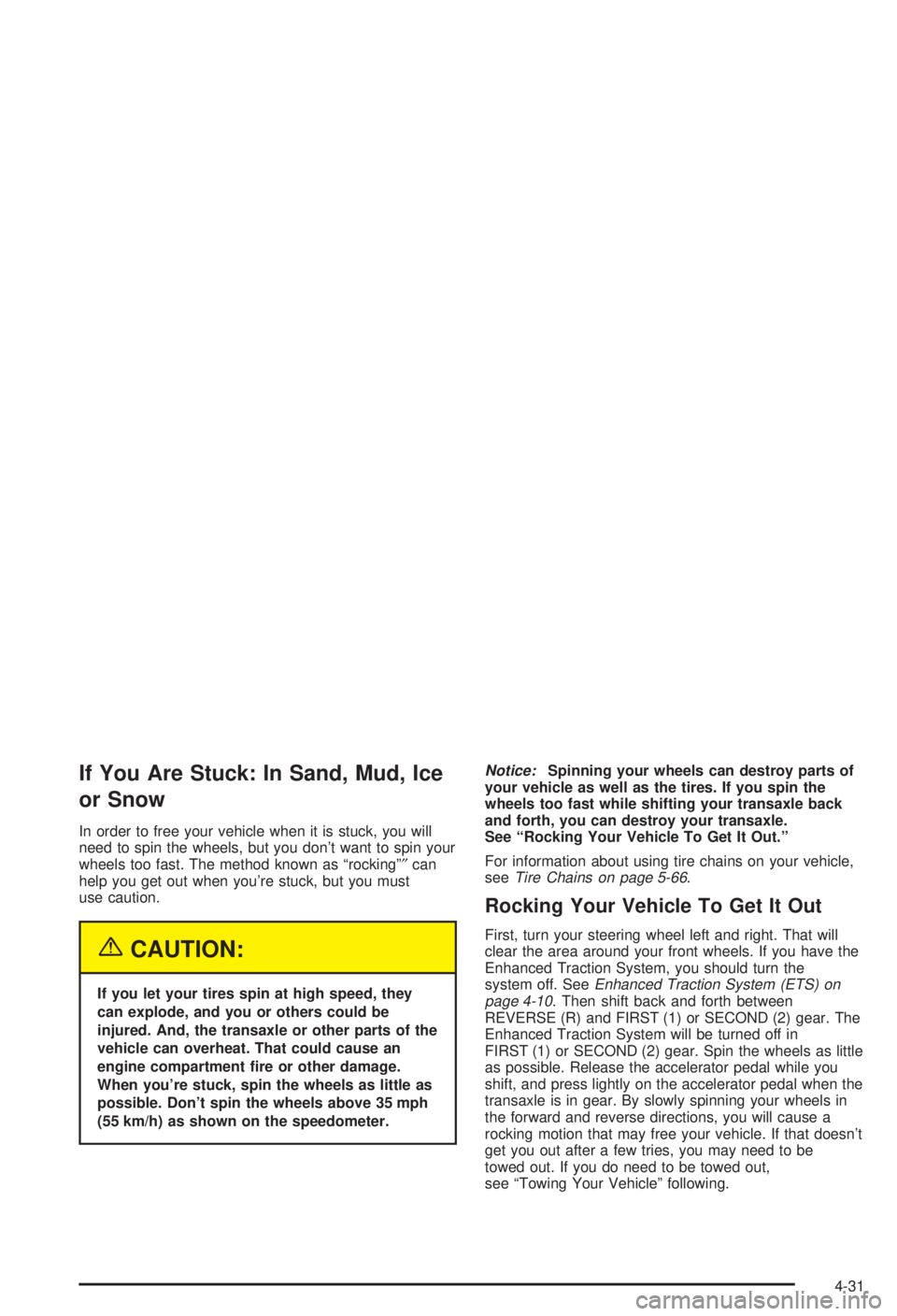
If You Are Stuck: In Sand, Mud, Ice
or Snow
In order to free your vehicle when it is stuck, you will
need to spin the wheels, but you don't want to spin your
wheels too fast. The method known as ªrockingº²can
help you get out when you're stuck, but you must
use caution.
{CAUTION:
If you let your tires spin at high speed, they
can explode, and you or others could be
injured. And, the transaxle or other parts of the
vehicle can overheat. That could cause an
engine compartment ®re or other damage.
When you're stuck, spin the wheels as little as
possible. Don't spin the wheels above 35 mph
(55 km/h) as shown on the speedometer.
Notice:Spinning your wheels can destroy parts of
your vehicle as well as the tires. If you spin the
wheels too fast while shifting your transaxle back
and forth, you can destroy your transaxle.
See ªRocking Your Vehicle To Get It Out.º
For information about using tire chains on your vehicle,
see
Tire Chains on page 5-66.
Rocking Your Vehicle To Get It Out
First, turn your steering wheel left and right. That will
clear the area around your front wheels. If you have the
Enhanced Traction System, you should turn the
system off. See
Enhanced Traction System (ETS) on
page 4-10. Then shift back and forth between
REVERSE (R) and FIRST (1) or SECOND (2) gear. The
Enhanced Traction System will be turned off in
FIRST (1) or SECOND (2) gear. Spin the wheels as little
as possible. Release the accelerator pedal while you
shift, and press lightly on the accelerator pedal when the
transaxle is in gear. By slowly spinning your wheels in
the forward and reverse directions, you will cause a
rocking motion that may free your vehicle. If that doesn't
get you out after a few tries, you may need to be
towed out. If you do need to be towed out,
see ªTowing Your Vehicleº following.
4-31