2003 BMW 760LI SEDAN light
[x] Cancel search: lightPage 105 of 229
At a glance
Controls
Driving tips
Communications
Navigation
Entertainment
Mobility
Reference
103
Instrument lighting
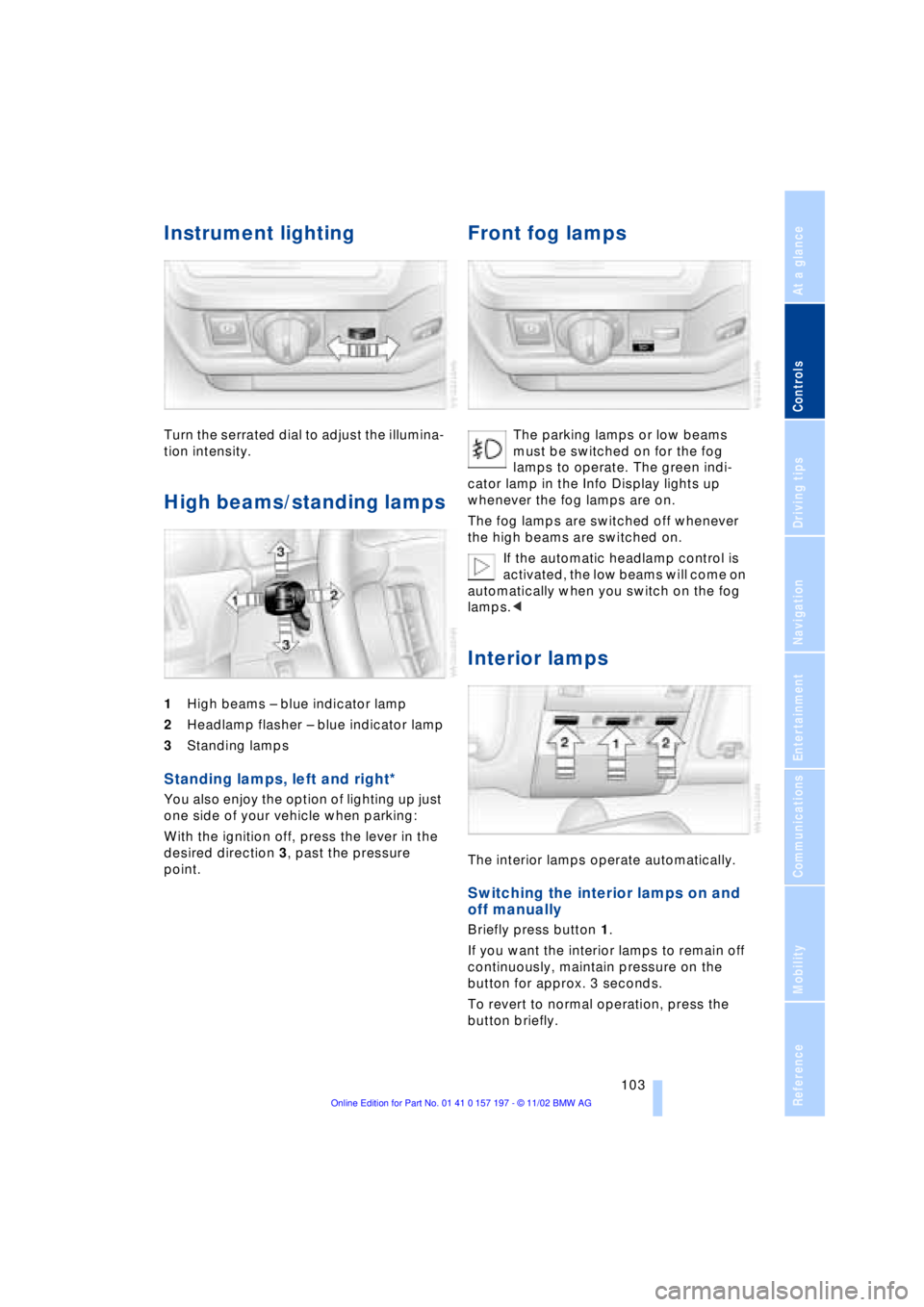
Turn the serrated dial to adjust the illumina-
tion intensity.
High beams/standing lamps
1High beams Ð blue indicator lamp
2Headlamp flasher Ð blue indicator lamp
3Standing lamps
Standing lamps, left and right*
You also enjoy the option of lighting up just
one side of your vehicle when parking:
With the ignition off, press the lever in the
desired direction 3, past the pressure
point.
Front fog lamps
The parking lamps or low beams
must be switched on for the fog
lamps to operate. The green indi-
cator lamp in the Info Display lights up
whenever the fog lamps are on.
The fog lamps are switched off whenever
the high beams are switched on.
If the automatic headlamp control is
activated, the low beams will come on
automatically when you switch on the fog
lamps.<
Interior lamps
The interior lamps operate automatically.
Switching the interior lamps on and
off manually
Briefly press button 1.
If you want the interior lamps to remain off
continuously, maintain pressure on the
button for approx. 3 seconds.
To revert to normal operation, press the
button briefly.
Page 106 of 229
Lamps
104 The button for the interior lamps in the rear
passenger area only switches these lamps
on and off.
The interior lamps come on briefly
whenever you use the parked-car
ventilation system. This feature confirms
that the system has been activated.<
Control of the footwell lamps, courtesy
lamps and ground lamps is also automatic.
Reading lamps
Reading lamps are provided in the front
and rear
* adjacent to the interior lamps.
You can switch them on and off with the
button 2 adjacent to each lamp.
To avoid discharging the battery, all of
the vehicle's interior lamps are auto-
matically extinguished approx. 15 minutes
after the ignition is switched off.<
Light-emitting diodes, LEDs
Light-emitting diodes installed behind
translucent lenses serve as the light source
for many of the controls and displays in
your vehicle. These light-emitting diodes,
which operate using a concept similar to
that applied in conventional lasers, are offi-
cially designated as Class 1 light-emitting
diodes.
Do not remove the covers, and never
stare into the unfiltered light several
hours, as irritation of the iris could result. <
Page 110 of 229
A congenial climate
108 should switch it off while also increasing air
supply as required.<
Residual heat mode
The system uses the warmth
stored in the engine to heat the
interior when the ignition is off,
for instance, while the vehicle
is stopped at a school to pick
up a child.
You can adjust the automatic climate con-
trol's settings when the ignition lock is in
the radio mode. The system blows heated
air into the interior in accordance with the
selected distribution pattern while the igni-
tion is off.
Provided that the engine has warmed
to its normal operating temperature
and the battery is charged, you can use this
function for up to 15 minutes after
switching off the ignition. The LED within
the button lights up to confirm compliance
with both of these conditions.<
Front ventilation
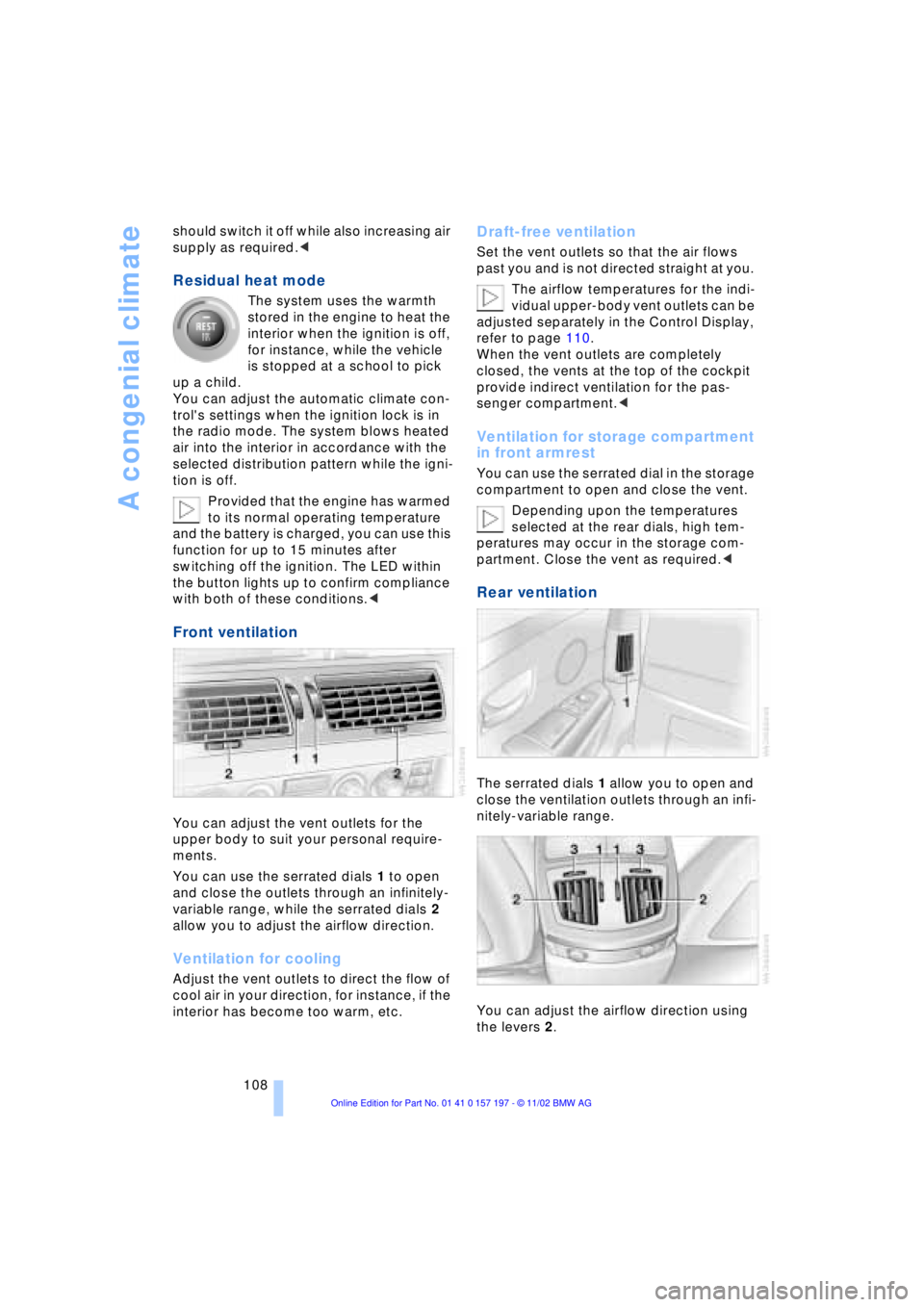
You can adjust the vent outlets for the
upper body to suit your personal require-
ments.
You can use the serrated dials 1 to open
and close the outlets through an infinitely-
variable range, while the serrated dials 2
allow you to adjust the airflow direction.
Ventilation for cooling
Adjust the vent outlets to direct the flow of
cool air in your direction, for instance, if the
interior has become too warm, etc.
Draft-free ventilation
Set the vent outlets so that the air flows
past you and is not directed straight at you.
The airflow temperatures for the indi-
vidual upper-body vent outlets can be
adjusted separately in the Control Display,
refer to page 110.
When the vent outlets are completely
closed, the vents at the top of the cockpit
provide indirect ventilation for the pas-
senger compartment.<
Ventilation for storage compartment
in front armrest
You can use the serrated dial in the storage
compartment to open and close the vent.
Depending upon the temperatures
selected at the rear dials, high tem-
peratures may occur in the storage com-
partment. Close the vent as required.<
Rear ventilation
The serrated dials 1 allow you to open and
close the ventilation outlets through an infi-
nitely-variable range.
You can adjust the airflow direction using
the levers 2.
Page 118 of 229
Practical interior accessories
116 3Rear window blind
4Switching to the other side
The side window blind can not be
extended unless the side window is
closed. If the window is open, the blind will
rise slightly prior to immediately retracting
to its original position.<
Briefly press the safety switch in the
driver's door, refer to page 43. The
indicator lamp must light up. This precau-
tion prevents children from operating the
sun blinds using the rear switches, etc.
Before using always ensure that the sun
blind's travel path is clear and unob-
structed.
When leaving the vehicle, always remove
the remote control unit from the ignition
lock and close the doors; this precaution
prevents children from using the sun blinds
and injuring themselves, etc.<
Automatically extending and
retracting the sun blinds
You can extend and retract the sun blinds
together by pressing and holding button 3
or the button in the driver's door.
Rear cooler*
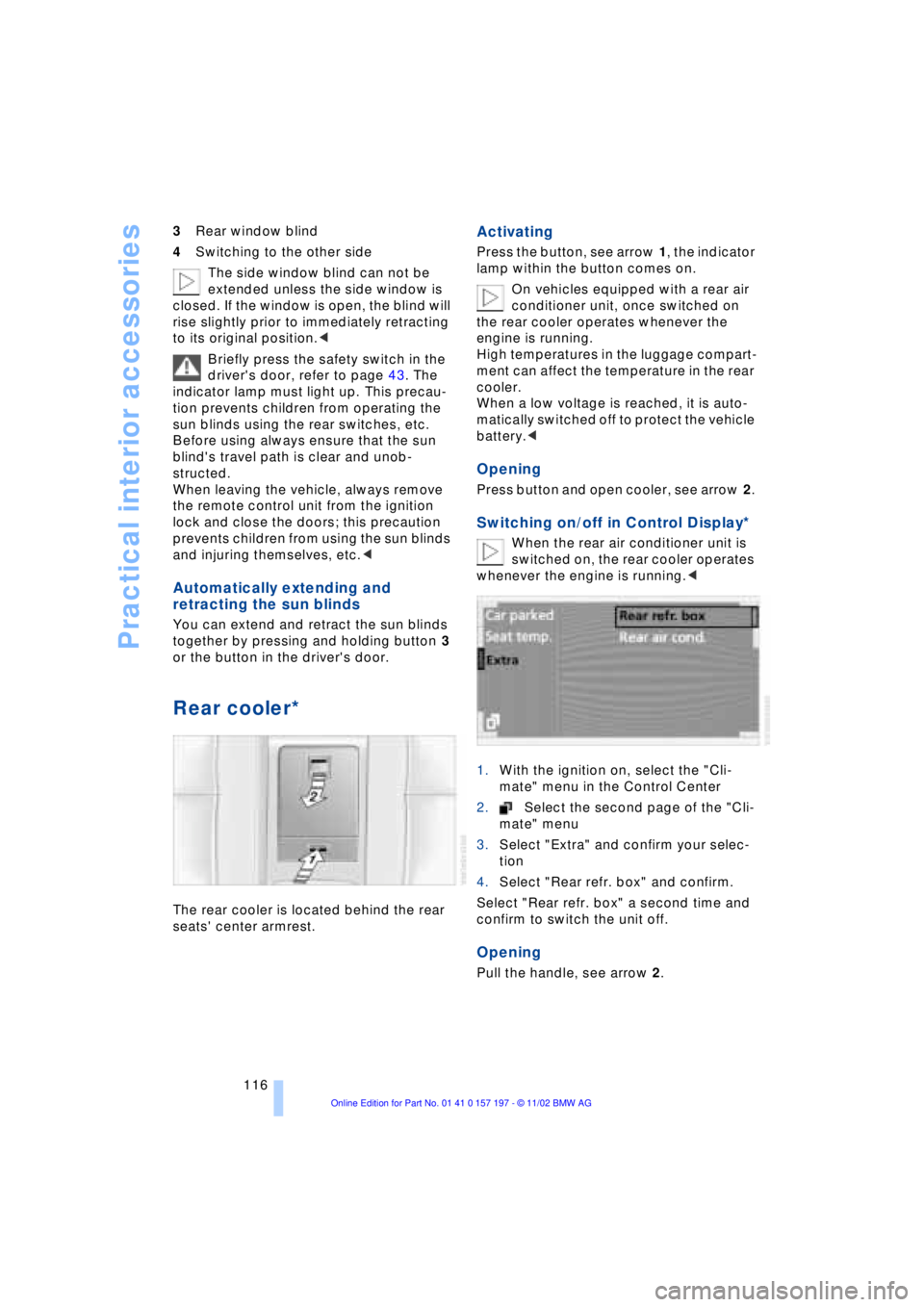
The rear cooler is located behind the rear
seats' center armrest.
Activating
Press the button, see arrow 1, the indicator
lamp within the button comes on.
On vehicles equipped with a rear air
conditioner unit, once switched on
the rear cooler operates whenever the
engine is running.
High temperatures in the luggage compart-
ment can affect the temperature in the rear
cooler.
When a low voltage is reached, it is auto-
matically switched off to protect the vehicle
battery.<
Opening
Press button and open cooler, see arrow 2.
Switching on/off in Control Display*
When the rear air conditioner unit is
switched on, the rear cooler operates
whenever the engine is running.<
1.With the ignition on, select the "Cli-
mate" menu in the Control Center
2.Select the second page of the "Cli-
mate" menu
3.Select "Extra" and confirm your selec-
tion
4.Select "Rear refr. box" and confirm.
Select "Rear refr. box" a second time and
confirm to switch the unit off.
Opening
Pull the handle, see arrow 2.
Page 119 of 229
At a glance
Controls
Driving tips
Communications
Navigation
Entertainment
Mobility
Reference
117
Glove compartment
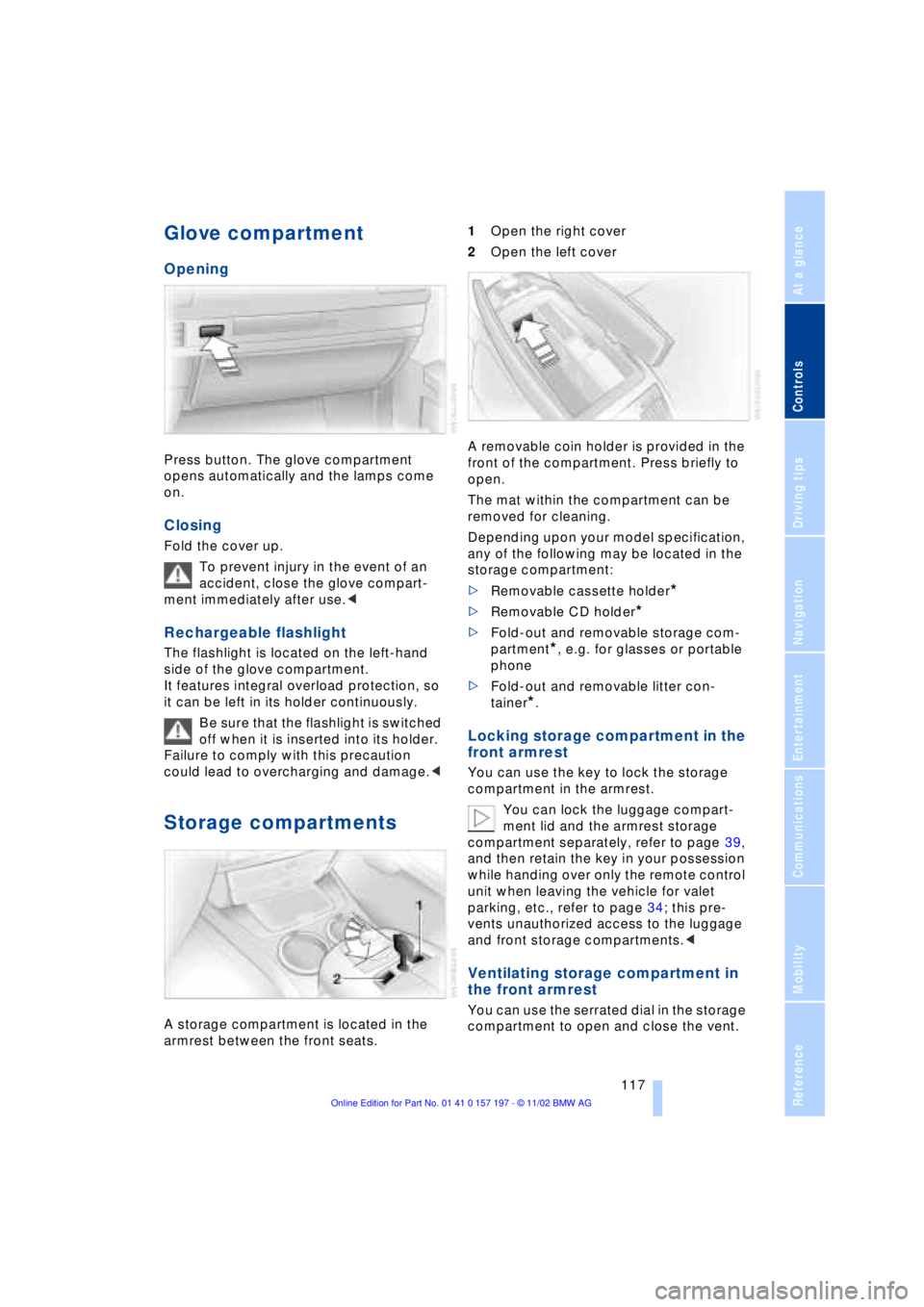
Opening
Press button. The glove compartment
opens automatically and the lamps come
on.
Closing
Fold the cover up.
To prevent injury in the event of an
accident, close the glove compart-
ment immediately after use.<
Rechargeable flashlight
The flashlight is located on the left-hand
side of the glove compartment.
It features integral overload protection, so
it can be left in its holder continuously.
Be sure that the flashlight is switched
off when it is inserted into its holder.
Failure to comply with this precaution
could lead to overcharging and damage.<
Storage compartments
A storage compartment is located in the
armrest between the front seats. 1Open the right cover
2Open the left cover
A removable coin holder is provided in the
front of the compartment. Press briefly to
open.
The mat within the compartment can be
removed for cleaning.
Depending upon your model specification,
any of the following may be located in the
storage compartment:
>Removable cassette holder
*
>Removable CD holder
*
>Fold-out and removable storage com-
partment
*, e.g. for glasses or portable
phone
>Fold-out and removable litter con-
tainer
*.
Locking storage compartment in the
front armrest
You can use the key to lock the storage
compartment in the armrest.
You can lock the luggage compart-
ment lid and the armrest storage
compartment separately, refer to page 39,
and then retain the key in your possession
while handing over only the remote control
unit when leaving the vehicle for valet
parking, etc., refer to page 34; this pre-
vents unauthorized access to the luggage
and front storage compartments.<
Ventilating storage compartment in
the front armrest
You can use the serrated dial in the storage
compartment to open and close the vent.
Page 121 of 229
At a glance
Controls
Driving tips
Communications
Navigation
Entertainment
Mobility
Reference
119
To extinguish a cigarette, tap off the ash
and gently press the tip into the funnel.
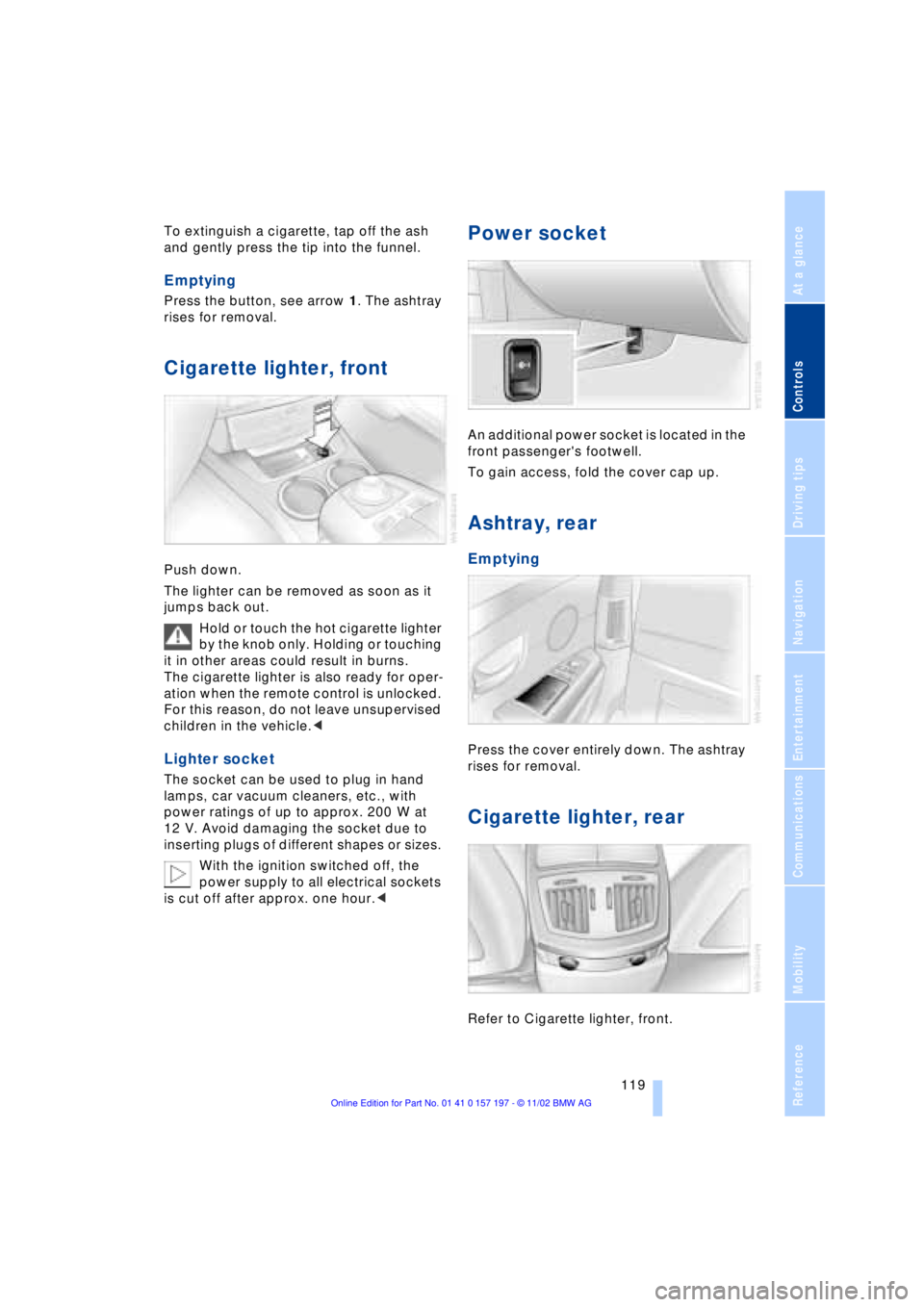
Emptying
Press the button, see arrow 1. The ashtray
rises for removal.
Cigarette lighter, front
Push down.
The lighter can be removed as soon as it
jumps back out.
Hold or touch the hot cigarette lighter
by the knob only. Holding or touching
it in other areas could result in burns.
The cigarette lighter is also ready for oper-
ation when the remote control is unlocked.
For this reason, do not leave unsupervised
children in the vehicle.<
Lighter socket
The socket can be used to plug in hand
lamps, car vacuum cleaners, etc., with
power ratings of up to approx. 200 W at
12 V. Avoid damaging the socket due to
inserting plugs of different shapes or sizes.
With the ignition switched off, the
power supply to all electrical sockets
is cut off after approx. one hour.<
Power socket
An additional power socket is located in the
front passenger's footwell.
To gain access, fold the cover cap up.
Ashtray, rear
Emptying
Press the cover entirely down. The ashtray
rises for removal.
Cigarette lighter, rear
Refer to Cigarette lighter, front.
Page 127 of 229
At a glance
Controls
Driving tips
Communications
Navigation
Entertainment
Mobility
Reference
125
undermining your ability to steer and brake
the vehicle.<
Driving through water
Do not drive through water on the
road if it is deeper than 1 ft (30 cm),
and then only at walking speed at the most.
Otherwise, the vehicle's engine, the elec-
trical systems and the transmission may be
damaged.<
Brake system
Braking with ABS
The best way to achieve optimal response
from the ABS is to apply maximum pres-
sure to the brake pedal during emergencyÐ
panic stops. Since the vehicle maintains
steering responsiveness, you can never-
theless avoid possible obstacles with a
minimum of steering effort.
Pulsation at the brake pedal combines with
sounds from the hydraulic circuits to indi-
cate to the driver that ABS is in its active
mode.
Do not drive with your foot resting on
the brake pedal. Even light but con-
sistent pedal pressure can lead to high
temperatures, brake wear and possibly
even brake failure.<
Disc brakes
Driving in wet conditions
While driving in wet conditions and in
heavy rain, it is a good idea to apply light
pressure to the brake pedal every few
miles. Monitor traffic conditions to ensure
that this maneuver does not endanger
other road users. The heat generated in this
process helps dry the pads and rotors to
ensure that full braking efficiency will then
be available when you need it.
Hills
You can retain full and unimpaired braking
efficiency by downshifting to a gear in
which only minimal brake applications are
needed when descending long or steep
downhill stretches.
You can further enhance the engine's bra-
king effect by selecting a lower gear in the
automatic transmission's manual mode,
downshifting as far as first gear on extre-
mely steep stretches, refer to page 68. This
strategy helps you avoid placing excessive
loads on the brake system.
Never allow the vehicle to coast with
the transmission in Neutral Ð or with
the engine switched off Ð there is no engine
braking when the transmission is in Neu-
tral, and no power-assist for brakes and
steering when the engine is not running.
Never allow floor mats, carpets or any other
objects to protrude into the area around the
accelerator and brake pedals and obstruct
their movement.<
Corrosion
When the vehicle is driven only occasio-
nally, during extended periods when the
vehicle is not used at all, and in operating
conditions where brake applications are
less frequent, there is an increased ten-
dency for corrosion to form on rotors, while
contaminants accumulate on the brake
pads. This occurs because the minimal
pressure which must be exerted by the
pads during brake applications to clean the
rotors is not reached.
Should corrosion form on the brake rotors,
the brakes will tend to respond with a pul-
sating effect that even extended applica-
tion will fail to cure.
Brake pads
If the brake pad wear warning lamp
appears in the Check Control,
accompanied by a text: please take
careful note of the additional information in
the Control Display.
Page 128 of 229
Things to remember when driving
126 Warning lamp for Canadian models.
The brake pads have reached their
minimum pad thickness. Have them
replaced at your BMW center as soon as
possible.
For your own safety: use only brake
pads that BMW has released for your
particular vehicle model. Because BMW
cannot assess the suitability of other brake
pads for use on your vehicle, we are unable
to assume continued responsibility for the
vehicle's operating safety if non-approved
pads are installed.<
Cargo loading
Stowing cargo
>Load heavy cargo as far forward and as
low as possible, placing it directly
behind the bulkhead behind the rear
seats
>Cover sharp edges and corners
>For very heavy cargo when the rear seat
is not occupied, secure each safety belt
in the opposite buckle.
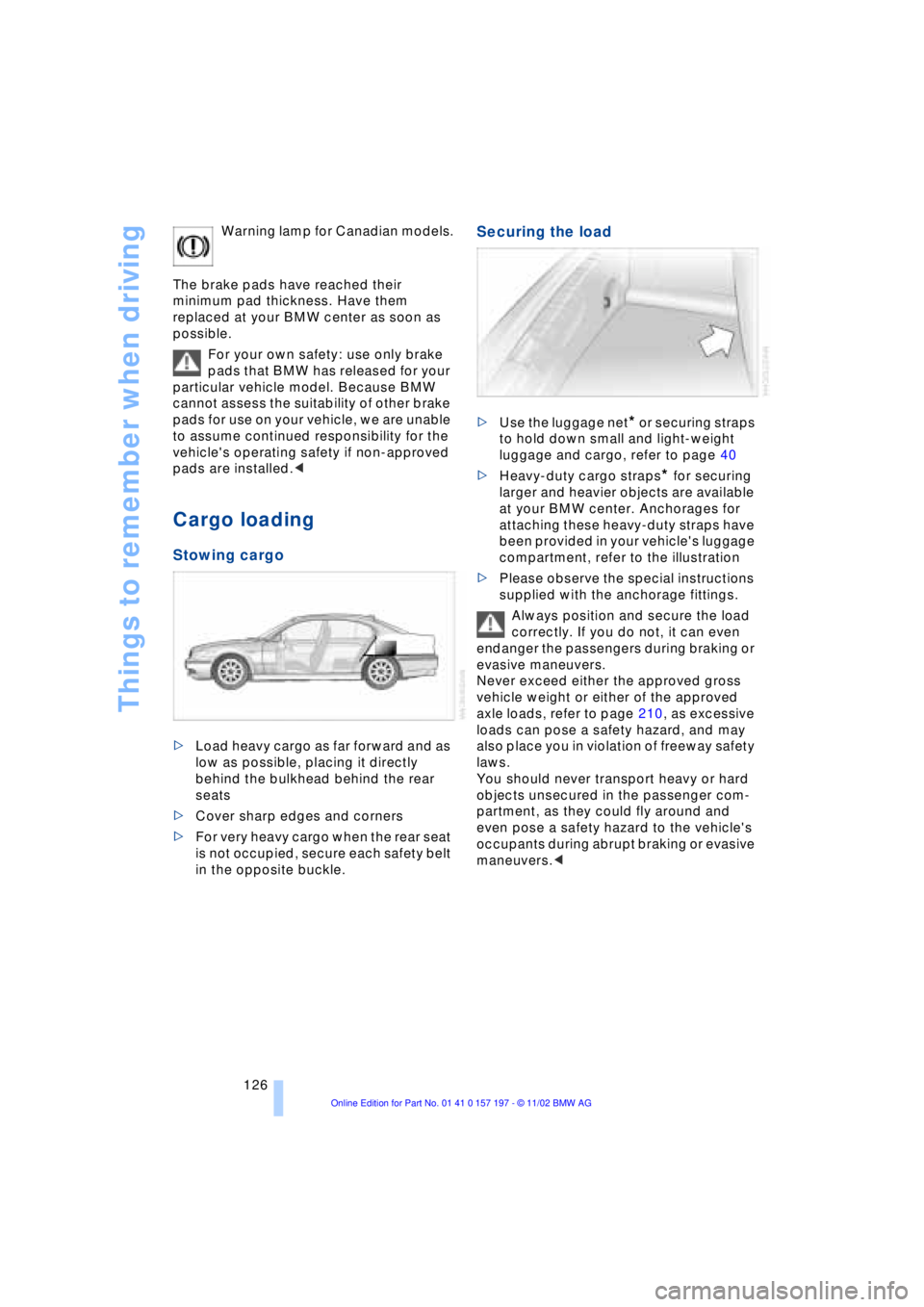
Securing the load
>Use the luggage net* or securing straps
to hold down small and light-weight
luggage and cargo, refer to page 40
>Heavy-duty cargo straps
* for securing
larger and heavier objects are available
at your BMW center. Anchorages for
attaching these heavy-duty straps have
been provided in your vehicle's luggage
compartment, refer to the illustration
>Please observe the special instructions
supplied with the anchorage fittings.
Always position and secure the load
correctly. If you do not, it can even
endanger the passengers during braking or
evasive maneuvers.
Never exceed either the approved gross
vehicle weight or either of the approved
axle loads, refer to page 210, as excessive
loads can pose a safety hazard, and may
also place you in violation of freeway safety
laws.
You should never transport heavy or hard
objects unsecured in the passenger com-
partment, as they could fly around and
even pose a safety hazard to the vehicle's
occupants during abrupt braking or evasive
maneuvers.<