Page 4 of 187
Contents
© 2002 Bayerische Motoren Werke
Aktiengesellschaft
Munich, Germany
Reprinting, including excerpts, only with the
written consent of BMW AG, Munich.
Order No. 01 41 0 156 818
US English IX/2002
Printed in Germany
Printed on environmentally friendly paper
Ð bleached without chlorine, suitable for recycling.
Notes
Overview
Controls and features
About this Owner's Manual8
Symbols used8
The individual vehicle8
Status at time of printing9
For your own safety9
Symbol on vehicle parts10
Service and Warranty10
Reporting safety defects10Cockpit14
Instrument cluster15
Indicator and warning lamps19
Steering wheel with multifunction
buttons22
Warning triangle23
First-aid kit23
Refueling24
Fuel specifications25
Tire inflation pressure26
Locks and security systems:
Keys32
Central locking system32
Opening and closing Ð via the
door lock33
Opening and closing Ð via the
remote control34
Opening and closing Ð from the
inside37
Luggage compartment lid/
Tailgate38
Rear window40
Luggage compartment42
Alarm system42
Electric power windows44
Sliding/tilt sunroof46
Adjustments:
Sitting safely48
Seats48
Manually-adjusted seat49
Electric power seats50
Head restraints52
BMW active seat52
Safety belts53
Seat, mirror and steering wheel
memory54
Seat heating55
Adjusting steering wheel56
Steering wheel heating56
Mirrors57
Contents
Page 15 of 187
15n
OverviewControlsMaintenanceRepairsDataIndex
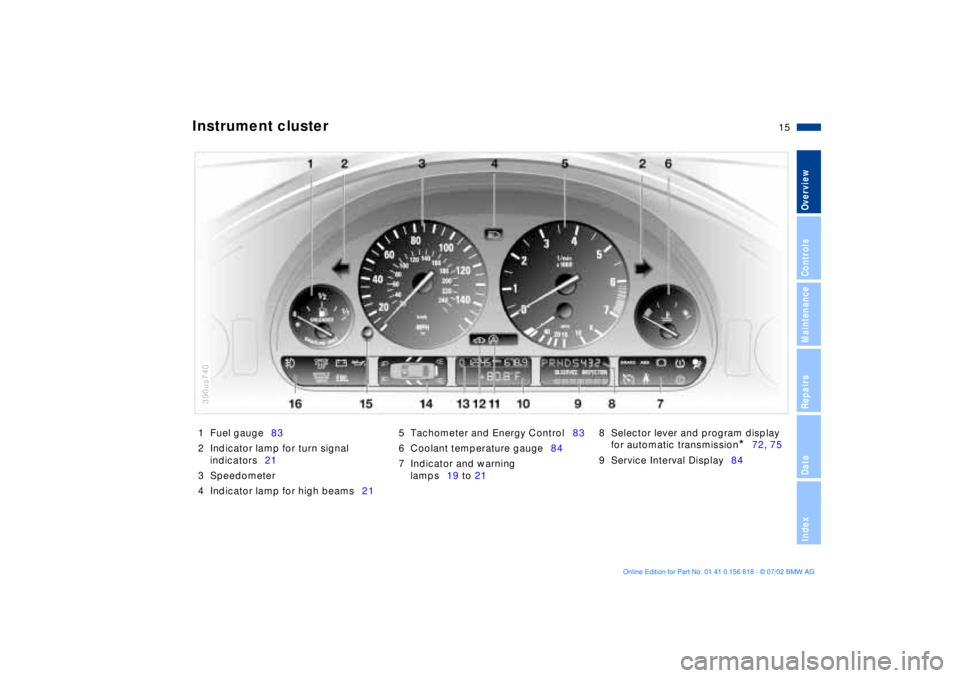
1 Fuel gauge83
2 Indicator lamp for turn signal
indicators21
3 Speedometer
4 Indicator lamp for high beams215 Tachometer and Energy Control83
6 Coolant temperature gauge84
7 Indicator and warning
lamps19 to 218 Selector lever and program display
for automatic transmission
*
72, 75
9 Service Interval Display84
Instrument cluster
390us740
Page 16 of 187
16n
Instrument cluster
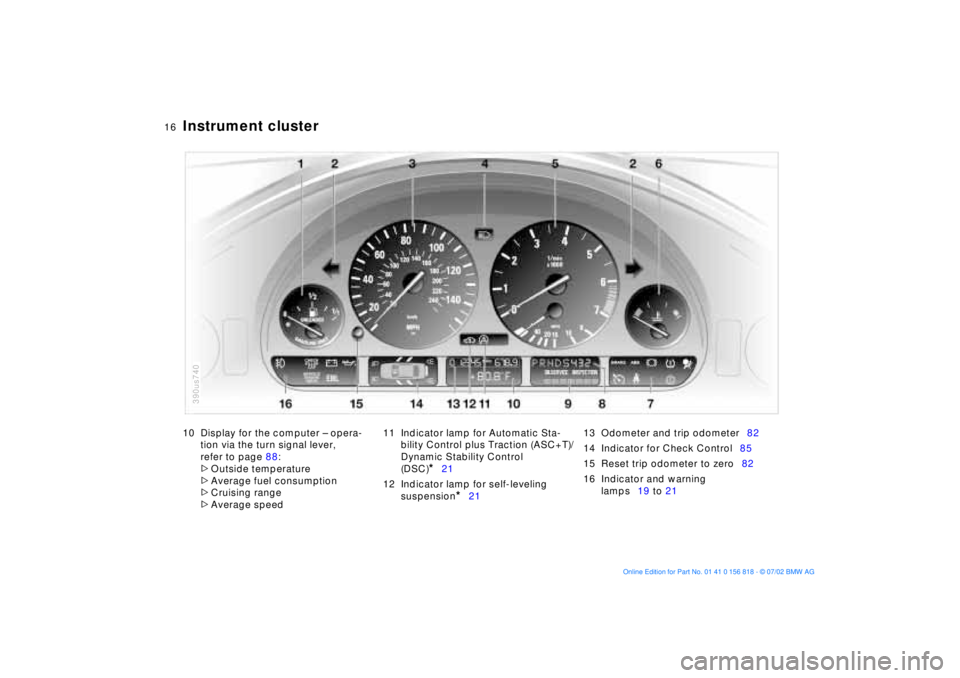
10 Display for the computer Ð opera-
tion via the turn signal lever,
refer to page 88:
>
Outside temperature
>
Average fuel consumption
>
Cruising range
>
Average speed11 Indicator lamp for Automatic Sta-
bility Control plus Traction (ASC+T)/
Dynamic Stability Control
(DSC)
*
21
12 Indicator lamp for self-leveling
suspension
*
2113 Odometer and trip odometer82
14 Indicator for Check Control85
15 Reset trip odometer to zero82
16 Indicator and warning
lamps19 to 21
390us740
Page 17 of 187
17n
OverviewControlsMaintenanceRepairsDataIndex
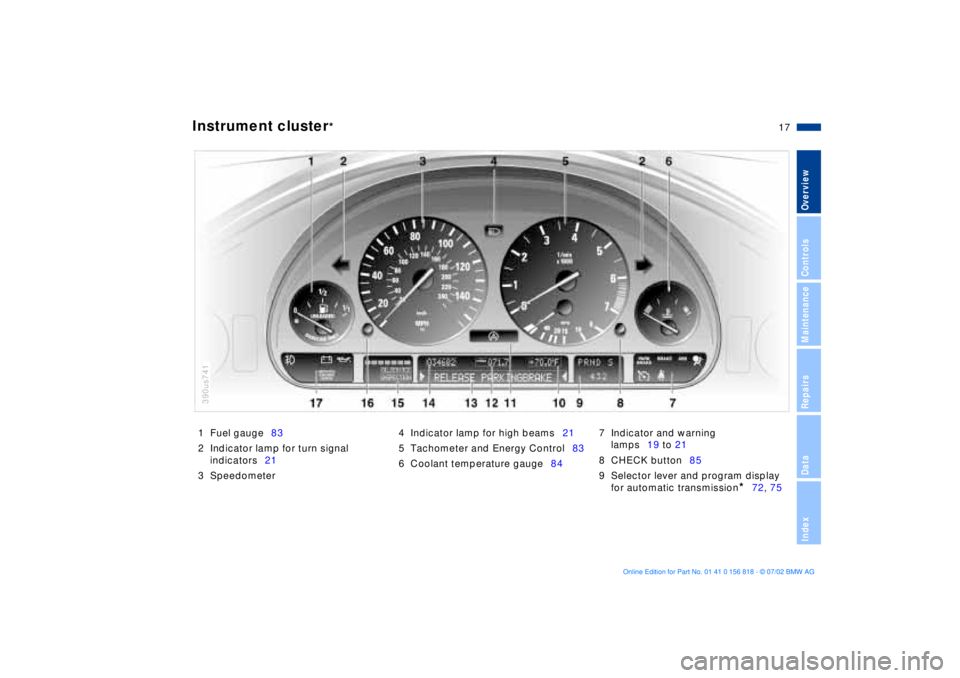
Instrument cluster
*
1 Fuel gauge83
2 Indicator lamp for turn signal
indicators21
3 Speedometer4 Indicator lamp for high beams21
5 Tachometer and Energy Control83
6 Coolant temperature gauge847 Indicator and warning
lamps19 to 21
8 CHECK button85
9 Selector lever and program display
for automatic transmission
*
72, 75
390us741
Page 18 of 187
18n
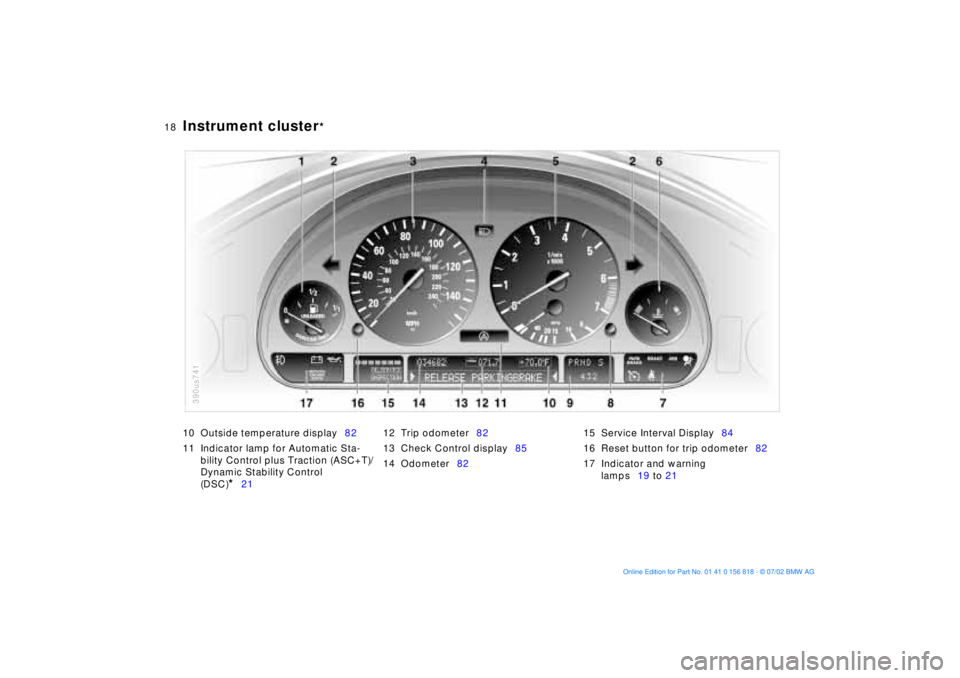
Instrument cluster
*
10 Outside temperature display82
11 Indicator lamp for Automatic Sta-
bility Control plus Traction (ASC+T)/
Dynamic Stability Control
(DSC)
*
2112 Trip odometer82
13 Check Control display85
14 Odometer8215 Service Interval Display84
16 Reset button for trip odometer82
17 Indicator and warning
lamps19 to 21
390us741
Page 70 of 187
70n
Switching off the engine Parking brakeTurn the ignition key to position 1 or 0.
Do not remove the ignition key
while the vehicle is rolling. The
steering locks, making it impossible to
steer the vehicle.
Always remove the ignition key and
engage the steering lock before leaving
the vehicle.
Vehicles with manual transmission:
Always engage the parking brake
when parking on hills and inclined sur-
faces, as first gear or reverse may not
provide adequate resistance to rolling.
Vehicles with automatic transmission:
Place the selector lever in "Park."<
Vehicles with automatic transmission:
The vehicle must be stationary and the
selector lever in "Park" before you can
remove the ignition key.
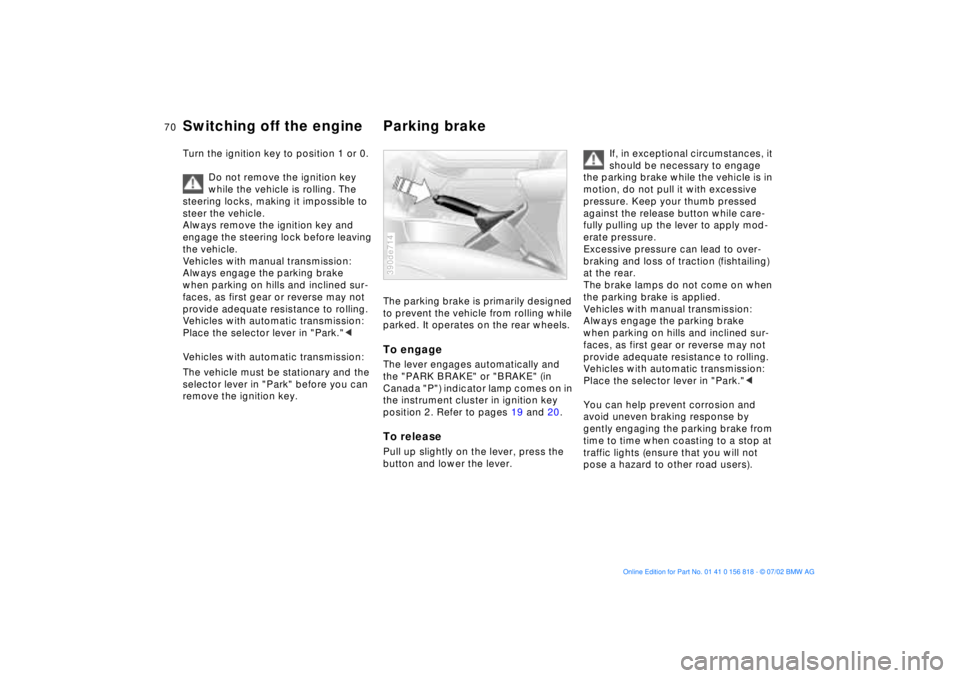
The parking brake is primarily designed
to prevent the vehicle from rolling while
parked. It operates on the rear wheels.To engageThe lever engages automatically and
the "PARK BRAKE" or "BRAKE" (in
Canada "P") indicator lamp comes on in
the instrument cluster in ignition key
position 2. Refer to pages 19 and 20.To releasePull up slightly on the lever, press the
button and lower the lever.390de714
If, in exceptional circumstances, it
should be necessary to engage
the parking brake while the vehicle is in
motion, do not pull it with excessive
pressure. Keep your thumb pressed
against the release button while care-
fully pulling up the lever to apply mod-
erate pressure.
Excessive pressure can lead to over-
braking and loss of traction (fishtailing)
at the rear.
The brake lamps do not come on when
the parking brake is applied.
Vehicles with manual transmission:
Always engage the parking brake
when parking on hills and inclined sur-
faces, as first gear or reverse may not
provide adequate resistance to rolling.
Vehicles with automatic transmission:
Place the selector lever in "Park."<
You can help prevent corrosion and
avoid uneven braking response by
gently engaging the parking brake from
time to time when coasting to a stop at
traffic lights (ensure that you will not
pose a hazard to other road users).
Page 77 of 187
77n
OverviewControlsMaintenanceRepairsDataIndex
Automatic transmission with Steptronic
*
ATC executes upshifts and downshifts
only when the new gear will provide a
suitable combination of vehicle and
engine speed, i.e., ATC will not execute
downshifts that would cause the engine
to overrev. The gear selected will
appear briefly in the instrument cluster
followed by the current gear.
If you are driving in the manual
mode and wish to accelerate
rapidly from low road speeds (when
passing, for instance), you must shift
down manually or with the "kickdown"
function.<
You can only change from "M/S" to
selector lever positions "P," "R," and
"N" via the "D" position.
Electronic transmission control
module
If the indicator lamp comes on
or the message "TRANS. FAIL-
SAFE PROG" appears in the
Check Control
*, there is a fault in the
transmission system.
Bring the vehicle to a stop. Move the
transmission selector lever to "P."
Engage the parking brake and turn the
engine off (ignition key to position 0).
Wait a few seconds, then start the
engine.
If the indicator lamp goes out after a
few seconds, normal transmission
performance has been restored. You
may continue to drive as usual. If the
indicator lamp does not go out, you can
place the selector lever in all positions.
However, the vehicle will now only drive
forward with limited gear selection.
If this happens, avoid extreme engine
loads and refer the problem to the
nearest BMW center.
Never perform work in the engine
compartment without first
ensuring that the transmission is in
"Park" or "Neutral" as the vehicle could
otherwise start to move off on its own.<
For jump-starting, towing and tow-
starting, refer to pages 164 and 165.
Page 80 of 187
80n
Washer/Wiper system Cruise controlThe programmed interval is deleted
>approx. 10 seconds after the lever is
placed in position 0 or
>after the engine is switched off.
When the rear window is opened, the
rear window wiper is switched off. It
must be switched on again after the
window has been closed.
For changing the wiper blade, refer to
page 152.You can store and automatically main-
tain any desired vehicle speed above
approx. 20 mph (30 km/h).
The cruise control is available whenever
the engine is running and the system
has been activated.
To activate the system In ignition key position 1 or 2:
Press the button and the indicator lamp
in the instrument cluster (refer to
page 21) will come on. You can now
use the cruise control.
Do not use cruise control on
twisting roads, when high traffic
density prevents driving at a constant
speed, or when the road surface is slick
(snow, rain, ice) or loose (rocks or
gravel, sand).< To deactivate the systemPress button as often as needed until
the indicator lamp in the instrument
cluster goes out.
Cruise control is also deactivated when
the ignition key is in position 0.
The speed stored in memory is deleted.