Page 164 of 420
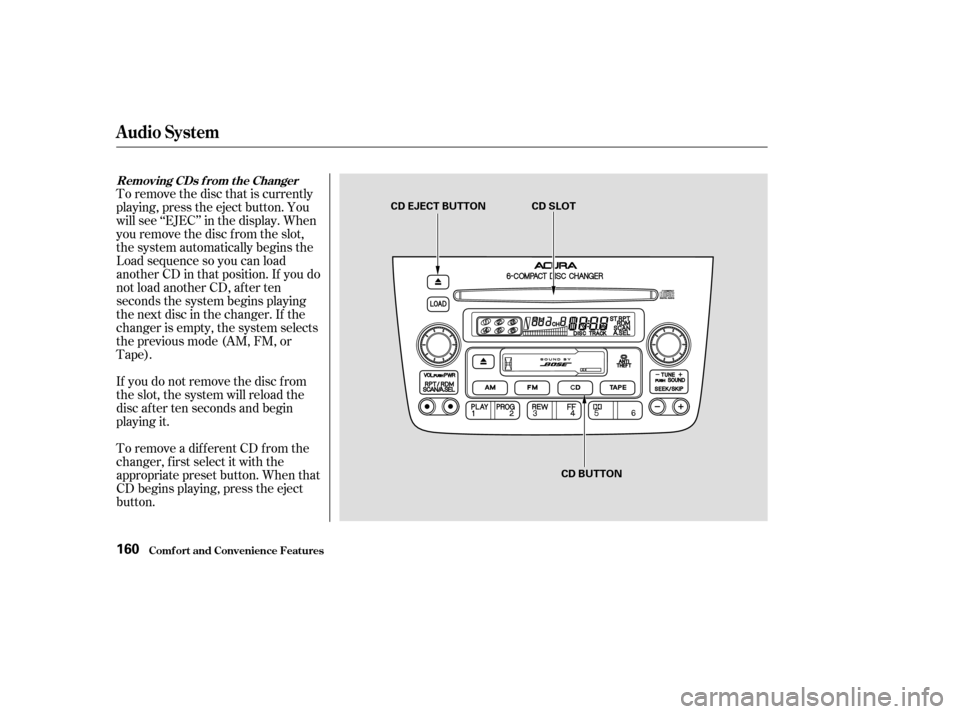
To remove the disc that is currently
playing, press the eject button. You
will see ‘‘EJEC’’ in the display. When
you remove the disc f rom the slot,
the system automatically begins the
Load sequence so you can load
another CD in that position. If you do
not load another CD, af ter ten
seconds the system begins playing
the next disc in the changer. If the
changer is empty, the system selects
the previous mode (AM, FM, or
Tape).
If you do not remove the disc f rom
the slot, the system will reload the
disc af ter ten seconds and begin
playing it.
To remove a different CD from the
changer,firstselectitwiththe
appropriate preset button. When that
CD begins playing, press the eject
button.
Removing CDs f rom t he Changer
Comf ort and Convenience Feat ures
Audio System
160
CD EJECT BUTTON CD SLOTCD BUTTON
Page 165 of 420
If you press the Eject button while
listening to the radio or tape, or with
the audio system turned of f , the disc
that was last selected is ejected.
Af ter that disc is ejected, pressing
the Eject button again will eject the
next disc in the numerical order. By
doing this six times, you can remove
all the CDs f rom the changer.
In any mode, if you press the eject
button and hold it until you hear a
beep, the system will eject all of the
discs in the changer.
You can also eject discs when the
ignition switch is of f . The disc that
was last selected is ejected f irst. You
can eject up to six discs, one at a
time.For inf ormation on how to handle
and protect compact discs, see page
.
174
Audio System
Comf ort and Convenience Feat ures
Protecting Compact Discs
161
Page 166 of 420
Indication
If you see an error indication in the
display while operating the CD
changer, f ind the cause in the chart
to the right. If you cannot clear the
error indication, take the vehicle to
your Acura dealer. Cause
Solution
Disc-changer
malf unction.
High temperature.
Disc-changer
malf unction.
High temperature. Consult your Acura dealer.
Will disappear when the temperature returns to
normal.
Consult your Acura dealer.
Will disappear when the temperature returns to
normal.
CD Changer Error Indications
Audio System
Comf ort and Convenience Feat ures162
Page 167 of 420
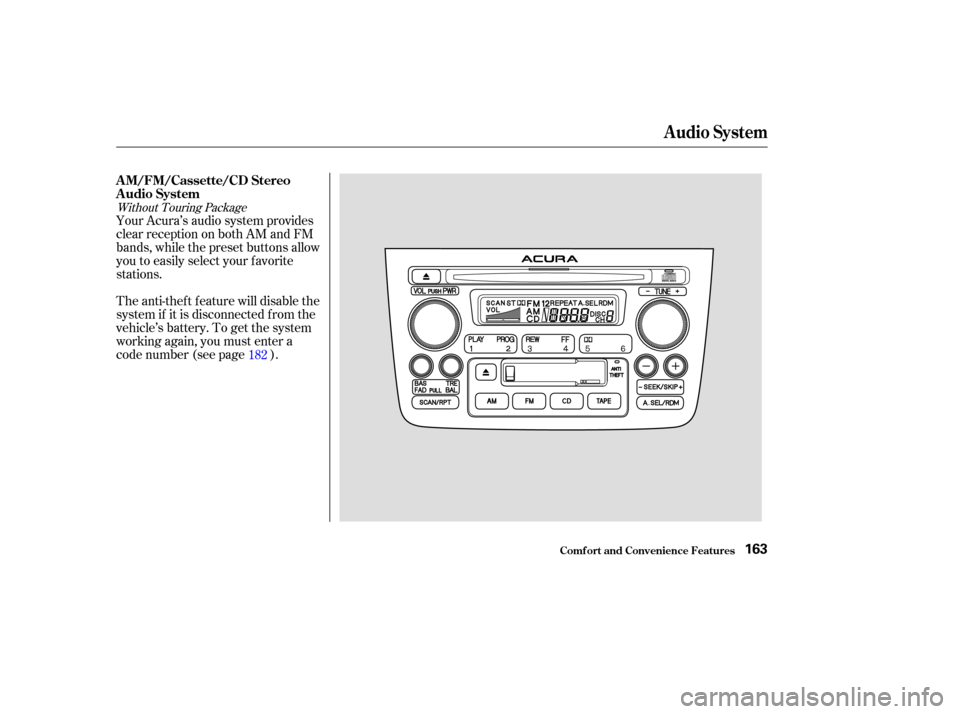
The anti-thef t f eature will disable the
system if it is disconnected f rom the
vehicle’s battery. To get the system
working again, you must enter a
code number (see page ). Your Acura’s audio system provides
clear reception on both AM and FM
bands, while the preset buttons allow
you to easily select your f avorite
stations.182
Without Touring Package
AM/FM/Cassette/CD Stereo
Audio System
Audio System
Comf ort and Convenience Feat ures163
Page 168 of 420
The band and f requency that the
radio was last tuned to is displayed.
To change bands, press the AM or
FM button. On the FM band, ST will
be displayed if the station is broad-
castinginstereo.Stereo
reproduction on AM is not available. The ignition switch must be in
ACCESSORY (I) or ON (II) to
operate the audio system. Turn the
system on by pushing the PWR/
VOL knob. Adjust the volume by
turning the same knob. Operating the Radio
Audio System
Comf ort and Convenience Feat ures164
PWR/VOL KNOB PRESET BUTTONS TUNE KNOBSCAN BUTTON AM BUTTONFM BUTTON
SEEK BUTTONS
Page 169 of 420

�µ
�µ
�µ
�µ
�Ó�Ó
�µ�´
The SCAN f unction
samples all the stations with strong
signals on the selected band. To
activate it, press the SCAN button,
then release it. The system will scan
up the band for a station with a
strong signal. When it f inds one, it
will stop and play that station f or
approximately f ive seconds. If you do
nothing, the system will then scan
f or the next strong station and play
that f or f ive seconds. When it plays a
station that you want to continue
listening to, press the SCAN button
again. To store a f requency:
Select the desired band, AM or
FM. FM1 and FM2 let you store
two f requencies with each preset
button.
Use the TUNE or SEEK f unction
to tune the radio to a desired
station.
Pick the Preset button you want
for that station. Press the button
and hold it until you hear a beep.
Repeat steps 1 to 3 to store a total
of six stations on AM and twelve
on FM.
Once a station’s frequency is stored,
simply press and release the proper
preset button to tune to it.
You can use any of f our methods to
f ind radio stations on the selected
band: TUNE, SEEK, SCAN or the
Preset buttons.
Use the TUNE knob to
tune the radio to a desired f requency.
Turn the knob clockwise to tune to a
higher f requency, or
counterclockwise to tune to a lower
f requency.
The preset f requencies will be lost if
your vehicle’s battery goes dead, is
disconnected, or the radio f use is
removed.
You can store the
f requencies of your f avorite radio
stations in the six preset buttons.
Each button will store one f requency
on the AM band, and two
f requencies on the FM band.
The SEEK f unction
searches the band for a station with
a strong signal. To activate it, press
either SEEK button ( or ), then
release it. Depending on which
SEEK button you press, the system
scans upward or downward f rom the
current f requency. It stops when it
finds a station with a strong signal. 1.
2.
3.
4.
SCAN
TUNE
Preset
SEEK
Audio System
Comf ort and Convenience Feat ures165
Page 170 of 420
�µIf you are
traveling far from home and can no
longer receive the stations you
preset, you can use the Auto Select
feature to find stations in the local
area.
If you are in a remote area, Auto
Select may not f ind six strong AM
stations or twelve strong FM stations.
If this happens, you will see a ‘‘0’’
displayed when you press any preset
button that does not have a station
stored. To activate Auto Select, press the
A. SEL button. A. SEL will f lash in
the display, and the system will go
into scan mode f or several seconds.
It automatically scans both bands,
looking f or stations with strong
signals. It stores the f requencies of
six AM stations and twelve FM
stations in the preset buttons. You
can then use the preset buttons to
select those stations. AUTO SELECT
Audio System
Comf ort and Convenience Feat ures166
A.SEL INDICATOR
A.SEL BUTTON
Page 171 of 420
If you do not like the stations Auto
Select has stored, you can store
other f requencies in the preset
buttons. Use the TUNE, SEEK, or
SCAN f unction to f ind the desired
f requencies, then store them in the
selected preset buttons as described
previously.
Auto Select does not erase the
f requencies that you preset pre-
viously. When you return home, turn
of f Auto Select by pressing the
A. SEL button. The preset buttons
will then select the f requencies you
originally set.
Comf ort and Convenience Feat ures
Audio System
167
TUNE KNOB
SCAN BUTTON PRESET BUTTONS SEEK BUTTONS