Page 137 of 258
124
After the traffic announcement program is
over, “TRAF” display turns off and the
display returns to the previous mode.
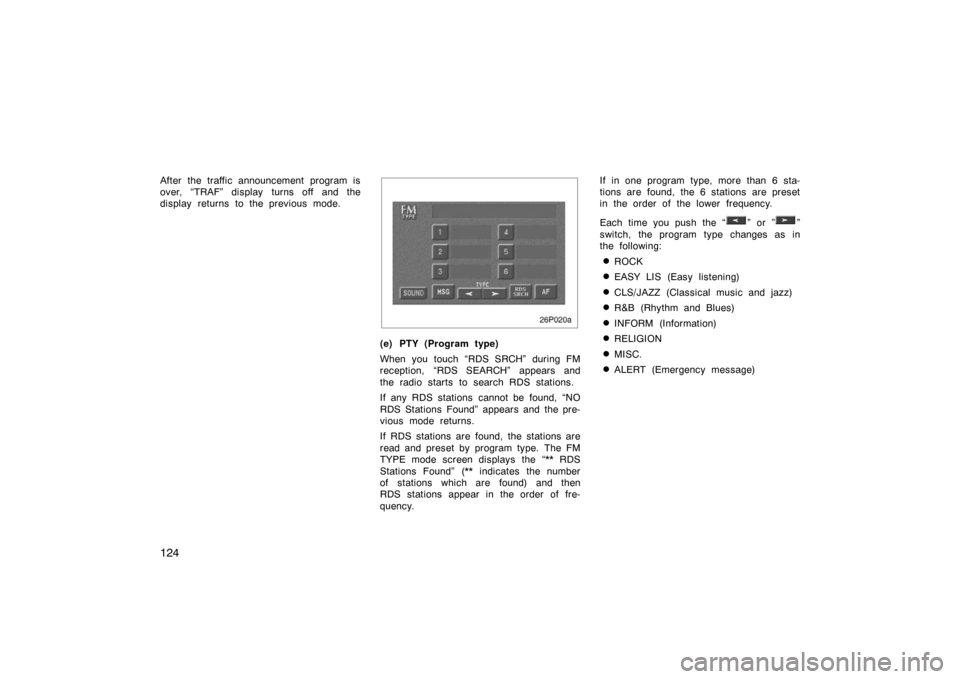
26p020a
(e) PTY (Program type)
When you touch “RDS SRCH” during FM
reception, “RDS SEARCH” appears and
the radio starts to search RDS stations.
If any RDS stations cannot be found, “NO
RDS Stations Found” appears and the pre-
vious mode returns.
If RDS stations are found, the stations are
read and preset by program type. The FM
TYPE mode screen displays the “** RDS
Stations Found” (** indicates the number
of stations which are found) and then
RDS stations appear in the order of fre-
quency.If in one program type, more than 6 sta-
tions are found, the 6 stations are preset
in the order of the lower frequency.
Each time you push the “
” or ””
switch, the program type changes as in
the following:
�ROCK
�EASY LIS (Easy listening)
�CLS/JAZZ (Classical music and jazz)
�R&B (Rhythm and Blues)
�INFORM (Information)
�RELIGION
�MISC.
�ALERT (Emergency message)
Page 138 of 258
125
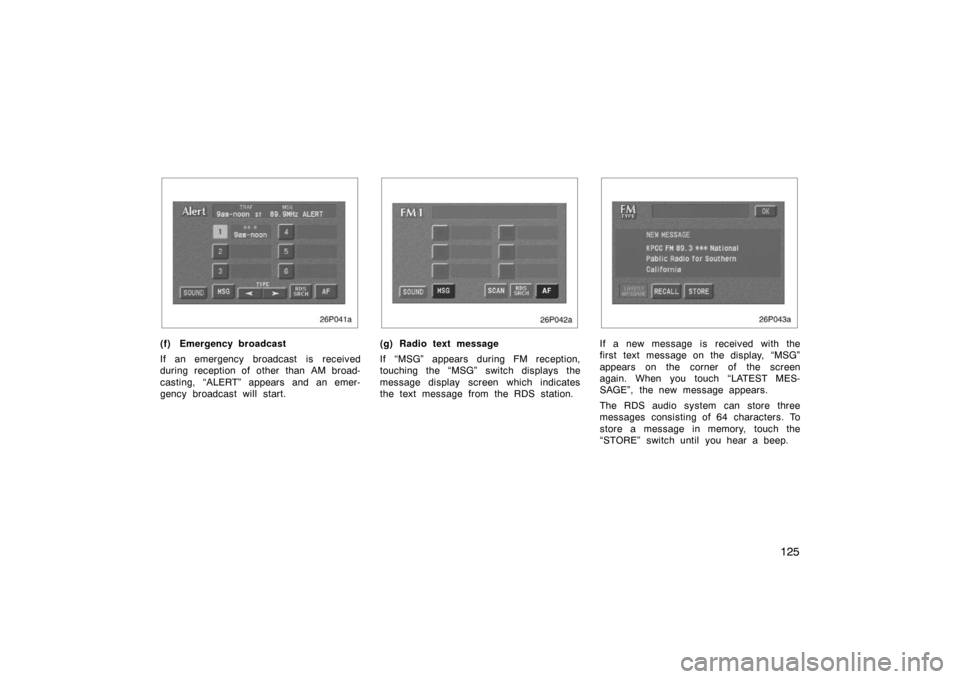
26p041a
(f) Emergency broadcast
If an emergency broadcast is received
during reception of other than AM broad-
casting, “ALERT” appears and an emer-
gency broadcast will start.
26p042a
(g) Radio text message
If “MSG” appears during FM reception,
touching the “MSG” switch displays the
message display screen which indicates
the text message from the RDS station.
26p043a
If a new message is received with the
first text message on the display, “MSG”
appears on the corner of the screen
again. When you touch “LATEST MES-
SAGE”, the new message appears.
The RDS audio system can store three
messages consisting of 64 characters. To
store a message in memory, touch the
“STORE” switch until you hear a beep.
Page 139 of 258

126
If 3 messages are already stored in
memory, the oldest message will be over-
written by the new message.
To recall a radio text message, touch the
“RECALL” switch. Each time you touch the
switch, the display returns to the previous
mode.
When you touch “OK”, the available mes-
sage will be displayed beginning with the
newest one.
26p021
(a) Playing a cassette tape
The player will automatically start when
you insert a cassette tape. At this time,
“Tape” appears on the display.
If a metal or chrome equivalent cassette
tape is put in the cassette player, the
player will automatically recognize it and
“MTL” appears on the display.
To eject the cassette tape, push the “
”
button.
Autoreverse feature: After the cassette
player reaches the end of a tape, it auto-
matically reverses and begins to play the
other side, regardless of whether the cas-
sette was playing or fast forwarding.
26p032
If a cassette is already in the slot, push
the “DISC/TAPE” button on the “TAPE”
side.
Cassette tape player
operation
Page 142 of 258

129
NOTICE
To ensure correct audio system op-
erations:
�Be careful not to spill beverages
over the audio system.
� Do not put anything other than a
cassette tape into the cassette tape
slot.
� The use of a cellular phone inside
or near the vehicle may cause a
noise from the speakers of the au-
dio system which you are listening
to. However, this does not indicate
a malfunction.
RADIO RECEPTION
FM broadcasts have a range of about 40
km or 25 miles. When driving away from
a station, you may have to fine −tune your
radio and turn up the volume as the sta-
tion gets weaker. Because FM uses a
line −of −sight signal, tall buildings or hills
may sometimes block reception. These
are all normal characteristics of FM recep-
tion and do not indicate any problem with
the radio itself. CARING FOR YOUR CASSETTE PLAYER
AND TAPES
For the best performance for your cas-
sette player and tapes:
Clean the tape head and other parts regu-
larly.
�A dirty tape head or tape path can
decrease sound quality and tangle your
cassette tapes. The easiest way to
clean them is by using a cleaning tape.
(A wet type is recommended.)
Use high −quality cassettes:
�Low −quality cassette tapes can cause
many problems, including poor sound,
inconsistent playing speed, and
constant auto −reversing. They can also
get stuck or tangled in the cassette
player.
�Do not use a cassette if it has been
damaged or tangled or if its label is
peeling off.
�Do not leave a cassette in the player
if you are not listening to it, especially
if it is hot outside.
�Store cassettes in their cases and out
of direct sunlight.
�Avoid using cassettes with a total play-
ing time longer than 100 minutes (50
minutes per side). The tape used in
these cassettes is thin and could get
stuck or tangled in the cassette player.
Car audio system operating
hints
Page 216 of 258
203
�Used engine oil contains potentially
harmful contaminants which may
cause skin disorders such as in-
flammation or skin cancer, so care
should be taken to avoid prolonged
and repeated contact with it. To re-
move used engine oil from your
skin, wash thoroughly with soap
and water.
�Do not leave used oil within the
reach of children.
�Dispose of used oil and filter only
in a safe and acceptable manner.
Do not dispose of used oil and fil-
ter in household trash, in sewers or
onto the ground. Call your dealer
for information concerning recycling
or disposal.
�Take care when filling the brake
fluid reservoir because brake fluid
can harm your eyes and damage
painted surfaces. If fluid gets in
your eyes, flush your eyes with
clean water immediately. If you still
feel uncomfortable with your eyes,
go to the doctor.
NOTICE
�Remember that batteries and igni-
tion cable carry high currents or
voltages. Be careful of accidentally
causing a short circuit.
� Add only demineralized or distilled
water to fill the radiator. And if you
spill some of the coolant, be sure
to wash it off with water to prevent
it from damaging the parts or paint.
� Do not allow dirt or anything else
to fall through the spark plug holes.
� Do not pry the outer electrode of
spark plug against the center elec-
trode.
� Use only spark plugs of the speci-
fied type. Using other types will
cause engine damage, loss of per-
formance or radio noise.
� If you spill the fluid, be sure to
wash it off with water to prevent it
from damaging the parts or paint.
� Do not drive with the air cleaner
filter removed, or excessive engine
wear could result. Also backfiring
could cause a fire in the engine
compartment.
�Be careful not to scratch the glass
surface with the wiper frame.
� When closing the hood, check to
see that you have not forgotten any
tools, rags, etc.
Page:
< prev 1-8 9-16 17-24