Page 115 of 258
102
25p001b
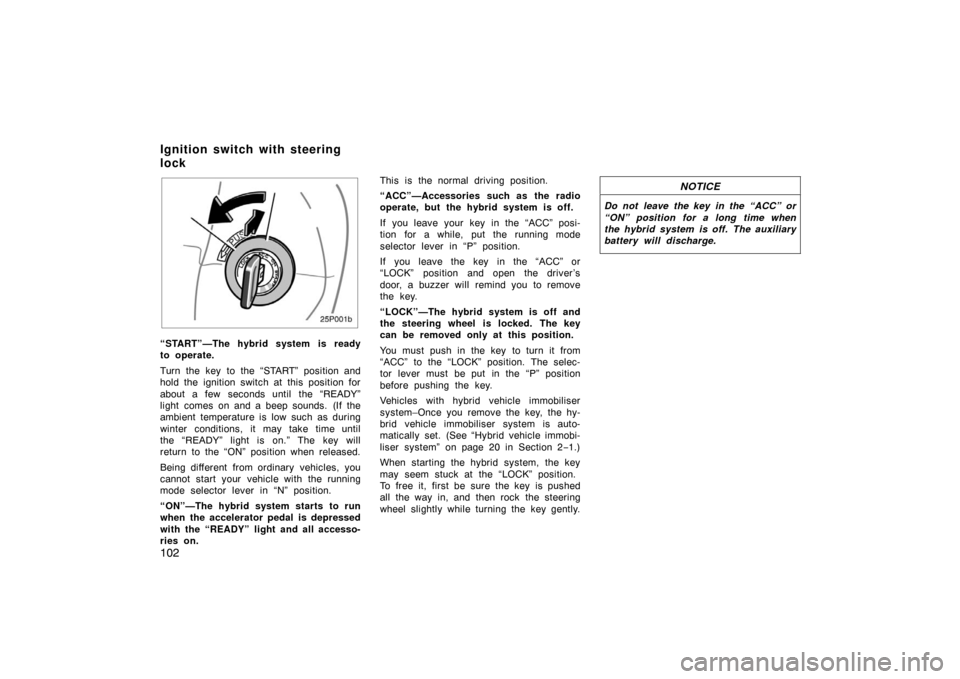
“START”—The hybrid system is ready
to operate.
Turn the key to the “START” position and
hold the ignition switch at this position for
about a few seconds until the “READY”
light comes on and a beep sounds. (If the
ambient temperature is low such as during
winter conditions, it may take time until
the “READY” light is on.” The key will
return to the “ON” position when released.
Being different from ordinary vehicles, you
cannot start your vehicle with the running
mode selector lever in “N” position.
“ON”—The hybrid system starts to run
when the accelerator pedal is depressed
with the “READY” light and all accesso-
ries on.This is the normal driving position.
“ACC”—Accessories such as the radio
operate, but the hybrid system is off.
If you leave your key in the “ACC” posi-
tion for a while, put the running mode
selector lever in “P” position.
If you leave the key in the “ACC” or
“LOCK” position and open the driver’s
door, a buzzer will remind you to remove
the key.
“LOCK”—The hybrid system is off and
the steering wheel is locked. The key
can be removed only at this position.
You must push in the key to turn it from
“ACC” to the “LOCK” position. The selec-
tor lever must be put in the “P” position
before pushing the key.
Vehicles with hybrid vehicle immobiliser
system–Once you remove the key, the hy-
brid vehicle immobiliser system is auto-
matically set. (See “Hybrid vehicle immobi-
liser system” on page 20 in Section 2
−1.)
When starting the hybrid system, the key
may seem stuck at the “LOCK” position.
To free it, first be sure the key is pushed
all the way in, and then rock the steering
wheel slightly while turning the key gently.
NOTICE
Do not leave the key in the “ACC” or
“ON” position for a long time when
the hybrid system is off. The auxiliary
battery will discharge.
Ignition switch with steering
lock
Page 152 of 258
139
OPERATION OF INSTRUMENTS AND
CONTROLS
Other equipment
Clock140
. . . . . . . . . . . . . . . . . . . . . . . . . . . . . . . . . . . . .\
. . . . . . . . . . . . . . . . .
Power outlett 140
. . . . . . . . . . . . . . . . . . . . . . . . . . . . . . . . . . . . \
. . . . . . . . . .
Rear console box 141
. . . . . . . . . . . . . . . . . . . . . . . . . . . . . . . . . . . . \
. . . . . . .
Glove box 141
. . . . . . . . . . . . . . . . . . . . . . . . . . . . . . . . . . . . \
. . . . . . . . . . . . . .
Auxiliary boxes 141
. . . . . . . . . . . . . . . . . . . . . . . . . . . . . . . . . . . . \
. . . . . . . . .
Cup holders 142
. . . . . . . . . . . . . . . . . . . . . . . . . . . . . . . . . . . . \
. . . . . . . . . . . .
Floor mat 143
. . . . . . . . . . . . . . . . . . . . . . . . . . . . . . . . . . . . \
. . . . . . . . . . . . . .
SECTION 2– 9
Page 154 of 258
141
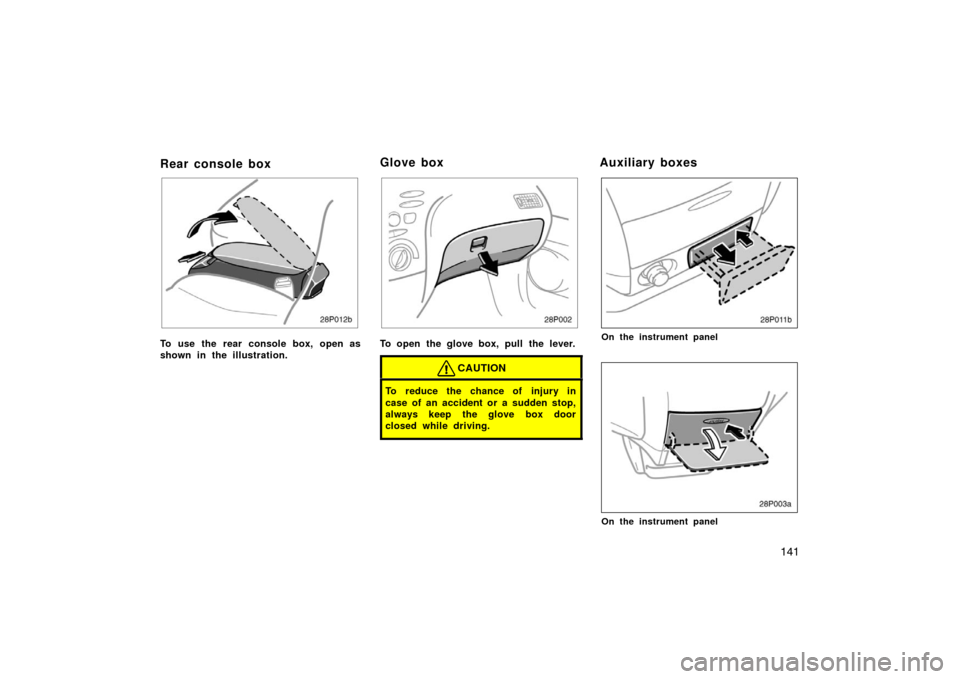
Rear console box
To use the rear console box, open as
shown in the illustration.
28p002
To open the glove box, pull the lever.
CAUTION
To reduce the chance of injury in
case of an accident or a sudden stop,
always keep the glove box door
closed while driving.
On the instrument panel
28p003a
On the instrument panel
Glove boxAuxiliary boxes
Page 155 of 258
142
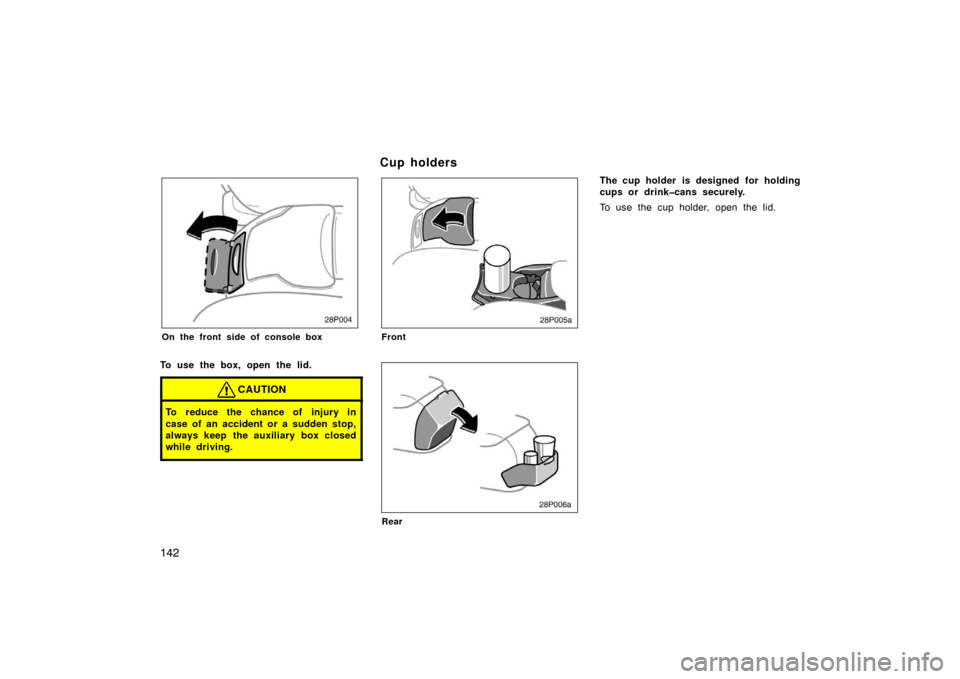
28p004
On the front side of console box
To use the box, open the lid.
CAUTION
To reduce the chance of injury in
case of an accident or a sudden stop,
always keep the auxiliary box closed
while driving.
28p005a
Front
28p006a
Rear
The cup holder is designed for holding
cups or drinkcans securely.
To use the cup holder, open the lid.
C u p ho ld ers
Page 177 of 258

164
�Do not drive in excess of the speed
limit. Even if the legal speed limit
permits it, do not drive over 140
km/h (85 mph) unless your vehicle
has highspeed capability tires.
Driving over 140 km/h (85 mph)
may result in tire failure, loss of
control and possible injury. Be sure
to consult a tire dealer to determine
whether the tires on your vehicle
are highspeed capability tires or
not before driving at such speeds.
�Do not continue normal driving
when the brakes are wet. If they are
wet, your vehicle will require a lon-
ger stopping distance, and it may
pull to one side when the brakes
are applied. Also, the parking brake
will not hold the vehicle securely.
Make sure you have a proper freeze
protection of coolant.
Your coolant must contain ethylene−glycol
type coolant for a proper corrosion
protection of aluminum components. Use
“TOYOTA Long Life Coolant” or equivalent.
See 210 page in Section 8 −2 for details
about coolant type selection.
NOTICE
Do not use alcohol type antifreeze or
plain water alone.
When it is extremely cold, we recommend
to use 60% solution for your Toyota, to
provide protection down to about −50 °C
( − 58 °F). Do not use more than 70% solu-
tion for better coolant performance.
Check the condition of the auxiliary
battery and cables.
Cold temperatures reduce the capacity of
any auxiliary battery, so it must be in top
shape to provide enough power for winter
starting. Section 8 −3 tells you how to
visually inspect the auxiliary battery. Your
Toyota dealer will be pleased to check the
level of charge. Make sure the engine oil viscosity is
suitable for the cold weather.
See 209 page in Section 8
−2 for recom-
mended viscosity. Leaving a heavy sum-
mer oil in your vehicle during winter
months may cause harder starting. If you
are not sure about which oil to use, call
your Toyota dealer—he will be pleased to
help.
Keep the door locks from freezing.
Squirt lock de −icer or glycerine into the
locks to keep them from freezing.
Use a washer fluid containing an anti
freeze solution.
This product is available at your Toyota
dealer and most auto parts stores. Follow
the manufacturer ’s directions for how
much to mix with water.
NOTICE
Do not use engine antifreeze or any
other substitute as washer fluid be-
cause it may damage your vehicle’s
paint.
Winter driving tips
Page 181 of 258

168
Before making these checks, make sure
you have followed the correct starting
procedure given in ”How to start the
hybrid system” on page 162 in Section 4
and that you have sufficient fuel. Also
check whether the other keys will start the
hybrid system. If they work, your key may
be broken. Have the key checked at your
Toyota dealer. If none of your keys work,
the hybrid vehicle immobiliser system is
possibly broken. Call your Toyota dealer.
(See ”Keys” on page 18 in Section 2−1.)
If the instrument cluster dims or the
instrument cluster display turns off
with the ignition switch on— 1. Check that the auxiliary battery termi- nals are tight and clean.
2. If the auxiliary battery terminals are O.K., the auxiliary battery is dis-
charged. You may try jump starting.
See “(b) Jump starting” for further in-
structions.
NOTICE
Hybrid vehicles cannot be push
started.
If the instrument cluster is shown in
appropriate brightness with the ignition
switch turned to on—
The hybrid vehicle system is suspected to
be faulty. Contact your Toyota dealer. If the auxiliary battery is discharged,
the hybrid system can be started by
jump starting. Depending on the the ve-
hicle condition, the engine may not
start.
To avoid serious personal injury and
damage to your vehicle which might re-
sult from battery explosion, acid burns,
electrical burns, or damaged electronic
components, these instructions must be
followed precisely.
If you are unsure about how to follow this
procedure, we strongly recommend that
you seek the help of a competent qualified
technician or towing service.
If your vehicle will not start—
(a) Simple checks
(b) Jump starting
Page 182 of 258

169
CAUTION
�Auxiliary battery and booster bat-
tery contain sulfuric acid which is
poisonous and corrosive. Wear pro-
tective safety glasses when jump
starting, and avoid spilling acid on
your skin, clothing, or vehicle.
�If you should accidentally get acid
on yourself or in your eyes, remove
any contaminated clothing and flush
the affected area with water for im-
mediately. Then get immediate med-
ical attention. If possible, continue
to apply water with a sponge or
cloth while en route to the medical
office.
�The gas normally produced by a
battery will explode if a flame or
spark is brought near. Use only
standardized jumper cables and do
not smoke or light a match while
jump starting.
�Warning: Battery posts, terminals and
related accessories contain lead and
lead compounds, chemicals known to
the State of California to cause can-
cer and reproductive harm. Wash
hands after handling.
NOTICE
The battery used for boosting must
be 12 V. Do not jump start unless you
are sure that the booster battery is
correct.
50p001b
JUMP STARTING PROCEDURE1. Put the selector lever in “P” and apply the parking brake.
2. Turn off the headlight switch and interi- or light.
3. Turn the ignition switch to “LOCK” and remove the key from the ignition
switch.
4. Open the trunk and remove the 3 clips at the left side of the trunk by pushing
the center with a screwdriver. Remove
the auxiliary battery cover.
Page 183 of 258

170
50p002
5. Remove the positive terminal cover ofthe auxiliary battery.
6. If the booster battery is installed in another vehicle, make sure the ve-
hicles are not touching. Turn off all
unnecessary lights and accessories.
7. If required, remove all the vent plugs from the booster batteries. Lay a cloth
over the open vents on the batteries.
(This helps reduce the explosion haz-
ard, personal injuries and burns.) 8. If the engine in the vehicle with the
booster battery is not running, start it
and let it run for a few minutes. During
jump starting, run the engine at about
2000 rpm with the accelerator pedal
lightly depressed.
50p044a
Discharged
battery
Booster
battery
Positive
terminal (“+” mark)
Jumper
cable Positive
terminal
(“+” mark)
9. Connect the jumper cables in the order a, b, c, d.
a. Connect the clamp of the positive(red) jumper cable to the positive
(+) terminal on the discharged bat-
tery.
b. Connect the clamp at the other end of the positive (red) jumper cable to
the positive (+) terminal on the
booster battery.