Page 152 of 427
2-89 Oil Pressure Gage
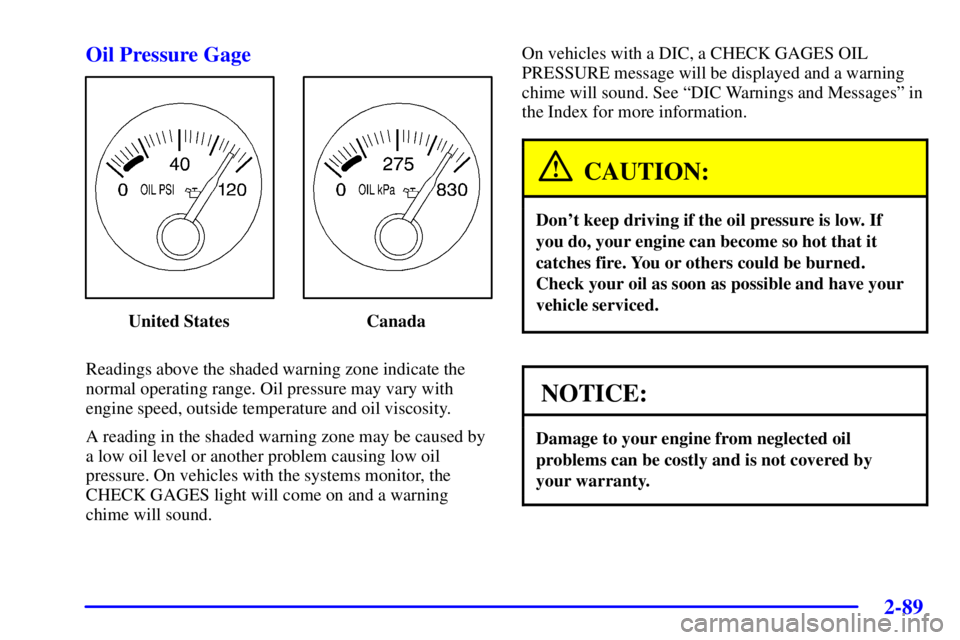
United States Canada
Readings above the shaded warning zone indicate the
normal operating range. Oil pressure may vary with
engine speed, outside temperature and oil viscosity.
A reading in the shaded warning zone may be caused by
a low oil level or another problem causing low oil
pressure. On vehicles with the systems monitor, the
CHECK GAGES light will come on and a warning
chime will sound.On vehicles with a DIC, a CHECK GAGES OIL
PRESSURE message will be displayed and a warning
chime will sound. See ªDIC Warnings and Messagesº in
the Index for more information.
CAUTION:
Don't keep driving if the oil pressure is low. If
you do, your engine can become so hot that it
catches fire. You or others could be burned.
Check your oil as soon as possible and have your
vehicle serviced.
NOTICE:
Damage to your engine from neglected oil
problems can be costly and is not covered by
your warranty.
Page 153 of 427
2-90
Check Oil Level Warning Light
(If Equipped)
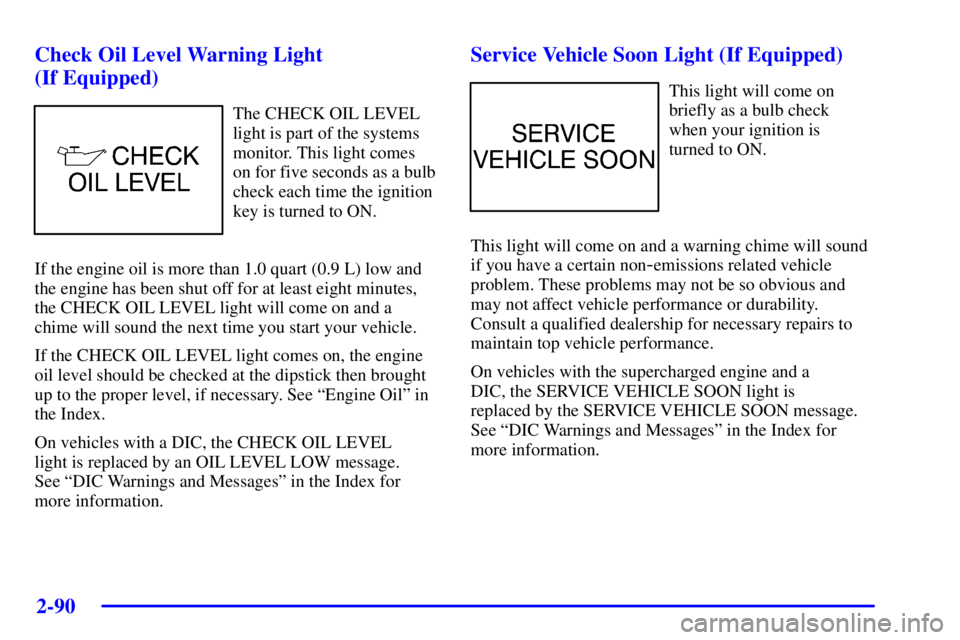
The CHECK OIL LEVEL
light is part of the systems
monitor. This light comes
on for five seconds as a bulb
check each time the ignition
key is turned to ON.
If the engine oil is more than 1.0 quart (0.9 L) low and
the engine has been shut off for at least eight minutes,
the CHECK OIL LEVEL light will come on and a
chime will sound the next time you start your vehicle.
If the CHECK OIL LEVEL light comes on, the engine
oil level should be checked at the dipstick then brought
up to the proper level, if necessary. See ªEngine Oilº in
the Index.
On vehicles with a DIC, the CHECK OIL LEVEL
light is replaced by an OIL LEVEL LOW message.
See ªDIC Warnings and Messagesº in the Index for
more information.
Service Vehicle Soon Light (If Equipped)
This light will come on
briefly as a bulb check
when your ignition is
turned to ON.
This light will come on and a warning chime will sound
if you have a certain non
-emissions related vehicle
problem. These problems may not be so obvious and
may not affect vehicle performance or durability.
Consult a qualified dealership for necessary repairs to
maintain top vehicle performance.
On vehicles with the supercharged engine and a
DIC, the SERVICE VEHICLE SOON light is
replaced by the SERVICE VEHICLE SOON message.
See ªDIC Warnings and Messagesº in the Index for
more information.
Page 157 of 427

2-94
Systems Monitor (If Equipped)
If you have the systems
monitor, it gives you
important safety and
maintenance facts about
your vehicle.
When you turn the ignition on, the systems monitor and
warning lights will briefly light up. If a problem is
detected, the warning lights will turn on and a chime
will sound.The following warning lights are displayed in the
systems monitor:
�CHECK OIL LEVEL: This message could mean
your oil level is low. If it comes on for more than
five seconds, see ªCheck Oil Level Warning Lightº
in the Index.
�WASHER FLUID: This message means your
washer fluid tank is less than about 30 percent full. If
this light comes on, see ªLow Washer Fluid Warning
Lightº in the Index.
�DOOR AJAR: This message means that either the
driver's door or one of the passenger's doors is not
completely closed. If this light comes on, see ªDoor
Ajar Lightº in the Index.
�TIRE PRESS: This message means one or more of
your tires may be low. See ªCheck Tire Pressure
Systemº in the Index.
�CHECK GAGES: This means one or more of your
gages may be in their respective warning bands. If
this light comes on, see ªCheck Gages Warning
Lightº in the Index.
�TRUNK AJAR: This message means your trunk is
not completely closed.
Page 162 of 427

2-99 DIC Warnings and Messages
Other messages or warnings may appear in the DIC
display. For Canadian drivers, in addition to the DIC
message your DIC will display EXP with a number after
it which reflects the following messages:
EXP (Export ID) Warning Message. . . . . . . . . . . .
3 SERVICE VEHICLE SOON. . . . . . . . . . . . . . . . .
9 CHECK GAGES VOLT. . . . . . . . . . . . . . . . . . . . .
11 CHECK GAGES LOW FUEL. . . . . . . . . . . . . . .
16 ENGINE HOT A/C DISABLED. . . . . . . . . . . . .
20 TURN SIGNAL ON?. . . . . . . . . . . . . . . . . . . . . .
24 TRUNK AJAR. . . . . . . . . . . . . . . . . . . . . . . . . . .
25 WASHER FLUID LOW. . . . . . . . . . . . . . . . . . . .
27 BATTERY SAVER ACTIVE. . . . . . . . . . . . . . . .
33 STARTING DISABLED
- THEFT * . . . . . . . . . .
34 SERVICE THEFT SYSTEM. . . . . . . . . . . . . . . .
35 CHECK GAGES OIL PRESSURE *. . . . . . . . . .
36 OIL LEVEL LOW. . . . . . . . . . . . . . . . . . . . . . . .
37 BRAKE FLUID LOW *. . . . . . . . . . . . . . . . . . . .
40 ALARM OCCURRED. . . . . . . . . . . . . . . . . . . . .
44 CHECK GAGES TEMPERATURE *. . . . . . . . .
54 SERVICE STABILITY SYSTEM. . . . . . . . . . . .
55 STABILITY SYSTEM ACTIVE. . . . . . . . . . . . .
61 CHECK GAS CAP. . . . . . . . . . . . . . . . . . . . . . . . EXP (Export ID) Warning Message. . . . . . . . . . . .
81 ENGINE OIL CHANGE SOON. . . . . . . . . . . . .
83 SERVICE AIR BAG. . . . . . . . . . . . . . . . . . . . . . .
102 CHECK CHARGE SYSTEM. . . . . . . . . . . . . . .
140 DRIVER DOOR AJAR. . . . . . . . . . . . . . . . . . .
141 FRONT PASSENGER DOOR AJAR. . . . . . . .
142 LEFT REAR DOOR AJAR. . . . . . . . . . . . . . . .
143 RIGHT REAR DOOR AJAR. . . . . . . . . . . . . . .
144 CHECK TIRE PRESSURE. . . . . . . . . . . . . . . .
147 PARK BRAKE SET *. . . . . . . . . . . . . . . . . . . .
The EXP codes are used to make translation from
English to other languages easier.
Pressing any of the DIC control buttons will remove the
above messages or warnings from the DIC display,
unless noted by an asterisk (*).
SERVICE STABILITY SYSTEM
- 54: If you ever
see the SERVICE STABILITY SYSTEM message,
it means there may be a problem with your stability
enhancement system. If you see this message, try to
reset the system (stop; turn off the engine; then start the
engine again). If the SERVICE STABILITY SYSTEM
message still comes on, it means there is a problem.
You should see your dealer for service. Reduce your
speed and drive accordingly.
Page 172 of 427
2-109
Head-Up Display (HUD) (Option)
CAUTION:
If the HUD image is too bright, or too high in
your field of view, it may take you more time to
see things you need to see when it's dark outside.
Be sure to keep the HUD image dim and placed
low in your field of view.
If you have the optional Head-Up Display (HUD), you
can see some of the driver information also available on
your instrument panel cluster. The information may
be displayed in English or metric units and appears
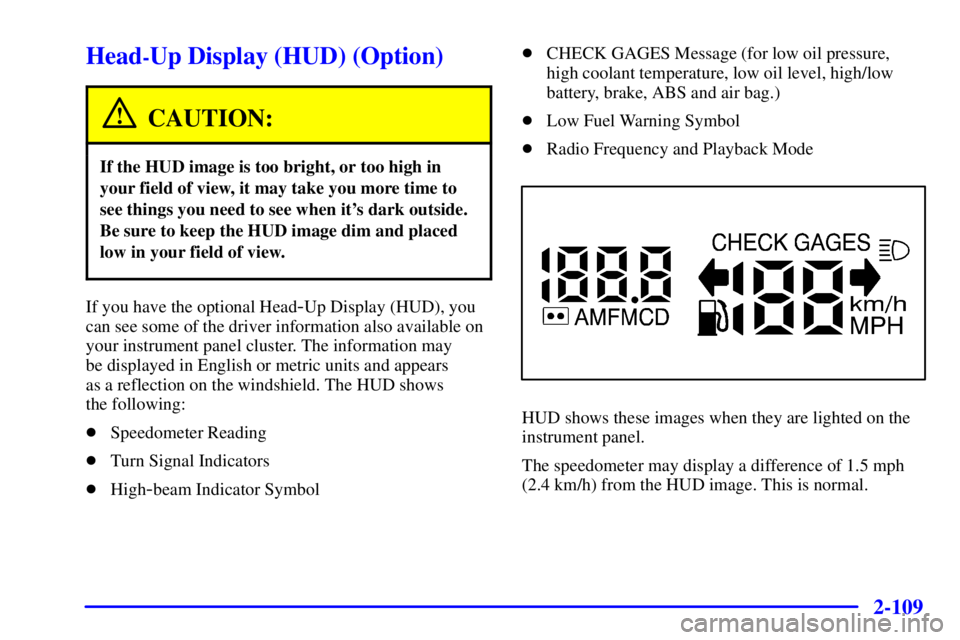
as a reflection on the windshield. The HUD shows
the following:
�Speedometer Reading
�Turn Signal Indicators
�High
-beam Indicator Symbol�CHECK GAGES Message (for low oil pressure,
high coolant temperature, low oil level, high/low
battery, brake, ABS and air bag.)
�Low Fuel Warning Symbol
�Radio Frequency and Playback Mode
HUD shows these images when they are lighted on the
instrument panel.
The speedometer may display a difference of 1.5 mph
(2.4 km/h) from the HUD image. This is normal.
Page 245 of 427

4-23
The exit ramp can be curved, sometimes quite sharply.
The exit speed is usually posted.
Reduce your speed according to your speedometer, not
to your sense of motion. After driving for any distance
at higher speeds, you may tend to think you are going
slower than you actually are.
Before Leaving on a Long Trip
Make sure you're ready. Try to be well rested. If you
must start when you're not fresh
-- such as after a day's
work
-- don't plan to make too many miles that first part
of the journey. Wear comfortable clothing and shoes you
can easily drive in.
Is your vehicle ready for a long trip? If you keep it
serviced and maintained, it's ready to go. If it needs
service, have it done before starting out. Of course,
you'll find experienced and able service experts in
Pontiac dealerships all across North America. They'll be
ready and willing to help if you need it.Here are some things you can check before a trip:
�Windshield Washer Fluid: Is the reservoir full?
Are all windows clean inside and outside?
�Wiper Blades: Are they in good shape?
�Fuel, Engine Oil, Other Fluids: Have you checked
all levels?
�Lamps: Are they all working? Are the lenses clean?
�Tires: They are vitally important to a safe,
trouble-free trip. Is the tread good enough for
long
-distance driving? Are the tires all inflated to the
recommended pressure?
�Weather Forecasts: What's the weather outlook
along your route? Should you delay your trip a short
time to avoid a major storm system?
�Maps: Do you have up
-to-date maps?
Page 275 of 427
5-12
Cooling System
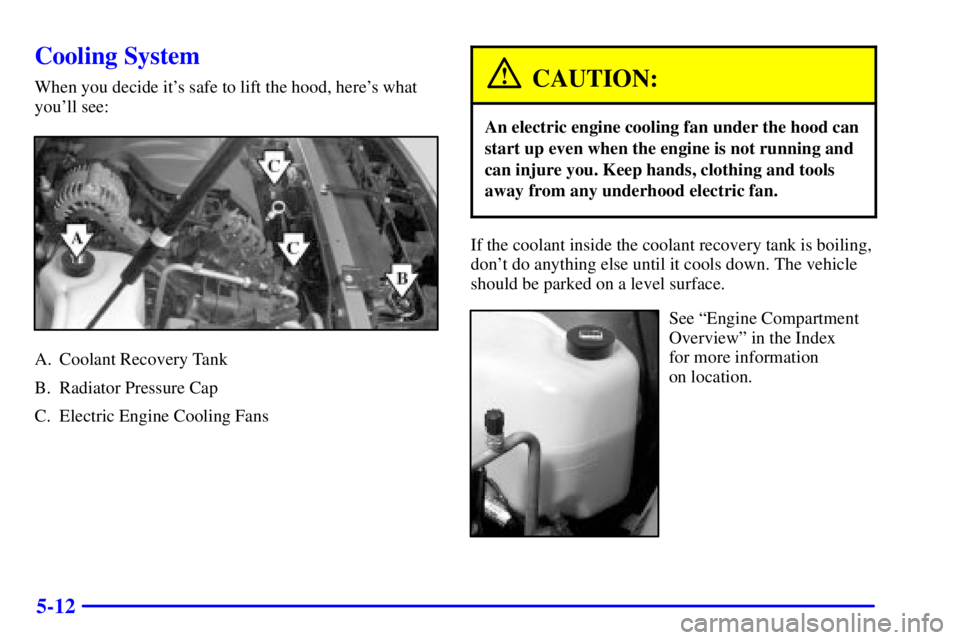
When you decide it's safe to lift the hood, here's what
you'll see:
A. Coolant Recovery Tank
B. Radiator Pressure Cap
C. Electric Engine Cooling Fans
CAUTION:
An electric engine cooling fan under the hood can
start up even when the engine is not running and
can injure you. Keep hands, clothing and tools
away from any underhood electric fan.
If the coolant inside the coolant recovery tank is boiling,
don't do anything else until it cools down. The vehicle
should be parked on a level surface.
See ªEngine Compartment
Overviewº in the Index
for more information
on location.
Page 277 of 427
5-14 How to Add Coolant to the Coolant
Recovery Tank
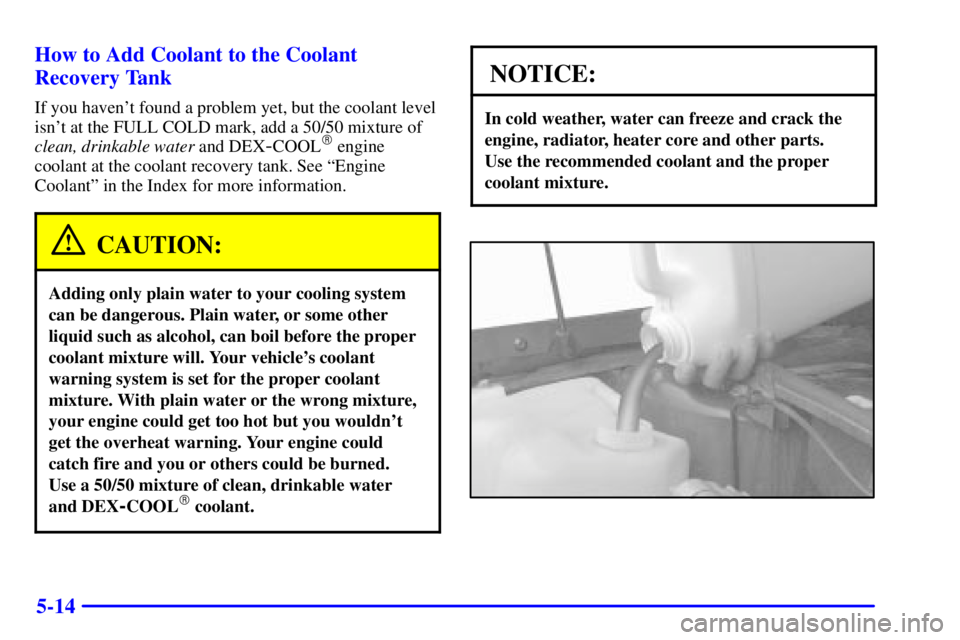
If you haven't found a problem yet, but the coolant level
isn't at the FULL COLD mark, add a 50/50 mixture of
clean, drinkable water and DEX
-COOL� engine
coolant at the coolant recovery tank. See ªEngine
Coolantº in the Index for more information.
CAUTION:
Adding only plain water to your cooling system
can be dangerous. Plain water, or some other
liquid such as alcohol, can boil before the proper
coolant mixture will. Your vehicle's coolant
warning system is set for the proper coolant
mixture. With plain water or the wrong mixture,
your engine could get too hot but you wouldn't
get the overheat warning. Your engine could
catch fire and you or others could be burned.
Use a 50/50 mixture of clean, drinkable water
and DEX
-COOL� coolant.
NOTICE:
In cold weather, water can freeze and crack the
engine, radiator, heater core and other parts.
Use the recommended coolant and the proper
coolant mixture.