Page 21 of 263
SUPPLEMENTAL AIR BAG
WARNING LABELS
Warning labels about the supplemental air
bag system are placed in the vehicle as
shown in the illustration.
SUPPLEMENTAL AIR BAG
WARNING LIGHT
The supplemental air bag warning light,
displaying
in the instrument panel,
monitors the circuits of the supplemental air
bag and pre-tensioner seat belt systems.
The circuits monitored by the supplemental
air bag warning light are the diagnosis sen-
sor unit, the supplemental air bag modules,
pre-tensioner seat belts and all related wir-
ing.
When the ignition key is in the ON or START
position, the supplemental air bag warning
WRS0099
LRS0100
1-14Seats, restraints and supplemental air bag systems
ZX
Page 47 of 263

2 Instruments and controls
Instrument panel ....................................................2-2
Meters and gauges ................................................2-3
Speedometer and odometer .............................2-3
Tachometer ........................................................2-5
Engine coolant temperature gauge ...................2-5
Fuel gauge ........................................................2-6
Compass and outside temperature display
(if so equipped) ......................................................2-6
Outside temperature display .............................2-6
Compass display ...............................................2-7
Warning/indicator lights and audible
reminders..............................................................2-10
Checking bulbs ................................................2-10
Warning lights .................................................. 2-11
Indicator lights .................................................2-13
Audible reminders............................................2-14
Security system ....................................................2-15
Vehicle security system (if so equipped).........2-15
Windshield wiper and washer switch ...................2-18
Switch operation ..............................................2-18
Rear window wiper and washer switch................2-19
Rear window defogger switch ..............................2-20Headlight and turn signal switch ..........................2-20
Headlight switch ..............................................2-20
Turn signal switch............................................2-21
Front fog light switch (if so equipped)..................2-22
Hazard warning flasher switch .............................2-22
Horn ......................................................................2-23
Cigarette lighter and ash tray (accessories) ........2-23
Power point (if so equipped) ................................2-24
Storage .................................................................2-25
Map pocket ......................................................2-25
Cup holders .....................................................2-26
Glove box ........................................................2-27
Console box (if so equipped) ..........................2-27
Luggage hooks (if so equipped) .....................2-28
Tonneau cover (if so equipped).......................2-29
Windows .............................................................2-30
Power windows (if so equipped) .....................2-30
Manual windows ..............................................2-31
Sunroof (if so equipped).......................................2-32
Tilting the sunroof ............................................2-32
Removing/installing..........................................2-33
Interior light...........................................................2-33
ZX
Page 51 of 263
The trip odometer records the distance of
individual trips. Before each trip reset the
trip odometer.Push the reset knob to change the display
as follows:
ODO (odometer)!TRIP A!TRIP B!ODO.
Push and hold the reset knob for more than
1 second to reset either trip odometer.
AIC1120
2-4Instruments and controls
ZX
Page 53 of 263
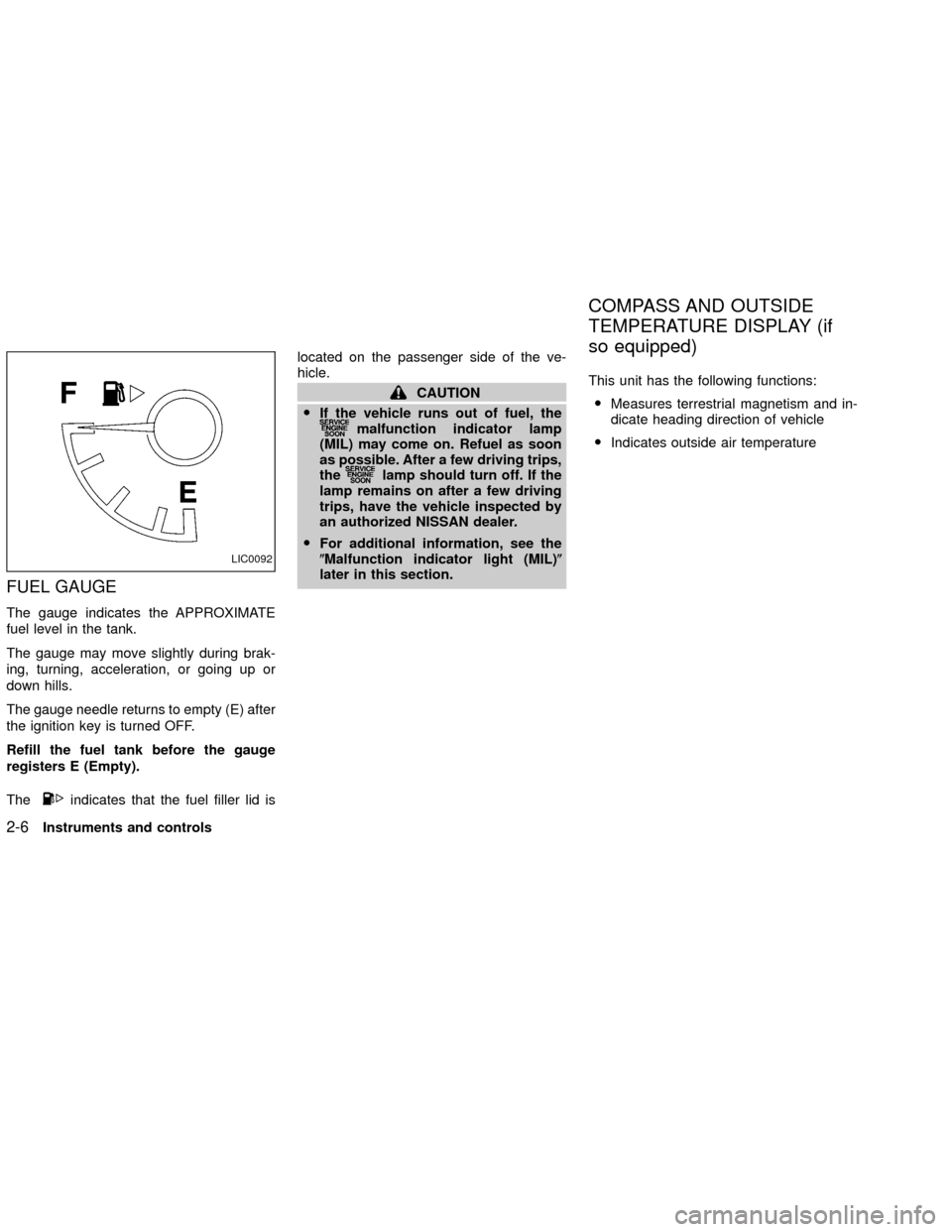
FUEL GAUGE
The gauge indicates the APPROXIMATE
fuel level in the tank.
The gauge may move slightly during brak-
ing, turning, acceleration, or going up or
down hills.
The gauge needle returns to empty (E) after
the ignition key is turned OFF.
Refill the fuel tank before the gauge
registers E (Empty).
The
indicates that the fuel filler lid islocated on the passenger side of the ve-
hicle.
CAUTION
OIf the vehicle runs out of fuel, the
malfunction indicator lamp
(MIL) may come on. Refuel as soon
as possible. After a few driving trips,
the
lamp should turn off. If the
lamp remains on after a few driving
trips, have the vehicle inspected by
an authorized NISSAN dealer.
OFor additional information, see the
(Malfunction indicator light (MIL)(
later in this section.This unit has the following functions:
OMeasures terrestrial magnetism and in-
dicate heading direction of vehicle
OIndicates outside air temperature
LIC0092
COMPASS AND OUTSIDE
TEMPERATURE DISPLAY (if
so equipped)
2-6Instruments and controls
ZX
Page 54 of 263

OUTSIDE TEMPERATURE DIS-
PLAY
Push the MODE switch when the ignition
key is in the ACC or ON position. The
outside temperature will be displayed in ÉF.
OPush the MODE switch to change from
ÉF to ÉC.
OWhen the outside temperature is be-
tween 130ÉF (55ÉC) and 158ÉF (70ÉC),
the display shows 130ÉF (55ÉC).
OWhen the outside temperature is
lower than -40ÉF (-40ÉC) or higherthan 158ÉF (70ÉC), the display shows
onlyÐÐÐthough it is operating.
This is not a malfunction.
OThe outside temperature sensor is
located in front of the radiator. The
sensor may be affected by road or
engine heat, wind direction and other
driving conditions. The display may
differ from the actual outside tem-
perature or the temperature dis-
played on various signs or bill-
boards.
OTemperature display will not update
unless the vehicle is moving faster
than 12 mph (20 km/h), or the ignition
switch has been OFF for 4 hours.COMPASS DISPLAY
Push the MODE switch when the ignition
key is in the ACC or ON position. The
direction will be displayed.
Zone variation change procedure
The difference between magnetic north and
geographical north is known as variance. In
some areas, this difference can sometimes
be great enough to cause false compass
readings. Follow these instructions to setthe variance for your particular location if
this happens:
1. Establish your location on the zone map.
Refer to the illustration. Record your
zone number.
2. Push the MODE switch in for five sec-
onds until the current zone entry number
is displayed.
3. Press the MODE switch repeatedly until
the new zone entry number is displayed.
Once the desired zone number is displayed,
stop pressing the MODE switch and the
display will show compass direction within a
few seconds.
LIC0115
Instruments and controls2-7
ZX
Page 56 of 263
OIf a magnet is located near the com-
pass or the vehicle is driven where
the terrestrial magnetism is dis-
turbed, the compass display may not
indicate the correct direction.
OIn places where the terrestrial magne-
tism is disturbed, the correction of
the direction starts automatically.
Correction functions of the compass
display
The compass display is equipped with au-
tomatic correction function. If the direction is
not shown correctly, carry out the manual
correction procedure set out below.
Manual correction procedure
1. Push the MODE switch for about 10
seconds. The ``CAL'' will illuminate.
2. Drive the vehicle slowly in an open and
safe area. The initial correction is com-
plete while turning in one or two turns.
In places where the earth's magnetism is
disturbed, the initial correction procedure
may start automatically.
Instruments and controls
2-9
ZX
Page 111 of 263
1. Preset ABC button
2. Display
3. CD button
4. CD eject button
5. CD insert slot
6. MENU button
7. AUDIO button
8. Station select buttons
9. SEEK/TRACK button
10. PWR/VOL Control knob
11. BAND select button
LHA0117
4-12Heater, air conditioner and audio systems
ZX
Page 112 of 263

FM-AM RADIO WITH COMPACT
DISC (CD) PLAYER (if so
equipped)
Audio main operation
Radio reception is affected by station signal
strength, distance from radio transmitter,
buildings, bridges, mountains, and other
external influences. Intermittent changes in
reception quality normally are caused by
these external influences.
Using a cellular phone in or near the
vehicle may influence radio reception
quality.
PWR/VOL control
Turn the ignition key to the ACC or ON
position, then push the PWR/VOL control
knob button. If you listen to the radio with
the engine not running, turn the key to the
ACC position. The mode (radio or CD)
which was playing immediately before the
system was turned off resumes playing.
When no CD is loaded, the radio comes on.
Push the PWR/VOL control knob button
again turns the system off.Turn the PWR/VOL control knob to the right
to increase volume or to the left to decrease
volume.
Adjusting tone quality and speaker bal-
ance
To adjust the audio levels for bass, treble,
fader, and balance, push the AUDIO button
and adjust the level with the SEEK/TRACK
button. Press the AUDIO button once for
BAS (bass), twice for TRE (treble), three
times for FAD (fader) and four times for BAL
(balance). Once the audio level is set the
display will return back to radio or CD
display mode after 7 seconds or the AUDIO
button can be pressed again within 7 sec-
onds to set the next audio level. Pressing
the AUDIO button a fifth time will return the
display back to radio or CD display mode.
Fader adjusts the sound level between the
front and rear speakers, balance adjusts the
sound level between the right and left
speakers.
Clock set
Press and hold the MENU button for more
than 2 seconds the radio beeps and the
hours flash, use the SEEK/TRACK button to
set the hour, press the MENU button again
until the radio beeps and the minutes flash,
LHA0118
Heater, air conditioner and audio systems4-13
ZX