Page 64 of 235
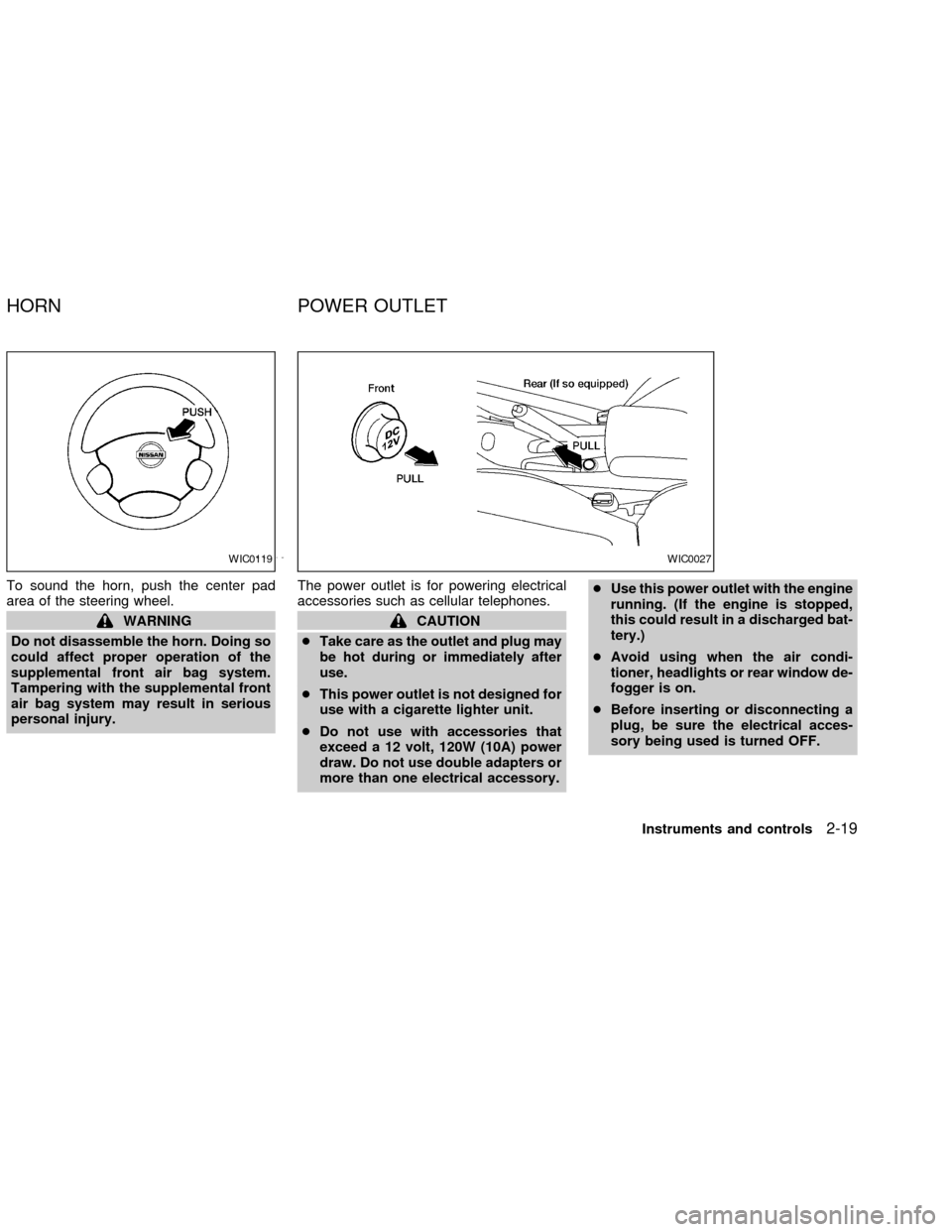
To sound the horn, push the center pad
area of the steering wheel.
WARNING
Do not disassemble the horn. Doing so
could affect proper operation of the
supplemental front air bag system.
Tampering with the supplemental front
air bag system may result in serious
personal injury.The power outlet is for powering electrical
accessories such as cellular telephones.CAUTION
cTake care as the outlet and plug may
be hot during or immediately after
use.
cThis power outlet is not designed for
use with a cigarette lighter unit.
cDo not use with accessories that
exceed a 12 volt, 120W (10A) power
draw. Do not use double adapters or
more than one electrical accessory.cUse this power outlet with the engine
running. (If the engine is stopped,
this could result in a discharged bat-
tery.)
cAvoid using when the air condi-
tioner, headlights or rear window de-
fogger is on.
cBefore inserting or disconnecting a
plug, be sure the electrical acces-
sory being used is turned OFF.
WIC0119WIC0027
HORN POWER OUTLET
Instruments and controls2-19
ZX
Page 65 of 235
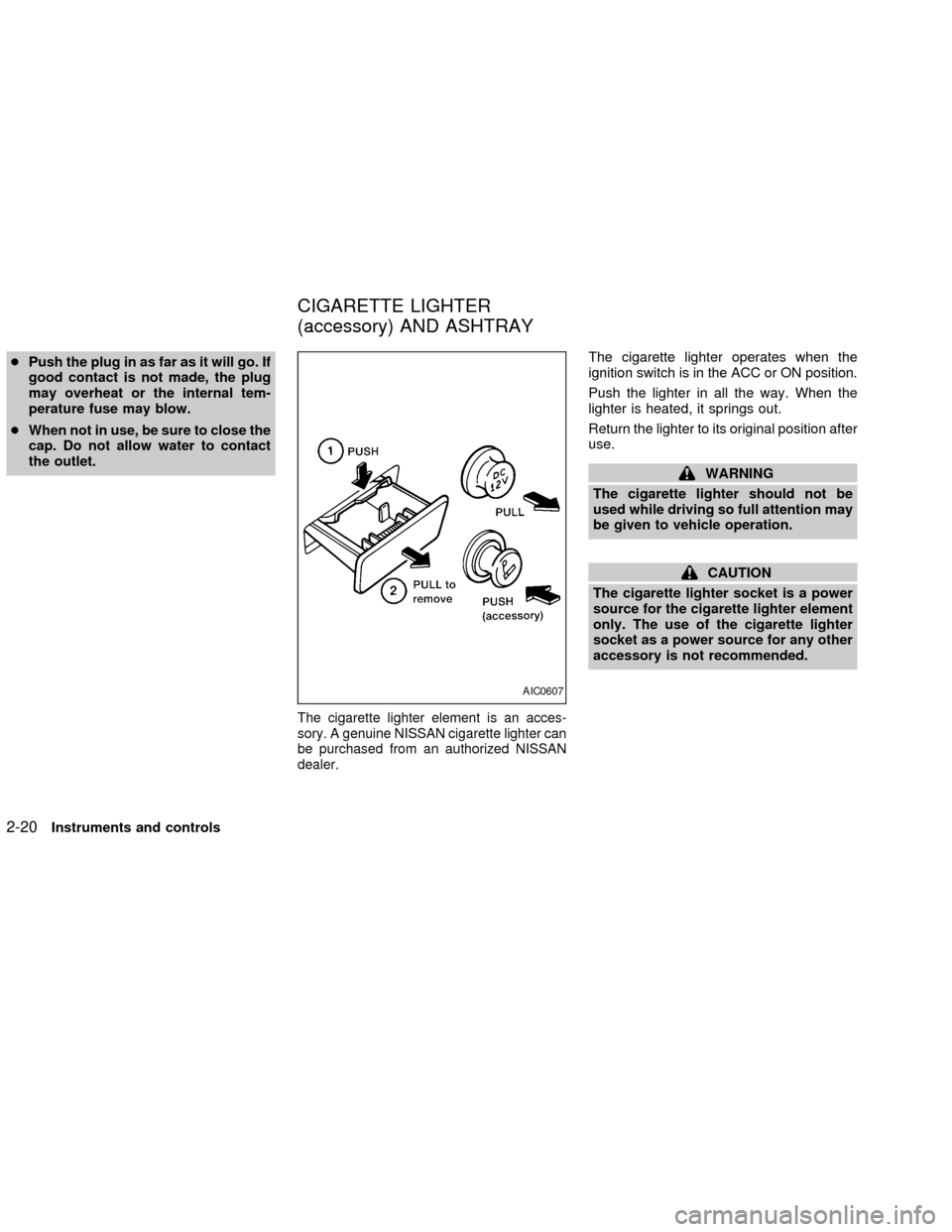
cPush the plug in as far as it will go. If
good contact is not made, the plug
may overheat or the internal tem-
perature fuse may blow.
cWhen not in use, be sure to close the
cap. Do not allow water to contact
the outlet.
The cigarette lighter element is an acces-
sory. A genuine NISSAN cigarette lighter can
be purchased from an authorized NISSAN
dealer.
The cigarette lighter operates when the
ignition switch is in the ACC or ON position.
Push the lighter in all the way. When the
lighter is heated, it springs out.
Return the lighter to its original position after
use.
WARNING
The cigarette lighter should not be
used while driving so full attention may
be given to vehicle operation.
CAUTION
The cigarette lighter socket is a power
source for the cigarette lighter element
only. The use of the cigarette lighter
socket as a power source for any other
accessory is not recommended.
AIC0607
CIGARETTE LIGHTER
(accessory) AND ASHTRAY
2-20Instruments and controls
ZX
Page 66 of 235
SUNGLASSES CASE (if so
equipped)
To open the sunglasses case, push and
release.
WARNING
The sunglasses case should not be
used while driving so full attention may
be given to vehicle operation.
CAUTION
cDo not use for anything other than
sunglasses.
cDo not leave sunglasses in the sun-
glasses case while parking in direct
sunlight. The heat may damage the
sunglasses.
CUP HOLDERS
Front
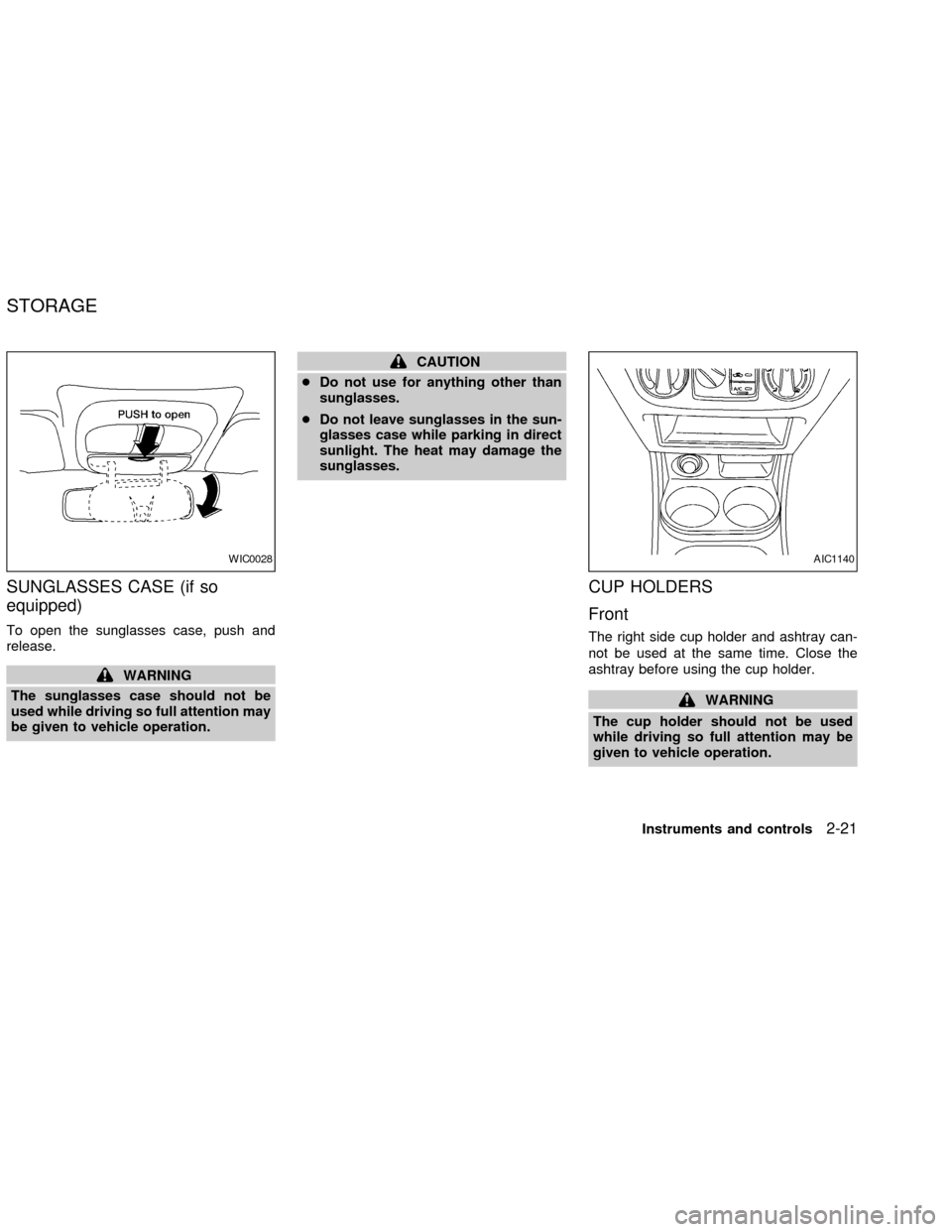
The right side cup holder and ashtray can-
not be used at the same time. Close the
ashtray before using the cup holder.
WARNING
The cup holder should not be used
while driving so full attention may be
given to vehicle operation.
WIC0028AIC1140
STORAGE
Instruments and controls2-21
ZX
Page 72 of 235
The interior light has a three-position switch.
The interior light operates regardless of
ignition key position.
cWhen the switch is in the OFF position,
the interior light does not illuminate, re-
gardless of door position.
cWhen the switch is in the centerj
position, the interior light illuminates
when a door is opened.
cWhen the switch is in the ON position,
the interior light illuminates, regardless of
door position.
CAUTION
Do not use for extended periods of time
with the engine stopped. This could
result in a discharged battery.
To turn the map lights on, press the
switches. To turn them off, press the
switches again.
SIC0025LIC0045
INTERIOR LIGHT MAP LIGHTS (if so equipped)
Instruments and controls2-27
ZX
Page 73 of 235
The light illuminates when the trunk lid is
opened. When the trunk lid is closed, the
light goes off. For bulb replacement proce-
dures, refer to ªBulb replacementº in the
``Maintenance and do-it-yourself'' section of
this manual.
TRUNK LIGHT (if so equipped)
2-28Instruments and controls
ZX
Page 78 of 235
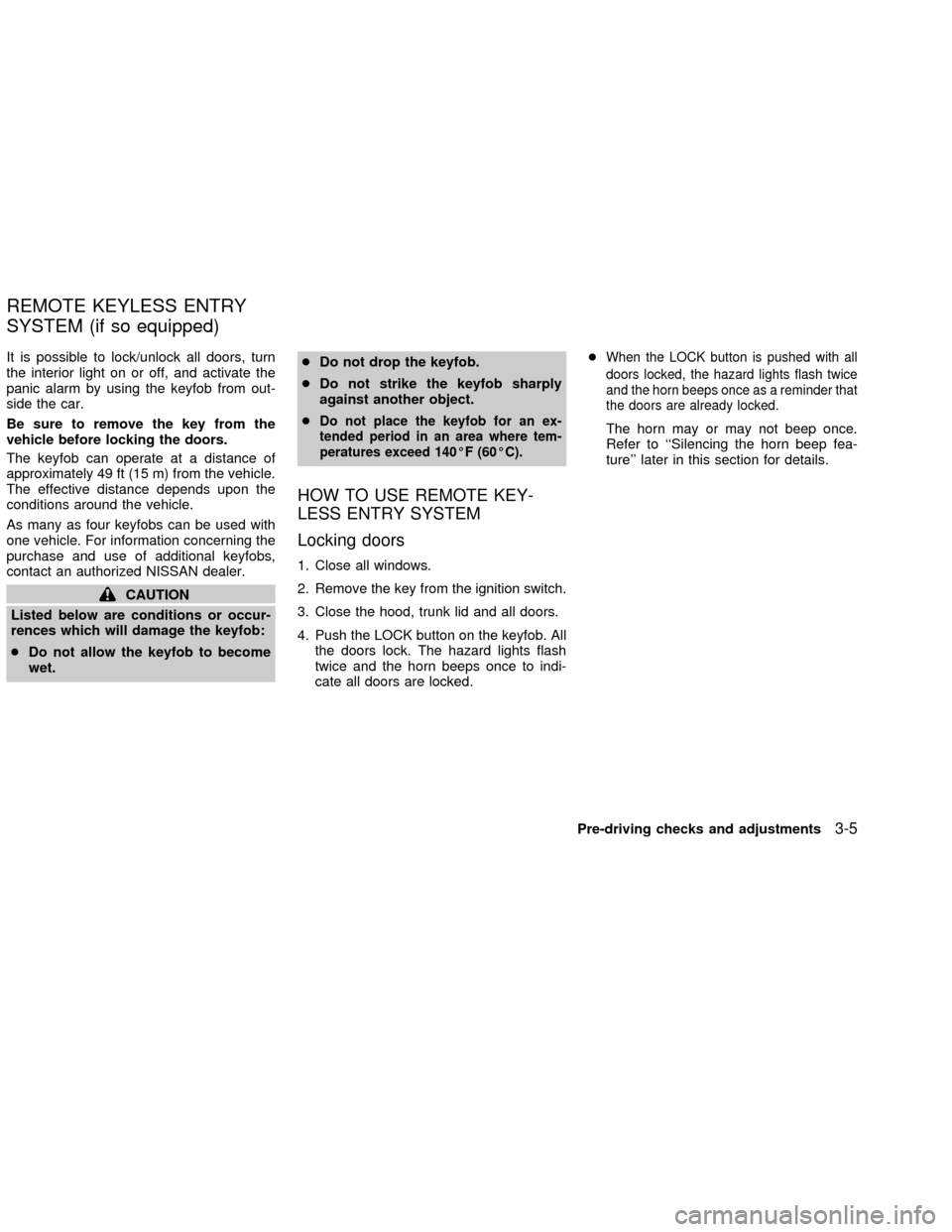
It is possible to lock/unlock all doors, turn
the interior light on or off, and activate the
panic alarm by using the keyfob from out-
side the car.
Be sure to remove the key from the
vehicle before locking the doors.
The keyfob can operate at a distance of
approximately 49 ft (15 m) from the vehicle.
The effective distance depends upon the
conditions around the vehicle.
As many as four keyfobs can be used with
one vehicle. For information concerning the
purchase and use of additional keyfobs,
contact an authorized NISSAN dealer.
CAUTION
Listed below are conditions or occur-
rences which will damage the keyfob:
cDo not allow the keyfob to become
wet.cDo not drop the keyfob.
cDo not strike the keyfob sharply
against another object.
c
Do not place the keyfob for an ex-
tended period in an area where tem-
peratures exceed 140ÉF (60ÉC).
HOW TO USE REMOTE KEY-
LESS ENTRY SYSTEM
Locking doors
1. Close all windows.
2. Remove the key from the ignition switch.
3. Close the hood, trunk lid and all doors.
4. Push the LOCK button on the keyfob. All
the doors lock. The hazard lights flash
twice and the horn beeps once to indi-
cate all doors are locked.c
When the LOCK button is pushed with all
doors locked, the hazard lights flash twice
and the horn beeps once as a reminder that
the doors are already locked.
The horn may or may not beep once.
Refer to ``Silencing the horn beep fea-
ture'' later in this section for details.
REMOTE KEYLESS ENTRY
SYSTEM (if so equipped)
Pre-driving checks and adjustments3-5
ZX
Page 79 of 235

Unlocking doors
1. Push the UNLOCK button on the keyfob.
Only the driver side door unlocks.
2. Push the UNLOCK button on the keyfobagain within 5 seconds. The passenger
doors unlock.
3. The interior light illuminates for approxi-
mately 30 seconds.
The interior light can be turned off withoutwaiting for 30 seconds by turning the igni-
tion to the ON position or by pressing the
LOCK button on the keyfob.
Releasing the trunk lid
1. Push the TRUNK button on the keyfob
for longer than 0.5 second. The trunk
release button on the keyfob will not
operate when the ignition switch is in the
ON position.
2. The trunk lid opens.
Using the panic alarm
If you are near your vehicle and feel threat-
ened, you may activate the panic alarm to
call attention as follows:
1. Push the PANIC button on the remote
controller forlonger than 0.8 seconds.
2. The panic alarm and headlights stay on
for 25 seconds.
3. The panic alarm stops when the LOCK,
UNLOCK, or the PANIC button is pushed
on the keyfob.
WPD0103
3-6Pre-driving checks and adjustments
ZX
Page 80 of 235
Silencing the horn beep feature
If desired, the horn beep feature can be
deactivated using the keyfob.
To deactivate:Press and hold the LOCK
and UNLOCK buttonsfor at least three
seconds.
The hazard lights will quickly flash three
times to confirm that the horn beep feature
has been deactivated.
To activate:Press and hold the LOCK and
UNLOCK buttonsfor at least three sec-
onds once more.
The hazard lights will flash once and thehorn will sound once to confirm that the horn
beep feature has been reactivated.
Deactivating the horn beep feature does not
silence the panic alarm.
WIC0154
Pre-driving checks and adjustments3-7
ZX