2002 MINI Hardtop 2 Door lock
[x] Cancel search: lockPage 43 of 140

41
OVERVIEW REPAIRS OPERATIONCONTROLS DATA INDEX
TRANSPORTING CHILDREN VEHICLE MEMORY LATCH child-restraint systemOpen the cover.
The illustration is an example showing
the mounts for the LATCH (Lower Anchors
and Tethers for Children) child-restraint
mounting system at the right rear.
The system is also available at the left rear
position.
Always follow all manufacturer's
instructions and observe all safety
precautions when installing the LATCH
child-restraint system.<
How the system functionsDoubtless you have often reflected on how
great it would be if you could configure
your vehicle's various adjustment settings
to meet your own personal requirements.
In developing this vehicle, the manufac-
turer has incorporated a number of options
that your MINI center can program to
reflect your individual preferences. What the system can doYour MINI center can provide you with
details on the capabilities of the Vehicle
Memory system.
Examples for Vehicle Memory:
>Signals an acknowledgement when
locking or unlocking your vehicle
>Automatic locking after starting off
>Automatic unlocking when the parking
brake is applied
>Selective central locking
First open the driver's door, then the
whole car
>Automatic opening/closing of sliding/tilt
sunroof
>Opening/closing windows and/or
sliding/tilt sunroof via remote control
>Speed-dependent windshield wiper>Automatic activation of windshield
wipers on cleaning
>"Follow me home" lamps
Low beams light up for a short time after
the engine has been switched off
>Locking when engine is running (with
second key)
>Stop function of power windows on
opening/closing
>Activating/deactivating daytime driving
lamps
*
>Switching on interior lamps via remote
control.
This symbol draws your attention to
other Vehicle Memory functions
described in the Owner's Manual.<
Page 44 of 140
42
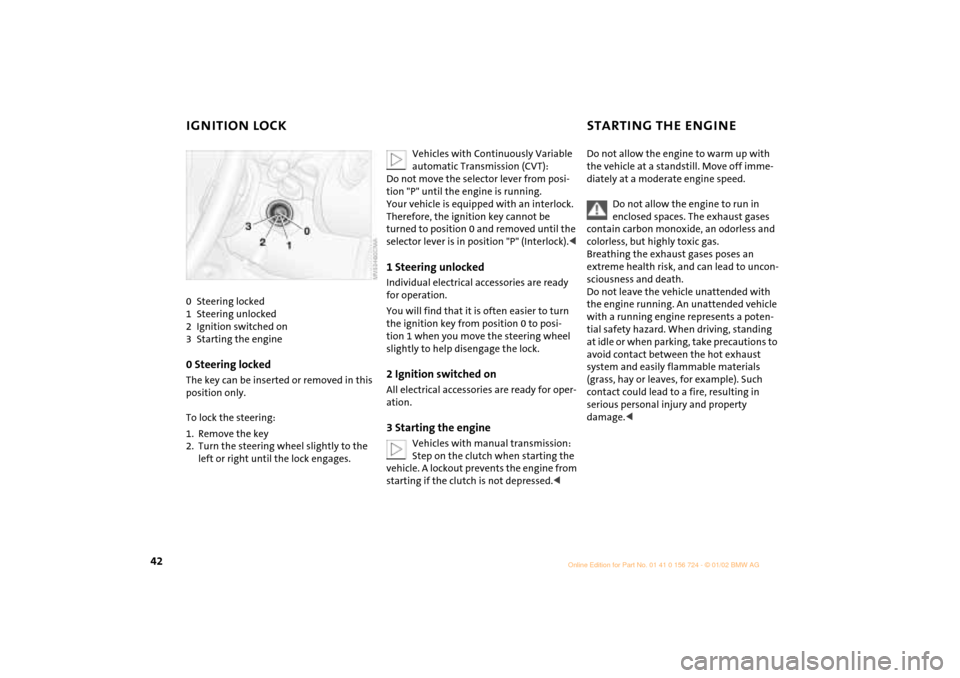
IGNITION LOCK STARTING THE ENGINE 0 Steering locked
1 Steering unlocked
2 Ignition switched on
3 Starting the engine0 Steering locked The key can be inserted or removed in this
position only.
To lock the steering:
1. Remove the key
2. Turn the steering wheel slightly to the
left or right until the lock engages.
Vehicles with Continuously Variable
automatic Transmission (CVT):
Do not move the selector lever from posi-
tion "P" until the engine is running.
Your vehicle is equipped with an interlock.
Therefore, the ignition key cannot be
turned to position 0 and removed until the
selector lever is in position "P" (Interlock).<
1 Steering unlocked Individual electrical accessories are ready
for operation.
You will find that it is often easier to turn
the ignition key from position 0 to posi-
tion 1 when you move the steering wheel
slightly to help disengage the lock.2 Ignition switched onAll electrical accessories are ready for oper-
ation.3 Starting the engine
Vehicles with manual transmission:
Step on the clutch when starting the
vehicle. A lockout prevents the engine from
starting if the clutch is not depressed.<
Do not allow the engine to warm up with
the vehicle at a standstill. Move off imme-
diately at a moderate engine speed.
Do not allow the engine to run in
enclosed spaces. The exhaust gases
contain carbon monoxide, an odorless and
colorless, but highly toxic gas.
Breathing the exhaust gases poses an
extreme health risk, and can lead to uncon-
sciousness and death.
Do not leave the vehicle unattended with
the engine running. An unattended vehicle
with a running engine represents a poten-
tial safety hazard. When driving, standing
at idle or when parking, take precautions to
avoid contact between the hot exhaust
system and easily flammable materials
(grass, hay or leaves, for example). Such
contact could lead to a fire, resulting in
serious personal injury and property
damage.<
Page 45 of 140
43
OVERVIEW REPAIRS OPERATIONCONTROLS DATA INDEX
STARTING THE ENGINE SWITCHING OFF THE ENGINE StartingWhen starting the engine, do not press the
accelerator pedal.
Do not actuate the starter for too
short a time. Do not turn it for more
than approx. 20 seconds. Release the igni-
tion key immediately when the engine
starts.
Extended starting attempts, characterized
by excessively frequent or long periods
with the starter engaged, can lead to
damage in the catalytic converter.<
If the engine does not start on the first
attempt (the engine is very hot or cold, for
instance):
>Press the accelerator pedal halfway
down while engaging the starter.
Cold starts at extremely low temperatures
(as of approx. +5 7(Ð15 6)):
>Press the accelerator pedal halfway
down while engaging the starter
>For the initial start attempt, allow the
starter to remain engaged somewhat
longer (approx. 10 seconds).
Manual transmission1. Engage the parking brake
2. Put the manual gearshift lever in neutral
3. Press the clutch pedal
4. Start the engine.Continuously Variable automatic
Transmission (CVT)*1. Press the footbrake
2. Put the selector lever in position P or N
3. Starting the engine.
Move the selector lever to position N
and engage the parking brake before
leaving your vehicle with the engine
running.
Do not leave the vehicle with the engine
running. An unattended vehicle with a
running engine represents a potential
safety hazard.<
You should never remove the ignition
key when the vehicle is in motion, as
the steering lock could engage.
When you leave the vehicle, always remove
the ignition key and engage the steering
lock.
When you park on downward slopes,
engage the parking brake.<
Manual transmissionTurn the ignition key to position 1 or 0.Continuously Variable automatic
Transmission (CVT)*Engage selector lever position P, turn the
ignition key to position 1 or 0.
Page 46 of 140
44
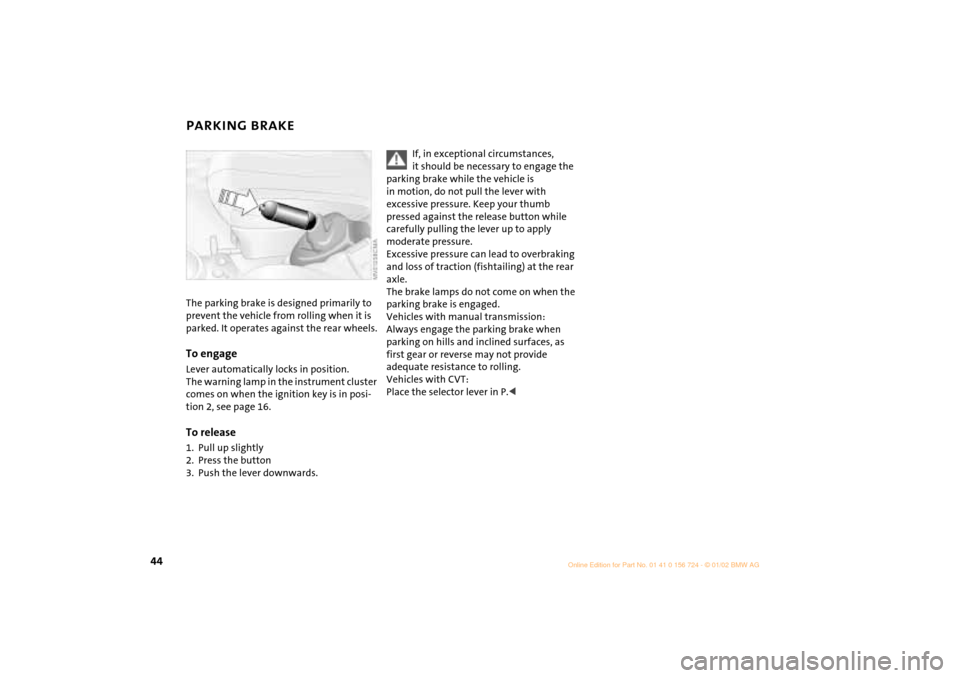
PARKING BRAKE The parking brake is designed primarily to
prevent the vehicle from rolling when it is
parked. It operates against the rear wheels.To engageLever automatically locks in position.
The warning lamp in the instrument cluster
comes on when the ignition key is in posi-
tion 2, see page 16.To release1. Pull up slightly
2. Press the button
3. Push the lever downwards.
If, in exceptional circumstances,
it should be necessary to engage the
parking brake while the vehicle is
in motion, do not pull the lever with
excessive pressure. Keep your thumb
pressed against the release button while
carefully pulling the lever up to apply
moderate pressure.
Excessive pressure can lead to overbraking
and loss of traction (fishtailing) at the rear
axle.
The brake lamps do not come on when the
parking brake is engaged.
Vehicles with manual transmission:
Always engage the parking brake when
parking on hills and inclined surfaces, as
first gear or reverse may not provide
adequate resistance to rolling.
Vehicles with CVT:
Place the selector lever in P.<
Page 48 of 140
46
CONTINUOUSLY VARIABLE AUTOMATIC TRANSMISSION (CVT)
*
You can drive with a steplessly shifting CVT.
In addition, you can also shift manually.
When you move the selector lever from the
D position to the right into the M/S + Ð
range, the performance-oriented shift
programs of the CVT are engaged. Step-
tronic enters the manual selection mode
and executes the desired shift whenever
you tap the selector lever in the direction
indicated by "+" or "Ð" .
Whenever you want to use automatic
again, just move the selector lever toward
the left to position D.
In positition D, you achieve the
lowest fuel consumption for average
driving.<
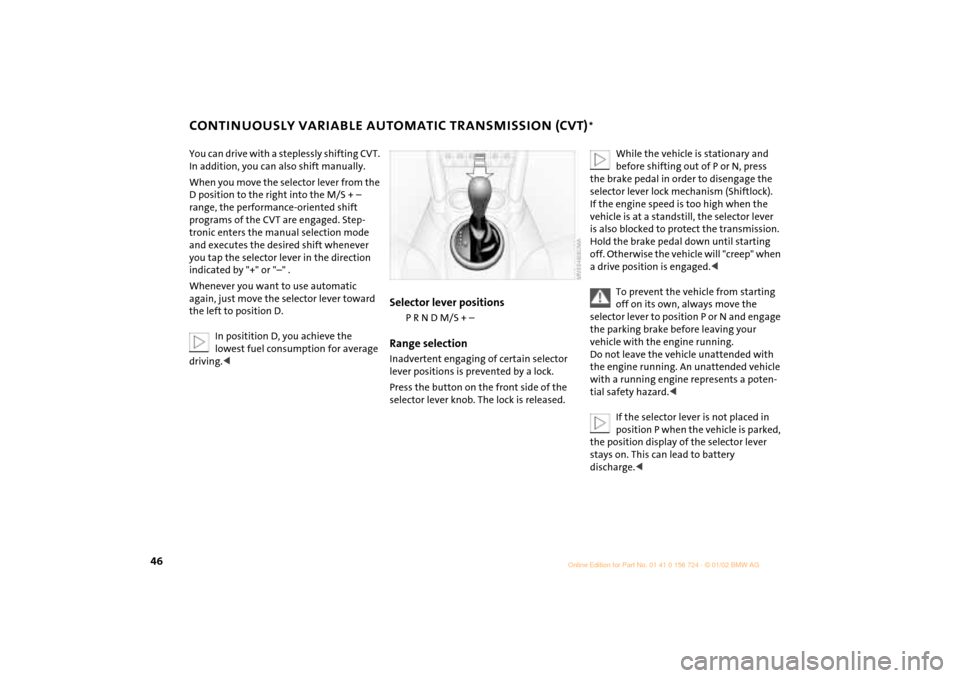
Selector lever positions
P R N D M/S + Ð
Range selectionInadvertent engaging of certain selector
lever positions is prevented by a lock.
Press the button on the front side of the
selector lever knob. The lock is released.
While the vehicle is stationary and
before shifting out of P or N, press
the brake pedal in order to disengage the
selector lever lock mechanism (Shiftlock).
If the engine speed is too high when the
vehicle is at a standstill, the selector lever
is also blocked to protect the transmission.
Hold the brake pedal down until starting
off. Otherwise the vehicle will "creep" when
a drive position is engaged.<
To prevent the vehicle from starting
off on its own, always move the
selector lever to position P or N and engage
the parking brake before leaving your
vehicle with the engine running.
Do not leave the vehicle unattended with
the engine running. An unattended vehicle
with a running engine represents a poten-
tial safety hazard.<
If the selector lever is not placed in
position P when the vehicle is parked,
the position display of the selector lever
stays on. This can lead to battery
discharge.<
Page 49 of 140
47
OVERVIEW REPAIRS OPERATIONCONTROLS DATA INDEX
CONTINUOUSLY VARIABLE AUTOMATIC TRANSMISSION (CVT)
*
P Park
Select "P" only when the vehicle is
completely stopped. Transmission locks to
prevent rear wheels from turning.R ReverseSelect "R" only when the vehicle is
completely stopped.N NeutralSelect "N" only if your journey is inter-
rupted for a long period.D Drive (CVT driving position)This position is designed for driving under
all normal operating conditions. "Kickdown"In "kickdown", you achieve maximum
acceleration and maximum speed in posi-
tion D.
Press the accelerator pedal past the
increased resistance point at the full-
throttle position.
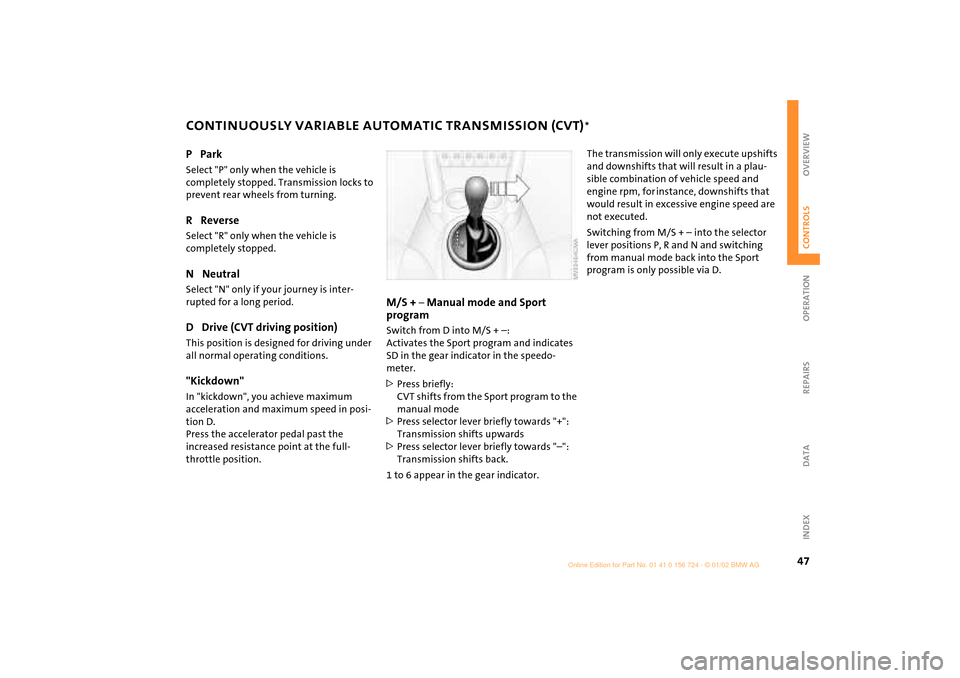
M/S +
Ð Manual mode and Sport
program
Switch from D into M/S + Ð:
Activates the Sport program and indicates
SD in the gear indicator in the speedo-
meter.
>Press briefly:
CVT shifts from the Sport program to the
manual mode
>Press selector lever briefly towards "+":
Transmission shifts upwards
>Press selector lever briefly towards "Ð":
Transmission shifts back.
1 to 6 appear in the gear indicator.
The transmission will only execute upshifts
and downshifts that will result in a plau-
sible combination of vehicle speed and
engine rpm, for instance, downshifts that
would result in excessive engine speed are
not executed.
Switching from M/S + Ð into the selector
lever positions P, R and N and switching
from manual mode back into the Sport
program is only possible via D.
Page 59 of 140

57
OVERVIEW REPAIRS OPERATIONCONTROLS DATA INDEX
SERVICE INTERVAL DISPLAY Remaining distance for serviceThe displays shown in the illustration
appear for a few seconds when the ignition
key is in position 1 or after the engine is
started.
The next service due appears in miles (kilo-
meters) with the message INSPECTION or/
and OILSERVICE, together with the distance
remaining before the next scheduled
service. The computer bases its calculations
of the remaining distance on your driving
style in the period immediately preceding
your data request.
A flashing message and a "Ð" in front of the
number mean that the service interval has
already been exceeded by the distance
shown on the display. Please contact your
MINI center for an appointment.
For more information on the Service
Interval Display, see page 93.
Brake fluid changeYou can obtain a display of the number of
days remaining until the next due brake
fluid change, see page 92.
While the next due service is displayed,
press the button in the display element.
As of the due date of the brake fluid
change, the clock symbol also lights up in
the remaining distance display for Service,
see left column. Please contact your MINI
center for an appointment.
Periods of immobilization in which
the battery is disconnected are not
taken into account by the display.
For this reason, ensure that the brake fluid,
independent of the display, is replaced
every two years at the latest, see page 92.<
Page 60 of 140

58
CLOCK COMPUTER
*
Settings
From ignition key position 1:
Left button: hours
Right button: minutes
Move forward in increments:
Press the button
or
Fast forward:
Press and hold the button
Changeover from 24-hour to 12-hour
mode:
Press both buttons at the same time for
approx. 5 seconds.
Mode selectionWith the ignition key in position 1 and
higher, you can use the button in the turn
signal indicator lever to retrieve informa-
tion from the computer for display in the
tachometer. By pressing the button briefly,
you can call up a new function for display.
The displays appear in the following order:
Outside temperature, cruising range,
average fuel consumption, average vehicle
speed.
Starting with ignition key position 1, the
last active setting is displayed.
If the vehicle is equipped with a navi-
gation system, see chapter covering
the computer in the navigation system
Owner's Manual.<