2002 MERCEDES-BENZ ML320 cellular
[x] Cancel search: cellularPage 5 of 342

2 Contents
Headlamp mode ............................... 99
Night security illumination ......... 101
Locator lighting .......................... 102
Fog lamp switch ............................ 103
Hazard warning flasher
switch .......................................... 104
Headlamp cleaning system .......... 104
Windshield wiper/washer
switch .......................................... 105
Rear window wiper/washer ......... 106
Automatic climate control ............ 108
Dust filter ..................................... 111
Basic setting –
automatic mode .......................... 112
Programming the basic
temperature setting ....................113
Special settings ...........................114
Air volume, manual ....................114
Air distribution, manual ............114
Defroster/Windows fogged up on
the inside ......................................115
Air recirculation ..........................116
Economy mode ............................117Residual engine
heat utilization ............................ 117
Switching the
automatic climate control
on and off ..................................... 118
Switching off the
rear passenger compartment
ventilation and the
rear control panel ....................... 118
Rear passenger compartment
climate control .......................... 119
Manual setting of air volume
and air distribution in the rear
passenger compartment ............ 119
Rear passenger compartment
adjustable air outlets ............... 120
Rear window defroster ..................121
Power windows .............................. 122
Rear quarter windows .................. 125
Sliding/pop-up roof ....................... 126
Interior lighting ............................. 128
Sun visors ........................................ 131
Illuminated vanity mirrors ........... 131
Interior .............................................132Storage compartments,
armrest and cup holder ........... 132
Glove box ..................................... 133
Armrest in rear bench seat .......... 136
Ashtrays .......................................... 137
Lighter ............................................. 138
Split rear seat bench ..................... 139
Easy entry/exit feature ............. 142
Rear seat head restraints .......... 143
Third row seats .............................. 144
Removable cargo floor plates ....... 147
Enlarged cargo area ....................... 149
Cargo tie-down rings ..................... 150
Hooks ............................................... 151
Partition net .................................... 151
Loading instructions ..................... 154
Cargo area cover blind .................. 155
Telephone, general ........................ 157
Cellular telephone ......................... 157
Garage door opener ....................... 158
Page 26 of 342
23 Contents - Operation
Te ch n i c a l
data Instruments
and controlsOperationDrivingInstrument
cluster displayPractical hints Car care Index Basic setting –
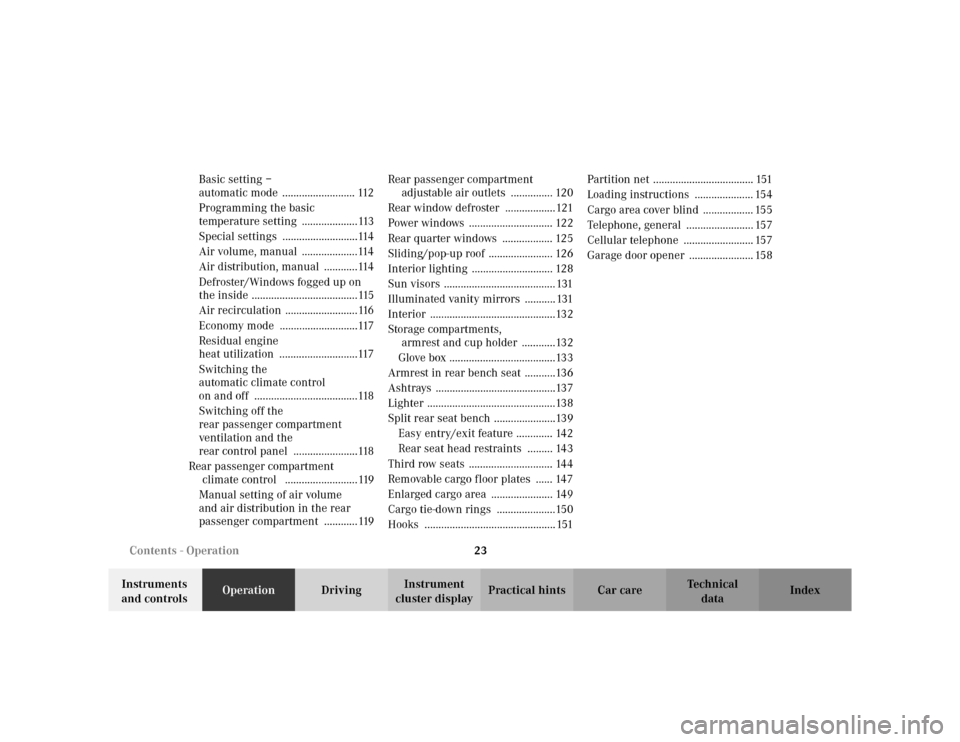
automatic mode .......................... 112
Programming the basic
temperature setting ....................113
Special settings ...........................114
Air volume, manual ....................114
Air distribution, manual ............114
Defroster/Windows fogged up on
the inside ......................................115
Air recirculation ..........................116
Economy mode ............................117
Residual engine
heat utilization ............................117
Switching the
automatic climate control
on and off .....................................118
Switching off the
rear passenger compartment
ventilation and the
rear control panel .......................118
Rear passenger compartment
climate control ..........................119
Manual setting of air volume
and air distribution in the rear
passenger compartment ............119Rear passenger compartment
adjustable air outlets ............... 120
Rear window defroster ..................121
Power windows .............................. 122
Rear quarter windows .................. 125
Sliding/pop-up roof ....................... 126
Interior lighting ............................. 128
Sun visors ........................................ 131
Illuminated vanity mirrors ........... 131
Interior .............................................132
Storage compartments,
armrest and cup holder ............132
Glove box ......................................133
Armrest in rear bench seat ...........136
Ashtrays ...........................................137
Lighter ..............................................138
Split rear seat bench ......................139
Easy entry/exit feature ............. 142
Rear seat head restraints ......... 143
Third row seats .............................. 144
Removable cargo floor plates ...... 147
Enlarged cargo area ...................... 149
Cargo tie-down rings .....................150
Hooks ............................................... 151Partition net .................................... 151
Loading instructions ..................... 154
Cargo area cover blind .................. 155
Telephone, general ........................ 157
Cellular telephone ......................... 157
Garage door opener ....................... 158
Page 160 of 342
157 Interior equipment
Te ch n i c a l
data Instruments
and controlsOperationDrivingInstrument
cluster displayPractical hints Car care Index Telephone, general
See separate instruction manual for instructions on how
to operate the telephone.
Cellular telephone
Wa r n i n g !
A driver’s attention to the road must always be his /
her primary focus when driving. For your safety
and the safety of others, we recommend that you
pull over to a safe location and stop before placing
or taking a telephone call. If you choose to use the
telephone while driving, please use the hands-free
device and only use the telephone when road and
traffic conditions permit.Some jurisdictions prohibit the driver from using a
cellular telephone while driving a vehicle.Bear in mind that at a speed of just 30 mph
(approximately 50 km / h), your vehicle is covering
a distance of approximately 50 feet (approximately
14 m) every second.
Never operate radio transmitters equipped with a
built-in or attached antenna (i.e. without being
connected to an external antenna) from inside the
vehicle while the engine is running. Doing so could
lead to a malfunction of the vehicle’s electronic
system, possibly resulting in an accident and
personal injury.Wa r n i n g !
Some jurisdictions prohibit the driver from using a
cellular telephone while driving a vehicle. Whether
or not prohibited by law, for safety reasons, the
driver should not use the cellular telephone while
the vehicle is in motion.
Stop the vehicle in an safe location before
answering or placing a call.
Page 169 of 342
166 Tele Aid
Te ch n i c a l
data Instruments
and controlsOperationDrivingInstrument
cluster displayPractical hints Car care Index
Tele Aid (optional for Canada)
Important!
The initial activation of the Tele Aid system may only be
performed by completing the subscriber agreement and
placing an acquaintance call using the “SOS” button.
Failure to complete either of these steps will result in a
system that is not activated. If the system is not
activated the indicator lamp in the “SOS” button stays
on after turning electronic key in starter switch to
position 2 and the message “TELE AID – NOT
ACTIVATED” will be shown in the MCS display for
approx. 10 seconds.
If you have any questions regarding activation, please
call the Response Center at 1-800-756-9018 (in the USA)
or 1-888-923-8367 (in Canada).
(Te l ematic Alarm Identification on Demand)
The Tele Aid system consists of three types of response;
automatic and manual emergency, roadside assistance
and information.The Tele Aid system is operational providing that the
vehicle’s battery is charged, properly connected, not
damaged and cellular and GPS coverage is available.
The speaker volume of a Tele Aid call can be adjusted
using the volume control on the MCS unit. To activate,
press the “SOS” button, the Roadside Assistance
button• or the Information button¡, depending
on the type of response required.
Shortly after the completion of your Acquaintance Call,
you will receive a user ID and password via first call
mail. By visiting www.mbusa.com and selecting
“Tele Aid” (USA only), you will have access to account
information, remote door unlock, Info Services
* profile
and more.
* OptionalSystem self-check
Initially, after turning the key in steering lock to
position 2, malfunctions are detected and indicated (the
indicator lamps in the “SOS” button, the Roadside
Assistance button• and Information button¡
stay on longer than 10 seconds or do not come on). The
message “TELE AID – PLEASE VISIT WORKSHOP”
appears in the MCS display.
Page 171 of 342
168 Tele Aid
Te ch n i c a l
data Instruments
and controlsOperationDrivingInstrument
cluster displayPractical hints Car care Index
The Tele Aid system is available if:
•it has been activated and is operational. Activation
requires a subscription for monitoring services and
cellular air time
•the relevant cellular phone network and GPS signals
are available and pass the information on to the
response center.
Note:
Location of the vehicle on a map is possible if the
vehicle is able to receive signals from the GPS satellite
network and pass the information on to the response
center.
Wa r n i n g !
If the indicator lamp in the “SOS” button is
illuminated continuously and there was no voice
connection to the Response Center established,
then the Tele Aid system could not initiate an
emergency call (e.g. the relevant cellular phone
network is not available). The message
“EMERGENCY CALL – CALL FAILED” appears in
the MCS display for approx. 10 seconds.Should this occur, assistance must be summoned
by other means.
Page 174 of 342
171 Tele Aid
Te ch n i c a l
data Instruments
and controlsOperationDrivingInstrument
cluster displayPractical hints Car care Index When the connection is established, the message
“ROADSIDE ASSISTANCE – CALL CONNECTED”
appears in the MCS display. The Tele Aid system will
transmit data generating the vehicle identification
number, model, color and location (subject to
availability of cellular and GPS signals).
While the call is connected, you can change to
navigation menu by pressing NAVI button on the MCS.
A voice connection between the Roadside Assistance
dispatcher and the occupants of the vehicle will be
established. When a voice connection is established the
audio system mutes and the message “TELE AID –
ROADSIDE ASSISTANCE CALL ACTIVE” appears in the
MCS display. The nature of the need for assistance can
then be described. The Mercedes-Benz Roadside
assistance dispatcher will either dispatch a qualified
Mercedes-Benz technician or arrange to tow your
vehicle to the nearest Mercedes-Benz Center. For
services such as labor and/or towing charges may apply.
Refer to the Roadside Assistance manual for more
information.These programs are only available in the USA:
•Sign and Drive services: Services such as jump start,
a few gallons of fuel or the replacement of a flat tire
with the vehicle spare tire are obtainable,
•Remote Vehicle Diagnostics: This function permits
the Mercedes-Benz Roadside Assistance dispatcher
to download malfunction codes and actual vehicle
data.
Notes:
The indicator lamp in the Roadside Assistance
button• remains illuminated in red for
approximately 10 seconds during the system self-check
after turning key in steering lock to position 2 (together
with the “SOS” button and the Information
button¡).
See system self-check on page 166 when the indicator
lamp does not light up in red or stay on longer than
approximately 10 seconds.
Page 175 of 342
172 Tele Aid
Te ch n i c a l
data Instruments
and controlsOperationDrivingInstrument
cluster displayPractical hints Car care Index
If the indicator lamp in the Roadside Assistance
button• is illuminated continuously and there was
no voice connection to the Response Center established,
then the Tele Aid system could not initiate an Roadside
Assistance call (e.g. the relevant cellular phone network
is not available). The message “ROADSIDE
ASSISTANCE – CALL FAILED” appears in the MCS
display.
Should this occur, assistance must be summoned by
other means.
Roadside Assistance calls can be terminated using the
END button on the MCS unit.Information button ¡
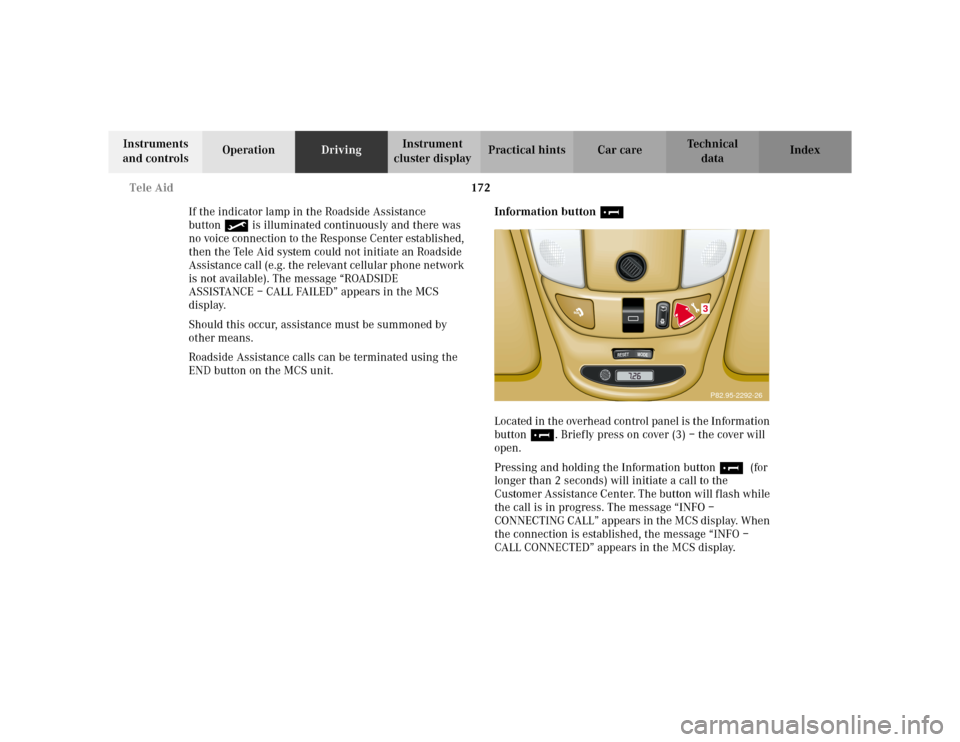
Located in the overhead control panel is the Information
button¡. Briefly press on cover (3) – the cover will
open.
Pressing and holding the Information button¡ (for
longer than 2 seconds) will initiate a call to the
Customer Assistance Center. The button will flash while
the call is in progress. The message “INFO –
CONNECTING CALL” appears in the MCS display. When
the connection is established, the message “INFO –
CALL CONNECTED” appears in the MCS display.
RESET
MODE
3P82.95-2292-26
Page 176 of 342
173 Tele Aid
Te ch n i c a l
data Instruments
and controlsOperationDrivingInstrument
cluster displayPractical hints Car care Index The Tele Aid system will transmit data generating the
vehicle identification number, model, color and location
(subject to availability of cellular and GPS signals).
While the call is connected, you can change to
navigation menu by pressing NAVI button on the MCS.
A voice connection between the Customer Assistance
Center representative and the occupants of the vehicle
will be established. When a voice connection is
established, the audio system mutes and the message
“TELE AID – INFO CALL ACTIVE” appears in the MCS
display. Information regarding the operation of your
vehicle, the nearest Mercedes-Benz Light Truck Center
or Mercedes-Benz USA products and services is
available to you.
For more details concerning Tele Aid, please visit
www.mbusa.com and use your ID and password, sent to
you separately, to learn more (USA only).Notes:
The indicator lamp in the Information button¡
remains illuminated in red for approximately
10 seconds during the system self-check after turning
key in steering lock to position 2 (together with the
“SOS” button and the Roadside Assistance button•).
See system self-check on page 166 when the indicator
lamps do not light up in red or stay on longer than
approximately 10 seconds.
If the indicator lamp in the Information button¡ is
illuminated continuously and there was no voice
connection to the Response Center established, then the
Tele Aid system could not initiate an Roadside
Assistance call (e.g. the relevant cellular phone network
is not available). The message “Info – CALL FAILED”
appears in the MCS display.
Should this occur, information must be summoned by
other means.
Information calls can be terminated using the END
button on the MCS unit.