Page 146 of 341
143 Interior equipment
Te ch n i c a l
data Instruments
and controlsOperationDrivingInstrument
cluster displayPractical hints Car care Index Express opening and closing of door windows
Press switch k or j past resistance point and
release — window opens or closes completely.
To interrupt procedure, briefly press k or j.
If the upward movement of the window is blocked
during the closing procedure, the window will stop and
open slightly.
When pressing and holding the switch j to close the
window, and upward movement of the window is
blocked by some obstruction including but not limited to
arms, hands, fingers etc., the automatic reversal will not
operate.Notes:
The power windows can also be opened and closed with
the infrared remote control while locking the vehicle
doors or trunk, see page 29.
If the express closing function of the door windows is
interrupted, press and hold the switch j to close the
window completely.
The automatic full closing procedure of the window
should now be reactivated.
The rear windows can only be opened using the express
feature.
Synchronizing power windows
If the power supply was interrupted (battery
disconnected or low), the windows cannot be opened or
closed (only door windows) by the Express feature.
To resynchronize the express feature, press j side of
power window switch until the window is completely
closed and hold for additional 2 seconds. Repeat
procedure for each window.
The automatic full opening and closing (only door
windows) procedure of the windows should now be
restored.
Wa r n i n g !
When leaving the vehicle, always remove the
electronic key from the steering lock and lock the
vehicle. Do not leave children unattended in the
vehicle, or with access to an unlocked vehicle.
Unsupervised use of vehicle equipment can cause
an accident and/or serious personal injury.
ProCarManuals.com
Page 147 of 341
144 Interior equipment
Te ch n i c a l
data Instruments
and controlsOperationDrivingInstrument
cluster displayPractical hints Car care Index
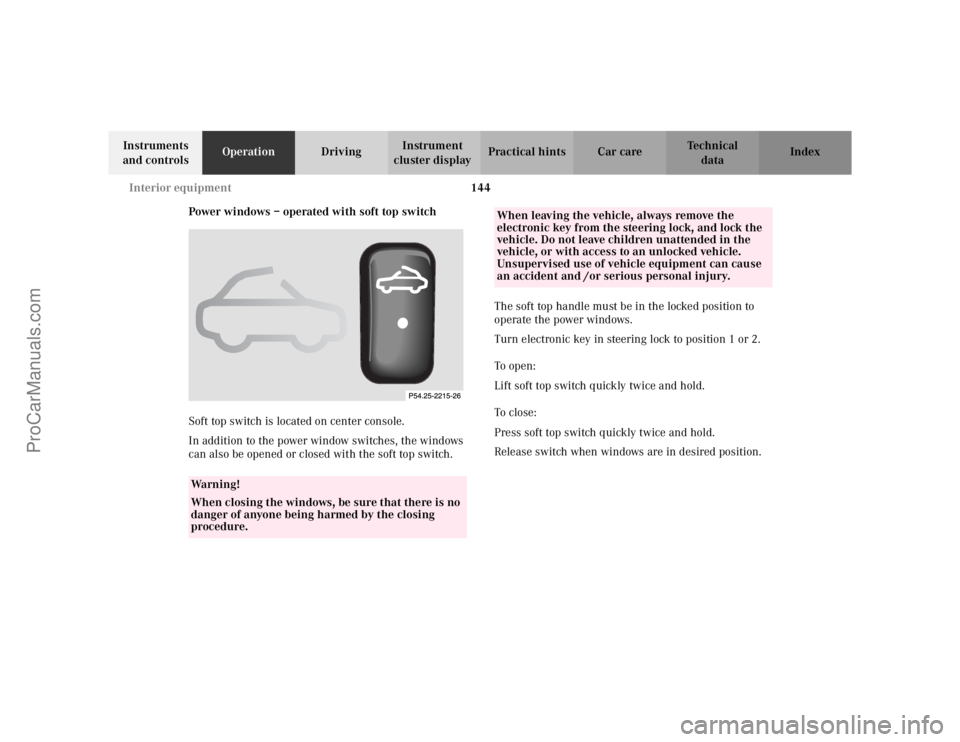
Power windows – operated with soft top switch
Soft top switch is located on center console.
In addition to the power window switches, the windows
can also be opened or closed with the soft top switch. The soft top handle must be in the locked position to
operate the power windows.
Turn electronic key in steering lock to position 1 or 2.
To o p e n :
Lift soft top switch quickly twice and hold.
To c l o s e :
Press soft top switch quickly twice and hold.
Release switch when windows are in desired position.
Wa r n i n g !
When closing the windows, be sure that there is no
danger of anyone being harmed by the closing
procedure.
When leaving the vehicle, always remove the
electronic key from the steering lock, and lock the
vehicle. Do not leave children unattended in the
vehicle, or with access to an unlocked vehicle.
Unsupervised use of vehicle equipment can cause
an accident and /or serious personal injury.
ProCarManuals.com
Page 148 of 341
145 Interior equipment
Te ch n i c a l
data Instruments
and controlsOperationDrivingInstrument
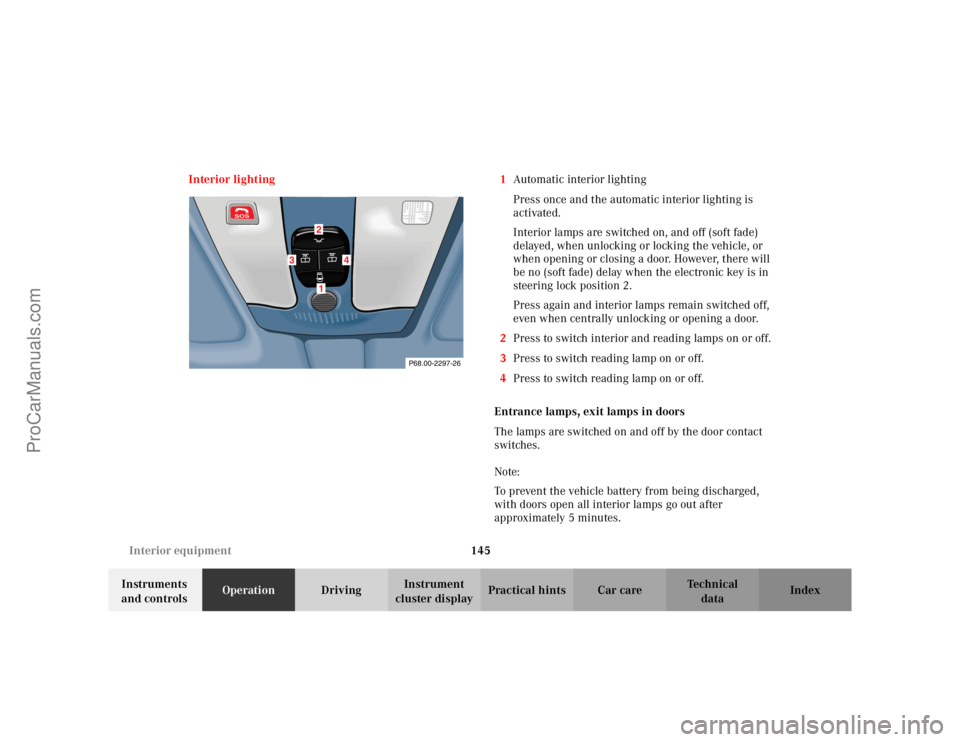
cluster displayPractical hints Car care Index Interior lighting 1Automatic interior lighting
Press once and the automatic interior lighting is
activated.
Interior lamps are switched on, and off (soft fade)
delayed, when unlocking or locking the vehicle, or
when opening or closing a door. However, there will
be no (soft fade) delay when the electronic key is in
steering lock position 2.
Press again and interior lamps remain switched off,
even when centrally unlocking or opening a door.
2Press to switch interior and reading lamps on or off.
3Press to switch reading lamp on or off.
4Press to switch reading lamp on or off.
Entrance lamps, exit lamps in doors
The lamps are switched on and off by the door contact
switches.
Note:
To prevent the vehicle battery from being discharged,
with doors open all interior lamps go out after
approximately 5 minutes.
P68.00-2297-26
3
4
21
ProCarManuals.com
Page 150 of 341
147 Interior equipment
Te ch n i c a l
data Instruments
and controlsOperationDrivingInstrument
cluster displayPractical hints Car care Index Interior
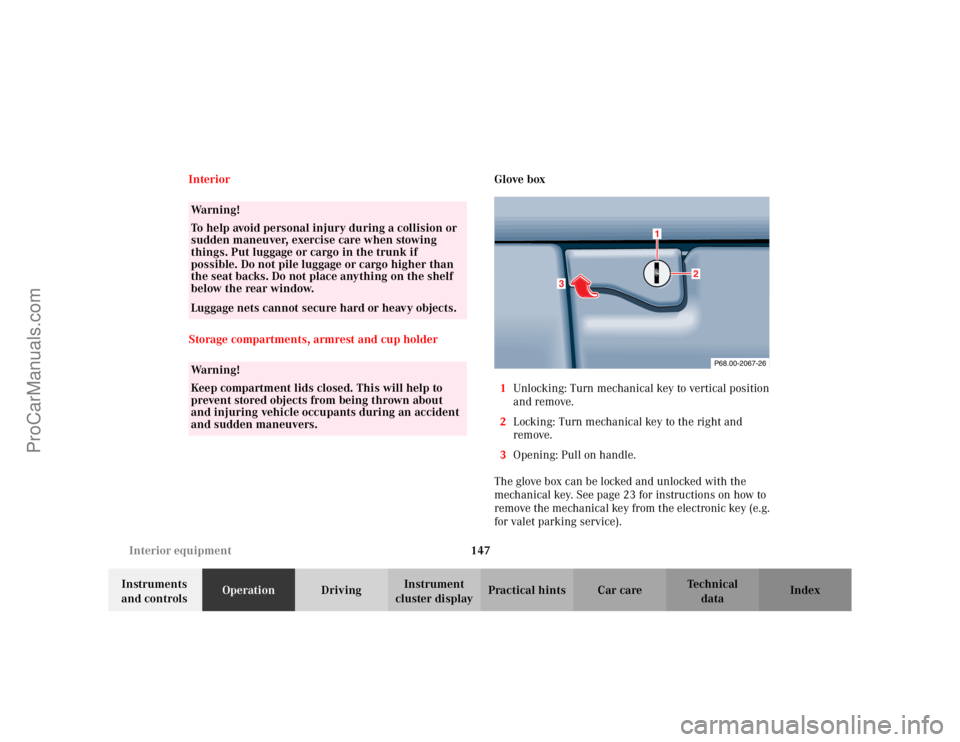
Storage compartments, armrest and cup holderGlove box
1Unlocking: Turn mechanical key to vertical position
and remove.
2Locking: Turn mechanical key to the right and
remove.
3Opening: Pull on handle.
The glove box can be locked and unlocked with the
mechanical key. See page 23 for instructions on how to
remove the mechanical key from the electronic key (e.g.
for valet parking service).
Wa r n i n g !
To help avoid personal injury during a collision or
sudden maneuver, exercise care when stowing
things. Put luggage or cargo in the trunk if
possible. Do not pile luggage or cargo higher than
the seat backs. Do not place anything on the shelf
below the rear window.Luggage nets cannot secure hard or heavy objects.Wa r n i n g !
Keep compartment lids closed. This will help to
prevent stored objects from being thrown about
and injuring vehicle occupants during an accident
and sudden maneuvers.
P68.00-2067-26
3
1
2
ProCarManuals.com
Page 151 of 341
148 Interior equipment
Te ch n i c a l
data Instruments
and controlsOperationDrivingInstrument
cluster displayPractical hints Car care Index
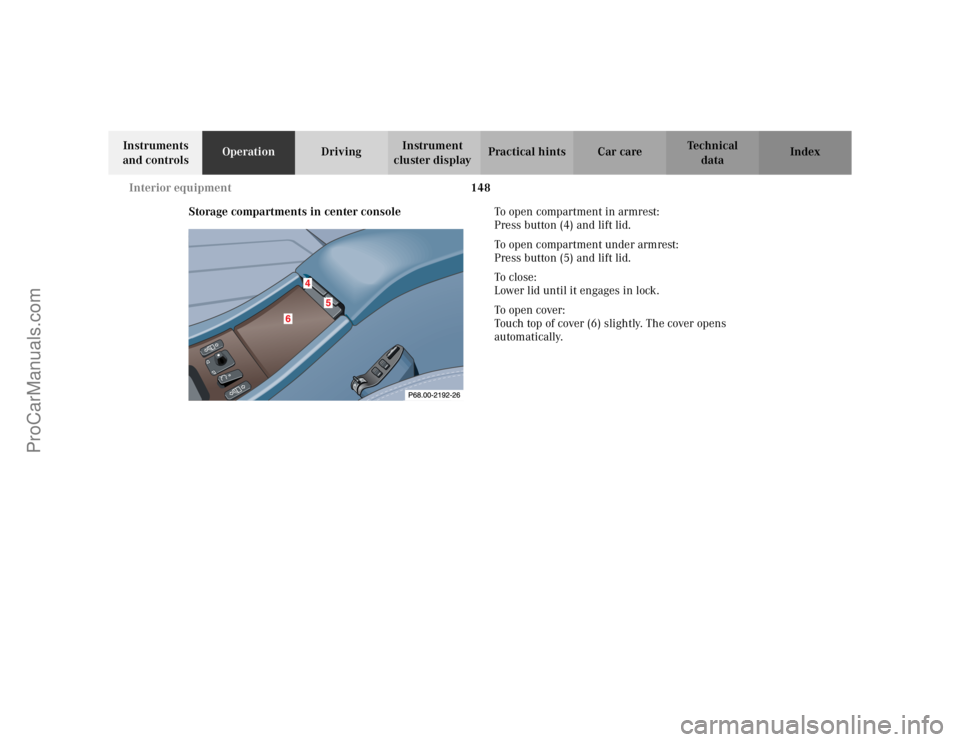
Storage compartments in center consoleTo open compartment in armrest:
Press button (4) and lift lid.
To open compartment under armrest:
Press button (5) and lift lid.
To c l o s e :
Lower lid until it engages in lock.
To o p e n c ove r :
Touch top of cover (6) slightly. The cover opens
automatically.
ProCarManuals.com
Page 154 of 341
151 Interior equipment
Te ch n i c a l
data Instruments
and controlsOperationDrivingInstrument
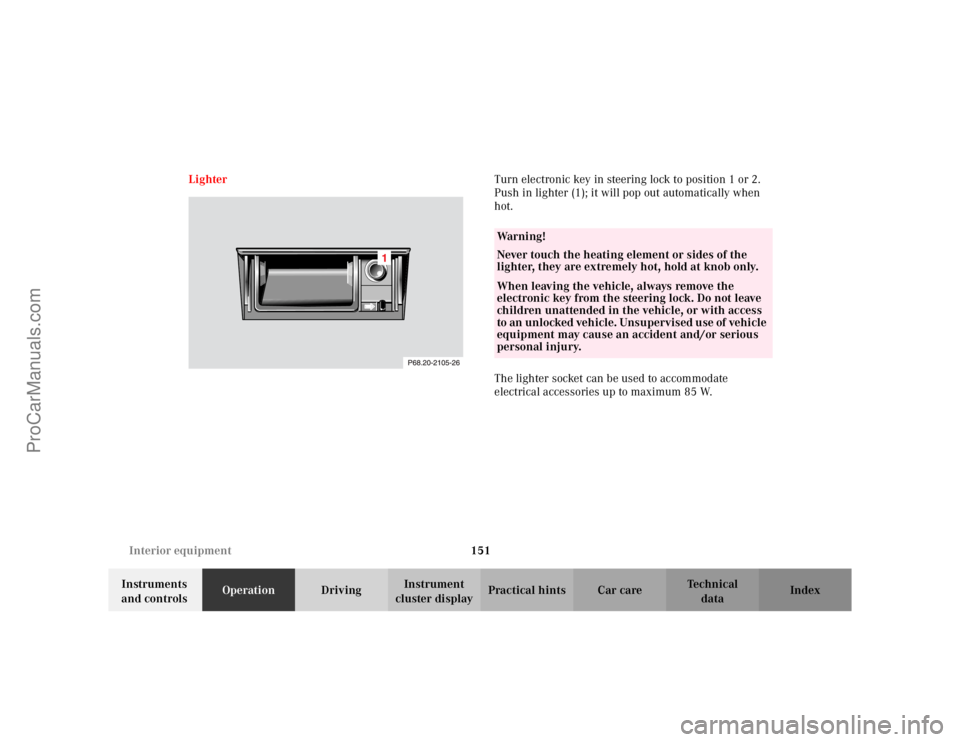
cluster displayPractical hints Car care Index LighterTurn electronic key in steering lock to position 1 or 2.
Push in lighter (1); it will pop out automatically when
hot.
The lighter socket can be used to accommodate
electrical accessories up to maximum 85 W.
Wa r n i n g !
Never touch the heating element or sides of the
lighter, they are extremely hot, hold at knob only.When leaving the vehicle, always remove the
electronic key from the steering lock. Do not leave
children unattended in the vehicle, or with access
to an unlocked vehicle. Unsupervised use of vehicle
equipment may cause an accident and/or serious
personal injury.
ProCarManuals.com
Page 158 of 341

155 Garage door opener
Te ch n i c a l
data Instruments
and controlsOperationDrivingInstrument
cluster displayPractical hints Car care Index For operation in the USA only: This device complies
with Part 15 of the FCC Rules. Operation is subject to
the following two conditions:
(1) This device may not cause harmful interference, and
(2) this device must accept any interference received,
including interference that may cause undesired
operation.
Any unauthorized modification to this device could void
to the user’s authority to operate the equipment.
Programming or reprogramming the integrated
remote control:
1. Turn electronic key in steering lock to position 1
or 2.
2. Hold the end of the hand-held transmitter of the
device you wish to train approximately 2 to 5 inches
(5 cm to 12 cm) away from the surface of the
integrated remote control located on the inside rear
view mirror, keeping the indicator lamp in view.3. Using both hands, simultaneously push the hand-
held transmitter button and the desired integrated
remote control button. Do not release the buttons
until completing step 4.
4. The indicator lamp on the integrated remote control
will flash, first slowly and then rapidly. When the
indicator lamp flashes rapidly, both buttons may be
released (the rapid flashing lamp indicates
successful programming of the new frequency
signal). To program the remaining two buttons,
follow steps 1 though 4.
Note:
If after several attempts, you do not successfully
program the integrated remote control device to learn
the signal of the hand-held transmitter, the garage door
opener could be equipped with the “rolling code
feature”.
ProCarManuals.com
Page 160 of 341
157 Garage door opener
Te ch n i c a l
data Instruments
and controlsOperationDrivingInstrument
cluster displayPractical hints Car care Index Operation of remote control:
1. Turn electronic key in steering lock to position 1
or 2.
2. Select and press the appropriate button to activate
the remote controlled device. The integrated remote
control transmitter continues to send the signal as
long as the button is pressed – up to 20 seconds.Erasing the remote control memory:
1. Turn electronic key in steering lock to position 1
or 2.
2. Simultaneously holding down the left and right side
buttons for approximately 20 seconds, or until the
control lamp blinks rapidly, will erase the codes of
all three channels.
ProCarManuals.com