2002 MERCEDES-BENZ C CLASS COUPE Auto
[x] Cancel search: AutoPage 28 of 399
25
Instruments and controls
Te ch n i c a l
data
Instruments
and controls Operation Driving
Instrument
cluster display Practical hints Car care Index
10
Ashtray, see page 211
11 Automatic transmission, see page 246, or
Manual transmission, see page 244 12
Storage compartment, see page 208
13 Armrest, see page 208
Storage compartment, see page 213
Page 29 of 399

26
Contents - Operation
Te ch n i c a l
data
Instruments
and controls Operation
DrivingInstrument
cluster display Practical hints Car care Index
OperationVehicle keys ...................................... 28
Start lock-out..................................... 30
General notes on the
central locking system ............... 30
Central locking system ................... 31 Radio frequency and
infrared remote control ............... 31
Locking and unlocking ................ 33
Choosing global or selective
mode on remote control .............. 33
Opening and closing windows
and sliding / pop-up roof
from outside .................................. 34
Panic button .................................. 35
Mechanical keys ........................... 35
Doors .................................................. 36
Central locking switch .................... 38
Automatic central locking .............. 40
Emergency unlocking in case of accident ...................... 40
Trunk ................................................. 41
Trunk lid emergency release ........ 43
Antitheft alarm system ................... 44 Tow-away alarm ............................... 46
Easy-entry/exit feature .................. 47
Front seat adjustment..................... 48
Removal and installation of
front seat head restraints .......... 54
Front seat backrest - locking and unlocking ............. 56
Heated seats ..................................... 58
Rear seat head restraints ............... 60
Seat belts and integrated restraint system .......................... 62
Seat belts .......................................... 62
Seat belt nonusage warning system........................... 63
BabySmart
TM airbag
deactivation system.................... 69
Self-test BabySmart
TM without
special child seat installed ........ 69
Supplemental Restraint System (SRS) ............................... 70
Emergency tensioning retractor (ETR) ............................. 71
Airbags.............................................. 72 Safety guidelines for the seat
belt, emergency tensioning
retractor and airbag.................... 80
Infant and child restraint systems......................... 82
Steering wheel adjustment (manual) ....................................... 87
Steering wheel adjustment (electrical) .................................... 88
Rear view mirrors ............................ 89
Instrument cluster ........................... 96
Multifunction steering wheel, multifunction display ............... 102
Trip and main odometer and sub menu ................................... 106
Audio systems ................................ 108
Radio ............................................ 108
CD player ..................................... 109
Cassette player ........................... 110
Telephone ......................................... 111
Navigation system........................... 116
Trip computer ................................. 117
Malfunction/warning message memory ....................... 119
Page 30 of 399

27
Contents - Operation
Te ch n i c a l
data
Instruments
and controls Operation
DrivingInstrument
cluster display Practical hints Car care Index
Individual settings......................... 121
Setting the audio volume.............. 136
Coolant temperature gauge .......... 137
Flexible service system (FSS) ...... 138
Engine oil level indicator .............. 141
Engine oil consumption ................ 142
Exterior lamp switch ..................... 143
Headlamp mode ............................. 144
Night security illumi
nation.......... 146
Locator lighting .......................... 147
Headlamp cleaning system .......... 147
Combination switch....................... 148
Hazard warning flasher switch ... 151
Climate control ............................... 152
Automatic climate control ............ 160 Front center console storage
compartment ventilation .......... 171
Rear passenger compartment adjustable air outlets ............... 172
Operation Audio and telephone ................................... 173
Operating safety ............................ 173
Operating and display elements .. 174
Button and soft key operation ...... 176
Component malfunctions ............. 195
Power windows .............................. 197
Sunshade for panorama sliding/pop-up roof .................. 199
Panorama sliding/pop-up roof .... 200
Interior lighting ............................. 203
Sun visors ....................................... 205
Vanity mirrors................................ 205
Interior ............................................ 206 Storage compartments
and armrests ..............................206
Glove box ..................................... 207
Cup holder ...................................... 210
Ashtrays .......................................... 211
Lighter ............................................. 213
Parcel net in front passenger footwell ....................................... 214
Split folding rear seat bench ........ 215
Luggage cover – removal and installation ......................... 217
Loading instructions (vehicle with enlarged cargo area) ........ 218
Cellular telephone ......................... 219
Telephone, general ........................ 220
Garage door opener ....................... 221
Page 36 of 399

33
Central locking system
Te ch n i c a l
data
Instruments
and controls Operation
DrivingInstrument
cluster display Practical hints Car care Index
Locking and unlocking with remote control
Unlocking:
Press transmit button
Œ. All turn signal lamps blink
once to indicate that the vehicle is unlocked.
The remote control can be programmed for two kinds of
unlocking modes (see below):
Selective unlocking mode –
Press transmit button Œonce to unlock driver’s door
and fuel filler flap.
Press transmit button Πtwice to unlock all doors,
fuel filler flap, and trunk.
Global unlocking mode –
Press transmit button Œonce to unlock all doors,
fuel filler flap, and trunk.
Notes:
The presently active unlocking mode (selective or
global) can only be determined by unlocking the vehicle
with the remote control (see below for changing mode). If within 40 seconds of unlocking with the remote
control, neither door or trunk is opened, the electronic
key is not inserted in the starter switch, or the central
locking switch is not activated, the vehicle will
automatically lock.
Locking:
Press transmit button
‹ once. All turn signal lamps
blink three times to indicate that the vehicle is locked. If
they do not blink three times, a door or trunk is not
properly closed.
Note:
If the vehicle cannot be locked or unlocked by pressing
the transmit button, then it may be necessary to change
the batteries in the electronic key (if ok, battery check
lamp in electronic key will light briefly when pressing
transmit button) or to synchronize the remote control,
see pages 351 and 353.
Choosing global or selective mode on remote control
Press and hold transmit buttons ‹ andŒ
simultaneously for five seconds to reprogram the
remote control. Battery check lamp will blink two times
indicating the completed mode change.
Page 37 of 399

34
Central locking system
Te ch n i c a l
data
Instruments
and controls Operation
DrivingInstrument
cluster display Practical hints Car care Index
Opening and closing windows and
panorama sliding / pop-up roof from outside
(summer opening / convenience feature)
Aim transmitter eye of remote control at the door
receiver.
Summer opening:
The panorama sliding / pop-up roof and all side windows
can be opened automatically.
Continue to press transmit button Πafter unlocking
the vehicle.
The windows and panorama sliding / pop-up roof begin
to open after a short time.
To interrupt opening procedure, release transmit
button.
Convenience feature:
The panorama sliding / pop-up roof and the side
windows can be closed.
Continue to press transmit button ‹ after locking
the vehicle.
The windows and panorama sliding / pop-up roof begin
to close after approximately 1 second. To interrupt closing procedure, release transmit button.
Ensure that all side windows and the panorama
sliding / pop-up roof are properly closed before leaving
the vehicle.
Note:
If the windows and panorama sliding / pop-up roof
cannot be operated automatically by pressing the
transmit button of the remote control then it may be
necessary to change the batteries in the electronic key
(if ok, battery check lamp in electronic key will light
briefly when transmitting), or to synchronize the
remote control, see page 351 and 353.
Wa r n i n g !
Never operate the windows or panorama sliding /
pop-up roof if there is the possibility of anyone
being harmed by the opening or closing procedure.In case the procedure causes potential danger, the
procedure can be immediately halted by releasing
the remote control button. To reverse direction of
movement press Œ for opening or ‹ for
closing.
Page 43 of 399

40
Central locking system
Te ch n i c a l
data
Instruments
and controls Operation
DrivingInstrument
cluster display Practical hints Car care Index
Automatic central locking
With the automatic central locking system activated, the
doors and trunk are locked at vehicle speeds of
approximately 9 mph (15 km / h) or more. The fuel filler
flap remains unlocked.
The automatic central locking function can be switched
on or off in the individual setting menu “VEHICLE” –
“AUTOMATIC DOOR LOCK”, see page 121.
Notes:
If doors are unlocked with the central locking switch
after activating the automatic central locking, and
neither door is opened, then the doors remain unlocked
even at vehicle speeds of approximately 9 mph
(15 km / h) or more.
If a door is opened from the inside at speeds of
approximately 9 mph (15 km / h) or less with the
automatic central locking activated, the door will again
be automatically locked at speeds of approximately
9 mph (15 km / h) or more. If a door is opened from the inside, the complete vehicle
is unlocked, if the vehicle was previously centrally
unlocked using the remote control.
Important!
When towing the vehicle, or with the vehicle on a
dynamometer test stand, please, note the following:
With the automatic central locking activated and the
electronic key in starter switch position 2, the vehicle
doors will lock if the left front wheel as well as the right
rear wheel spin at vehicle speeds of approximately
9 mph (15 km / h) or more.
Emergency unlocking in case of accident
The doors unlock automatically a short time after an
accident in which an airbag or emergency tensioning
retractor deploys (this is intended to aid rescue and
exit).
Page 47 of 399
44
Antitheft alarm system
Te ch n i c a l
data
Instruments
and controls Operation
DrivingInstrument
cluster display Practical hints Car care Index
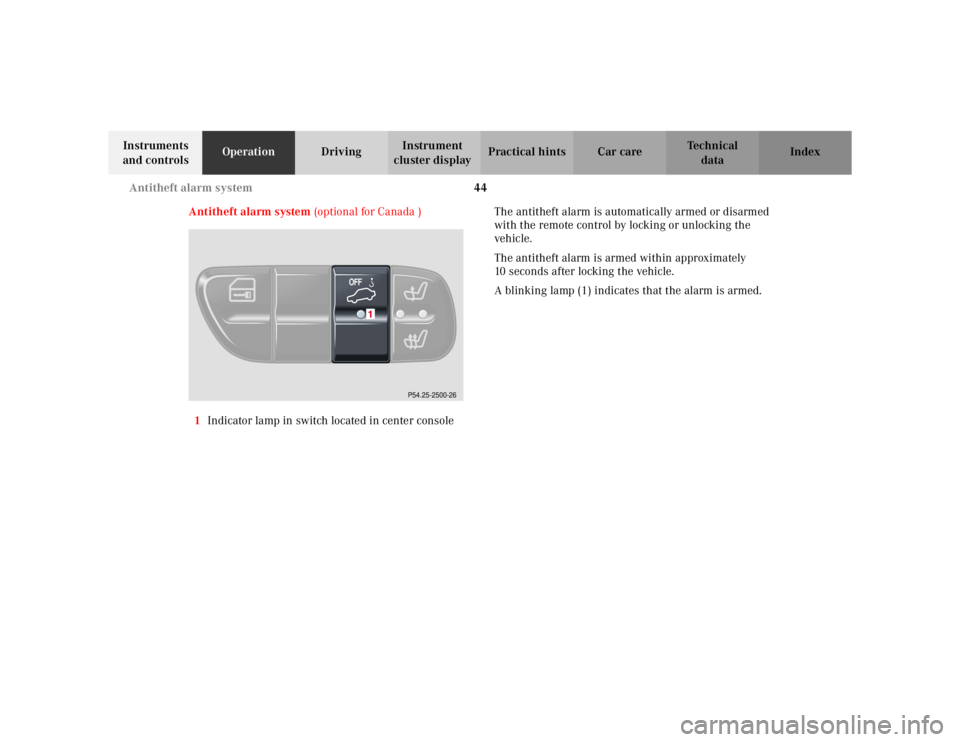
Antitheft alarm system (optional for Canada )
1 Indicator lamp in switch located in center console The antitheft alarm is automatically armed or disarmed
with the remote control by locking or unlocking the
vehicle.
The antitheft alarm is armed within approximately
10 seconds after locking the vehicle.
A blinking lamp (1) indicates that the alarm is armed.
P54.25-2500-26
Page 48 of 399
45
Antitheft alarm system
Te ch n i c a l
data
Instruments
and controls Operation
DrivingInstrument
cluster display Practical hints Car care Index
Operation:
Once the alarm system has been armed, the exterior
vehicle lamps will flash and an alarm will sound when
someone:
• opens a door,
• opens the trunk,
• opens the hood,
• attempts to raise the vehicle.
The alarm will last approximately 3 minutes in form of
flashing exterior lamps. At the same time an alarm will
sound for 30 seconds. The alarm will stay on even if the
activating element (a door, for example) is immediately
closed. If the alarm stays on for more than 20 seconds,
an emergency call is initiated automatically. See Tele
Aid on page 228. Notes:
When you unlock the driver’s door with the mechanical
key, the exterior lamps will flash and the alarm will
sound.
To cancel the alarm, insert the electronic key in the
starter switch or press button
Œ or‹ on the
electronic key.