Page 59 of 248
WINDSHIELD WIPER/WASHER CONTROLS
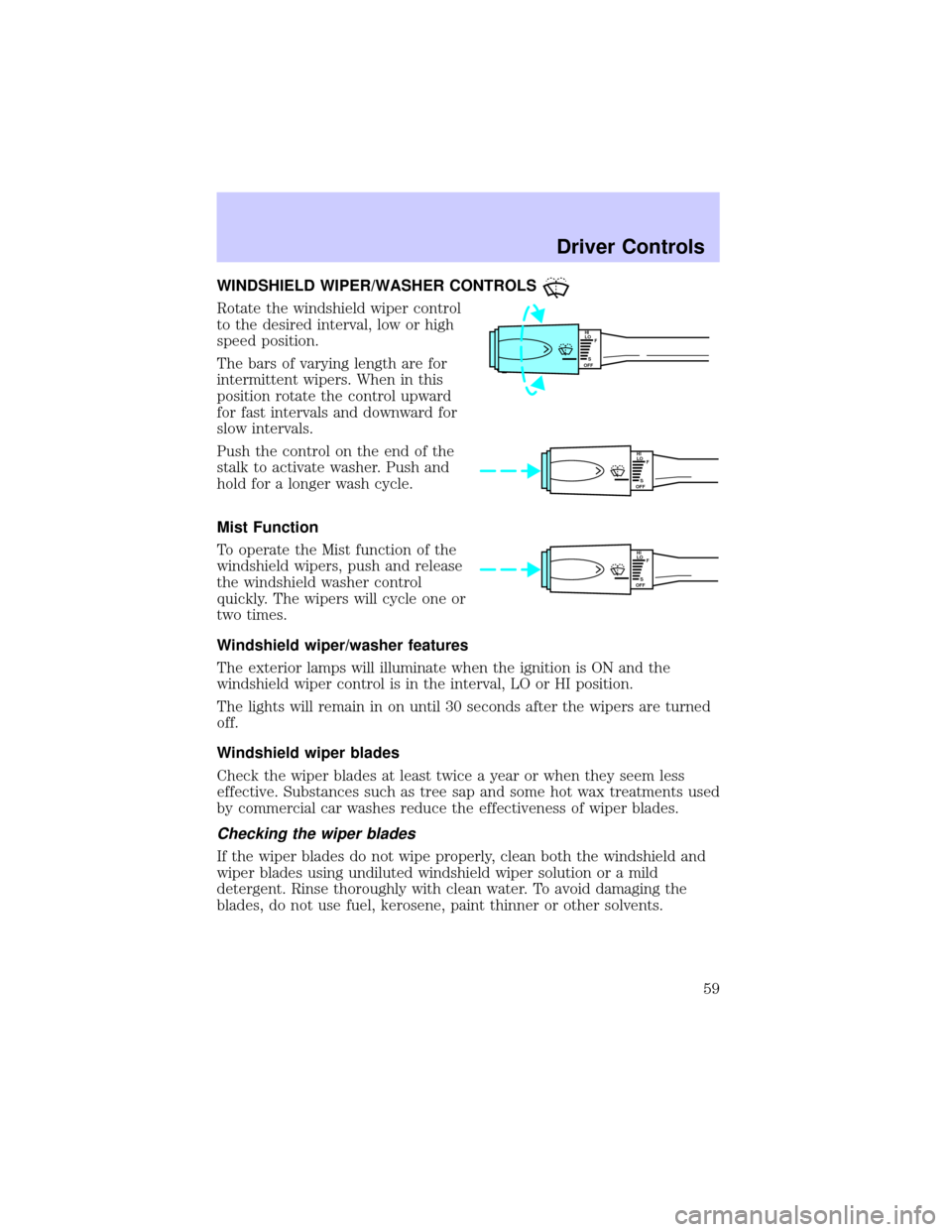
Rotate the windshield wiper control
to the desired interval, low or high
speed position.
The bars of varying length are for
intermittent wipers. When in this
position rotate the control upward
for fast intervals and downward for
slow intervals.
Push the control on the end of the
stalk to activate washer. Push and
hold for a longer wash cycle.
Mist Function
To operate the Mist function of the
windshield wipers, push and release
the windshield washer control
quickly. The wipers will cycle one or
two times.
Windshield wiper/washer features
The exterior lamps will illuminate when the ignition is ON and the
windshield wiper control is in the interval, LO or HI position.
The lights will remain in on until 30 seconds after the wipers are turned
off.
Windshield wiper blades
Check the wiper blades at least twice a year or when they seem less
effective. Substances such as tree sap and some hot wax treatments used
by commercial car washes reduce the effectiveness of wiper blades.
Checking the wiper blades
If the wiper blades do not wipe properly, clean both the windshield and
wiper blades using undiluted windshield wiper solution or a mild
detergent. Rinse thoroughly with clean water. To avoid damaging the
blades, do not use fuel, kerosene, paint thinner or other solvents.
HI
LO
F
S
OFF
HI
LO
F
S
OFF
HI
LO
F
S
OFF
Driver Controls
59
Page 60 of 248
Changing the wiper blades
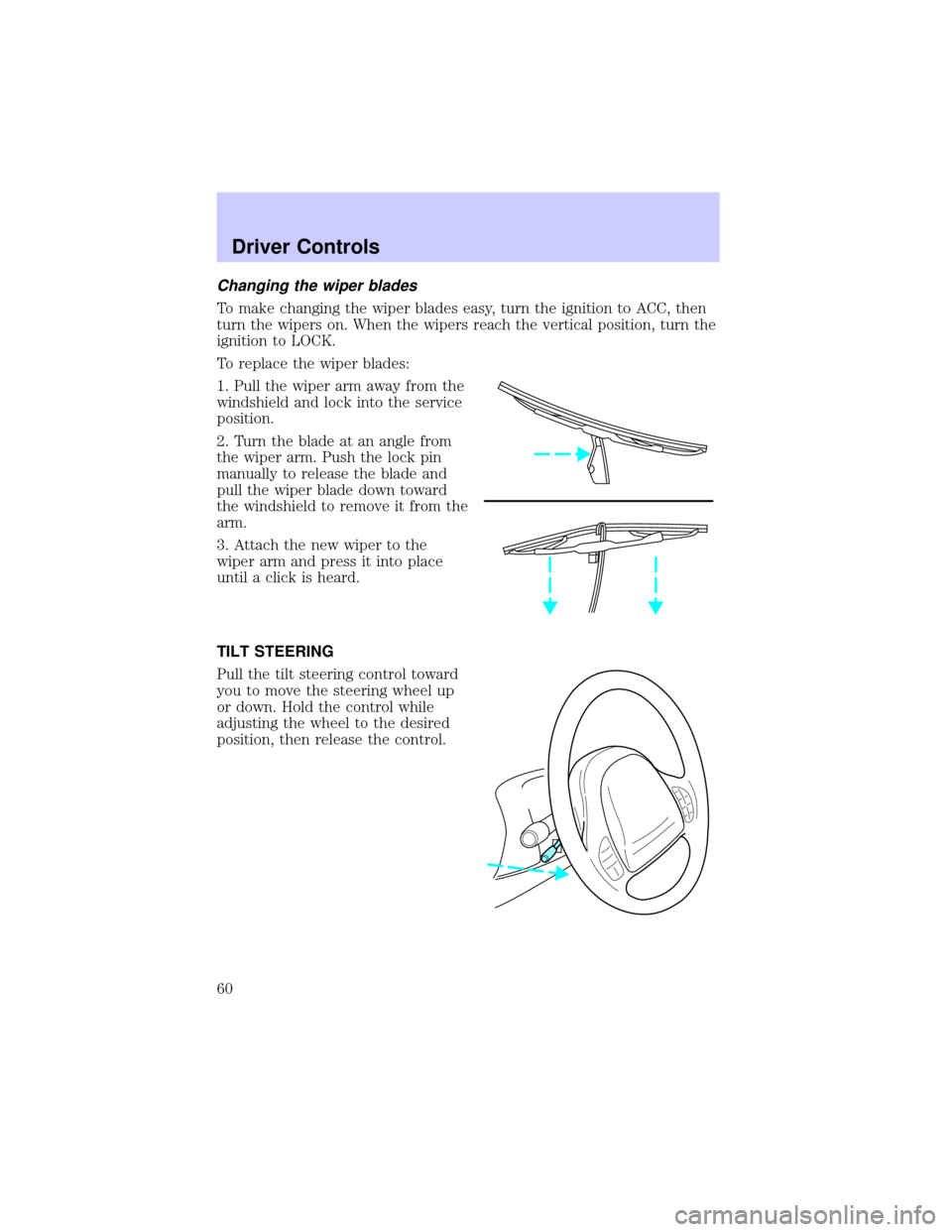
To make changing the wiper blades easy, turn the ignition to ACC, then
turn the wipers on. When the wipers reach the vertical position, turn the
ignition to LOCK.
To replace the wiper blades:
1. Pull the wiper arm away from the
windshield and lock into the service
position.
2. Turn the blade at an angle from
the wiper arm. Push the lock pin
manually to release the blade and
pull the wiper blade down toward
the windshield to remove it from the
arm.
3. Attach the new wiper to the
wiper arm and press it into place
until a click is heard.
TILT STEERING
Pull the tilt steering control toward
you to move the steering wheel up
or down. Hold the control while
adjusting the wheel to the desired
position, then release the control.
Driver Controls
60
Page 62 of 248
AUXILIARY POWER POINT
Power outlets are designed for
accessory plugs only. Do not
hang any type of accessory or
accessory bracket from the plug.
Improper use of the power
outlet can cause damage not
covered by your warranty.
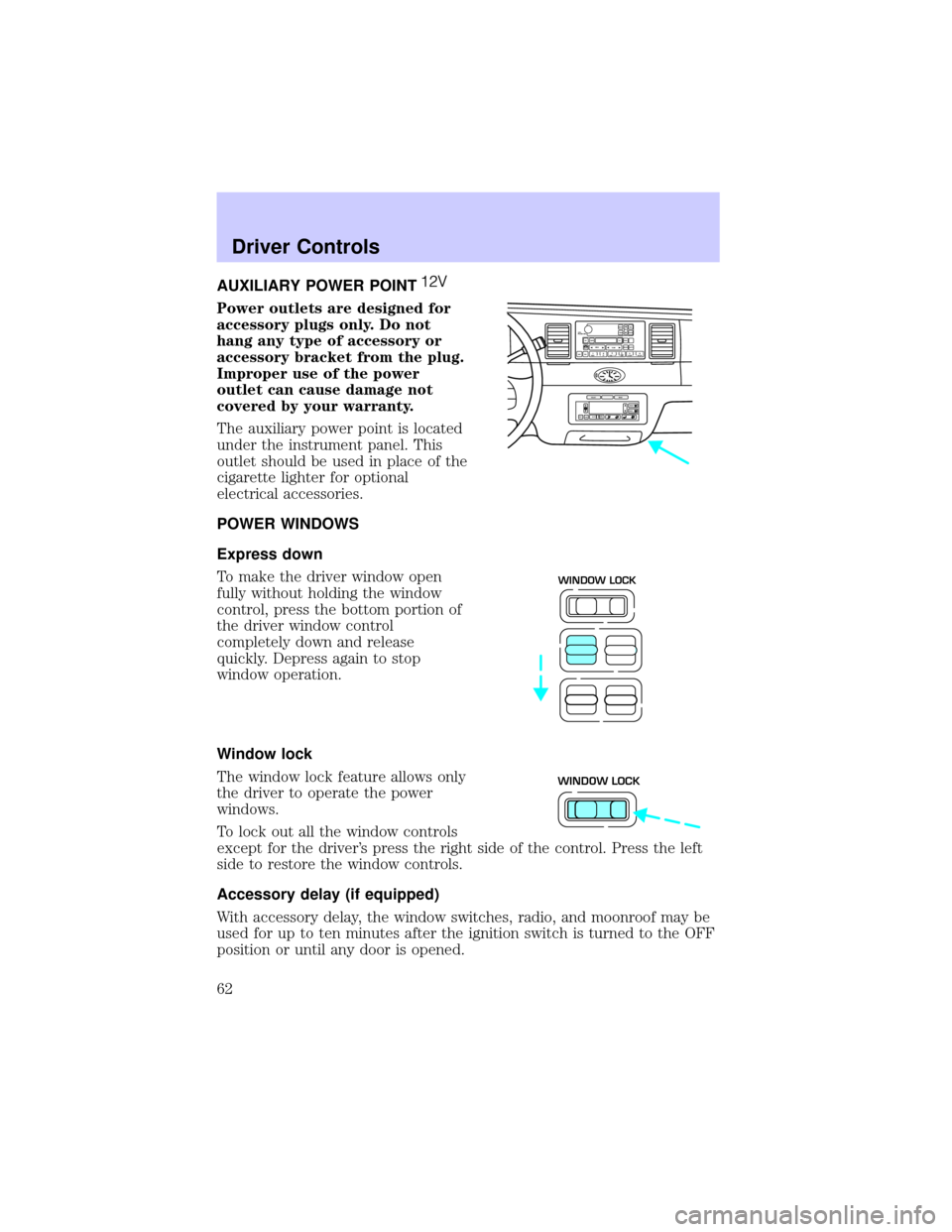
The auxiliary power point is located
under the instrument panel. This
outlet should be used in place of the
cigarette lighter for optional
electrical accessories.
POWER WINDOWS
Express down
To make the driver window open
fully without holding the window
control, press the bottom portion of
the driver window control
completely down and release
quickly. Depress again to stop
window operation.
Window lock
The window lock feature allows only
the driver to operate the power
windows.
To lock out all the window controls
except for the driver's press the right side of the control. Press the left
side to restore the window controls.
Accessory delay (if equipped)
With accessory delay, the window switches, radio, and moonroof may be
used for up to ten minutes after the ignition switch is turned to the OFF
position or until any door is opened.
VOL
PUSH ONTAPE
MUTESEEK
TUNE
AM
FM
REW
FFSIDE 1 2
COMP
SHUFFCDEJ
RDS
SCAN AUTO123
4
56
BASS
TREBSELBAL
FADE
EXT
OFFMAX
A/CAUTOFRONT
REARSELECTRESET
WINDOW LOCK
WINDOW LOCK
Driver Controls
62
Page 63 of 248

MIRRORS
Automatic dimming inside rear view mirror (if equipped)
Your vehicle is equipped with an inside rear view mirror which has an
auto-dimming function (available as an option on the outside driver's side
mirror). The electronic day/night mirror will change from the normal
state to the non-glare state when bright lights (glare) reach the mirror.
When the mirror detects bright light from front or behind, it will
automatically adjust (darken) to minimize glare.
Do not block the sensor on the
backside of the mirror since this
may impair proper mirror
performance.
Ensure the mirror is pulled down
low enough to prevent visibility
interference with the moon roof
controls. The mirror support arm
has two pivot points which lets you
adjust the mirror UP or DOWN and from SIDE to SIDE.
Press the control to turn the mirror on or off.
The mirror will automatically return to the normal state whenever the
vehicle is placed in R (Reverse)(when the mirror is on) to ensure a
bright clear view when backing up.
Power side view mirrors
The ignition must be in ACC or ON position to adjust the power side
view mirrors.
To adjust your mirrors:
1. Select L to adjust the left mirror
or R to adjust the right mirror.
COMP MIRROR
LR
Driver Controls
63
Page 65 of 248
SPEED CONTROL
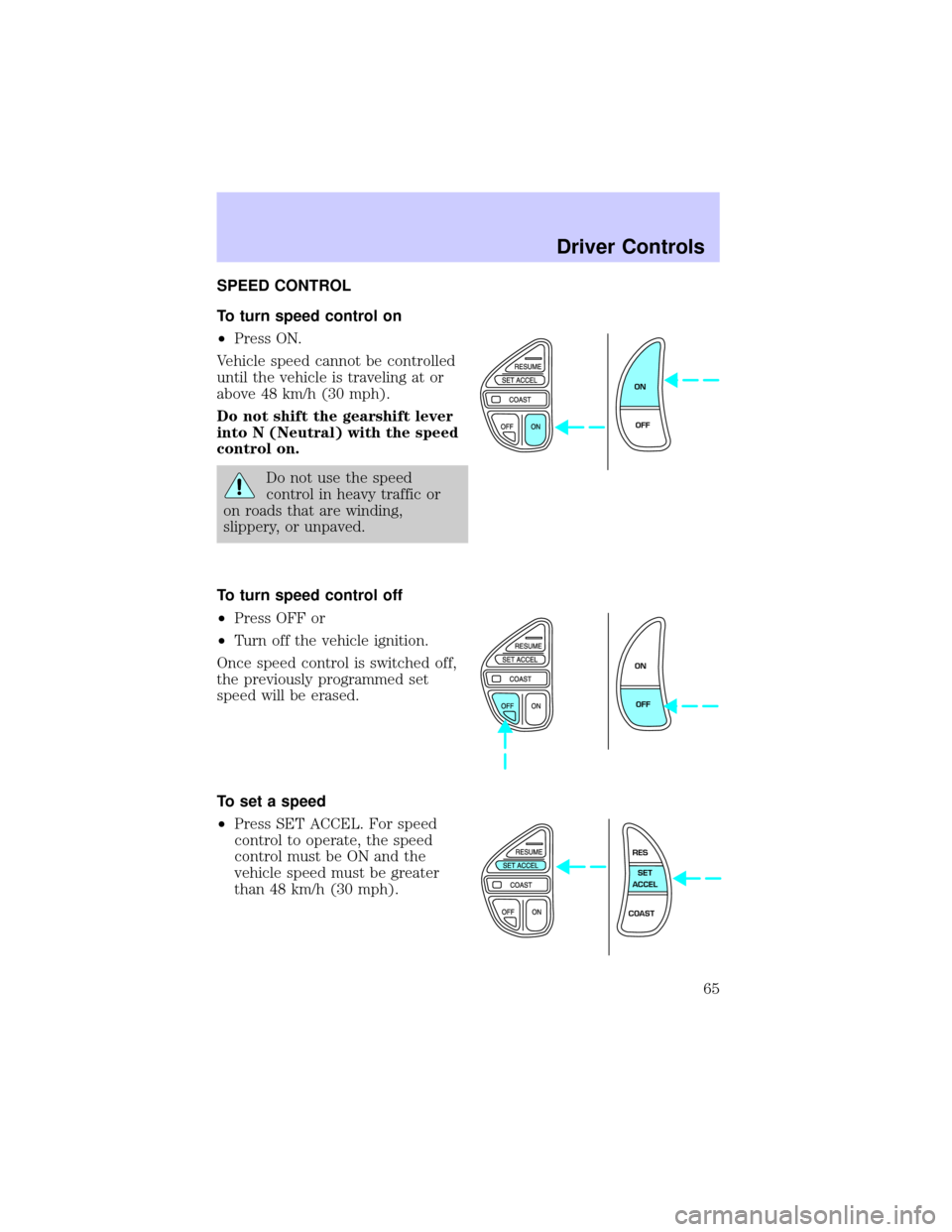
To turn speed control on
²Press ON.
Vehicle speed cannot be controlled
until the vehicle is traveling at or
above 48 km/h (30 mph).
Do not shift the gearshift lever
into N (Neutral) with the speed
control on.
Do not use the speed
control in heavy traffic or
on roads that are winding,
slippery, or unpaved.
To turn speed control off
²Press OFF or
²Turn off the vehicle ignition.
Once speed control is switched off,
the previously programmed set
speed will be erased.
To set a speed
²Press SET ACCEL. For speed
control to operate, the speed
control must be ON and the
vehicle speed must be greater
than 48 km/h (30 mph).
ON
OFF
ON
OFF
RES
SET
ACCEL
COAST
Driver Controls
65
Page 68 of 248
Indicator light
Indicator message
This message is displayed in the
Message Center when either the
SET ACCEL or RES/RESUME
controls are pressed. It turns off when the speed control OFF is pressed,
the brake is applied or the ignition is turned to the OFF position.
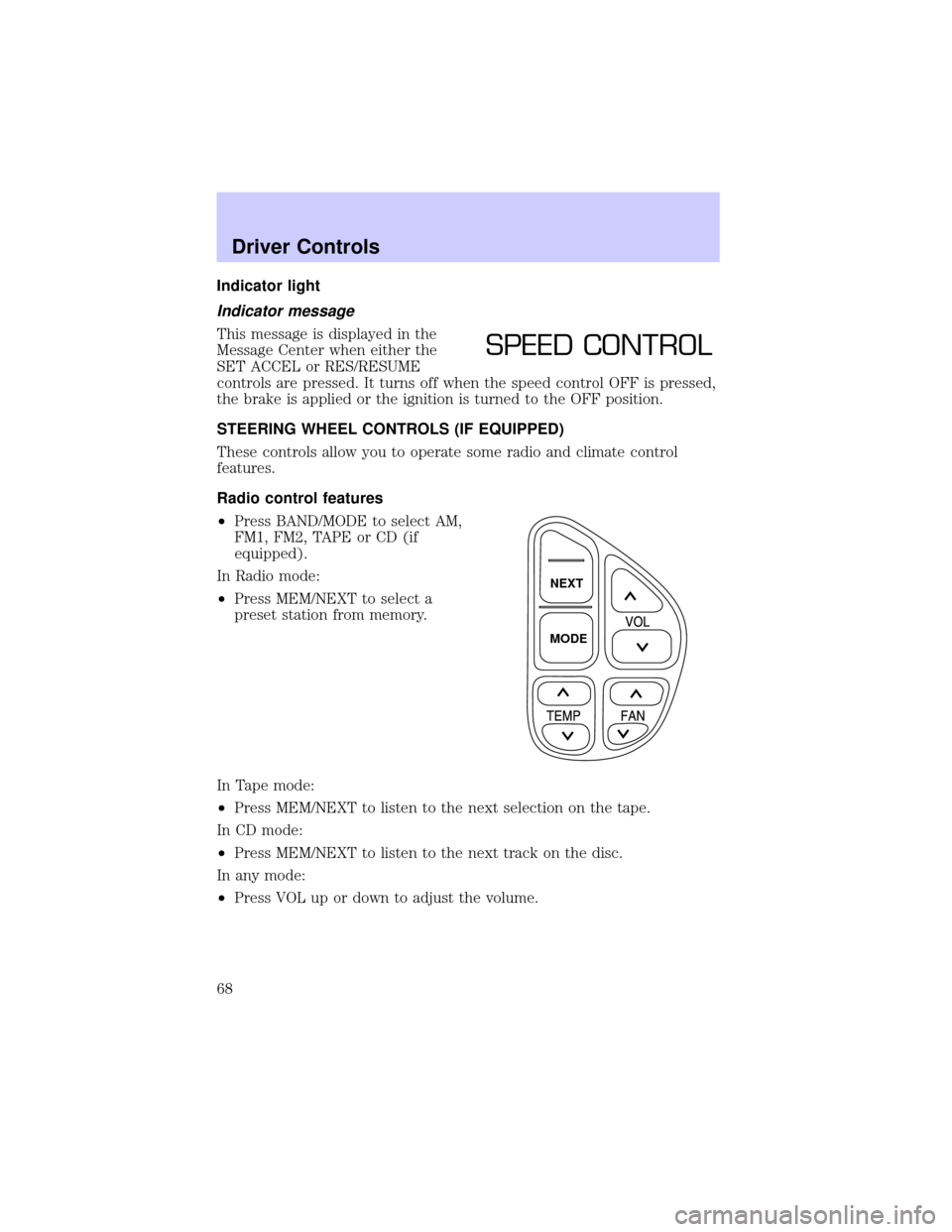
STEERING WHEEL CONTROLS (IF EQUIPPED)
These controls allow you to operate some radio and climate control
features.
Radio control features
²Press BAND/MODE to select AM,
FM1, FM2, TAPE or CD (if
equipped).
In Radio mode:
²Press MEM/NEXT to select a
preset station from memory.
In Tape mode:
²Press MEM/NEXT to listen to the next selection on the tape.
In CD mode:
²Press MEM/NEXT to listen to the next track on the disc.
In any mode:
²Press VOL up or down to adjust the volume.
SPEED CONTROL
NEXT
MODE
Driver Controls
68
Page 75 of 248
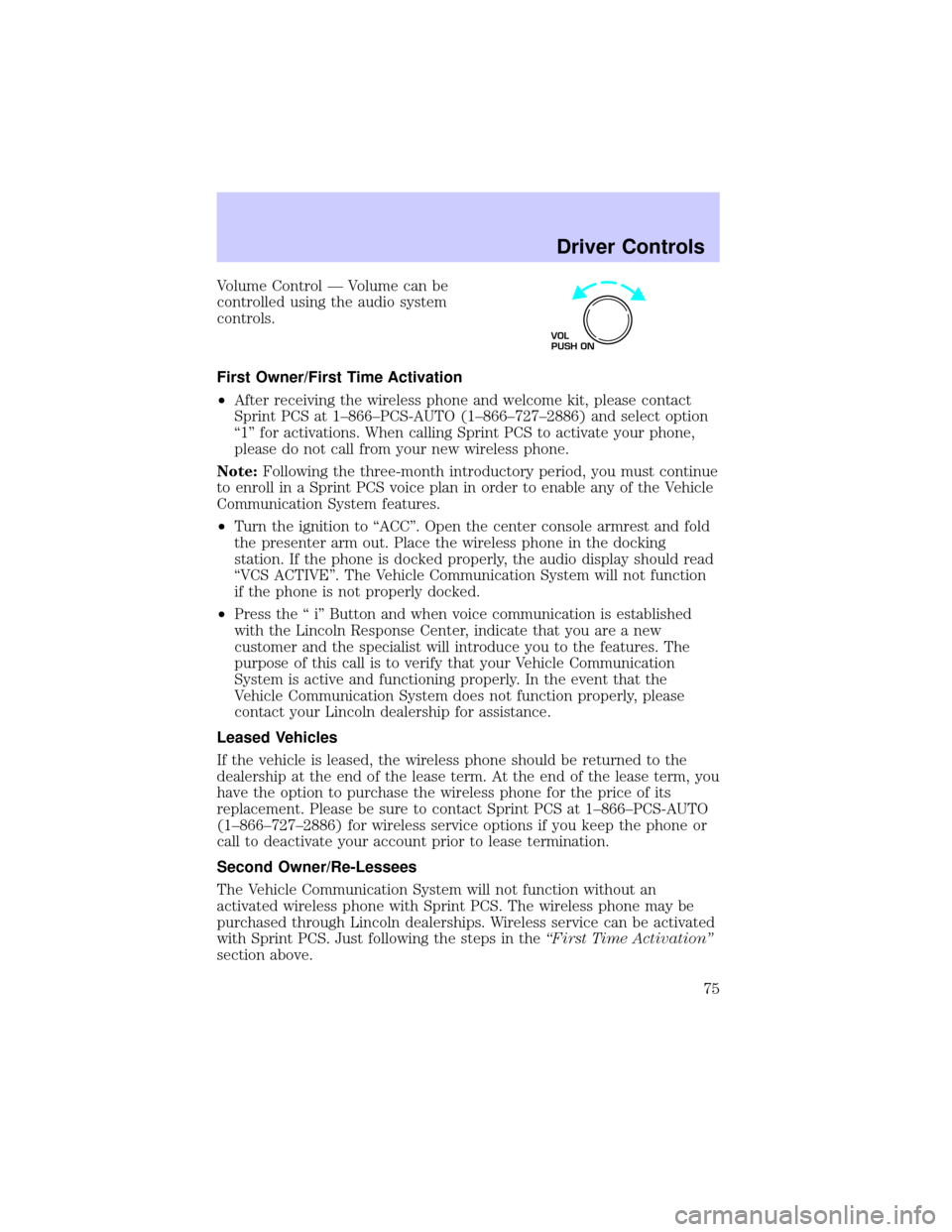
Volume Control Ð Volume can be
controlled using the audio system
controls.
First Owner/First Time Activation
²After receiving the wireless phone and welcome kit, please contact
Sprint PCS at 1±866±PCS-AUTO (1±866±727±2886) and select option
ª1º for activations. When calling Sprint PCS to activate your phone,
please do not call from your new wireless phone.
Note:Following the three-month introductory period, you must continue
to enroll in a Sprint PCS voice plan in order to enable any of the Vehicle
Communication System features.
²Turn the ignition to ªACCº. Open the center console armrest and fold
the presenter arm out. Place the wireless phone in the docking
station. If the phone is docked properly, the audio display should read
ªVCS ACTIVEº. The Vehicle Communication System will not function
if the phone is not properly docked.
²Press the ª iº Button and when voice communication is established
with the Lincoln Response Center, indicate that you are a new
customer and the specialist will introduce you to the features. The
purpose of this call is to verify that your Vehicle Communication
System is active and functioning properly. In the event that the
Vehicle Communication System does not function properly, please
contact your Lincoln dealership for assistance.
Leased Vehicles
If the vehicle is leased, the wireless phone should be returned to the
dealership at the end of the lease term. At the end of the lease term, you
have the option to purchase the wireless phone for the price of its
replacement. Please be sure to contact Sprint PCS at 1±866±PCS-AUTO
(1±866±727±2886) for wireless service options if you keep the phone or
call to deactivate your account prior to lease termination.
Second Owner/Re-Lessees
The Vehicle Communication System will not function without an
activated wireless phone with Sprint PCS. The wireless phone may be
purchased through Lincoln dealerships. Wireless service can be activated
with Sprint PCS. Just following the steps in theªFirst Time Activationº
section above.
VOL
PUSH ON
Driver Controls
75
Page 76 of 248

Vehicle Communication System Limitations
²Vehicle Communication System services are available in the 48
contiguous states and Hawaii
²Vehicle Communication System services are not available in Alaska
²Only available within range of the cellular systems
²Connection limited by atmospheric and topographical conditions
²Connection limited by cellular network capabilities and infrastructure
²The wireless phone must have an active wireless service plan with
Sprint PCS and docked in the docking station located in the center
console for Vehicle Communication System to function properly
²The vehicle must be running or the ignition must be turned to either
ªACCº or ªRUN/ONº position
²May become inoperative if the vehicle is involved in an accident,
damaging one or more components
²Sprint PCS Voice Command (SM) services are only available on the
Sprint PCS network
Global Positioning Satellites are used to deliver location information
(only at the request of the vehicle occupants or in the event an airbag
deploys) and may not be available if signal is obstructed. (If a signal is
unavailable, the last valid position obtained before the signal was
obstructed will be sent.)
Vehicle Communication System is powered by the vehicle's battery and
will not operate if the battery is discharged or disconnected.
Vehicle Communication System specialist will make all reasonable efforts
to contact the Public Safety service providers but cannot be held
responsible for their response time or their activities.
Drivers have the responsibility to pay primary attention to the road and
drive safely. A driver may want to pull over to a safe parking spot before
using Vehicle Communication System services. Drivers who allow
themselves to become distracted may cause an accident. Please use this
technology responsibly.
Due to the specialized Lincoln software contained within the phone, your
local Sprint PCS store is unable to provide service or replacement units.
Issues or questions about equipment including the wireless phone should
be directed to your Lincoln dealer.
Driver Controls
76