Page 101 of 428
1- 88 FEATURES OF YOUR HYUNDAI
7. Fader (If installed) This button is located top side of the volume switch. Rotate clockwise toattenuate front speaker sound. Rotate counter-clockwise to attenuate rear speaker sound.
Page 105 of 428

1- 92 FEATURES OF YOUR HYUNDAI
K240B01TB-GAT 1. POWER ON/OFF, VOLUME Press this button to turn on/off the audio when the ignition switch is atACC or ON position. Once the system is on, you can increase or decrease the volume by rotating the knob clock-wise or counter-clockwise. Press this button again to turn it off. 2. TUNE Press the button not more than 0.5 second then frequency is increased.Likewise press the button not more than 0.5 second to decrease the fre- quency.With the button held down for 0.5 sec or more, the beep sound will be heard and frequency will increase or decreaserapidly. if you release the button after the beep sound, seek function is in operation. o SEEK Press the button for over 0.5 second and release the button after beep sound,then it will tune to the next receivable higher frequency station. Likewise, press the button for over 0.5 secondand release the button after the beep sound, then it will tune to the next receivable lower frequency station. ifthe selected station is in the preset memory, memorized channel will be on the display too. 3. PRESET Press any of these buttons not more than 2 seconds to listen to the stationin memory. Press the preset button for 2 seconds or more, then the current station will be stored into the memoryof the preset button with the sound.
4. SCAN Button When this button is pressed, the fre- quency will be increased to be tuned tothe next receivable station one after another, receiving each station for 5 seconds. if the desirable station istuned, press this button (scan) again to cancel scan function. 5. BASS/BAL- pull Press to pop the knob out, To increase the bass, rotate the knob clockwise, while to decrease the Bass, rotate theknob counterclockwise. Further pull the popped-ed knob for the balance control. Rotate the knob clockwise toemphasize right speaker sound. (Left speaker sound will be attenuated) When the control knob is turnedcounter-clockwise, left speaker sound will be emphasized. (Right speaker will be attenuated)
Page 106 of 428
FEATURES OF YOUR HYUNDAI 1- 93
6. TREB/pull-FAD Press the pop the knob out and turn clockwise to increase the treble orcounterclockwise to decrease the treble. Further pull the popped-up knob for the Fader control. Turn the controlknob counter clockwise to emphasize front speaker sound. (Rear speaker sound will be attenu-ated) When the control knob is turned clockwise, rear speaker sound will be emphasized. (Front speaker sound willbe attenuated) 7. FM/AM Button FM/AM band button, which is used to change the band repeatedly in the following manner . FM1 FM2 AM FM1
(FM1 FM2 M L FM1 : Europe) 8. LCD LCD shows the following information; band of FM1/FM2/AM frequency, pre-set channel number, ST in case of FM Stereo.
Page 110 of 428

FEATURES OF YOUR HYUNDAI 1- 97
H290B03E-GAT
1. POWER ON-OFF Control Knob The radio unit may be operated when the ignition key is in the "ACC" or "ON"position. Press the button to switch the power on. The display shows the radio frequency in the radio mode, the tapedirection indicator in the tape mode or CD track in either the CD mode or CD AUTO CHANGER mode. To switchthe power off, press the button again. VOLUME Control Rotate the knob clockwise to increase the volume and turn the knob counter- clockwise to reduce the volume.
2. BASS/BALANCE
Control Knob BASS Control Knob
Press to pop the knob out. To increase the bass, rotate the knob clockwise, while to decrease the bass, rotate theknob counterclockwise. BALANCE Control knob Pull the Bass control knob out further. Rotate the knob clockwise to empha-size right speaker sound. (Left speaker sound will be attenuated) When the control knob is turned counterclock-wise, left speaker sound will be em- phasized (Right speaker sound will be attenuated).
3. TREBLE/FAD Knob
TREBLE Control Knob
Press to pop the knob out and turn to the left or right for the desired trebletone. FAD (Fader Control) Knob Pull the Bass control knob out further. Turn the control knob counterclock- wise to emphasize front speaker sound. (Rear speaker sound will be attenu-ated) When the control knob is turned clockwise, rear speaker sound will be emphasized. (Front speaker sound willbe attenuated) 4. TUNE (Manual) Select Button Press the ( ) side or ( ) side to increase or to decrease the frequency.Press either button and hold down to continuously scroll, Release button once the desired station is reached. SEEK Operation (Automatic Channel Selection) Press the TUNE select button for 0.5 sec or more. Releasing it will automati- cally tune to the next available stationwith a beep sound. When the ( ) side is pressed longer than 0.5 second, releasing will auto-matically tune to the next higher fre- quency and when the ( ) side is pressed longer than 0.5 second andreleasing will automatically tune to the next lower frequency.
5. PRESET STATION Select
Buttons
Six (6) stations for AM, FM and FM2 respectively can be preset in the elec- tronic memory circuit.
Page 120 of 428
FEATURES OF YOUR HYUNDAI 1- 107
HTB111
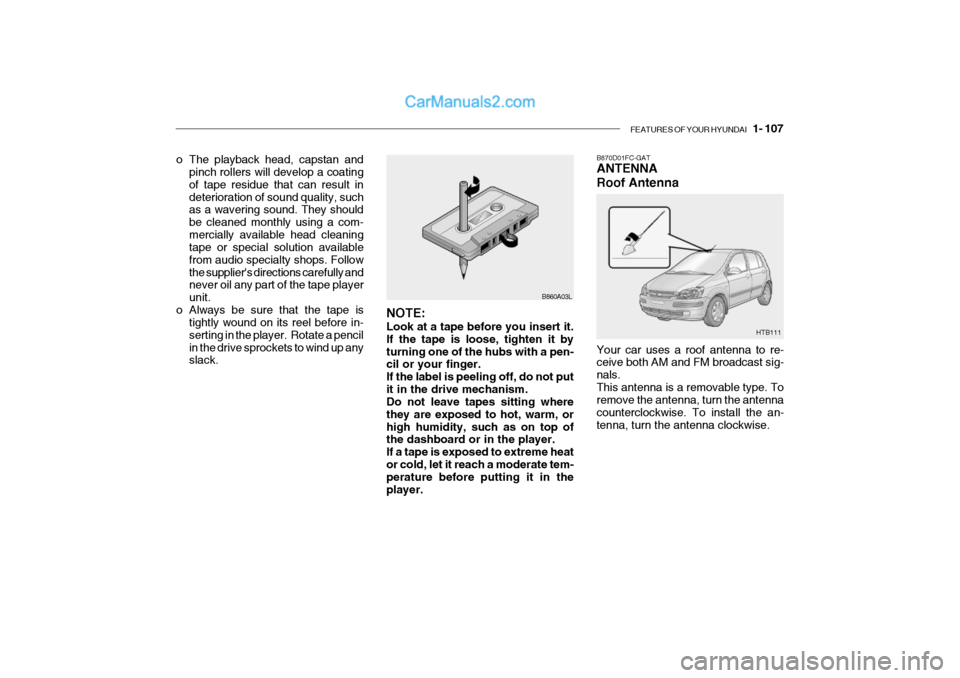
B870D01FC-GAT ANTENNA Roof Antenna Your car uses a roof antenna to re- ceive both AM and FM broadcast sig- nals.This antenna is a removable type. To remove the antenna, turn the antenna counterclockwise. To install the an-tenna, turn the antenna clockwise.
o The playback head, capstan and
pinch rollers will develop a coating of tape residue that can result indeterioration of sound quality, such as a wavering sound. They should be cleaned monthly using a com-mercially available head cleaning tape or special solution available from audio specialty shops. Followthe supplier's directions carefully and never oil any part of the tape player unit.
o Always be sure that the tape is tightly wound on its reel before in-serting in the player. Rotate a pencilin the drive sprockets to wind up any slack. B860A03L
NOTE: Look at a tape before you insert it. If the tape is loose, tighten it byturning one of the hubs with a pen- cil or your finger. If the label is peeling off, do not putit in the drive mechanism. Do not leave tapes sitting where they are exposed to hot, warm, orhigh humidity, such as on top of the dashboard or in the player. If a tape is exposed to extreme heator cold, let it reach a moderate tem- perature before putting it in the player.
Page 125 of 428
2- 4 DRIVING YOUR HYUNDAI
C070C01E
C070C01A-AAT
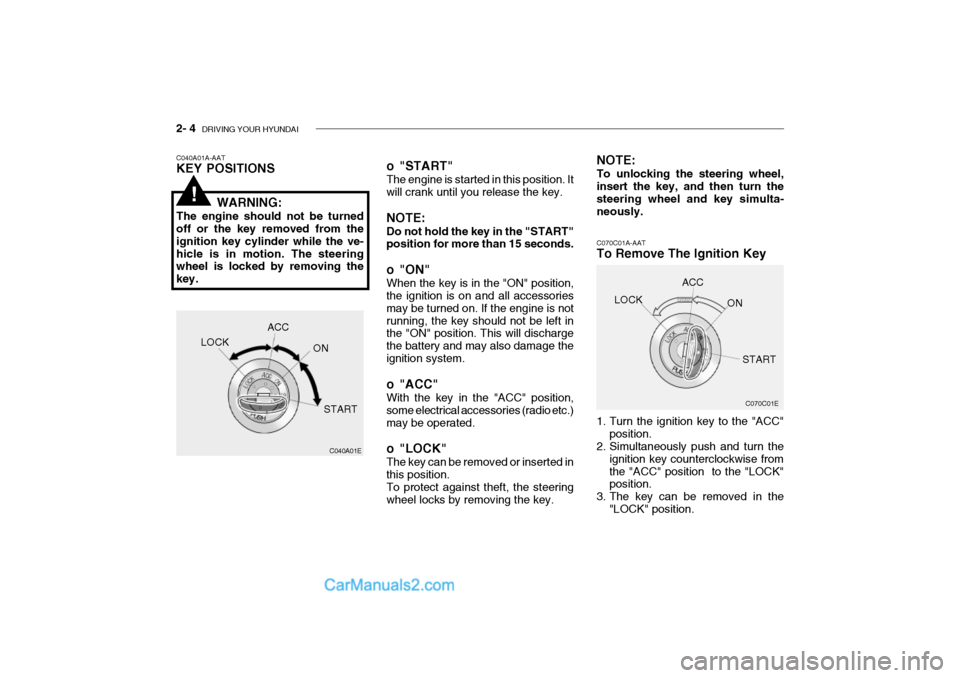
To Remove The Ignition Key
1. Turn the ignition key to the "ACC"
position.
2. Simultaneously push and turn the
ignition key counterclockwise from the "ACC" position to the "LOCK" position.
3. The key can be removed in the "LOCK" position.LOCK
ACC
ON
START
o "START" The engine is started in this position. It will crank until you release the key. NOTE: Do not hold the key in the "START" position for more than 15 seconds.
o "ON" When the key is in the "ON" position, the ignition is on and all accessories may be turned on. If the engine is notrunning, the key should not be left in the "ON" position. This will discharge the battery and may also damage theignition system.
o "ACC" With the key in the "ACC" position, some electrical accessories (radio etc.)may be operated.
o "LOCK" The key can be removed or inserted in this position. To protect against theft, the steering wheel locks by removing the key. NOTE: To unlocking the steering wheel, insert the key, and then turn the steering wheel and key simulta-neously.
C040A01A-AAT KEY POSITIONS
WARNING:
The engine should not be turned off or the key removed from the ignition key cylinder while the ve-hicle is in motion. The steering wheel is locked by removing the key.
C040A01E
LOCK
ACC
ON
START
!
Page 150 of 428
3- 8 WHAT TO DO IN AN EMERGENCY
Flat tire
HTB156 HTB149
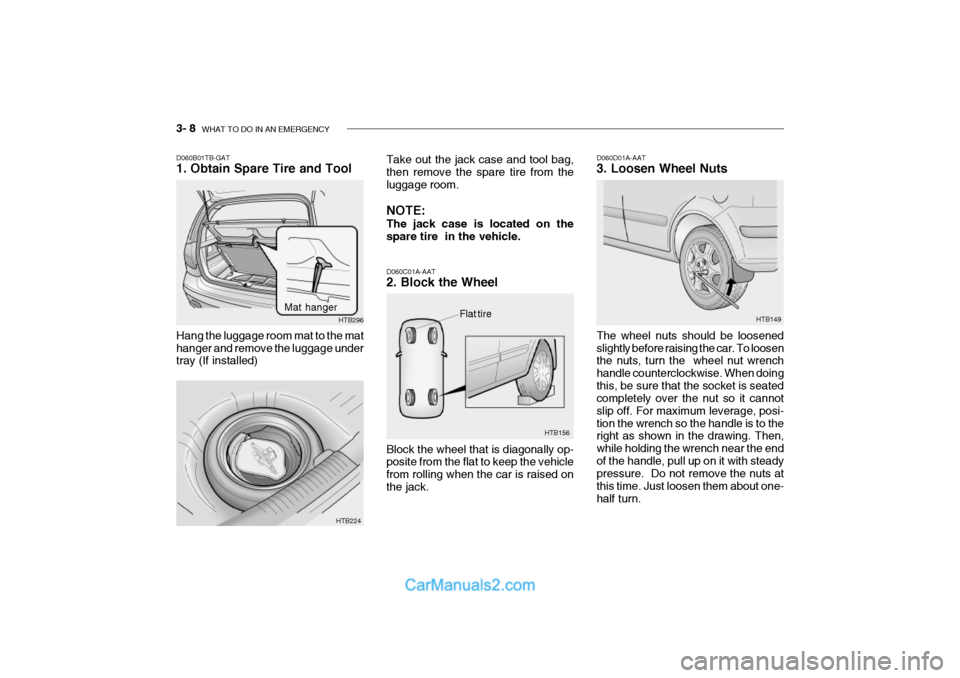
D060C01A-AAT 2. Block the Wheel Block the wheel that is diagonally op- posite from the flat to keep the vehicle from rolling when the car is raised onthe jack. D060D01A-AAT 3. Loosen Wheel Nuts The wheel nuts should be loosened slightly before raising the car. To loosen the nuts, turn the wheel nut wrench handle counterclockwise. When doingthis, be sure that the socket is seated completely over the nut so it cannot slip off. For maximum leverage, posi-tion the wrench so the handle is to the right as shown in the drawing. Then, while holding the wrench near the endof the handle, pull up on it with steady pressure. Do not remove the nuts at this time. Just loosen them about one-half turn.
Take out the jack case and tool bag, then remove the spare tire from the luggage room. NOTE: The jack case is located on the spare tire in the vehicle.
Hang the luggage room mat to the mat hanger and remove the luggage under tray (If installed)
D060B01TB-GAT 1. Obtain Spare Tire and Tool
HTB224HTB296
Mat hanger
Page 151 of 428
WHAT TO DO IN AN EMERGENCY 3- 9
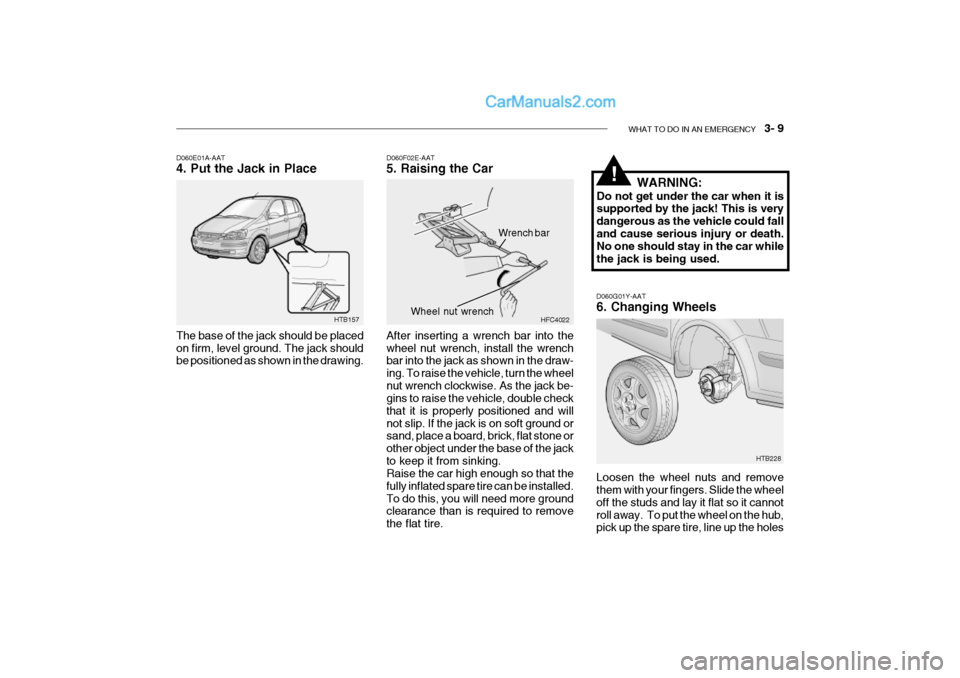
D060G01Y-AAT 6. Changing Wheels Loosen the wheel nuts and remove them with your fingers. Slide the wheel off the studs and lay it flat so it cannotroll away. To put the wheel on the hub, pick up the spare tire, line up the holes
HTB157
D060E01A-AAT 4. Put the Jack in Place The base of the jack should be placed on firm, level ground. The jack should be positioned as shown in the drawing.
D060F02E-AAT 5. Raising the Car After inserting a wrench bar into the wheel nut wrench, install the wrench bar into the jack as shown in the draw- ing. To raise the vehicle, turn the wheelnut wrench clockwise. As the jack be- gins to raise the vehicle, double check that it is properly positioned and willnot slip. If the jack is on soft ground or sand, place a board, brick, flat stone or other object under the base of the jackto keep it from sinking. Raise the car high enough so that the fully inflated spare tire can be installed.To do this, you will need more ground clearance than is required to remove the flat tire. HFC4022
Wrench bar
Wheel nut wrench
WARNING:
Do not get under the car when it is supported by the jack! This is very dangerous as the vehicle could falland cause serious injury or death. No one should stay in the car while the jack is being used.!
HTB228