2002 Hyundai Atos lock
[x] Cancel search: lockPage 41 of 249
FEATURES OF YOUR HYUNDAI
FEATURES OF YOUR HYUNDAI FEATURES OF YOUR HYUNDAI
FEATURES OF YOUR HYUNDAI
FEATURES OF YOUR HYUNDAI
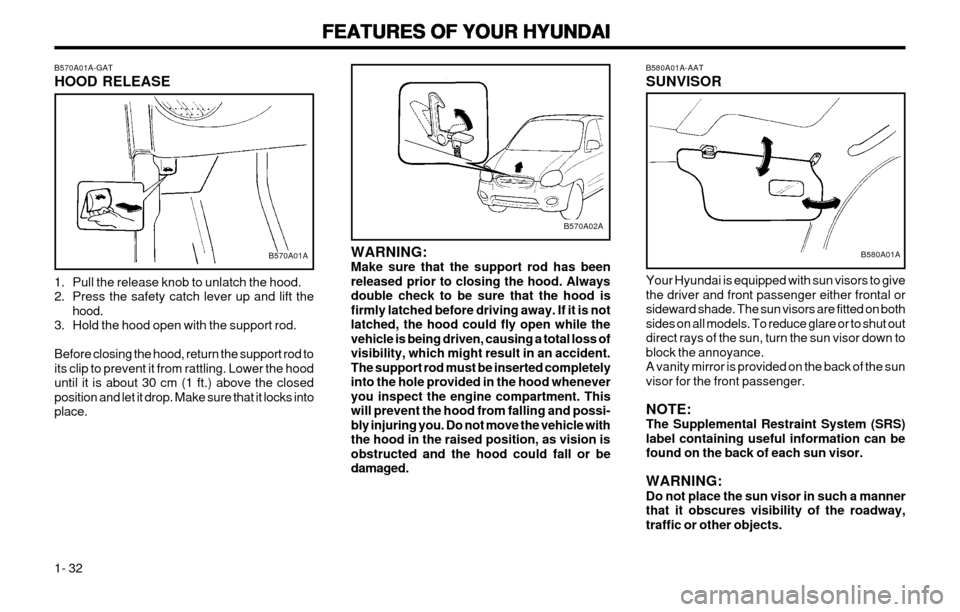
1- 32 B580A01A-AAT SUNVISOR Your Hyundai is equipped with sun visors to give the driver and front passenger either frontal orsideward shade. The sun visors are fitted on bothsides on all models. To reduce glare or to shut outdirect rays of the sun, turn the sun visor down toblock the annoyance.A vanity mirror is provided on the back of the sunvisor for the front passenger. NOTE: The Supplemental Restraint System (SRS)label containing useful information can befound on the back of each sun visor. WARNING: Do not place the sun visor in such a mannerthat it obscures visibility of the roadway,traffic or other objects.
B580A01AWARNING: Make sure that the support rod has beenreleased prior to closing the hood. Alwaysdouble check to be sure that the hood isfirmly latched before driving away. If it is notlatched, the hood could fly open while thevehicle is being driven, causing a total loss ofvisibility, which might result in an accident.The support rod must be inserted completelyinto the hole provided in the hood wheneveryou inspect the engine compartment. Thiswill prevent the hood from falling and possi-bly injuring you. Do not move the vehicle withthe hood in the raised position, as vision isobstructed and the hood could fall or bedamaged.
B570A02A
B570A01A-GAT HOOD RELEASE
1. Pull the release knob to unlatch the hood.
2. Press the safety catch lever up and lift the
hood.
3. Hold the hood open with the support rod. Before closing the hood, return the support rod to its clip to prevent it from rattling. Lower the hooduntil it is about 30 cm (1 ft.) above the closedposition and let it drop. Make sure that it locks intoplace.
B570A01A
Page 47 of 249
FEATURES OF YOUR HYUNDAI
FEATURES OF YOUR HYUNDAI FEATURES OF YOUR HYUNDAI
FEATURES OF YOUR HYUNDAI
FEATURES OF YOUR HYUNDAI
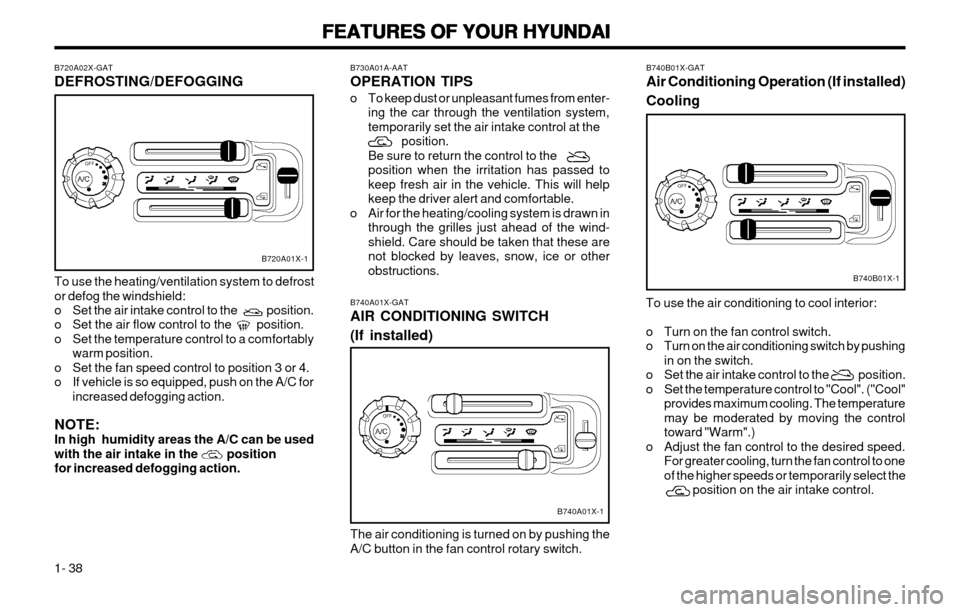
1- 38 B740B01X-GAT Air Conditioning Operation (If installed) Cooling
To use the air conditioning to cool interior:
o Turn on the fan control switch.
o Turn on the air conditioning switch by pushing in on the switch.
o Set the air intake control to the position.
o Set the temperature control to "Cool". ("Cool" provides maximum cooling. The temperaturemay be moderated by moving the controltoward "Warm".)
o Adjust the fan control to the desired speed. For greater cooling, turn the fan control to oneof the higher speeds or temporarily select the position on the air intake control.
B740B01X-1
B730A01A-AAT OPERATION TIPS
o To keep dust or unpleasant fumes from enter-ing the car through the ventilation system, temporarily set the air intake control at the position.Be sure to return the control to theposition when the irritation has passed tokeep fresh air in the vehicle. This will helpkeep the driver alert and comfortable.
o Air for the heating/cooling system is drawn in through the grilles just ahead of the wind-shield. Care should be taken that these arenot blocked by leaves, snow, ice or otherobstructions.
B740A01X-GAT AIR CONDITIONING SWITCH (If installed) The air conditioning is turned on by pushing the
A/C button in the fan control rotary switch.
B740A01X-1
B720A02X-GAT DEFROSTING/DEFOGGING To use the heating/ventilation system to defrost or defog the windshield:
o Set the air intake control to the position.
o Set the air flow control to the position.
o Set the temperature control to a comfortably warm position.
o Set the fan speed control to position 3 or 4.
o If vehicle is so equipped, push on the A/C for increased defogging action.
NOTE:In high humidity areas the A/C can be used
with the air intake in the positionfor increased defogging action.
B720A01X-1
Page 50 of 249
FEATURES OF YOUR HYUNDAI
FEATURES OF YOUR HYUNDAI FEATURES OF YOUR HYUNDAI
FEATURES OF YOUR HYUNDAI
FEATURES OF YOUR HYUNDAI
1- 41
B750B02Y-AAT Using a cellular phone or a two-way radio When a cellular phone is used inside the vehicle, noise may be produced from the audio equip-ment. This does not mean that something iswrong with the audio equipment. In such a case,use the cellular phone at a place as far aspossible from the audio equipment. CAUTION: When using a communication system suchas a cellular phone or a radio inside thevehicle, a separate external antenna must befitted. When a cellular phone or a radio set isused with an internal antenna alone, it mayinterfere with the vehicle's electrical systemand adversely affect safe operation of thevehicle. WARNING: Don't use a cellular phone when you aredriving, you must stop at a safe place to usea cellular phone.
SSAR013A
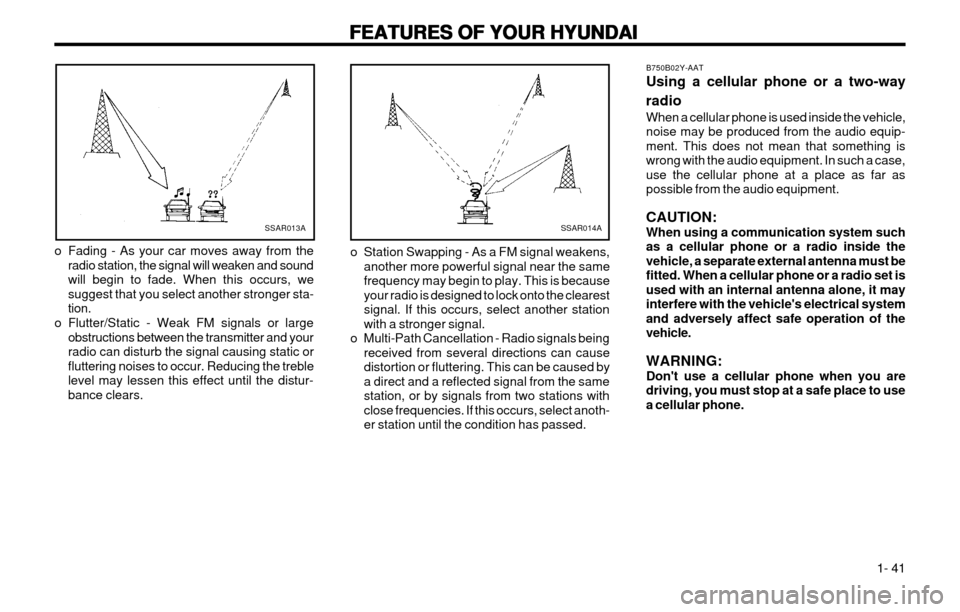
o Fading - As your car moves away from the radio station, the signal will weaken and sound will begin to fade. When this occurs, wesuggest that you select another stronger sta-tion.
o Flutter/Static - Weak FM signals or large obstructions between the transmitter and yourradio can disturb the signal causing static orfluttering noises to occur. Reducing the treblelevel may lessen this effect until the distur-bance clears.SSAR014A
o Station Swapping - As a FM signal weakens, another more powerful signal near the same frequency may begin to play. This is becauseyour radio is designed to lock onto the clearestsignal. If this occurs, select another stationwith a stronger signal.
o Multi-Path Cancellation - Radio signals being received from several directions can causedistortion or fluttering. This can be caused bya direct and a reflected signal from the samestation, or by signals from two stations withclose frequencies. If this occurs, select anoth-er station until the condition has passed.
Page 52 of 249
FEATURES OF YOUR HYUNDAI
FEATURES OF YOUR HYUNDAI FEATURES OF YOUR HYUNDAI
FEATURES OF YOUR HYUNDAI
FEATURES OF YOUR HYUNDAI
1- 43
B901B02X-GAT
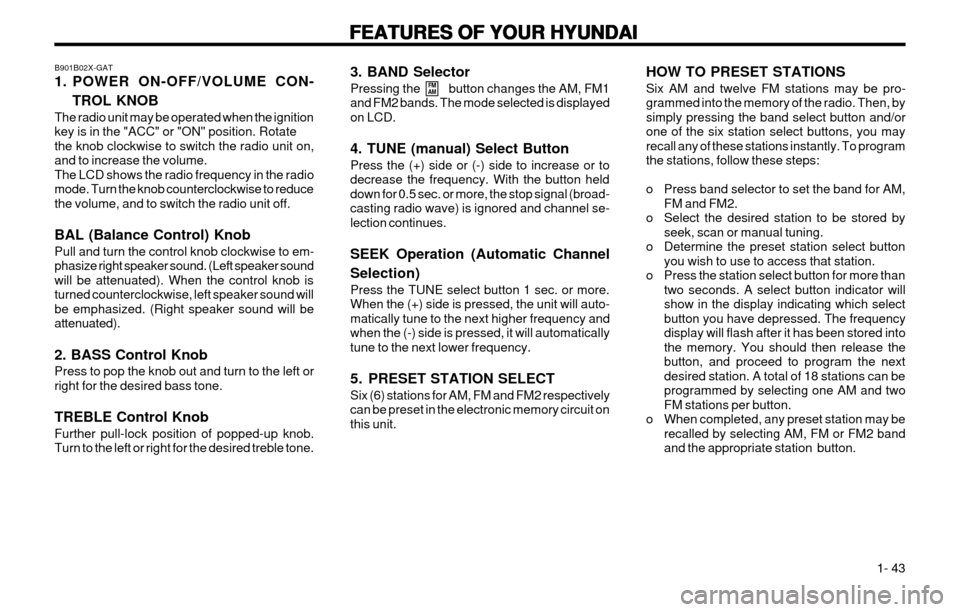
1. POWER ON-OFF/VOLUME CON-
TROL KNOB
The radio unit may be operated when the ignition key is in the "ACC" or "ON" position. Rotatethe knob clockwise to switch the radio unit on,and to increase the volume.The LCD shows the radio frequency in the radiomode. Turn the knob counterclockwise to reducethe volume, and to switch the radio unit off. BAL (Balance Control) Knob Pull and turn the control knob clockwise to em- phasize right speaker sound. (Left speaker soundwill be attenuated). When the control knob isturned counterclockwise, left speaker sound willbe emphasized. (Right speaker sound will beattenuated). 2. BASS Control Knob Press to pop the knob out and turn to the left or right for the desired bass tone. TREBLE Control Knob Further pull-lock position of popped-up knob. Turn to the left or right for the desired treble tone. 3. BAND Selector Pressing the button changes the AM, FM1 and FM2 bands. The mode selected is displayedon LCD. 4. TUNE (manual) Select Button Press the (+) side or (-) side to increase or to decrease the frequency. With the button helddown for 0.5 sec. or more, the stop signal (broad-casting radio wave) is ignored and channel se-lection continues. SEEK Operation (Automatic Channel Selection) Press the TUNE select button 1 sec. or more. When the (+) side is pressed, the unit will auto-matically tune to the next higher frequency andwhen the (-) side is pressed, it will automaticallytune to the next lower frequency.
5. PRESET STATION SELECT Six (6) stations for AM, FM and FM2 respectively can be preset in the electronic memory circuit onthis unit.
FM
AMHOW TO PRESET STATIONS Six AM and twelve FM stations may be pro- grammed into the memory of the radio. Then, bysimply pressing the band select button and/orone of the six station select buttons, you mayrecall any of these stations instantly. To programthe stations, follow these steps:
o Press band selector to set the band for AM,
FM and FM2.
o Select the desired station to be stored by seek, scan or manual tuning.
o Determine the preset station select button you wish to use to access that station.
o Press the station select button for more than two seconds. A select button indicator will show in the display indicating which selectbutton you have depressed. The frequencydisplay will flash after it has been stored intothe memory. You should then release thebutton, and proceed to program the nextdesired station. A total of 18 stations can beprogrammed by selecting one AM and twoFM stations per button.
o When completed, any preset station may be recalled by selecting AM, FM or FM2 bandand the appropriate station button.
Page 54 of 249
FEATURES OF YOUR HYUNDAI
FEATURES OF YOUR HYUNDAI FEATURES OF YOUR HYUNDAI
FEATURES OF YOUR HYUNDAI
FEATURES OF YOUR HYUNDAI
1- 45
B900B02X-GAT
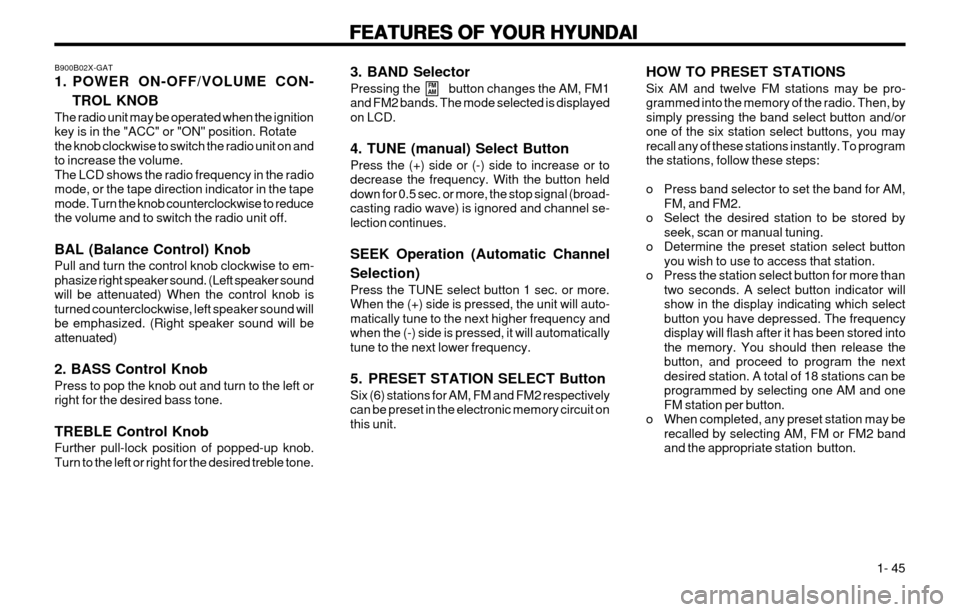
1. POWER ON-OFF/VOLUME CON-
TROL KNOB
The radio unit may be operated when the ignition key is in the "ACC" or "ON" position. Rotatethe knob clockwise to switch the radio unit on andto increase the volume.The LCD shows the radio frequency in the radiomode, or the tape direction indicator in the tapemode. Turn the knob counterclockwise to reducethe volume and to switch the radio unit off. BAL (Balance Control) Knob Pull and turn the control knob clockwise to em- phasize right speaker sound. (Left speaker soundwill be attenuated) When the control knob isturned counterclockwise, left speaker sound willbe emphasized. (Right speaker sound will beattenuated) 2. BASS Control Knob Press to pop the knob out and turn to the left or right for the desired bass tone. TREBLE Control Knob Further pull-lock position of popped-up knob. Turn to the left or right for the desired treble tone. 3. BAND Selector Pressing the button changes the AM, FM1 and FM2 bands. The mode selected is displayedon LCD. 4. TUNE (manual) Select Button Press the (+) side or (-) side to increase or to decrease the frequency. With the button helddown for 0.5 sec. or more, the stop signal (broad-casting radio wave) is ignored and channel se-lection continues. SEEK Operation (Automatic Channel Selection) Press the TUNE select button 1 sec. or more. When the (+) side is pressed, the unit will auto-matically tune to the next higher frequency andwhen the (-) side is pressed, it will automaticallytune to the next lower frequency.
5. PRESET STATION SELECT Button Six (6) stations for AM, FM and FM2 respectively can be preset in the electronic memory circuit onthis unit.
FM
AMHOW TO PRESET STATIONS Six AM and twelve FM stations may be pro- grammed into the memory of the radio. Then, bysimply pressing the band select button and/orone of the six station select buttons, you mayrecall any of these stations instantly. To programthe stations, follow these steps:
o Press band selector to set the band for AM,
FM, and FM2.
o Select the desired station to be stored by seek, scan or manual tuning.
o Determine the preset station select button you wish to use to access that station.
o Press the station select button for more than two seconds. A select button indicator will show in the display indicating which selectbutton you have depressed. The frequencydisplay will flash after it has been stored intothe memory. You should then release thebutton, and proceed to program the nextdesired station. A total of 18 stations can beprogrammed by selecting one AM and oneFM station per button.
o When completed, any preset station may be recalled by selecting AM, FM or FM2 bandand the appropriate station button.
Page 55 of 249
FEATURES OF YOUR HYUNDAI
FEATURES OF YOUR HYUNDAI FEATURES OF YOUR HYUNDAI
FEATURES OF YOUR HYUNDAI
FEATURES OF YOUR HYUNDAI
1- 46
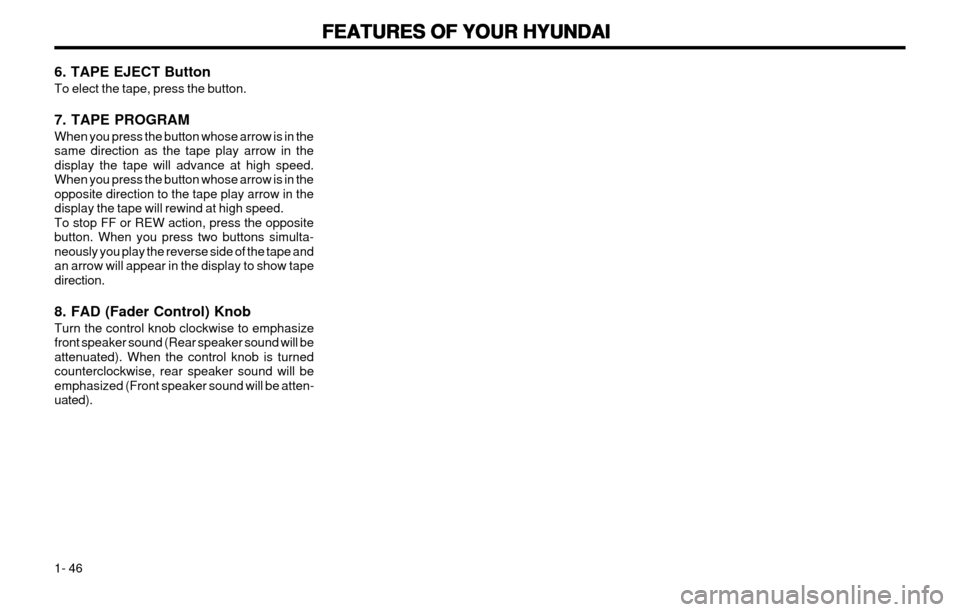
6. TAPE EJECT Button To elect the tape, press the button. 7. TAPE PROGRAM When you press the button whose arrow is in the same direction as the tape play arrow in thedisplay the tape will advance at high speed.When you press the button whose arrow is in theopposite direction to the tape play arrow in thedisplay the tape will rewind at high speed.To stop FF or REW action, press the oppositebutton. When you press two buttons simulta-neously you play the reverse side of the tape andan arrow will appear in the display to show tapedirection. 8. FAD (Fader Control) Knob Turn the control knob clockwise to emphasize front speaker sound (Rear speaker sound will beattenuated). When the control knob is turnedcounterclockwise, rear speaker sound will beemphasized (Front speaker sound will be atten-uated).
Page 57 of 249
FEATURES OF YOUR HYUNDAI
FEATURES OF YOUR HYUNDAI FEATURES OF YOUR HYUNDAI
FEATURES OF YOUR HYUNDAI
FEATURES OF YOUR HYUNDAI
1- 48
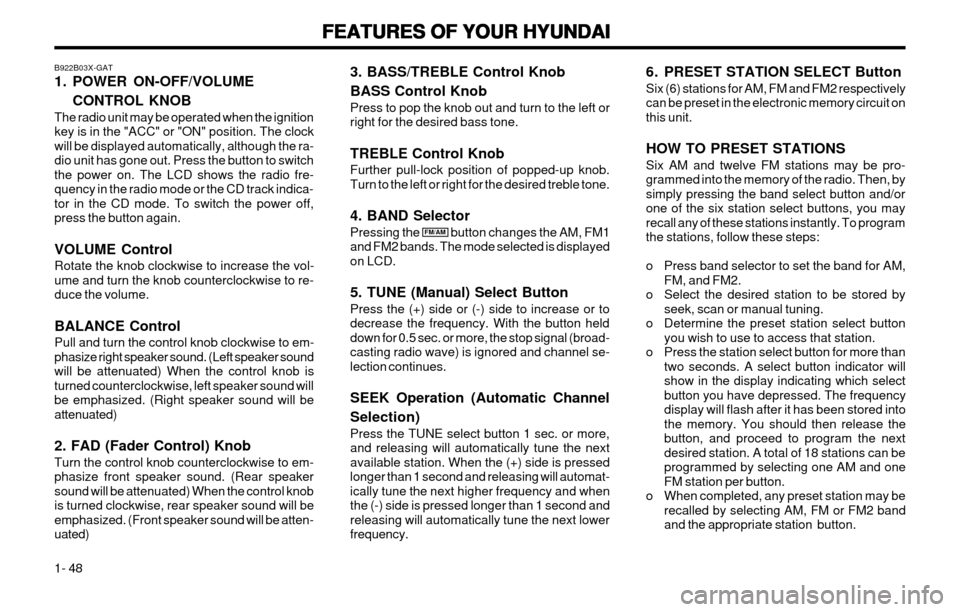
B922B03X-GAT
1. POWER ON-OFF/VOLUME
CONTROL KNOB
The radio unit may be operated when the ignition key is in the "ACC" or "ON" position. The clockwill be displayed automatically, although the ra-dio unit has gone out. Press the button to switchthe power on. The LCD shows the radio fre-quency in the radio mode or the CD track indica-tor in the CD mode. To switch the power off,press the button again. VOLUME Control Rotate the knob clockwise to increase the vol- ume and turn the knob counterclockwise to re-duce the volume. BALANCE Control Pull and turn the control knob clockwise to em- phasize right speaker sound. (Left speaker soundwill be attenuated) When the control knob isturned counterclockwise, left speaker sound willbe emphasized. (Right speaker sound will beattenuated) 2. FAD (Fader Control) Knob Turn the control knob counterclockwise to em- phasize front speaker sound. (Rear speakersound will be attenuated) When the control knobis turned clockwise, rear speaker sound will beemphasized. (Front speaker sound will be atten-uated)
FM/AM 6. PRESET STATION SELECT Button Six (6) stations for AM, FM and FM2 respectively can be preset in the electronic memory circuit onthis unit. HOW TO PRESET STATIONS Six AM and twelve FM stations may be pro- grammed into the memory of the radio. Then, bysimply pressing the band select button and/orone of the six station select buttons, you mayrecall any of these stations instantly. To programthe stations, follow these steps:
o Press band selector to set the band for AM,
FM, and FM2.
o Select the desired station to be stored by seek, scan or manual tuning.
o Determine the preset station select button you wish to use to access that station.
o Press the station select button for more than two seconds. A select button indicator will show in the display indicating which selectbutton you have depressed. The frequencydisplay will flash after it has been stored intothe memory. You should then release thebutton, and proceed to program the nextdesired station. A total of 18 stations can beprogrammed by selecting one AM and oneFM station per button.
o When completed, any preset station may be recalled by selecting AM, FM or FM2 bandand the appropriate station button.
3. BASS/TREBLE Control Knob BASS Control Knob Press to pop the knob out and turn to the left or right for the desired bass tone. TREBLE Control Knob Further pull-lock position of popped-up knob. Turn to the left or right for the desired treble tone. 4. BAND Selector Pressing the button changes the AM, FM1 and FM2 bands. The mode selected is displayedon LCD. 5. TUNE (Manual) Select Button Press the (+) side or (-) side to increase or to decrease the frequency. With the button helddown for 0.5 sec. or more, the stop signal (broad-casting radio wave) is ignored and channel se-lection continues. SEEK Operation (Automatic Channel Selection) Press the TUNE select button 1 sec. or more, and releasing will automatically tune the nextavailable station. When the (+) side is pressedlonger than 1 second and releasing will automat-ically tune the next higher frequency and whenthe (-) side is pressed longer than 1 second andreleasing will automatically tune the next lowerfrequency.
Page 65 of 249

DRIVING YOUR HYUNDAI
DRIVING YOUR HYUNDAI DRIVING YOUR HYUNDAI
DRIVING YOUR HYUNDAI
DRIVING YOUR HYUNDAI
2- 2 C020A01A-AAT
BEFORE STARTING THE ENGINE
BEFORE STARTING THE ENGINE BEFORE STARTING THE ENGINE
BEFORE STARTING THE ENGINE
BEFORE STARTING THE ENGINE
Before you start the engine, you should always:
1. Look around the vehicle to be sure there are no flat tires, puddles of oil, water or other indications of possible trouble.
2. After entering the car, check to be sure the parking brake is engaged.
3. Check that all windows, and lights are clean.
4. Check that the interior and exterior mirrors are clean and in position.
5. Check your seat, seatback and headrest to be sure they are in their proper positions.
6. Lock all the doors.
7. Fasten your seat belt and be sure that all other occupants have fastened theirs.
8. Turn off all lights and accessories that are not needed.
9. When you turn the ignition switch to "ON", check that all appropriate warning lights are operating and that you have sufficient fuel.
10. Check the operation of warning lights and all bulbs when key is in the "ON" position. o To start the engine, insert the ignition key
and turn it to the "START" position. Releaseit as soon as the engine starts. Do not hold
the key in the "START" position for morethan 15 seconds.
NOTE:
NOTE: NOTE:
NOTE:
NOTE:
For safety, the engine will not start if the
For safety, the engine will not start if the For safety, the engine will not start if the
For safety, the engine will not start if the
For safety, the engine will not start if the
shift lever is not
shift lever is not shift lever is not
shift lever is not
shift lever is not in "P" or "N" Position
in "P" or "N" Position in "P" or "N" Position
in "P" or "N" Position
in "P" or "N" Position
(Automatic Transaxle).
(Automatic Transaxle). (Automatic Transaxle).
(Automatic Transaxle).
(Automatic Transaxle). C040A01A-AAT
KEY POSITIONS
KEY POSITIONS KEY POSITIONS
KEY POSITIONS
KEY POSITIONS
WARNING:
WARNING: WARNING:
WARNING:
WARNING:
The engine should not be turned off or the
The engine should not be turned off or the The engine should not be turned off or the
The engine should not be turned off or the
The engine should not be turned off or the
key removed from
key removed from key removed from
key removed from
key removed from the ignition key cylinder
the ignition key cylinder the ignition key cylinder
the ignition key cylinder
the ignition key cylinder
while the vehicle is in motion. The steering
while the vehicle is in motion. The steering while the vehicle is in motion. The steering
while the vehicle is in motion. The steering
while the vehicle is in motion. The steering
wheel
wheel wheel
wheel
wheel is locked by removing the key.
is locked by removing the key. is locked by removing the key.
is locked by removing the key.
is locked by removing the key. oo
oo
o "START"
"START" "START"
"START"
"START"
The engine is started in this position. It will crank until you release the key.
NOTE:
NOTE: NOTE:
NOTE:
NOTE:
Do not hold the key in the "START" position
Do not hold the key in the "START" position Do not hold the key in the "START" position
Do not hold the key in the "START" position
Do not hold the key in the "START" position
for more than 15 seconds.
for more than 15 seconds. for more than 15 seconds.
for more than 15 seconds.
for more than 15 seconds.
oo
oo
o
"ON"
"ON" "ON"
"ON"
"ON"
When the key is in the "ON" position, the
ignition is on and all accessories may be turnedon. If the engine is not running, the key shouldnot be left in the "ON" position. This will dis-
charge the battery and may also damage theignition system.
oo
oo
o "ACC"
"ACC" "ACC"
"ACC"
"ACC"
With the key in the "ACC" position, the some
electrical accessories (radio etc.) may be oper-ated.
oo
oo
o "LOCK"
"LOCK" "LOCK"
"LOCK"
"LOCK"
The key can be removed or inserted in thisposition. To protect against theft, the steeringwheel locks by removing the key.
NOTE:
NOTE: NOTE:
NOTE:
NOTE:
To unlock the steering wheel, insert the key,
To unlock the steering wheel, insert the key, To unlock the steering wheel, insert the key,
To unlock the steering wheel, insert the key,
To unlock the steering wheel, insert the key,
and then turn the
and then turn the and then turn the
and then turn the
and then turn the
steering wheel and key
steering wheel and key steering wheel and key
steering wheel and key
steering wheel and key
simultaneously.
simultaneously. simultaneously.
simultaneously.
simultaneously.
C030A02X-GAT
COMBINATION IGNITION SWITCH
COMBINATION IGNITION SWITCH COMBINATION IGNITION SWITCH
COMBINATION IGNITION SWITCH
COMBINATION IGNITION SWITCH
To Start the Engine
To Start the Engine To Start the Engine
To Start the Engine
To Start the Engine
o If your Hyundai is equipped with a manual
transaxle, place the shift lever in neutral and depress the clutch pedal fully.
o If your Hyundai has an automatic transaxle, place the shift lever in "P" (park).
C040A01E
LOCK
LOCK LOCK
LOCK
LOCK ACC
ACC ACC
ACC
ACC
ONON
ONON
ON
START
START START
START
START