2002 Hyundai Atos key
[x] Cancel search: keyPage 30 of 249

FEATURES OF YOUR HYUNDAI
FEATURES OF YOUR HYUNDAI FEATURES OF YOUR HYUNDAI
FEATURES OF YOUR HYUNDAI
FEATURES OF YOUR HYUNDAI
1- 21
B270A01A-AAT BRAKE PAD WEAR WARNING SOUND The front disc brake pads have wear indicators that should make a high-pitched squealing orscraping noise when new pads are needed. Thesound may come and go or be heard all the timewhen the vehicle is moving. It may also be heard
B260M01A-AAT
Low Fuel Level Warning Light
The low fuel level warning light comes on when thefuel tank is approaching empty. When it comes on,you should add fuel as soon as possible. Drivingwith the fuel level warning light on or with the fuellevel below "E" can cause the engine to misfireand damage the catalytic converter.
hydraulic system is dangerous, and could result in serious injury or death. Warning Light Operation The parking brake/brake fluid level warning light should come on when the parking brake is ap-plied and the ignition switch is turned to "ON" or"START". After the engine is started, the lightshould go out when the parking brake is re-leased.If the parking brake is not applied, the warninglight should come on when the ignition switch isturned to "ON" or "START", then go out when theengine starts. If the light comes on at any othertime, you should slow the vehicle and bring it toa complete stop in a safe location off the road-way.The brake warning light indicates that the brakefluid level in the brake master cylinder is low andhydraulic brake fluid conforming to DOT 3 orDOT 4 specifications should be added. Afteradding fluid, if no other trouble is found, the carshould be immediately and carefully drivento a Hyundai dealer for inspection. If furthertrouble is experienced, the vehicle should not bedriven at all but taken to a dealer by a profes-sional towing service or some other safe method.Your Hyundai is equipped with dual-diagonalbraking systems. This means you still have brak-ing on two wheels even if one of the dual systemsshould fail. With only one of the dual systemsworking, more than normal pedal travel andgreater pedal pressure are required to stop thecar. Also, the car will not stop in as short a B260J01S-GAT
Charging System Warning Light
The charging system warning light should comeon when the ignition is turned on, then go outwhen the engine is running. If the light stays onwhile the engine is running, there is a malfunctionin the electrical charging system. If the lightcomes on while you are driving, stop, turn off theengine and check under the hood. First, makecertain the generator drive belt is in place. If it is,check the tension of the belt.And then, have the system checked by yourHyundai dealer. CAUTION: If the drive belt (generator belt) is loosen,broken, or mission while the vehicle is driv-ing, there may be a serious malfunction, en-gine could overheat because this belt alsodrives the water pump.
B260L01A-GAT Door Ajar Warning Light
The door ajar warning light warns you that a door is not completely closed.
B260B01S-GAT SRS (Airbag) Service Reminder Indicator (SRI) (If installed)
The SRS service reminder indicator (SRI) comes on and flashes for about 6 seconds after theignition key is turned to the "ON" position or afterthe engine is started, after which it will go out.This light also comes on when the SRS is notworking properly. If the SRI does not come on, orcontinuously remains on after flashing for about6 seconds when you turned the ignition key to the"ON" position or started the engine, or if it comeson while driving, have the SRS inspected by anauthorized Hyundai Dealer.
distance with only half of the brake system work- ing. If the brakes fail while you are driving, shift toa lower gear for additional engine braking andstop the car as soon as it is safe to do so.
Page 31 of 249

FEATURES OF YOUR HYUNDAI
FEATURES OF YOUR HYUNDAI FEATURES OF YOUR HYUNDAI
FEATURES OF YOUR HYUNDAI
FEATURES OF YOUR HYUNDAI
1- 22 B300A01A-GAT SPEEDOMETER Your Hyundai's speedometer is calibrated in kilometers per hour or miles per hour.
B280A01A-AAT FUEL GAUGE The needle on the gauge indicates the approxi- mate fuel level in the fuel tank. The fuel capacityis given in Section 9.
B900A01A-GAT ACOUSTIC WARNING SOUND (If installed) The acoustic warning chime sounds when the tail lights are on and the door in driver side isopen. This prevents the battery from dischargingwhen the car is left with the tail lights on. Thechime sounds until the tail lights are turned off.
B260N02A-AAT
Malfunction Indicator Light (If installed)
This light illuminates when there is a malfunction of an exhaust gas related component, and thesystem is not functioning properly so that theexhaust gas regulation values are not satisfied.This light will also illuminate when the ignition keyis turned to the "ON" position, and will go out in afew seconds. If it illuminates while driving, ordoes not illuminate when the ignition key isturned to the "ON" position, take your car to yournearest authorized Hyundai dealer and have thesystem checked.
when the brake pedal is pushed down firmly. Excessive rotor damage will result if the wornpads are not replaced. See your Hyundai dealerimmediately.
B280A01X
B290A02A-AAT ENGINE COOLANT TEMPERATURE GAUGE WARNING: Never remove the radiator cap when the en-gine is hot. The engine coolant is under pres-sure and could erupt and cause severe burns.Wait until the engine is cool before removingthe radiator cap. The needle on the engine coolant temperature gauge should stay in the normal range. If itmoves across the dial to "H" (Hot), pull over andstop as soon as possible and turn off the engine.Then open the hood and check the coolant leveland the water pump drive belt. If you suspectcooling system trouble, have your cooling sys-tem checked by Hyundai dealer as soon aspossible.
B290A01X
B300A01X
Page 35 of 249
FEATURES OF YOUR HYUNDAI
FEATURES OF YOUR HYUNDAI FEATURES OF YOUR HYUNDAI
FEATURES OF YOUR HYUNDAI
FEATURES OF YOUR HYUNDAI
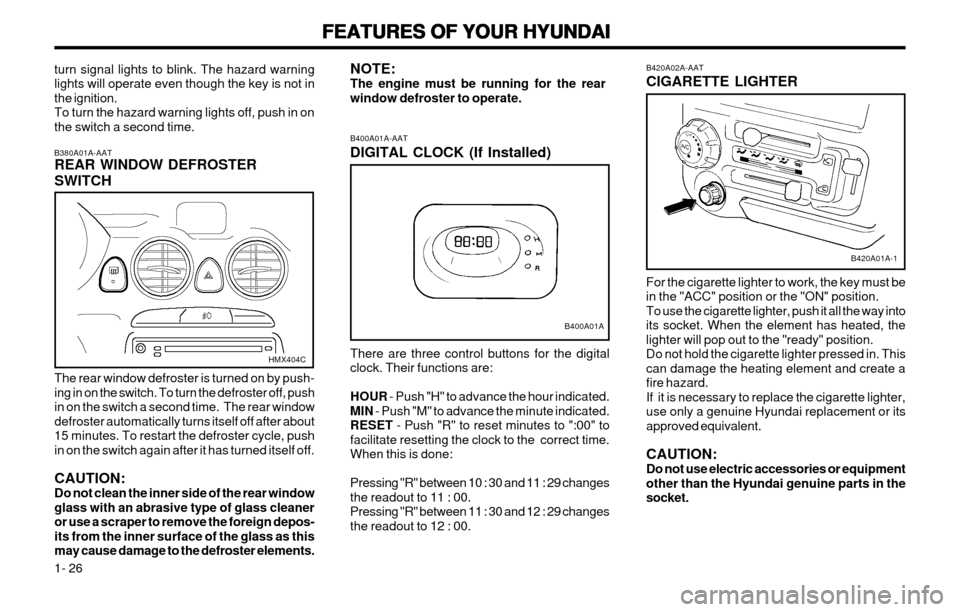
1- 26 B420A02A-AAT CIGARETTE LIGHTER For the cigarette lighter to work, the key must be in the "ACC" position or the "ON" position.To use the cigarette lighter, push it all the way intoits socket. When the element has heated, thelighter will pop out to the "ready" position.Do not hold the cigarette lighter pressed in. Thiscan damage the heating element and create afire hazard.If it is necessary to replace the cigarette lighter,use only a genuine Hyundai replacement or itsapproved equivalent. CAUTION: Do not use electric accessories or equipmentother than the Hyundai genuine parts in thesocket.
B420A01A-1
B400A01A-AAT DIGITAL CLOCK (If Installed) There are three control buttons for the digital clock. Their functions are: HOUR
- Push "H" to advance the hour indicated.
MIN - Push "M" to advance the minute indicated.
RESET - Push "R" to reset minutes to ":00" to
facilitate resetting the clock to the correct time. When this is done: Pressing "R" between 10 : 30 and 11 : 29 changes the readout to 11 : 00.Pressing "R" between 11 : 30 and 12 : 29 changesthe readout to 12 : 00.
NOTE:The engine must be running for the rearwindow defroster to operate.
B400A01A
turn signal lights to blink. The hazard warning lights will operate even though the key is not inthe ignition.To turn the hazard warning lights off, push in onthe switch a second time. B380A01A-AAT REAR WINDOW DEFROSTER SWITCH The rear window defroster is turned on by push- ing in on the switch. To turn the defroster off, pushin on the switch a second time. The rear windowdefroster automatically turns itself off after about15 minutes. To restart the defroster cycle, pushin on the switch again after it has turned itself off. CAUTION: Do not clean the inner side of the rear windowglass with an abrasive type of glass cleaneror use a scraper to remove the foreign depos-its from the inner surface of the glass as thismay cause damage to the defroster elements.
HMX404C
Page 37 of 249
FEATURES OF YOUR HYUNDAI
FEATURES OF YOUR HYUNDAI FEATURES OF YOUR HYUNDAI
FEATURES OF YOUR HYUNDAI
FEATURES OF YOUR HYUNDAI
1- 28
B550A01FB550A01V
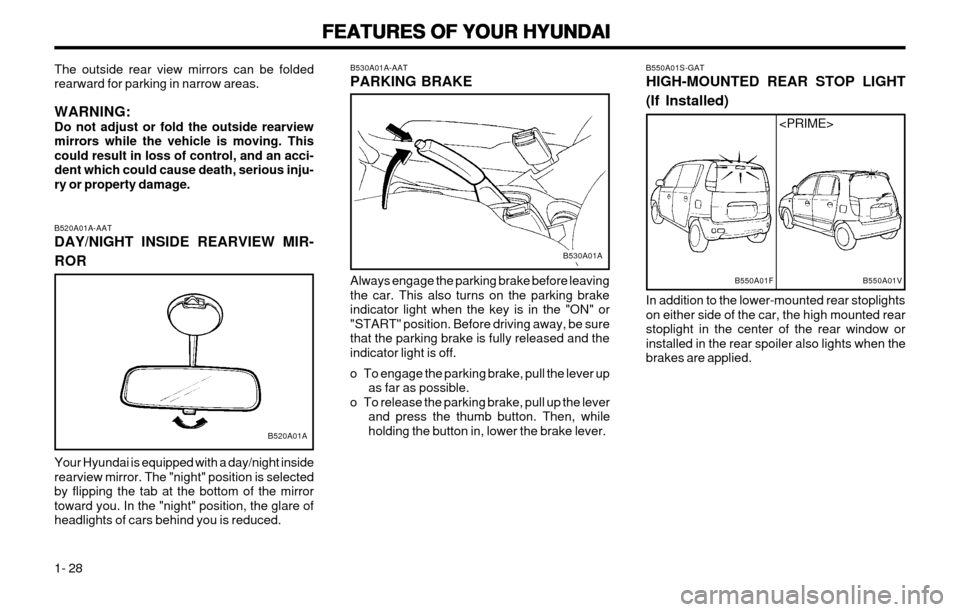
B550A01S-GAT HIGH-MOUNTED REAR STOP LIGHT (If Installed) In addition to the lower-mounted rear stoplights on either side of the car, the high mounted rearstoplight in the center of the rear window orinstalled in the rear spoiler also lights when thebrakes are applied.
Always engage the parking brake before leavingthe car. This also turns on the parking brakeindicator light when the key is in the "ON" or"START" position. Before driving away, be surethat the parking brake is fully released and theindicator light is off.
o To engage the parking brake, pull the lever up
as far as possible.
o To release the parking brake, pull up the lever and press the thumb button. Then, while holding the button in, lower the brake lever.
B530A01A-AAT PARKING BRAKE
B530A01A
B520A01A-AAT DAY/NIGHT INSIDE REARVIEW MIR- ROR Your Hyundai is equipped with a day/night inside rearview mirror. The "night" position is selectedby flipping the tab at the bottom of the mirrortoward you. In the "night" position, the glare ofheadlights of cars behind you is reduced.
The outside rear view mirrors can be foldedrearward for parking in narrow areas. WARNING: Do not adjust or fold the outside rearviewmirrors while the vehicle is moving. Thiscould result in loss of control, and an acci-dent which could cause death, serious inju-ry or property damage.
B520A01A
Page 39 of 249
FEATURES OF YOUR HYUNDAI
FEATURES OF YOUR HYUNDAI FEATURES OF YOUR HYUNDAI
FEATURES OF YOUR HYUNDAI
FEATURES OF YOUR HYUNDAI
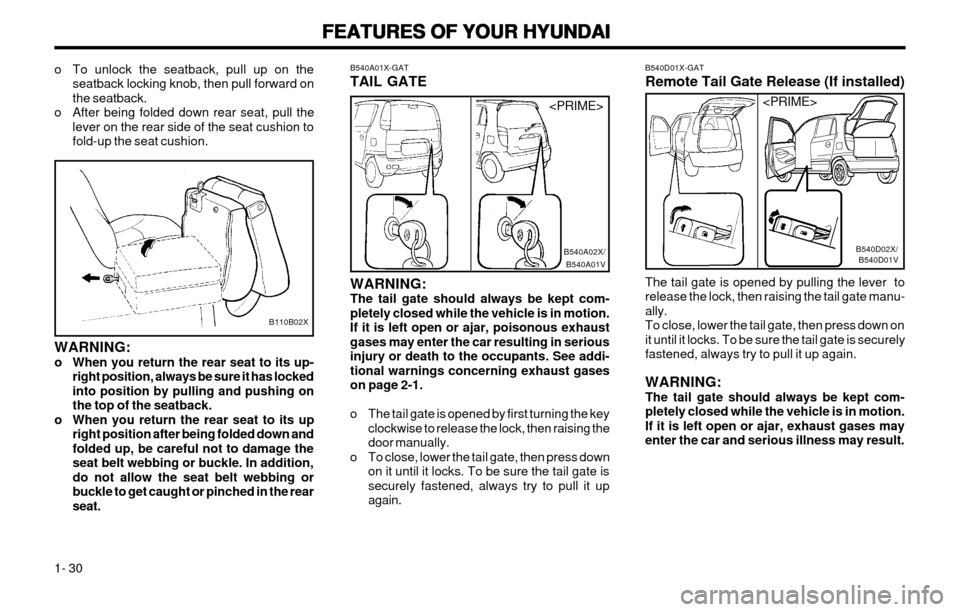
1- 30 B540D01X-GAT Remote Tail Gate Release (If installed) The tail gate is opened by pulling the lever to release the lock, then raising the tail gate manu-ally.To close, lower the tail gate, then press down on
it until it locks. To be sure the tail gate is securelyfastened, always try to pull it up again. WARNING: The tail gate should always be kept com-pletely closed while the vehicle is in motion.If it is left open or ajar, exhaust gases mayenter the car and serious illness may result.
B540D01VB540D02X/
B540A01X-GAT TAIL GATE
B540A01VB540A02X/
WARNING: The tail gate should always be kept com-pletely closed while the vehicle is in motion.If it is left open or ajar, poisonous exhaust
gases may enter the car resulting in seriousinjury or death to the occupants. See addi-tional warnings concerning exhaust gaseson page 2-1.
o The tail gate is opened by first turning the key clockwise to release the lock, then raising the door manually.
o To close, lower the tail gate, then press down on it until it locks. To be sure the tail gate is
securely fastened, always try to pull it upagain.
o To unlock the seatback, pull up on the
seatback locking knob, then pull forward onthe seatback.
o After being folded down rear seat, pull the lever on the rear side of the seat cushion tofold-up the seat cushion.
B110B02X
WARNING:
o When you return the rear seat to its up-right position, always be sure it has lockedinto position by pulling and pushing onthe top of the seatback.
o When you return the rear seat to its up right position after being folded down andfolded up, be careful not to damage the
seat belt webbing or buckle. In addition,do not allow the seat belt webbing orbuckle to get caught or pinched in the rearseat.
Page 52 of 249
FEATURES OF YOUR HYUNDAI
FEATURES OF YOUR HYUNDAI FEATURES OF YOUR HYUNDAI
FEATURES OF YOUR HYUNDAI
FEATURES OF YOUR HYUNDAI
1- 43
B901B02X-GAT
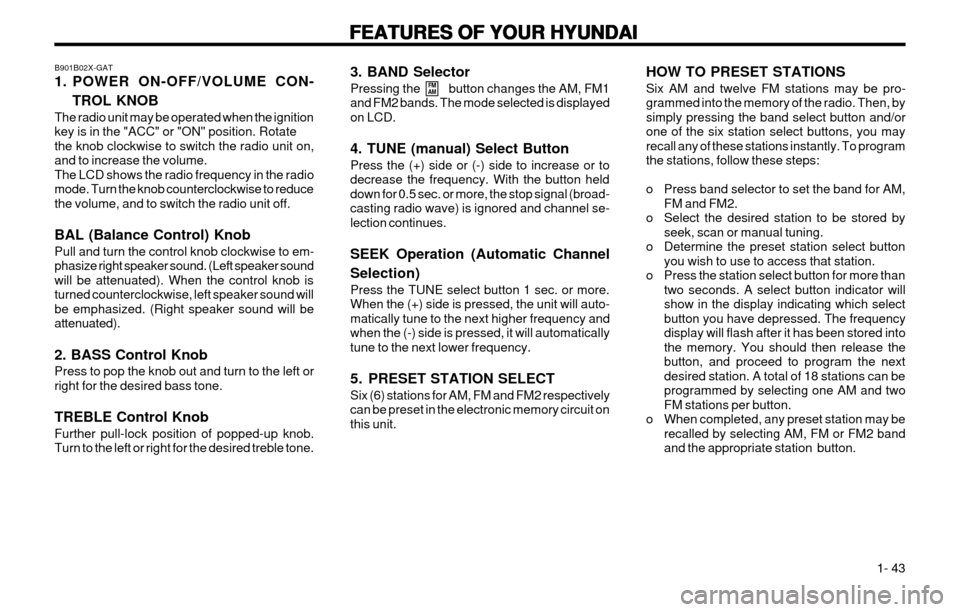
1. POWER ON-OFF/VOLUME CON-
TROL KNOB
The radio unit may be operated when the ignition key is in the "ACC" or "ON" position. Rotatethe knob clockwise to switch the radio unit on,and to increase the volume.The LCD shows the radio frequency in the radiomode. Turn the knob counterclockwise to reducethe volume, and to switch the radio unit off. BAL (Balance Control) Knob Pull and turn the control knob clockwise to em- phasize right speaker sound. (Left speaker soundwill be attenuated). When the control knob isturned counterclockwise, left speaker sound willbe emphasized. (Right speaker sound will beattenuated). 2. BASS Control Knob Press to pop the knob out and turn to the left or right for the desired bass tone. TREBLE Control Knob Further pull-lock position of popped-up knob. Turn to the left or right for the desired treble tone. 3. BAND Selector Pressing the button changes the AM, FM1 and FM2 bands. The mode selected is displayedon LCD. 4. TUNE (manual) Select Button Press the (+) side or (-) side to increase or to decrease the frequency. With the button helddown for 0.5 sec. or more, the stop signal (broad-casting radio wave) is ignored and channel se-lection continues. SEEK Operation (Automatic Channel Selection) Press the TUNE select button 1 sec. or more. When the (+) side is pressed, the unit will auto-matically tune to the next higher frequency andwhen the (-) side is pressed, it will automaticallytune to the next lower frequency.
5. PRESET STATION SELECT Six (6) stations for AM, FM and FM2 respectively can be preset in the electronic memory circuit onthis unit.
FM
AMHOW TO PRESET STATIONS Six AM and twelve FM stations may be pro- grammed into the memory of the radio. Then, bysimply pressing the band select button and/orone of the six station select buttons, you mayrecall any of these stations instantly. To programthe stations, follow these steps:
o Press band selector to set the band for AM,
FM and FM2.
o Select the desired station to be stored by seek, scan or manual tuning.
o Determine the preset station select button you wish to use to access that station.
o Press the station select button for more than two seconds. A select button indicator will show in the display indicating which selectbutton you have depressed. The frequencydisplay will flash after it has been stored intothe memory. You should then release thebutton, and proceed to program the nextdesired station. A total of 18 stations can beprogrammed by selecting one AM and twoFM stations per button.
o When completed, any preset station may be recalled by selecting AM, FM or FM2 bandand the appropriate station button.
Page 54 of 249
FEATURES OF YOUR HYUNDAI
FEATURES OF YOUR HYUNDAI FEATURES OF YOUR HYUNDAI
FEATURES OF YOUR HYUNDAI
FEATURES OF YOUR HYUNDAI
1- 45
B900B02X-GAT
1. POWER ON-OFF/VOLUME CON-
TROL KNOB
The radio unit may be operated when the ignition key is in the "ACC" or "ON" position. Rotatethe knob clockwise to switch the radio unit on andto increase the volume.The LCD shows the radio frequency in the radiomode, or the tape direction indicator in the tapemode. Turn the knob counterclockwise to reducethe volume and to switch the radio unit off. BAL (Balance Control) Knob Pull and turn the control knob clockwise to em- phasize right speaker sound. (Left speaker soundwill be attenuated) When the control knob isturned counterclockwise, left speaker sound willbe emphasized. (Right speaker sound will beattenuated) 2. BASS Control Knob Press to pop the knob out and turn to the left or right for the desired bass tone. TREBLE Control Knob Further pull-lock position of popped-up knob. Turn to the left or right for the desired treble tone. 3. BAND Selector Pressing the button changes the AM, FM1 and FM2 bands. The mode selected is displayedon LCD. 4. TUNE (manual) Select Button Press the (+) side or (-) side to increase or to decrease the frequency. With the button helddown for 0.5 sec. or more, the stop signal (broad-casting radio wave) is ignored and channel se-lection continues. SEEK Operation (Automatic Channel Selection) Press the TUNE select button 1 sec. or more. When the (+) side is pressed, the unit will auto-matically tune to the next higher frequency andwhen the (-) side is pressed, it will automaticallytune to the next lower frequency.
5. PRESET STATION SELECT Button Six (6) stations for AM, FM and FM2 respectively can be preset in the electronic memory circuit onthis unit.
FM
AMHOW TO PRESET STATIONS Six AM and twelve FM stations may be pro- grammed into the memory of the radio. Then, bysimply pressing the band select button and/orone of the six station select buttons, you mayrecall any of these stations instantly. To programthe stations, follow these steps:
o Press band selector to set the band for AM,
FM, and FM2.
o Select the desired station to be stored by seek, scan or manual tuning.
o Determine the preset station select button you wish to use to access that station.
o Press the station select button for more than two seconds. A select button indicator will show in the display indicating which selectbutton you have depressed. The frequencydisplay will flash after it has been stored intothe memory. You should then release thebutton, and proceed to program the nextdesired station. A total of 18 stations can beprogrammed by selecting one AM and oneFM station per button.
o When completed, any preset station may be recalled by selecting AM, FM or FM2 bandand the appropriate station button.
Page 57 of 249
FEATURES OF YOUR HYUNDAI
FEATURES OF YOUR HYUNDAI FEATURES OF YOUR HYUNDAI
FEATURES OF YOUR HYUNDAI
FEATURES OF YOUR HYUNDAI
1- 48
B922B03X-GAT
1. POWER ON-OFF/VOLUME
CONTROL KNOB
The radio unit may be operated when the ignition key is in the "ACC" or "ON" position. The clockwill be displayed automatically, although the ra-dio unit has gone out. Press the button to switchthe power on. The LCD shows the radio fre-quency in the radio mode or the CD track indica-tor in the CD mode. To switch the power off,press the button again. VOLUME Control Rotate the knob clockwise to increase the vol- ume and turn the knob counterclockwise to re-duce the volume. BALANCE Control Pull and turn the control knob clockwise to em- phasize right speaker sound. (Left speaker soundwill be attenuated) When the control knob isturned counterclockwise, left speaker sound willbe emphasized. (Right speaker sound will beattenuated) 2. FAD (Fader Control) Knob Turn the control knob counterclockwise to em- phasize front speaker sound. (Rear speakersound will be attenuated) When the control knobis turned clockwise, rear speaker sound will beemphasized. (Front speaker sound will be atten-uated)
FM/AM 6. PRESET STATION SELECT Button Six (6) stations for AM, FM and FM2 respectively can be preset in the electronic memory circuit onthis unit. HOW TO PRESET STATIONS Six AM and twelve FM stations may be pro- grammed into the memory of the radio. Then, bysimply pressing the band select button and/orone of the six station select buttons, you mayrecall any of these stations instantly. To programthe stations, follow these steps:
o Press band selector to set the band for AM,
FM, and FM2.
o Select the desired station to be stored by seek, scan or manual tuning.
o Determine the preset station select button you wish to use to access that station.
o Press the station select button for more than two seconds. A select button indicator will show in the display indicating which selectbutton you have depressed. The frequencydisplay will flash after it has been stored intothe memory. You should then release thebutton, and proceed to program the nextdesired station. A total of 18 stations can beprogrammed by selecting one AM and oneFM station per button.
o When completed, any preset station may be recalled by selecting AM, FM or FM2 bandand the appropriate station button.
3. BASS/TREBLE Control Knob BASS Control Knob Press to pop the knob out and turn to the left or right for the desired bass tone. TREBLE Control Knob Further pull-lock position of popped-up knob. Turn to the left or right for the desired treble tone. 4. BAND Selector Pressing the button changes the AM, FM1 and FM2 bands. The mode selected is displayedon LCD. 5. TUNE (Manual) Select Button Press the (+) side or (-) side to increase or to decrease the frequency. With the button helddown for 0.5 sec. or more, the stop signal (broad-casting radio wave) is ignored and channel se-lection continues. SEEK Operation (Automatic Channel Selection) Press the TUNE select button 1 sec. or more, and releasing will automatically tune the nextavailable station. When the (+) side is pressedlonger than 1 second and releasing will automat-ically tune the next higher frequency and whenthe (-) side is pressed longer than 1 second andreleasing will automatically tune the next lowerfrequency.