Page 18 of 264
Fuel gauge
Displays approximately
how much fuel is in the
fuel tank. The fuel
gauge may vary slightly
when the vehicle is in motion or on a grade.
When refueling the vehicle from empty indication,
the amount of fuel that can be added will be less
than the advertised capacity due to the reserve fuel.
Speedometer
Indicates the current vehicle speed.
²Base instrument
cluster gauge
²Optional instrument
cluster gauge
Odometer
Registers the total
kilometers (miles) of
the vehicle.
F
10 203020 406080100
120
140
160
180
405060 70
80
90
100
11 0
120
FUEL DOOR MPH km/h
102040608020 40608010 012 0 14 0
160
180
200
220
240
100
120
140
305070 90
110
13 0
150
FUEL DOOR MPH km/h
0
00000 00
4
5
6
7
8 3
2
1RPMX1000
SELECT/RESET
.
Instrument Cluster
18
Page 81 of 264
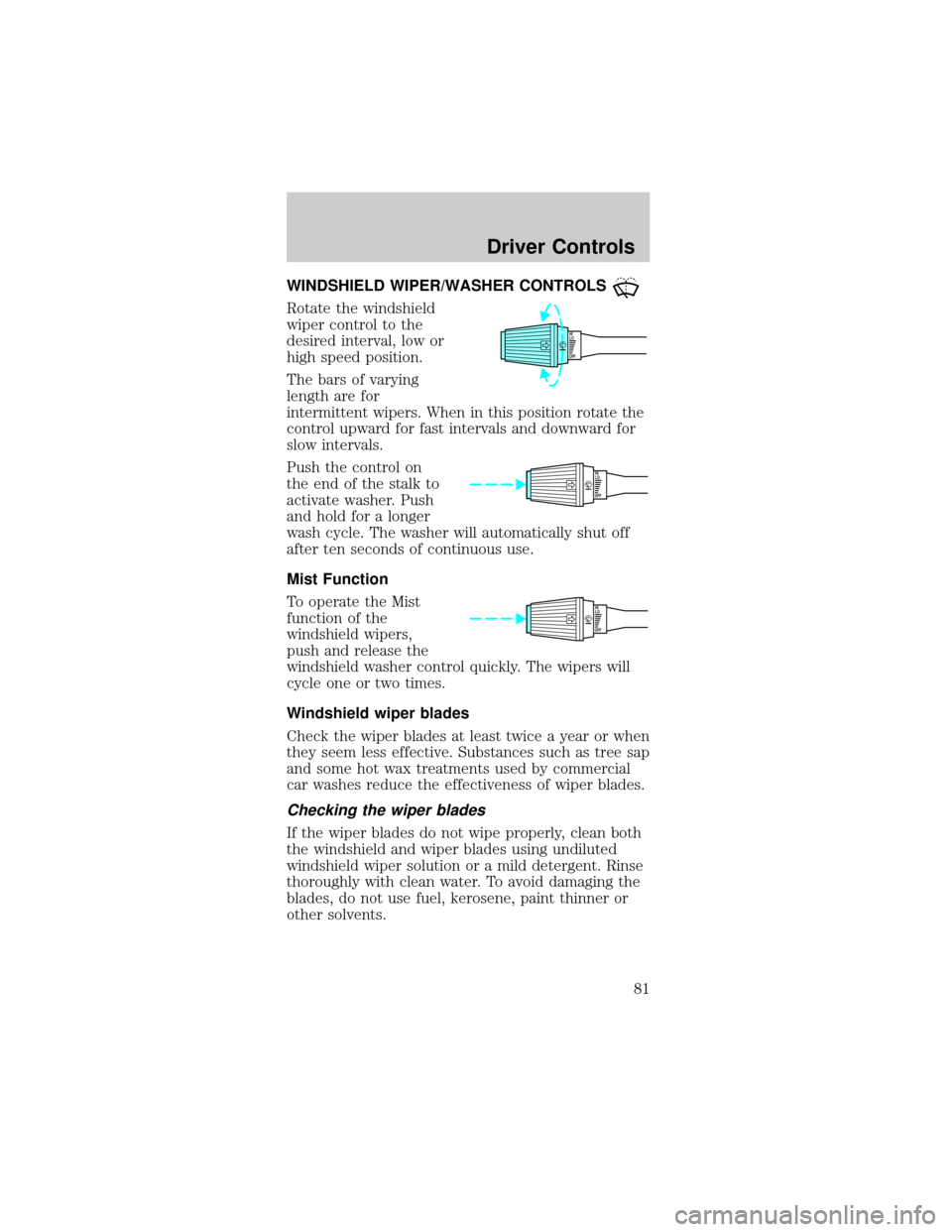
WINDSHIELD WIPER/WASHER CONTROLS
Rotate the windshield
wiper control to the
desired interval, low or
high speed position.
The bars of varying
length are for
intermittent wipers. When in this position rotate the
control upward for fast intervals and downward for
slow intervals.
Push the control on
the end of the stalk to
activate washer. Push
and hold for a longer
wash cycle. The washer will automatically shut off
after ten seconds of continuous use.
Mist Function
To operate the Mist
function of the
windshield wipers,
push and release the
windshield washer control quickly. The wipers will
cycle one or two times.
Windshield wiper blades
Check the wiper blades at least twice a year or when
they seem less effective. Substances such as tree sap
and some hot wax treatments used by commercial
car washes reduce the effectiveness of wiper blades.
Checking the wiper blades
If the wiper blades do not wipe properly, clean both
the windshield and wiper blades using undiluted
windshield wiper solution or a mild detergent. Rinse
thoroughly with clean water. To avoid damaging the
blades, do not use fuel, kerosene, paint thinner or
other solvents.
OFFHI
LO
OFFHI
LO
OFFHI
LO
Driver Controls
81
Page 89 of 264
OVERDRIVE CONTROL (IF EQUIPPED)
Activating overdrive
(Overdrive) is the normal drive position for the
best fuel economy.
The overdrive function allows automatic upshifts and
downshifts through all available gears.
Deactivating overdrive
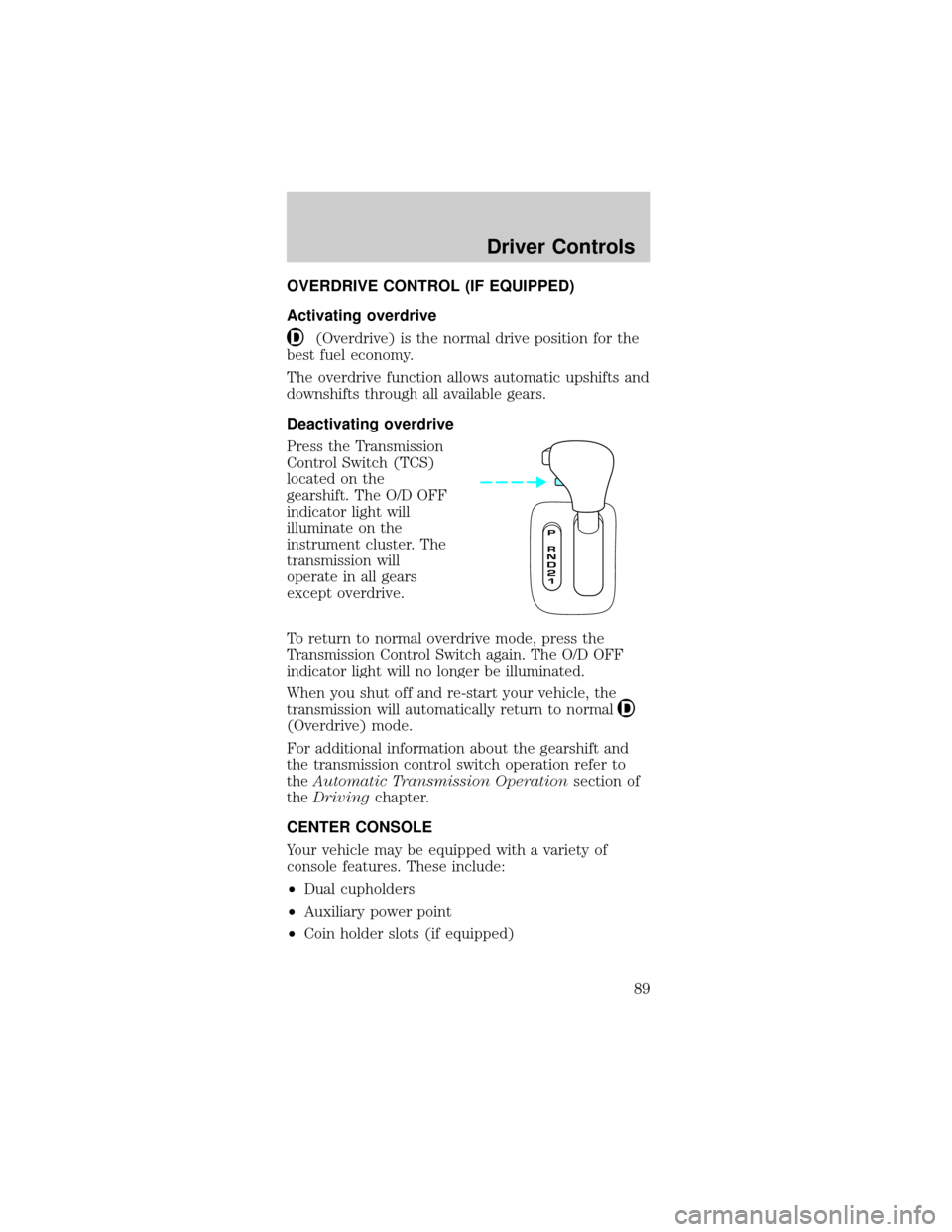
Press the Transmission
Control Switch (TCS)
located on the
gearshift. The O/D OFF
indicator light will
illuminate on the
instrument cluster. The
transmission will
operate in all gears
except overdrive.
To return to normal overdrive mode, press the
Transmission Control Switch again. The O/D OFF
indicator light will no longer be illuminated.
When you shut off and re-start your vehicle, the
transmission will automatically return to normal
(Overdrive) mode.
For additional information about the gearshift and
the transmission control switch operation refer to
theAutomatic Transmission Operationsection of
theDrivingchapter.
CENTER CONSOLE
Your vehicle may be equipped with a variety of
console features. These include:
²Dual cupholders
²Auxiliary power point
²Coin holder slots (if equipped)
Driver Controls
89
Page 136 of 264
STARTING
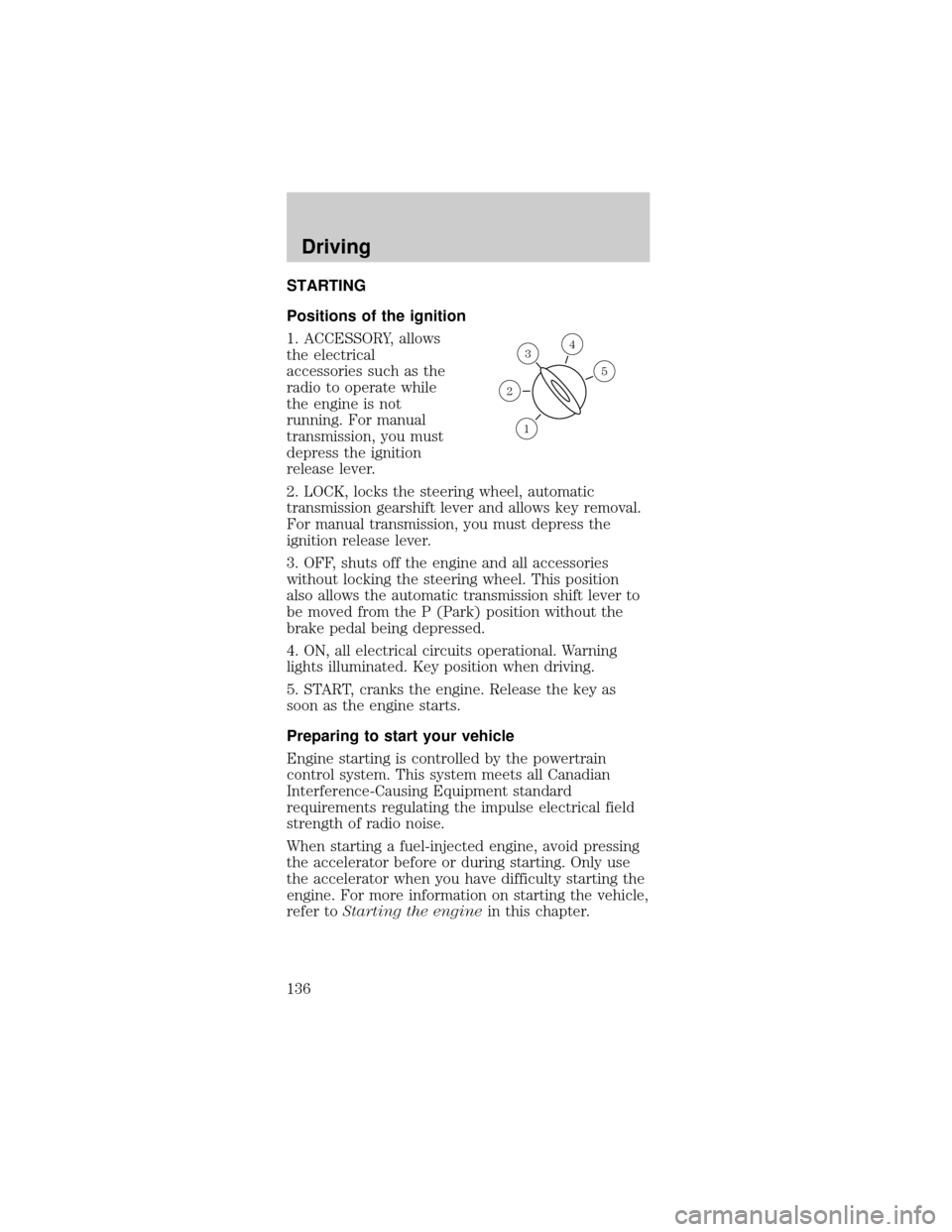
Positions of the ignition
1. ACCESSORY, allows
the electrical
accessories such as the
radio to operate while
the engine is not
running. For manual
transmission, you must
depress the ignition
release lever.
2. LOCK, locks the steering wheel, automatic
transmission gearshift lever and allows key removal.
For manual transmission, you must depress the
ignition release lever.
3. OFF, shuts off the engine and all accessories
without locking the steering wheel. This position
also allows the automatic transmission shift lever to
be moved from the P (Park) position without the
brake pedal being depressed.
4. ON, all electrical circuits operational. Warning
lights illuminated. Key position when driving.
5. START, cranks the engine. Release the key as
soon as the engine starts.
Preparing to start your vehicle
Engine starting is controlled by the powertrain
control system. This system meets all Canadian
Interference-Causing Equipment standard
requirements regulating the impulse electrical field
strength of radio noise.
When starting a fuel-injected engine, avoid pressing
the accelerator before or during starting. Only use
the accelerator when you have difficulty starting the
engine. For more information on starting the vehicle,
refer toStarting the enginein this chapter.
3
1
2
5
4
Driving
136
Page 139 of 264

Make sure the corresponding lights illuminate or
illuminate briefly. If a light fails to illuminate, have
the vehicle serviced.
²If the driver's safety belt is fastened, the
light
may not illuminate.
Starting the engine
Note:Whenever you start your vehicle, release the
key as soon as the engine starts. Excessive cranking
could damage the starter.
1. Turn the key to 5
(START) without
pressing the
accelerator pedal and
release as soon as the
engine starts. The key
will return to 4 (ON).
2. If the temperature is
above ±12É C (10É F) and the engine does not start
within five seconds on the first try, turn the key to
OFF, wait 10 seconds and try again.
P! BRAKE
L
0
00000 00
C
E
FH
LH
10 203020 406080100
120
140
160
180
405060 70
80
90
100
11 0
1204
5
6
7 3
2
1
H
THEFT
RPMX1000
FUEL DOORSELECT/RESET
LOW
FUELO/D
OFF AIR
BAGSERVICE
ENGINE
SOON
MPH km/h
ABS
.
CHECK
FUEL
CAP
P! BRAKE
L
0
00000 00
C
E
FH
LH
102040608020 40608010 012 0 14 0
160
180
200
220
240
100
120
140
305070 90
110
13 0
1504
5
6
7
8 3
2
1
H
THEFT
RPMX1000
FUEL DOORSELECT/RESET
LOW
FUELO/D
OFF AIR
BAGSERVICE
ENGINE
SOON
MPH km/h
ABS
.
CHECK
FUEL
CAP
3
2
1
5
4
Driving
139
Page 143 of 264

Always set the parking brake fully and make
sure that the gearshift is securely latched in
P (Park) (automatic transmission) or in 1 (First
Gear) (manual transmission).
The parking brake is not recommended to stop a
moving vehicle. However, if the normal brakes fail,
the parking brake can be used to stop your vehicle
in an emergency. Since the parking brake applies
only the rear brakes, the vehicle's stopping distance
will increase greatly and the handling of your vehicle
will be adversely affected.
To release the parking
brake, the brake
handle may need to be
pulled up slightly to
release pressure before
pushing in the button.
Push the button on the
end of the parking brake
handle and push the handle down as far as possible.
Driving with the parking brake applied will cause the
brakes to wear out quickly and reduce fuel economy.
Anti-lock brake system (ABS)
On vehicles equipped with an anti-lock braking
system (ABS), a noise from the hydraulic pump
motor and pulsation in the pedal may be observed
during ABS braking events. Pedal pulsation coupled
with noise while braking under panic conditions or
on loose gravel, bumps, wet or snowy roads is
normal and indicates proper functioning of the
vehicle's anti-lock brake system. The ABS performs a
self-check after you start the engine and begin to
drive away. A brief mechanical noise may be heard
during this test. This is normal. If a malfunction is
found, the ABS warning light will come on. If the
vehicle has continuous vibration or shudder in the
steering wheel while braking, the vehicle should be
inspected by a qualified service technician.
Driving
143
Page 146 of 264
reductions. Engine torque reduction is realized via
the fully electronic spark and fuel injection systems.
This process is very sensitive to driving conditions
and very fast acting. The rear wheels ªsearchº for
optimum traction several times a second and
adjustments are made accordingly.
The Traction Controlysystem will allow your
vehicle to make better use of available traction on
slippery surfaces. The system is a driver aid which
makes your vehicle easier to handle primarily on
snow, ice covered and gravel roads.
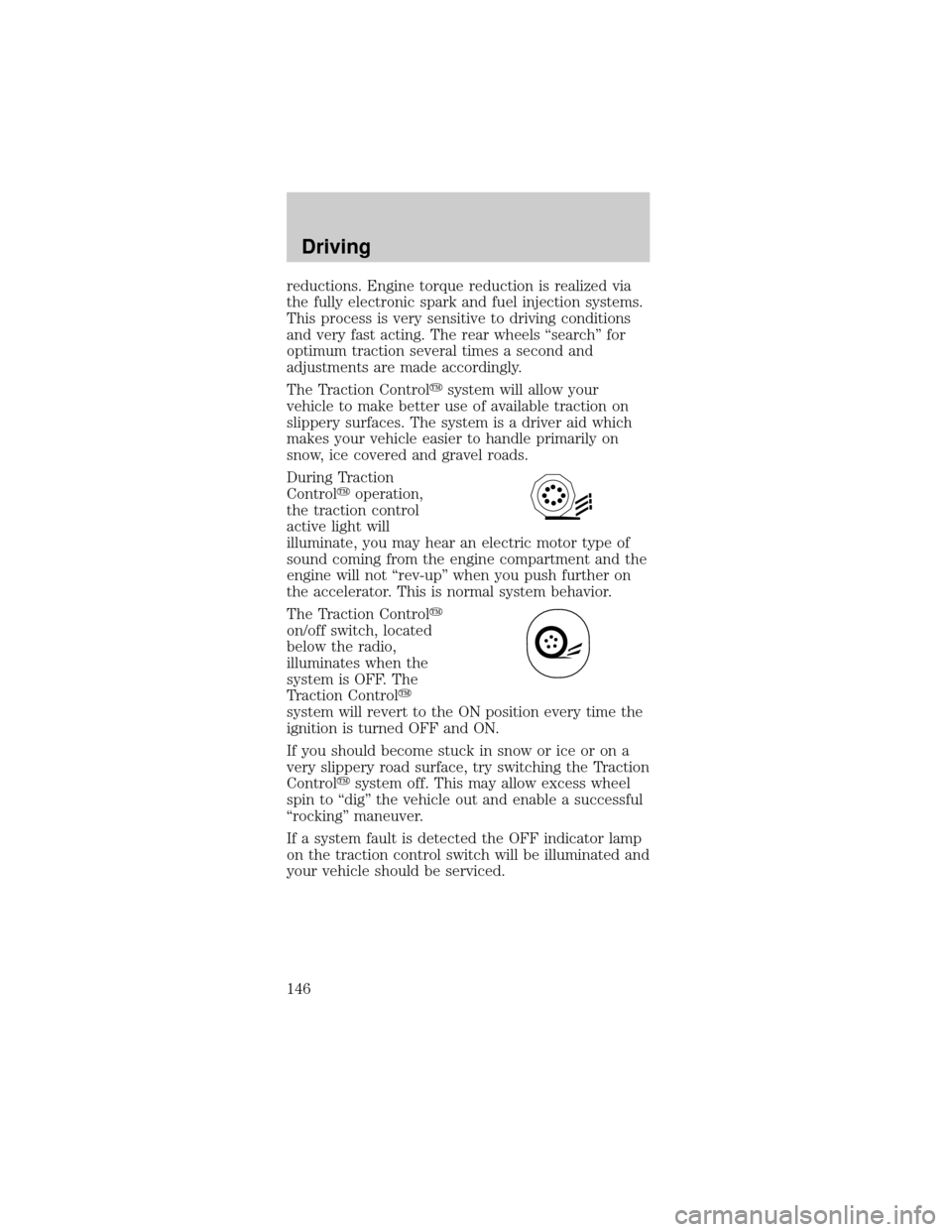
During Traction
Controlyoperation,
the traction control
active light will
illuminate, you may hear an electric motor type of
sound coming from the engine compartment and the
engine will not ªrev-upº when you push further on
the accelerator. This is normal system behavior.
The Traction Controly
on/off switch, located
below the radio,
illuminates when the
system is OFF. The
Traction Controly
system will revert to the ON position every time the
ignition is turned OFF and ON.
If you should become stuck in snow or ice or on a
very slippery road surface, try switching the Traction
Controlysystem off. This may allow excess wheel
spin to ªdigº the vehicle out and enable a successful
ªrockingº maneuver.
If a system fault is detected the OFF indicator lamp
on the traction control switch will be illuminated and
your vehicle should be serviced.
Driving
146
Page 149 of 264

If your vehicle gets stuck in mud or snow it may be
rocked out by shifting from forward and reverse
gears, stopping between shifts, in a steady pattern.
Press lightly on the accelerator in each gear.
Do not rock the vehicle if the engine is not at
normal operating temperature or damage to
the transmission may occur.
Do not rock the vehicle for more than a few
minutes or damage to the transmission and
tires may occur or the engine may overheat.
Always set the parking brake fully and make
sure the gearshift is latched in P (Park).
Turn the ignition to the LOCK position and remove
the key whenever you leave your vehicle.
If the parking brake is fully released, but the
brake warning lamp remains illuminated, the
brakes may not be working properly. See your
dealer or a qualified service technician.
Driving with an automatic overdrive
transmission with console gearshift and O/D off
switch
Your automatic
overdrive transmission
provides fully
automatic operation in
either D (Overdrive) or
with the O/D OFF
switch depressed.
Driving with the
gearshift lever in D
(Overdrive) gives the
best fuel economy for
normal driving
conditions. For manual control, start in 1 (First) and
then shift manually.
Driving
149
