Page 14 of 432
1-2
Seats and Seat Controls
This section tells you about the manual and power
seats
-- how to adjust them, and also about the reclining
front seatbacks, memory seats, lumbar adjustments and
heated seats.
Manual Front Seat
CAUTION:
You can lose control of the vehicle if you try to
adjust a manual driver's seat while the vehicle is
moving. The sudden movement could startle and
confuse you, or make you push a pedal when you
don't want to. Adjust the driver's seat only when
the vehicle is not moving.
Pull up on the lever located under the front of the
manual seat to unlock it. Slide the seat to where you
want it and release the lever. Then try to move the
seat with your body to make sure the seat is locked
into place.
Power Seats (If Equipped)
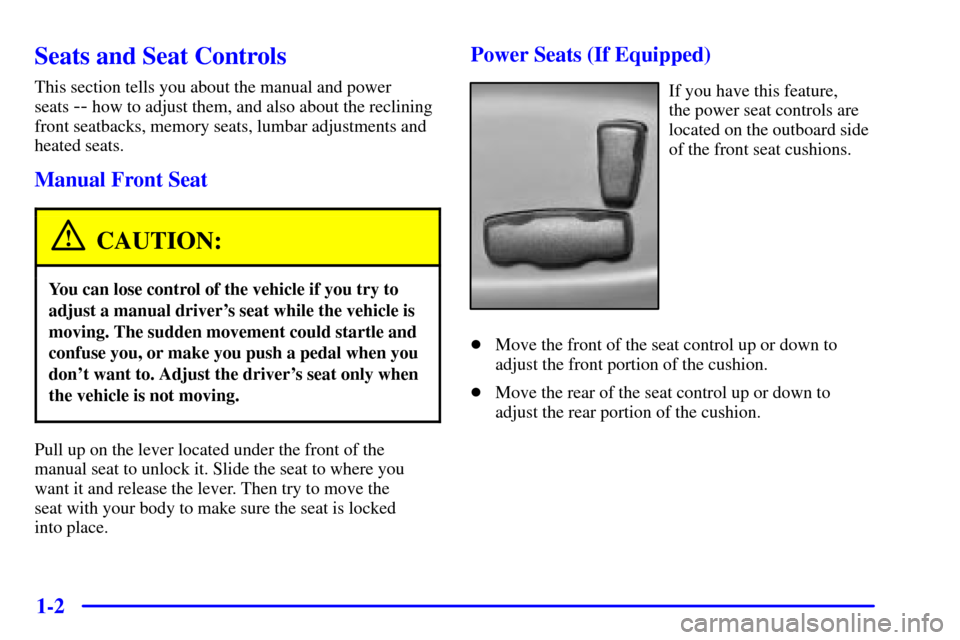
If you have this feature,
the power seat controls are
located on the outboard side
of the front seat cushions.
�Move the front of the seat control up or down to
adjust the front portion of the cushion.
�Move the rear of the seat control up or down to
adjust the rear portion of the cushion.
Page 173 of 432
3-
3-1
Section 3 Comfort Controls and Audio Systems
In this section, you'll find out how to operate the comfort control and audio systems offered with your vehicle.
Be sure to read about the particular systems supplied with your vehicle.
3
-2 Comfort Controls
3
-8 Air Conditioning
3
-8 Heating
3
-8 Defogging and Defrosting
3
-9 Rear Window Defogger
3
-11 Ventilation System
3
-13 Audio Systems
3
-13 Setting the Clock
3
-13 AM-FM Stereo with Cassette Tape Player
with Radio Data System (RDS) and Automatic
Tone Control
3
-24 AM-FM Stereo with Compact Disc Player
with Radio Data System (RDS) and Automatic
Tone Control (If Equipped)
3
-32 AM-FM Stereo with Cassette Tape and
Compact Disc Player with Radio Data
System (RDS) and Automatic Tone Control
(If Equipped)3
-44 AM-FM Stereo with 6-Disc Compact Disc
Player with Programmable Equalization and
Radio Data System (RDS) (If Equipped)
3
-55 Rear Seat Audio (If Equipped)
3
-56 Theft-Deterrent Feature RDS Radios
3
-56 Audio Steering Wheel Controls (If Equipped)
3
-57 Understanding Radio Reception
3
-57 Tips About Your Audio System
3
-58 Care of Your Cassette Tape Player
3
-60 Care of Your Compact Discs
3
-60 Care of Your Compact Disc Player
3
-60 Fixed Mast Antenna
3
-60 Chime Level Adjustment
Page 174 of 432
3-2
Comfort Controls
This section tells you how to use the comfort controls.
With these systems, you can control the heating, cooling
and ventilation in your vehicle.
Comfort Controls Personalization
(If Equipped)
If your vehicle is equipped with the automatic comfort
control system and memory seats and mirrors, you
can store and recall the climate control settings for
temperature, air delivery mode and fan speed for
two different drivers. The personal choice settings
recalled are determined by the transmitter used to enter
the vehicle. After the button with the unlock symbol on
a remote keyless entry transmitter is pressed, the climate
control will adjust to the last settings of the identified
driver. The settings can also be changed by pressing one
of the memory buttons (1 or 2) located on the driver's
door. When adjustments are made, the new settings are
automatically saved for that driver.
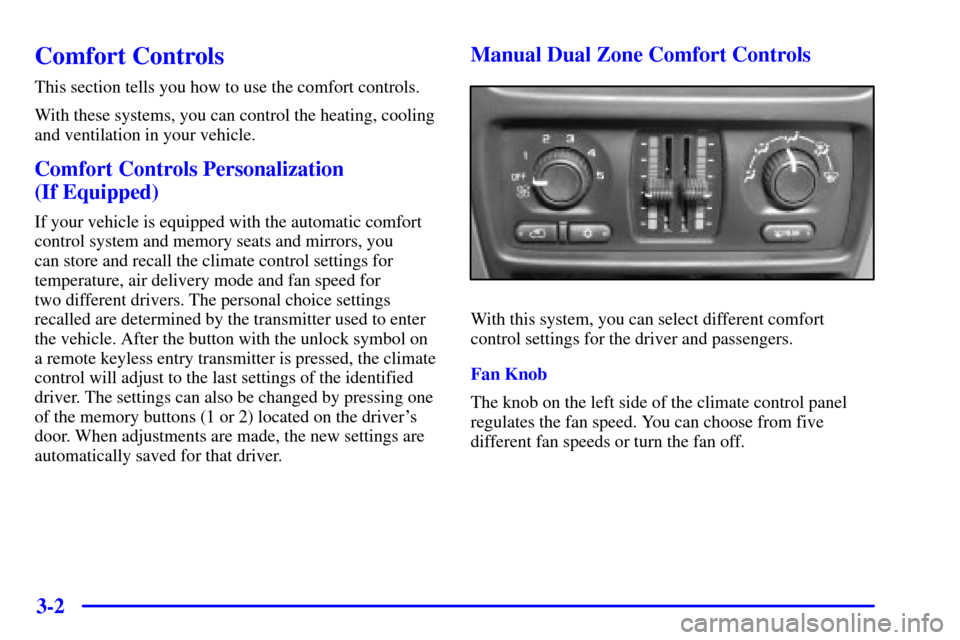
Manual Dual Zone Comfort Controls
With this system, you can select different comfort
control settings for the driver and passengers.
Fan Knob
The knob on the left side of the climate control panel
regulates the fan speed. You can choose from five
different fan speeds or turn the fan off.