Page 126 of 497
2-46
Manual Transfer Case (If Equipped)
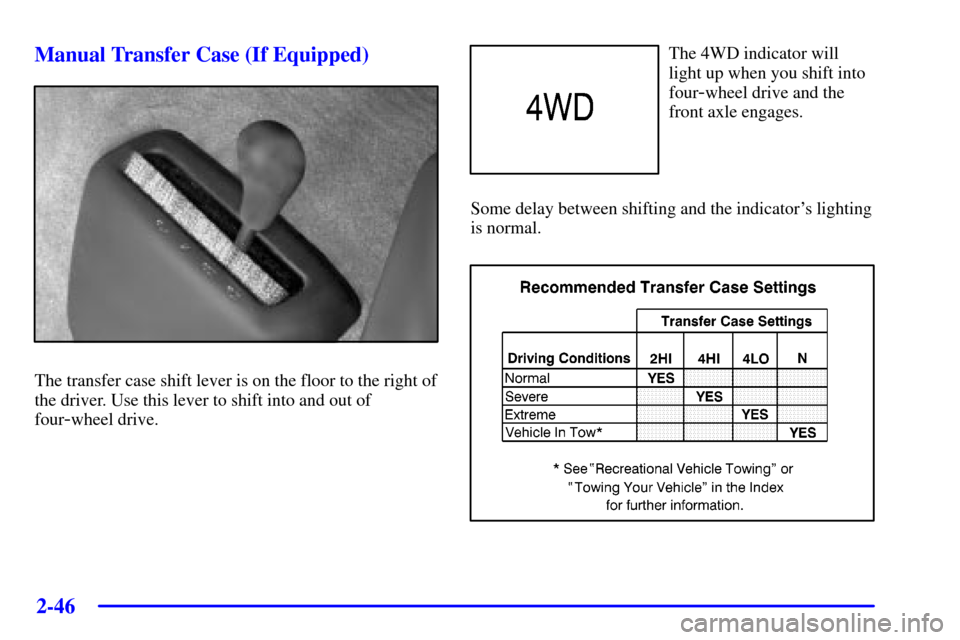
The transfer case shift lever is on the floor to the right of
the driver. Use this lever to shift into and out of
four
-wheel drive.
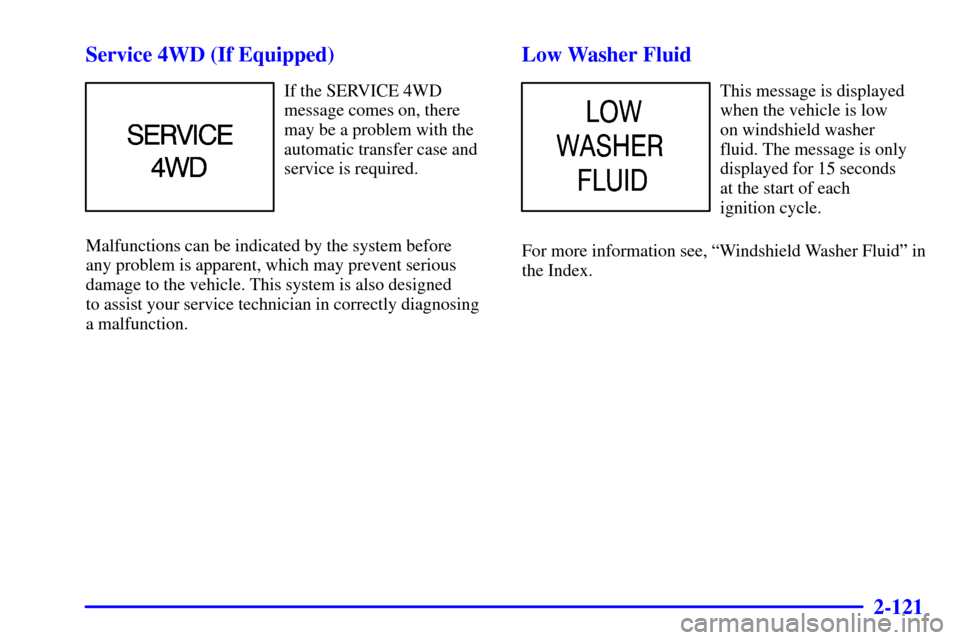
The 4WD indicator will
light up when you shift into
four
-wheel drive and the
front axle engages.
Some delay between shifting and the indicator's lighting
is normal.
Page 129 of 497
2-49
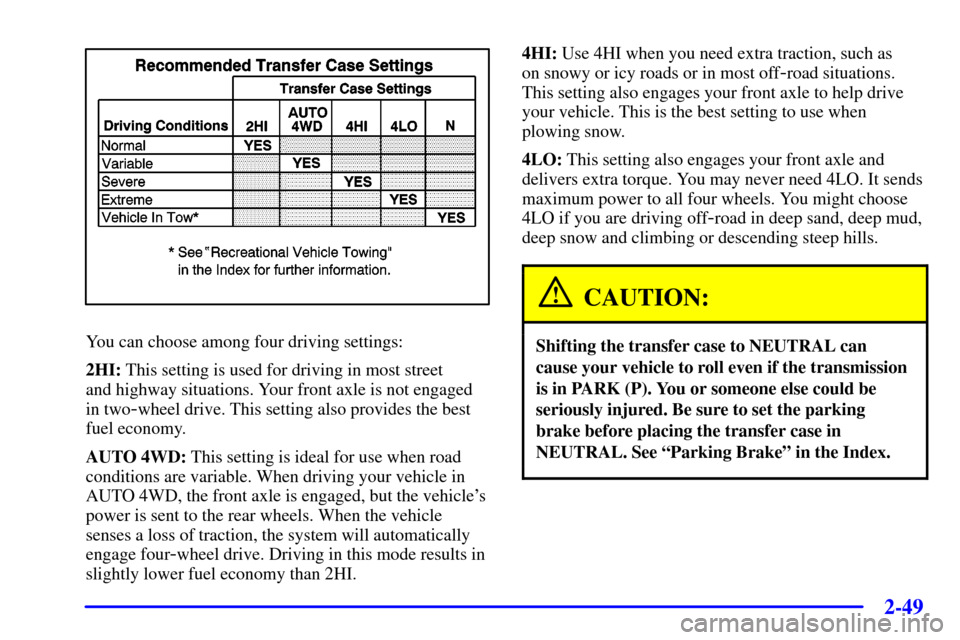
You can choose among four driving settings:
2HI: This setting is used for driving in most street
and highway situations. Your front axle is not engaged
in two
-wheel drive. This setting also provides the best
fuel economy.
AUTO 4WD: This setting is ideal for use when road
conditions are variable. When driving your vehicle in
AUTO 4WD, the front axle is engaged, but the vehicle's
power is sent to the rear wheels. When the vehicle
senses a loss of traction, the system will automatically
engage four
-wheel drive. Driving in this mode results in
slightly lower fuel economy than 2HI.4HI: Use 4HI when you need extra traction, such as
on snowy or icy roads or in most off
-road situations.
This setting also engages your front axle to help drive
your vehicle. This is the best setting to use when
plowing snow.
4LO: This setting also engages your front axle and
delivers extra torque. You may never need 4LO. It sends
maximum power to all four wheels. You might choose
4LO if you are driving off
-road in deep sand, deep mud,
deep snow and climbing or descending steep hills.
CAUTION:
Shifting the transfer case to NEUTRAL can
cause your vehicle to roll even if the transmission
is in PARK (P). You or someone else could be
seriously injured. Be sure to set the parking
brake before placing the transfer case in
NEUTRAL. See ªParking Brakeº in the Index.
Page 130 of 497
2-50
NEUTRAL: Shift the vehicle's transfer case to
NEUTRAL only when towing your vehicle. See
ªRecreational Vehicle Towingº or ªTowing Your
Vehicleº in the Index for more information.
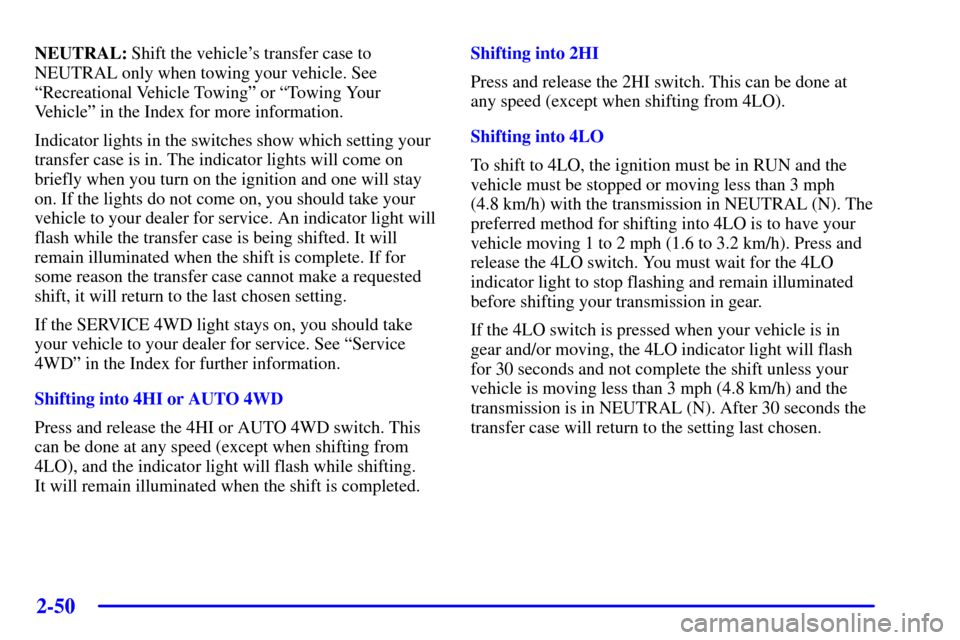
Indicator lights in the switches show which setting your
transfer case is in. The indicator lights will come on
briefly when you turn on the ignition and one will stay
on. If the lights do not come on, you should take your
vehicle to your dealer for service. An indicator light will
flash while the transfer case is being shifted. It will
remain illuminated when the shift is complete. If for
some reason the transfer case cannot make a requested
shift, it will return to the last chosen setting.
If the SERVICE 4WD light stays on, you should take
your vehicle to your dealer for service. See ªService
4WDº in the Index for further information.
Shifting into 4HI or AUTO 4WD
Press and release the 4HI or AUTO 4WD switch. This
can be done at any speed (except when shifting from
4LO), and the indicator light will flash while shifting.
It will remain illuminated when the shift is completed.Shifting into 2HI
Press and release the 2HI switch. This can be done at
any speed (except when shifting from 4LO).
Shifting into 4LO
To shift to 4LO, the ignition must be in RUN and the
vehicle must be stopped or moving less than 3 mph
(4.8 km/h) with the transmission in NEUTRAL (N). The
preferred method for shifting into 4LO is to have your
vehicle moving 1 to 2 mph (1.6 to 3.2 km/h). Press and
release the 4LO switch. You must wait for the 4LO
indicator light to stop flashing and remain illuminated
before shifting your transmission in gear.
If the 4LO switch is pressed when your vehicle is in
gear and/or moving, the 4LO indicator light will flash
for 30 seconds and not complete the shift unless your
vehicle is moving less than 3 mph (4.8 km/h) and the
transmission is in NEUTRAL (N). After 30 seconds the
transfer case will return to the setting last chosen.
Page 131 of 497

2-51
Shifting Out of 4LO
To shift from 4LO to 4HI, AUTO 4WD or 2HI your
vehicle must be stopped or moving less than 3 mph
(4.8 km/h) with the transmission in NEUTRAL (N) and
the ignition in RUN. The preferred method for shifting
out of 4LO is to have your vehicle moving 1 to 2 mph
(1.6 to 3.2 km/h). Press and release the 4HI, AUTO
4WD or 2HI switch. You must wait for the 4HI, AUTO
4WD or 2HI indicator light to stop flashing and remain
illuminated before shifting your transmission into gear.
If the 4HI, AUTO 4WD or 2HI switch is pressed when
your vehicle is in gear and/or moving, the 4HI, AUTO
4WD or 2HI indicator light will flash for 30 seconds but
will not complete the shift unless your vehicle is moving
less than 3 mph (4.8 km/h) and the transmission is
in NEUTRAL (N).Shifting into NEUTRAL
To shift the transfer case to NEUTRAL do
the following:
1. Make sure the vehicle is parked so that it will
not roll:
2. Set the parking brake.
3. Start the vehicle or turn the ignition to RUN.
4. Connect the vehicle to the towing vehicle.
5. Put the transmission in NEUTRAL (N).
6. Shift the transfer case to 2HI.
7. Simultaneously press and hold the 2HI and 4LO
buttons for 10 seconds. The red NEUTRAL light
will come on when the transfer case shift to
NEUTRAL is complete.
8. Shift the transmission to REVERSE (R) for one
second, then shift the transmission to DRIVE (D)
for one second.
9. Turn the ignition to OFF.
10. Place the transmission shift lever in PARK (P).
11. Release the parking brake prior to towing.
Page 132 of 497
2-52
Shifting Out of NEUTRAL
To shift out of NEUTRAL:
1. Set the parking brake and apply the regular
brake pedal.
2. Shift the transmission to NEUTRAL (N) and turn the
ignition to RUN with the engine off.
3. Press the button for the desired transfer case shift
position (2HI, 4HI, AUTO 4WD or 4LO).
4. After the transfer case has shifted out of NEUTRAL
the red light will go out.
5. You may start the engine and shift the transmission
to the desired position.Electronic Transfer Case (If Equipped)
If your four-wheel-drive vehicle has the electronic
transfer case, the transfer case switches are located to
the left of the instrument panel cluster.
Use these switches to shift into and out of four
-wheel
drive. You can choose among three driving settings:
2HI: This setting is for driving in most street and
highway situations. Your front axle is not engaged in
two
-wheel drive.
Page 135 of 497

2-55
Shifting into NEUTRAL
To shift the transfer case to NEUTRAL, first make sure
the vehicle is parked so that it will not roll:
1. Set the parking brake.
2. Start the vehicle or turn the ignition to RUN.
3. Connect the vehicle to the towing vehicle.
4. Put the transmission in NEUTRAL (N).
5. Shift the transfer case to 2HI.
6. Simultaneously press and hold the 2HI and 4LO
buttons for 10 seconds. The red NEUTRAL light
will come on when the transfer case shift to
NEUTRAL is complete.
7. Shift the transmission to REVERSE (R) for
one second, then shift the transmission to
DRIVE (D) for one second.
8. Turn the ignition to OFF.
9. Place the transmission shift lever in PARK (P).
10. Release the parking brake prior to towing.Shifting Out of NEUTRAL
To shift out of NEUTRAL:
1. Set the parking brake and apply the regular
brake pedal.
2. Shift the transmission to NEUTRAL (N) and turn the
ignition to RUN with the engine off.
3. Press the button for the desired transfer case shift
position (2HI, 4HI, AUTO 4WD or 4LO).
4. After the transfer case has shifted out of NEUTRAL
the red light will go out.
5. You may start the engine and shift the transmission
to the desired position.
Page 193 of 497
2-113
Cruise Light (If Equipped)
United States Canada
The CRUISE light comes on whenever you set your
cruise control. See ªCruise Controlº in the Index.
4WD Light (If Equipped)
The 4WD indicator will
light up when you shift a
manual transfer case into
four
-wheel drive and the
front axle engages.
Some delay between shifting and the indicator's lighting
is normal.
See ªFour
-Wheel Driveº in the Index for
more information.
Tow/Haul Light
(Automatic Transmissions Only)
This message is displayed
when the tow/haul mode
has been activated.
For more information see, ªTow/Haul Modeº in
the Index.
Page 201 of 497
2-121
Service 4WD (If Equipped)
If the SERVICE 4WD
message comes on, there
may be a problem with the
automatic transfer case and
service is required.
Malfunctions can be indicated by the system before
any problem is apparent, which may prevent serious
damage to the vehicle. This system is also designed
to assist your service technician in correctly diagnosing
a malfunction.
Low Washer Fluid
This message is displayed
when the vehicle is low
on windshield washer
fluid. The message is only
displayed for 15 seconds
at the start of each
ignition cycle.
For more information see, ªWindshield Washer Fluidº in
the Index.