Page 138 of 497
2-58
Car Washes for QUADRASTEER
Equipped Vehicles
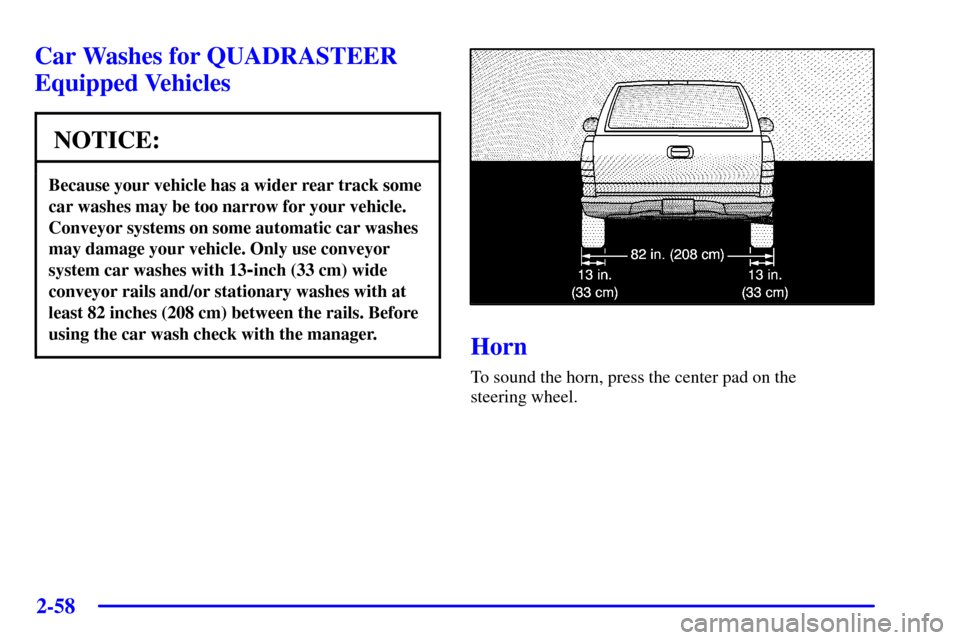
NOTICE:
Because your vehicle has a wider rear track some
car washes may be too narrow for your vehicle.
Conveyor systems on some automatic car washes
may damage your vehicle. Only use conveyor
system car washes with 13
-inch (33 cm) wide
conveyor rails and/or stationary washes with at
least 82 inches (208 cm) between the rails. Before
using the car wash check with the manager.
Horn
To sound the horn, press the center pad on the
steering wheel.
Page 139 of 497
2-59
Tilt Wheel
A tilt wheel allows you to adjust the steering wheel
before you drive. You can raise it to the highest level
to give your legs more room when you exit and enter
your vehicle.
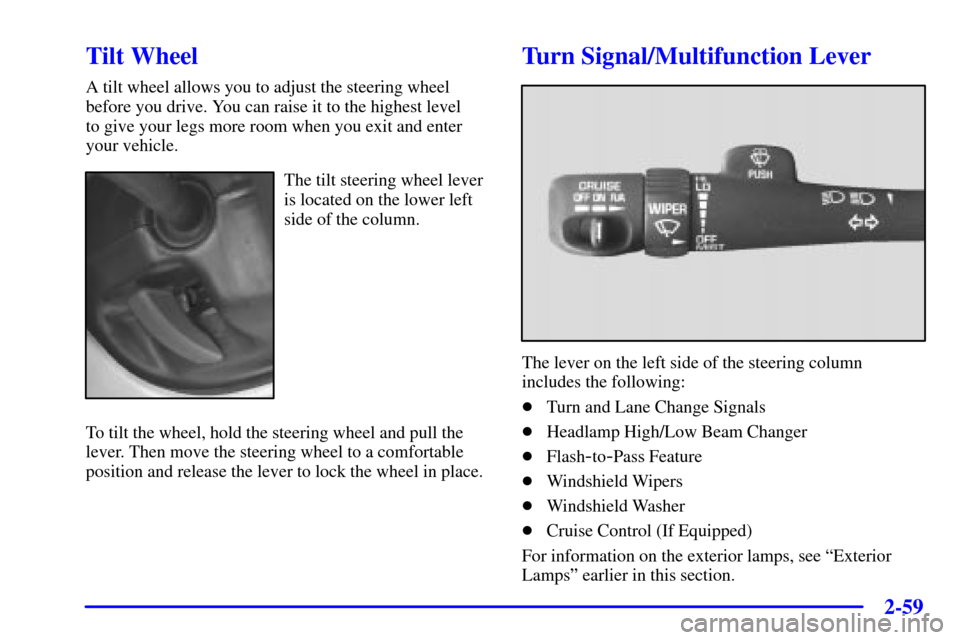
The tilt steering wheel lever
is located on the lower left
side of the column.
To tilt the wheel, hold the steering wheel and pull the
lever. Then move the steering wheel to a comfortable
position and release the lever to lock the wheel in place.
Turn Signal/Multifunction Lever
The lever on the left side of the steering column
includes the following:
�Turn and Lane Change Signals
�Headlamp High/Low Beam Changer
�Flash
-to-Pass Feature
�Windshield Wipers
�Windshield Washer
�Cruise Control (If Equipped)
For information on the exterior lamps, see ªExterior
Lampsº earlier in this section.
Page 171 of 497

2-91
Volume Control: You can control the volume of the
OnStar System using either the volume knob on the
radio or if equipped, the steering wheel volume controls.
Telltale Light: This light will indicate the status of
the system. A solid green light will come on when you
start the vehicle to let you know that the system is on
and is ready to make or receive calls.
If the light blinks green it means that an incoming or
outgoing call is in progress. Press the Communication
button if you notice the light blinking and you are not
on a call.
The light will be red in the event of an OnStar system
malfunction. If this occurs press the OnStar button to
attempt to contact an advisor. If the connection is made,
the advisor will assist you with steps to take to make
sure that the system is functioning properly. If you
cannot contact the advisor, take your vehicle to your
dealership as soon as possible for assistance.
Cellular Antenna: The cellular antenna on the outside
of your vehicle is critical to effective communications
using the OnStar system. Optimum cellular reception
can be obtained when the mast is straight up and down.
OnStar Services
The following services are available within OnStar
service plans. Your vehicle comes with a specific
one
-year service plan that allows use of some or all of
the following services.
�Automatic Notification of Air Bag
Deployment: If an air bag deploys, a priority
emergency signal is sent automatically to the center.
An advisor will locate your vehicle's position, try to
contact you and assist you in the situation. If the
center is unable to contact you, an emergency service
provider will be contacted.
�Stolen Vehicle Tracking: Call the center at
1
-888-4-ONSTAR (1-888-466-7827) to report
your vehicle stolen. The system can then attempt to
locate and track your vehicle and the advisor will
assist the proper authorities.
�Roadside Assistance with Location: For vehicle
breakdowns, press the OnStar Services button. An
advisor will contact the appropriate help.
�Remote Diagnostics: If an instrument panel
light comes on, press the OnStar Services button.
An advisor can perform a check of the engine
on
-board computer, and recommend what action
needs to be taken.
Page 229 of 497
4-
4-1
Section 4 Your Driving and the Road
Here you'll find information about driving on different kinds of roads and in varying weather conditions.
We've also included many other useful tips on driving.
4
-2 Defensive Driving
4
-3 Drunken Driving
4
-6 Control of a Vehicle
4
-6 Braking
4
-9 Traction Assist System (TAS) (Option)
4
-12 Steering
4
-14 Off-Road Recovery
4
-14 Passing
4
-16 Loss of Control
4
-17 Off-Road Driving with Your
Four
-Wheel-Drive Vehicle
4
-34 Driving at Night4
-35 Driving in Rain and on Wet Roads
4
-38 City Driving
4
-39 Freeway Driving
4
-40 Before Leaving on a Long Trip
4
-41 Highway Hypnosis
4
-42 Hill and Mountain Roads
4
-44 Winter Driving
4
-48 Recreational Vehicle Towing
4
-52 Loading Your Vehicle
4
-62 Camper Wiring Harness (If Equipped)
4
-62 Pickup Conversion to Chassis Cab
4
-63 Towing a Trailer
Page 237 of 497

4-9
Remember: Anti-lock doesn't change the time you need
to get your foot up to the brake pedal or always decrease
stopping distance. If you get too close to the vehicle in
front of you, you won't have time to apply your brakes
if that vehicle suddenly slows or stops. Always leave
enough room up ahead to stop, even though you have
anti
-lock brakes.
Using Anti
-Lock
Don't pump the brakes. Just hold the brake pedal down
firmly and let anti
-lock work for you. You may feel the
brakes vibrate, or you may notice some noise, but this
is normal.
Braking in Emergencies
With anti-lock, you can steer and brake at the same
time. In many emergencies, steering can help you more
than even the very best braking.
Traction Assist System (TAS) (Option)
Your vehicle may have a Traction Assist System (TAS)
that limits wheel spin. This is especially useful in
slippery road conditions. The system operates only if it
senses that one or both of the rear wheels are spinning or
beginning to lose traction. When this happens, the
system reduces engine power to limit wheel spin.
This light will come
on when the TAS is
limiting wheel spin.
See ªLow Traction Lightº
in the Index.
You may hear or feel the system working or notice a
lack of accelerator response, but this is normal.
Page 239 of 497
4-11
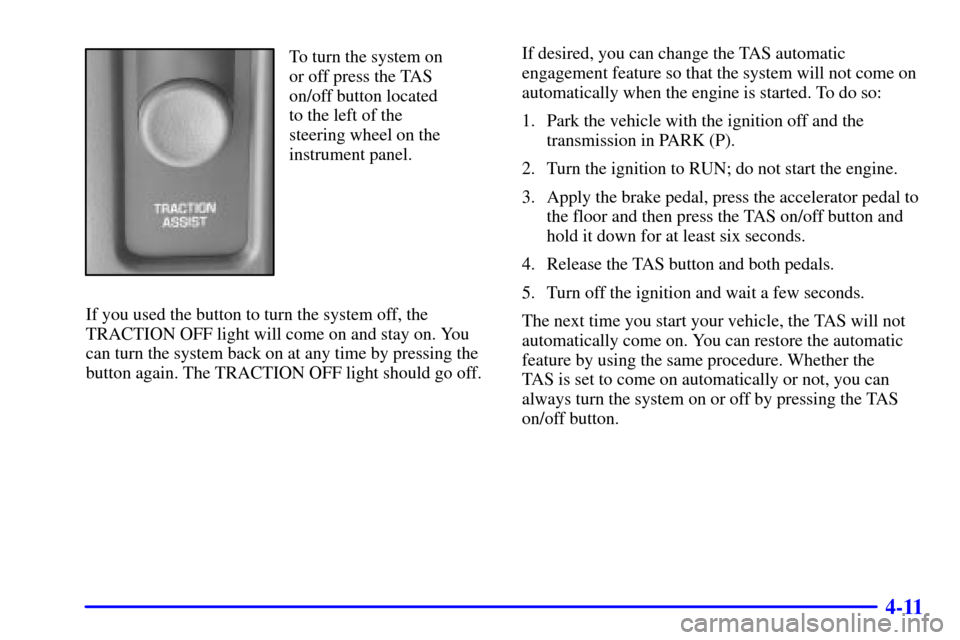
To turn the system on
or off press the TAS
on/off button located
to the left of the
steering wheel on the
instrument panel.
If you used the button to turn the system off, the
TRACTION OFF light will come on and stay on. You
can turn the system back on at any time by pressing the
button again. The TRACTION OFF light should go off.If desired, you can change the TAS automatic
engagement feature so that the system will not come on
automatically when the engine is started. To do so:
1. Park the vehicle with the ignition off and the
transmission in PARK (P).
2. Turn the ignition to RUN; do not start the engine.
3. Apply the brake pedal, press the accelerator pedal to
the floor and then press the TAS on/off button and
hold it down for at least six seconds.
4. Release the TAS button and both pedals.
5. Turn off the ignition and wait a few seconds.
The next time you start your vehicle, the TAS will not
automatically come on. You can restore the automatic
feature by using the same procedure. Whether the
TAS is set to come on automatically or not, you can
always turn the system on or off by pressing the TAS
on/off button.
Page 240 of 497

4-12
Steering
Power Steering
If you lose power steering assist because the engine
stops or the system is not functioning, you can steer
but it will take much more effort.
Steering Tips
Driving on Curves
It's important to take curves at a reasonable speed.
A lot of the ªdriver lost controlº accidents mentioned on
the news happen on curves. Here's why:
Experienced driver or beginner, each of us is subject to
the same laws of physics when driving on curves. The
traction of the tires against the road surface makes it
possible for the vehicle to change its path when you turn
the front wheels. If there's no traction, inertia will keep
the vehicle going in the same direction. If you've ever
tried to steer a vehicle on wet ice, you'll understand this.
The traction you can get in a curve depends on the
condition of your tires and the road surface, the angle at
which the curve is banked, and your speed. While you're
in a curve, speed is the one factor you can control.Suppose you're steering through a sharp curve.
Then you suddenly accelerate. Both control
systems
-- steering and acceleration -- have to do
their work where the tires meet the road. Adding the
sudden acceleration can demand too much of those
places. You can lose control. Refer to ªTraction Assist
Systemº in the Index.
What should you do if this ever happens? Ease up on the
accelerator pedal, steer the vehicle the way you want it
to go, and slow down.
Speed limit signs near curves warn that you should
adjust your speed. Of course, the posted speeds are
based on good weather and road conditions. Under less
favorable conditions you'll want to go slower.
If you need to reduce your speed as you approach a
curve, do it before you enter the curve, while your front
wheels are straight ahead.
Try to adjust your speed so you can ªdriveº through the
curve. Maintain a reasonable, steady speed. Wait to
accelerate until you are out of the curve, and then
accelerate gently into the straightaway.
Page 241 of 497

4-13 Steering in Emergencies
There are times when steering can be more effective
than braking. For example, you come over a hill and
find a truck stopped in your lane, or a car suddenly pulls
out from nowhere, or a child darts out from between
parked cars and stops right in front of you. You can
avoid these problems by braking
-- if you can stop
in time. But sometimes you can't; there isn't room.
That's the time for evasive action
-- steering around
the problem.
Your vehicle can perform very well in emergencies like
these. First apply your brakes. See ªBraking in
Emergenciesº earlier in this section. It is better to
remove as much speed as you can from a possible
collision. Then steer around the problem, to the left
or right depending on the space available.
An emergency like this requires close attention and a
quick decision. If you are holding the steering wheel at
the recommended 9 and 3 o'clock positions, you can
turn it a full 180 degrees very quickly without removing
either hand. But you have to act fast, steer quickly, and
just as quickly straighten the wheel once you have
avoided the object.
The fact that such emergency situations are always
possible is a good reason to practice defensive driving at
all times and wear safety belts properly.