Page 59 of 384

2-
2-1
Section 2 Features and Controls
Here you can learn about the many standard and optional features on your vehicle, and information on starting,
shifting and braking. Also explained are the instrument panel and the warning systems that tell you if everything is
working properly
-- and what to do if you have a problem.
2
-2 Windows
2
-4 Keys
2
-6 Door Locks
2
-8 Memory (Option)
2
-9 Remote Keyless Entry (RKE) System
2
-14 Hatch/Trunk
2
-19 Theft-Deterrent System
2
-20 PASS-Key�
2-21 New Vehicle ªBreak-Inº
2
-22 Ignition Switch
2
-24 Starting Your Engine
2
-26 Engine Coolant Heater (Canada Only)
2
-28 Automatic Transmission Operation
2
-31 Manual Transmission Operation
2
-35 Parking Brake
2
-36 Shifting Into PARK (P)
(Automatic Transmission Only)
2
-38 Shifting Out of PARK (P)
(Automatic Transmission)2
-38 Parking Your Vehicle
(Manual Transmission Models Only)
2
-39 Parking Over Things That Burn
2
-39 Engine Exhaust
2
-40 Running Your Engine While You're Parked
(Automatic Transmission)
2
-40 Limited-Slip Rear Axle
2
-41 Selective Real Time Damping (Option)
2
-43 Turn Signal/Multifunction Lever
2
-49 Exterior Lamps
2
-53 Interior Lamps
2
-54 Mirrors
2
-57 Storage Compartments
2
-62 Roof Panel (If Equipped)
2
-69 Convertible Top (Option)
2
-76 The Instrument Panel -- Your
Information System
2
-80 Warning Lights, Gages and Messages
2
-94 Driver Information Center (DIC)
Page 111 of 384
2-53
Interior Lamps
Instrument Panel Brightness Control
This feature controls the brightness of the instrument
panel lights.
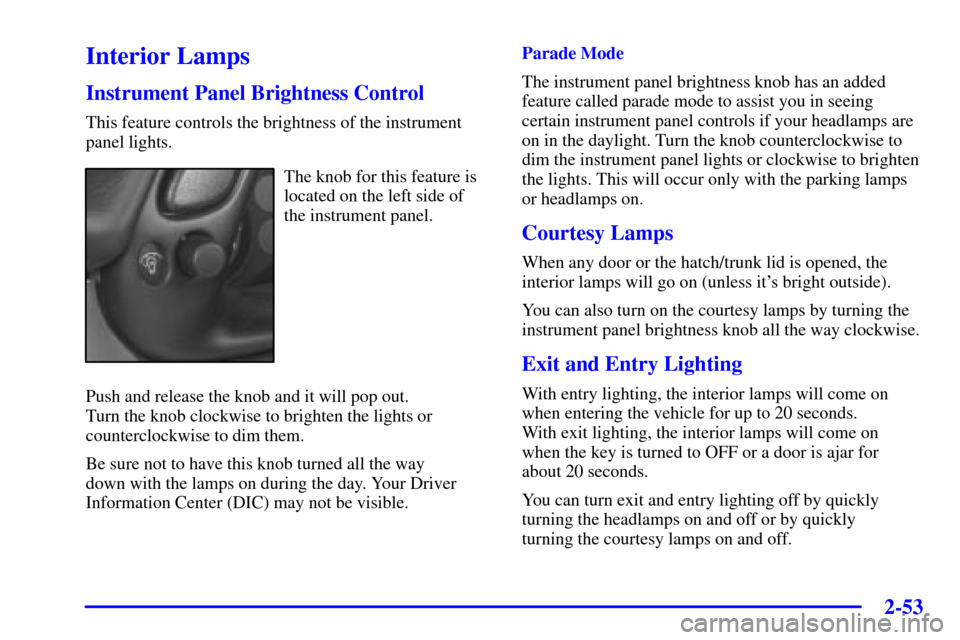
The knob for this feature is
located on the left side of
the instrument panel.
Push and release the knob and it will pop out.
Turn the knob clockwise to brighten the lights or
counterclockwise to dim them.
Be sure not to have this knob turned all the way
down with the lamps on during the day. Your Driver
Information Center (DIC) may not be visible.Parade Mode
The instrument panel brightness knob has an added
feature called parade mode to assist you in seeing
certain instrument panel controls if your headlamps are
on in the daylight. Turn the knob counterclockwise to
dim the instrument panel lights or clockwise to brighten
the lights. This will occur only with the parking lamps
or headlamps on.
Courtesy Lamps
When any door or the hatch/trunk lid is opened, the
interior lamps will go on (unless it's bright outside).
You can also turn on the courtesy lamps by turning the
instrument panel brightness knob all the way clockwise.
Exit and Entry Lighting
With entry lighting, the interior lamps will come on
when entering the vehicle for up to 20 seconds.
With exit lighting, the interior lamps will come on
when the key is turned to OFF or a door is ajar for
about 20 seconds.
You can turn exit and entry lighting off by quickly
turning the headlamps on and off or by quickly
turning the courtesy lamps on and off.
Page 113 of 384
2-55 Electrochromic Day/Night Inside Rearview
Mirror with Map Lamps (Option)
Your vehicle may have an automatic electrochromic
day/night rearview mirror with map lamps.
This mirror automatically changes to reduce glare from
headlamps behind you. A time delay feature prevents
rapid changing from the day to night positions while
driving under lights and through traffic.
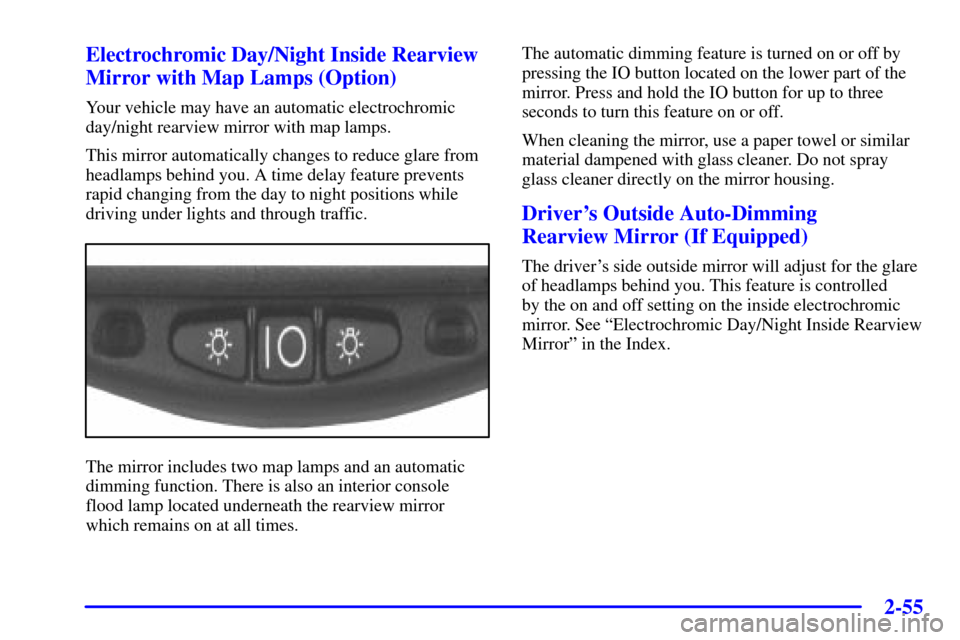
The mirror includes two map lamps and an automatic
dimming function. There is also an interior console
flood lamp located underneath the rearview mirror
which remains on at all times.The automatic dimming feature is turned on or off by
pressing the IO button located on the lower part of the
mirror. Press and hold the IO button for up to three
seconds to turn this feature on or off.
When cleaning the mirror, use a paper towel or similar
material dampened with glass cleaner. Do not spray
glass cleaner directly on the mirror housing.
Driver's Outside Auto-Dimming
Rearview Mirror (If Equipped)
The driver's side outside mirror will adjust for the glare
of headlamps behind you. This feature is controlled
by the on and off setting on the inside electrochromic
mirror. See ªElectrochromic Day/Night Inside Rearview
Mirrorº in the Index.
Page 159 of 384

2-101
If you choose LOCK & ARM - OFF, you will
receive no security feedback when locking or
unlocking your vehicle.
If you choose LOCK & ARM
- HORN ONLY,
only the horn will chirp to let you know when your
alarm system has armed when locking your vehicle.
If you choose LOCK & ARM
- LIGHTS ONLY,
only your exterior lamps will flash to let you know
when your alarm system has armed when locking
your vehicle.
If you choose LOCK & ARM
- HORN & LIGHTS,
the horn will chirp and the exterior lamps will flash
briefly to let you know the system has armed when
locking your vehicle.
Alarm
Press the OPTIONS button until ALARM appears on
the display, then use the RESET button to page through
the following selections:
�ALARM
-HORN
�ALARM HORN & LIGHTSIf you choose ALARM
-HORN, the horn will sound
during an alarm.
If you choose ALARM HORN & LIGHTS, the horn
will sound and the interior and exterior lamps will flash
during an alarm.
Approach Lights
Press the OPTIONS button until APPROACH LIGHTS
appears on the display, then use the RESET button to
page through the following choices:
�APPROACH LIGHTS ON
�APPROACH LIGHTS OFF
If you choose APPROACH LIGHTS ON, the fog lamps,
front turn signal, rear back
-up and courtesy lamps will
come on for 30 seconds when you press UNLOCK on
the remote keyless entry transmitter. This will occur
only when it is dark outside.
APPROACH LIGHTS OFF turns off this option.
See ªRemote Keyless Entry (RKE) Systemº in the
Index for more information.