Page 163 of 488
2-97
Security Light
This light will come on
briefly when you turn the
key toward START. The
light will stay on until the
engine starts.
If the light flashes, the Passlock
� system has entered a
tamper mode. If the vehicle fails to start, see ªPasslockº
in the Index.
If the light comes on continuously while driving and
stays on, there may be a problem with the Passlock
system. Your vehicle will not be protected by Passlock,
and you should see your dealer.
Also, see ªContent Theft
-Deterrentº in the Index for
additional information regarding the SECURITY light.
Service Four-Wheel-Drive Warning Light
(If Equipped)
This light should come on
briefly when you turn on the
ignition, as a check to show
you it is working.
The SERVICE 4WD light comes on to indicate that
there may be a problem with the drive system and
service is required. Malfunctions can be indicated by the
system before any problem is apparent, which may
prevent serious damage to the vehicle. This system is
also designed to assist your service technician in
correctly diagnosing a malfunction.
Page 168 of 488
3-
3-1
Section 3 Comfort Controls and Audio Systems
In this section, you'll find out how to operate the comfort control and audio systems offered with your vehicle.
Be sure to read about the particular systems supplied with your vehicle.
3
-2 Comfort Controls
3-2 Standard Climate Control System
3-3 Air Conditioning
3-4 Heating
3-4 Defogging and Defrosting
3-4 Rear Window Defogger (If Equipped)
3-5 Ventilation System
3-6 Audio Systems
3-6 Setting the Clock for Systems with SET Button
3-6 Setting the Clock for Systems with HR and
MN Buttons
3
-7 Setting the Clock for Systems with Radio
Data System
3
-7AM-FM Stereo
3-9AM-FM Stereo
3-12 AM-FM Stereo with Cassette Tape Player
(If Equipped)
3
-15 AM-FM Stereo with Cassette Tape Player and
Automatic Tone Control (If Equipped)
3
-20 AM-FM Stereo with Cassette Tape
Player (Bose�) (If Equipped)
3-24 AM-FM Stereo with Compact Disc Player and
Automatic Tone Control (If Equipped)3
-29 AM-FM Stereo with Compact Disc Player
with Radio Data System (RDS) and Automatic
Tone Control (If Equipped)
3
-37 AM-FM Stereo with Compact Disc Player
(Bose�) (If Equipped)
3-41 AM-FM Stereo with Cassette Tape and Compact
Disc Player with Radio Data System (RDS) and
Automatic Tone Control (If Equipped)
3
-51 AM-FM Stereo with Six-Disc Compact Disc
Player with Programmable Equalization and
Radio Data System (RDS) (If Equipped)
3
-62 Rear Seat Audio (RSA) (If Equipped)
3-64 Remote Cassette Tape Player (If Equipped)
3-66 Console-Mounted CD Changer (If Equipped)
3-70 Theft-Deterrent Feature (If Equipped)
3-73 Theft-Deterrent Feature RDS Radios (If Equipped)
3-73 Audio Steering Wheel Controls (If Equipped)
3-74 Understanding Radio Reception
3-75 Tips About Your Audio System
3-76 Care of Your Cassette Tape Player
3-77 Care of Your Remote Cassette Tape Player
3-78 Care of Your Compact Discs
3-78 Care of Your Compact Disc Player
3-78 Fixed Mast Antenna
Page 169 of 488
3-2
Comfort Controls
With this system, you can control the heating, cooling
and ventilation in your vehicle.
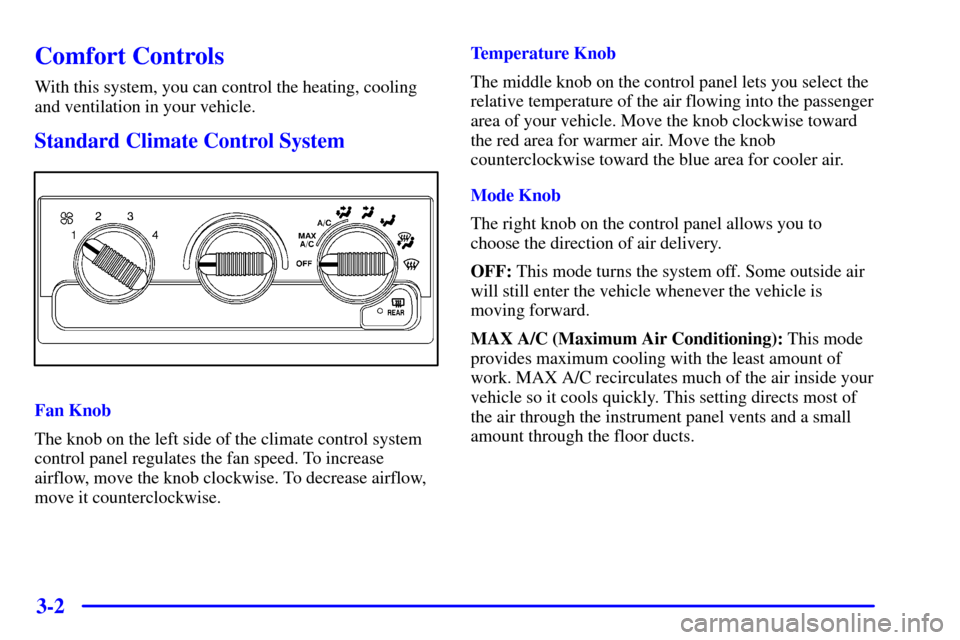
Standard Climate Control System
Fan Knob
The knob on the left side of the climate control system
control panel regulates the fan speed. To increase
airflow, move the knob clockwise. To decrease airflow,
move it counterclockwise.Temperature Knob
The middle knob on the control panel lets you select the
relative temperature of the air flowing into the passenger
area of your vehicle. Move the knob clockwise toward
the red area for warmer air. Move the knob
counterclockwise toward the blue area for cooler air.
Mode Knob
The right knob on the control panel allows you to
choose the direction of air delivery.
OFF: This mode turns the system off. Some outside air
will still enter the vehicle whenever the vehicle is
moving forward.
MAX A/C (Maximum Air Conditioning): This mode
provides maximum cooling with the least amount of
work. MAX A/C recirculates much of the air inside your
vehicle so it cools quickly. This setting directs most of
the air through the instrument panel vents and a small
amount through the floor ducts.
Page 171 of 488
3-4 Heating
The heater works best if you keep your windows closed
while using it. On cold days, use floor mode with the
temperature knob turned clockwise. Blend mode is
useful in cool weather when you have fog or ice on the
windshield or side windows.
If you use the optional engine coolant heater before
starting your engine, your heating system will produce
warmer air faster to heat the passenger compartment in
cold weather. See ªEngine Coolant Heaterº in the Index.
Defogging and Defrosting
On cool, humid days, use blend mode to keep the
windshield and side windows clear.
Use defrost mode to remove fog or ice from the
windshield quickly in extreme humid or cold conditions.
Turn the temperature knob clockwise and move the fan
knob toward high.
Rear Window Defogger (If Equipped)
If your vehicle has this
feature, the rear window
will have lines that warm
the glass.
For best results, clear the window of as much snow or
ice as possible before using the rear window defogger.
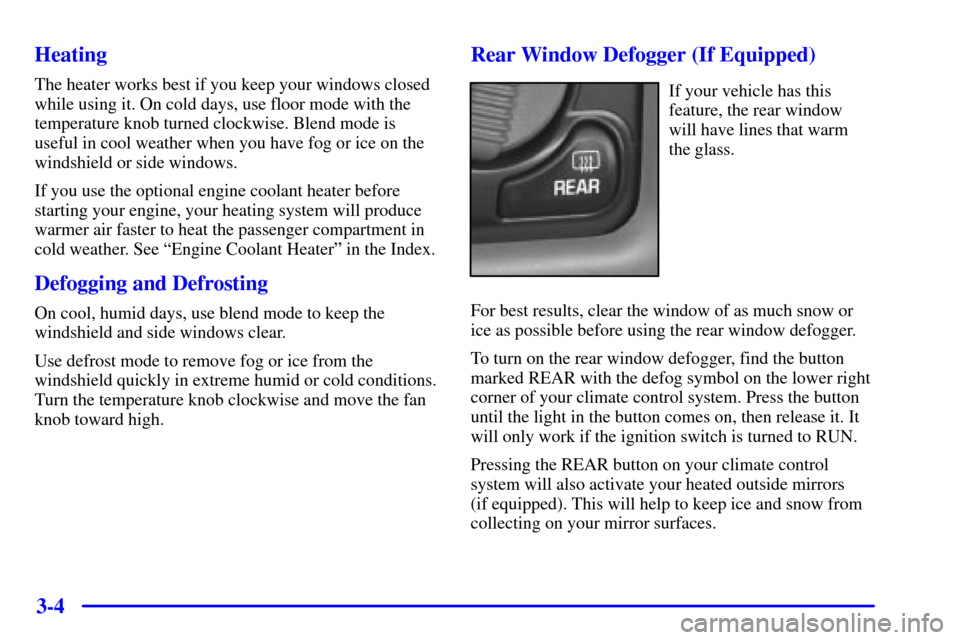
To turn on the rear window defogger, find the button
marked REAR with the defog symbol on the lower right
corner of your climate control system. Press the button
until the light in the button comes on, then release it. It
will only work if the ignition switch is turned to RUN.
Pressing the REAR button on your climate control
system will also activate your heated outside mirrors
(if equipped). This will help to keep ice and snow from
collecting on your mirror surfaces.
Page 173 of 488
3-6
Ventilation Tips
�Keep the hood and front air inlet free of ice, snow or
any other obstruction (such as leaves). The heater
and defroster will work far better, reducing the
chance of fogging the inside of your windows.
�When you enter a vehicle in cold weather, move the
fan knob to high for a few moments before driving
off. This helps clear the intake ducts of snow and
moisture, and reduces the chance of fogging the
inside of your windows.
�Keep the air path under the front seats clear of
objects. This helps air to circulate throughout
your vehicle.Audio Systems
Your audio system has been designed to operate easily
and give years of listening pleasure. You will get the
most enjoyment out of it if you acquaint yourself with it
first. Find out what your audio system can do and how
to operate all of its controls to be sure you're getting the
most out of the advanced engineering that went into it.
Setting the Clock for Systems with the
Set Button
Press SET. Within five seconds, press and hold the right
SEEK arrow until the correct minute appears on the
display. Press and hold the left SEEK arrow until the
correct hour appears on the display.
Setting the Clock for Systems with HR and
MN Buttons
Press and hold HR until the correct hour appears on the
display. Press and hold MN until the correct minute
appears on the display. To display the clock with the
ignition off, press RECALL or HR/MN and the time
will be displayed for a few seconds. There is an initial
two
-second delay before the clock goes into the
time
-set mode.
Page 174 of 488
3-7 Setting the Clock for Systems with Radio
Data System
Your radio may have a button marked with an H or
HR to represent hours and an M, MN or MIN to
represent minutes.
Press and hold the hour button until the correct hour
appears. AM or PM will appear on the display for
morning hours. Press and hold the minute button until
the correct minute appears. The clock may be set with
the ignition on or off.
To set the clock to the time of an FM station
broadcasting Radio Data System (RDS) information,
press and hold the hour and minute buttons at the same
time for two seconds until UPDATED and the clock
symbol appears on the display. If the time is not
available from the station, NO UPDAT will appear on
the display instead.
RDS clock time is broadcast once a minute. Once you
have tuned to an RDS broadcast station, it may take a
few minutes for your clock time to update.
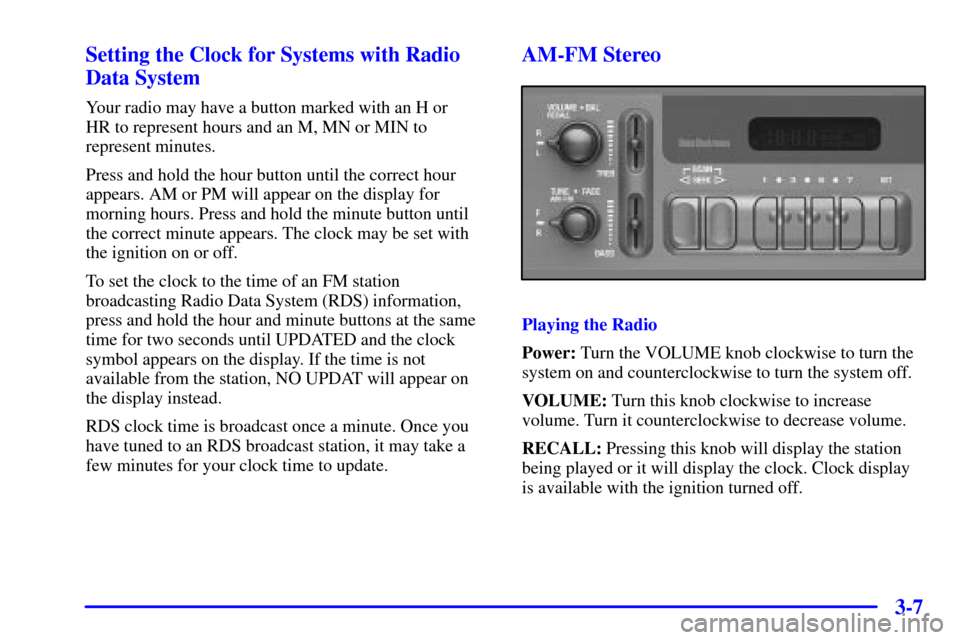
AM-FM Stereo
Playing the Radio
Power: Turn the VOLUME knob clockwise to turn the
system on and counterclockwise to turn the system off.
VOLUME: Turn this knob clockwise to increase
volume. Turn it counterclockwise to decrease volume.
RECALL: Pressing this knob will display the station
being played or it will display the clock. Clock display
is available with the ignition turned off.
Page 176 of 488
3-9
Setting the Tone (Bass/Treble)
BASS: Slide this lever up or down to increase or
decrease bass.
TREB (Treble): Slide this lever up or down to increase
or decrease treble. If a station is weak or noisy, you may
want to decrease the treble.
Adjusting the Speakers (Balance/Fade)
BAL (Balance): Turn the control ring behind the upper
knob to move the sound to the left or right speakers. The
middle position balances the sound between the
speakers.
FADE: Turn the control ring behind the lower knob to
move the sound to the front or rear speakers. The middle
position balances the sound between the speakers.AM-FM Stereo
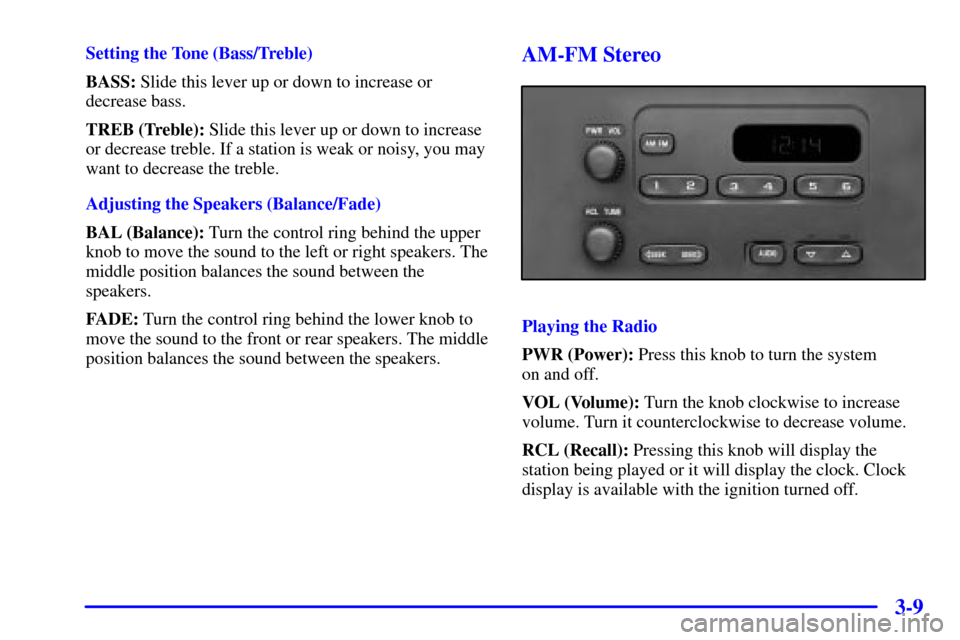
Playing the Radio
PWR (Power): Press this knob to turn the system
on and off.
VOL (Volume): Turn the knob clockwise to increase
volume. Turn it counterclockwise to decrease volume.
RCL (Recall): Pressing this knob will display the
station being played or it will display the clock. Clock
display is available with the ignition turned off.
Page 179 of 488
3-12
To adjust balance or fade to the middle position, select
BAL or FAD. Then press and hold AUDIO for more
than two seconds until you hear a beep. L and a zero or
F and a zero will appear on the display. To adjust both
tone controls and both speaker controls to the middle
position, end out of audio mode by pressing the AUDIO
button until the display goes blank. Then press and hold
AUDIO for more than two seconds until you hear a
beep. CEN will appear on the display.
Radio Messages
CAL (Calibrated): Your audio system has been
calibrated for your vehicle from the factory. If CAL
appears on the display it means that your radio has not
been configured properly for your vehicle and must be
returned to the dealership for service.
LOC (Locked): This message is displayed when the
Theftlock
� system has locked up. Your vehicle must be
returned to the dealership for service.
AM-FM Stereo with Cassette Tape Player
(If Equipped)
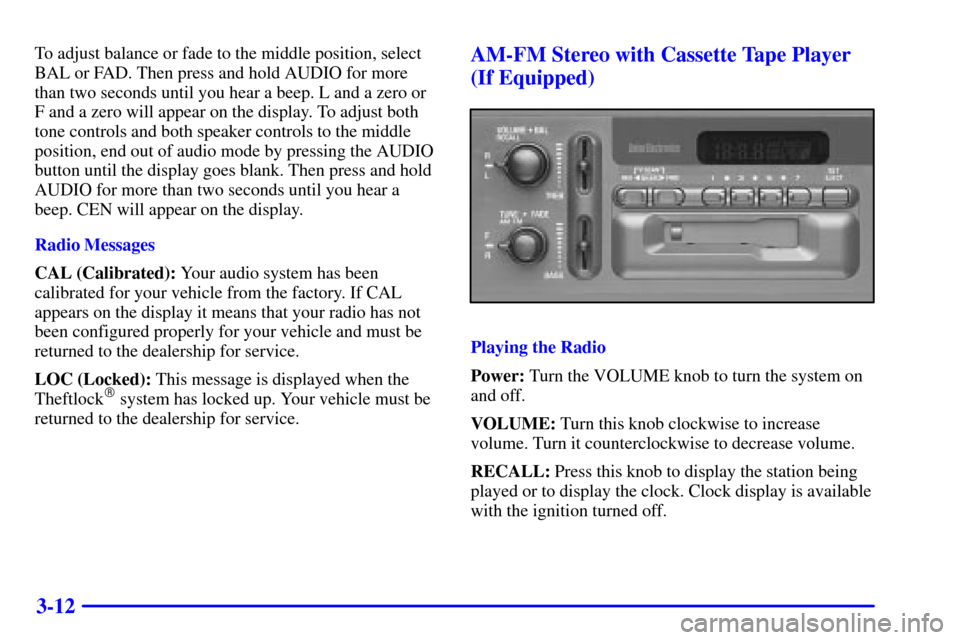
Playing the Radio
Power: Turn the VOLUME knob to turn the system on
and off.
VOLUME: Turn this knob clockwise to increase
volume. Turn it counterclockwise to decrease volume.
RECALL: Press this knob to display the station being
played or to display the clock. Clock display is available
with the ignition turned off.