Page 229 of 488
3-62 Rear Seat Audio (RSA) (If Equipped)
This feature allows rear seat passengers to listen to and
control any of the music sources: AM
-FM, cassette
tapes and CDs, through the Rear Seat Audio (RSA)
controller. However, the rear seat passengers can only
control the music sources that the front seat passengers
are not listening to. For example, rear seat passengers
may listen to a cassette tape through headphones while
the driver listens to the radio through the front speakers.
The rear seat passengers have control of the volume for
each set of headphones. Be aware that the front seat
audio controls always have priority over the RSA
controls. If the front seat passengers switch the source
for the main radio to a remote source, the RSA will play
the same remote source. The rear speakers will be muted
when the RSA power is turned on. You may operate the
RSA functions even when the main radio is off.
Primary Radio Controls
The following function is controlled by the knob on the
main radio:
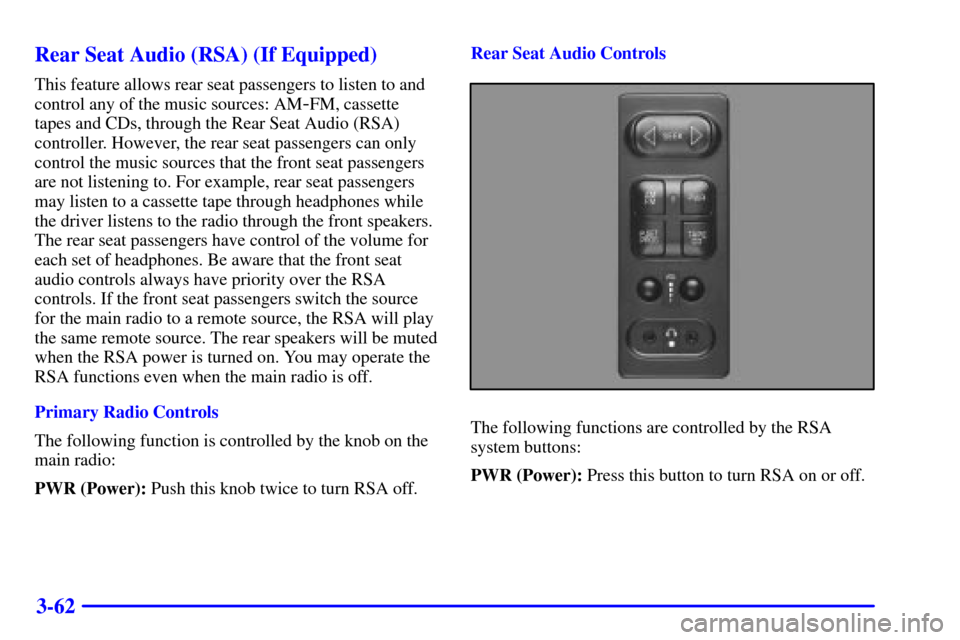
PWR (Power): Push this knob twice to turn RSA off.Rear Seat Audio Controls
The following functions are controlled by the RSA
system buttons:
PWR (Power): Press this button to turn RSA on or off.
Page 240 of 488
3-73
If the code entered is incorrect, SEC will appear on the
display. The radio will remain secured until the correct
code is entered.
When battery power is removed and later applied to a
secured radio, the radio won't turn on and LOC will
appear on the display.
To unlock a secured radio, see ªUnlocking the
Theft
-Deterrent Feature After a Power Lossº earlier in
this section.
Theft-Deterrent Feature RDS Radios
(If Equipped)
THEFTLOCK� is designed to discourage theft of your
radio. The feature works automatically by learning a
portion of the Vehicle Identification Number (VIN).
If the radio is moved to a different vehicle, it will not
operate and LOCKED or LOC will be displayed.
When the radio and vehicle are turned off, the blinking
red light indicates that THEFTLOCK is armed.
With THEFTLOCK activated, your radio will not
operate if stolen.
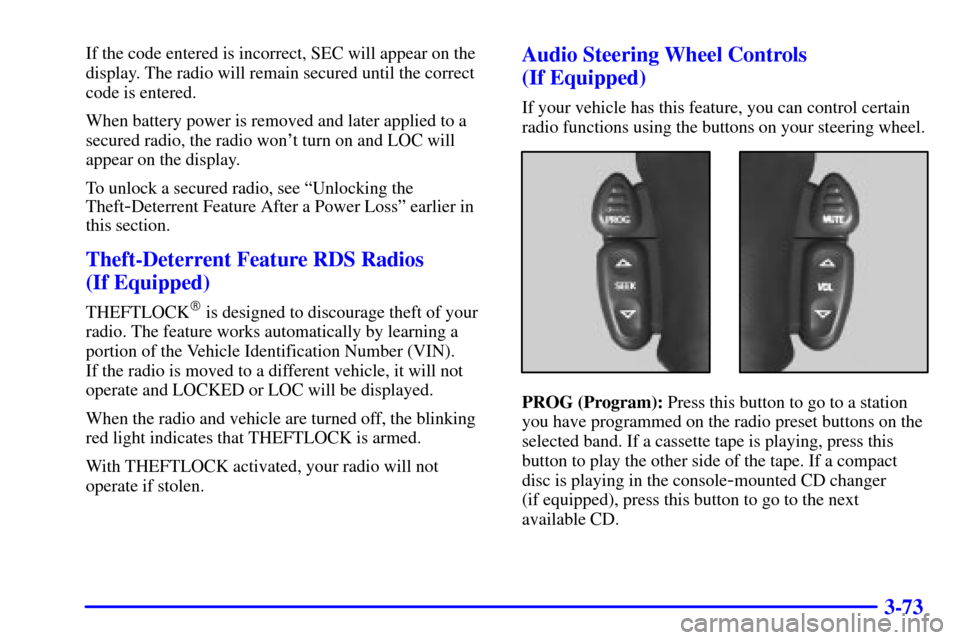
Audio Steering Wheel Controls
(If Equipped)
If your vehicle has this feature, you can control certain
radio functions using the buttons on your steering wheel.
PROG (Program): Press this button to go to a station
you have programmed on the radio preset buttons on the
selected band. If a cassette tape is playing, press this
button to play the other side of the tape. If a compact
disc is playing in the console
-mounted CD changer
(if equipped), press this button to go to the next
available CD.
Page 242 of 488
3-75 Tips About Your Audio System
Hearing damage from loud noise is almost undetectable
until it is too late. Your hearing can adapt to higher
volumes of sound. Sound that seems normal can be loud
and harmful to your hearing. Take precautions by
adjusting the volume control on your radio to a safe
sound level before your hearing adapts to it.
To help avoid hearing loss or damage do the following:
1. Adjust the volume control to the lowest setting.
2. Increase volume slowly until you hear comfortably
and clearly.NOTICE:
Before you add any sound equipment to your
vehicle
-- like a tape player, CB radio, mobile
telephone or two
-way radio -- be sure you can
add what you want. If you can, it's very
important to do it properly. Added sound
equipment may interfere with the operation of
your vehicle's engine, Delphi Electronics radio or
other systems, and even damage them. Your
vehicle's systems may interfere with the
operation of sound equipment that has been
added improperly.
So, before adding sound equipment, check with
your dealer and be sure to check federal rules
covering mobile radio and telephone units.
Page 381 of 488
6-36
Battery
Your new vehicle comes with a maintenance free
ACDelco� battery. When it's time for a new battery, get
one that has the replacement number shown on the
original battery's label. We recommend an ACDelco
battery. See ªEngine Compartment Overviewº in the
Index for battery location.
WARNING: Battery posts, terminals and related
accessories contain lead and lead compounds, chemicals
known to the State of California to cause cancer and
reproductive harm. Wash hands after handling.
Vehicle Storage
If you're not going to drive your vehicle for 25 days
or more, remove the black, negative (
-) cable from
the battery. This will help keep your battery from
running down.
CAUTION:
Batteries have acid that can burn you and gas
that can explode. You can be badly hurt if you
aren't careful. See ªJump Startingº in the Index
for tips on working around a battery without
getting hurt.
Contact your dealer to learn how to prepare your vehicle
for longer storage periods.
Also, for your audio system, see ªTheft
-Deterrent
Featureº in the Index.
Page 462 of 488
7-44
Part B: Owner Checks and Services
Listed in this part are owner checks and services which
should be performed at the intervals specified to help
ensure the safety, dependability and emission control
performance of your vehicle.
Be sure any necessary repairs are completed at once.
Whenever any fluids or lubricants are added to your
vehicle, make sure they are the proper ones, as shown
in Part D.
At Each Fuel Fill
It is important for you or a service station attendant to
perform these underhood checks at each fuel fill.
Engine Oil Level Check
Check the engine oil level and add the proper oil if
necessary. See ªEngine Oilº in the Index for
further details.Engine Coolant Level Check
Check the engine coolant level and add DEX
-COOL�
coolant mixture if necessary. See ªEngine Coolantº in
the Index for further details.
Windshield Washer Fluid Level Check
Check the windshield washer fluid level in the
windshield washer tank and add the proper fluid if
necessary. See ªWindshield Washer Fluidº in the Index
for further details.
At Least Once a Month
Tire Inflation Check
Make sure tires are inflated to the correct pressures.
Don't forget to check your spare tire. See ªTiresº in the
Index for further details.
Cassette Deck Service
Clean cassette deck. Cleaning should be done every
50 hours of tape play. See ªAudio Systemsº in the
Index for further details.