Page 2672 of 5127
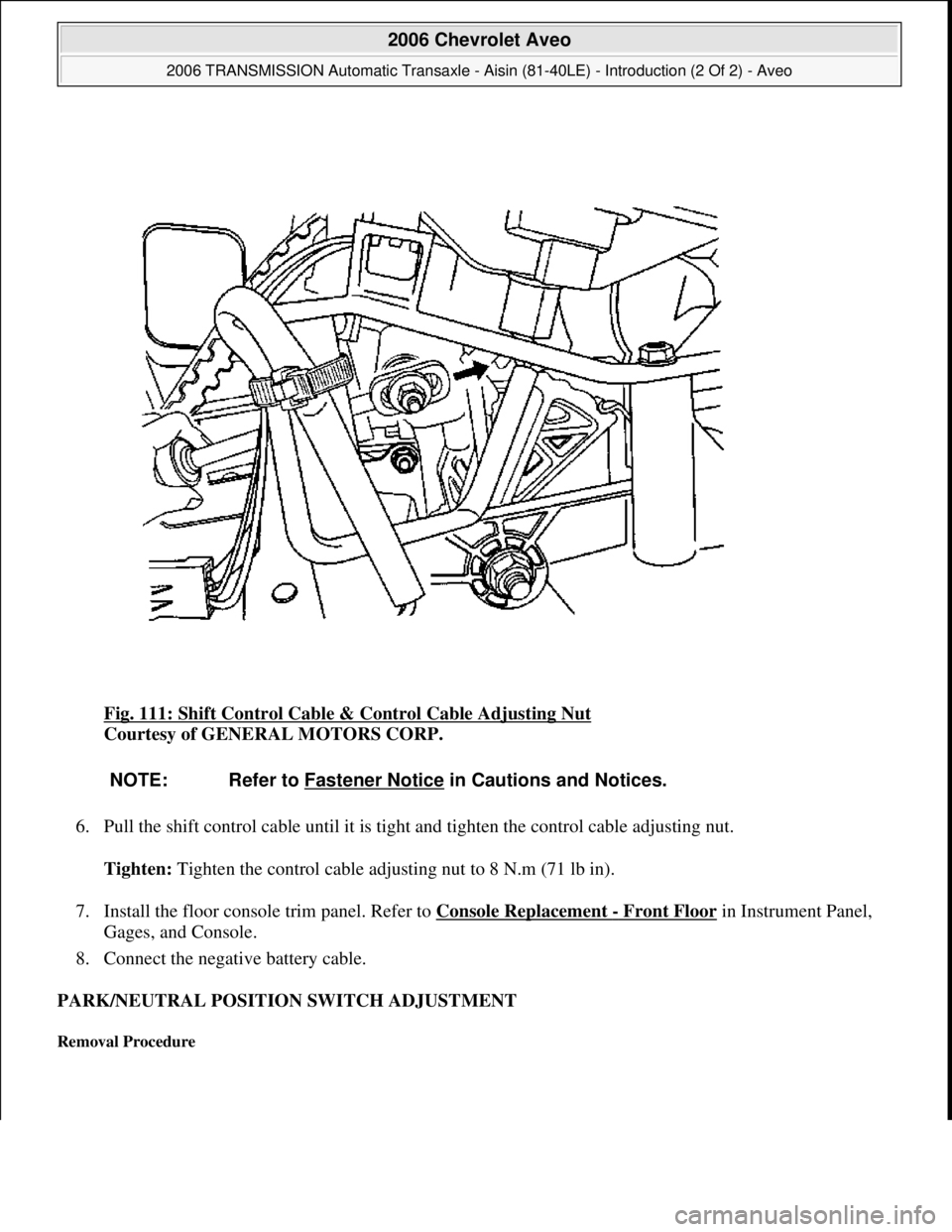
Fig. 111: Shift Control Cable & Control Cable Adjusting Nut
Courtesy of GENERAL MOTORS CORP.
6. Pull the shift control cable until it is tight and tighten the control cable adjusting nut.
Tighten: Tighten the control cable adjusting nut to 8 N.m (71 lb in).
7. Install the floor console trim panel. Refer to Console Replacement
- Front Floor in Instrument Panel,
Gages, and Console.
8. Connect the negative battery cable.
PARK/NEUTRAL POSITION SWITCH ADJUSTMENT
Removal Procedure
NOTE: Refer to Fastener Notice in Cautions and Notices.
2006 Chevrolet Aveo
2006 TRANSMISSION Automatic Transaxle - Aisin (81-40LE) - Introduction (2 Of 2) - Aveo
Microsoft
Thursday, July 16, 2009 1:17:21 PMPage 123 © 2005 Mitchell Repair Information Company, LLC.
Page 4329 of 5127
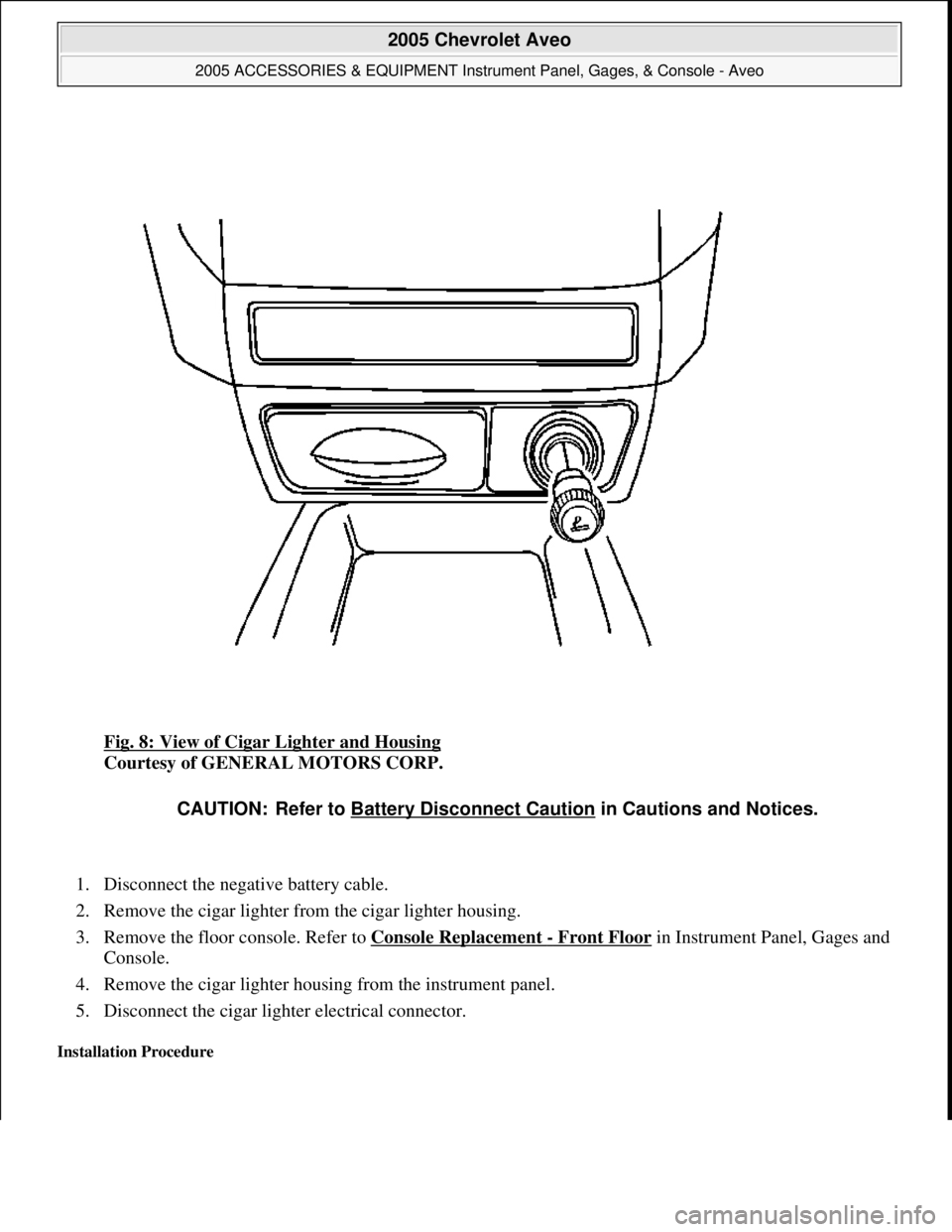
Fig. 8: View of Cigar Lighter and Housing
Courtesy of GENERAL MOTORS CORP.
1. Disconnect the negative battery cable.
2. Remove the cigar lighter from the cigar lighter housing.
3. Remove the floor console. Refer to Console Replacement
- Front Floor in Instrument Panel, Gages and
Console.
4. Remove the cigar lighter housing from the instrument panel.
5. Disconnect the cigar lighter electrical connector.
Installation Procedure
CAUTION: Refer to Battery Disconnect Caution in Cautions and Notices.
2005 Chevrolet Aveo
2005 ACCESSORIES & EQUIPMENT Instrument Panel, Gages, & Console - Aveo
Microsoft
Friday, July 31, 2009 1:07:02 PMPage 36 © 2005 Mitchell Repair Information Company, LLC.
Page 4330 of 5127
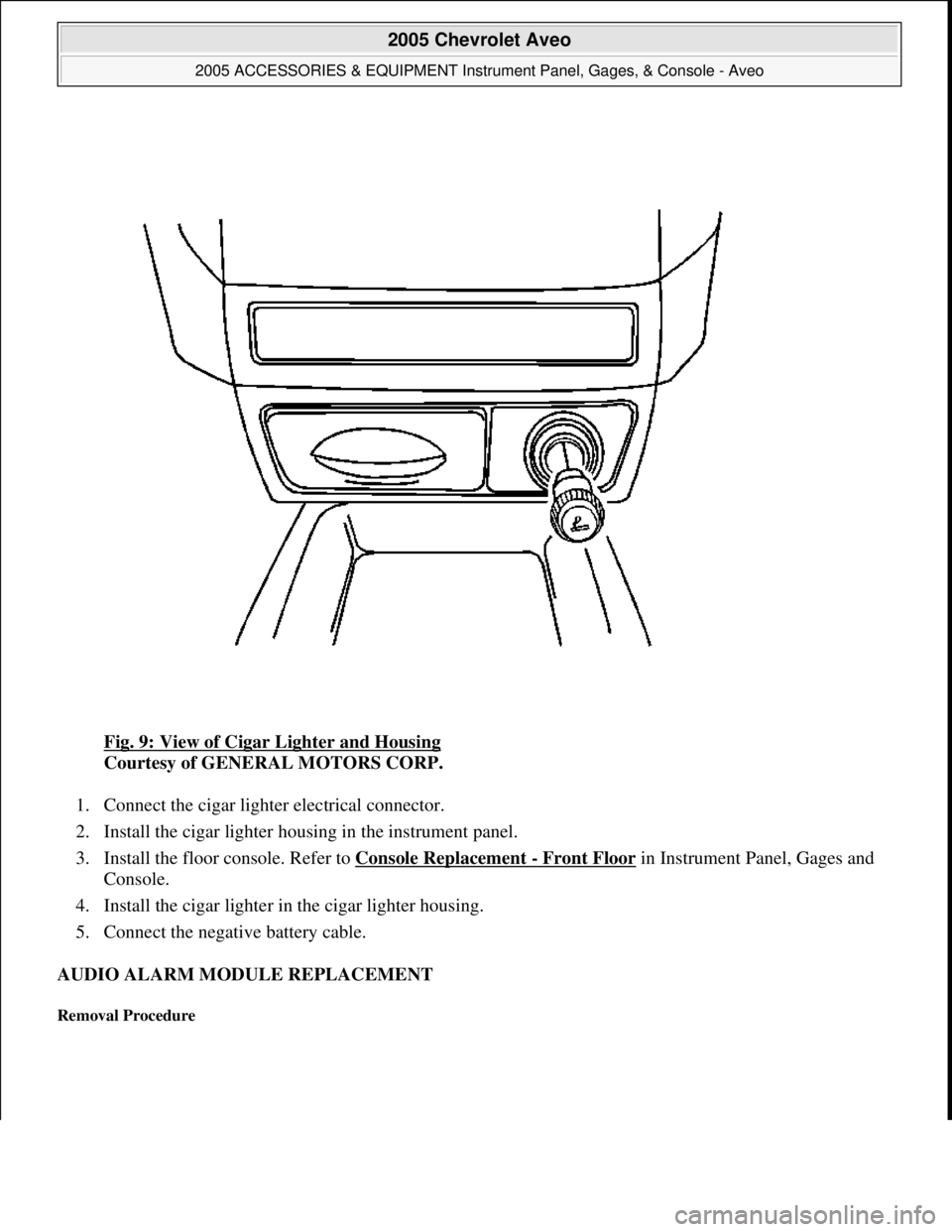
Fig. 9: View of Cigar Lighter and Housing
Courtesy of GENERAL MOTORS CORP.
1. Connect the cigar lighter electrical connector.
2. Install the cigar lighter housing in the instrument panel.
3. Install the floor console. Refer to Console Replacement
- Front Floor in Instrument Panel, Gages and
Console.
4. Install the cigar lighter in the cigar lighter housing.
5. Connect the negative battery cable.
AUDIO ALARM MODULE REPLACEMENT
Removal Procedure
2005 Chevrolet Aveo
2005 ACCESSORIES & EQUIPMENT Instrument Panel, Gages, & Console - Aveo
Microsoft
Friday, July 31, 2009 1:07:02 PMPage 37 © 2005 Mitchell Repair Information Company, LLC.
Page 4332 of 5127
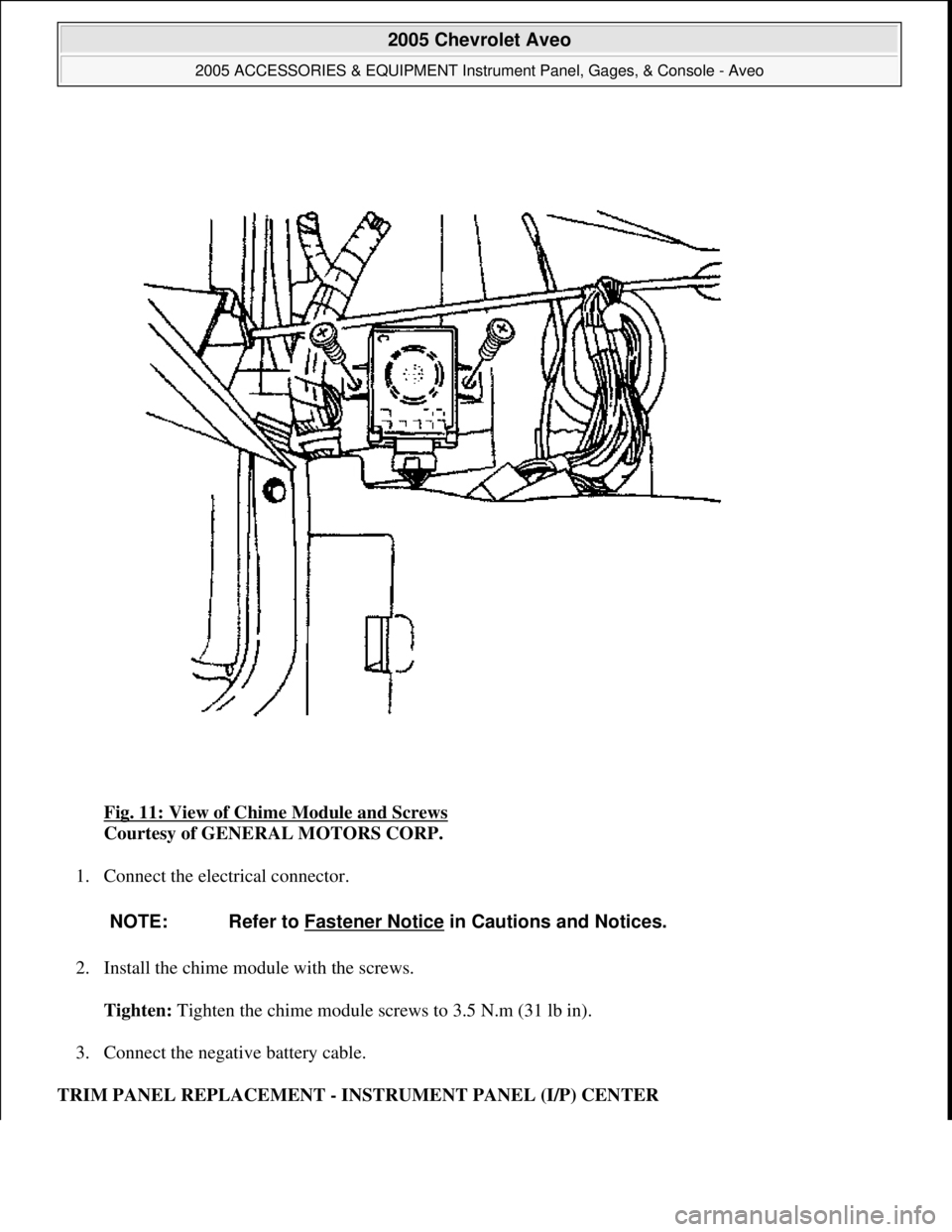
Fig. 11: View of Chime Module and Screws
Courtesy of GENERAL MOTORS CORP.
1. Connect the electrical connector.
2. Install the chime module with the screws.
Tighten: Tighten the chime module screws to 3.5 N.m (31 lb in).
3. Connect the negative battery cable.
TRIM PANEL REPLACEMENT - INSTRUMENT PANEL (I/P) CENTER
NOTE: Refer to Fastener Notice in Cautions and Notices.
2005 Chevrolet Aveo
2005 ACCESSORIES & EQUIPMENT Instrument Panel, Gages, & Console - Aveo
Microsoft
Friday, July 31, 2009 1:07:03 PMPage 39 © 2005 Mitchell Repair Information Company, LLC.
Page 4340 of 5127
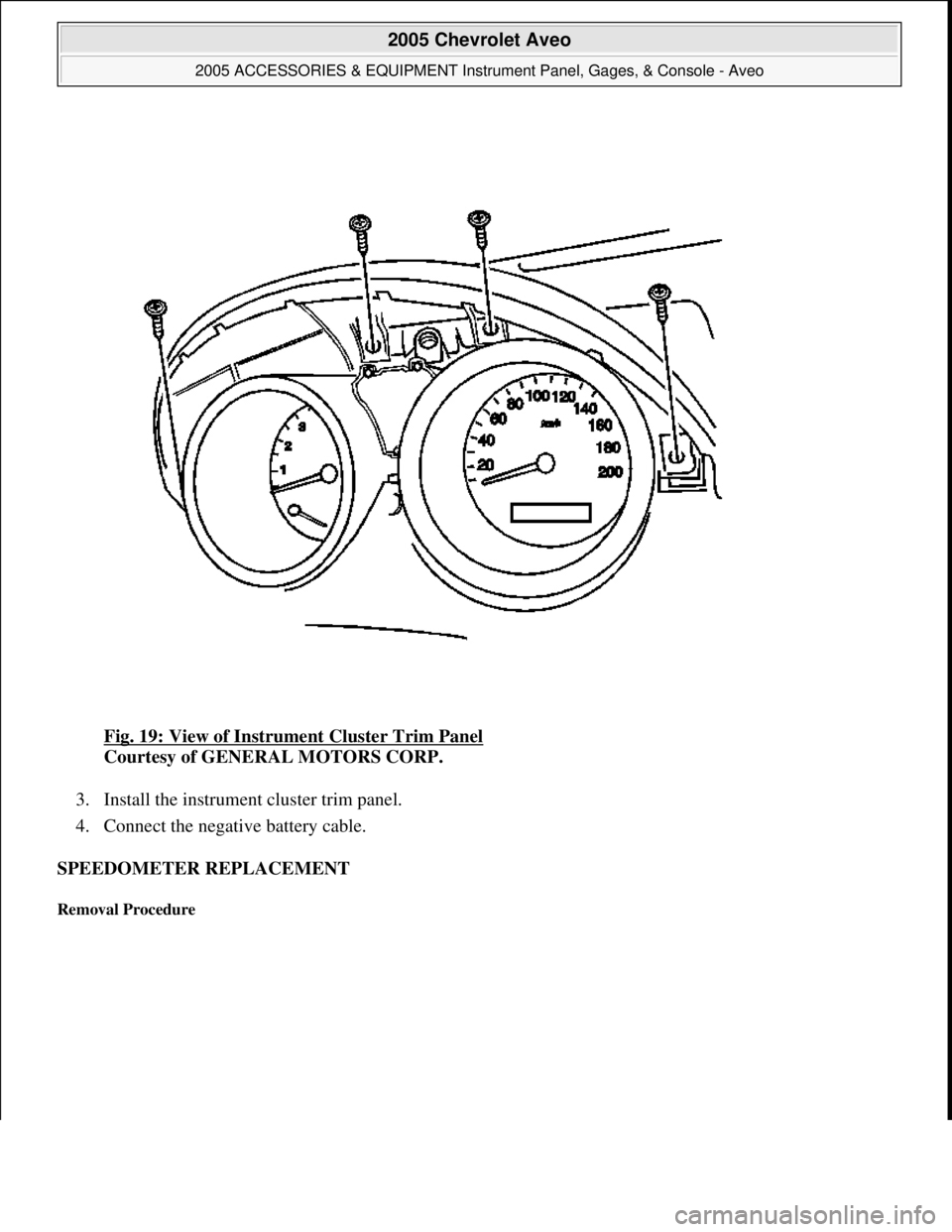
Fig. 19: View of Instrument Cluster Trim Panel
Courtesy of GENERAL MOTORS CORP.
3. Install the instrument cluster trim panel.
4. Connect the negative battery cable.
SPEEDOMETER REPLACEMENT
Removal Procedure
2005 Chevrolet Aveo
2005 ACCESSORIES & EQUIPMENT Instrument Panel, Gages, & Console - Aveo
Microsoft
Friday, July 31, 2009 1:07:03 PMPage 47 © 2005 Mitchell Repair Information Company, LLC.
Page 4341 of 5127
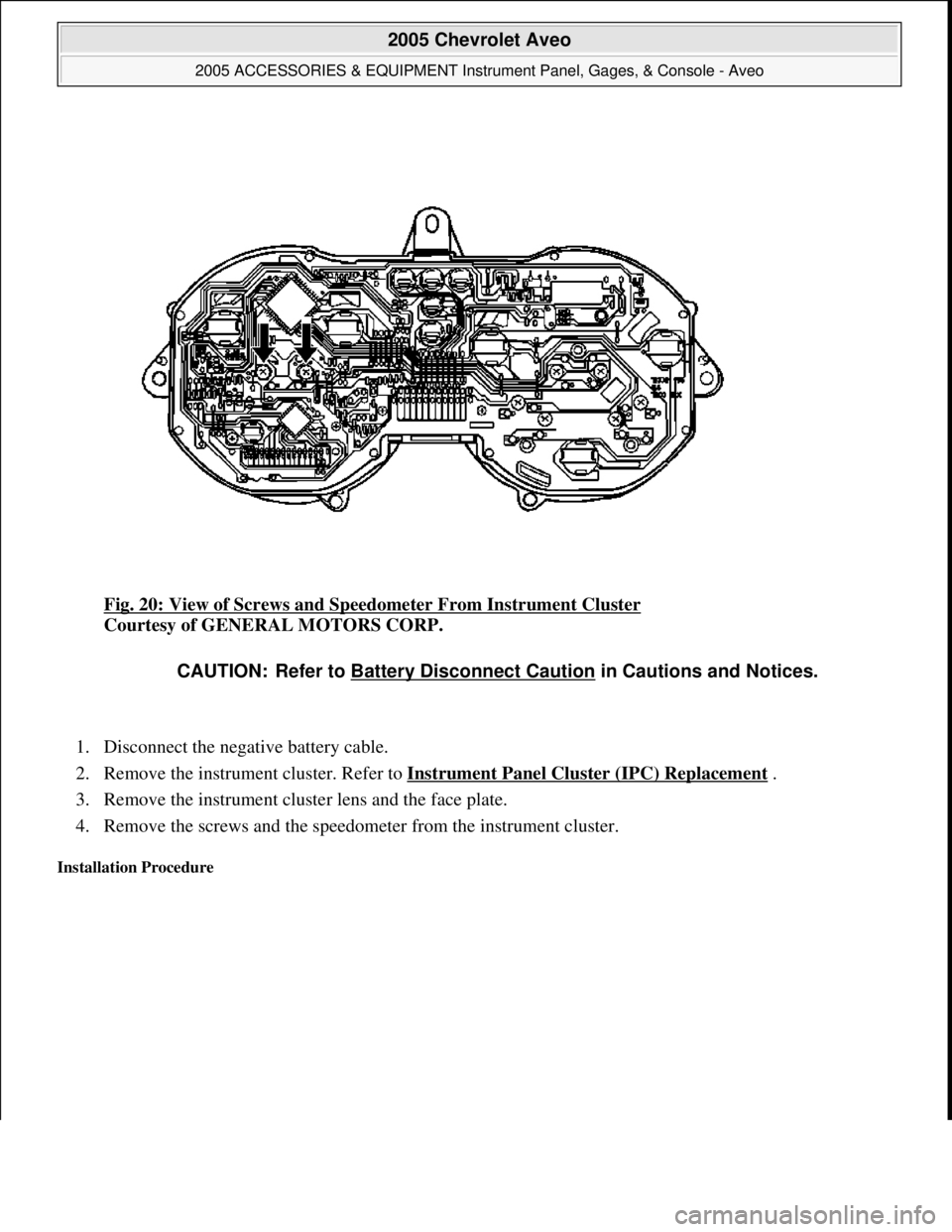
Fig. 20: View of Screws and Speedometer From Instrument Cluster
Courtesy of GENERAL MOTORS CORP.
1. Disconnect the negative battery cable.
2. Remove the instrument cluster. Refer to Instrument Panel Cluster (IPC) Replacement
.
3. Remove the instrument cluster lens and the face plate.
4. Remove the screws and the speedometer from the instrument cluster.
Installation Procedure
CAUTION: Refer to Battery Disconnect Caution in Cautions and Notices.
2005 Chevrolet Aveo
2005 ACCESSORIES & EQUIPMENT Instrument Panel, Gages, & Console - Aveo
Microsoft
Friday, July 31, 2009 1:07:03 PMPage 48 © 2005 Mitchell Repair Information Company, LLC.
Page 4342 of 5127
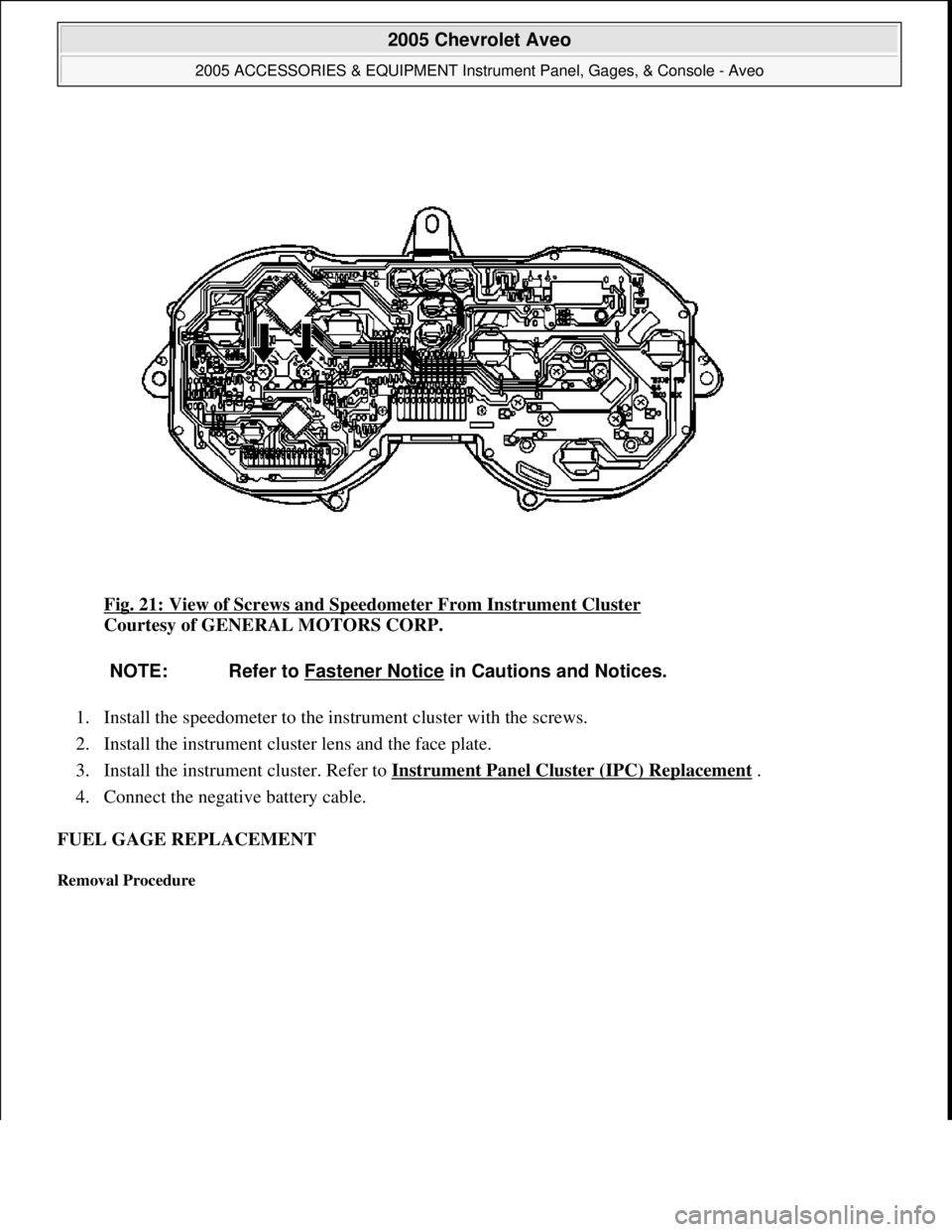
Fig. 21: View of Screws and Speedometer From Instrument Cluster
Courtesy of GENERAL MOTORS CORP.
1. Install the speedometer to the instrument cluster with the screws.
2. Install the instrument cluster lens and the face plate.
3. Install the instrument cluster. Refer to Instrument Panel Cluster (IPC) Replacement
.
4. Connect the negative battery cable.
FUEL GAGE REPLACEMENT
Removal Procedure
NOTE: Refer to Fastener Notice in Cautions and Notices.
2005 Chevrolet Aveo
2005 ACCESSORIES & EQUIPMENT Instrument Panel, Gages, & Console - Aveo
Microsoft
Friday, July 31, 2009 1:07:03 PMPage 49 © 2005 Mitchell Repair Information Company, LLC.
Page 4343 of 5127
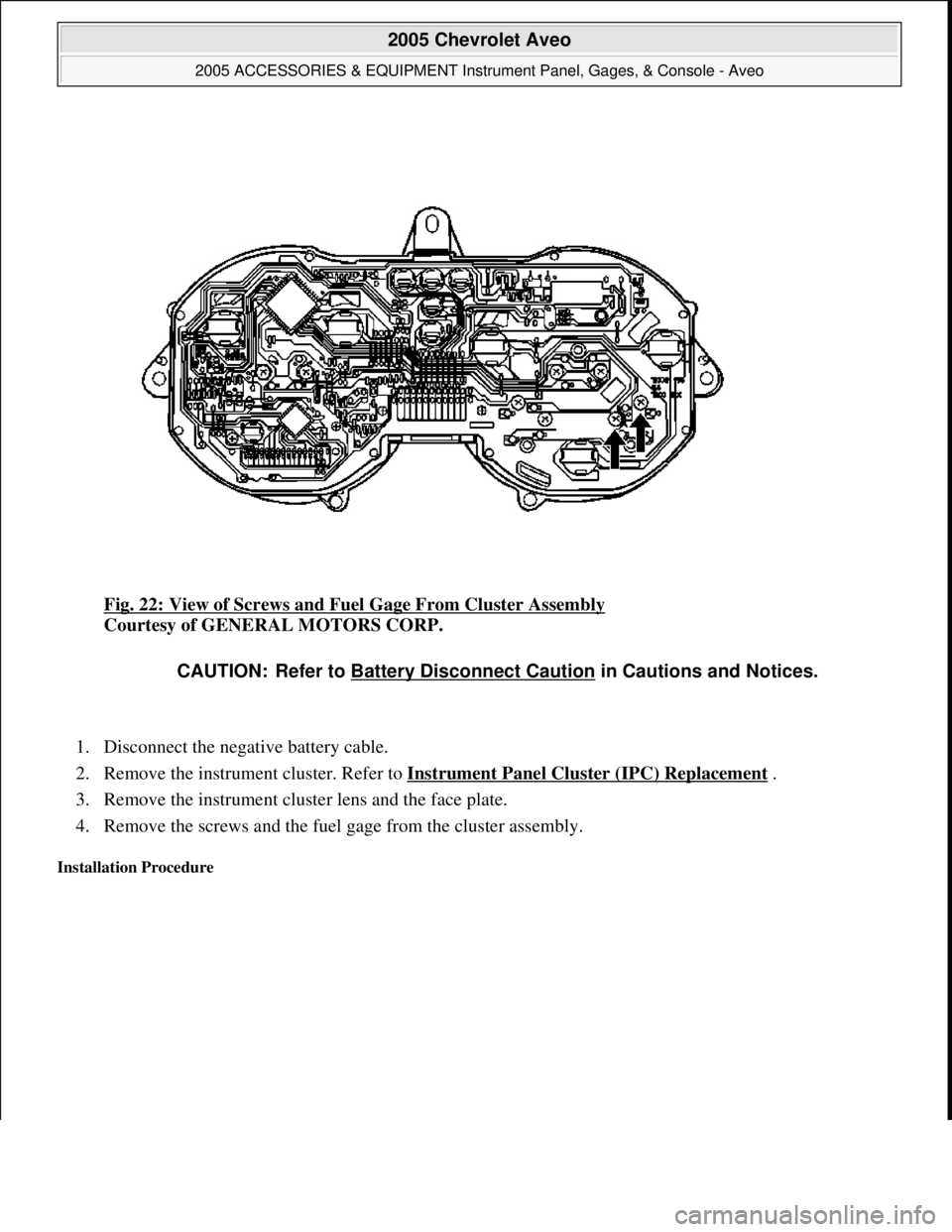
Fig. 22: View of Screws and Fuel Gage From Cluster Assembly
Courtesy of GENERAL MOTORS CORP.
1. Disconnect the negative battery cable.
2. Remove the instrument cluster. Refer to Instrument Panel Cluster (IPC) Replacement
.
3. Remove the instrument cluster lens and the face plate.
4. Remove the screws and the fuel gage from the cluster assembly.
Installation Procedure
CAUTION: Refer to Battery Disconnect Caution in Cautions and Notices.
2005 Chevrolet Aveo
2005 ACCESSORIES & EQUIPMENT Instrument Panel, Gages, & Console - Aveo
Microsoft
Friday, July 31, 2009 1:07:03 PMPage 50 © 2005 Mitchell Repair Information Company, LLC.