Page 4333 of 5127
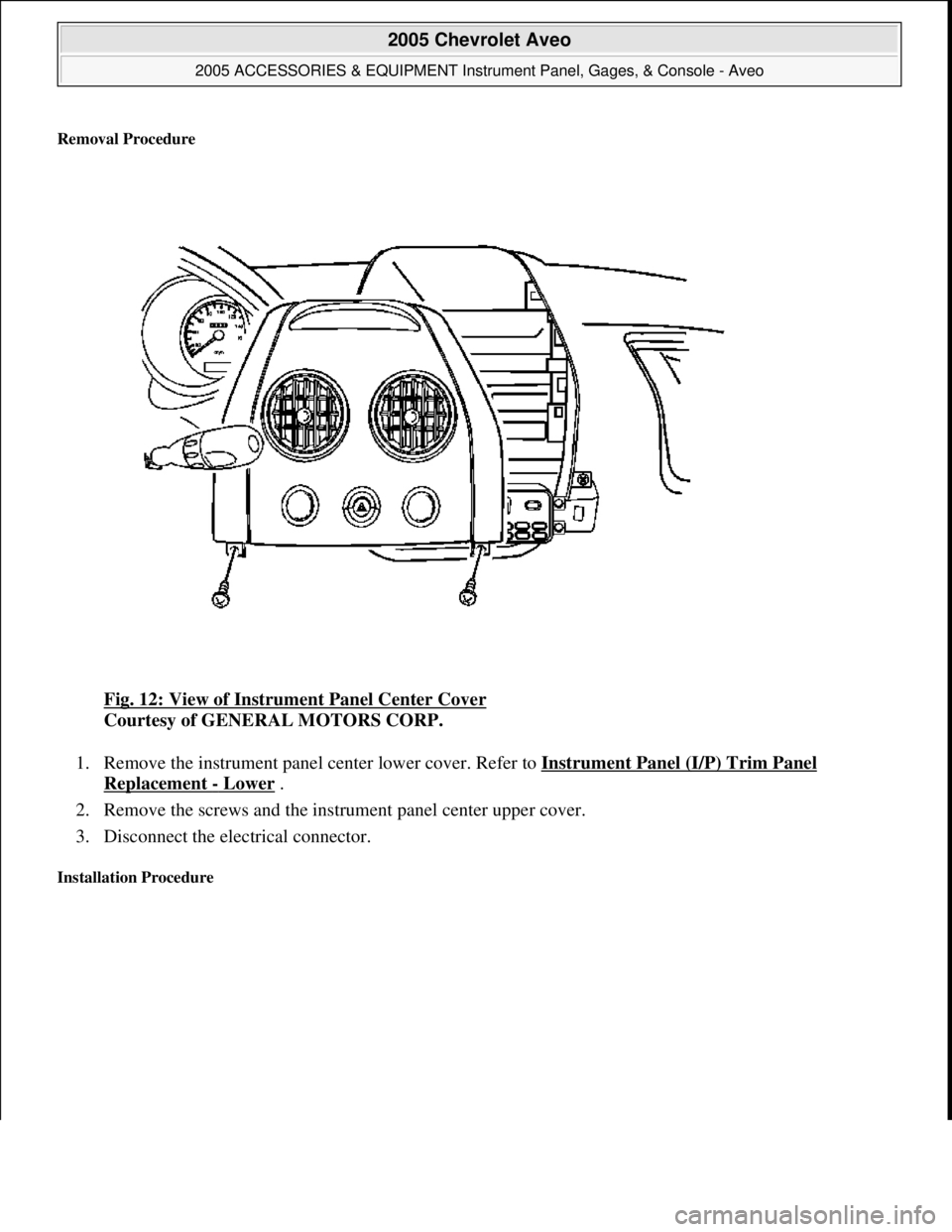
Removal Procedure
Fig. 12: View of Instrument Panel Center Cover
Courtesy of GENERAL MOTORS CORP.
1. Remove the instrument panel center lower cover. Refer to Instrument Panel (I/P) Trim Panel
Replacement - Lower .
2. Remove the screws and the instrument panel center upper cover.
3. Disconnect the electrical connector.
Installation Procedure
2005 Chevrolet Aveo
2005 ACCESSORIES & EQUIPMENT Instrument Panel, Gages, & Console - Aveo
Microsoft
Friday, July 31, 2009 1:07:03 PMPage 40 © 2005 Mitchell Repair Information Company, LLC.
Page 4334 of 5127
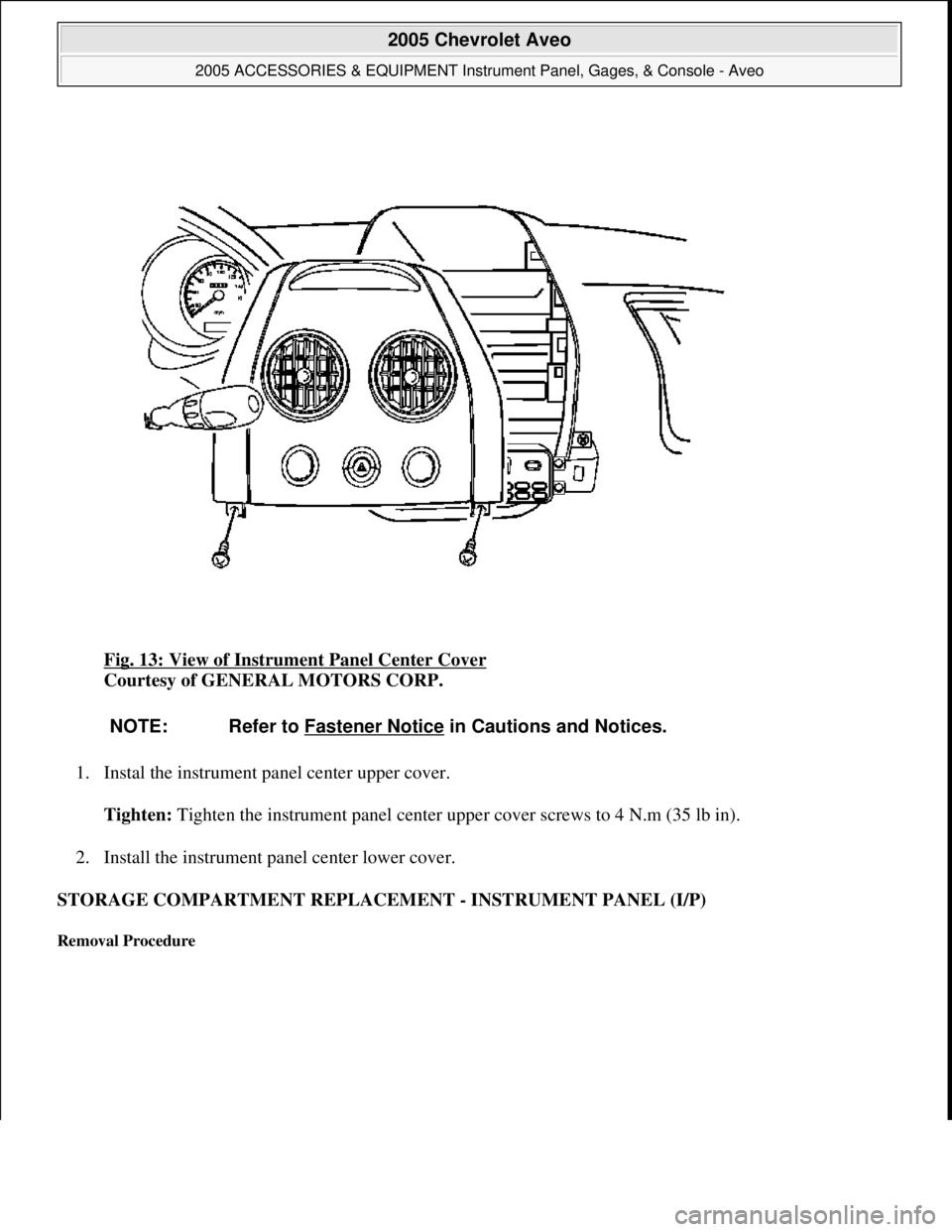
Fig. 13: View of Instrument Panel Center Cover
Courtesy of GENERAL MOTORS CORP.
1. Instal the instrument panel center upper cover.
Tighten: Tighten the instrument panel center upper cover screws to 4 N.m (35 lb in).
2. Install the instrument panel center lower cover.
STORAGE COMPARTMENT REPLACEMENT - INSTRUMENT PANEL (I/P)
Removal Procedure
NOTE: Refer to Fastener Notice in Cautions and Notices.
2005 Chevrolet Aveo
2005 ACCESSORIES & EQUIPMENT Instrument Panel, Gages, & Console - Aveo
Microsoft
Friday, July 31, 2009 1:07:03 PMPage 41 © 2005 Mitchell Repair Information Company, LLC.
Page 4353 of 5127
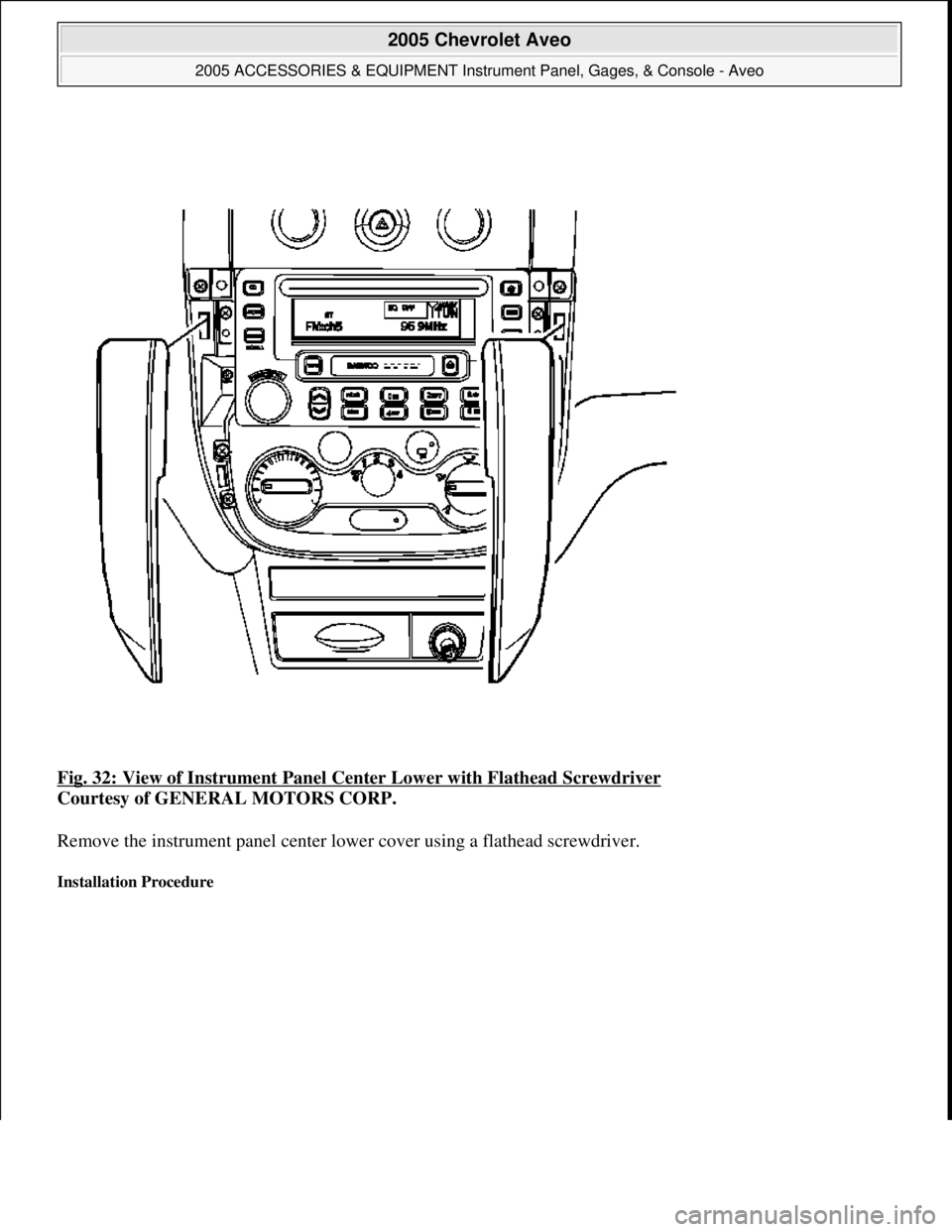
Fig. 32: View of Instrument Panel Center Lower with Flathead Screwdriver
Courtesy of GENERAL MOTORS CORP.
Remove the instrument panel center lower cover using a flathead screwdriver.
Installation Procedure
2005 Chevrolet Aveo
2005 ACCESSORIES & EQUIPMENT Instrument Panel, Gages, & Console - Aveo
Microsoft
Friday, July 31, 2009 1:07:03 PMPage 60 © 2005 Mitchell Repair Information Company, LLC.
Page 4354 of 5127
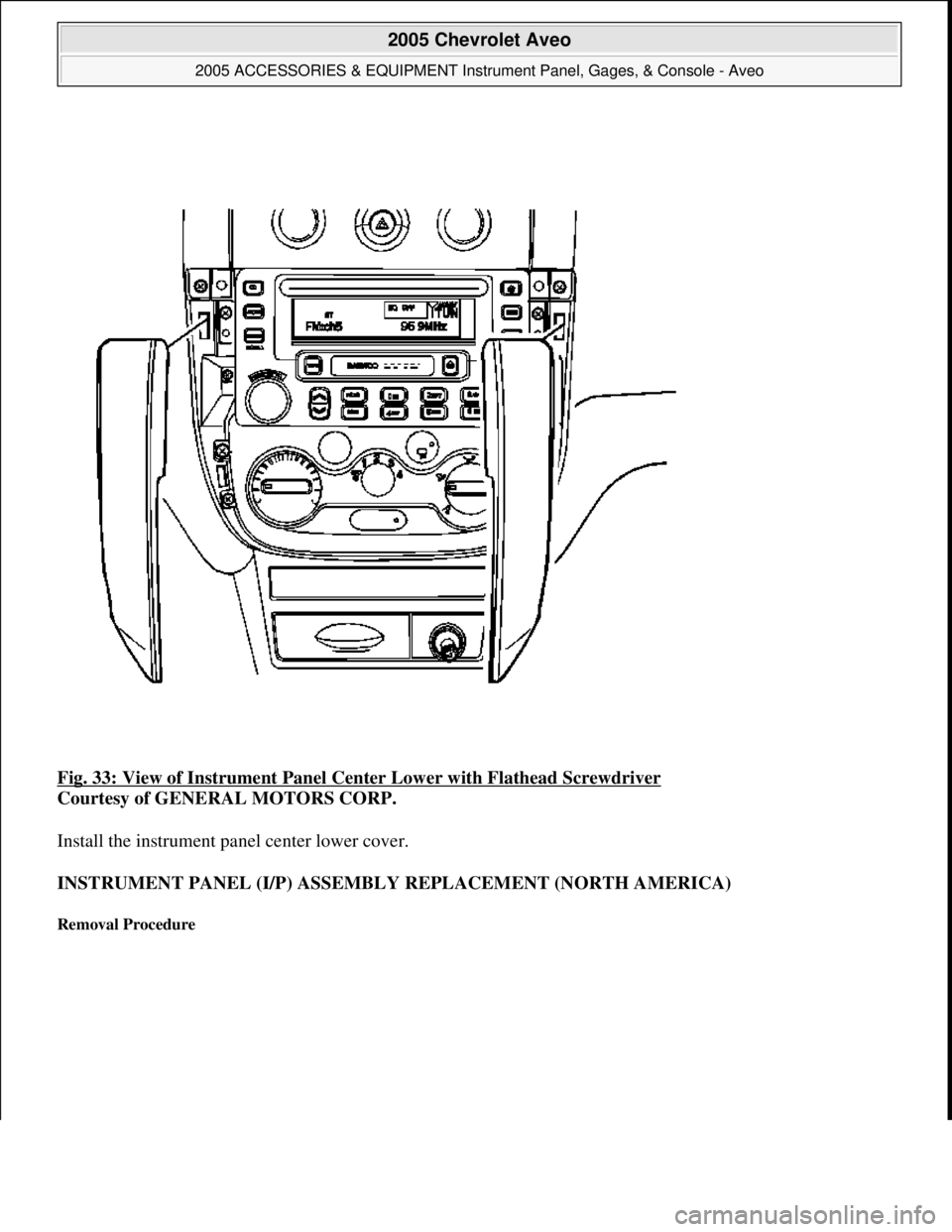
Fig. 33: View of Instrument Panel Center Lower with Flathead Screwdriver
Courtesy of GENERAL MOTORS CORP.
Install the instrument panel center lower cover.
INSTRUMENT PANEL (I/P) ASSEMBLY REPLACEMENT (NORTH AMERICA)
Removal Procedure
2005 Chevrolet Aveo
2005 ACCESSORIES & EQUIPMENT Instrument Panel, Gages, & Console - Aveo
Microsoft
Friday, July 31, 2009 1:07:03 PMPage 61 © 2005 Mitchell Repair Information Company, LLC.
Page 4356 of 5127
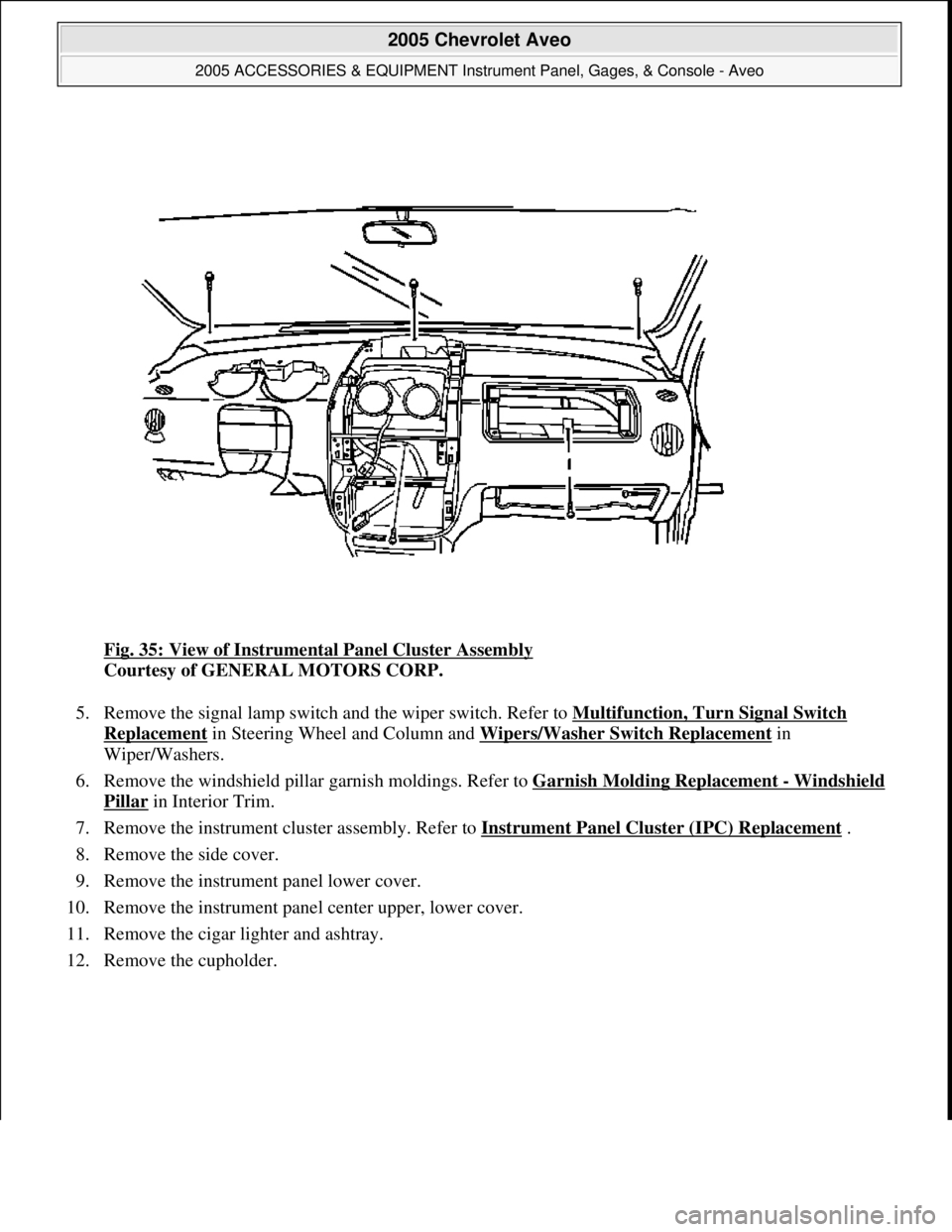
Fig. 35: View of Instrumental Panel Cluster Assembly
Courtesy of GENERAL MOTORS CORP.
5. Remove the signal lamp switch and the wiper switch. Refer to Multifunction, Turn Signal Switch
Replacement in Steering Wheel and Column and Wipers/Washer Switch Replacement in
Wiper/Washers.
6. Remove the windshield pillar garnish moldings. Refer to Garnish Molding Replacement
- Windshield
Pillar in Interior Trim.
7. Remove the instrument cluster assembly. Refer to Instrument Panel Cluster (IPC) Replacement
.
8. Remove the side cover.
9. Remove the instrument panel lower cover.
10. Remove the instrument panel center upper, lower cover.
11. Remove the cigar lighter and ashtray.
12. Remove the cupholder.
2005 Chevrolet Aveo
2005 ACCESSORIES & EQUIPMENT Instrument Panel, Gages, & Console - Aveo
Microsoft
Friday, July 31, 2009 1:07:03 PMPage 63 © 2005 Mitchell Repair Information Company, LLC.
Page 4362 of 5127
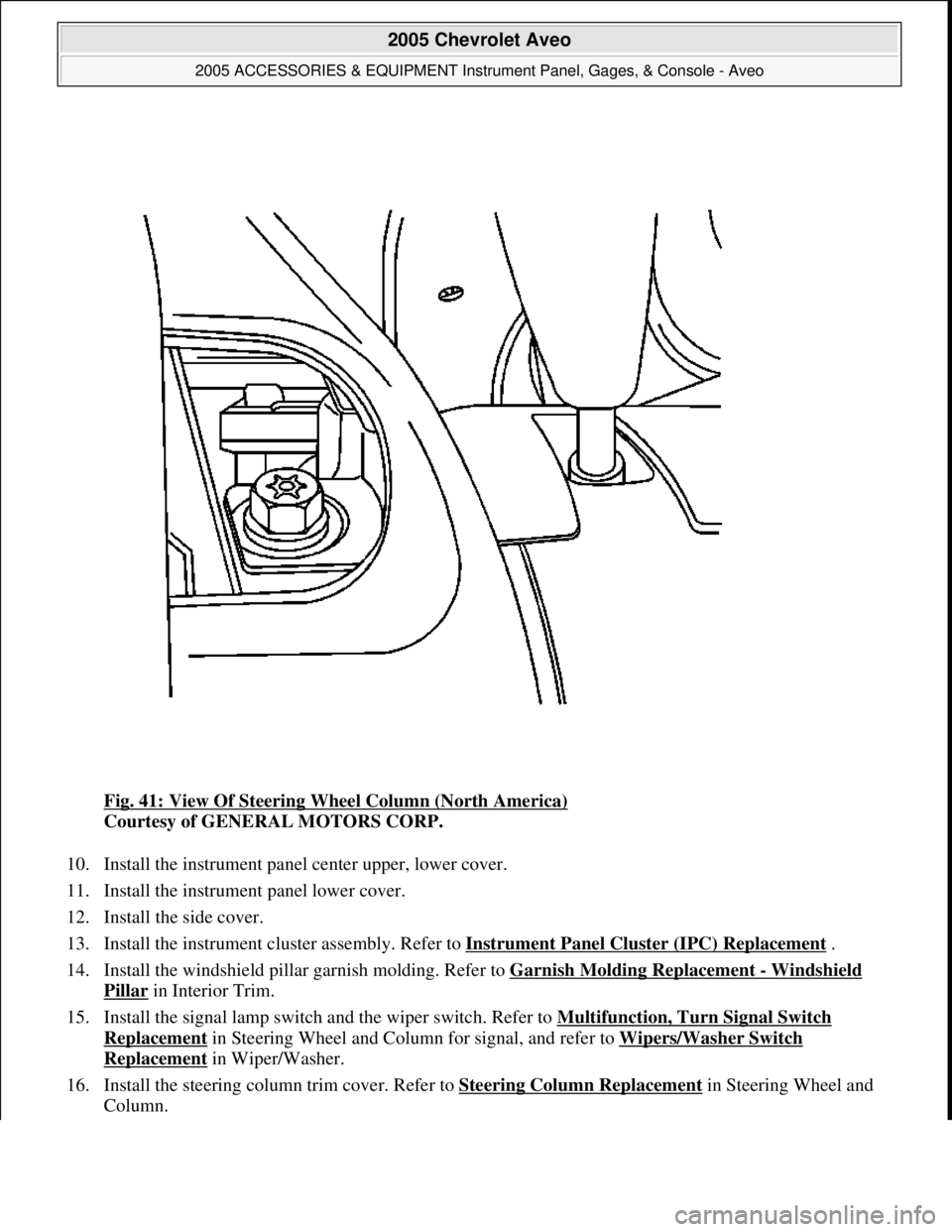
Fig. 41: View Of Steering Wheel Column (North America)
Courtesy of GENERAL MOTORS CORP.
10. Install the instrument panel center upper, lower cover.
11. Install the instrument panel lower cover.
12. Install the side cover.
13. Install the instrument cluster assembly. Refer to Instrument Panel Cluster (IPC) Replacement
.
14. Install the windshield pillar garnish molding. Refer to Garnish Molding Replacement
- Windshield
Pillar in Interior Trim.
15. Install the signal lamp switch and the wiper switch. Refer to Multifunction, Turn Signal Switch
Replacement in Steering Wheel and Column for signal, and refer to Wipers/Washer Switch
Replacement in Wiper/Washer.
16. Install the steering column trim cover. Refer to Steering Column Replacement
in Steering Wheel and
Column.
2005 Chevrolet Aveo
2005 ACCESSORIES & EQUIPMENT Instrument Panel, Gages, & Console - Aveo
Microsoft
Friday, July 31, 2009 1:07:03 PMPage 69 © 2005 Mitchell Repair Information Company, LLC.
Page 4364 of 5127
1. Disconnect the negative battery cable.
2. Remove the driver's air bag module from the steering wheel, if equipped. Refer to Inflatable Restraint
Steering Wheel Module Replacement in SIR.
3. Remove the steering wheel from the steering column. Refer to Steering Wheel Replacement
in Steering
Wheel and Column.
4. Remove the steering column trim cover. Refer to Steering Column Replacement
in Steering Wheel and
Column.
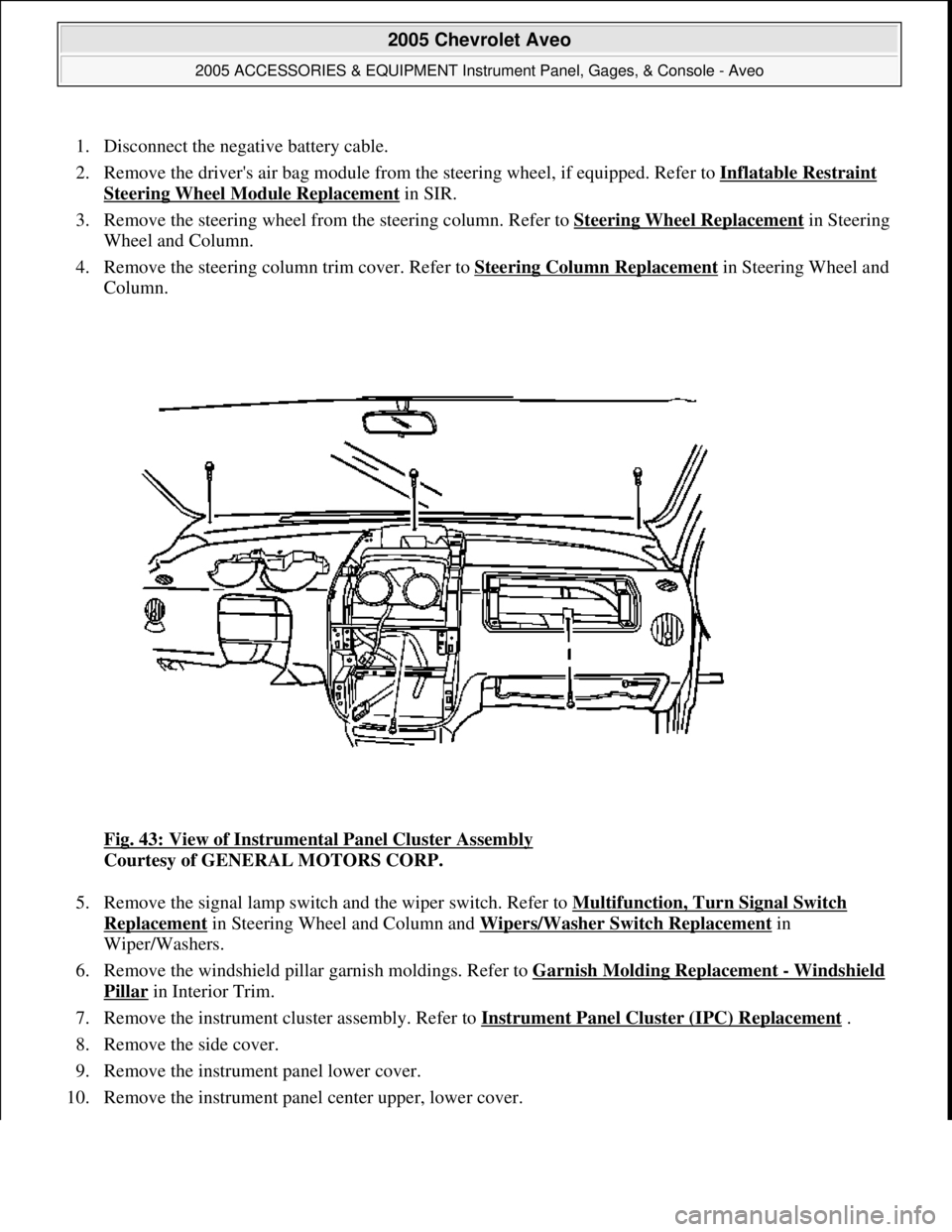
Fig. 43: View of Instrumental Panel Cluster Assembly
Courtesy of GENERAL MOTORS CORP.
5. Remove the signal lamp switch and the wiper switch. Refer to Multifunction, Turn Signal Switch
Replacement in Steering Wheel and Column and Wipers/Washer Switch Replacement in
Wiper/Washers.
6. Remove the windshield pillar garnish moldings. Refer to Garnish Molding Replacement
- Windshield
Pillar in Interior Trim.
7. Remove the instrument cluster assembly. Refer to Instrument Panel Cluster (IPC) Replacement
.
8. Remove the side cover.
9. Remove the instrument panel lower cover.
10. Remove the instrument panel center upper, lower cover.
2005 Chevrolet Aveo
2005 ACCESSORIES & EQUIPMENT Instrument Panel, Gages, & Console - Aveo
Microsoft
Friday, July 31, 2009 1:07:03 PMPage 71 © 2005 Mitchell Repair Information Company, LLC.
Page 4370 of 5127
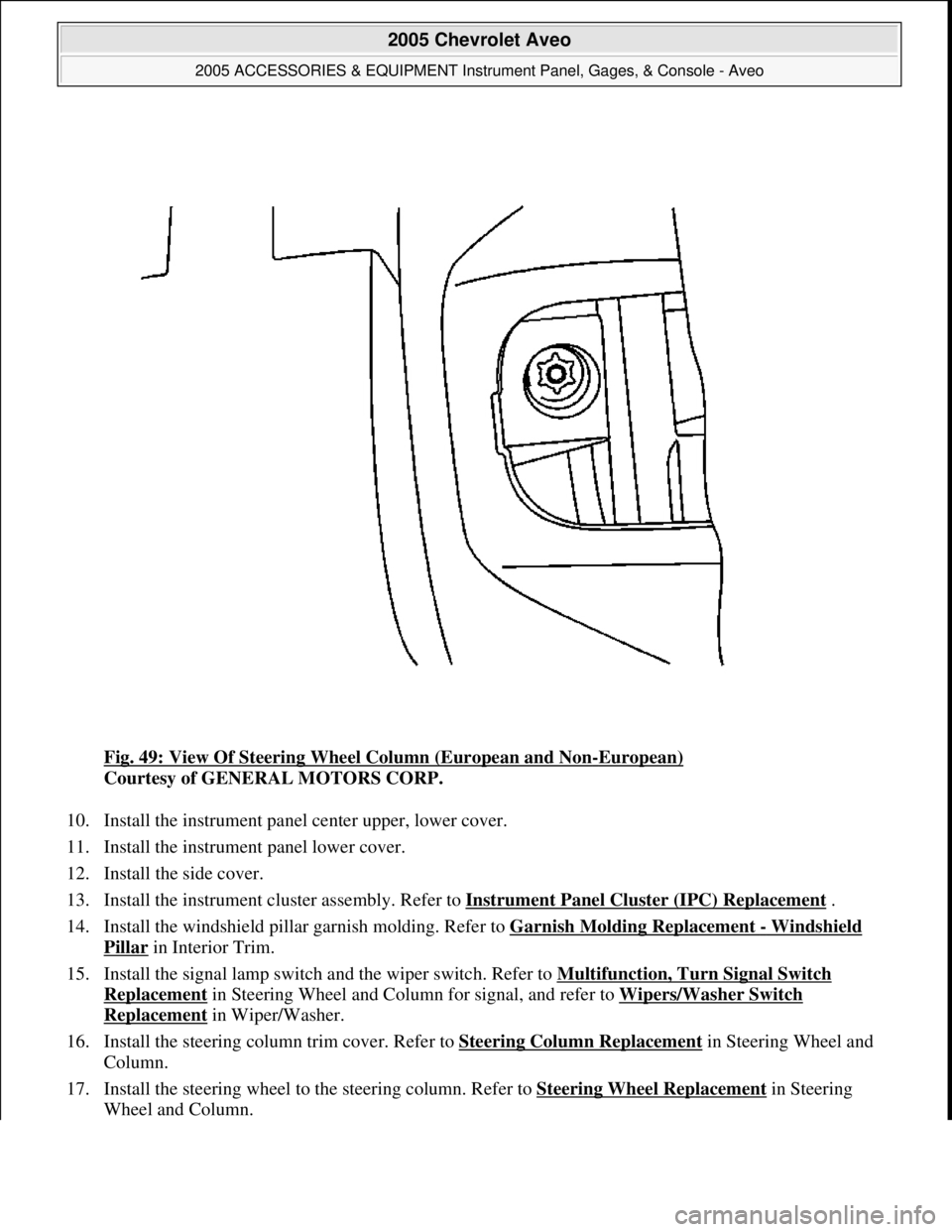
Fig. 49: View Of Steering Wheel Column (European and Non-European)
Courtesy of GENERAL MOTORS CORP.
10. Install the instrument panel center upper, lower cover.
11. Install the instrument panel lower cover.
12. Install the side cover.
13. Install the instrument cluster assembly. Refer to Instrument Panel Cluster (IPC) Replacement
.
14. Install the windshield pillar garnish molding. Refer to Garnish Molding Replacement
- Windshield
Pillar in Interior Trim.
15. Install the signal lamp switch and the wiper switch. Refer to Multifunction, Turn Signal Switch
Replacement in Steering Wheel and Column for signal, and refer to Wipers/Washer Switch
Replacement in Wiper/Washer.
16. Install the steering column trim cover. Refer to Steering Column Replacement
in Steering Wheel and
Column.
17. Install the steering wheel to the steering column. Refer to Steering Wheel Replacement
in Steering
Wheel and Column.
2005 Chevrolet Aveo
2005 ACCESSORIES & EQUIPMENT Instrument Panel, Gages, & Console - Aveo
Microsoft
Friday, July 31, 2009 1:07:03 PMPage 77 © 2005 Mitchell Repair Information Company, LLC.