Page 136 of 426

2-68
The rear power sunshade switch only works when the
ignition is on or when the Retained Accessory Power is
active. See ªRetained Accessory Powerº in the Index.
To raise the power sunshade, press and release the
REAR SHADE switch located on the front overhead
console. To close the power sunshade, press and release
the REAR SHADE switch again.
Never store objects on the rear shelf because they
may get caught in the sunshade or be tossed about
in your vehicle.
Manual Rear Side Door Sunshade
(If Equipped)
To use the manual rear side door sunshades, lower the
side windows and hook the top edge of the retractable
sunshades over the edge of the windows and raise the
windows. To remove the shades, lower the windows and
the hooks will disengage automatically.
Accessory Power Outlets
Your vehicle is equipped with accessory power outlets.
The outlets can be used to plug in electrical equipment
such as a cellular telephone, CB radio, etc.
If you have a vehicle with a center storage compartment
located on the instrument panel, you may have an
accessory power outlet in the storage drawer. There is
also an outlet on the front passenger's seat near the
umbrella tray.
There are two accessory power outlets in the rear seat
area located on the door armrests next to the ashtrays.
Remove the cigarette lighters to access the outlets.
Your vehicle may have a small cap that must be
removed to access the accessory power outlet. If it does,
when not using the outlet be sure to cover it with the
protective cap.
Page 140 of 426

2-72
OnStar Services
The following services are available within OnStar
service plans. Your vehicle comes with a specific
one
-year service plan that allows use of some or all of
the following services.
Automatic Notification of Air Bag Deployment: If an
air bag deploys, a priority emergency signal is
automatically sent to the center. An advisor will locate
your vehicle's position, try to contact you and assist you
in the situation. If the center is unable to contact you, an
emergency service provider will be contacted.
Stolen Vehicle Tracking: Call the center at
1
-888-4-ONSTAR (1-888-466-7827) to report your
vehicle stolen. The system can then attempt to locate
and track your vehicle and the advisor will assist the
proper authorities.
Roadside Assistance with Location: For vehicle
breakdowns, press the OnStar Services button. An
advisor will contact the appropriate help.
Remote Diagnostics: If an instrument panel light comes
on, press the OnStar Services button. An advisor can
perform a check of the engine on
-board computer, and
recommend what action needs to be taken.OnStar MED
-NET: Med-Net can store your personal
medical history and provide it to emergency personnel if
necessary. (Requires activation and additional fee).
Accident Assist: An advisor can provide step
-by-step
guidance following an accident.
Remote Door Unlock: To contact the center, call
1
-888-4-ONSTAR. You will be required to provide
your security information. An advisor will send a
command to your vehicle to unlock itself. The advisor
can delay unlocking your vehicle. Remote Door Unlock
is disabled 48 hours after the vehicle is parked to
maintain the battery charge.
Vehicle Locator Service: To contact the center, call
1
-888-4-ONSTAR. You will be required to provide your
security information. An advisor will send a command
to your vehicle to sound the horn and/or flash the lamps.
Route Support: An advisor can provide directions or
guidance to anywhere you want to go. In addition, they
can help you locate gas stations, rest areas, ATMs,
hospitals, hotels, stores, eateries and more.
Ride Assist: An advisor can locate transportation in the
event that you are unable to drive.
Concierge Services: The concierge advisor can obtain
tickets, reservations, or help with vacation/trip planning
and other unique items and services.
Page 146 of 426
2-78
The Instrument Panel -- Your Information System
Page 147 of 426
2-79
The main components of the instrument panel are the following:
A. Air Outlets
B. Turn Signal/Multifunction Lever
C. HVAC Steering Wheel Controls
(or Cellular Telephone Controls, If Equipped)
D. Instrument Panel Cluster
E. Audio Steering Wheel Controls
F. Driver Information Center (DIC) Buttons
G. Climate Controls
H. Exterior Lamp ControlsI. Night Vision Controls (Option)
J. Hood Release
K. Cruise Control
L. Horn
M. Cruise Control
N. Radio
O. Ashtray
P. Glove Box
Page 148 of 426
2-80
Digital Cluster
The instrument panel cluster is designed to let you know at a glance how your vehicle is running. You'll know how
fast you're going, how much fuel you're using and many of the other things you'll need to know to drive safely
and economically.
United States version shown, Canada similar
Page 150 of 426

2-82
Speedometer and Odometer
The speedometer lets you see your speed in both miles
per hour (mph) and kilometers per hour (km/h). The
odometer shows how far your vehicle has been driven,
in either miles (used in the United States) or kilometers
(used in Canada).
You may wonder what happens if a vehicle has to have a
new odometer installed. The new one may read the
correct mileage. This is because your vehicle's computer
has stored the mileage in memory.
Trip Odometer
The trip odometer can record the number of miles or
kilometers traveled for up to two trips.
The trip odometer button is
located to the left of the
steering wheel on the
instrument panel.The two trip modes are indicated by Trip A and Trip B.
In order to change from one mode to the other, press the
A/B portion of the TRIP button.
By pressing the bottom of this button, you can tell how
many miles have been recorded on either Trip A or
Trip B since you last set the odometer back to zero.
Press the RESET part of the button until zeros appear to
reset each trip mode.
If your vehicle is first sold in the United States,
the trip odometer will return to zero after 999.9 miles
(1 609 km). If your vehicle is first sold in Canada, the
trip odometer will return to zero after 1 999.9 km
(1,242 miles). The RESET TRIP A/B button only resets
the trip mode (A or B) that is being displayed. Each trip
mode must be reset individually.
Page 151 of 426
2-83
Display Mode
On vehicles equipped with the analog cluster, this button
is located between the trip odometer and ENG/MET
button to the left of the steering wheel on the instrument
panel. Press DSPL MODE to turn the backlighting and
the digital speed image on and off.
On vehicles equipped with the digital cluster, press
DSPL MODE to turn the digital displays other than the
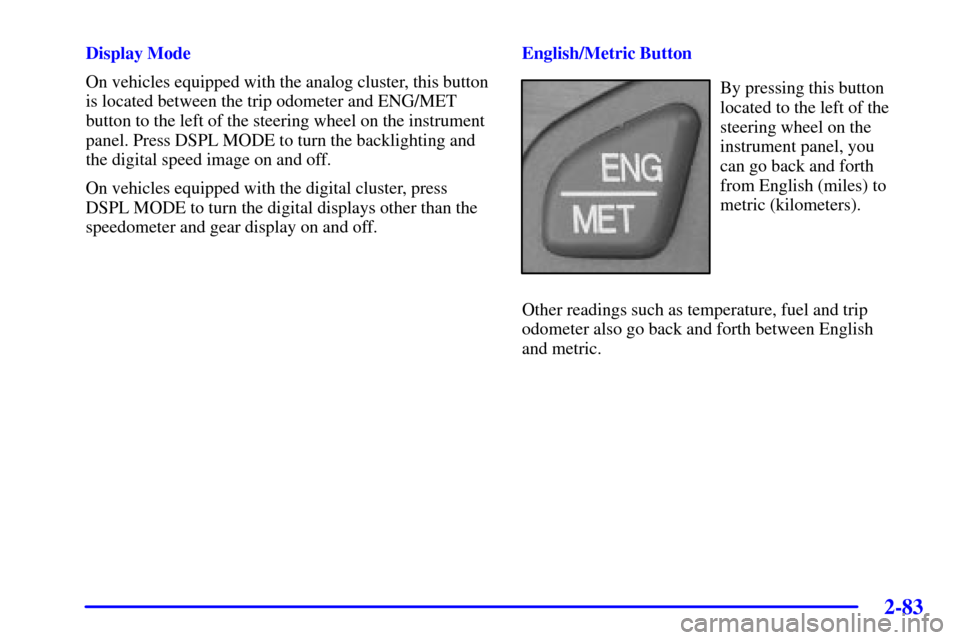
speedometer and gear display on and off.English/Metric Button
By pressing this button
located to the left of the
steering wheel on the
instrument panel, you
can go back and forth
from English (miles) to
metric (kilometers).
Other readings such as temperature, fuel and trip
odometer also go back and forth between English
and metric.
Page 154 of 426
2-86
Safety Belt Reminder Light
When the key is turned to ON or START, a chime will
come on for about eight seconds to remind people to
fasten their safety belts.
The safety belt light will
also come on and stay on
for about 70 seconds. If the
driver's belt is already
buckled, the light will come
on briefly, but the chime
will not sound.
Air Bag Readiness Light
There is an air bag readiness light on the instrument
panel, which shows AIR BAG or the air bag symbol.
The system checks the air bag's electrical system for
malfunctions. The light tells you if there is an electrical
problem. The system check includes the air bag sensors,
the air bag modules, the wiring and the crash sensing
and diagnostic module. For more information on the air
bag system, see ªAir Bagº in the Index.
United States Canada
This light will come on when you start your vehicle, and
it will flash for a few seconds. Then the light should go
out. This means the system is ready.