2002 BMW 745LI SEDAN ESP
[x] Cancel search: ESPPage 110 of 208
At a glanceControlsDriving tipsCommunicationsNavigationEntertainmentMobilityReference
109
4.Simultaneously press the transmit key
on the original hand-held transmitter,
arrow 3 and the selected channel key 1
on the Universal Garage Door Opener.
Release both keys as soon as the indicator
lamp flashes rapidly
5.To program other original hand-held
transmitters, repeat steps 3 and 4.
The corresponding channel key is now
programmed with the signal of the original
hand-held transmitter. Programming alternating-code
transmitters
Observe all of the safety precautions
described on the previous page.<
Consult the unit's operating instructions
when programming the Universal Garage
Door Opener.
When programming hand-held transmitters
that employ an alternating code, please
observe the following supplementary
instructions:
Programming will be easier with the
aid of a second person.<
1.Program the Universal Garage Door
Opener by following the instructions given
above under Programming.
2.Maintain pressure on the alternating-
code transmitter for roughly two seconds,
continuing until the program lamp lights up.
3.Press the selected channel key on the
Universal Garage Door Opener three times.
If you have any additional questions,
please contact your BMW center.<
To clear channel keys
Observe all of the safety precautions
described on the previous page.<
The memory of individual channel keys
cannot be deleted. However, the three
channel keys can be cleared together as
follows:
>Press both outside keys on the Universal
Garage Door Opener; maintain pressure
until the indicator lamp starts to flash, then
release the key.
Sun blinds*
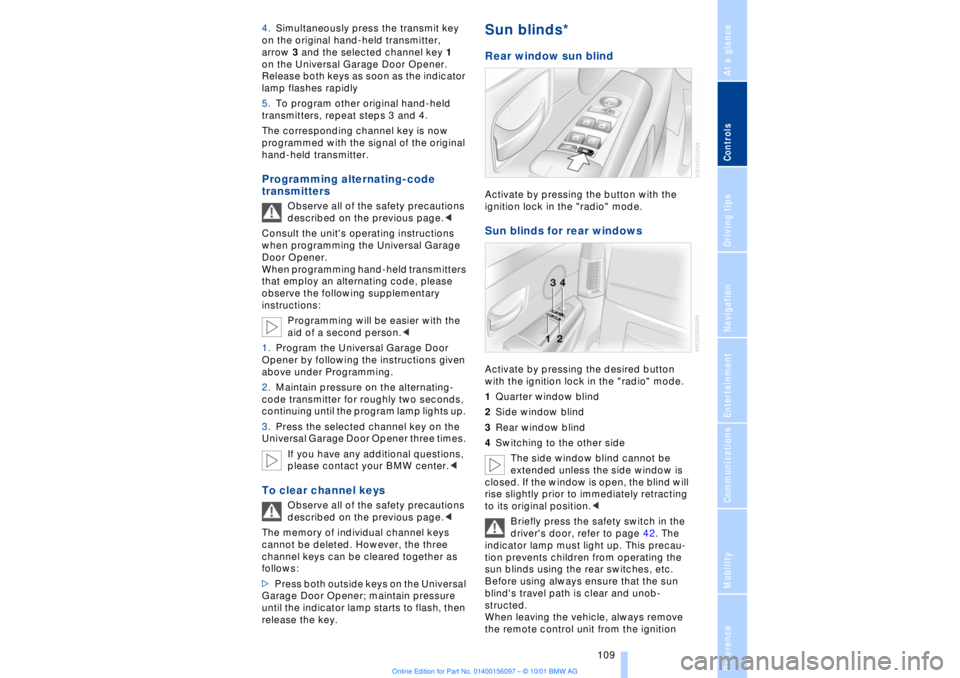
Rear window sun blind Activate by pressing the button with the
ignition lock in the "radio" mode. Sun blinds for rear windows Activate by pressing the desired button
with the ignition lock in the "radio" mode.
1Quarter window blind
2Side window blind
3Rear window blind
4Switching to the other side
The side window blind cannot be
extended unless the side window is
closed. If the window is open, the blind will
rise slightly prior to immediately retracting
to its original position.<
Briefly press the safety switch in the
driver's door, refer to page 42. The
indicator lamp must light up. This precau-
tion prevents children from operating the
sun blinds using the rear switches, etc.
Before using always ensure that the sun
blind's travel path is clear and unob-
structed.
When leaving the vehicle, always remove
the remote control unit from the ignition
Page 119 of 208
Things to remember when driving
118
Things to remember when drivingBreak-in procedures To ensure that your vehicle continues to
furnish optimal economy of operation
throughout an extended service life, we
request that you devote careful attention to
the following section. Engine and differential The first 1,200 miles (2,000 km):
During this initial period you should attempt
to avoid constant, steady-state operation
and vary both vehicle and engine speeds
as often as possible. Until the break-in
period has been completed you should
also refrain from exceeding the following:
>4500 rpm and 105 mph (170 km/h)
Always obey all official speed limits.
Avoid full-throttle operation and use of the
transmission's kickdown mode during
these initial miles.
After the first 1,200 miles (2,000 km) you
can gradually increase both engine and
vehicle speeds to their respective maxima.
You should also comply with these break-in
procedures if the engine or differential is
replaced at a later point. Tires Due to technical factors associated with
their manufacture, tires do not achieve their
full traction potential until after an initial
break-in period. We thus urge you to drive
with extra care during the first 200 miles
(300 kilometers). Brake system Brakes require an initial break-in period of
approx. 300 miles (500 km) to achieve
optimal contact and wear patterns
between brake pads and rotors.
General driving notes High temperatures
Extreme temperatures occur at the
catalytic converter on this and every
catalyst-equipped vehicle. Do not remove
the heat shields installed adjacent to
various sections of the exhaust system,
and never apply undercoating to them.
When driving, standing at idle and while
parking take care to avoid possible contact
between the hot exhaust system and any
highly flammable materials such as hay,
leaves, grass, etc. Such contact could lead
to a fire, and with it the risk of serious prop-
erty damage as well as personal injury.<
Parking the vehicle Condensation forms in the air conditioner
system during operation, and then exits
under the vehicle. Traces of condensed
water under the vehicle are thus normal.Aquaplaning
When driving on wet or slushy roads,
reduce road speed. If you do not, a
wedge of water can form between tires and
road surface. This phenomenon is referred
to aquaplaning, and is characterized by a
partial or complete loss of contact between
tires and road surface, ultimately under-
mining your ability to steer and brake the
vehicle.<
Water-covered streets
Do not drive through water on the
road if it is deeper than 1 foot (30 cm),
and then only at walking speed at the most.
Otherwise, the vehicle's engine, the elec-
trical systems and the transmission may be
damaged.<
Page 120 of 208
At a glanceControlsDriving tipsCommunicationsNavigationEntertainmentMobilityReference
119
Brake system Braking with ABS The best way to achieve optimal response
from the ABS is to apply maximum pres-
sure to the brake pedal during emergencyÐ
panic stops. Since the vehicle maintains
steering responsiveness, you can never-
theless avoid possible obstacles with a
minimum of steering effort.
Pulsation at the brake pedal combines with
sounds from the hydraulic circuits to indi-
cate to the driver that ABS is in its active
mode.
Do not drive with your foot resting on
the brake pedal. Even light but
consistent pedal pressure can lead to high
temperatures, brake wear and possibly
even brake failure.< Disc brakes
Driving in wet conditions While driving in wet conditions and in
heavy rain, it is a good idea to apply light
pressure to the brake pedal every few
miles. Monitor traffic conditions to ensure
that this maneuver does not endanger
other road users. The heat generated in this
process helps dry the pads and rotors to
ensure that full braking efficiency will then
be available when you need it. Hills You can retain full and unimpaired braking
efficiency by downshifting to a gear in
which only minimal brake applications are
needed when descending long or steep
downhill stretches.
You can further enhance the engine's
braking effect by selecting a lower gear in
the automatic transmission's manual
mode, downshifting as far as first gear on
extremely steep stretches, refer to
page 68. This strategy helps you avoid
placing excessive loads on the brake
system.
Corrosion When the vehicle is driven only occasion-
ally, during extended periods when the
vehicle is not used at all, and in operating
conditions where brake applications are
less frequent, there is an increased
tendency for corrosion to form on rotors,
while contaminants accumulate on the
brake pads. This occurs because the
minimal pressure which must be exerted by
the pads during brake applications to clean
the rotors is not reached.
Should corrosion form on the brake rotors,
the brakes will tend to respond with a
pulsating effect that even extended appli-
cation will fail to cure.
Never allow the vehicle to coast with
the transmission in neutral Ð or with
the engine switched off; there is no engine
braking when the transmission is in neutral,
and no power-assist for brakes and
steering when the engine is not running.
Never allow floor mats, carpets or any other
objects to protrude into the area around the
accelerator and brake pedals and obstruct
their movement.< Brake pads
If the brake pad wear indicator lamp
appears in the Check Control,
accompanied by a text: please take
careful note of the additional information in
the Control Display panel.
Warning lamp for Canadian models.
The brake pads have reached their
minimum pad thickness. Have them
replaced at your BMW center as soon as
possible.
For your own safety: use only brake
pads that BMW has released for your
particular vehicle model. Because BMW
cannot assess the suitability of other brake
pads for use on your vehicle, we are unable
to assume continued responsibility for the
vehicle's operating safety if non-approved
pads are installed.<
Page 121 of 208
Things to remember when driving
120
Cargo loadingStowing cargo >Load heavy cargo as far forward and as
low as possible, placing it directly behind
the bulkhead behind the rear seats
>Cover sharp edges and corners
>For very heavy loads when the rear seat
is not occupied, secure each safety belt in
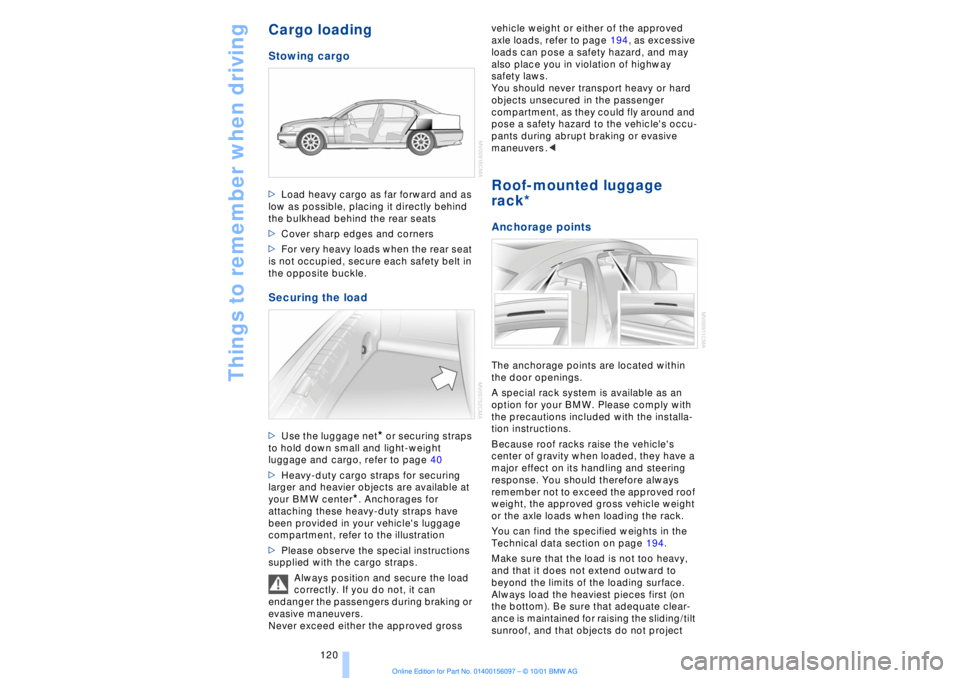
the opposite buckle. Securing the load >Use the luggage net
* or securing straps
to hold down small and light-weight
luggage and cargo, refer to page 40
>Heavy-duty cargo straps for securing
larger and heavier objects are available at
your BMW center
*. Anchorages for
attaching these heavy-duty straps have
been provided in your vehicle's luggage
compartment, refer to the illustration
>Please observe the special instructions
supplied with the cargo straps.
Always position and secure the load
correctly. If you do not, it can
endanger the passengers during braking or
evasive maneuvers.
Never exceed either the approved gross vehicle weight or either of the approved
axle loads, refer to page 194, as excessive
loads can pose a safety hazard, and may
also place you in violation of highway
safety laws.
You should never transport heavy or hard
objects unsecured in the passenger
compartment, as they could fly around and
pose a safety hazard to the vehicle's occu-
pants during abrupt braking or evasive
maneuvers .<
Roof-mounted luggage
rack* Anchorage pointsThe anchorage points are located within
the door openings.
A special rack system is available as an
option for your BMW. Please comply with
the precautions included with the installa-
tion instructions.
Because roof racks raise the vehicle's
center of gravity when loaded, they have a
major effect on its handling and steering
response. You should therefore always
remember not to exceed the approved roof
weight, the approved gross vehicle weight
or the axle loads when loading the rack.
You can find the specified weights in the
Technical data section on page 194.
Make sure that the load is not too heavy,
and that it does not extend outward to
beyond the limits of the loading surface.
Always load the heaviest pieces first (on
the bottom). Be sure that adequate clear-
ance is maintained for raising the sliding/tilt
sunroof, and that objects do not project
Page 125 of 208
Navigation
124
NavigationSafetyBy allowing you to find your destination
without having to consult conventional
road maps as you drive, the navigation
system makes an important contribution to
traffic safety.
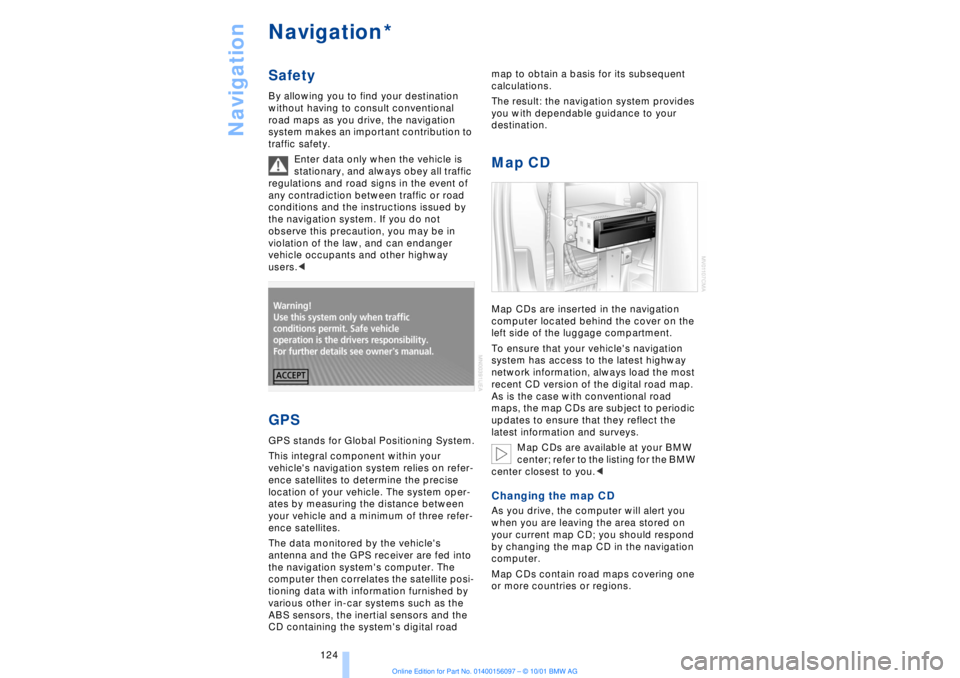
Enter data only when the vehicle is
stationary, and always obey all traffic
regulations and road signs in the event of
any contradiction between traffic or road
conditions and the instructions issued by
the navigation system. If you do not
observe this precaution, you may be in
violation of the law, and can endanger
vehicle occupants and other highway
users.< GPSGPS stands for Global Positioning System.
This integral component within your
vehicle's navigation system relies on refer-
ence satellites to determine the precise
location of your vehicle. The system oper-
ates by measuring the distance between
your vehicle and a minimum of three refer-
ence satellites.
The data monitored by the vehicle's
antenna and the GPS receiver are fed into
the navigation system's computer. The
computer then correlates the satellite posi-
tioning data with information furnished by
various other in-car systems such as the
ABS sensors, the inertial sensors and the
CD containing the system's digital road map to obtain a basis for its subsequent
calculations.
The result: the navigation system provides
you with dependable guidance to your
destination.
Map CDMap CDs are inserted in the navigation
computer located behind the cover on the
left side of the luggage compartment.
To ensure that your vehicle's navigation
system has access to the latest highway
network information, always load the most
recent CD version of the digital road map.
As is the case with conventional road
maps, the map CDs are subject to periodic
updates to ensure that they reflect the
latest information and surveys.
Map CDs are available at your BMW
center; refer to the listing for the BMW
center closest to you.
your current map CD; you should respond
by changing the map CD in the navigation
computer.
Map CDs contain road maps covering one
or more countries or regions.
*
Page 137 of 208
Navigation
136
Wordmatch principleYour navigation system features a word-
match system designed to make it easier
for you to enter names. The system runs
ongoing checks, comparing your destina-
tion entries with the data stored on the map
CD as the basis for instant response. The
user benefits include:
>When you make an entry that consists of
more than one word, the system can iden-
tify the name regardless of the sequence in
which you enter the individual words.
Example:
Official version:
J.F. Kennedy Square
Possible entries:
Kennedy Square J.F.
or:
Square J.F. Kennedy
>Names of specific locations can also
vary from the official versions provided that
the spelling of the entry corresponds to a
standard form used in another country.
>When you are entering the names of
cities and streets the system will complete
them automatically as soon as enough
letters are available to ensure unambig-
uous identification.
Example:
For instance, if you were searching for Iowa
Ave NW in Washington, the system could
identify the street as soon as you typed in
the letter "o" and would proceed to
complete the entry automatically
>The system only accepts name entries
beginning with letters that are stored on the
map CD. The system will not accept non-
existent names and addresses.What to do if ÉWhat to do if É
>you request the current location of your
vehicle, but do not receive a precise
display?
The system is unable to receive enough GPS signals at your current location owing
to obstructions, your location is not yet
available on your CD, or the system is in the
process of calculating your location. Please
wait and then try again later on.
>the GPS logo disappears from the
Control Display screen?
Reception is interrupted; a building or
similar obstruction may be the cause.
>the guidance system refuses to import
an address from the destination directory
as its destination?
The address is in the list, but not on the
map CD currently in use. Choose an
address as close as possible to the original
one, using the destination entry map as
required.
>the guidance system adopts an address
without the street?
No specified center is defined for the
selected locality on your CD. Enter any
street, or a destination such as the railway
station, etc., then start the guidance
system.
>you want to enter an address for the
guidance system, but it is not possible to
select the letters for your desired entry?
The address is in the list, but not on the
map CD currently in use. In this case, the
system will not offer you any letters to
choose from. Choose an address as close
as possible to the original one, using the
destination entry map as required.
>you attempt to enter a destination
address using the target cursor, but the
guidance system refuses to accept your
entry?
Your current scale does not offer adequate
resolution. The system can only import
destinations at map scales to 0.6 miles
(1 km).
>the system stops furnishing directions
on which way to turn as you approach
intersections?
You are driving in an area that has not yet
been completely recorded on the map CD.
Instead of an arrow indicating a turn, you
will see an arrow which indicates the
general direction of your planned route;
Page 143 of 208

Sound system
142 >"Speed vol."
Raises volume as vehicle speed increases.
Press and turn the controller to select a
response level of between 1 and 6
Resetting the tone settingsYou can reset all tone settings for all sound
systems Ð radio, CD, MD or cassette Ð to
the standard default settings.
Select and confirm "RESET."
Page 154 of 208
At a glanceControlsDriving tipsCommunicationsNavigationEntertainmentMobilityReference
153
CassetteStartingSlide the cassette all the way into the slot,
ensuring that the side with the exposed
tape is on the right.
If a cassette is already in the slot:
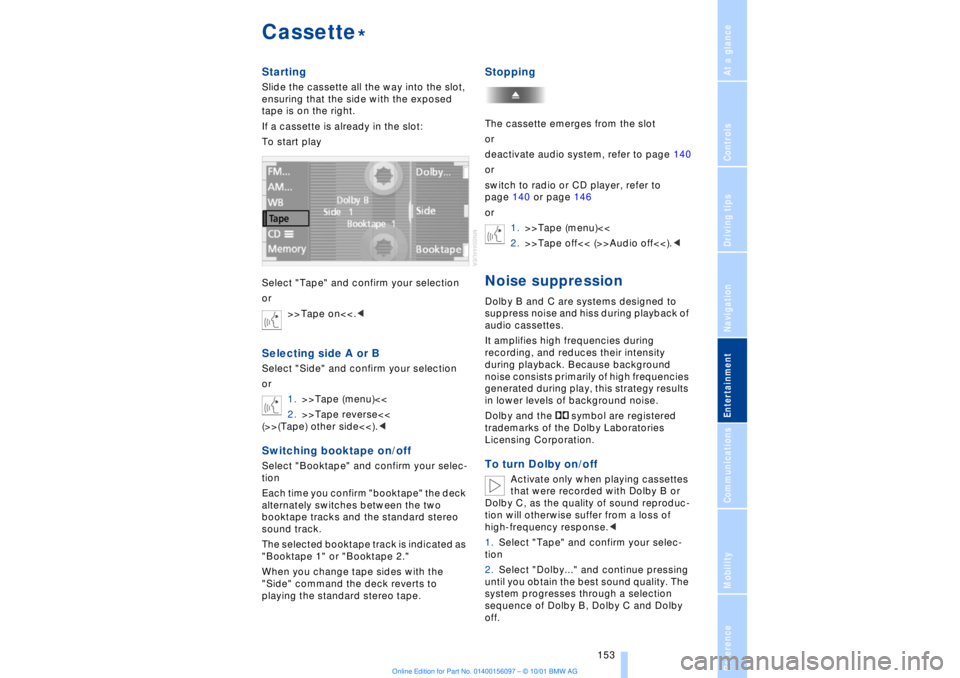
To start play
Select "Tape" and confirm your selection
or
>>Tape on<<.
1.>>Tape (menu)<<
2.>>Tape reverse<<
(>>(Tape) other side<<).
Each time you confirm "booktape" the deck
alternately switches between the two
booktape tracks and the standard stereo
sound track.
The selected booktape track is indicated as
"Booktape 1" or "Booktape 2."
When you change tape sides with the
"Side" command the deck reverts to
playing the standard stereo tape.
StoppingThe cassette emerges from the slot
or
deactivate audio system, refer to page 140
or
switch to radio or CD player, refer to
page 140 or page 146
or
1.>>Tape (menu)<<
2.>>Tape off<< (>>Audio off<<).
audio cassettes.
It amplifies high frequencies during
recording, and reduces their intensity
during playback. Because background
noise consists primarily of high frequencies
generated during play, this strategy results
in lower levels of background noise.
Dolby and the symbol are registered
trademarks of the Dolby Laboratories
Licensing Corporation.To turn Dolby on/off
Activate only when playing cassettes
that were recorded with Dolby B or
Dolby C, as the quality of sound reproduc-
tion will otherwise suffer from a loss of
high-frequency response.<
1.Select "Tape" and confirm your selec-
tion
2.Select "Dolby..." and continue pressing
until you obtain the best sound quality. The
system progresses through a selection
sequence of Dolby B, Dolby C and Dolby
off.
*