2002 BMW 325I key
[x] Cancel search: keyPage 62 of 155

62n
Washer/Wiper system0 Wipers retracted
1 Clean the windshield
2 Rear window wiper intermittent mode
3 Clean the rear windowClean the windshield
Do not use the washers if there is
any danger that the fluid will
freeze on the windshield, as your vision
could be obscured. Always use a wind-
shield washer antifreeze, refer to
page 114.
Do not use the washers when the reser-
voir is empty. This could cause damage
to the washer pump.<
The system sprays washer fluid against
the windshield and activates the wipers
for a brief period.Rear window wiperRear window wiper in intermittent
mode. When reverse gear is engaged,
continuous operation is switched on
automatically.
You can also program the interval:
>Briefly move the wiper lever from
position 0 to position 2
>The period that elapses until the
wipers again start to move (from
position 0 to 2) is the programmed
interval for intermittent operation
(max. 30 seconds).Clean the rear windowThe system sprays washer fluid onto
the rear window.
To change the wiper blades refer to
page 124.
Cleaning headlamps
*
When the vehicle's lighting system is
switched on, the headlamps will also be
cleaned every fifth time the automatic
windshield washer is activated.Windshield washer nozzlesThe windshield washer nozzles are
heated automatically
* when the ignition
key is in position 2.
Page 63 of 155
63n
OverviewControlsMaintenanceRepairsDataIndex
Cruise control
*
You can store and automatically main-
tain any desired vehicle speed above
approx. 20 mph (30 km/h).
The cruise control is available whenever
the engine is running and the system
has been activated.
To activate the systemFrom ignition key position 2:
Press the button and the indicator lamp
in the instrument cluster will come on,
refer to page 20. You can now use the
cruise control.
Do not use cruise control on
twisting roads, when high traffic
density prevents driving at a constant
speed, or when the road surface is slick
(snow, rain, ice) or loose (rocks or
gravel, sand).
ment cluster goes out.
Cruise control is also deactivated when
the ignition key is in position 0.
The speed stored in memory is deleted.
To maintain and store speed
or to acceleratePress button (+) briefly:
The system maintains and stores the
current vehicle speed. Every time you
tap the button, the speed increases by
approx. 0.6 mph (1 km/h).
Press and hold button (+):
The vehicle accelerates without pres-
sure on the accelerator pedal. When
you release the button, the system
maintains and stores the current speed.
If, on a downhill gradient, the
engine braking effect is not suffi-
cient, the preset speed can be
exceeded. Speed can drop on uphill
grades if the engine output is insuffi-
cient.<
Page 65 of 155
65n
OverviewControlsMaintenanceRepairsDataIndex
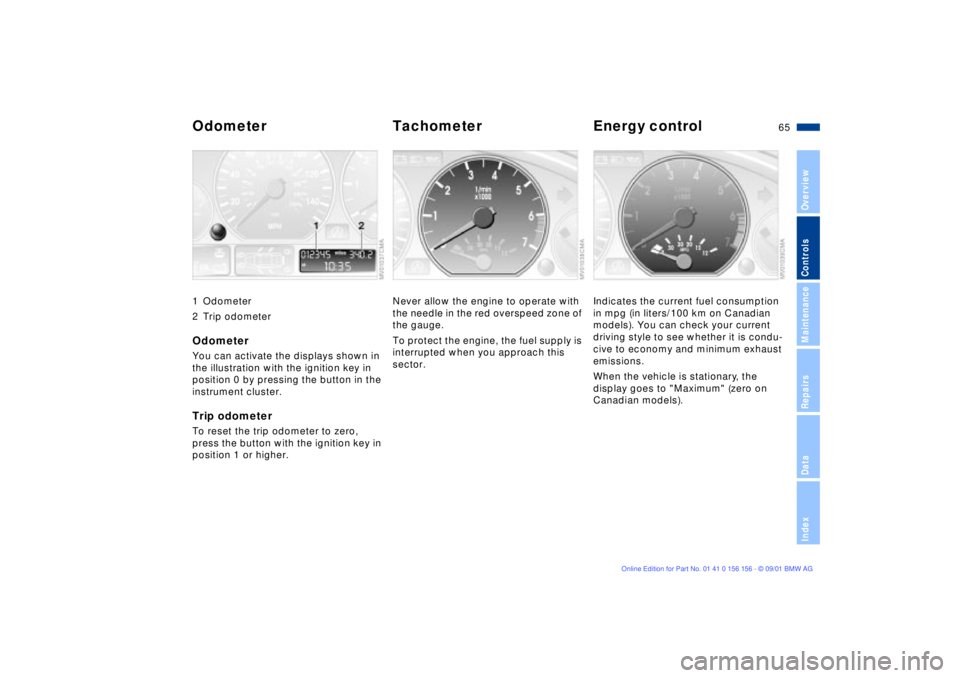
Odometer Tachometer Energy control 1 Odometer
2 Trip odometerOdometer You can activate the displays shown in
the illustration with the ignition key in
position 0 by pressing the button in the
instrument cluster.Trip odometerTo reset the trip odometer to zero,
press the button with the ignition key in
position 1 or higher.
Never allow the engine to operate with
the needle in the red overspeed zone of
the gauge.
To protect the engine, the fuel supply is
interrupted when you approach this
sector.
Indicates the current fuel consumption
in mpg (in liters/100 km on Canadian
models). You can check your current
driving style to see whether it is condu-
cive to economy and minimum exhaust
emissions.
When the vehicle is stationary, the
display goes to "Maximum" (zero on
Canadian models).
Page 66 of 155
66n
Fuel gauge Temperature gauge Service Interval DisplayOnce the indicator lamp stays on
continuously, there are still approx.
2 gallons (8 liters) of fuel in the fuel
tank.
For fuel tank capacity, refer to
page 143.
Certain operating conditions (such as
those encountered in mountainous
areas) may cause the needle to fluc-
tuate slightly.
Please refuel early, since driving
to the last drop of fuel can result in
damage to the engine and/or catalytic
converter.<
When you switch on the ignition, the
indicator lamp lights up briefly as an
operation check.
BlueThe engine is still cold. Drive at
moderate engine and vehicle speeds.RedWhen you switch on the ignition, the
warning lamp comes on briefly to
confirm that the system is operational.
If the lamp comes on during normal
vehicle operation: the engine has over-
heated. Switch off the engine immedi-
ately and allow it to cool down.
Checking coolant level, refer to
page 117.Between the blue and red zonesNormal operating temperature. The
needle may rise as far as the edge of
the red sector in normal operation.
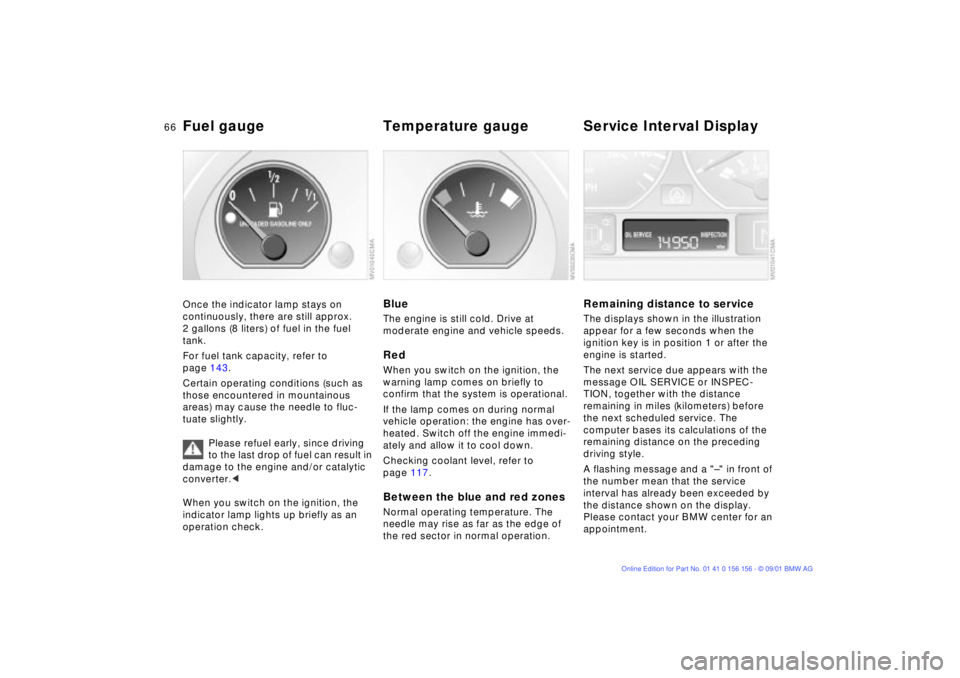
Remaining distance to serviceThe displays shown in the illustration
appear for a few seconds when the
ignition key is in position 1 or after the
engine is started.
The next service due appears with the
message OIL SERVICE or INSPEC-
TION, together with the distance
remaining in miles (kilometers) before
the next scheduled service. The
computer bases its calculations of the
remaining distance on the preceding
driving style.
A flashing message and a "Ð" in front of
the number mean that the service
interval has already been exceeded by
the distance shown on the display.
Please contact your BMW center for an
appointment.
Page 67 of 155

67n
OverviewControlsMaintenanceRepairsDataIndex
Check Control ClockThe following information and/or condi-
tions are indicated using symbols,
starting with the ignition key in
position 2, until the condition has been
corrected.
1 Check the low beams and high
beams, as well as the parking lamps
2 Door open
3 Tailgate open
4 Check brake and tail lamps
When you open the driver's door after
parking, a signal sounds to remind you
if the headlamps have not been
switched off.
If you wish to have a permanent time
display, you can make this setting in the
radio display (refer to the Radio
Owner's Manual).
You can set the clock and the time
display in the car radio as follows.
SettingWith ignition key position 1 or 2 and
time displayed in the instrument cluster.
To set ahead: turn the button to the
right.
To set back: turn the button to the left.
The adjustment speed will increase the
longer you continue to hold the button.
To change the display mode: press the
button briefly.
Every time you press the button, the
clock display alternates between the
12-hour or 24-hour mode.
In ignition key position 0: the time is
displayed for a few seconds after you
press the left button, refer to
Odometer on page 65.
Page 68 of 155
68n
Computer
*
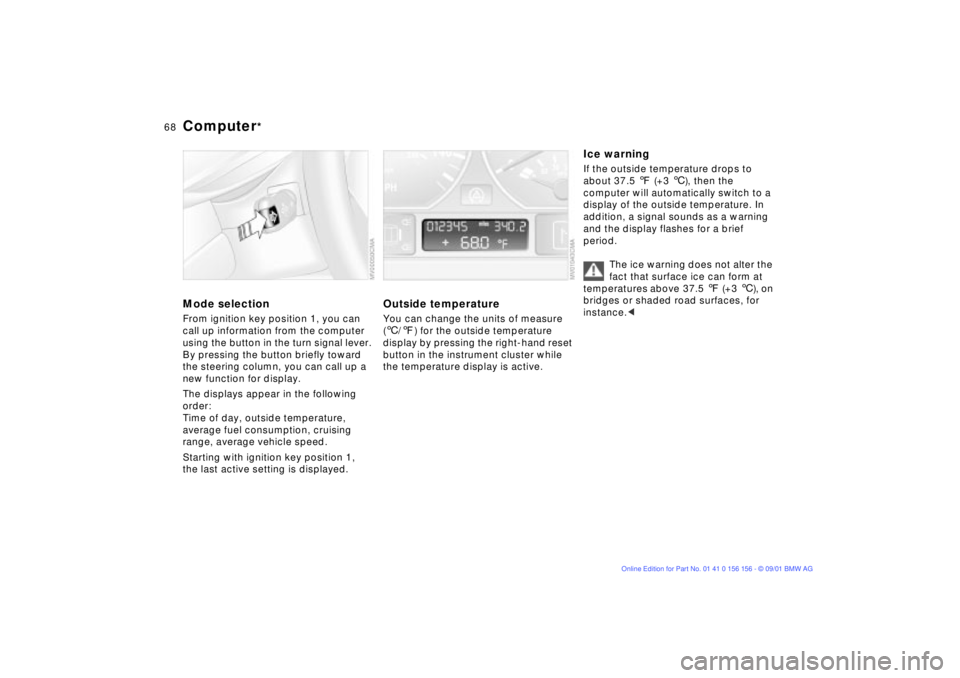
Mode selectionFrom ignition key position 1, you can
call up information from the computer
using the button in the turn signal lever.
By pressing the button briefly toward
the steering column, you can call up a
new function for display.
The displays appear in the following
order:
Time of day, outside temperature,
average fuel consumption, cruising
range, average vehicle speed.
Starting with ignition key position 1,
the last active setting is displayed.
Outside temperatureYou can change the units of measure
(6/7) for the outside temperature
display by pressing the right-hand reset
button in the instrument cluster while
the temperature display is active.
Ice warningIf the outside temperature drops to
about 37.5 7 (+3 6), then the
computer will automatically switch to a
display of the outside temperature. In
addition, a signal sounds as a warning
and the display flashes for a brief
period.
The ice warning does not alter the
fact that surface ice can form at
temperatures above 37.5 7 (+3 6), on
bridges or shaded road surfaces, for
instance.<
Page 70 of 155

70n
Park Distance Control (PDC)
*
The conceptPDC provides extra safety and conve-
nience during parking maneuvers by
providing an acoustic signal to indicate
the distance between your front and
rear bumpers and the nearest object.
The system features four ultrasonic
sensors mounted in your rear bumper.
The monitoring range for the two corner
sensors extends outward roughly 2 ft
(60 cm), while two centrally located
sensors detect objects at distances of
up to approx. 5 ft (1.5 m).
The system starts to operate automati-
cally approx. one second after you
select reverse or move the selector
lever into the "R" position with the igni-
tion key in position 2. PDC is deacti-
vated when you shift back out of
reverse.
Acoustic signalsThe distance to the nearest object is
indicated by a tone sounding at various
intervals. As the distance between
vehicle and object decreases, the inter-
vals between the tones become
shorter. A continuous tone indicates the
presence of an object less than 1 ft
(30 cm) away.
The warning signal is canceled after
approx. three seconds if the distance to
the obstacle remains constant during
this time (if you are moving parallel to
a wall, for instance).
System malfunctions will be indicated
by a continuous high-pitched tone
when the system is activated the first
time. Please refer the problem to your
BMW center.The PDC does not remove the
driver's personal responsibility for
evaluating the distance between the
vehicle and any obstacles. Even when
sensors are involved, there is a blind
spot in which objects cannot be
detected. This applies especially in
those cases where the system
approaches the physical limits of ultra-
sonic measurement, as occurs with tow
bars and trailer couplings, and in the
vicinity of thin or wedge-shaped
objects.
Certain sources of sound, such as a
loud radio, could drown the PDC signal
tone.<
Keep the sensors clean and free
of ice or snow in order to ensure
that they will continue to operate effec-
tively.
Do not apply high pressure spray to the
sensors for a prolonged period of time.
Always maintain a distance of more
than 4 in (10 cm).<
Page 78 of 155
78n
Tire Pressure Monitor (RDC)
*
The conceptRDC monitors the tire pressures at all
four wheels while the vehicle is moving.
The system provides an alert whenever
the inflation pressure drops significantly
below the specified pressure in one or
more tires.
In order for the system to learn the
correct tire inflation pressure, check the
inflation pressure in all tires according
to the inflation pressure table on
page 25 and make corrections as
necessary. Then activate the system.
This indicator lamp in the instru-
ment cluster will inform you if
the tire pressure is not correct.
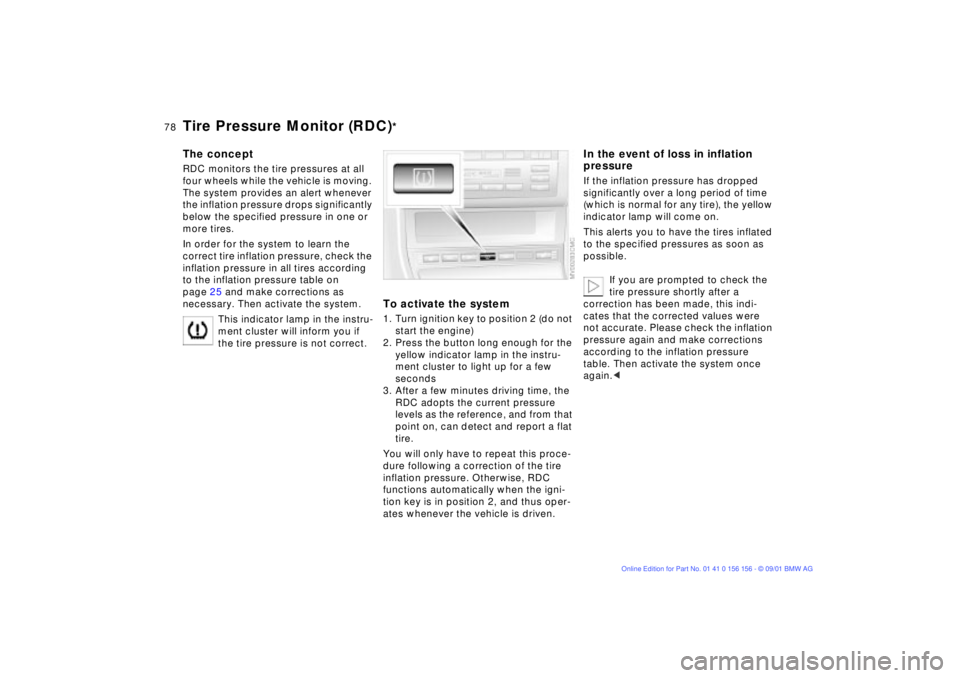
To activate the system1. Turn ignition key to position 2 (do not
start the engine)
2. Press the button long enough for the
yellow indicator lamp in the instru-
ment cluster to light up for a few
seconds
3. After a few minutes driving time, the
RDC adopts the current pressure
levels as the reference, and from that
point on, can detect and report a flat
tire.
You will only have to repeat this proce-
dure following a correction of the tire
inflation pressure. Otherwise, RDC
functions automatically when the igni-
tion key is in position 2, and thus oper-
ates whenever the vehicle is driven.
In the event of loss in inflation
pressureIf the inflation pressure has dropped
significantly over a long period of time
(which is normal for any tire), the yellow
indicator lamp will come on.
This alerts you to have the tires inflated
to the specified pressures as soon as
possible.
If you are prompted to check the
tire pressure shortly after a
correction has been made, this indi-
cates that the corrected values were
not accurate. Please check the inflation
pressure again and make corrections
according to the inflation pressure
table. Then activate the system once
again.<