2002 BMW 325I key
[x] Cancel search: keyPage 32 of 155
32n
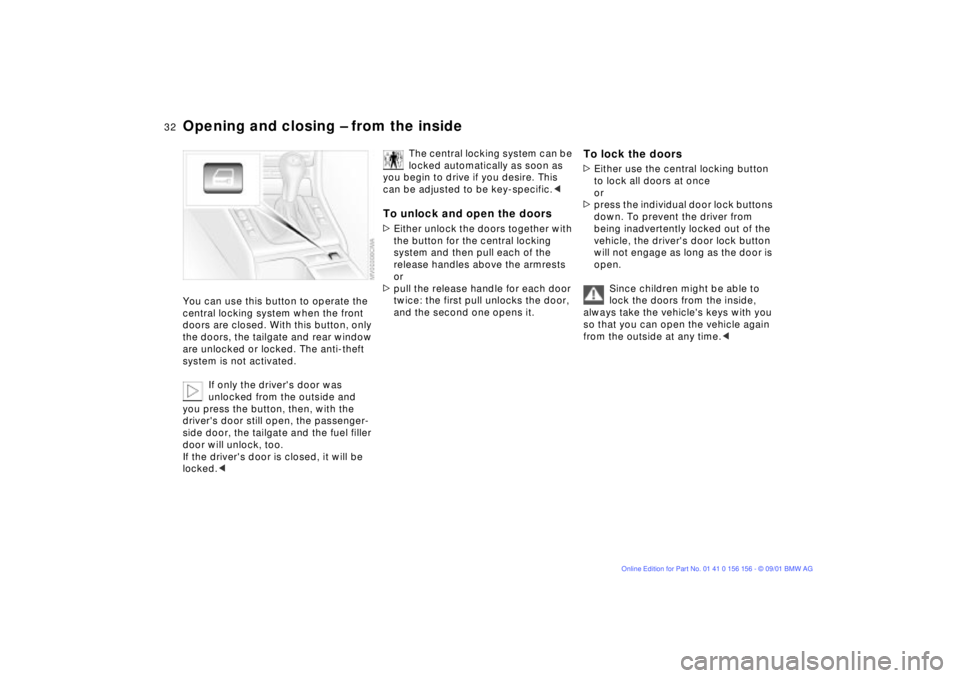
Opening and closing Ð from the insideYou can use this button to operate the
central locking system when the front
doors are closed. With this button, only
the doors, the tailgate and rear window
are unlocked or locked. The anti-theft
system is not activated.
If only the driver's door was
unlocked from the outside and
you press the button, then, with the
driver's door still open, the passenger-
side door, the tailgate and the fuel filler
door will unlock, too.
If the driver's door is closed, it will be
locked.<
The central locking system can be
locked automatically as soon as
you begin to drive if you desire. This
can be adjusted to be key-specific.<
To unlock and open the doors>Either unlock the doors together with
the button for the central locking
system and then pull each of the
release handles above the armrests
or
>pull the release handle for each door
twice: the first pull unlocks the door,
and the second one opens it.
To lock the doors>Either use the central locking button
to lock all doors at once
or
>press the individual door lock buttons
down. To prevent the driver from
being inadvertently locked out of the
vehicle, the driver's door lock button
will not engage as long as the door is
open.
Since children might be able to
lock the doors from the inside,
always take the vehicle's keys with you
so that you can open the vehicle again
from the outside at any time.<
Page 33 of 155
33n
OverviewControlsMaintenanceRepairsDataIndex
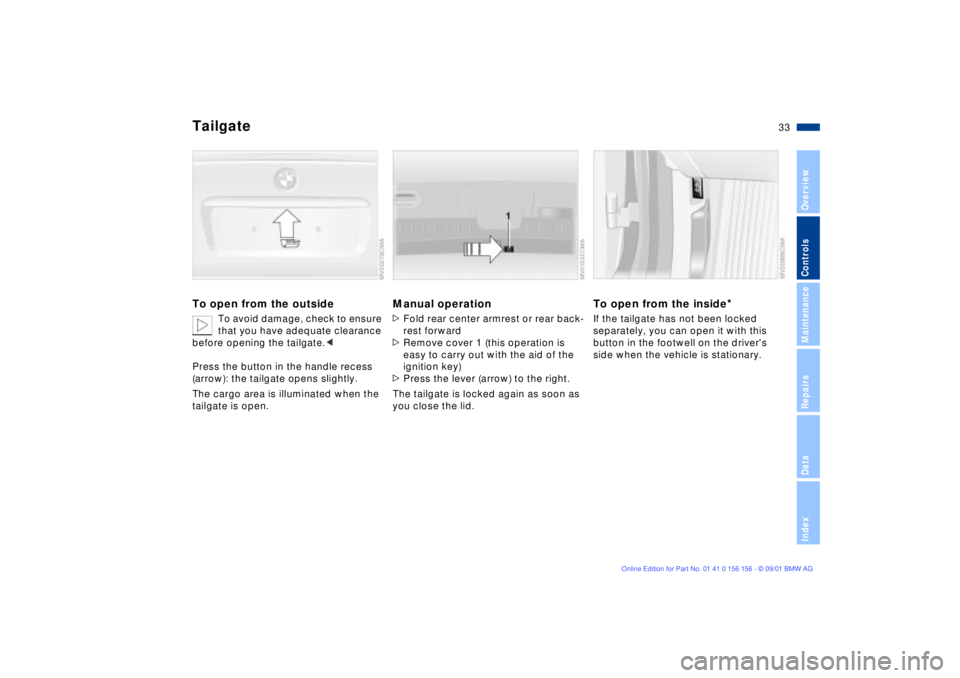
Tailgate To open from the outside
To avoid damage, check to ensure
that you have adequate clearance
before opening the tailgate.<
Press the button in the handle recess
(arrow): the tailgate opens slightly.
The cargo area is illuminated when the
tailgate is open.
Manual operation>Fold rear center armrest or rear back-
rest forward
>Remove cover 1 (this operation is
easy to carry out with the aid of the
ignition key)
>Press the lever (arrow) to the right.
The tailgate is locked again as soon as
you close the lid.
To open from the inside
*
If the tailgate has not been locked
separately, you can open it with this
button in the footwell on the driver's
side when the vehicle is stationary.
Page 36 of 155

36n
Alarm system
*
Indicator lamp displays>The indicator lamp below the interior
rearview mirror flashes continuously:
the system is armed
>The indicator lamp flashes while the
system is armed: the door(s), the
hood, the tailgate or rear window are
not completely closed. Even if you do
not close the alerted area(s), the
remaining areas are secured, and the
indicator lamp will flash continuously
after 10 seconds. However, the inte-
rior motion sensor is not activated.
>The indicator lamp goes out when the
system is disarmed: no manipulation
or attempted intrusions have been
detected in the period since the
system was armed.
>The indicator lamp flashes for
10 seconds when the system is
disarmed: an attempted entry has
been detected in the period since the
system was armed.
Following triggering of an alarm, the
indicator lamp will flash continuously.Avoiding unintentional alarmsThe tilt alarm sensor and interior motion
sensor may be switched off at the same
time. You can do this to prevent a false
alarm from being triggered in garages
with elevator ramps, for instance, or
when the vehicle is transported by
trailer or train:
Lock the vehicle twice (= arm the
system). Press the button on the
remote control twice in succession or
lock the vehicle twice with the key.
The indicator lamp lights up briefly and
then flashes continuously. The tilt alarm
sensor and the interior motion sensor
are deactivated as long as the system is
armed.
Interior motion sensorIn order for the interior motion sensor to
function properly, the windows and
sliding/tilt sunroof must be completely
closed.
Nevertheless, you should switch off the
interior motion sensor (refer to previous
column) if
>children or animals are left in the
vehicle
>the windows or the sliding/tilt sunroof
are being left open.
The system deactivates the tilt-
alarm sensor and the interior
motion sensor if closing is interrupted in
the first 10 seconds and then restarted
when the convenience closing feature
is used to close the sunroof and
windows. The alarm must then be
disarmed and reactivated before it will
resume operation.<
Page 37 of 155
37n
OverviewControlsMaintenanceRepairsDataIndex
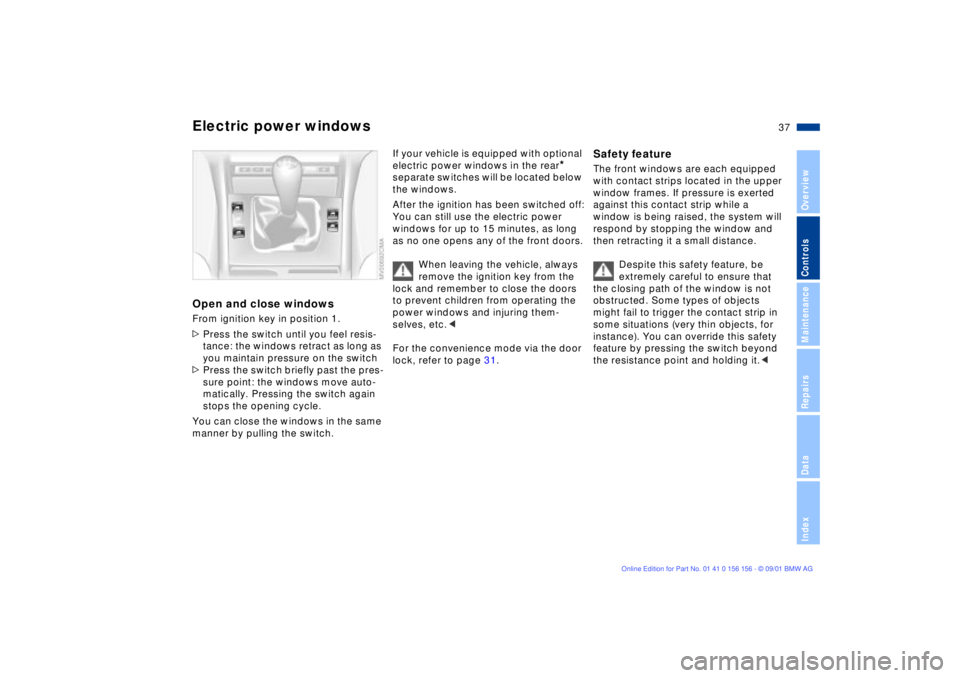
Electric power windowsOpen and close windowsFrom ignition key in position 1.
>Press the switch until you feel resis-
tance: the windows retract as long as
you maintain pressure on the switch
>Press the switch briefly past the pres-
sure point: the windows move auto-
matically. Pressing the switch again
stops the opening cycle.
You can close the windows in the same
manner by pulling the switch.
If your vehicle is equipped with optional
electric power windows in the rear
*
separate switches will be located below
the windows.
After the ignition has been switched off:
You can still use the electric power
windows for up to 15 minutes, as long
as no one opens any of the front doors.
When leaving the vehicle, always
remove the ignition key from the
lock and remember to close the doors
to prevent children from operating the
power windows and injuring them-
selves, etc.<
For the convenience mode via the door
lock, refer to page 31.
Safety feature The front windows are each equipped
with contact strips located in the upper
window frames. If pressure is exerted
against this contact strip while a
window is being raised, the system will
respond by stopping the window and
then retracting it a small distance.
Despite this safety feature, be
extremely careful to ensure that
the closing path of the window is not
obstructed. Some types of objects
might fail to trigger the contact strip in
some situations (very thin objects, for
instance). You can override this safety
feature by pressing the switch beyond
the resistance point and holding it.<
Page 38 of 155
38n
Electric power windows Sliding/tilt sunroof
*
Safety switch With the safety switch, you can prevent
the rear windows from being opened or
closed via the switches in the rear
passenger area (by children, for
example).
Press the safety switch whenever
children are riding in the rear of
the vehicle. Careless use of the power
windows can lead to injury.<
To prevent injuries, exercise care
when closing the sliding/tilt
sunroof and keep it in your field of
vision until it is shut.
When leaving the vehicle, always
remove the ignition key from the lock
and remember to close the doors to
prevent children from operating the
sliding/tilt sunroof and injuring them-
selves, etc.<
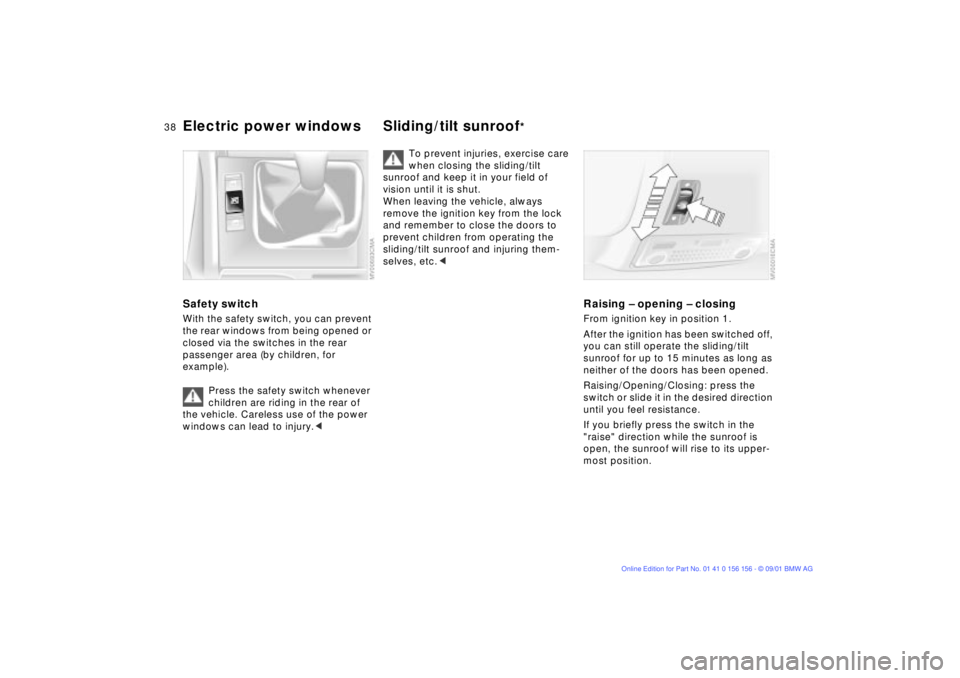
Raising Ð opening Ð closingFrom ignition key in position 1.
After the ignition has been switched off,
you can still operate the sliding/tilt
sunroof for up to 15 minutes as long as
neither of the doors has been opened.
Raising/Opening/Closing: press the
switch or slide it in the desired direction
until you feel resistance.
If you briefly press the switch in the
"raise" direction while the sunroof is
open, the sunroof will rise to its upper-
most position.
Page 39 of 155
39n
OverviewControlsMaintenanceRepairsDataIndex
Sliding/tilt sunroof
*
The headliner insert slides back some-
what when you raise the sunroof. When
the sunroof is opened, the headliner
retracts with it.
Do not use force to close the
headliner insert with the sunroof in
its raised position, as damage to the
mechanism could result.<
For the convenience mode via the door
lock, refer to page 31.Automatic opening and closingPress the switch briefly past the pres-
sure point: the sunroof travels to either
the fully-closed or fully-open position.
Pressing the switch again stops the
motion immediately.
Safety featureIf the sliding/tilt sunroof encounters
resistance
>when it is closing from the raised
position
>when it is closing from a point
roughly past the middle of its travel,
the closing cycle is interrupted and the
sliding/tilt sunroof will open again
slightly.
Despite this safety feature, be
extremely careful that the travel
path of the sunroof is not obstructed
whenever it is closed. Remember that
the safety mechanism may not be able
to detect obstructions under all circum-
stances (with very thin objects, for
instance).
You can disable this safety feature by
pressing the switch beyond the pres-
sure point and holding it.<
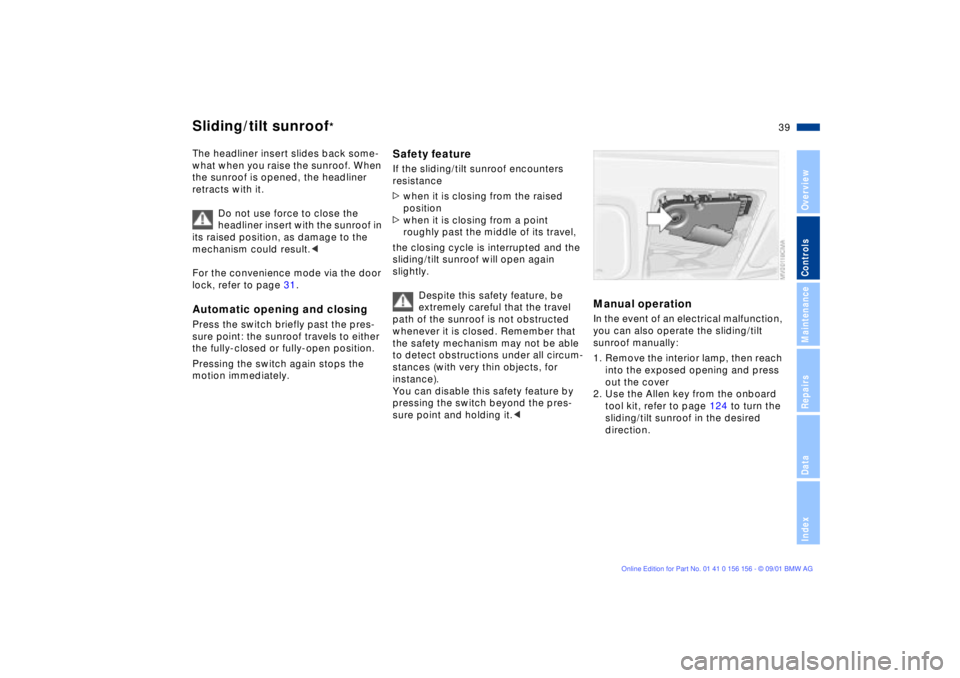
Manual operation In the event of an electrical malfunction,
you can also operate the sliding/tilt
sunroof manually:
1. Remove the interior lamp, then reach
into the exposed opening and press
out the cover
2. Use the Allen key from the onboard
tool kit, refer to page 124 to turn the
sliding/tilt sunroof in the desired
direction.
Page 45 of 155
45n
OverviewControlsMaintenanceRepairsDataIndex
Seat and mirror memory
*
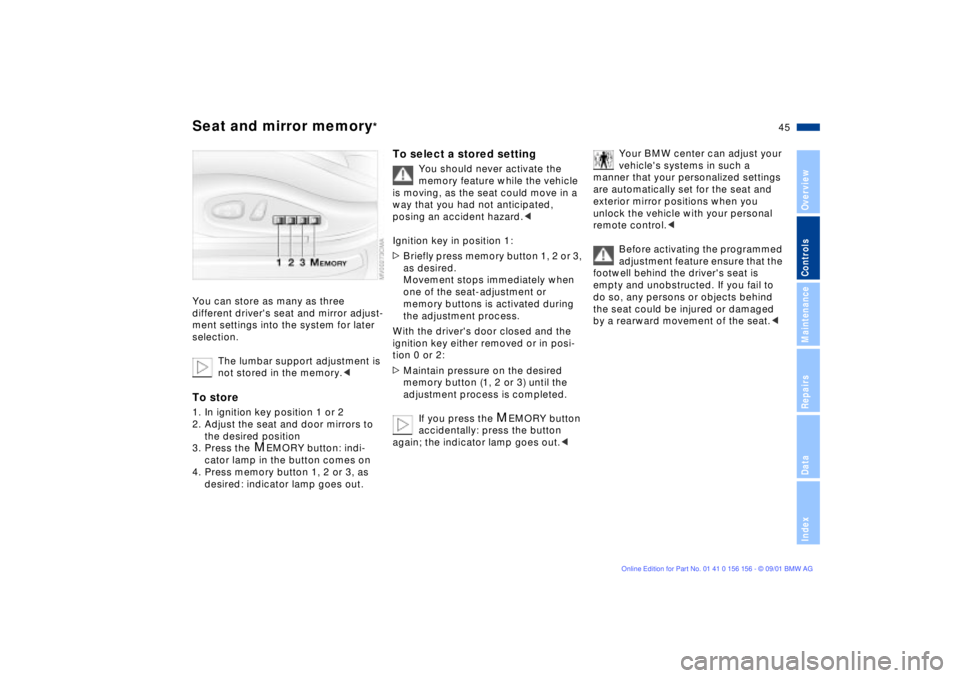
You can store as many as three
different driver's seat and mirror adjust-
ment settings into the system for later
selection.
The lumbar support adjustment is
not stored in the memory.
the desired position
3. Press the
M
EMORY button: indi-
cator lamp in the button comes on
4. Press memory button 1, 2 or 3, as
desired: indicator lamp goes out.
To select a stored setting
You should never activate the
memory feature while the vehicle
is moving, as the seat could move in a
way that you had not anticipated,
posing an accident hazard.<
Ignition key in position 1:
>Briefly press memory button 1, 2 or 3,
as desired.
Movement stops immediately when
one of the seat-adjustment or
memory buttons is activated during
the adjustment process.
With the driver's door closed and the
ignition key either removed or in posi-
tion 0 or 2:
>Maintain pressure on the desired
memory button (1, 2 or 3) until the
adjustment process is completed.
If you press the
M
EMORY button
accidentally: press the button
again; the indicator lamp goes out.<
Your BMW center can adjust your
vehicle's systems in such a
manner that your personalized settings
are automatically set for the seat and
exterior mirror positions when you
unlock the vehicle with your personal
remote control.<
Before activating the programmed
adjustment feature ensure that the
footwell behind the driver's seat is
empty and unobstructed. If you fail to
do so, any persons or objects behind
the seat could be injured or damaged
by a rearward movement of the seat.<
Page 46 of 155
46n
Seat and mirror memory
*
Seat heating
*
Steering wheel
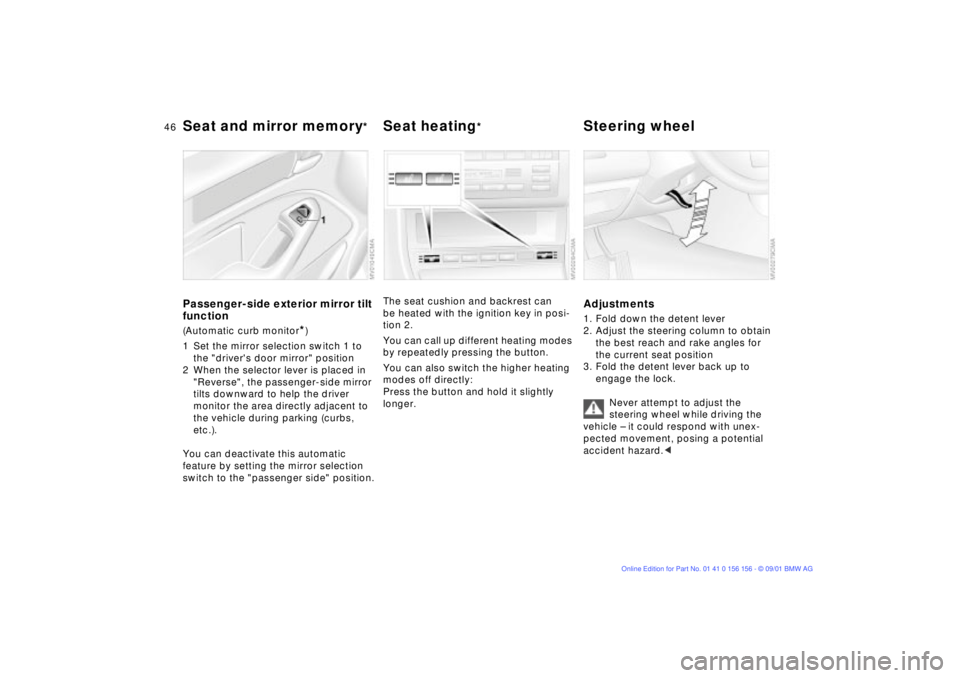
Passenger-side exterior mirror tilt
function(Automatic curb monitor
*)
1 Set the mirror selection switch 1 to
the "driver's door mirror" position
2 When the selector lever is placed in
"Reverse", the passenger-side mirror
tilts downward to help the driver
monitor the area directly adjacent to
the vehicle during parking (curbs,
etc.).
You can deactivate this automatic
feature by setting the mirror selection
switch to the "passenger side" position.
The seat cushion and backrest can
be heated with the ignition key in posi-
tion 2.
You can call up different heating modes
by repeatedly pressing the button.
You can also switch the higher heating
modes off directly:
Press the button and hold it slightly
longer.
Adjustments1. Fold down the detent lever
2. Adjust the steering column to obtain
the best reach and rake angles for
the current seat position
3. Fold the detent lever back up to
engage the lock.
Never attempt to adjust the
steering wheel while driving the
vehicle Ð it could respond with unex-
pected movement, posing a potential
accident hazard.<