Page 58 of 155
58n
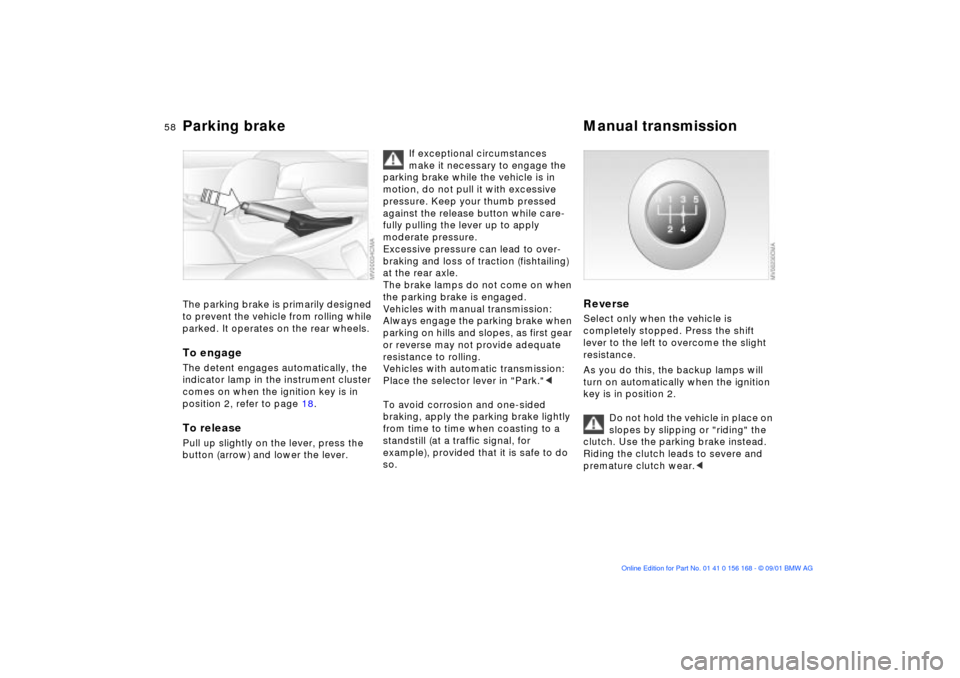
Parking brake Manual transmission The parking brake is primarily designed
to prevent the vehicle from rolling while
parked. It operates on the rear wheels.To engageThe detent engages automatically, the
indicator lamp in the instrument cluster
comes on when the ignition key is in
position 2, refer to page 18.To releasePull up slightly on the lever, press the
button (arrow) and lower the lever.
If exceptional circumstances
make it necessary to engage the
parking brake while the vehicle is in
motion, do not pull it with excessive
pressure. Keep your thumb pressed
against the release button while care-
fully pulling the lever up to apply
moderate pressure.
Excessive pressure can lead to over-
braking and loss of traction (fishtailing)
at the rear axle.
The brake lamps do not come on when
the parking brake is engaged.
Vehicles with manual transmission:
Always engage the parking brake when
parking on hills and slopes, as first gear
or reverse may not provide adequate
resistance to rolling.
Vehicles with automatic transmission:
Place the selector lever in "Park."<
To avoid corrosion and one-sided
braking, apply the parking brake lightly
from time to time when coasting to a
standstill (at a traffic signal, for
example), provided that it is safe to do
so.
Reverse Select only when the vehicle is
completely stopped. Press the shift
lever to the left to overcome the slight
resistance.
As you do this, the backup lamps will
turn on automatically when the ignition
key is in position 2.
Do not hold the vehicle in place on
slopes by slipping or "riding" the
clutch. Use the parking brake instead.
Riding the clutch leads to severe and
premature clutch wear.<
Page 62 of 155

62n
Washer/Wiper system 0 Wipers retracted
1 Intermittent mode or rain sensor
2 Normal wipe
3 Fast wipe
4 Brief wipe
5 Rotary dial for control of the wipe
interval or the sensitivity of the rain
sensorIntermittent mode(not on vehicles with rain sensor)
You can select any of four sweep inter-
vals with rotary dial 5.
In addition, the wipe interval varies
automatically depending on road
speed.
Rain sensor
*
The rain sensor is positioned on the
windshield, directly ahead of the inte-
rior rearview mirror.
To activate the rain sensor:
>With the ignition key in position 1
or 2, move the lever to position 1.
The wipers will make at least one
sweep across the windshield.
You can leave the lever in position 1 at
all times. With the ignition key in posi-
tion 1 or 2, all you then need to do to
activate the rain sensor is
>briefly turn the rotary dial 5, or
>clean the windshield 1, refer to
page 63.To adjust the sensitivity of the rain
sensor:
Turn rotary dial 5.
To switch off the rain sensor:
Return lever to position 0.
Turn the rain sensor off in auto-
matic car washes. Failure to do so
could result in damage caused by
undesired wiper activation.<
Normal wiper speedWhen the vehicle is stationary, the
wipers switch automatically to intermit-
tent wipe (not on vehicles with rain
sensor).Fast wiper speedWhen the vehicle is stationary, the
wipers revert to operate at normal
speed (not on vehicles with rain
sensor).
Page 63 of 155
63n
OverviewControlsMaintenanceRepairsDataIndex
Washer/Wiper system0 Wipers retracted
1 Clean the windshieldCleaning windshield
Do not use the washers if there is
any danger that the fluid will
freeze on the windshield, as your vision
could be obscured. Always use a wind-
shield washer antifreeze in cold
weather. Refer to page 114.
Do not use the washers when the reser-
voir is empty as this could cause
damage to the washer pump.<
The system sprays washer fluid against
the windshield and activates the wipers
for a brief period.
Cleaning headlamps
*
When the vehicle's lighting system is
switched on, the headlamps will also be
cleaned every fifth time the automatic
windshield washer is activated.Windshield washer nozzlesThe windshield washer nozzles are
heated automatically
* when the ignition
key is in position 2.
Page 64 of 155

64n
Cruise control
*
You can store and automatically main-
tain any desired vehicle speed above
approx. 20 mph (30 km/h).
The cruise control is available whenever
the engine is running and the system
has been activated.
To activate the systemIn ignition key position 2:
Press the button and the indicator lamp
on the instrument cluster will come on,
refer to page 20. You can now use the
cruise control.
Do not use cruise control on
twisting roads, when high traffic
density prevents driving at a constant
speed, or when the road surface is slick
(snow, rain, ice) or loose (rocks or
gravel, sand).
the indicator lamp in the instrument
cluster goes out.
Cruise control is also deactivated when
the ignition key is in position 0.
The speed stored in memory is deleted.
To store and maintain speed
or to acceleratePress button (+) briefly:
The system registers and maintains the
current vehicle speed. Every time you
tap the button, the speed increases by
approx. 0.6 mph (1 km/h).
Press and hold button (+):
The vehicle accelerates without pres-
sure on the accelerator pedal. When
you release the button, the system
registers and maintains the current
speed.
If, on a downhill gradient, the
engine braking effect is not suffi-
cient, the preset speed can be
exceeded. Speed can drop on uphill
grades if the engine output is insuffi-
cient.<
Page 65 of 155

65n
OverviewControlsMaintenanceRepairsDataIndex
Cruise control
*
To deceleratePress button (Ð) briefly:
If you are already driving with active
cruise control, the speed is decreased
by approx. 0.6 mph (1 km/h) every time
you tap the button.
Press and hold button (Ð):
With the cruise control active, the
system automatically reduces the
throttle opening to slow the vehicle.
When you release the button, the
system registers and maintains the
current speed.
To cancel the cruise controlWhen the system is activated, press the
button. The indicator lamp stays on.
You can use the cruise control again
whenever you want by calling up the
speed that was stored last.
In addition, cruise control is canceled
automatically:
>When the brakes are applied
>When you apply pressure to the
clutch pedal, or when you move the
automatic transmission selector lever
from D to N
>If you exceed or fall below the
programmed speed for an extended
period (by depressing the acceler-
ator, for example).
Recall the stored speedPress button:
The vehicle accelerates to and main-
tains the last speed stored.
Page 68 of 155

68n
Check Control ClockWhen you turn the ignition key to posi-
tion 2, any of the following symbols may
appear to call your attention to problem
areas; the symbols remain in the
display panel until the problem is
corrected:
1 Check the low beam and high beam
headlamps, as well as the parking
lamps
2 Door open
3 Luggage compartment lid open
4 Check brake and tail lamps
When you open the driver's door after
completing a journey, an acoustic
warning signal will sound if you have
forgotten to turn off the headlamps.
If you wish to have a permanent time
display, you can make this adjustment
in the radio display (refer to the Radio
Owner's Manual).
You can adjust the clock and the time
display in the car radio as follows.
AdjustmentsWith ignition key in position 1or 2 and
time displayed in the instrument cluster.
To set ahead: turn the button to the
right.
To set back: turn the button to the left.
The adjustment speed will increase the
longer you continue to hold the button.
To change the display mode: press the
button briefly.
Every time you press the button, the
clock display alternates between the
12-hour or 24-hour mode.
In ignition key position 0: the time is
displayed for a few seconds after you
press the left button, refer to Odometer
on page 66.
Page 69 of 155
69n
OverviewControlsMaintenanceRepairsDataIndex
Computer
*
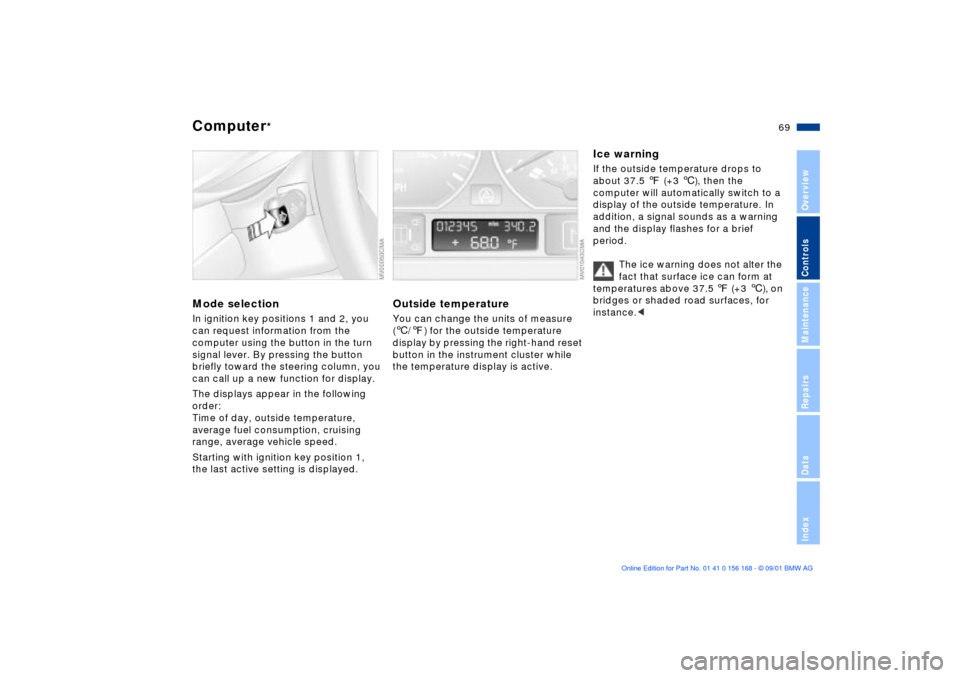
Mode selectionIn ignition key positions 1 and 2, you
can request information from the
computer using the button in the turn
signal lever. By pressing the button
briefly toward the steering column, you
can call up a new function for display.
The displays appear in the following
order:
Time of day, outside temperature,
average fuel consumption, cruising
range, average vehicle speed.
Starting with ignition key position 1,
the last active setting is displayed.
Outside temperatureYou can change the units of measure
(6/7) for the outside temperature
display by pressing the right-hand reset
button in the instrument cluster while
the temperature display is active.
Ice warningIf the outside temperature drops to
about 37.5 7 (+3 6), then the
computer will automatically switch to a
display of the outside temperature. In
addition, a signal sounds as a warning
and the display flashes for a brief
period.
The ice warning does not alter the
fact that surface ice can form at
temperatures above 37.5 7 (+3 6), on
bridges or shaded road surfaces, for
instance.<
Page 70 of 155
70n
Computer
*
Average fuel consumptionIf you continue to hold the button on the
turn signal lever, the average fuel
consumption last displayed is recalcu-
lated from that point in time.
RangeThe computer bases its calculations for
the cruising range on the operating
conditions in the preceding period and
on the remaining fuel in the tank.
Average speedIf you continue to hold the button, the
average speed last displayed is recal-
culated from that point in time.
Any time spent when the vehicle is
stationary and the engine is shut off is
ignored for the calculation.

