Page 80 of 155
80n
Flat Tire Monitor
*
The conceptAs you drive, the Flat Tire Monitor
keeps track of pressure levels in all four
tires in order to detect and warn of any
substantial pressure loss.
The system actually detects pressure
loss by monitoring differences in the
relative speeds of the four wheels. It
interprets variations outside specified
limits as severe pressure loss, and then
responds by generating a warning.
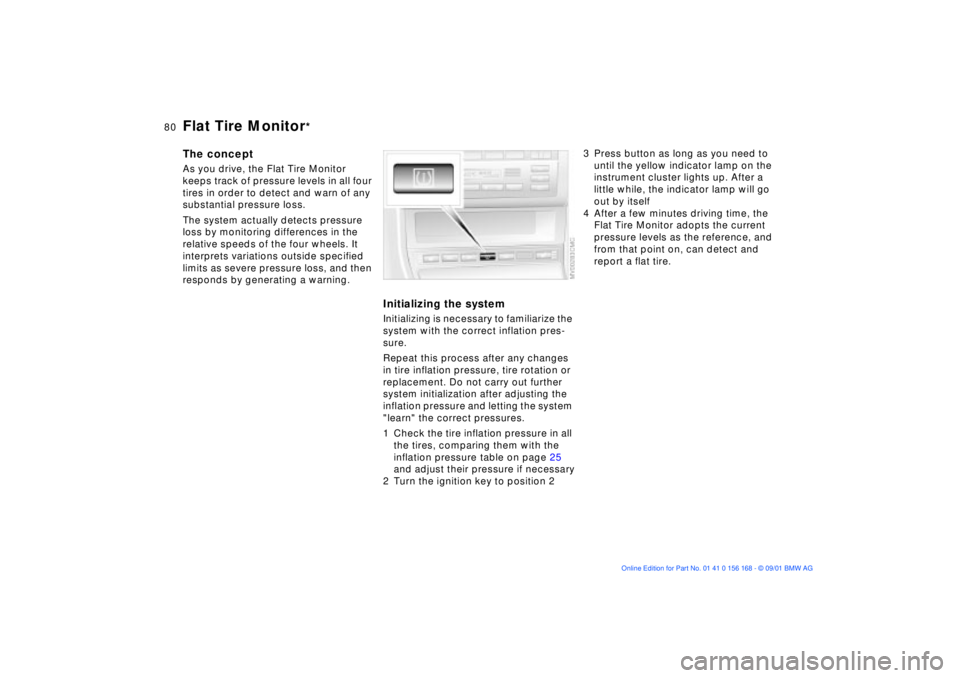
Initializing the systemInitializing is necessary to familiarize the
system with the correct inflation pres-
sure.
Repeat this process after any changes
in tire inflation pressure, tire rotation or
replacement. Do not carry out further
system initialization after adjusting the
inflation pressure and letting the system
"learn" the correct pressures.
1 Check the tire inflation pressure in all
the tires, comparing them with the
inflation pressure table on page 25
and adjust their pressure if necessary
2 Turn the ignition key to position 2
3 Press button as long as you need to
until the yellow indicator lamp on the
instrument cluster lights up. After a
little while, the indicator lamp will go
out by itself
4 After a few minutes driving time, the
Flat Tire Monitor adopts the current
pressure levels as the reference, and
from that point on, can detect and
report a flat tire.
Page 95 of 155
95n
OverviewControlsMaintenanceRepairsDataIndex
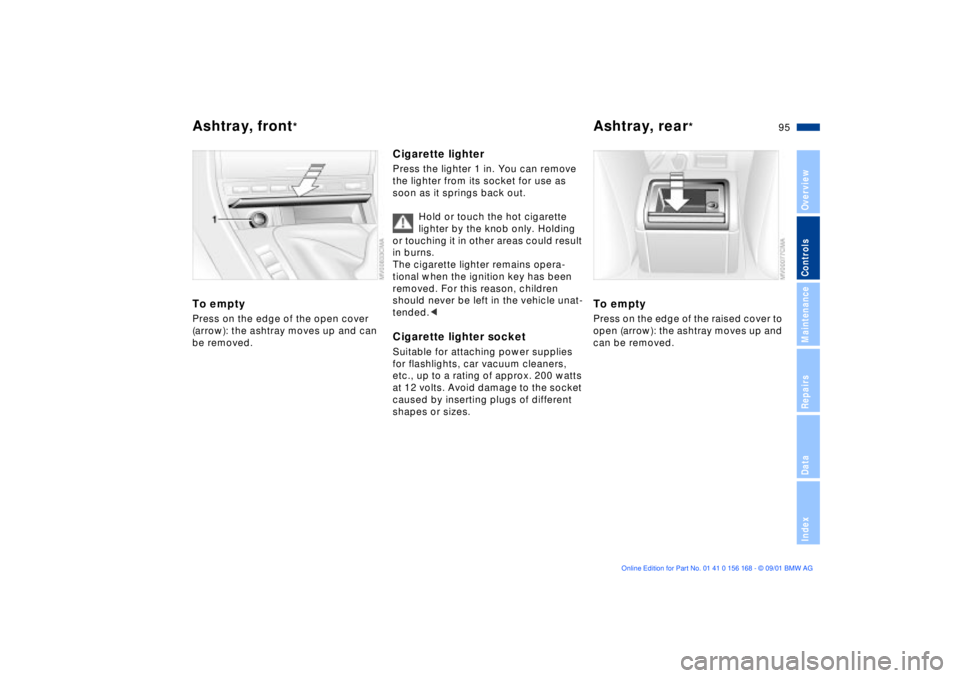
Ashtray, front
*
Ashtray, rear
*
To emptyPress on the edge of the open cover
(arrow): the ashtray moves up and can
be removed.
Cigarette lighterPress the lighter 1 in. You can remove
the lighter from its socket for use as
soon as it springs back out.
Hold or touch the hot cigarette
lighter by the knob only. Holding
or touching it in other areas could result
in burns.
The cigarette lighter remains opera-
tional when the ignition key has been
removed. For this reason, children
should never be left in the vehicle unat-
tended.
for flashlights, car vacuum cleaners,
etc., up to a rating of approx. 200 watts
at 12 volts. Avoid damage to the socket
caused by inserting plugs of different
shapes or sizes.
To emptyPress on the edge of the raised cover to
open (arrow): the ashtray moves up and
can be removed.
Page 147 of 155

Everything from A to Z
147n
OverviewControlsMaintenanceRepairsDataIndex
C
California Proposition
65 Warning120
Capacities143
Car care, refer to the "Caring
for your vehicle" manual
Car key28
Car phone94
refer also to the separate
"Owner's Manual"
Car wash systems, refer to
the "Caring for your
vehicle" manual
Care of upholstery materials,
refer to the "Caring for your
vehicle" manual
Cargo loading99
Cassette operation, refer to
the "Radio Owner's
Manual"
CBC (Cornering Brake
Control)18, 73
CD operation, refer to the
"Radio Owner's Manual"
Cellular phone94
refer also to the separate
"Owner's Manual"94 Center (high-mount) brake
lamp128
Center armrest92
Central locking system28
button32
Changing a wheel/tire129
Check Control68
Checking coolant level117
Checking engine oil
level115
Child-restraint systems52
Clean the headlamps63
Cleaning windshield63
Clock68
refer to the "Radio Owner's
Manual"
Cockpit14
Coin box93
Compartments92
Compression ratio140
Computer69
refer also to the "Onboard
Computer Owner's
Manual"69
Configuring individual
settings via Vehicle and
Key Memory55 Consumption70
display67
Convenience operation via
the door lock
sliding/tilt sunroof31
windows31
Coolant117
add117
capacity143
checking level117
Coolant temperature
gauge67
Cooling system including
heater circuit,
capacity143
Copyright4
Cornering Brake Control
(CBC)18, 73
Correct sitting posture41
Cover, sun blinds91
Cruise control64
Cruising range70
Cup holder, refer to
beverage holder93
Curb monitor47
Curb weight142
Current check indicator17
D
Data
dimensions141
engine140
weights142
Daytime driving lamps82
DBC (Dynamic Brake
Control)73, 74
Deep water105
Defrost windows and
remove
condensation87, 89
Defroster, rear
window86, 90
Digital clock68
Dimensions141
Dipstick, engine oil115
Displacement140
Display lighting83
Displays15
Distance warning71
Divided rear-seat
backrest96
Door key28