Page 351 of 474
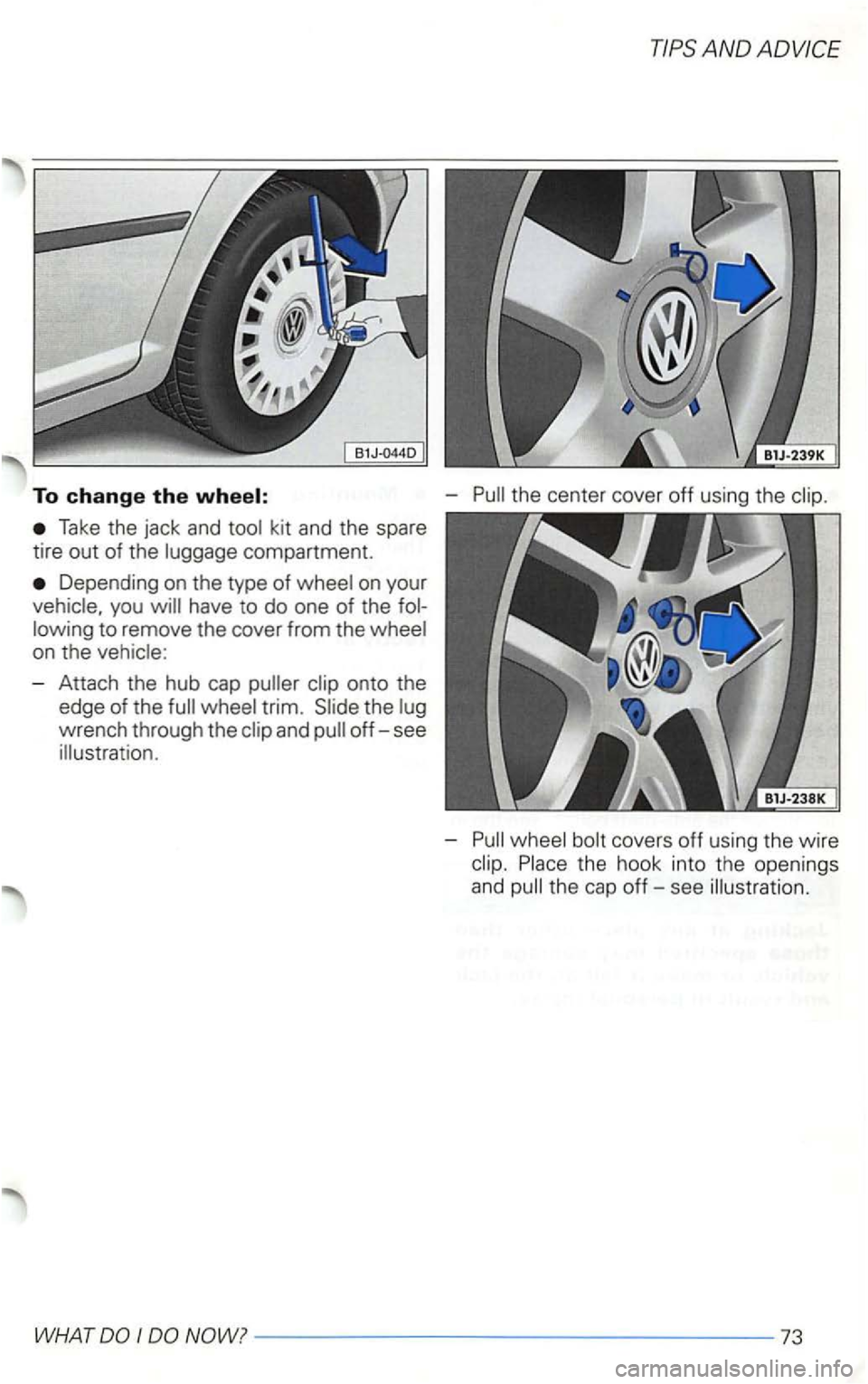
To change the
Take the jack and kit and the spare
tire
out of the compartment.
Depending on the type of on your
have to do one of the
- Attach the hub cap
wrench through the
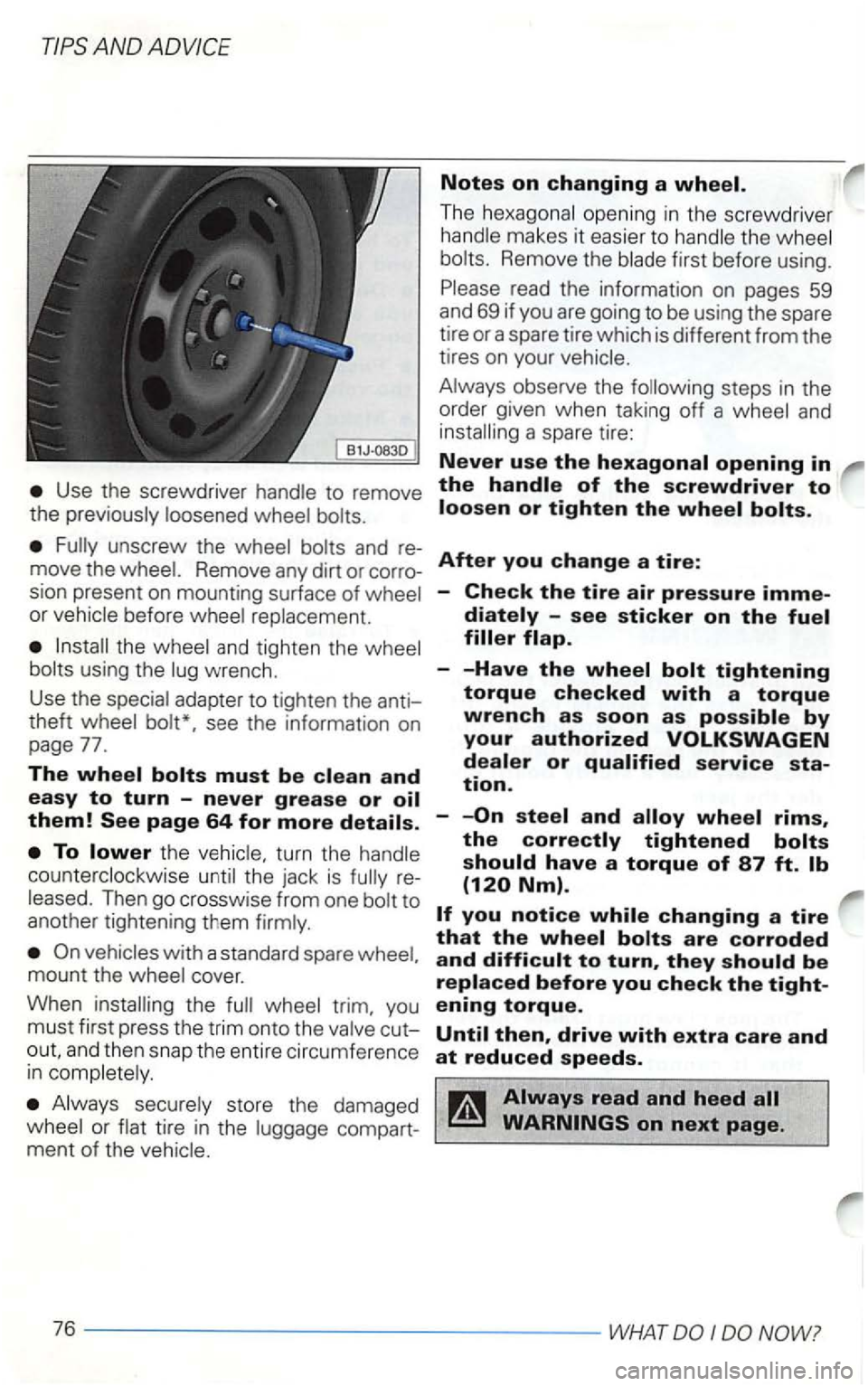
-
-
-----------------73
Page 354 of 474
Notes on changing a
The opening in t he screwdrive r
makes it easier to Remove the first before using.
read the information on pages 59
and 69 if you are going to be using the spare
tire or a spare tire which is different from the
tires on your
steps in the
order given when taking off a
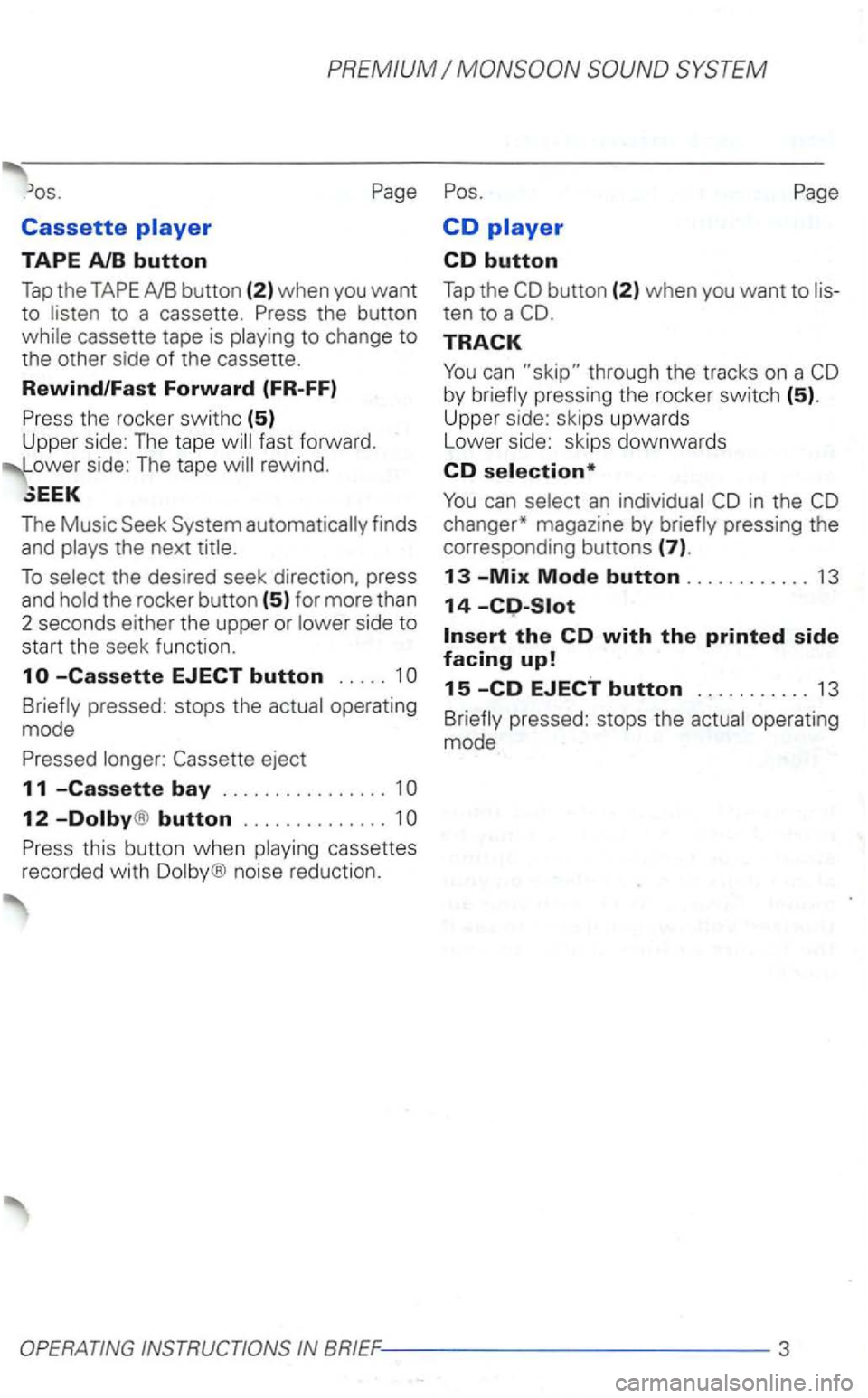
Use the screwdriver to remove the
move the Remove any dirt or corro
sion present on mounting surface of
or before
and tighten the
see the information on
page 77.
The
th e
Then go crosswise from one
and then snap th e ent ire circumference in
store the damaged tire in the compartment of the
After you change a tire:
-Check the tire air pressure
are corroded and
NOW?
Page 395 of 474
PREMIUM
TAPE AlB button
Tap the TAPE
to change to the other side of the cassette.
Rewind/Fast Forward (FR-FF)
Press the rocker swithc
(5) Upper side: The tape
The Music Seek System automatically finds and
pressed: stops the
12 -Dolby® button .............. 1
Press this button when noise reduction.
CD
CD button
Tap the
TRACK
pressing the rocker switch (5).
Upper side: skips upwards
Lower side: skips downwards
CD selection*
changer* magazine by
pressed: stops the
Page 396 of 474
PREMIUM SYSTEM
im
po rtant informat ion regarding traffic up
dates,
road conditions, weather reports,
etc .
But remember, you
For
set the of your radio
system so tha t yo u can hear from
other d
rivers at any time.
Anti-theft coding
The anti-thef t coding
it can then be
operated again after entering the correct
code -see page 19.
The radio code number and the radio
contents at the beginning of this struction
is very important that you detach this
changer *.
The
compa rtment. by
the radio unit. The magazine
in the MERKER for further tion.
option, or your
authorized can
if this
option is for your
4 - ---------------/IMPORTANT INFORMATION
Page 407 of 474
SYSTEM
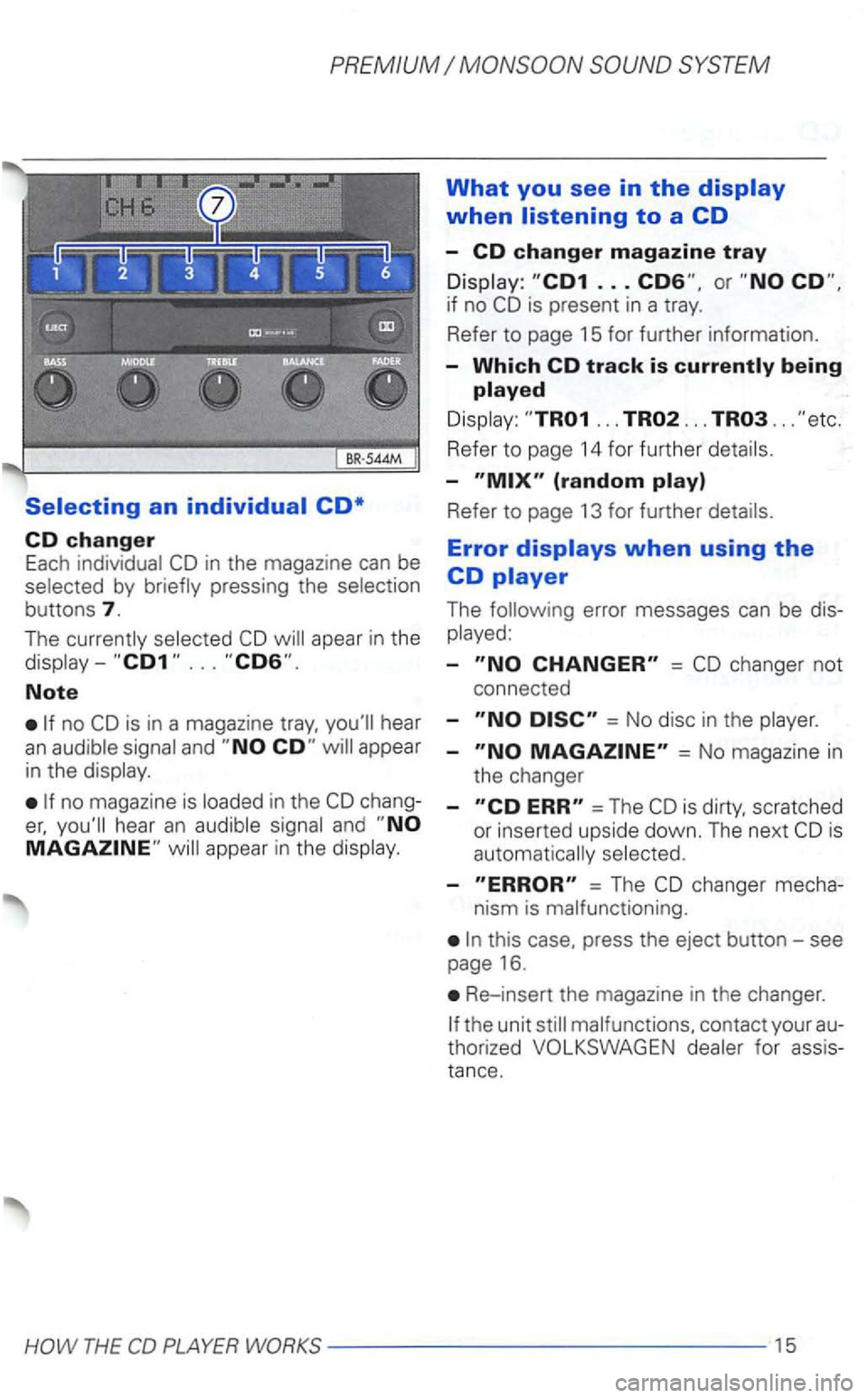
Selecting an individual CD*
CD changer Each in the magazine can be by
buttons 7.
The apear in the
Note
is in a magazine hear an
no magazine is chang
and
What you see in the display
when listening to a CD
-CD changer magazine tray
is present in a tray.
Refer
to page 15 for further information.
-Which CD track is
... ... ...
Refer to page 14 for further
-
Refer to page 13 for further
Error displays when using the
CD player
The
-=
= No disc in the
-= No magazi ne in
the changer
-=The scratched
or inserted upside down. The next
-= The changer mecha-
nism is malfunctioning.
this case, press the eject button-see
page 16.
Re-insert the magazine in the changer.
for assis
tan
ce.
Page 408 of 474
CD changer*
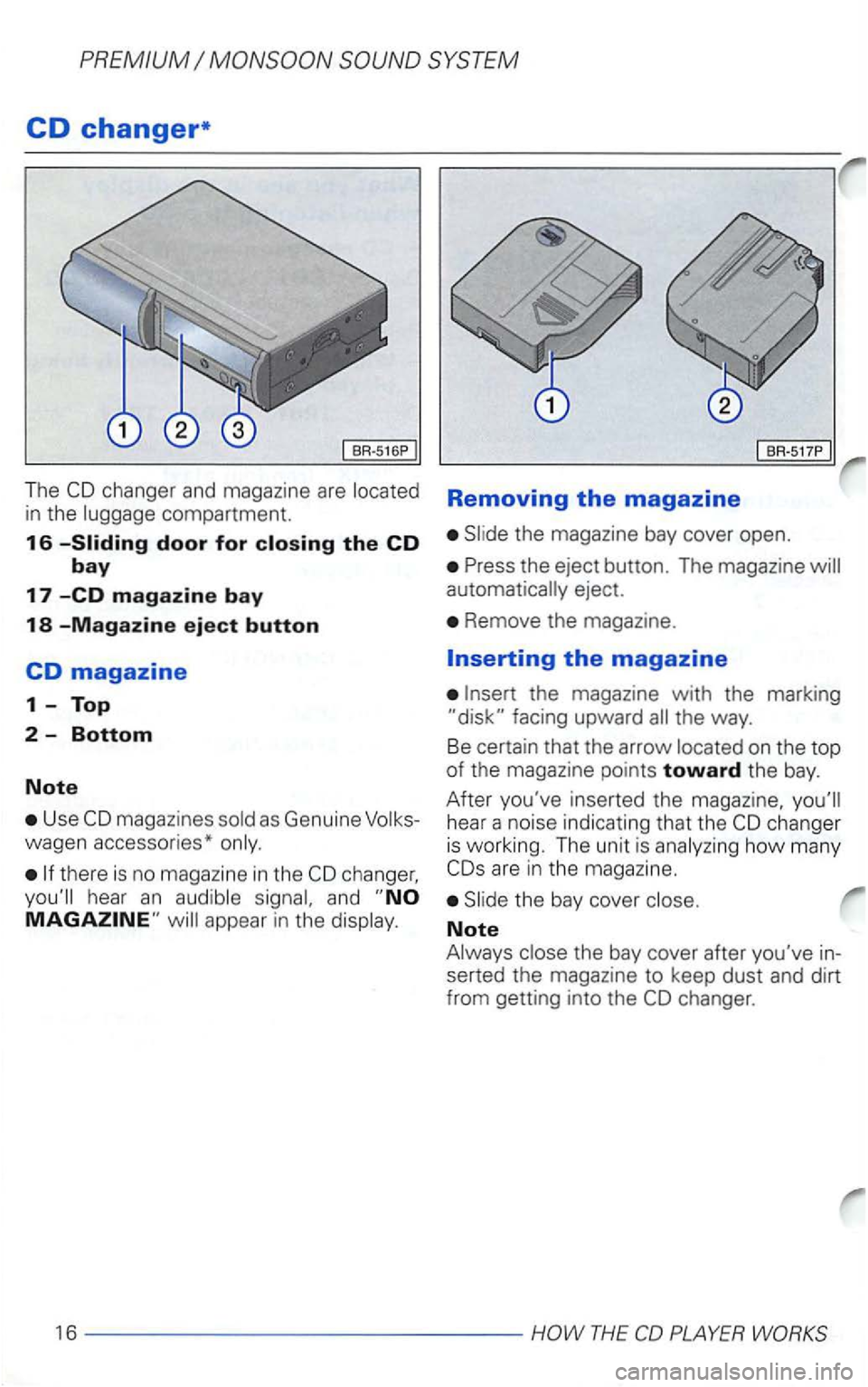
The compartment.
16
Use
there is no magazine in the
and
BR-517P
Removing the magazine
eject.
Remove the magazine.
on the top of the magazine points toward the bay.
After you've inserted
the magazine,
how many
Note
the bay cover after you've in
serted the magazine to keep dust and dirt
from getting into the
Page 409 of 474
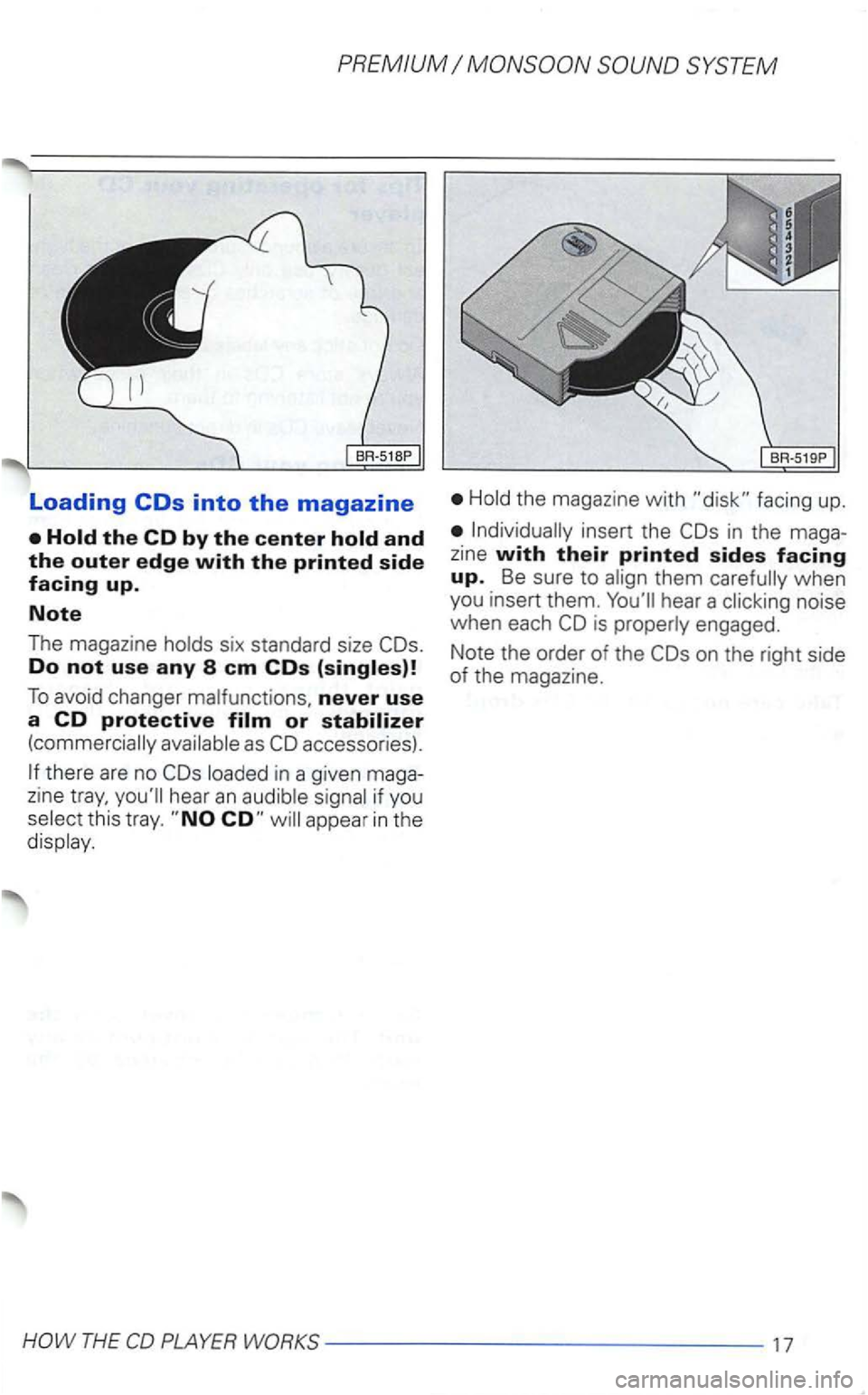
Loading
Do not use any 8 em COs
To avoid changer never use a CD protective
there are no in a given maga
zine hear an
this tray. appear in the
the magazine with facing up.
in the maga
z ine with their printed sides facing up. Be sure to when
you insert them. hear a noise
when each is engaged.
Note the order of the
on the right side of the magazine.
THE
Page 410 of 474
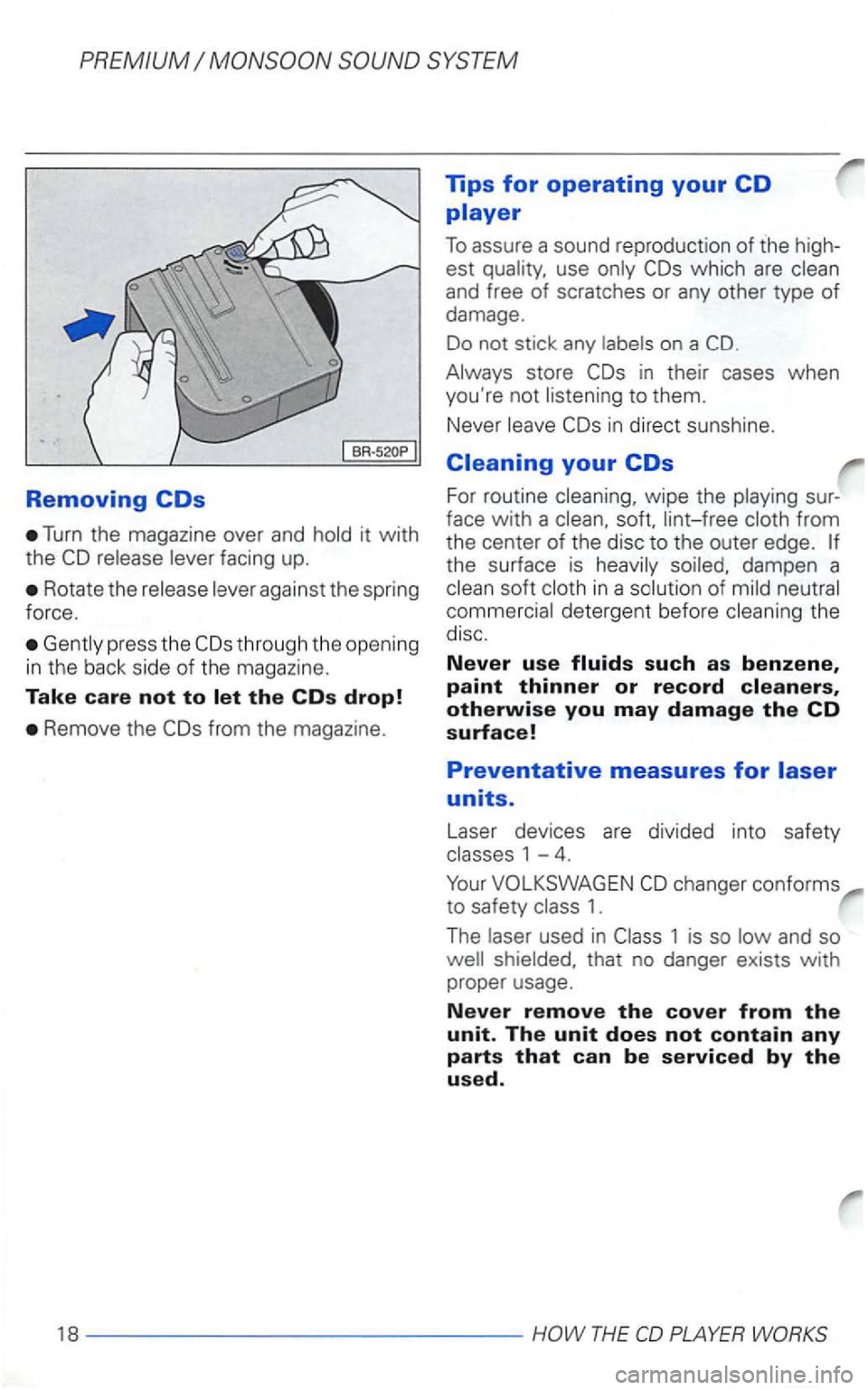
Removing
Turn the magazine over and hold it with
the
Rotate the release lever against the spring
force.
Gent ly press the
Remove the
which are clean
and free of scratches or any other type of damage.
Do not stick any labels on a
Always store
in direct sunshine.
Cleaning your
For routine cleaning, wipe the playing sur
face
with a clean, soft, lint-free cloth from
the center of the disc to the outer edge.
the surface is heavily soiled, dampen a
clean soft cloth in a solution of mild neutral
commercial detergent before cleaning the disc.
Never use
changer conforms
to safety class 1.
The laser used in
THE