Page 365 of 2572
'05 HIGHLANDER_U (L/O 0409)
205
2005 HIGHLANDER from Nov. '04 Prod. (OM48570U)
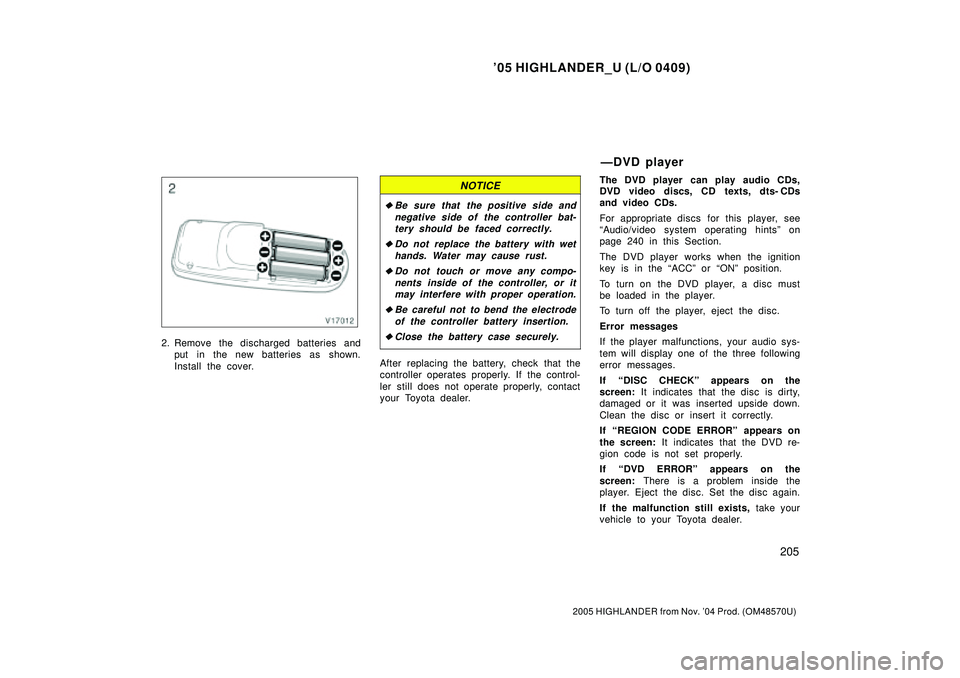
2. Remove the discharged batteries and
put in the new batteries as shown.
Install the cover.
NOTICE
�Be sure that the positive side and
negative side of the controller bat-
tery should be faced correctly.
�Do not replace the battery with wet
hands. Water may cause rust.
�Do not touch or move any compo-
nents inside of the controller, or it
may interfere with proper operation.
�Be careful not to bend the electrode
of the controller battery insertion.
�Close the battery case securely.
After replacing the battery, check that the
controller operates properly. If the control-
ler still does not operate properly, contact
your Toyota dealer.The DVD player can play audio CDs,
DVD video discs, CD texts, dts- CDs
and video CDs.
For appropriate discs for this player, see
Audio/video system operating hintsº on
page 240 in this Section.
The DVD player works when the ignition
key is in the ACCº or ONº position.
To turn on the DVD player, a disc must
be loaded in the player.
To turn off the player, eject the disc.
Error messages
If the player malfunctions, your audio sys-
tem will display one of the three following
error messages.
If DISC CHECKº appears on the
screen: It indicates that the disc is dirty,
damaged or it was inserted upside down.
Clean the disc or insert it correctly.
If REGION CODE ERRORº appears on
the screen: It indicates that the DVD re-
gion code is not set properly.
If DVD ERRORº appears on the
screen: There is a problem inside the
player. Eject the disc. Set the disc again.
If the malfunction still exists, take your
vehicle to your Toyota dealer.
ÐDVD player
Page 366 of 2572
'05 HIGHLANDER_U (L/O 0409)
206
2005 HIGHLANDER from Nov. '04 Prod. (OM48570U)
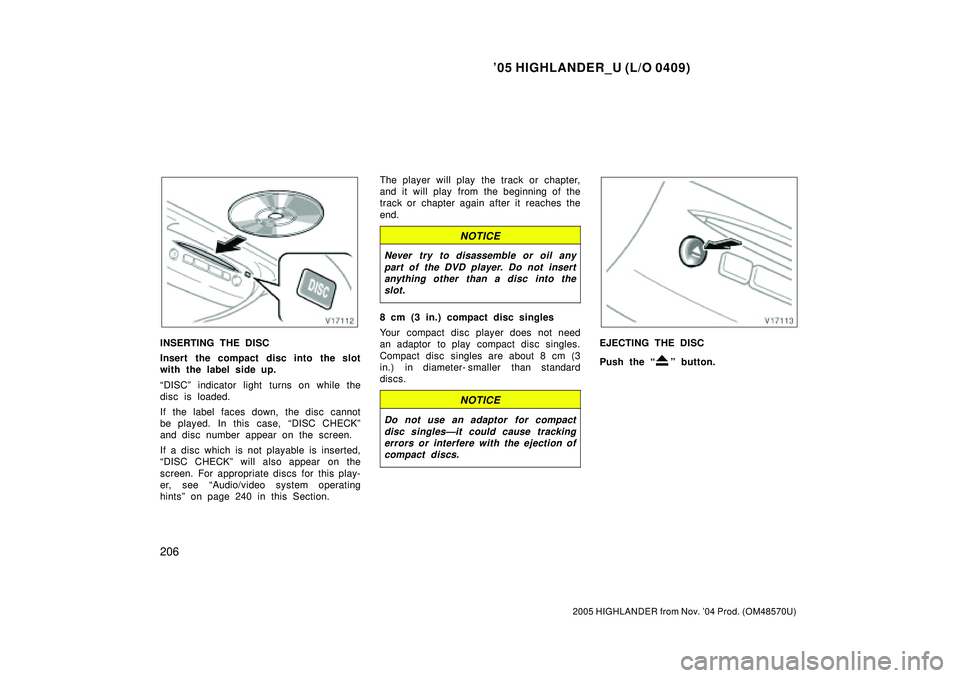
INSERTING THE DISC
Insert the compact disc into the slot
with the label side up.
DISCº indicator light turns on while the
disc is loaded.
If the label faces down, the disc cannot
be played. In this case, DISC CHECKº
and disc number appear on the screen.
If a disc which is not playable is inserted,
DISC CHECKº will also appear on the
screen. For appropriate discs for this play-
er, see Audio/video system operating
hintsº on page 240 in this Section.The player will play the track or chapter,
and it will play from the beginning of the
track or chapter again after it reaches the
end.
NOTICE
Never try to disassemble or oil any
part of the DVD player. Do not insert
anything other than a disc into the
slot.
8 cm (3 in.) compact disc singles
Your compact disc player does not need
an adaptor to play compact disc singles.
Compact disc singles are about 8 cm (3
in.) in diameter- smaller than standard
discs.
NOTICE
Do not use an adaptor for compact
disc singlesÐit could cause tracking
errors or interfere with the ejection of
compact discs.
EJECTING THE DISC
Push the
º button.
Page 368 of 2572
'05 HIGHLANDER_U (L/O 0409)
208
2005 HIGHLANDER from Nov. '04 Prod. (OM48570U)
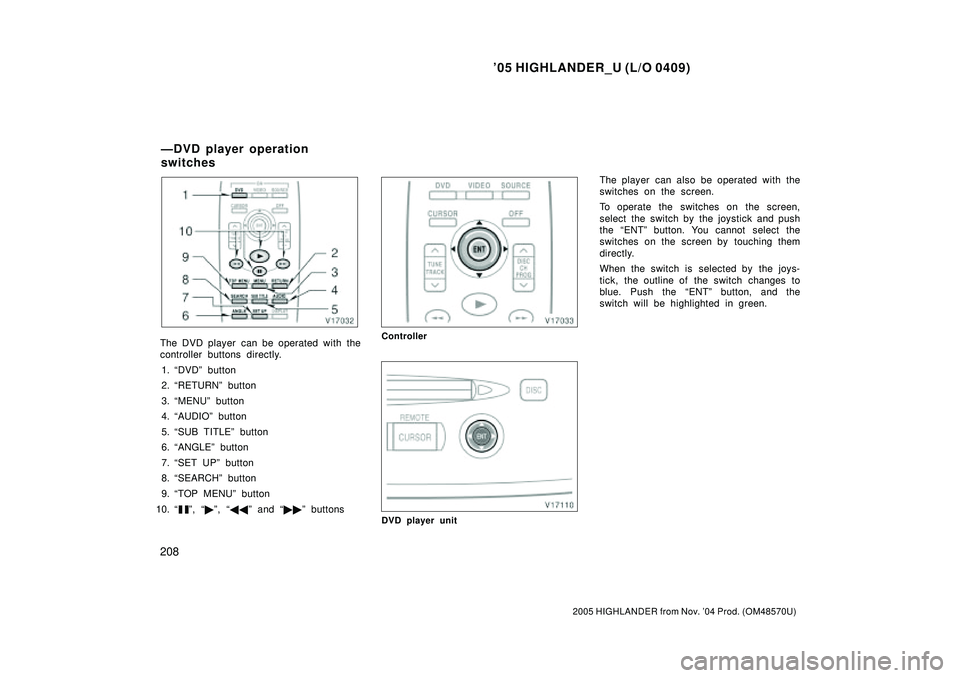
The DVD player can be operated with the
controller buttons directly.
1. DVDº button
2. RETURNº button
3. MENUº button
4. AUDIOº button
5. SUB TITLEº button
6. ANGLEº button
7. SET UPº button
8. SEARCHº button
9. TOP MENUº button
10.
º, �º, ��º and ��º buttons
Controller
DVD player unit
The player can also be operated with the
switches on the screen.
To operate the switches on the screen,
select the switch by the joystick and push
the ENTº button. You cannot select the
switches on the screen by touching them
directly.
When the switch is selected by the joys-
tick, the outline of the switch changes to
blue. Push the ENTº button, and the
switch will be highlighted in green.
ÐDVD player operation
switches
Page 370 of 2572
'05 HIGHLANDER_U (L/O 0409)
210
2005 HIGHLANDER from Nov. '04 Prod. (OM48570U)
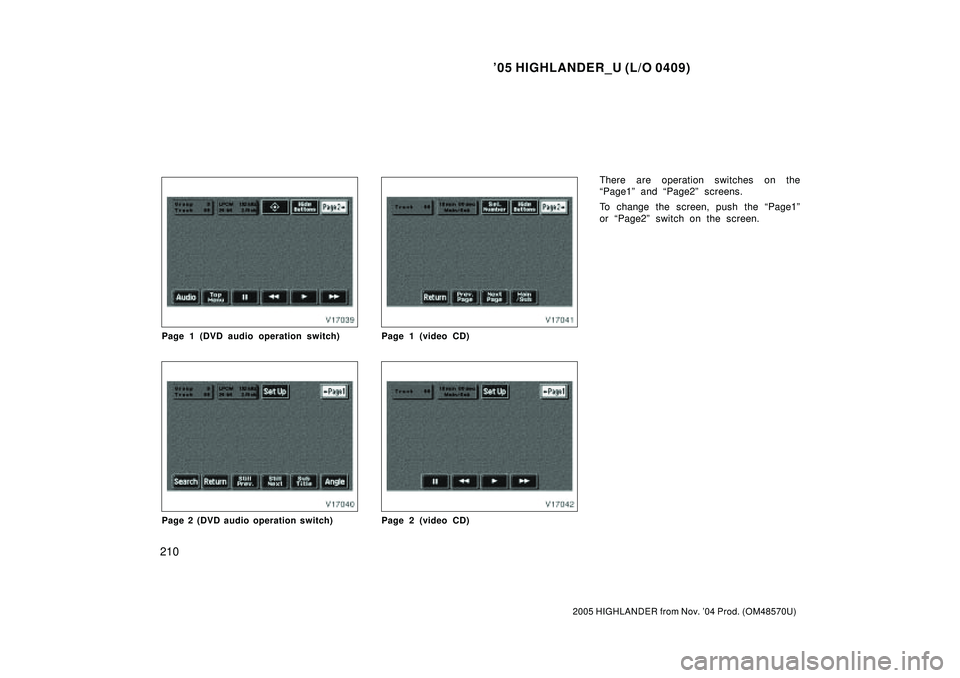
Page 1 (DVD audio operation switch)
Page 2 (DVD audio operation switch)
Page 1 (video CD)
Page 2 (video CD)
There are operation switches on the
Page1º and Page2º screens.
To change the screen, push the Page1º
or Page2º switch on the screen.
Page 372 of 2572
'05 HIGHLANDER_U (L/O 0409)
212
2005 HIGHLANDER from Nov. '04 Prod. (OM48570U)
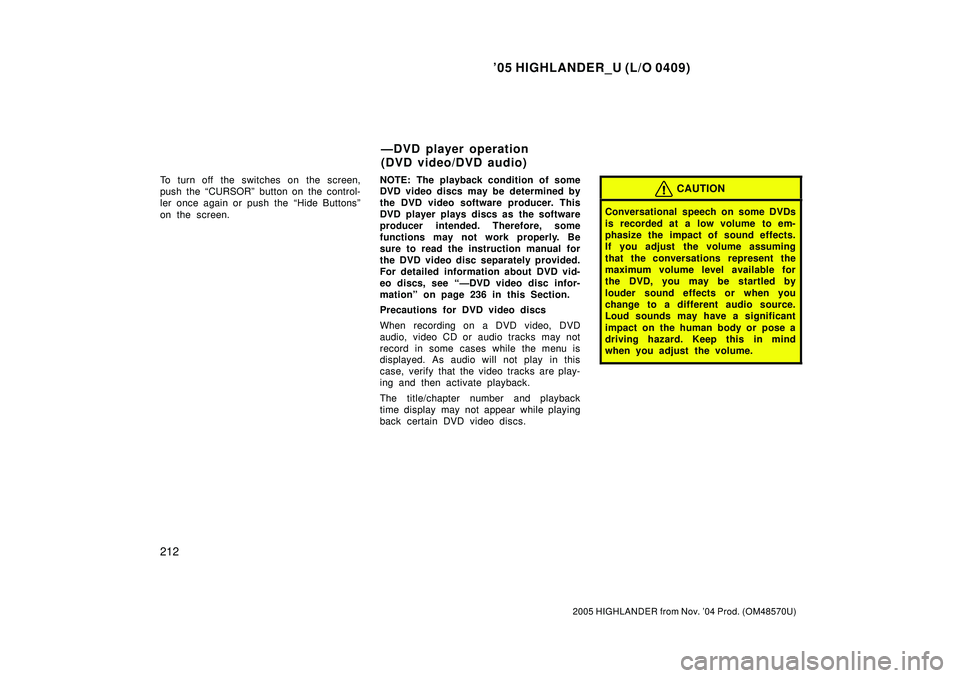
To turn off the switches on the screen,
push the CURSORº button on the control-
ler once again or push the Hide Buttonsº
on the screen.NOTE: The playback condition of some
DVD video discs may be determined by
the DVD video software producer. This
DVD player plays discs as the software
producer intended. Therefore, some
functions may not work properly. Be
sure to read the instruction manual for
the DVD video disc separately provided.
For detailed information about DVD vid-
eo discs, see ÐDVD video disc infor-
mationº on page 236 in this Section.
Precautions for DVD video discs
When recording on a DVD video, DVD
audio, video CD or audio tracks may not
record in some cases while the menu is
displayed. As audio will not play in this
case, verify that the video tracks are play-
ing and then activate playback.
The title/chapter number and playback
time display may not appear while playing
back certain DVD video discs.CAUTION
Conversational speech on some DVDs
is recorded at a low volume to em-
phasize the impact of sound effects.
If you adjust the volume assuming
that the conversations represent the
maximum volume level available for
the DVD, you may be startled by
louder sound effects or when you
change to a different audio source.
Loud sounds may have a significant
impact on the human body or pose a
driving hazard. Keep this in mind
when you adjust the volume.
ÐDVD player operation
(DVD video/DVD audio)
Page 373 of 2572
'05 HIGHLANDER_U (L/O 0409)
213
2005 HIGHLANDER from Nov. '04 Prod. (OM48570U)
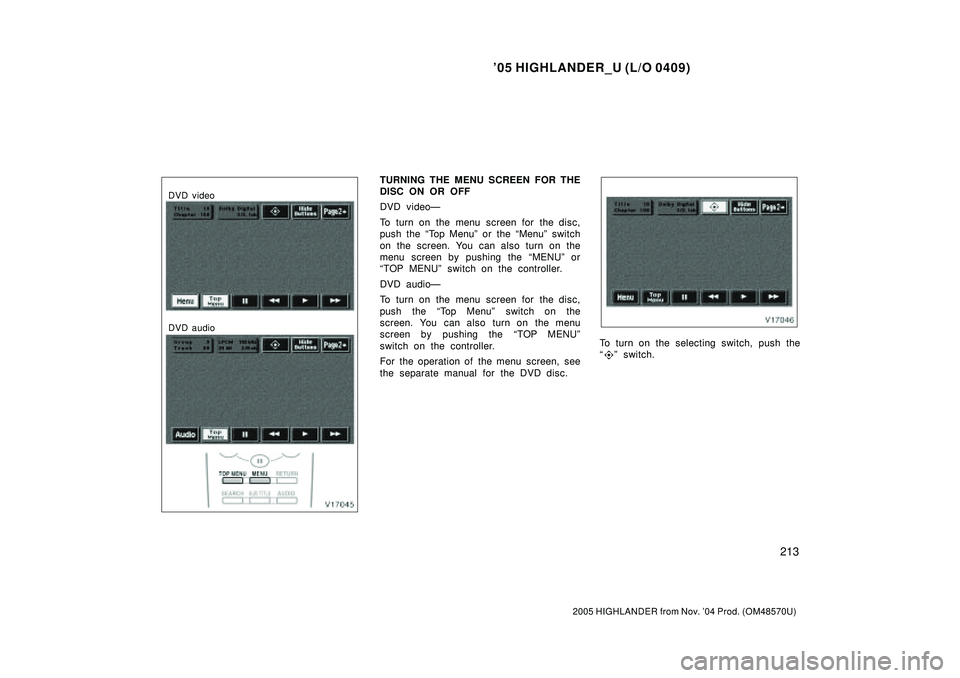
DVD video
DVD audio
TURNING THE MENU SCREEN FOR THE
DISC ON OR OFF
DVD videoÐ
To turn on the menu screen for the disc,
push the Top Menuº or the Menuº switch
on the screen. You can also turn on the
menu screen by pushing the MENUº or
TOP MENUº switch on the controller.
DVD audioÐ
To turn on the menu screen for the disc,
push the Top Menuº switch on the
screen. You can also turn on the menu
screen by pushing the TOP MENUº
switch on the controller.
For the operation of the menu screen, see
the separate manual for the DVD disc.
To turn on the selecting switch, push the
º switch.
Page 374 of 2572
'05 HIGHLANDER_U (L/O 0409)
214
2005 HIGHLANDER from Nov. '04 Prod. (OM48570U)
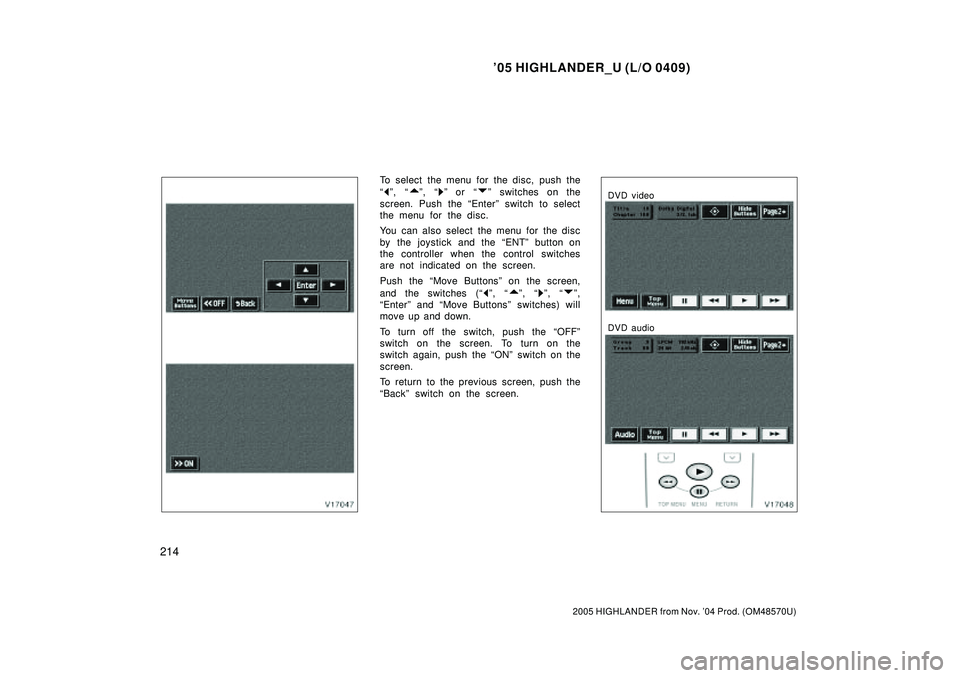
To select the menu for the disc, push the
º, º, º or º switches on the
screen. Push the Enterº switch to select
the menu for the disc.
You can also select the menu for the disc
by the joystick and the ENTº button on
the controller when the control switches
are not indicated on the screen.
Push the Move Buttonsº on the screen,
and the switches (
º, º, º, º,
Enterº and Move Buttonsº switches) will
move up and down.
To turn off the switch, push the OFFº
switch on the screen. To turn on the
switch again, push the ONº switch on the
screen.
To return to the previous screen, push the
Backº switch on the screen.
DVD video
DVD audio
Page 375 of 2572
'05 HIGHLANDER_U (L/O 0409)
215
2005 HIGHLANDER from Nov. '04 Prod. (OM48570U)
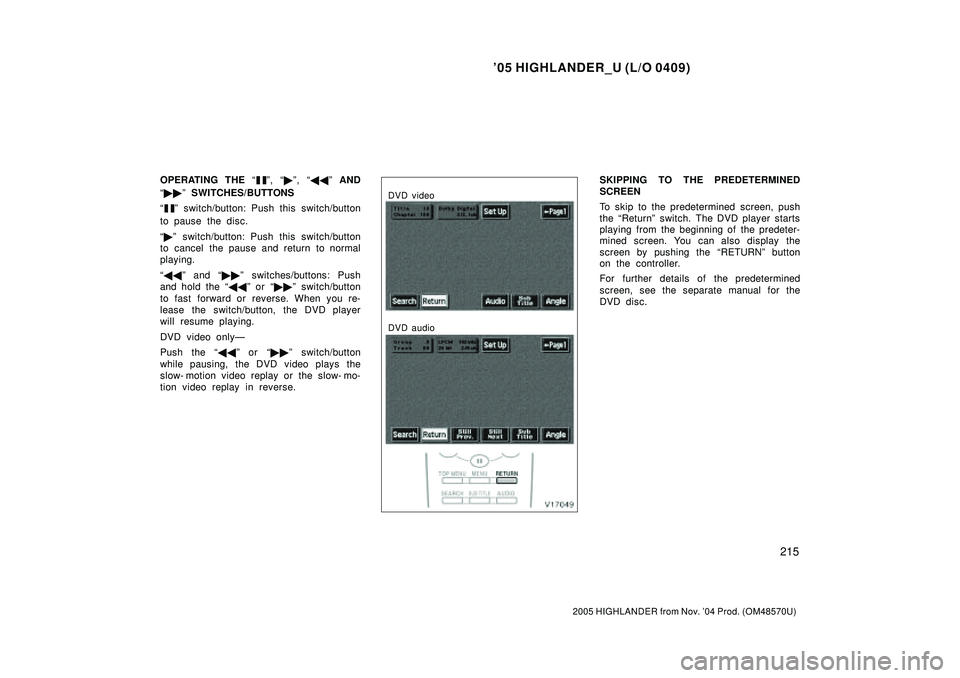
OPERATING THE º, �º, ��º AND
��º SWITCHES/BUTTONS
º switch/button: Push this switch/button
to pause the disc.
�º switch/button: Push this switch/button
to cancel the pause and return to normal
playing.
��º and ��º switches/buttons: Push
and hold the ��º or ��º switch/button
to fast forward or reverse. When you re-
lease the switch/button, the DVD player
will resume playing.
DVD video onlyÐ
Push the ��º or ��º switch/button
while pausing, the DVD video plays the
slow- motion video replay or the slow- mo-
tion video replay in reverse.
DVD video
DVD audio
SKIPPING TO THE PREDETERMINED
SCREEN
To skip to the predetermined screen, push
the Returnº switch. The DVD player starts
playing from the beginning of the predeter-
mined screen. You can also display the
screen by pushing the RETURNº button
on the controller.
For further details of the predetermined
screen, see the separate manual for the
DVD disc.