Page 114 of 240
’01MY CELICA U (L/O 0008)
11 02001 CELICA (20766U)
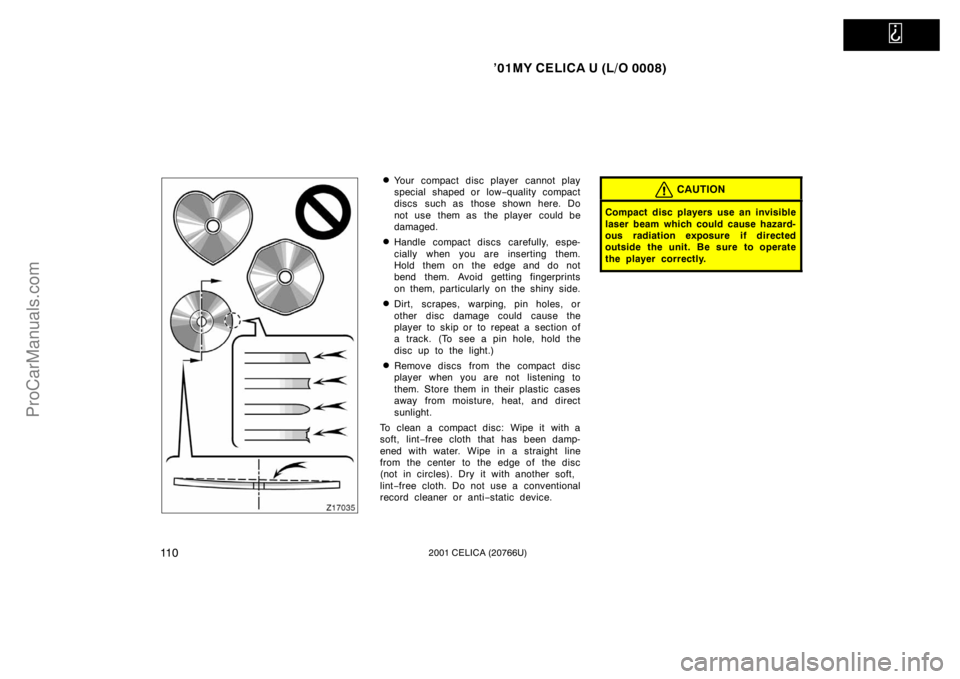
�Your compact disc player cannot play
special shaped or low−quality compact
discs such as those shown here. Do
not use them as the player could be
damaged.
�Handle compact discs carefully, espe-
cially when you are inserting them.
Hold them on the edge and do not
bend them. Avoid getting fingerprints
on them, particularly on the shiny side.
�Dirt, scrapes, warping, pin holes, or
other disc damage could cause the
player to skip or to repeat a section of
a track. (To see a pin hole, hold the
disc up to the light.)
�Remove discs from the compact disc
player when you are not listening to
them. Store them in their plastic cases
away from moisture, heat, and direct
sunlight.
To clean a compact disc: Wipe it with a
soft, lint −free cloth that has been damp-
ened with water. Wipe in a straight line
from the center to the edge of the disc
(not in circles). Dry it with another soft,
lint −free cloth. Do not use a conventional
record cleaner or anti −static device.
CAUTION
Compact disc players use an invisible
laser beam which could cause hazard-
ous radiation exposure if directed
outside the unit. Be sure to operate
the player correctly.
ProCarManuals.com
Page 118 of 240
’01MY CELICA U (L/O 0008)
11 42001 CELICA (20766U)
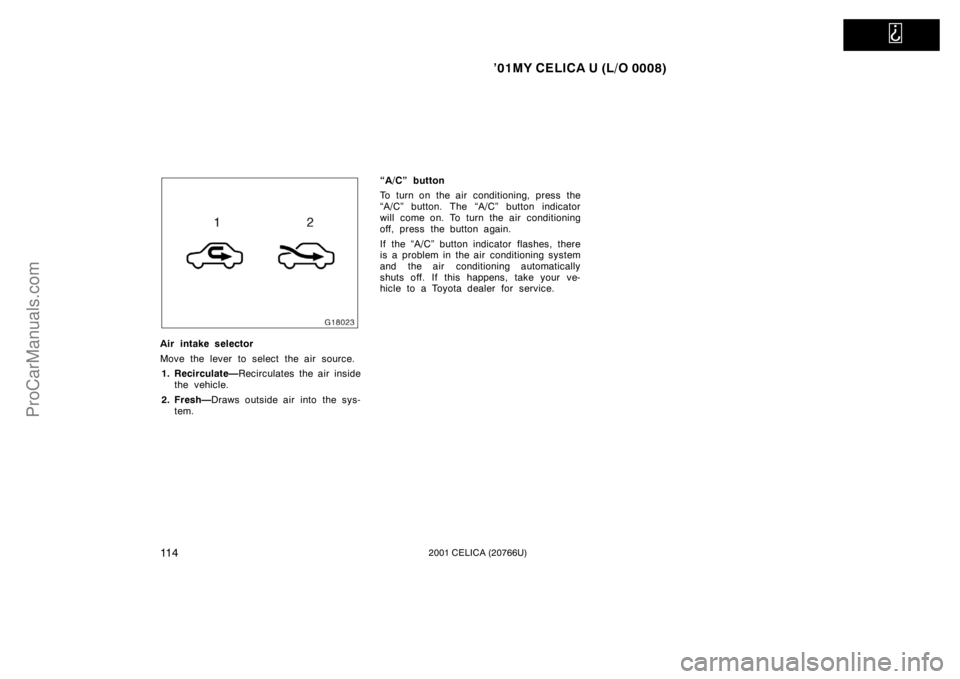
Air intake selector
Move the lever to select the air source.1. Recirculate— Recirculates the air inside
the vehicle.
2. Fresh— Draws outside air into the sys-
tem. “A/C” button
To turn on the air conditioning, press the
“A/C” button. The “A/C” button indicator
will come on. To turn the air conditioning
off, press the button again.
If the “A/C” button indicator flashes, there
is a problem in the air conditioning system
and the air conditioning automatically
shuts off. If this happens, take your ve-
hicle to a Toyota dealer for service.
ProCarManuals.com
Page 119 of 240
’01MY CELICA U (L/O 0008)
11 52001 CELICA (20766U)
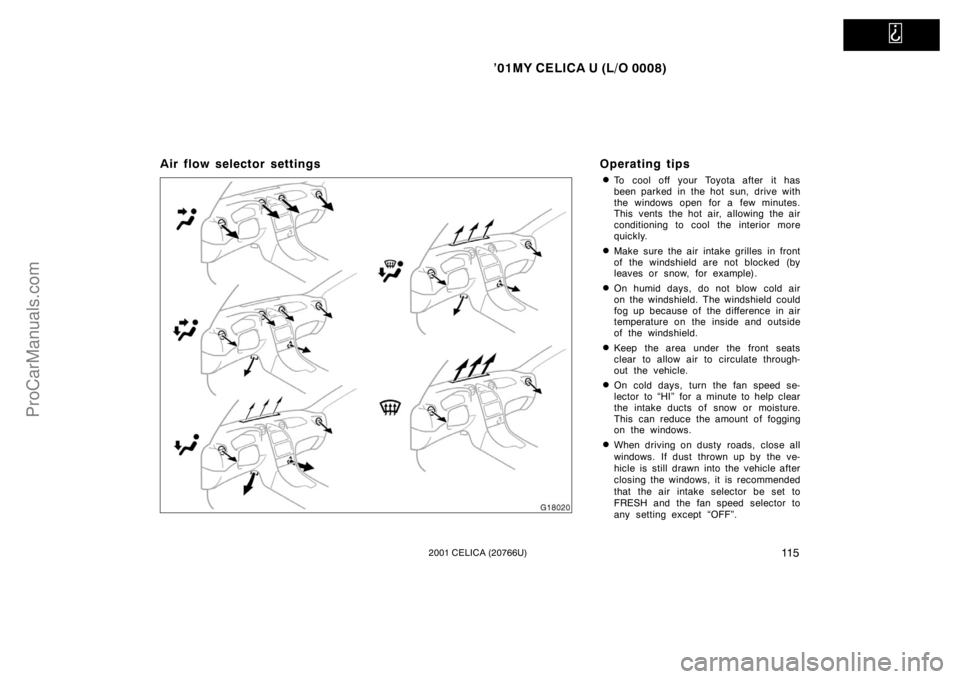
Air flow selector settingsOperating tips
�To cool off your Toyota after it has
been parked in the hot sun, drive with
the windows open for a few minutes.
This vents the hot air, allowing the air
conditioning to cool the interior more
quickly.
�Make sure the air intake grilles in front
of the windshield are not blocked (by
leaves or snow, for example).
�On humid days, do not blow cold air
on the windshield. The windshield could
fog up because of the difference in air
temperature on the inside and outside
of the windshield.
�Keep the area under the front seats
clear to allow air to circulate through-
out the vehicle.
�On cold days, turn the fan speed se-
lector to “HI” for a minute to help clear
the intake ducts of snow or moisture.
This can reduce the amount of fogging
on the windows.
�When driving on dusty roads, close all
windows. If dust thrown up by the ve-
hicle is still drawn into the vehicle after
closing the windows, it is recommended
that the air intake selector be set to
FRESH and the fan speed selector to
any setting except “OFF”.
ProCarManuals.com
Page 120 of 240

’01MY CELICA U (L/O 0008)
11 62001 CELICA (20766U)
�If following another vehicle on a dusty
road, or driving in windy and dusty
conditions, it is recommended that the
air intake selector be temporarily set to
RECIRCULATE, which will close off the
outside passage and prevent outside
air and dust from entering the vehicle
interior.Heating
For best results, set controls to:
Fan speed— Any setting except “OFF”
Temperature— To w a r d s WA R M
(red zone)
Air intake—FRESH (outside air)
Air flow—FLOOR
Air conditioning—OFF
�For quick heating, select recirculated
air for a few minutes. To keep the
windows from fogging. select fresh af-
ter the vehicle interior has been
warmed.
�Press the “A/C” button on for dehumidi-
fied heating.
�Choose floor/windshield air flow to heat
the vehicle interior while defrosting or
defogging the windshield. Air conditioning
For best results, set controls to:
Fan speed— Any setting except “OFF”
Temperature— To w a r d s COLD
(blue zone)
Air intake—FRESH (outside air)
Air flow—PANEL
Air conditioning—ON
�For quick cooling, move the air intake
selector to recirculate for a few min-
utes.
Ventilation
For best results, set controls to:
Fan speed— Any setting except “OFF”
Temperature— To w a r d s COLD
(blue zone)
Air intake—FRESH (outside air)
Air flow—PANEL
Air conditioning—OFF
ProCarManuals.com
Page 121 of 240
’01MY CELICA U (L/O 0008)
11 72001 CELICA (20766U)
Defogging and defrosting
The inside of the windshield
For best results, set controls to:Fan speed— Any setting except “OFF”
Temperature— To w a r d s WARM
(red zone) to heat;
COLD (blue zone)
cool
Air intake—FRESH (outside air)
Air flow—WINDSHIELD
Turning the air flow selector to the wind-
shield position turns on the defogging
function with the purpose of clearing the
front view.
Vehicles with “A/C” button—
Press the “A/C” button for dehumidified
heating or cooling. This setting clears the
front view more quickly.
�On humid days, do not blow cold air
on the windshield—the difference be-
tween the outside and inside tempera-
tures could make the fogging worse. The outside of the windshield
For best results, set controls to:
Fan speed— Any setting except “OFF”
Temperature— To w a r d s WA R M
(red zone)
Air intake—FRESH (outside air)
Air flow—WINDSHIELD
Turning the air flow selector to the wind-
shield position turns on the defogging
function with the purpose of clearing the
front view.
Vehicles with “A/C” button—
Press the “A/C” button for dehumidified
heating or cooling. This setting clears the
front view more quickly.
�To heat the vehicle interior while de-
frosting the windshield, choose floor/
windshield air flow.
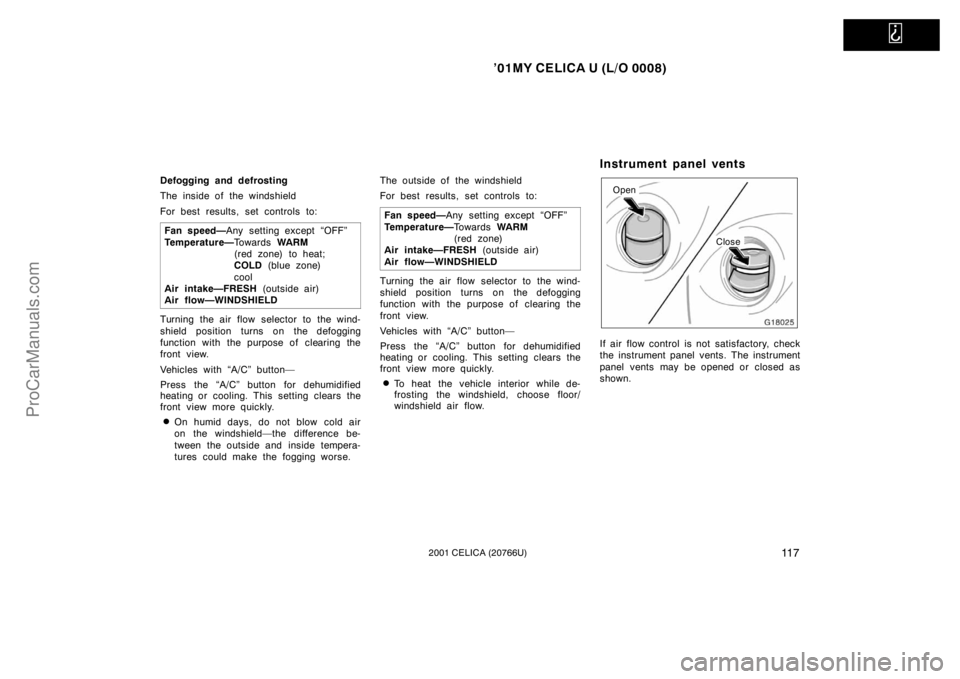
Instrument panel vents
Open
Close
If air flow control is not satisfactory, check
the instrument panel vents. The instrument
panel vents may be opened or closed as
shown.
ProCarManuals.com
Page 134 of 240
’01MY CELICA U (L/O 0008)
1302001 CELICA (20766U)
Engine exhaust cautions
CAUTION
�Avoid inhaling the engine exhaust.
It contains carbon monoxide, which
is a colorless and odorless gas. It
can cause unconsciousness or even
death.
�Make sure the exhaust system has
no holes or loose connections. The
system should be checked from
time to time. If you hit something,
or notice a change in the sound of
the exhaust, have the system
checked immediately.
�Do not run the engine in a garage
or enclosed area except for the
time needed to drive the vehicle in
or out. The exhaust gases cannot
escape, making this a particularly
dangerous situation.
�Do not remain for a long time in a
parked vehicle with the engine run-
ning. If it is unavoidable, however,
do so only in an unconfined area
and adjust the heating or cooling
system to force outside air into the
vehicle.
�Keep the back door closed while
driving. An open or unsealed back
door may cause exhaust gases to
be drawn into the vehicle.
�To allow proper operation of your
vehicle’s ventilation system, keep
the inlet grilles in front of the wind-
shield clear of snow, leaves, or oth-
er obstructions.
�If you smell exhaust fumes in the
vehicle, drive with the windows
open and the back door closed.
Have the cause immediately located
and corrected.
FUNCTIONS OF ENGINE OIL
Engine oil has the primary functions of
lubricating and cooling the inside of the
engine, and plays a major role in main-
taining the engine in proper working order.
ENGINE OIL CONSUMPTION
It is normal that an engine should con-
sume some engine oil during normal
engine operation. The causes of oil
consumption in a normal engine are as
follows.
�Oil is used to lubricate pistons, piston
rings and cylinders. A thin film of oil
is left on the cylinder wall when a pis-
ton moves downwards in the cylinder.
High negative pressure generated when
the vehicle is decelerating sucks some
of this oil into the combustion chamber.
This oil as well as some part of the oil
film left on the cylinder wall is burned
by the high temperature combustion
gases during the combustion process.
�Oil is also used to lubricate the stems
of the intake valves. Some of this oil
is sucked into the combustion chamber
together with the intake air and is
burned along with the fuel. High tem-
perature exhaust gases also burn the
oil used to lubricate the exhaust valve
stems.
Facts about engine oil
consumption
ProCarManuals.com
Page 140 of 240
’01MY CELICA U (L/O 0008)
1362001 CELICA (20766U)
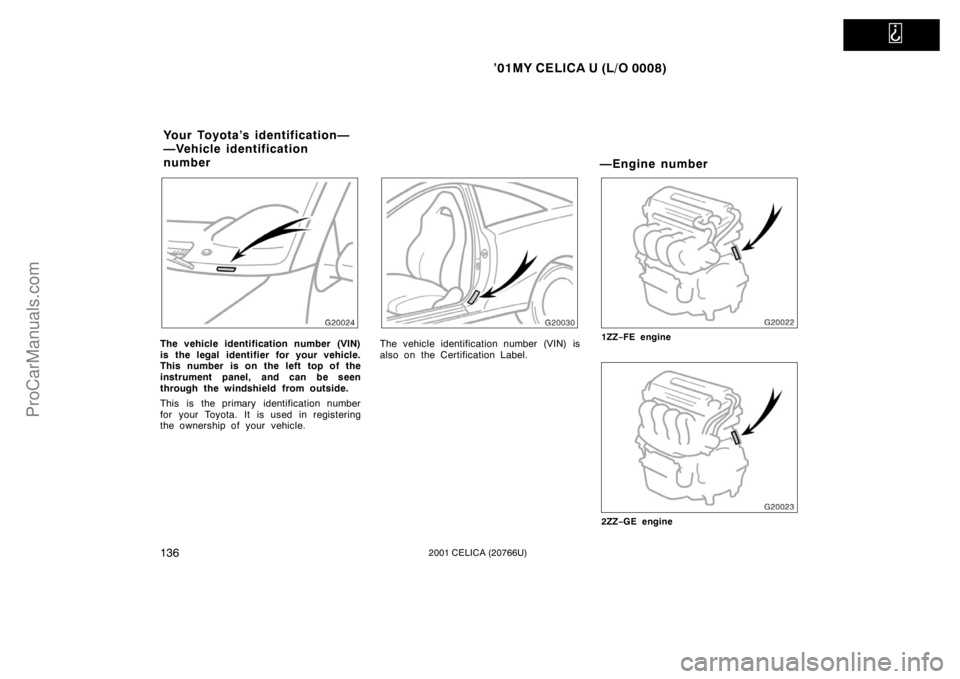
The vehicle identification number (VIN)
is the legal identifier for your vehicle.
This number is on the left top of the
instrument panel, and can be seen
through the windshield from outside.
This is the primary identification number
for your Toyota. It is used in registering
the ownership of your vehicle.The vehicle identification number (VIN) is
also on the Certification Label.
—Engine number
1ZZ−FE engine
2ZZ −GE engine
Your Toyota’s identification—
—Vehicle identification
number
ProCarManuals.com
Page 145 of 240

’01MY CELICA U (L/O 0008)
1402001 CELICA (20766U)
Before starting the engine
1. Check the area around the vehicle be-fore entering it.
2. Adjust seat position, seatback angle, seat cushion angle and steering wheel
angle.
3. Adjust the inside and outside rear view mirrors.
4. Lock both side doors.
5. Fasten seat belts. 1. Apply the parking brake firmly.
2. Turn off unnecessary lights and acces-
sories.
3. Manual transmission: Press the clutch
pedal to the floor and shift the trans-
mission into neutral. Hold the clutch
pedal to the floor until the engine is
started. A starter safety device will pre-
vent the starter from operating if the
clutch pedal is not fully depressed.
Automatic transmission: Put the se-
lector lever in “P”. If you need to re-
start the engine while the vehicle is
moving, put the selector lever in “N”.
A starter safety device will prevent the
starter from operating if the selector
lever is in any drive position.
4. Automatic transmission only: De-
press the brake pedal and hold it to
the floor until driving off.
(b) Starting the engine
Before starting the engine, be sure to
follow the instructions in “(a) Before
cranking”.
Normal starting procedure
The multiport fuel injection system/sequen-
tial multiport fuel injection system in your
engine automatically controls the proper
air −fuel mixture for starting. You can start
a cold or hot engine as follows:
1. With your foot off the accelerator ped- al, crank the engine by turning the key
to “START”. Release it when the en-
gine starts.
2. After the engine runs for about 10 sec- onds, you are ready to drive.
If the weather is below freezing, let the
engine warm up for a few minutes before
driving.
If the engine stalls...
Simply restart it, using the correct proce-
dure given in normal starting.
If the engine will not start...
See “If your vehicle will not start” in Sec-
tion 4.
How to start the engine—
(a) Before cranking
ProCarManuals.com